
Recommended Free Website Builders
Last updated: October 2025

- Create a personalized storefront with built-in AI
- Pick from hundreds of feature-packed themes
- Be business-ready from day one
- Create a personalized storefront with built-in AI
- Pick from hundreds of feature-packed themes
- Be business-ready from day one

- Create a website in 10 minutes.
- Used by 356,000 small business owners
- Average score of 4.4/5 on Trustpilot
- Create a website in 10 minutes.
- Used by 356,000 small business owners
- Average score of 4.4/5 on Trustpilot

- Chat your way to a custom website
- Shop in just 3 easy steps
- Simple, affordable plans
- Chat your way to a custom website
- Shop in just 3 easy steps
- Simple, affordable plans

- User friendly with no coding experience
- Highly responsive & customizable themes
- 24/7 threat & security monitoring
- User friendly with no coding experience
- Highly responsive & customizable themes
- 24/7 threat & security monitoring

- Over 3M already chose web.com
- Award-winning software
- Free 1-hour design support session*
- Over 3M already chose web.com
- Award-winning software
- Free 1-hour design support session*
Sell Online with the Recommended Online Store Builders
- Create a personalized storefront with built-in AI
- Pick from hundreds of feature-packed themes
- Be business-ready from day one
- Create a personalized storefront with built-in AI
- Pick from hundreds of feature-packed themes
- Be business-ready from day one
* Featured prices can be updated and free offers may include additional terms.
Do You Need a Website Builder?
When websites first started being built in the early 1990s, there was no way anyone could build a website without knowing how to write code, never mind getting a simple website up and running in a couple of minutes. Each page had to be hard-coded by a website development specialist. Until Content Management Systems (CMS) appeared in the early 2000s, you would need a professional to make any changes.
CMSs like Joomla!, WordPress, and Drupal made things much easier. Computer users with above-average computer literacy could build themselves a website if they had the time and inclination to tackle the relatively steep learning curve. More often than not, web development professionals would build a website and the owner of the website would then be able to make fundamental changes.
With the launch of smartphones in 2010, the need for responsive, fast-loading sites became essential, and online website builders were developed to enable ordinary computer users to build their own websites. Many of these web builders offer free versions, enabling businesses with low budgets to create a free business website with ease. These user-friendly tools, with their drag-and-drop functionality, have made it possible for anyone to create their own free website without knowing how to code.
Recommended Website Builders
These are some of the most recommended free website builders:
What is a Free Website Builder?
Free website builders are online tools initially developed by website hosting companies that allow any computer user to quickly and easily create a website for free by dragging and dropping various elements onto a page. This can also be done offline using free website-building software that allows you to drag and drop, but these programs aren’t as straightforward as their online counterparts, they are not as intuitive, and the changes are not immediate.
Online website builders have made it possible for anyone who's creating a website for free to end up with a professional website quickly and efficiently, even when more sophisticated features like an online shop are required. Today, you can find an array of free website builders that are easy to set up and offer great features from which your business can benefit. The developers of these phenomenal tools have recently been going all out and are constantly making it easier and more accessible for people to build a free website.
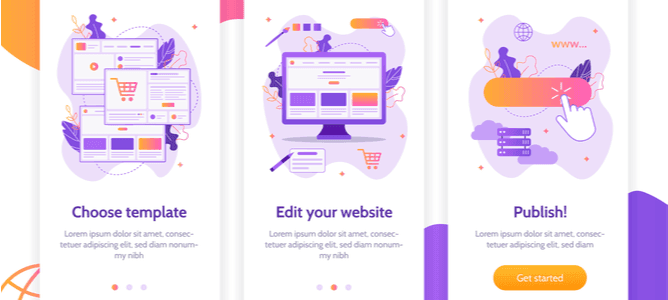
Even free website builders are incorporating content management and social sharing features into their tools. These features enable users to schedule and disseminate their content across various social media platforms as soon as it has been created. Building a business website free is as easy as choosing a template (with hundreds of options), customizing it with your branding and content, and saving it.
Problems Free Website Builders Solve
Free website builders are easy to use and solve a range of problems experienced by small to medium businesses with a click of a few buttons. If you'd like to make a free website, here are some of the problems a free website builder solves:
- Free website builders save you money. Hiring a professional web developer can be expensive, and unless you need advanced features and functionalities, using a free website builder for business sites cuts your costs.
- They put you in control of your website. You don’t have to wait for your web designer to schedule your changes. You can log in and make them yourself immediately.
- Many AI website builders save you time by making it a breeze to share your content on social media. Some even enable you to incorporate your content into newsletter format quickly and send it to your subscribers.
- With free website-making sites, you don’t need to be creative. AI Website builders, for example, offer hundreds of templates and layouts professionally designed and easily modified to suit your brand.
- Thanks to developers who are constantly striving to improve website builders, many now have Search Engine Optimization (SEO) functionality that helps you optimize your pages for good search engine rankings.
What is an AI Website Builder?
An AI website builder is a powerful tool that leverages artificial intelligence to effortlessly create free business websites that are professional and eye-catching. Unlike traditional platforms, these AI tools streamline the process by using advanced algorithms to design and populate sites with minimal input.
With the free AI site builders available on the market today, you can generate custom layouts, suggest design elements, and even create content tailored to your business type. Popular features in the best AI website builder include drag-and-drop customization, SEO optimization, and responsive designs.
Whether you're searching for a website builder with AI features or a full-fledged AI web builder, these impressive web-building tools are ideal for entrepreneurs and small businesses, redefining ease and efficiency.
Top Features Available in AI Website Builders
AI website makers are revolutionizing the way businesses create and enhance their online presence, enabling you to build a website for free in minutes. The top features of the best AI website builders include automated design generation, content creation, and SEO optimization.
Some of the best free AI website builders offer drag-and-drop editors, mobile responsiveness, and custom domain integration. With AI-driven customization, these platforms simplify website creation, making them ideal for users seeking efficiency, flexibility, and professional results.
Here are some of the features these AI website generators offer:
1. Wix
- AI Website Builder: Allows users to describe their preferences and instantly generates a functional website.
- Built-in AI Tools: Provides AI-powered options for creating and editing images, text, sections, and layouts.
- AI-Generated Email Marketing: Assists in creating effective marketing campaigns.
2. Shopify
- Shopify Magic (AI Features): AI designed for commerce, helping users save time by generating product content and providing optimization suggestions.
- AI-Powered Checkout and Marketing Tools: Includes Shopify Audiences to reduce acquisition costs and integrated tools to enhance marketing efforts.
3. Hostinger
- AI Website Builder: Creates websites in seconds with no coding or design skills required. Generates search-engine-friendly content automatically.
- AI Tools for Design and Optimization: Allows easy customization with drag-and-drop features and automated design suggestions.
4. Web.com
- AI Website Builder: Utilizes AI to create websites quickly based on a series of questions.
- AI Domain Generator: Helps users find optimized domain names.
- AI-Enhanced Online Store Creation: Streamlines eCommerce setup.
5. Network Solutions
- AI Domain Generator: Helps users find optimized domain names for their business or website.
- AI-Enhanced Marketing Services: Provides tools like SEO and directory listings for better online visibility.
- Custom Websites with AI Assistance: While not explicitly stated as AI-driven, the tailored strategies and tools provided imply the use of smart technologies to assist users.
6. Webador
- AI Website Builder: Simplifies website creation by automatically generating a website based on user inputs like business type and preferences.
- Content Creation with AI: Automatically fills the website with SEO-friendly and industry-specific content.
- AI-Enhanced Customization: Drag-and-drop tools combined with AI suggestions for design and layout.
Other Ways to Build a Website
There are four other ways to build a website other than using an online website builder: Learning to code, using offline website building software, using a Content Management System (CMS), or hiring a web developer. Here is some information on what these options entail:
1. Learn to Code
If you have an inquiring mind, are technologically inclined, and would like to develop your skillset, you could learn to code and build a technically sound and robust website yourself with HTML, CSS, PHP, Javascript, and other coding languages. You will need to learn HTML (HyperText Markup Language) and CSS (Cascading Style Sheets) at the very least, as they are the fundamental languages of web development used to create most websites.
Many affordable, even free, online courses will teach you how to code from scratch. The courses don’t take long to complete, but you will have to put in a lot of hours practicing before you can build a business website that looks professional, is technically sound, and is user-friendly.
2. Offline Website Building Software
A few offline website-building software packages are easier to use than a CMS but not as easy as an online website builder. The main advantage of website-building software over an online website builder is that it creates websites that can be moved between hosting providers and servers without relying on scripts and online functions tied to a particular company like an online website builder. Creating a simple website can also be more accessible than a CMS because it is easier to use, but this method is not recommended for beginners.
Dreamweaver has been around for many years and is still used by many people, particularly professional developers. Other programs include NicePage, Mobirise, and Template Toaster. Website-building software has no recurring costs, but you will have to organize and pay for your website to be hosted somewhere. Online website builders often include domain registration and hosting in their fees.
3. Content Management Systems (CMSs)
Most people think that CMSs are web builders, but they aren’t. A CMS is a complete software system that provides a platform to create a website. They are similar to website builders in that you don’t need to be able to code but are more complicated to use because they offer more functionality, flexibility, and customization than web builders.
A CMS is also different from a website builder because it has a robust database as its foundation, which organizes and stores content, information, and resources exceptionally efficiently. This content can then be called from the database to be displayed on one or more pages in various ways. With a 60% market share, WordPress is the most popular content management system.
Joomla, Drupal, and Magento are other popular CMSs. After WordPress, Joomla is probably the easiest to use, and Drupal and Magento are better suited to professional developers. You can build just about any website using CMS and most website hosting companies offer simple one-click installation for you.
4. Hire a Website Developer
The easiest way of developing a website is to outsource it and hire a professional web developer or web development agency to build it for you. This is the best option if you need a highly customized website that requires functionality tailor-made for your company. It is also the most expensive option because you are hiring an expert.
You will need to do your research to find a reputable web designer that you will work well with and who can bring your vision to life. You can save costs by asking for your website to be built in a CMS system to take over the reins and update the site yourself once it is made. The cost will depend on how much customization you require, whether you will supply content or need the developer to create the content for you, and how large your website is.
Best Free Website Builders
Many free website creators are available, so it is worthwhile to look at the different features they offer, the fees, the design options, available integrations, and the hosting options offered to find the one that best suits your needs.
10 Benefits of Using a Free Website Builder
Most free website builders, including platforms like Wix and Hostinger, offer the following benefits:
- Drag-and-Drop Interface: Free website creators, such as Wix, make it easy for users to customize their sites with drag-and-drop functionality.
- Quick Setup: Many tools enable basic websites to be live within minutes, offering pre-designed templates for a fast start.
- Control and Updates: Users maintain complete control and can update their websites at any time, often from any device.
- Device Compatibility: Websites can be managed and updated from desktops, tablets, or smartphones.
- No Technical Skills Required: Platforms are user-friendly and designed for those with no prior coding or design experience.
- Cost-Effective: A free plan eliminates the need to hire a web designer, reducing upfront costs significantly.
- Templates with Standard Elements: Builders typically include pre-configured templates with standard website features like navigation menus, contact forms, and more.
- Domain Name and Hosting: Many free plans include hosting, though domain names may require upgrades for a custom URL.
- Free Libraries for Media: Free access to image and graphic libraries is standard on platforms like Wix.
- Business Features: Free versions often include basic SEO, marketing tools, and CRM features, though advanced options may require paid plans.
Free Website Builder Platforms: Good To Know
- Not all free website builders offer the same features, so you must check that the features offered suit the type of business website you are building. For example, if you’re building an online store, you will need e-commerce functionality and a payment gateway.
- Check the pricing options closely. Some free website making sites have no fees to start with but increase after only a few months or as your needs for more features grow. You should also note whether hosting is included or not.
- Take a look at the type of support offered. There are some free website builders with extensive knowledge bases, forums, and training tools which make it much easier to troubleshoot and problems you may have.
- In order to help you decide which free website builder to choose, browse through the templates offered to see whether the styles appeal to you.
- Once you’ve got a shortlist of free website builders that suit your requirements, you should “test drive” them before you make a commitment so that you can choose one that you feel is the most comfortable navigating.
Final Thoughts
Choosing the best free website builder depends on your needs, but modern tools make it easy to create a website for free without technical skills. Unless you need a massive e-commerce site with hundreds of products, many bells and whistles in terms of functionality, or a complex animated design executed, a free website creator is just what you need.
Anyone who can use a computer can create free business websites that look like they have been designed by a professional quickly and easily without knowing a dot about coding. Platforms like Wix, Webador, and Hostinger empower users to build websites free of charge, with drag-and-drop simplicity, offering templates that suit businesses or personal projects. These free website makers often include hosting, SEO tools, and access to libraries of images, ensuring high-quality designs.
For businesses, the ability to create a business website free of charge and with integrated marketing features is invaluable. Whether you need a website builder free of charge for your business or a simple personal site, today’s free website creators offer flexibility and efficiency. The best free website builders for small businesses make it possible to build and maintain a business website from anywhere.
If you'd like to create a website for free, start exploring free website-making sites to bring your vision to life with ease!
FAQs
Q: Can I really build a website for free?
A: Yes, many platforms like Wix and Webador allow you to build a website for free with essential features such as hosting, templates, and basic SEO tools.
Q: What is the best free website builder for small businesses?
A: The best free website builder for small businesses depends on your needs. Wix and Hostinger are excellent options, offering customizable templates and business-friendly features.
Q: Do free website builders include hosting?
A: Most free website creation sites include hosting as part of their free plans, though you may need to upgrade for custom domains and additional storage.
Q: Can I create a free business website with eCommerce features?
A: Yes, platforms like Shopify and Webador enable you to create a free business website with basic eCommerce functionality, often requiring upgrades for advanced tools.