

Last updated: September 2025
Benchmark helps small and mid-sized businesses convert more sales by providing access to AI, landing pages, automation, e-commerce tools, and dozens of automations to supercharge email marketing campaigns. With almost 2 dozen email templates, users need zero technical knowledge to get things done.
Plans & Pricing
- Easiest-ever email builder, plus:
- 500 contacts
- 3,500 emails/mo
- Forms
- Reports
- Everything in Free, plus:
- 7,500 emails/mo.
- Email automation
- Landing pages
- A/B testing
- Everything in Pro, plus:
- Managed account set-up
- Deliverability tools
- Volume discounts
- Send-based pricing
* Featured prices can be updated and free offers may include additional terms.
Benchmark allows you to send up to 3,500 emails to 500 contacts for free. Although the Benchmark logo will be visible on the email, it will be a good opportunity for new business owners. With the free version, you can reach new subscribers, track your email performance and segment your lists. You can also access Benchmark’s smart content with up to 25 credits without paying a dime.
However, you need to upgrade to access more advanced features such as automation, landing pages, scheduling, and A/B testing.
In addition, Benchmark allows you to choose between monthly or annual billings. If you’re planning to use Benchmark for a long time, it is more economical to settle for annual billings. Also, when using the paid version, the billing increases based on the number of customers you want to reach.
Expert Score
Pros
- Creates AI-powered smart content
- Simple drag-and-drop editor
- Affordable pricing
- Numerous support channels
Cons
- Low deliverability
Customer Support
Customers are important to Benchmark. They provide numerous resources you can leverage to have a wholesome experience while using the software. Benchmark offers guidance from setup to creating a repeatable process of emailing your customers. All the resources you need to create impeccable email marketing campaigns are within your reach. You can access the Live chat and Help Center with the free version. Regardless of the questions you might have about using the software, Benchmark provides channels that ensure they are addressed explicitly. However, you’ll need to upgrade to access managed account setup and phone support.
Email Support
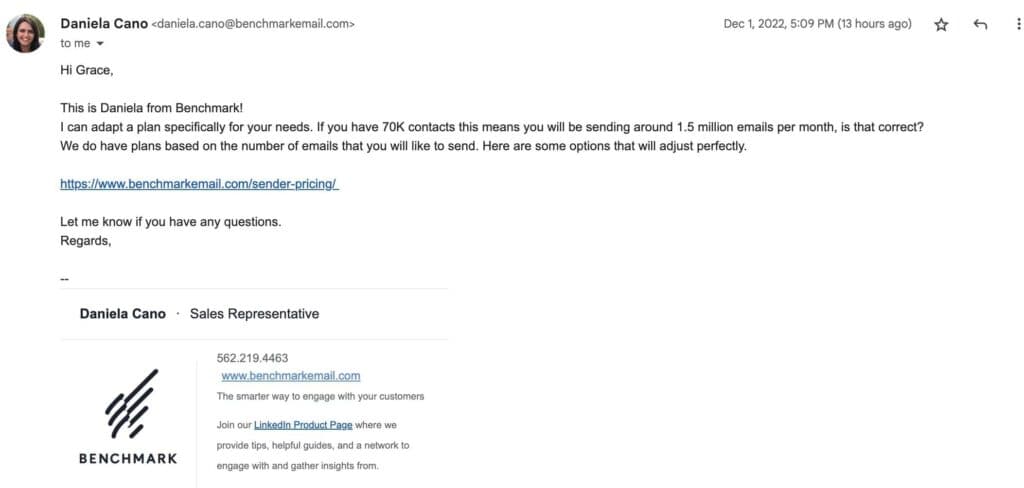
Benchmark offers an impressive email support system that guides you from the very beginning of your journey with the software. A welcome email is one of the regular email perks to expect. They also include a DRIP campaign to help you learn how the software works at a considerable pace. With real issues also, the support team is very responsive via email. The rep was professional and provided a comprehensive answer to my questions. She even offered to assist further, should I need it. Also, I was given access to book a meeting with them.
Live Chat
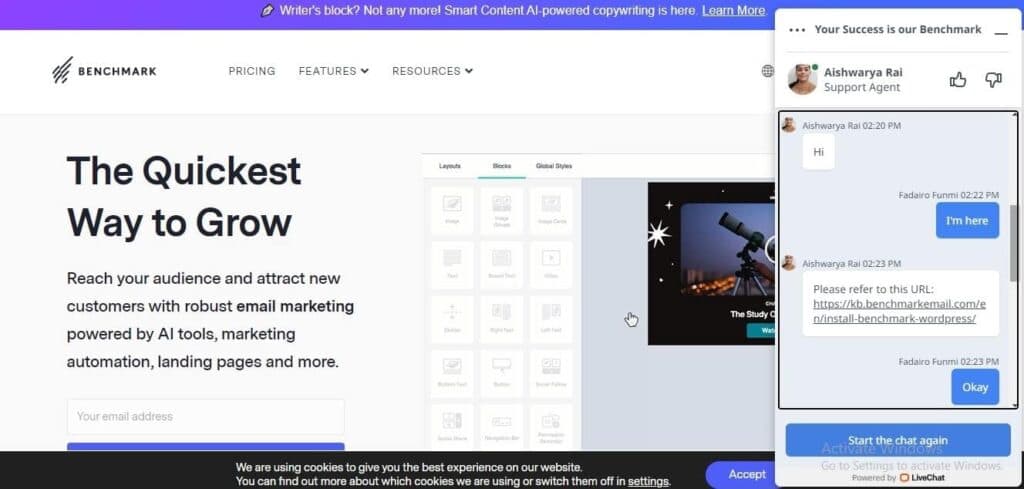
After reaching out through the live chat, I got a response in 3 minutes and a resource that answered my question. The team member was direct, effective, and straight to the point. However, the tone was very professional. Even after making my complaints, I got follow-up chats indicating the team’s eagerness to help. Overall, the live chat was excellent.
Blog
The Benchmark blog is a one-stop shop for all your email marketing needs. It provides expert information for creating attention-grabbing email campaigns that give you an edge over your competition. The blog covers newsletters production, running an ecommerce business, and navigating email marketing like a pro. This blog also uses clear images for illustrative purposes.
Guides
Benchmark offers access to comprehensive guides, webinars, and HTML email templates designed to make your work seamless. However, Benchmark requires you to update your email address before accessing these resources. This singular step can be quite a hassle when you’re eager to gain the necessary information.
Phone Support
Ability to book calls anytime using the pro version.
Phone Support
+1 800-430-4095
support@benchmarkemail.com
24/7 Help & Support
Access 24/7 assistance via phone and email.
FAQ
Answers to your questions are available in the help center.
Video Tutorials
Videos are available on Email Marketing Library.
Ease of Use
If you're looking for an email marketing tool that provides ideal support for users to navigate through, that's Benchmark. The user interface is decent, making it easy for beginners to create email campaigns without much hassle.
Setup
Setting up an account with Benchmark is simple. I only had to input my email address, name, and an 8-character password. When I was done with the step, I added my company details. Then, I went on to create my first email.
Designing your email with the drag-and-drop email editor:
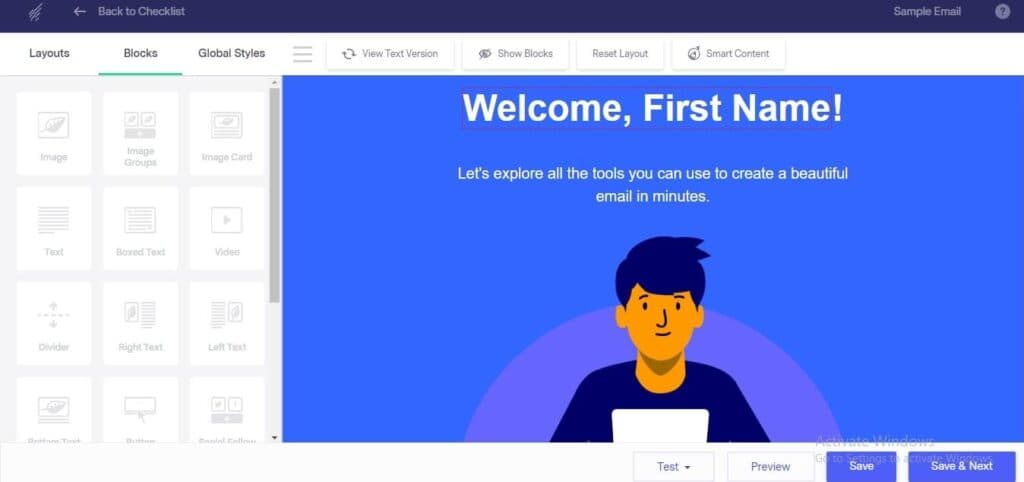
The drag-and-drop editor has 20 free templates that you can use for free. Using this tool is simple. You can customize the design to suit your brand and preference. As long as your gallery is below 1GB while using the free version, you can get as many designs as possible. This editor also helps you view your content in a text version to choose what suits your audience best.
Audience building & segmenting
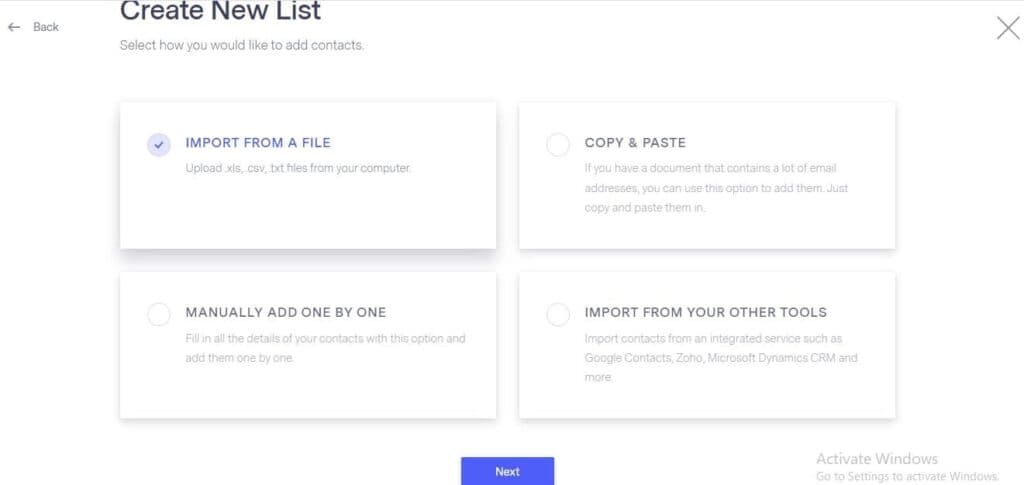
Creating a contact list on Benchmark is stress-free. You can add the email individually, copy and paste in bulk, import a CSV or Excel file, or import from other third-party tools. This takes only a few seconds. You can choose to create a regular or targeted list. However, a targeted list is only available for premium users. Segmenting your contacts on Benchmark can be tricky. You have to create a list from scratch. There's no clear list of the criteria you'll use in segmenting contacts. You'll have to create the list by yourself. Unlike other tools, tagging isn’t a feature on Benchmark at this time.
Email automation
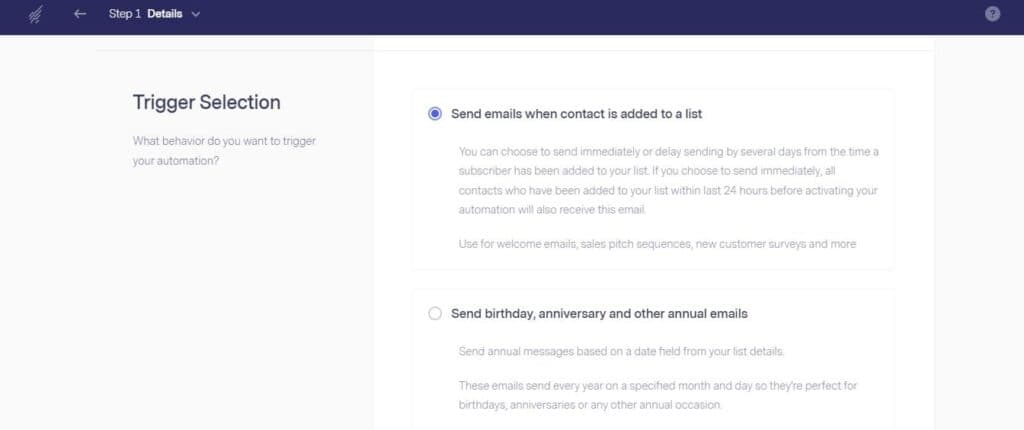
Automating your email is a lifesaving endeavor. It helps you reduce time, enhance effectiveness and boost productivity. Although there are automation features for different paid plans, you can still access some for free. Using this tool, I could automate welcome emails, sales pitch sequences (DRIP campaigns), birthday emails, anniversary emails, and follow-up emails.
Integrations
Benchmark integrates with over 1500 third-party apps, including WordPress, Shopify, Zapier, and PayPal. Integrating with WordPress and PayPal, there were no lags and the process was seamless. However, I had to read more than one guide before fully grasping the integration process.
Performance
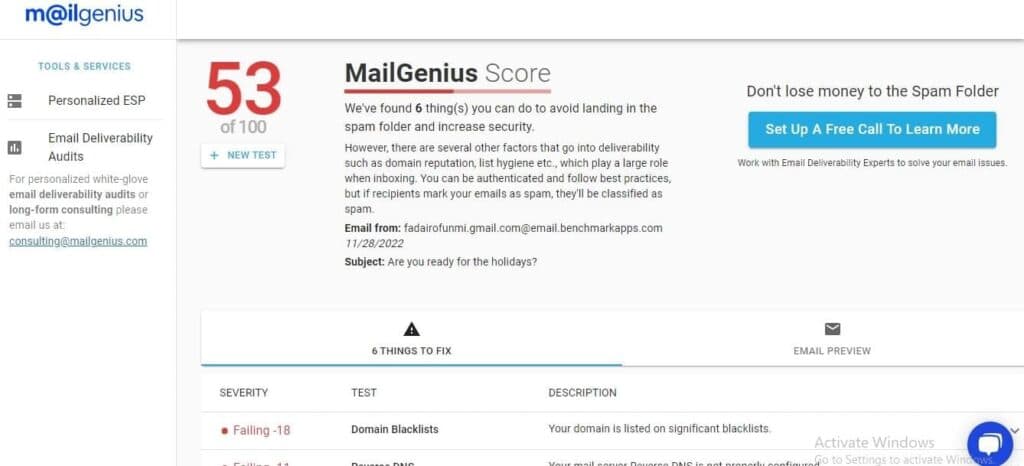
Determining the exact performance of an email marketing tool can be tricky. It’s usually difficult to know if your emails will reach your customers on time without getting into the spam folder. Luckily, tools like MailGenuis and MailTester have made it easy to test tools like Benchmark for spamminess and deliverability. The results were only decent.
Deliverability
Benchmark has a deliverability score of 53% according to MailGenius. The email marketing tool was blacklisted by many domains. This can affect the way your emails will reach your recipients.
Spamminess
According to MailTester, Benchmark has a score of 84%. This means 84% of the time, your email will land in the inbox of your recipients. The remaining 16% would likely go to spam. If you have a large mailing list this 16% could mean a lot.

Features & Functionality
Smart Content
Marketers and business owners always run out of words when creating email campaigns. Sometimes, they have to hire freelance writers to craft compelling email content that will stop customers in their tracks. However, with Smart Content that Benchmark offers, you don't have to go through such a hassle again.
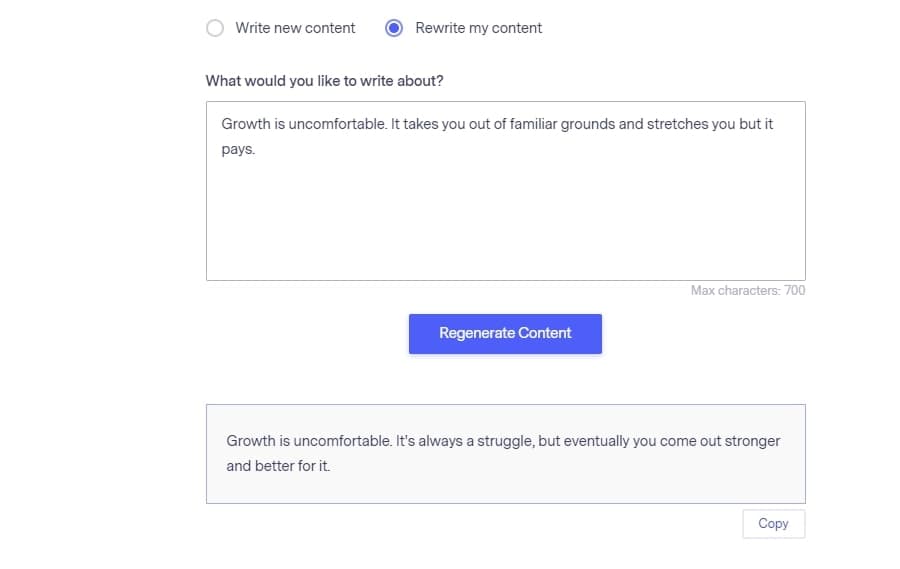
This email copywriting AI helps kill writer's block and birth fresh ideas. You can easily repurpose existing content in a new way and overcome the fear of staring at blank pages. Even with the free plan, you can access 25 credits to send evergreen content to your audience. You can write a maximum of 700 characters and choose between creating fresh content or rewriting an existing one.
Drag and Drop Editor
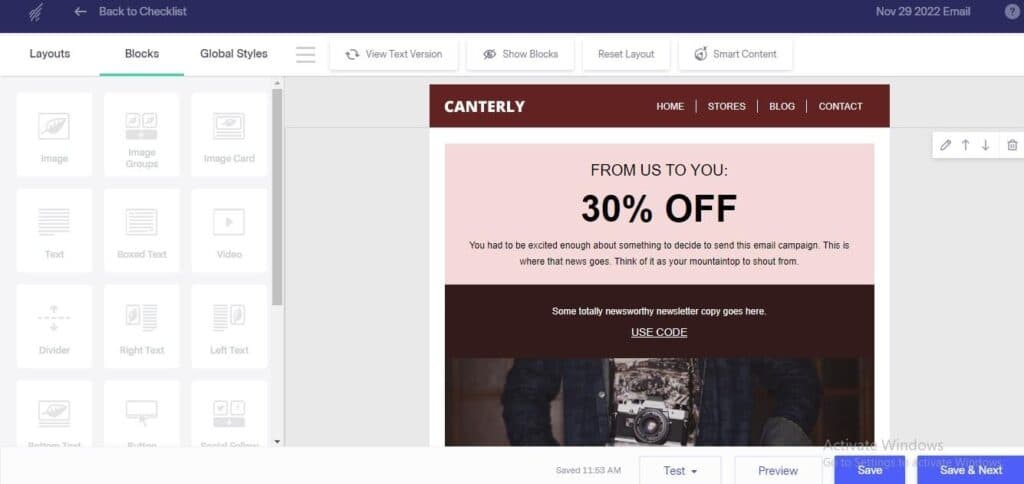
It has three different sections on the left side of your screen; layouts, blocks, and global styles. With this editor, you can choose templates based on the industry, holiday, integration, or type of business you’re running. Also, you can choose colors, fonts, texts, and other elements that will help create a personalized feel for every email you create. You can choose between the text and HTML version of the email depending on what suits your audience.
Reporting & Analytics
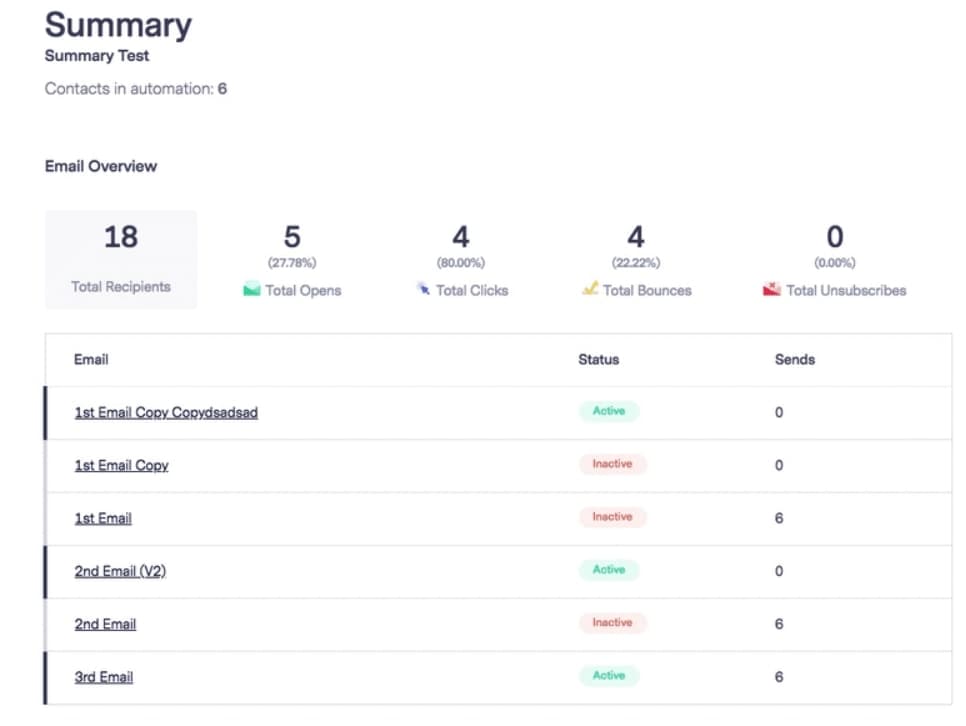
Benchmark makes it easy for you to track the performance metrics of your emails. It shows the number of contacts reached, open rate, click rate, bounce rate, and total number of unsubscribes. With this email marketing tool, you can see how well your emails perform and use this information to guide your future decisions when creating email campaigns. It will help you study your audience’s reaction to your messages.
A/B Testing
To access the benefits of A/B Testing, you should upgrade to the premium version. However, this feature allows you to compare the content and subject line to see what works best for your audience. Afterward, you can settle for the best one.
E-commerce Tools
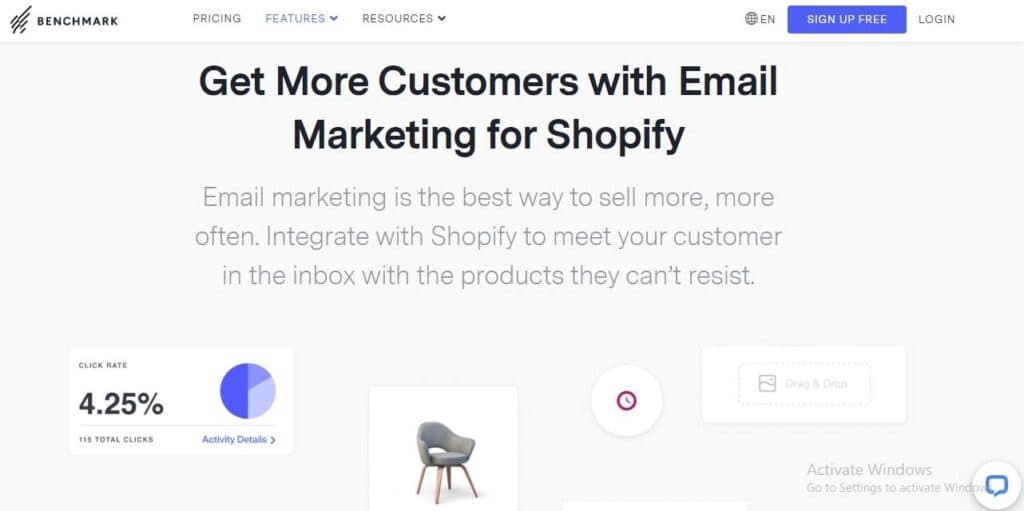
Benchmark offers specific tools that help e-commerce businesses increase sales and showcase their work to their customers. By easily integrating your account with Shopify, you can add your product selection to your newsletters to boost visibility. Simply customize it and add your branding tools to boost sales.
Boost engagement with targeted marketing strategies.
Create visually appealing emails with design tools.
Features
- Unlimited Emails
- Image Library
- Gmail Import
- Sign-Up Forms
- Google Analytics
- Email Lists
- Segmenting
- A/B Testing
- Social Media Marketing
- Surveys
Verdict
Benchmark email marketing is an ideal choice, especially for e-commerce businesses and marketers seeking to leverage AI tools to create a clear copy. In addition, this software is affordable and offers exceptional features even in the free plan. Benchmark provides options that will help you send timely emails to your customers if you're running on a strict budget.
However, you need a paid plan to access the advanced features provided by this tool so you can stand out among your competitors. Benchmark is average in terms of performance but it makes up for this lapse by providing unique features that are suitable for all company sizes.
Benchmark provides access to AI tools that helps users automate email campaigns and improve the performance of their campaigns from time to time. The platform is user-friendly and easy to navigate, even for a first-time user. It provides access to exceptional tools at an affordable rate that makes it accessible to all.
Users Reviews
Write a review
Leave a review, help others get it right the first time.
4 Reviews
Thomas F
Very Good
I am happy with the tool and the customer support is always on hand to help out when the occasional issue comes up. I will admit that most things are not an issue but rather a failure on my end to figure something out. The solution is always so easy when
- - The email newsletter design is simple to master
- - Many templates to choose from
- - The customer support is fast
- - Some of the non-core features like landing pages are new so they still need work.
Cindy F
Content Manager
Great support
I would consider myself a heavy email user even if I do not use all the advanced features. Video is an important part of my marketing strategy and Benchmark supports that feature so I am pleased.
- - Supports integrations with video in email
Calvin M
It is the benchmark to beat
We have used Benchmark for years and it has allowed us to create authentic email campaigns and become closer to our clients than ever.
- - Drag-and-drop email editor
- - Personalization based on many different criteria
- - Email automation
Julian N
Very easy to use
I have limited email marketing needs and Benchmark has been able to meet them with zero complaints. I will continue to use the service unless something changes for the worse.