

Last updated: October 2025
Bitdefender is a password manager that offers a wide range of features to meet the needs of businesses and individuals. It uses some of the strongest cryptographic algorithms to ensure that sensitive passwords remain protected at all times, with users able to access their vaults with one master password. The company has won numerous awards over its 20 years of experience and is Ferrari's official cybersecurity partner. As well as password management, Bitdefender also offers a range of other security features, including VPNs, identity theft protection, and more. This Bitdefender review will focus on everything related to its password manager, including features, pricing, ease of use, and more.
Plans & Pricing
- Password management
- Password capturing
- Intelligent autofill
- Password health reports
- Password generator
- Multi-factor authentication
- Identities management
- Secure Me
- Notes
- Everything in the Individual Plan
- Up to 4 people
- Up to 25 employees
- AI-powered password protection
- All-in-one solution
- Business asset monitoring
- Cross-platform compatibility
- Centralized management
- Scam and fraud prevention
- Unlimited VPN traffic
- Email protection
- Everything on the Small Businesses Plan
- Compliance and business reputation protection
- Up to 100 devices
- Server security
- Enhanced protection with add-ons
- Enterprise-level support
- Professional services
* Featured prices can be updated and free offers may include additional terms.
The available plans at Bitdefender relate to regular consumers, small businesses, and bigger enterprise clients. You can choose to pay monthly installments or else a smaller annual sum.
At the time of writing, Bitdefender was offering a discount on new plans for consumers, with the Individual Plan being $19.99 and the Shared Plan at $39.99. These discounts make the plans very reasonably priced and apply for the first year of your account.
All plans come with a 30-day money-back guarantee and there is also a free trial available for some options.
Here’s a quick breakdown of the main Bitdefender pricing plan options for individuals:
- The Individual Plan usually costs $29.99 per month and offers secure password storage for one person.
- The Shared Plan covers four different accounts and comes in at $59.99 per month typically.
- The Small Businesses Plan price changes depending on how many users you have on your plan, but it typically works out at about $3.99/mo per user.
- The Small to Medium Businesses Plan has even more advanced features and caters to up to 100 devices, with the basic plan averaging at about $200 per year for 10 users.
Expert Score
Pros
- Can remotely log out of your account
- Can import a large number of file formats
- Useful notes filing and storage
Cons
- Doesn’t offer password sharing
Customer Support
The first port of call for anyone looking for help at Bitdefender is the support center. Here you will find a whole host of different resources to help you better understand what Bitdefender offers and to troubleshoot any problems you might have.
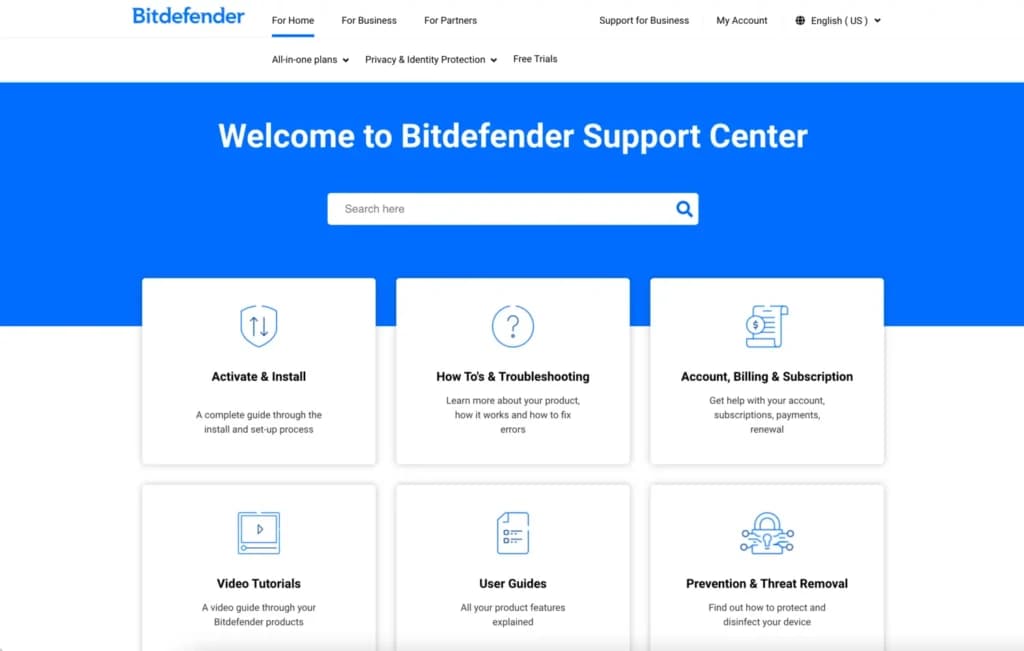
There are video tutorials showcasing how to use the Bitdefender products, user guides explaining all the product features, and more. The Bitdefender Expert Community can also be a good tool to try to come up with solutions to certain problems by discussing them with your peers.
Bitdefender also offers a few different ways to get in touch with the support team. The easiest option is live chat, which is accessible 24/7. There’s also the ability to send an email or ring them by phone.
Personal Experience With Customer Support
I found the support center to be extremely comprehensive, and it allowed me to quickly find answers to questions I had about certain features. There’s tons of support for people no matter what type of product or device you're using, including easy-to-understand tutorials.
I found the live chat to be useful for getting quick responses to our straightforward queries about the password manager, with the 24/7 support always being welcome. The responses to my emails took less than 24 hours, and I was reasonably happy with the quality of the responses.
Phone Support
You can call support via phone: (+1) 954 414 9631
Fill out a form on their site, and support will contact you.
24/7 Help & Support
Live chat is available 24/7.
FAQ
Their website has an extensive FAQ for all your questions.
Blog
A blog with articles is available on their site.
Live Online Chat
The live chat is on their website.
Video Tutorials
You can find tutorials on their website.
Ease of Use
Bitdefender works across all major devices, including Windows, Mac, Android, and iOS. There’s also support for popular browsers, with the extensions allowing you to easily integrate features.
There are useful blog posts that take you through how the password manager software works and what you can do to get the most out of your plan. The YouTube channel also contains useful tutorial videos to help you learn the ropes.
The company caters to many different file formats when you're looking to import data, so this eliminates an extra step that is often in place with other password manager tools.
Performance
The Bitdefender tool has plenty of useful security features that help you protect your account. If you forget to log out of another device that someone else is using, you can remotely log out of it or set up a lock mechanism that requires a PIN to unlock.
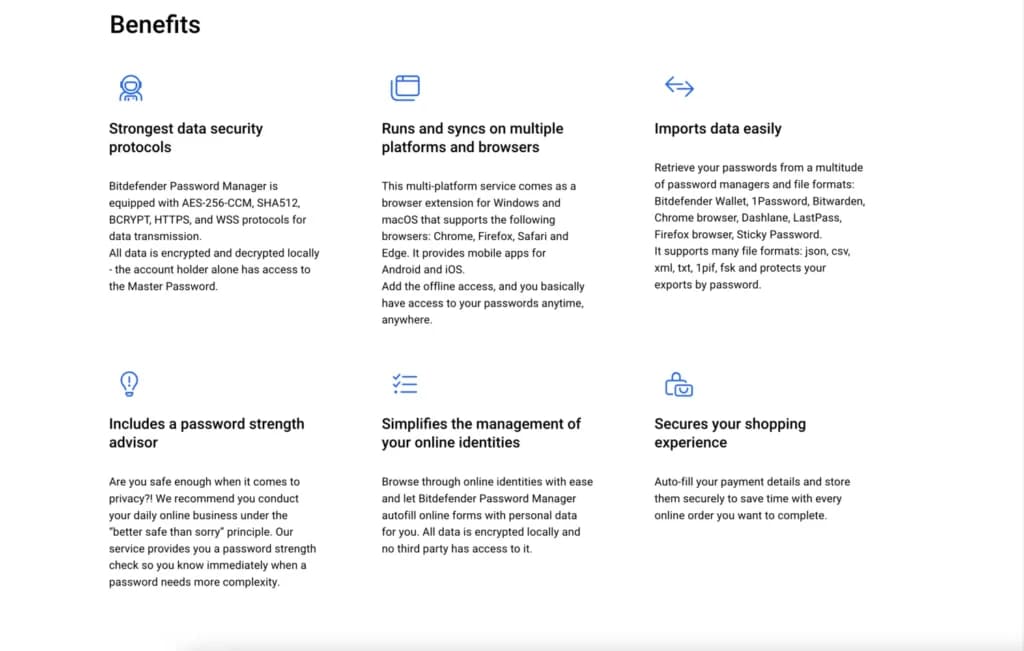
The Bitdefender software also does a great job of clearly indicating what improvements you can make regarding your password health. When testing Bitdefender, I had no issues with lag or retrieving data.
Everything is focused on making the entire experience as streamlined as possible. One disappointing aspect is not being able to safely share credentials.
Features & Functionality
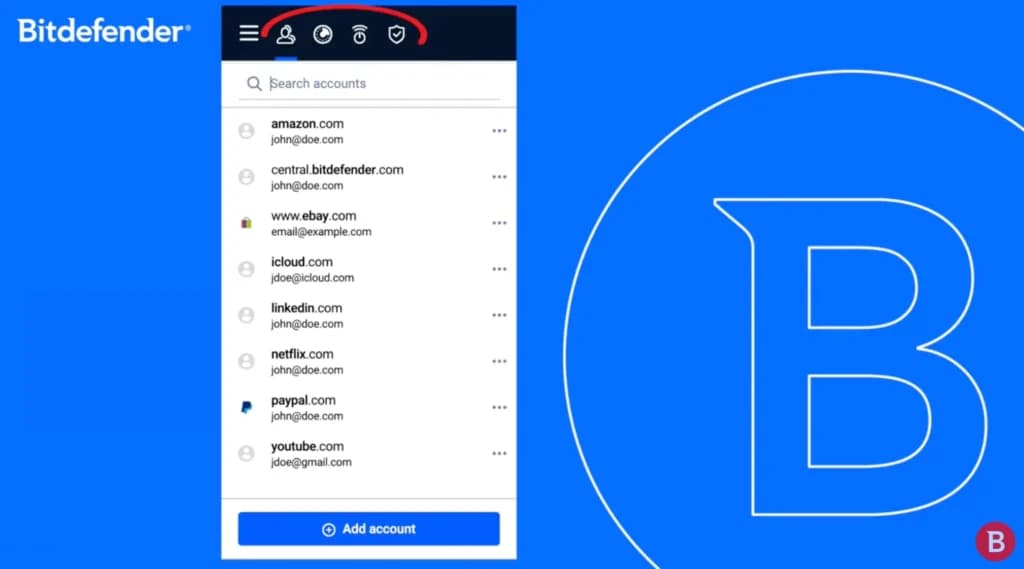
The Bitdefender password manager covers a lot of ground, offering all kinds of different useful features and functionalities. I’ll walk you through some of the most important features so you can quickly see what Bitdefender provides to its users:
- Zero-Knowledge Encryption
- Multidevice Compatibility
- Easy Importation of Data
- Multi-factor authentication (MFA)
- Password health reports
- Intelligent Auto-Filling Forms
- Password Generator
- Auto Lock Setup
- Password Leak Automatic Alert
- Secure Me
- Secure Note
- Integration with Other Apps
- Password Capturing
- Biometric Authentification
- Identities Management
Zero-Knowledge Encryption
Bitdefender does not have access to any of your passwords, which is vital for protecting them from prying eyes. This is achieved thanks to the AES 256-bit encryption technology, encrypting and decrypting passwords locally.
Multidevice Compatibility
The cross-platform compatibility means you can access your Bitdefender account from different devices and browsers. All your passwords will sync automatically and instantly, so there is no refreshing needed when using a different device.
Easy Importation of Data
Bitdefender supports importing data in a wide range of formats, which gives you a good level of flexibility and creates less work for you.
Multi-Factor Authentication
You can add extra layers of protection to accounts by implementing multi-factor authentication, it’s not just a password you need to access your vault. Other additional tools include email or SMS PIN codes.
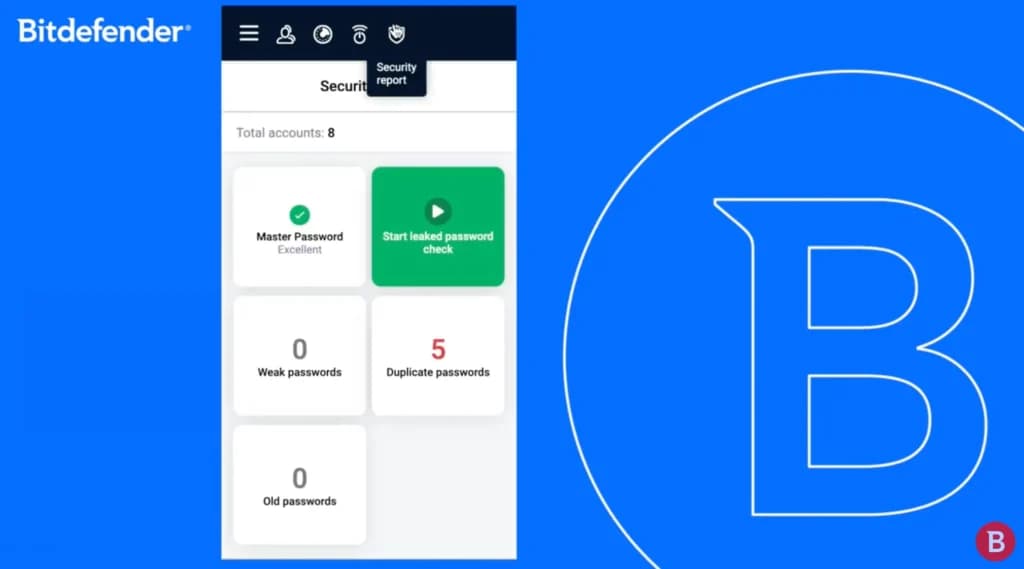
Password Health Reports
Bitdefender checks the strength of your passwords to make sure they are up to scratch. If it notices an issue, you will receive recommendations on how to boost the strength of the password.
Intelligent Auto-Filling Forms
Bitdefender allows you to quickly and safely auto-fill forms as you need. The third party won't have access to the auto-fill information as it is all encrypted locally. It ultimately saves you time when online shopping.
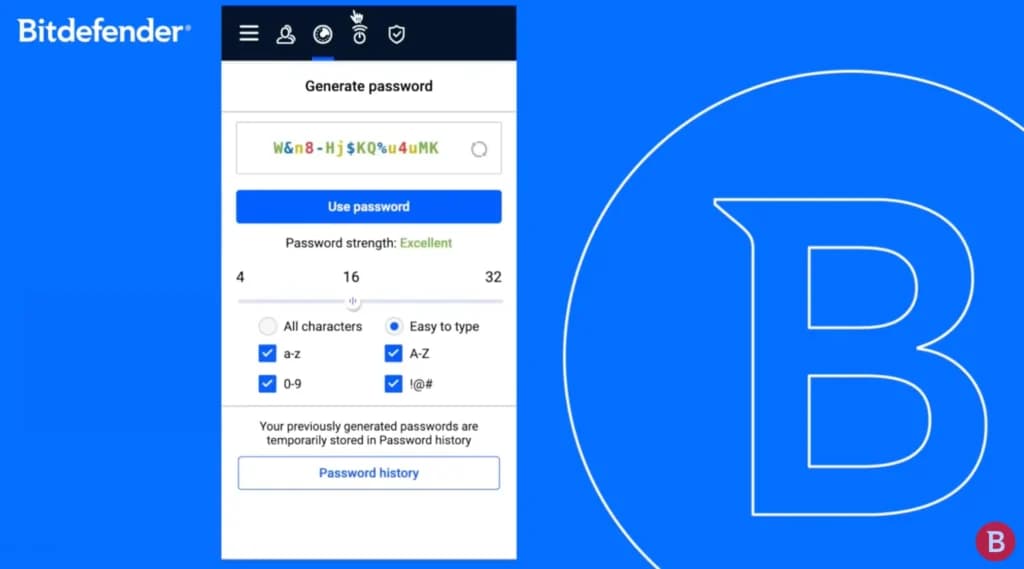
Password Generator
Bitdefender has a password generator that allows you to quickly create new strong passwords instantly of up to 32 characters in size.
Auto Lock Setup
If you have forgotten to sign out of your account on a device that isn’t yours, you can use the auto-lock feature that will log you out after a certain period of time or else require an additional PIN to be entered when using the account.
Password Leak Automatic Alert
Thanks to dark web monitoring, you can keep up to date with leaks through data breach alerts you might have been exposed to. Bitdefender constantly checks to see if your sensitive data is part of any such third-party leaks.
Secure Me
Bitdefender's password manager includes a feature called Secure Me, which allows users to remotely log out of an account. This feature is particularly useful for preventing unauthorized access to your accounts when sharing a device or using a public computer, providing peace of mind and control over account security from any location.
Secure Me effectively reduces the risk of account misuse by ensuring that sensitive information remains protected, even when you're not physically present at the device.
Secure Note
Bitdefender has a feature called Secure Notes that is like a notebook that you can encrypt. It allows you to store passwords and usernames of a wide variety of accounts and keep them neatly organized.
Integration with Other Apps
Bitdefender offers integration with other online security tools like 1Password and WatchGuard. There is also plenty of support for linking it with other third-party services.
Password Capturing
Bitdefender will encourage you to quickly store any new password that you create, which means you don’t have to manually add them at a later point in time to the password manager.
Biometric Authentification
Bitdefender's Biometric Authentication feature allows users to unlock their accounts using fingerprints or facial recognition instead of a password. This adds an extra layer of security and convenience by enabling quick, secure access without needing to remember or enter passwords manually.
Identities Management
Bitdefender's Identities Management feature allows users to manage multiple identities within the same password manager account. This feature ensures quick and secure handling of different sets of personal information, streamlining the process of switching between identities for various online accounts and services.
Verdict
Bitdefender has been in business for a long time, so it has clearly stood the test of time. While it offers a wide range of security products, its password management tool is one of the most popular options.
Although it’s not the cheapest plan on the market today, you are getting a product that delivers the highest level of security for your passwords. Additional features like remote logout aren’t seen with many competitors, and Bitdefender has some of the best customer support on the market.
This is why Bitdefender is a great fit for any business that really wants to protect its passwords and wants to find one of the best products for doing so rather than trying to get a cheaper alternative that might not be as good.
Users Reviews
Be the first to write a review
Share your experience with Bitdefender Password Manager and help others choose the right software.