

Bloom CRM Review For 2026
Overall Rating
3.4
Last updated: September 2025
Bloom is an “all-in-one” customer relationship management software for freelancers and creatives that helps you grow and organize your business. Bloom is a way to manage all of your client relationships with many features built-in. The software is designed to help freelancers and creatives keep positive relationships with customers and help generate more business through email automation, custom templates, and more for an affordable price.
Plans & Pricing
Starter
$7
seat/
month
7-day FREE trial
- Manage projects
- Proposals and invoices
- Workflows
- Lead capture & management
- Contract templates
- Instant bookings
- Website portfolio
- Zoom integration
- Email support
- 500GB storage
Standard
$17
seat/
month
7-day FREE trial
- Everything in Starter, plus:
- Contract custom variables
- Shared project notes
- Recurring invoices
- Quickbooks integration
- Invoice tipping
- Chat & call Priority support
- 1TB storage
Plus
$33
seat/
month
7-day FREE trial
- Everything in Starter, plus:
- Data migration
- Onboard team
- Setup website
- Seatup lead forms
- Setup email automation
- Setup review requests
- Optimize branding & design
- Dedicated agent
* Featured prices can be updated and free offers may include additional terms.
Bloom CRM is a well-operating customer relationship management software for acceptable and affordable membership plans. The company offers a low monthly plan at $17/mo, the highest plan is $197/ mo. Below are the layouts of each plan, its pricing, and its offerings. Each membership option offers a seven-day free trial and if you try canceling your membership during that seven days then the company automatically offers you to extend your free trial for another 15 days.
For Canada, the pricing is slightly different, at $22.95/month for the starter plan, $49.95/month for the standard package and $265.95/month for the full-serve package. These packages offer the same features and trial policies.
Expert Score
Pros
- The organization is above average and simple
- Innovative software
- So many built-in tools save you time
- Feature-rich software for the membership cost
Cons
- Limited email marketing features
- Lacks team collaboration, no multi-user feature
Customer Support
Bloom has multiple customer support options such as email, live chat, and phone support. They don't really respond in the quickest manner. In my opinion, the live chat option is the best way to contact a representative for assistance. The customer support team is helpful in answering any questions users have as well as directing users through operations.
Phone Support
Bloom only offers phone support for the standard and full-serve memberships. I was unable to test the company's phone support option.
Email Support
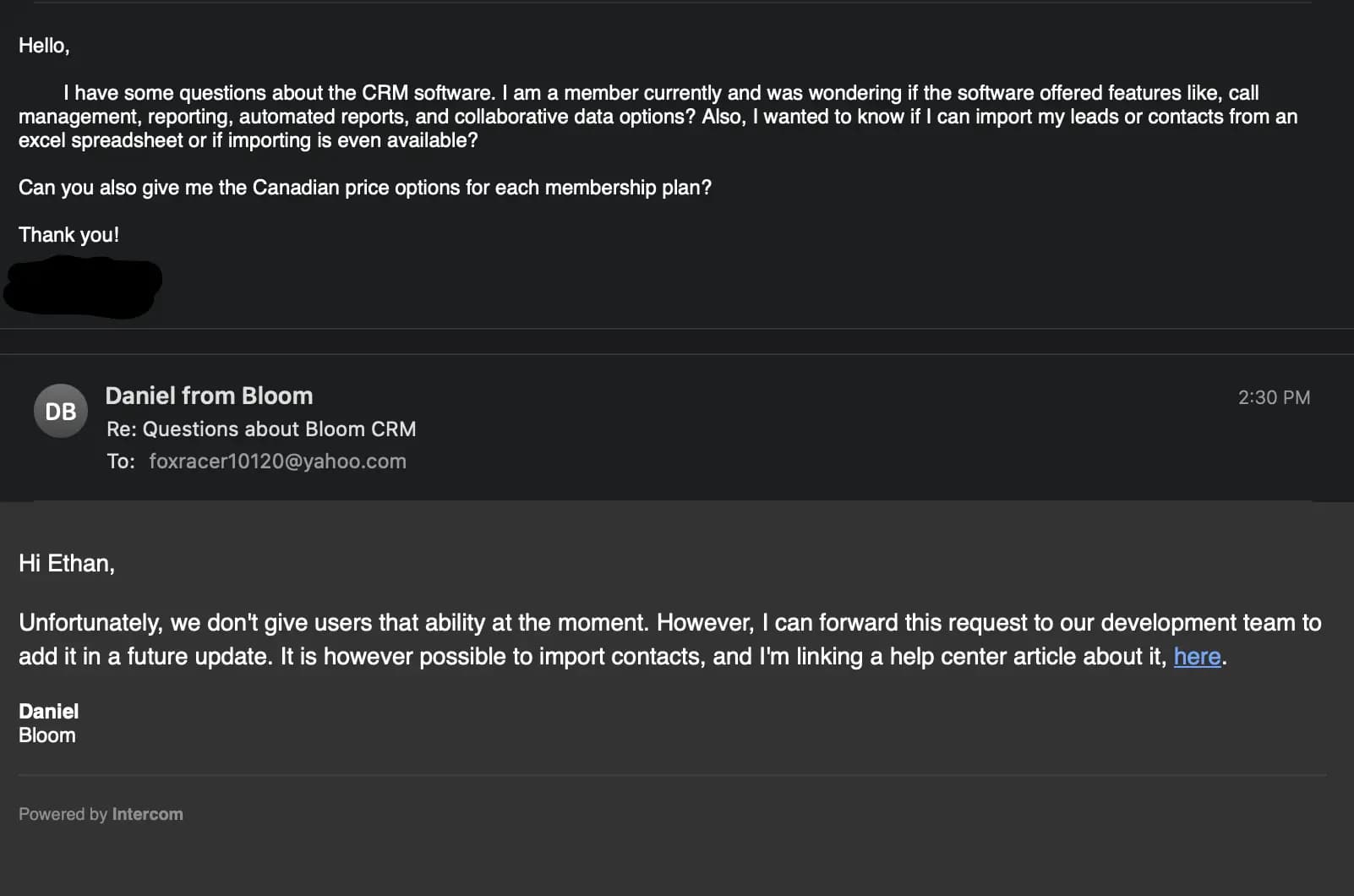
I sent an email to the email address given in the help center on the Bloom website (contact@bloom.io ). I received a response to the email two business days later. The email support takes longer to respond than the live chat option. They answered my questions and added a link to the help center of the website where further information to my answer can be found.
Live Chat
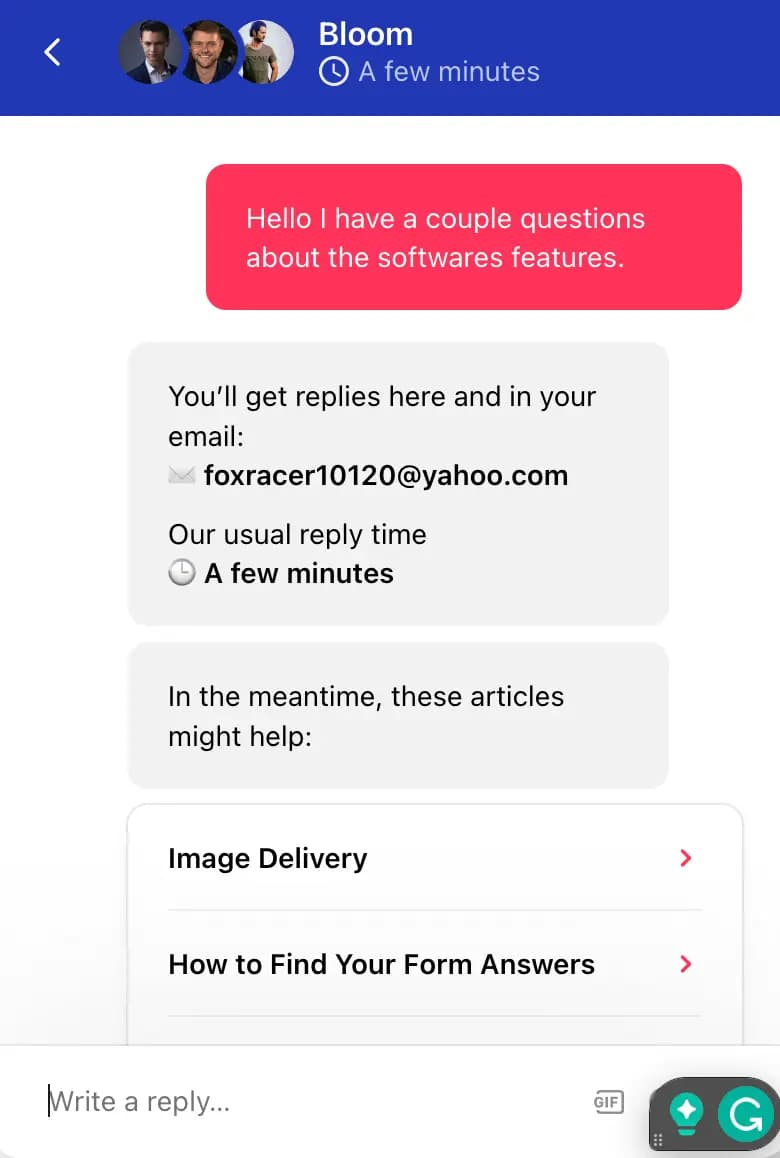
Bloom has a chat window on the dashboard of your account. I sent a message to a representative with some software-related questions. The auto-response briefed me that I would receive an email message reply as well as a reply through the chat window within a few minutes. I did not receive a response through the chat window for the rest of the business day. They did however contact me the next business day and responded to my questions roughly an hour after each response. Overall they were helpful in answering my questions.
Phone Support
Only available with the Standard and Full-Serve membership
contact@bloom.io
FAQ
The help center has a “typically asked questions” section
Blog
https://blog.bloom.io/
Live Online Chat
You can send a message to start a conversation with a representat
Video Tutorials
Links on the home tab in the help center
Ease of Use
Overall Experience: Found everything straightforward, but nothing stood out as Super. Functions operate as intended. The software includes a number of features but is still lacking some of the sales and marketing features that freelancers could use to grow their businesses. Use Cases: Bloom only allows you to upload data from a .cvs file to import leads/contacts. Very easily track your projects and contracts from start to finish. Only three options are available for exporting data. They are transactions, invoices, and contacts. The software does not offer multi-user on any of the membership plans. However, the company claims it's coming soon.
Features & Functionality
Dashboard
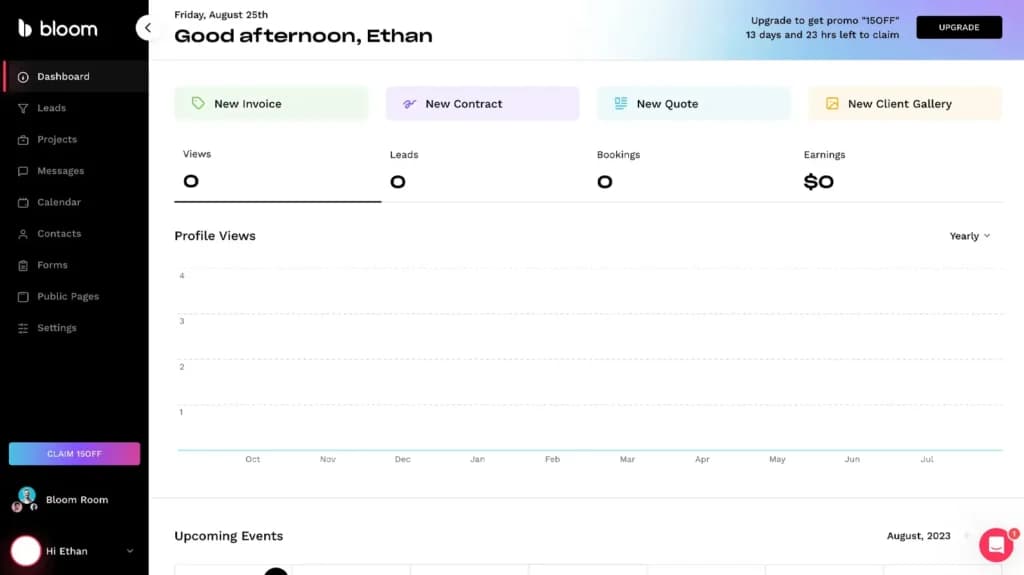
Bloom is very user-friendly. Easy to access all the features from the side toolbar on the dashboard's main screen. Bloom allows you to view the data or information you choose for your dashboard's home screen.
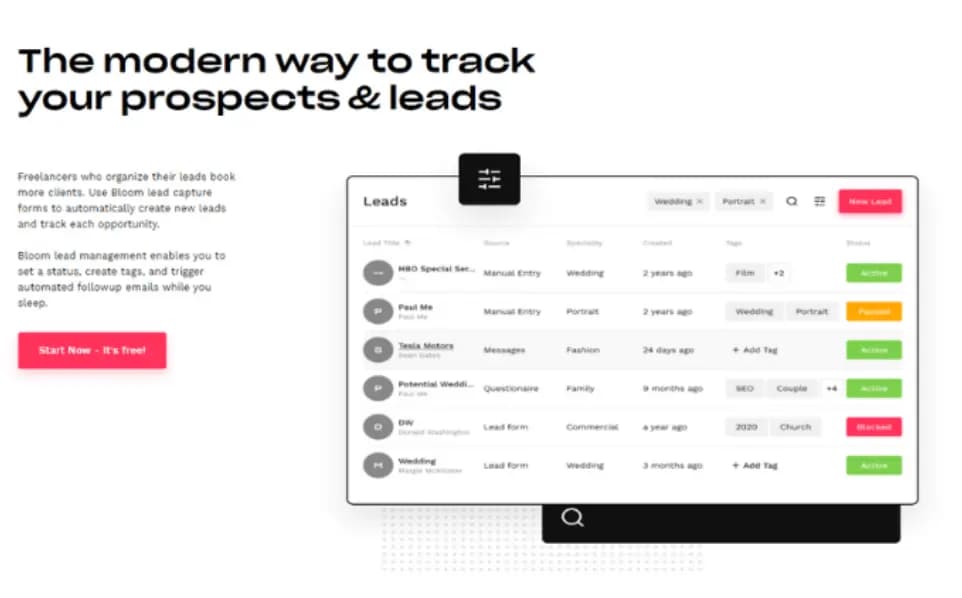
Lead Management System
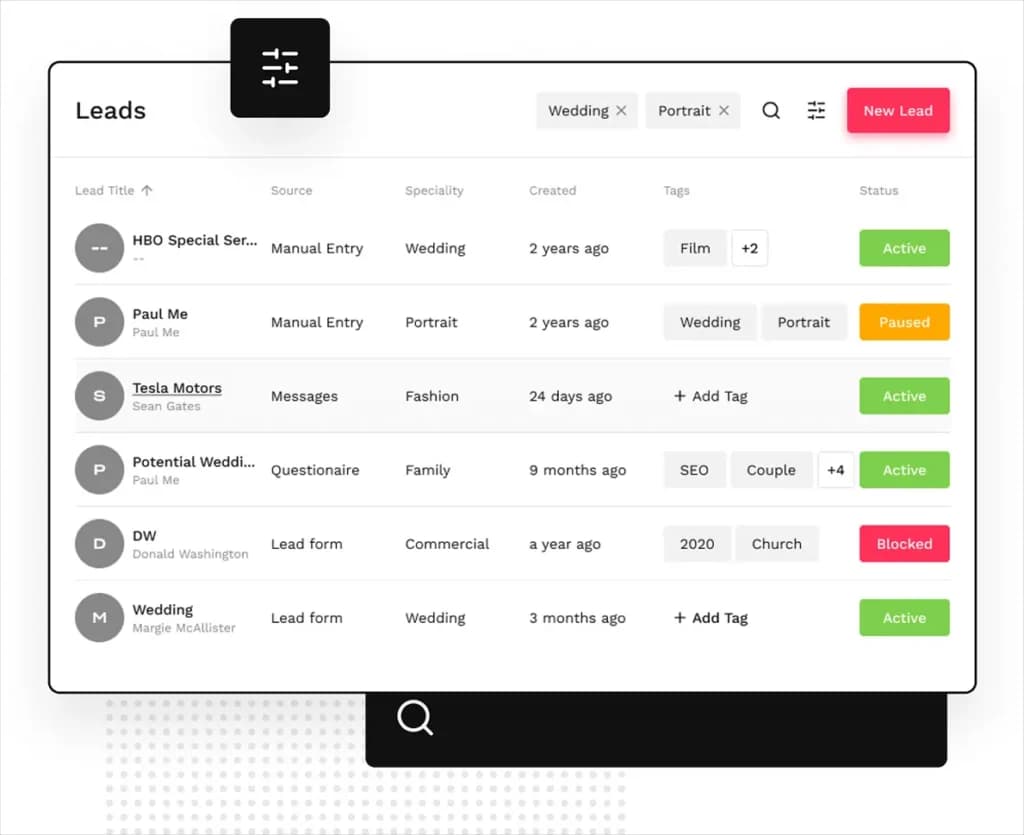
Provides capture forms to automatically create new leads and track each opportunity from the beginning of the process to the end.
CRM
Bloom allows you to track all client communication, associated projects, and client information in one place. The contacts section of the CRM is well organized and easy to add information to your client's profiles.
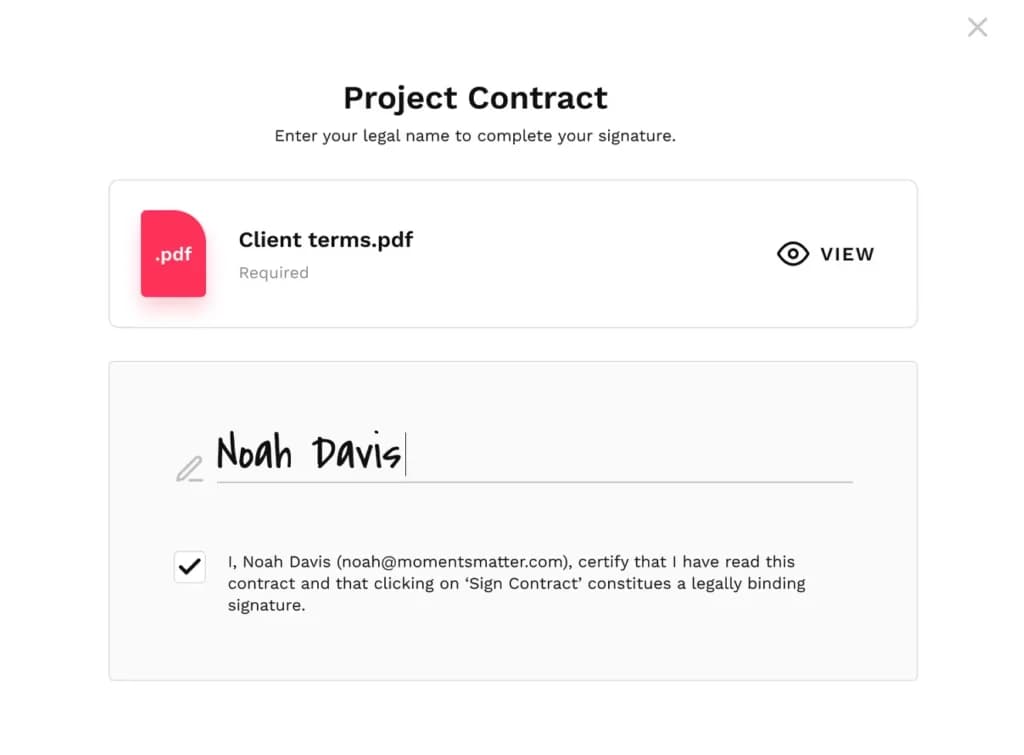
Contract Signing
Bloom makes it easy for clients to sign contracts or legally binding eSignature contracts.
Integrations
Bloom integrates with Google Calendar and Apple Calendar so you can keep all of your scheduled events in one place and update them simultaneously. You can integrate Zoom and Gmail with Bloom CRM, as well as using Zapier to integrate Quickbooks and Xero.
You can create custom automated emails for all your business needs using Bloom.
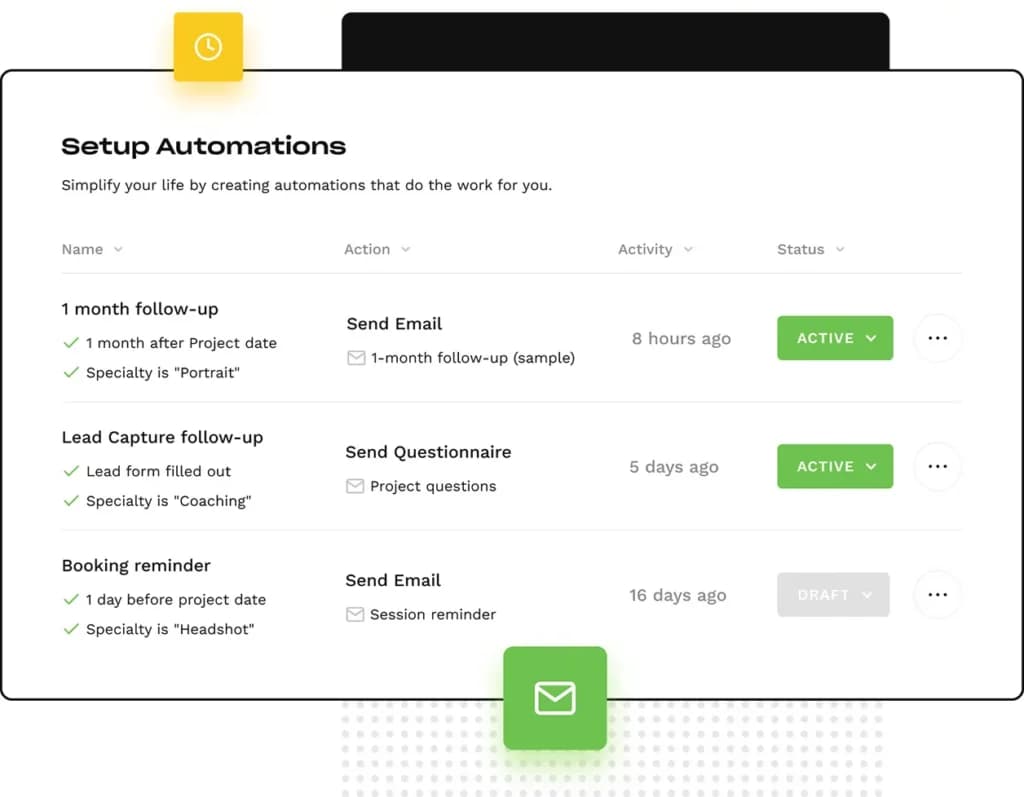
Customer Contact Management
Bloom CRM software has a lot of features including email templates and triggers to set up automated emails to enhance your client relationships. With Bloom, you can track all of your client communication, associated projects, and client information. Automate emails and follow-up campaigns.
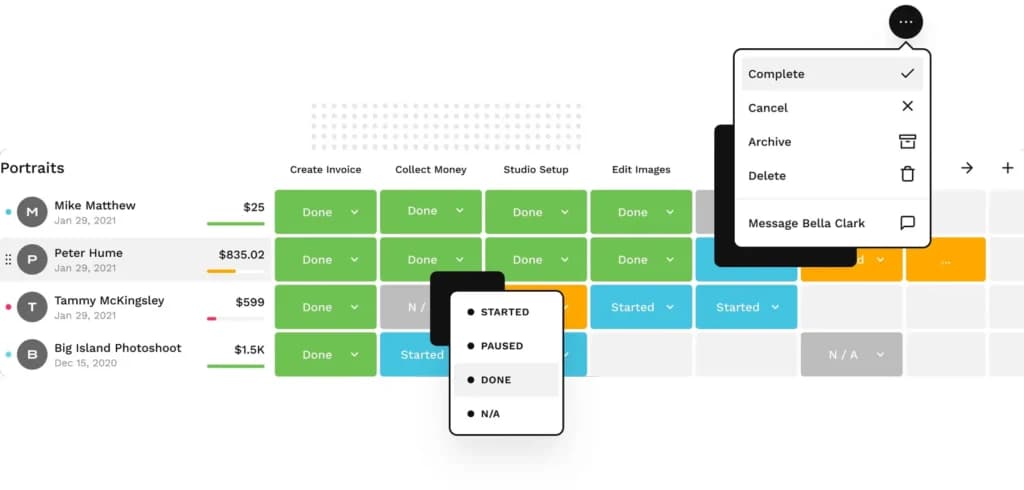
Quote Management
Bloom CRM allows you to give your clients a seamless booking experience. Select a package and add-ons, schedule a date and time, sign a contract, and even make a payment. You can turn a week of back-and-forth emails into one easy-to-use booking form. You can create a booking form for every kind of service you offer and give your clients an easy way to work with you.
Marketing Automation
Bloom offers instant booking automations so that freelancers get the most out of their CRM software. Clients and prospects can book instantly with you through your client site, it's then automatically added to your calendar.
Sales Pipeline Automation
Create personalized templates for automating emails to your clients. Streamline your client communication using custom variables. Select project triggers and rules to ensure that each client receives the service they expect.
Automation
Use Bloom to create custom automated emails for all of your business needs. Send payment reminders, form questionnaires, birthday messages, or any other types of emails you want to automatically send your clients.
Features
- Dashboards
- Pipeline Management
- Schedule Emails
- Customer Contact Management
- Quote Management
- Marketing Automation
- Sales Pipeline Automation
- Automated Emails
Verdict
Bloom CRM is an above-average software directed towards assisting creatives and freelancers in growing their business. The software has a lot of great features and claims they are adding more in the future. Bloom’s CRM software has three membership options that I believe are a good price for the benefits each plan includes.
https://youtu.be/Hyg1dLBtbp8
Users Reviews
Be the first to write a review
Share your experience with Bloom and help others choose the right software.