

Last updated: September 2025
Being an all-in-one CAD solution for architects, engineers, and contractors, Bricsys offers an easy-to-understand standard design user interface with a familiar ribbon toolbar using similar commands and menus as AutoCAD.
Plans & Pricing
* Featured prices can be updated and free offers may include additional terms.
Compared to competitors, BricsCAD offers designers a relatively cheap CAD solution, with four plans to choose from; BricsCAD Lite, BricsCAD Pro, BricsCAD BIM, BricsCAD mechanical. All of which differ in features and are available on both perpetual/permanent licensing and subscription licensing. The subscription-based plans offer two options; 1 year and 3 years subscription. Each package’s pricing is based on the product and licensing plan selected. Also, this platform offers a free trial mode, allowing users the first-hand feel before purchasing or subscribing.
Expert Score
Pros
- High compatibility with AutoCAD
- High performance
- Combination of 3D modeling with 2D drafting
- Flexible pricing plans
Cons
- Some commands are different from AutoCAD
- Migration from other CAD software can be difficult
- Delay in response from the support team
Customer Support
Bricsys has numerous detailed help and supports files and pages online and on the BricsCAD interface. You can contact their support team via the contact button on its website by using the categories to navigate to the solution for your query. And if you don’t find the solution you’re looking for, you’ll find a dialogue to submit your query under a specific category.
Phone Support
Bricsys offers phone support
This software offers email support.
24/7 Help & Support
Bricsys offers 24/7 support via bricsys247
FAQ
Detailed FAQ section under the learn & support tab.
Video Tutorials
Available on their YouTube page & via webinars.
Ease of Use
With customizable toolbars and an AutoCAD-like interface with similar commands and menus, BricsCAD is an easy-to-use CAD software. And with a quad cursor that produces commands that work on the entities you’ve selected; this software makes your design process faster. While having numerous features is great, it can be overwhelming for an inexperienced CAD user.
Features & Functionality
BricsCAD by Bricsys offers extensive features that allow you to do more than 2D and 3D modeling; it also generates renderings. Its high compatibility with AutoCAD means you don’t need to unlearn what you already know, nor do you need to learn new command names, aliases, and system variables. Also, this CAD platform is based on the DWG format, making it compatible with any CAD program in the industry.
Here’s a list of the main features:
- Smart AI-driven tools
- 3D direct modeling
- 2D drawing tools
- 3D rendering
- Parametric blocks
- Drawing health management
- Model view tab in sheet set manager
- Quick dimensioning (QDIM)
- Annotative dimensions (ANNOMONITOR)
- Revamped sheet set manager
- Standard raster file output
- SmartCell copy for tables
- TIN surface and GIS workflows
- Process automations
Smart AI-Driven Tools
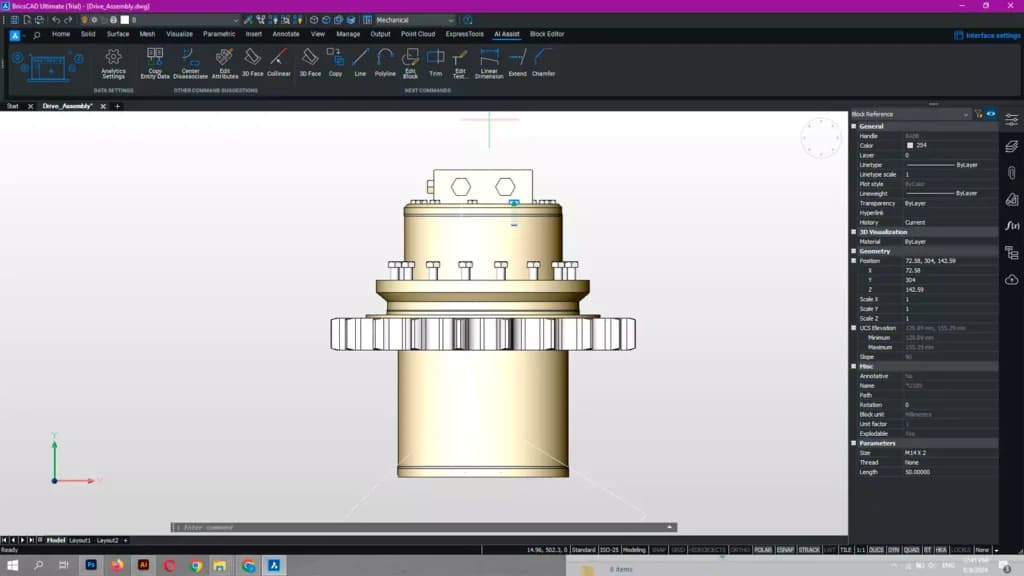
Smart tools in BricsCAD, powered by AI, provide dynamic command suggestions and recommendations based on user inputs, significantly enhancing productivity. These tools anticipate user needs by analyzing interactions and offering relevant commands, thus streamlining the workflow and reducing the time spent searching for specific tools or functions. By adapting to individual usage patterns, these AI-driven features create a more intuitive and efficient user experience, making it easier for designers and engineers to focus on their core tasks.
3D Direct Modeling
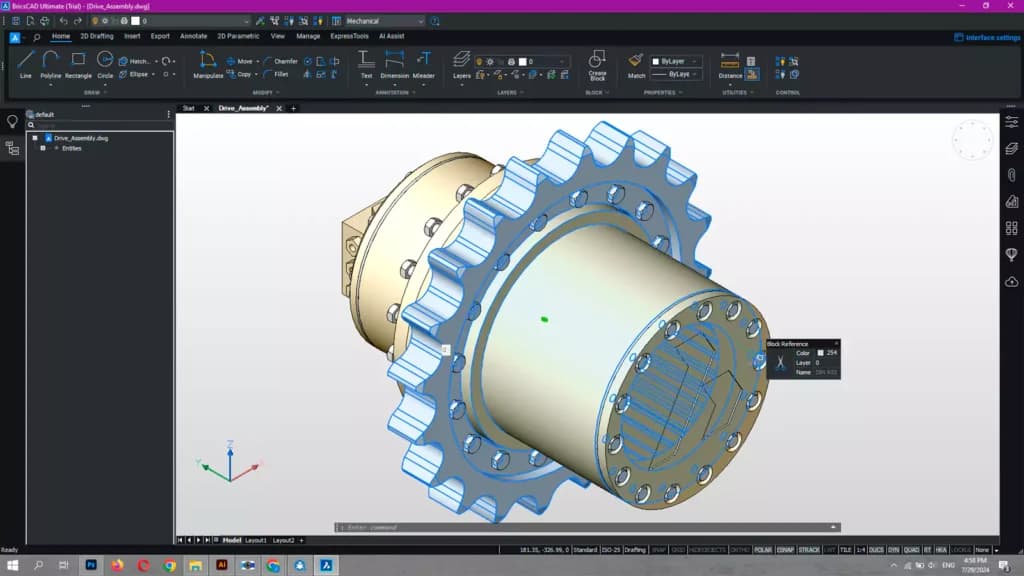
BricsCAD Pro offers powerful 3D direct modeling. With this feature, you can dynamically edit your model display as you move your mouse. This direct modeling feature is not limited to models created within BricsCAD; you can also use it on imported solids.
2D Drawing Tools
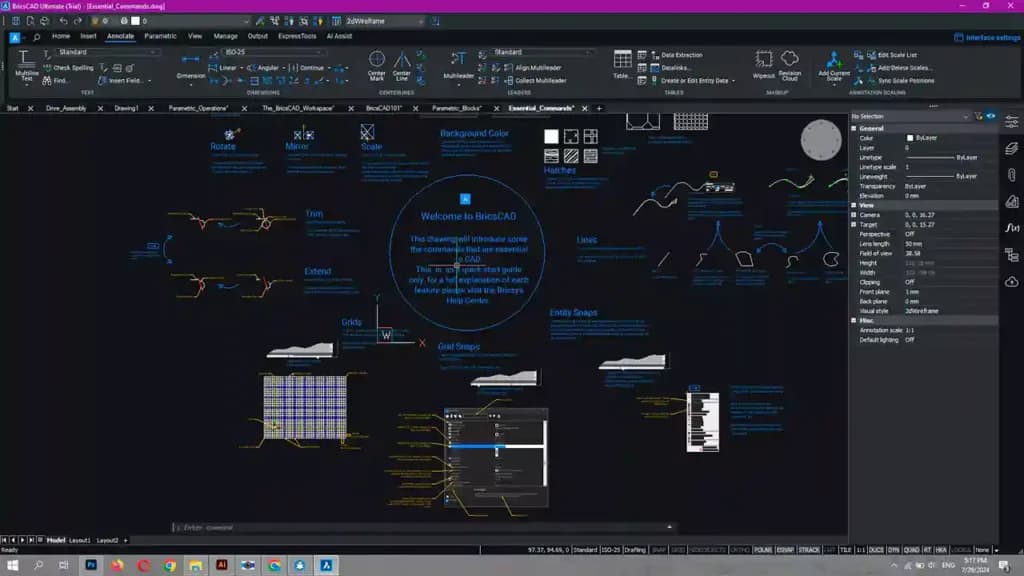
The CAD tool offers a comprehensive suite of 2D drawing tools, enabling users to create precise designs with elements such as circles, lines, polygons, and more. These tools are designed to enhance the drafting process by providing easy access to essential drawing functions, ensuring that users can efficiently produce detailed and accurate 2D drawings. With a variety of options available, BricsCAD supports a wide range of design needs, from simple sketches to complex technical drawings.
3D Rendering
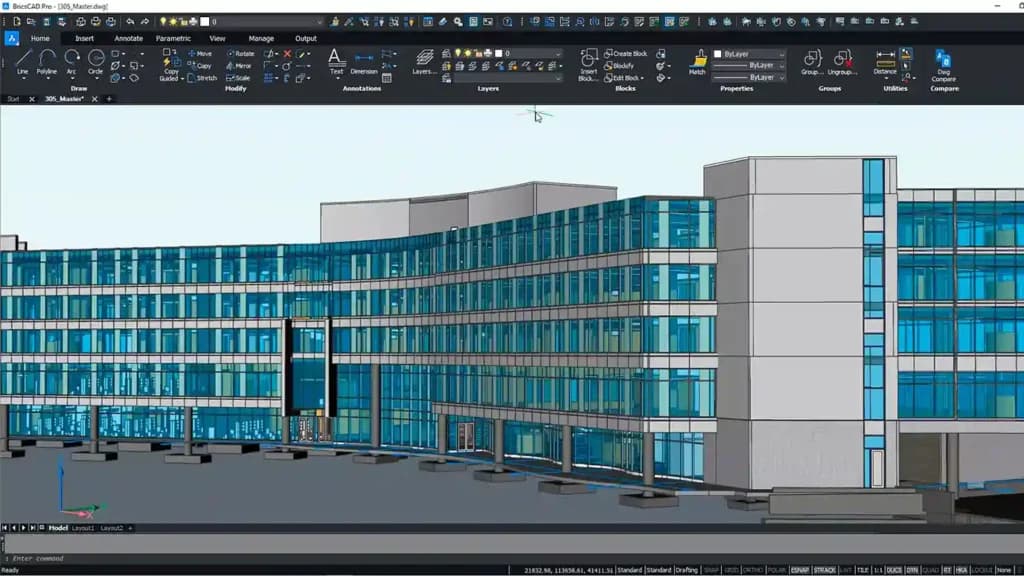
The BricsCAD tools enable users to render 3D models using the powerful Redway3D rendering engine, providing high-quality visualizations of designs. Additionally, it supports real-time rendering with Enscape, allowing users to experience immediate feedback on their models and make adjustments on the fly. This combination of rendering options ensures that users can produce both detailed static images and interactive real-time visualizations, enhancing the overall design and presentation process.
Parametric Blocks
BricsCAD V24 includes improved native parametric blocks and a dynamic-to-parametric block conversion workflow. This feature supports various parametric operations like move and rotate, making it easier to create and manipulate reusable 2D and 3D content.
Model View Tab in Sheet Set Manager
This new tab allows users to extract model views from any drawing and insert them into layouts. It also includes drag-and-drop functionality and preview options, streamlining the process of managing drawing views.
SmartCell Copy for Tables
This CAD feature simplifies the creation and editing of data tables within drawings, allowing for the import and manipulation of data from Excel spreadsheets directly in BricsCAD.
Process automations
BricsCAD allows for easier automation of processes and bulk layer manipulations using LISP routines. Its compatibility with many CAD programs, including AutoCAD allows you to use LISP routines from any CAD program in BricsCAD.
You'll also find tools like quick dimensioning (QDIM) and annotative dimensions (ANNOMONITOR) to speed up processes.
Additionally, the BricsCAD BIM add-in offers one end-to-end workflow. And to speed up your workflow, this software offers the Quad cursor.
An intuitive yet accurate cursor that automatically detects your dimension and simultaneously adjusts to present the commands you need.
Multi-User
BricsCAD allows users to access BricsCAD on a LAN (local area network) using a BricsCAD network license. The number of users allowed at once is dependent on the number of network licenses available.
Annotations
BricsCAD allows you to generate annotations, that is, add keynotes, tags, etc. to your document.
Transform designs into real-world projects with construction-oriented features.
Features
- Visualizing
- Rendering
- Drawing
- Editing
- Sequence Steps
- Modeling
- Dynamic Updating
- Multi-User
- File Import/Export
- Annotate
Verdict
Overall, Bricsys good software. While it is similar to AutoCAD, it has numerous unique features that are different from AutoCAD’s. Its uniqueness is evident in that it bases all its designs on the .dwg file format. Also, with an interface similar to that of AutoCAD, the learning curve is even shorter and users can easily navigate through it, making BricsCAD an easy-to-use CAD software. Additionally, this software offers flexible pricing options, catering to both individuals and enterprises. Some of its standout features include; 3D direct modeling, multitasking, quick draw, quick building, the quad cursor, and more.
Users Reviews
Be the first to write a review
Share your experience with Bricsys and help others choose the right software.