

ClickUp Review 2026: Project Management, ITSM, CRM, AI Tools
Overall Rating
4.7
Last updated: June 2026
Imagine a workspace where every project detail aligns seamlessly, teams collaborate effortlessly, and productivity soars—welcome to ClickUp. This all-in-one project management platform offers customizable workflows, enabling you to tailor processes to your team's unique needs. Assign tasks with precision, visualize projects from inception to completion, and maintain clear communication through integrated document sharing, comments, and real-time notifications. With a vast library of project templates and integrations, ClickUp adapts to businesses of all sizes, ensuring tasks are executed efficiently and effectively. In this ClickUp review, I'll discuss features, performance, customer service, and ClickUp pricing.
Plans & Pricing
Best for personal use
Best for small teams
Best for mid-sized teams
Best for many large teams
* Featured prices can be updated and free offers may include additional terms.
The Platform starts with a free plan which allows you to get a feel for how it does project management. Free users are limited to 100MB of file storage, but paid plans focus more on features than usage limits. There are three public pricing plans and a custom enterprise plan:
- Unlimited Plan ($7 per user/month, billed annually): Provides unlimited storage, integrations, dashboards, and goal tracking, suitable for growing businesses.
- Business Plan ($12 per user/month, billed annually): Includes advanced automation, time tracking, and security features for mid-sized teams.
- Enterprise Plan: Custom pricing for large organizations featuring advanced security and support. Contact sales for details.
Expert Score
Pros
- Over a dozen project views
- Built-in document editor that can be used to collaborate in real-time
- Dedicated chat interface to aid team collaboration
- Workload and time log tracking
Cons
- Can be difficult to master because of how expansive the platform is
- When using the Everything view, it can be difficult to understand who owns what.
Customer Support
ClickUp has an award-winning support team that’s knowledgeable in the software and is also responsive. You can reach them 24/7 via multiple channels such as live chat and email but they don’t offer phone support. When I explored ClickUp's customer support options, I found a comprehensive system designed to assist users through various channels. Here's a breakdown: Phone Support Currently, ClickUp does not offer direct phone support. Users seeking immediate assistance are encouraged to utilize the live chat feature or explore the extensive resources available in the Help Center. Live Chat I found that ClickUp provides 24/7 support via a chatbot for all users. For those on paid plans, live chat with human agents is available, offering real-time assistance for pressing issues. This feature ensures that users can quickly resolve their concerns without prolonged delays. Email Support For complex inquiries, especially those involving billing or technical challenges, ClickUp's support team follows up via email after an initial request through the chatbot. This approach allows for detailed, personalized solutions to more intricate problems. Help Center and FAQ The ClickUp Help Center is a treasure trove of information, featuring articles, guides, and a comprehensive FAQ section which I found really useful. Whether you're a newcomer or an experienced user, the Help Center offers insights into various features and functionalities, making it a valuable self-service resource.
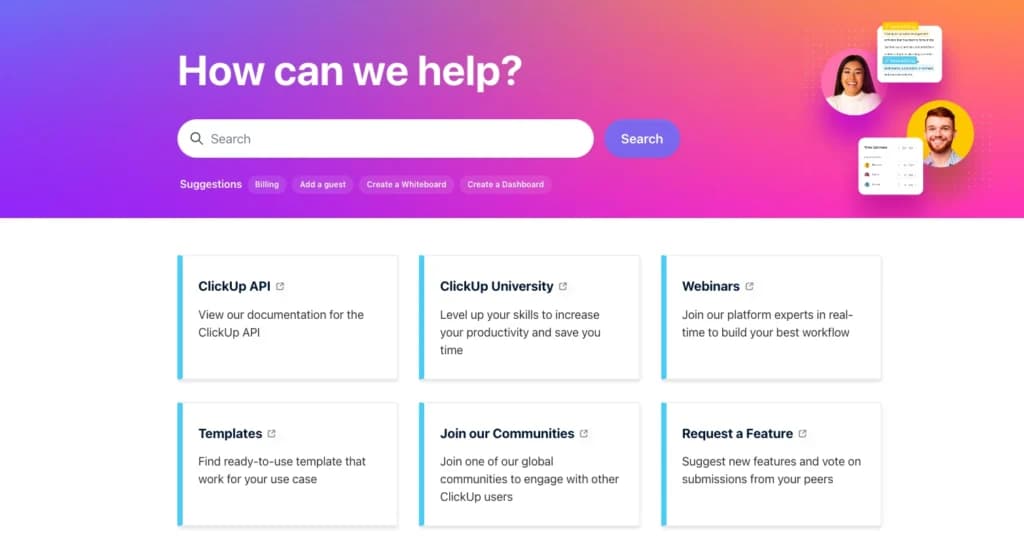
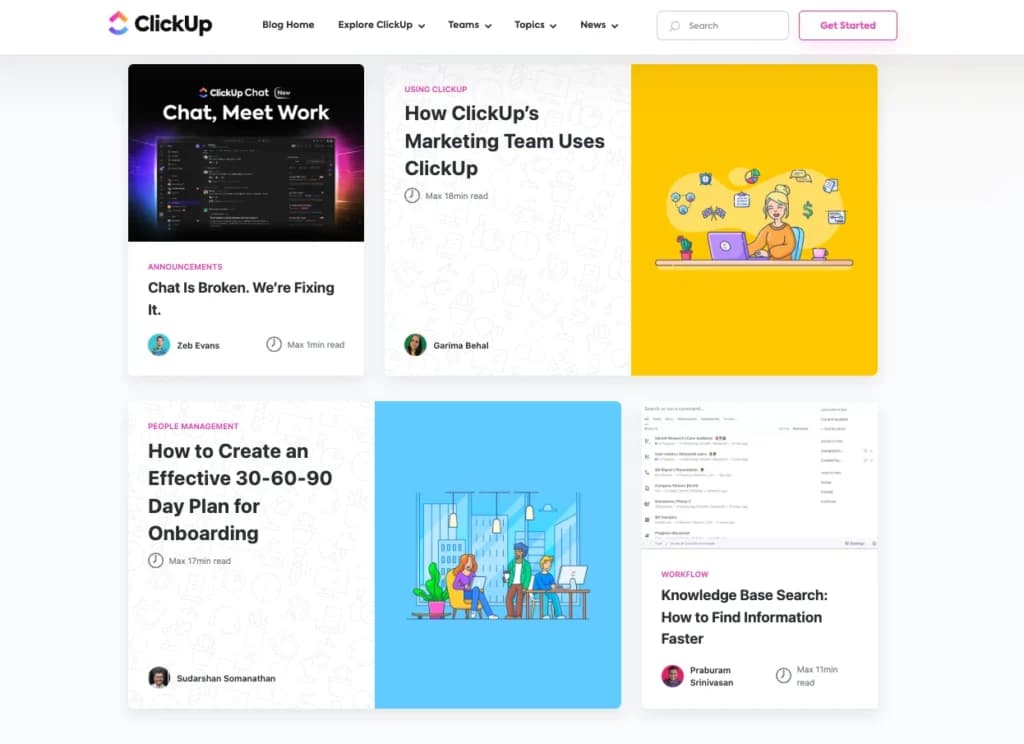
Blog and Community Engagement Beyond traditional support, ClickUp maintains an active blog that provides updates, tips, and best practices. Additionally, users can engage with the broader ClickUp community through forums and social media groups, fostering a collaborative environment where experiences and solutions are shared.
Additional Support Services For businesses seeking enhanced support, ClickUp offers premium services, including dedicated assistance and personalized training sessions. These services are tailored to help teams optimize their use of the platform and address specific organizational needs
Email support is also available for all free and paid customers.
24/7 Help & Support
Round-the-clock support is offered via live chat and email.
FAQ
Multiple FAQs around the website and a detailed knowledgebase.
Live Online Chat
Live chat is available for all free and paid customers.
Video Tutorials
Bite-sized videos to help users with specific tasks on platform
Ease of Use
When I tested ClickUp, I noticed that the platform strikes a balance between accessibility and offering a wide range of features. While it’s an extensive project management software with everything you could need, this sheer volume of tools can be overwhelming. Finding specific features, like a particular view or setting, can be challenging because of the platform’s complexity. It feels like ClickUp prioritized providing a feature-rich experience over simplicity, which means that using it effectively often requires dedicated onboarding and training. Luckily, Click Up does offer that training, so you can learn how to get the most out of the project management software. If you’re using it for straightforward task management software tasks or organizing projects, you’ll find it fairly intuitive. However, if you want to tap into all that ClickUp has to offer, be prepared to spend time learning the system. Ultimately, this project management tool is great for businesses that need powerful tools and are willing to put in the effort to master them.
Performance
ClickUp offers a comprehensive suite of features designed to enhance project management and team collaboration. While infrastructure improvements have been implemented to boost speed and reliability, user experiences regarding performance have been mixed. Potential users should consider these factors and assess how the platform's capabilities align with their specific needs.
When I explored ClickUp, I found it to be a comprehensive project management platform offering a wide array of features designed to enhance productivity and collaboration. The platform provides tools such as task management, time tracking, goal setting, and real-time collaboration, all aimed at streamlining workflows for teams of all sizes.
Speed and Reliability
In my experience, ClickUp has made significant strides in improving its speed and reliability. The introduction of ClickUp 3.0 brought about infrastructure enhancements, including the proprietary RapidViews DB™, which aims to load views up to 100 times faster. These improvements are designed to ensure a seamless user experience with a guaranteed 99.9% uptime, minimizing disruptions and enhancing overall efficiency.
User Feedback
Despite these advancements, some users have reported performance issues, particularly concerning loading times and responsiveness. Discussions in user forums have highlighted concerns about slow load times, even after the release of ClickUp 3.0. Users have noted that while the platform offers a rich feature set, the speed and performance can sometimes hinder productivity.
Feature Set
ClickUp stands out among project management tools due to its extensive feature set. The platform offers customizable task views, collaborative documents, whiteboards, and seamless integrations with numerous third-party applications. These features make it a versatile choice for teams seeking an all-in-one project
Features & Functionality
Project Management
ClickUp can be considered the new kid on the block but that hasn’t affected the feature set available. It has personal task lists, individual task commenting, subtasks, task prioritization, email notifications, forms, and almost everything else you’d expect.
I checked out some of the features and will discuss them below:
- Over a dozen project views
- Customizable Task Management
- Document collaboration
- Automations
- Email notifications
- Time tracking
- Forms
- Integrations
- Dashboards and Reporting
- Spaces
- Whiteboards and Mind Maps
- ClickUp AI
- Mobile Accessibility
- Custom Fields
- Recurring Tasks
- Goal Tracking
Over a dozen project views
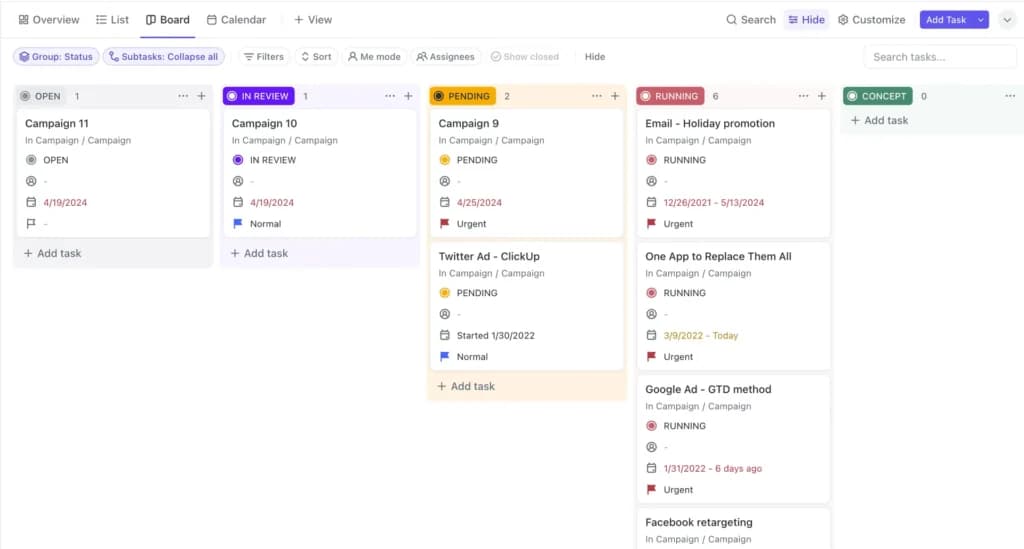
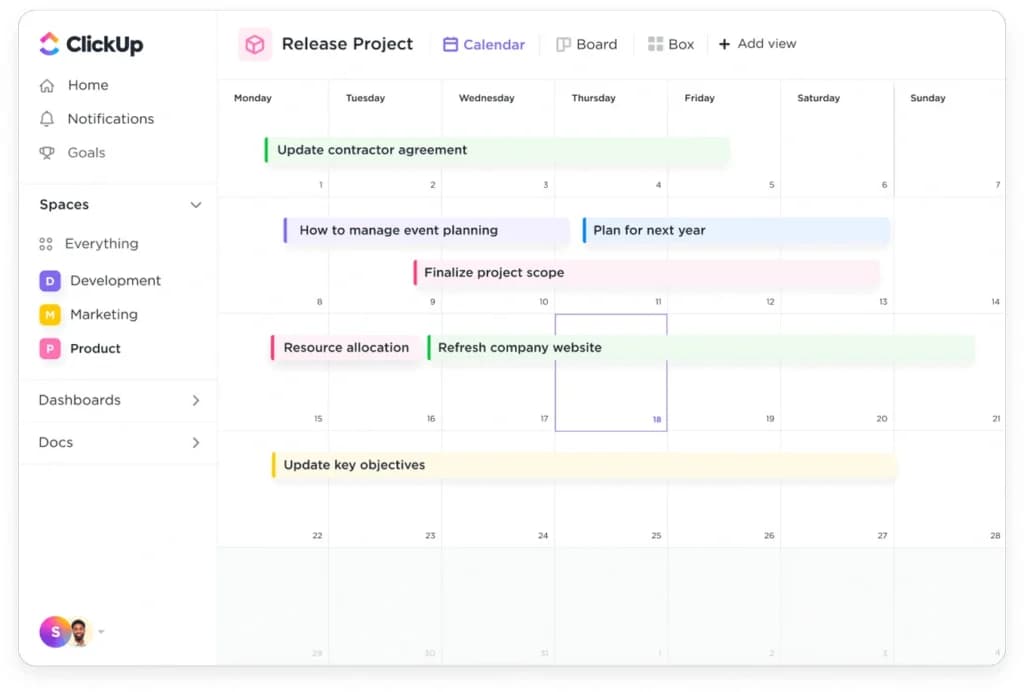
When I explored ClickUp, I was impressed by its extensive range of project views, more than most other project management tools offer. This variety lets you tackle projects from the angle that suits your workflow best.
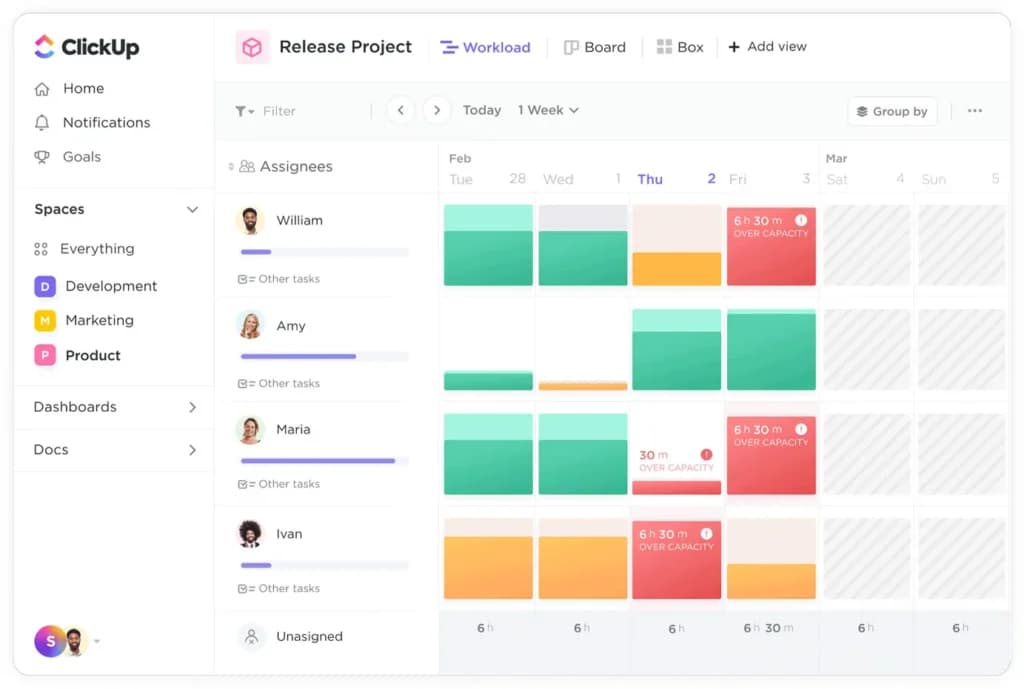
Beyond the standard task list, Kanban board, and Gantt chart views, ClickUp offers mind maps, workload views, and a unique box view, among others. This flexibility ensures that whether you're managing tasks, tracking team capacity, or visualizing project timelines, ClickUp has a view tailored to your needs.
Customizable Task Management
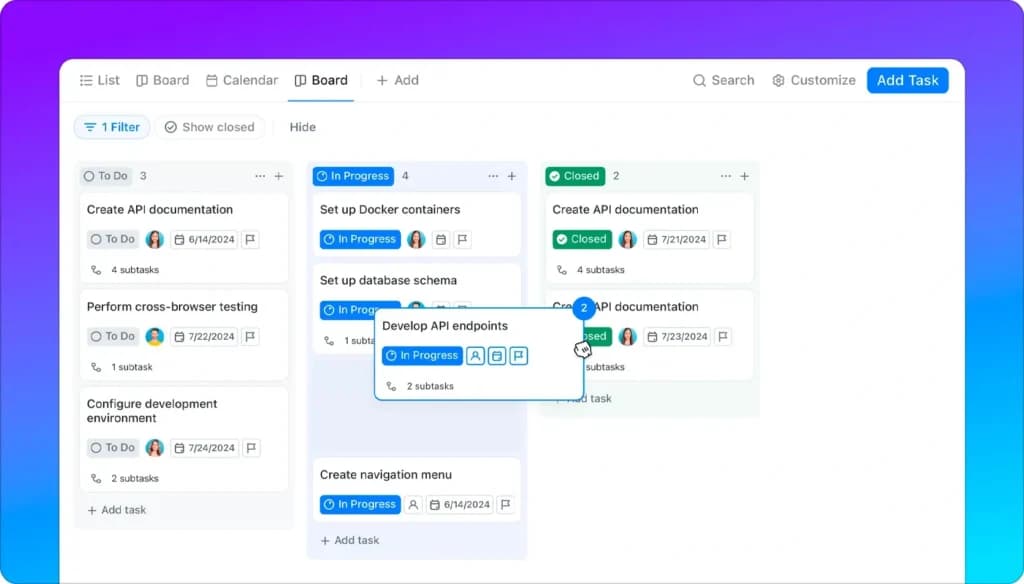
ClickUp's Customizable Task Management allows teams to tailor tasks to their specific workflows. With over 35 ClickApps, you can adjust task statuses, priorities, and types, ensuring alignment with your project's unique requirements. This flexibility enhances efficiency, making ClickUp a top choice among project management platforms.
Document collaboration
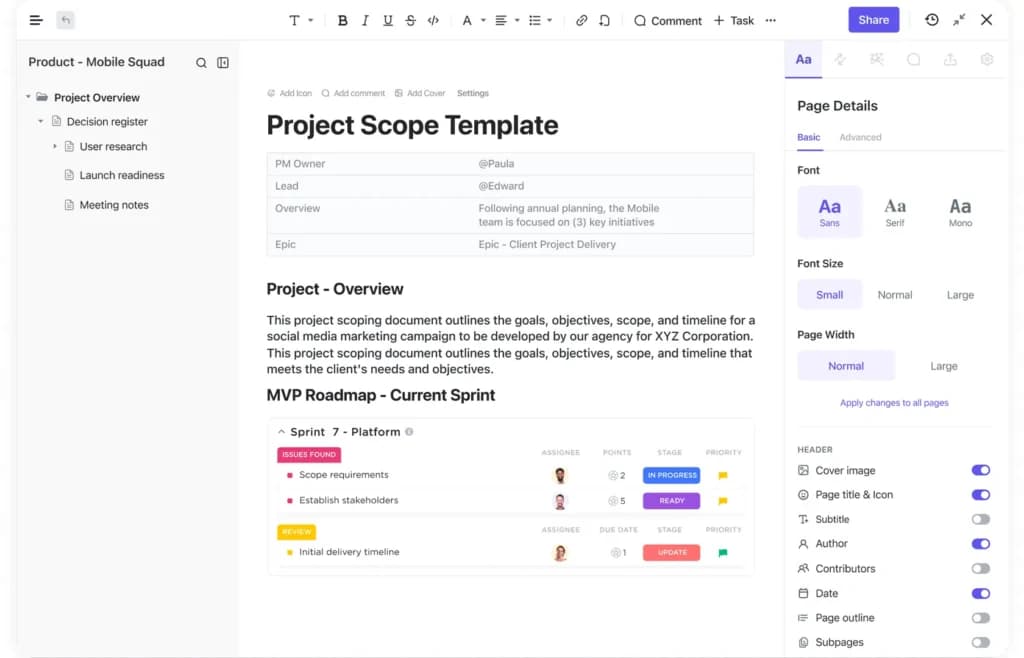
In my hands-on experience with ClickUp, the document collaboration features stood out. The platform includes a comprehensive, rich text editor, enabling you to create detailed documents with all necessary formatting.
Sharing these documents across your organization is straightforward, and real-time editing allows team members to collaborate seamlessly. This functionality is invaluable for maintaining up-to-date project documentation and fostering effective communication within teams.
Automations
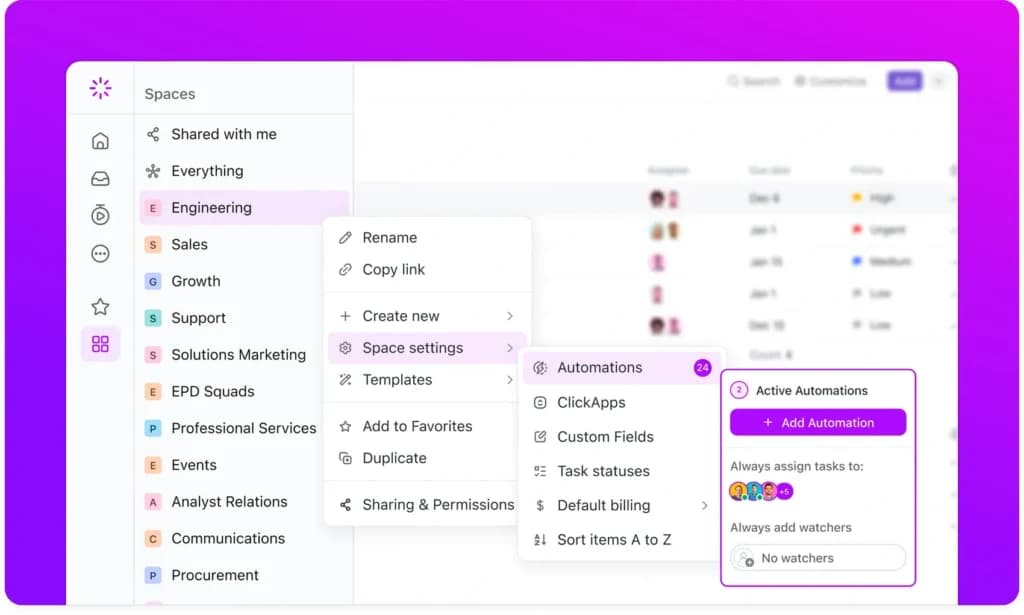
In my experience, Automations in ClickUp streamline repetitive tasks by automating actions like status updates and assignee notifications. This feature reduces manual workload, allowing teams to focus on strategic activities, thereby boosting productivity.
Email Notifications
ClickUp's Email Notifications keep team members informed with real-time updates on task changes, comments, and deadlines. This ensures everyone stays aligned, reducing miscommunication and enhancing collaboration within the team.
Time tracking
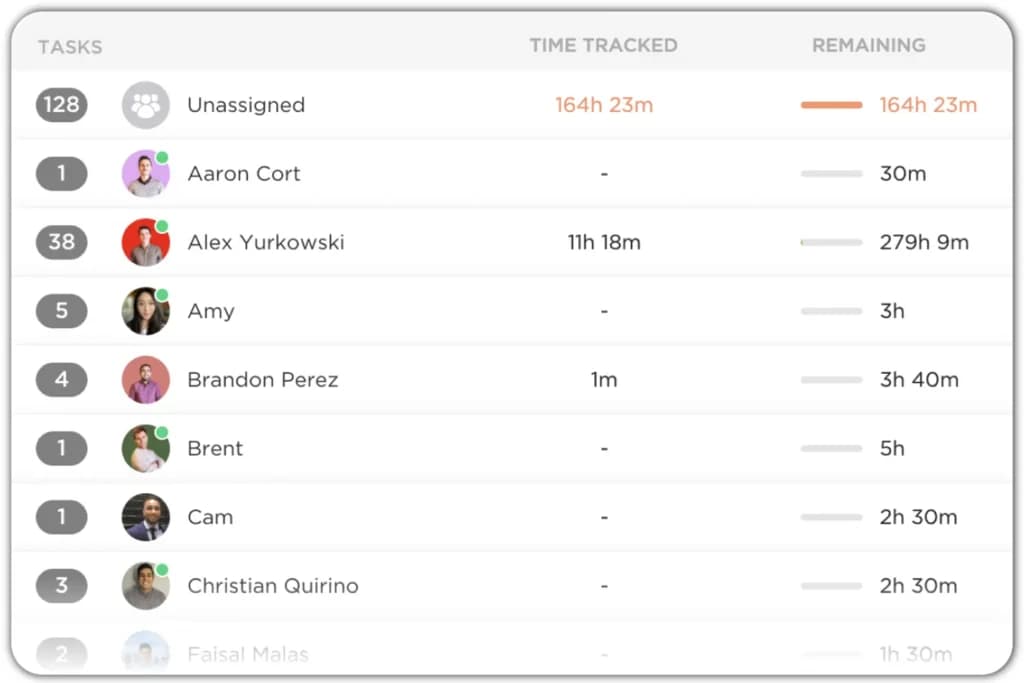
Testing ClickUp's time-tracking capabilities revealed a comprehensive suite of tools. You can track time directly within tasks, set time estimates to allocate resources effectively and access detailed reports on how time is spent.
These features are instrumental in optimizing resource utilization and ensuring projects stay on schedule. The ability to integrate with other time tracking applications further enhances its utility, making it a versatile choice among project management platforms.
Forms
With Forms, ClickUp enables users to collect and organize information efficiently. Customizable forms can be shared externally, allowing for seamless data gathering directly into your workflows, which is invaluable for project tracking and client intake processes.
Integrations
ClickUp offers extensive Integrations, connecting with over 1,000 tools like Slack, Google Drive, and GitHub. This connectivity centralizes your work, making it a versatile project management solution that adapts to various business ecosystems.
Dashboards and Reporting
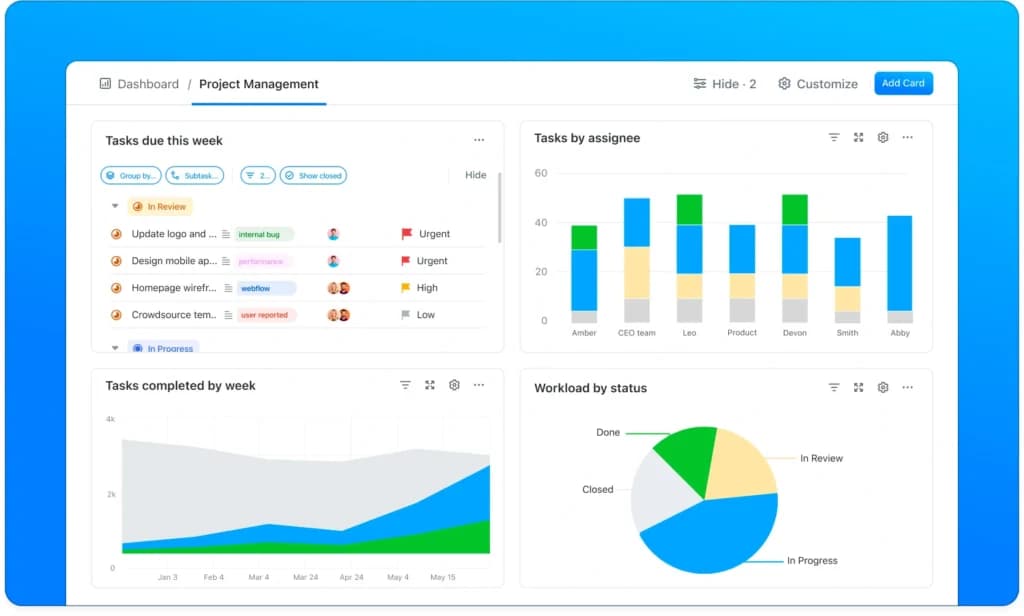
The Dashboards and Reporting feature in ClickUp provides customizable visualizations of key project metrics. By compiling data into widgets, teams gain insights into performance and progress, facilitating informed decision-making and effective project tracking.
Spaces
When organizing projects in ClickUp, I found the concept of Spaces particularly useful. Spaces act as high-level containers designed for individual teams or large initiatives, housing numerous projects, tasks, and subtasks.
This structure provides a clear and scalable way to manage information, regardless of your company's size. By segmenting work into distinct Spaces, teams can maintain focus and organization, ensuring that all tasks align with overarching business objectives.
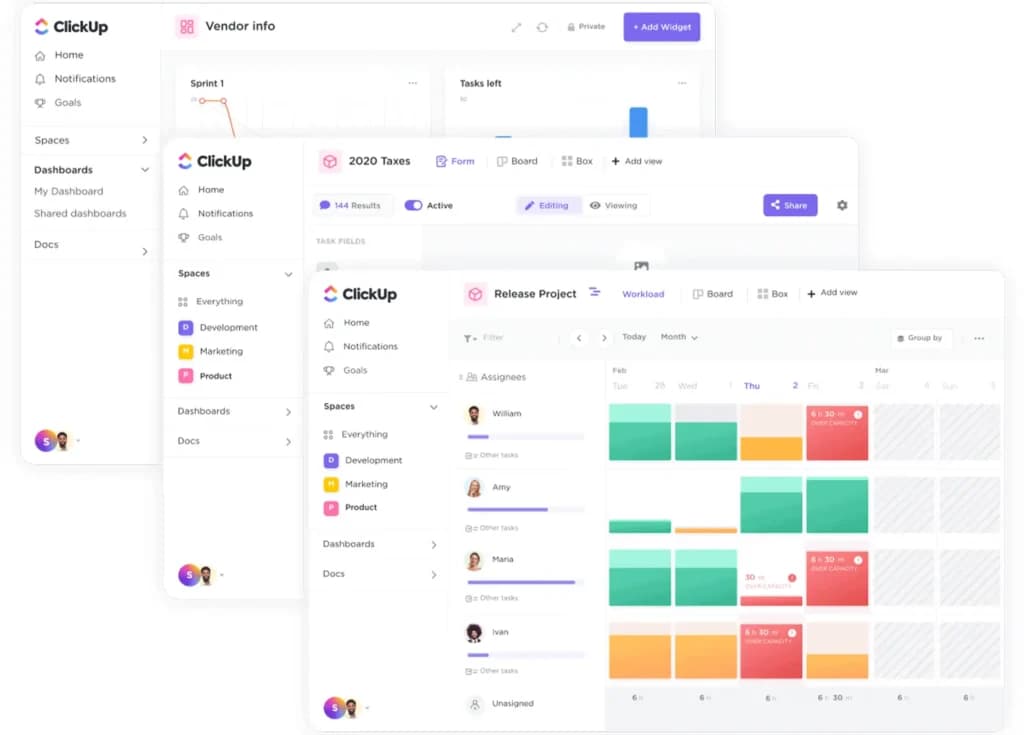
Whiteboards and Mind Maps
ClickUp's Whiteboards and Mind Maps offer visual collaboration tools that foster creativity and planning. Teams can brainstorm ideas in real-time, mapping out projects and workflows, which enhances engagement and clarity in project management.
ClickUp AI
Introduced as ClickUp Brain, the platform's AI capabilities assist in content generation and summarization. This feature streamlines tasks like drafting documents and provides intelligent suggestions, enhancing productivity across various project management activities.
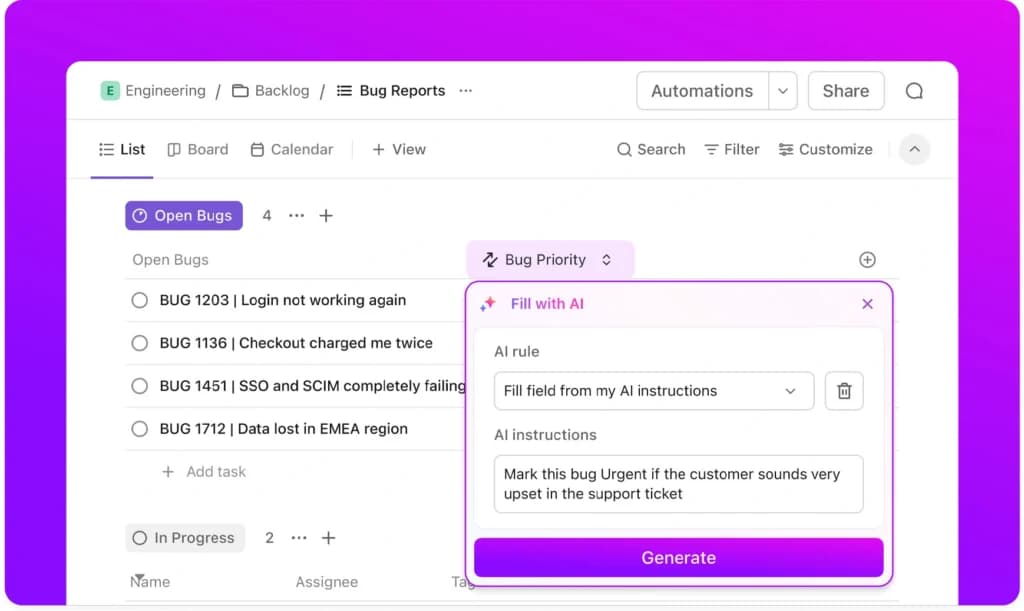
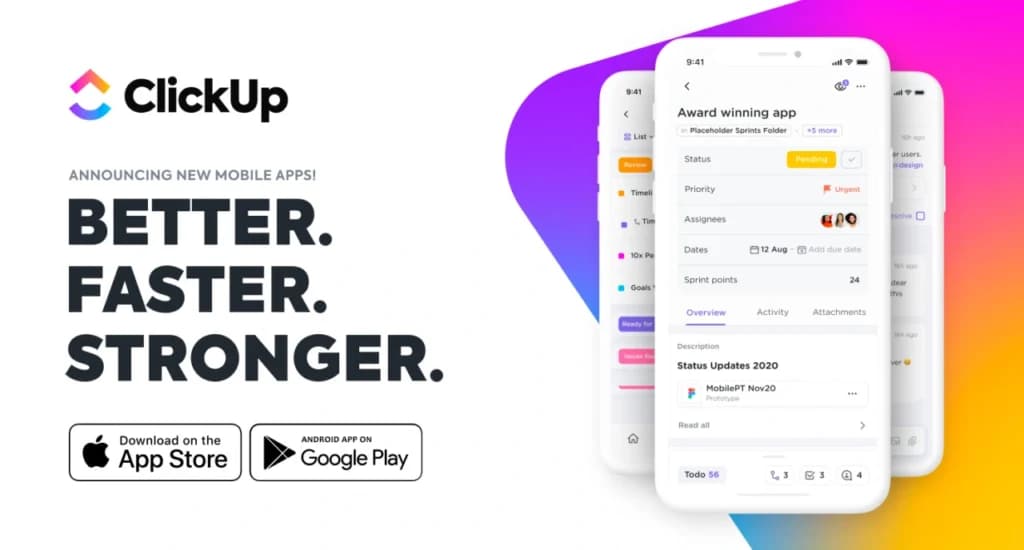
Mobile Accessibility
ClickUp's Mobile Accessibility ensures that teams can manage tasks and collaborate on the go. The mobile app mirrors desktop functionalities, allowing for seamless project management and communication, which is crucial for remote teams and dynamic work environments.
Custom Fields
The Custom Fields feature in ClickUp allows users to add specific data points to tasks, such as deadlines, budgets, or client information. This customization ensures that all relevant information is captured, enhancing the platform's utility as a comprehensive project management tool.
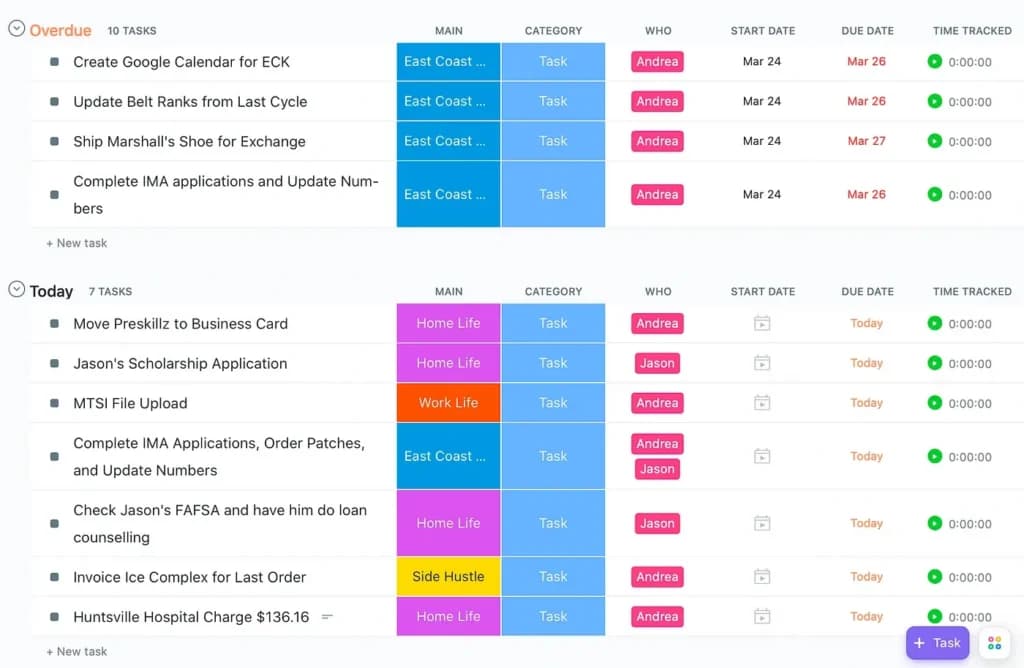
Recurring Tasks
ClickUp's Recurring Tasks feature automates the repetition of tasks that occur regularly. By setting tasks to recur at specified intervals, teams can ensure consistency in their workflows, reducing the administrative burden of manual task creation.
Goal Tracking
The Goal Tracking functionality in ClickUp enables teams to set, monitor, and achieve objectives by linking tasks to overarching goals. This alignment ensures that daily activities contribute to strategic priorities, enhancing focus and accountability within the team.
Enhance team collaboration with integrated communication features.
Boost efficiency with tools designed to optimize workflows.
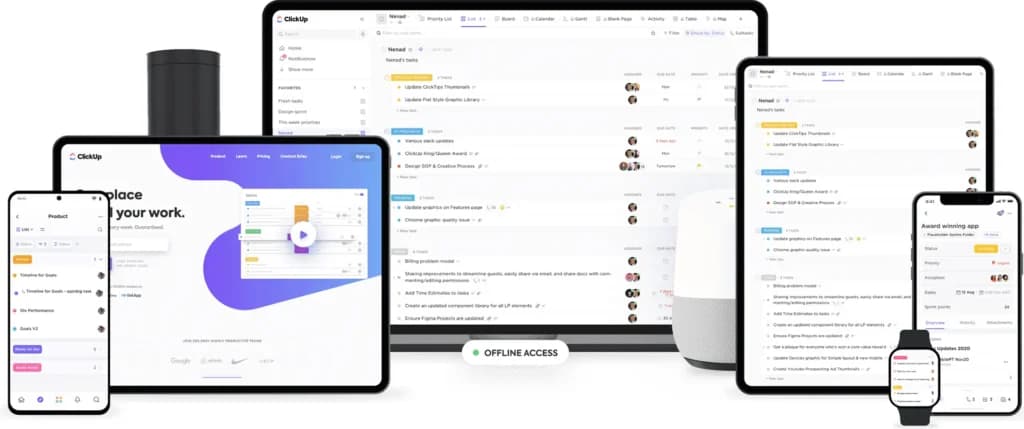
ClickUp has taken the time to make the application as accessible as possible. It has mobile apps for iOS and Android, can be downloaded to Windows, Linux, Mac, and is even available on voice assistants. Of course, it can be accessed via a web browser and is compatible with most, if not all, of the major browsers.
When it comes to integrations, the ClickUp team has built dozens of them and it has also integrated with Zapier which makes it possible to connect with hundreds of third-party applications. If that’s not enough, there’s an API that can be accessed to build your own integrations.
ITSM
ClickUp offers a total of 225 features, some unique features include
- Billable & Non-Billable Hours
- Calendar/Reminder System
- Productivity Analysis
- Negative Feedback Management.
Besides these are:
Targets and Goals
Goals are important for project performance. In ClickUp, you can handily manage project goals. Task managers can also make the goals easily achievable by splitting one goal into smaller targets.
Assigned Comments:
Comments can be turned into tasks and assigned to the available resources. Once you do this, the assignee will see the comment in their Task tray. The assignee can mark the comment as resolved when they complete the task.
Time tracker and Task Timer:
The Track Time feature gives you an accurate reading of how long you and your team are working on specific projects. You can implement a timeboxing technique by using a Task Timer while working on a task.
Agile development:
Because the features of ClickUp can be customized, agile software development teams can use the platform for bug tracking, sprint management, or product launches. They can create Scrum dashboards and track progress using various agile charts. Developers can work together on code, automate a sprint point system, highlight syntax, and integrate with Git natively.
Remote work:
While working remotely, teams can continue to work, complete tasks, and deliver projects. ClickUp enables teams to assign and collaborate on tasks, share documents to establish clear processes, create reminders, and see how tasks are progressing from any location.
Integrations:
ClickUp offers integration to thousands of tools to increase productivity, amongst the native integrations are:
- Slack
ClickUp lets you Integrate Slack to create and manage ClickUp tasks without leaving the conversation.
- Github
Create branches and pull requests straight from ClickUp! Add Github to automatically (or manually) display commits, pushes, and pull requests directly in ClickUp.
- Gitlab
Automatically link GitLab commits, branches, pull requests, and issues with ClickUp tasks. Create branches and pull requests straight from ClickUp!
- Everhour
Everhour provides accurate time tracking, estimates and budgeting. Sync Everhour with ClickUp for better reporting.
- Onedrive
Quickly attach OneDrive files to ClickUp tasks!
- Dropbox
Easily manage and attach Dropbox files to tasks directly from within ClickUp.
- YouTube
Watch YouTube videos in a comment or task description by simply pasting a link! ClickUp will automatically embed the video via YouTube's native player.
- Chrome
5 apps in 1! Create tasks, take & mark up screenshots, save websites, and connect Gmail and Outlook emails to your tasks.
Efficiently handle and resolve IT incidents.
Identify and solve recurring issues with advanced solutions.
Effectively manage IT infrastructure changes.
Simplify service request processes for IT teams.
Generate detailed reports for insights and decision-making.
CRM
Customizable Features
There’s hardly any feature on ClickUp you cannot customize. It allows you to structure your workspace based on your priorities, preferences, and business design. It gives users an unmatched level of flexibility to work in whatever way they want. This software has custom fields, dashboards, tasks, and even templates.
Multiple Views
ClickUp considers that individuals have different preferences when managing their work, and this company provides expansive options for users to make their choice. It features 15 views, later divided into task views (10) and page views (5). The task views include a list, board, calendar, Gantt, timeline, team, table, Mind Map, Workload, Activity, and Map. The page views are Whiteboard, Doc, Chat, Embed, and Form. Depending on what suits you best, you can settle for flexible or more analytical views like Gantt.
Reporting and Analytics
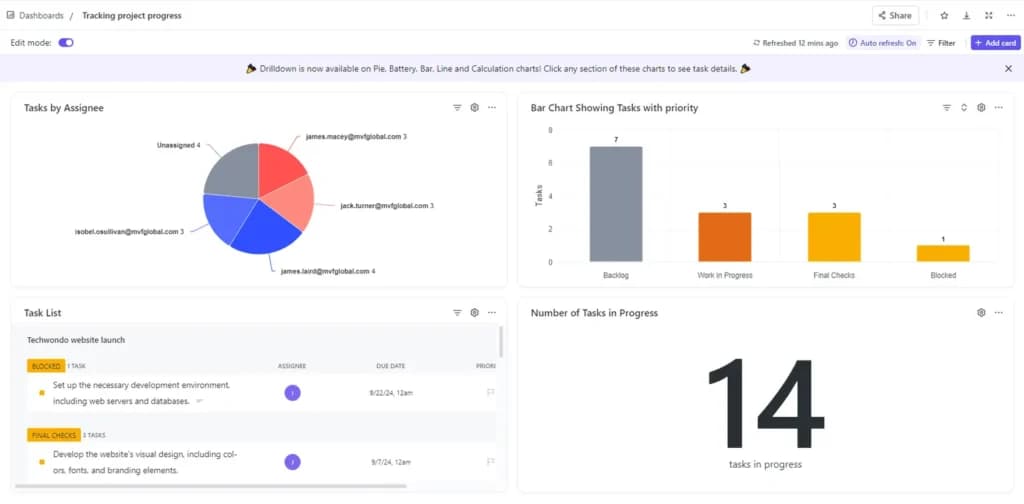
ClickUp offers reporting and analytics features that allow you to track your sales efforts' effectiveness. It shows status over time, number of tasks completed, tasks by assignee, time reporting, priority breakdown, task list, and tasks worked on. It offers a visual representation of your data that makes interpretation easy.
Third-Party Integrations
ClickUp is undoubtedly a powerful tool. However, it allows you to link with other apps to manage your activities on a single platform, all for free. If you’ve realized that there are tools you use consistently, instead of jumping from one app to the other, you can simply link it with ClickUp to make your work smoother. Popular apps like Slack, Zendesk, Zoom, Microsoft teams, and a bunch of others can be easily integrated into your account.
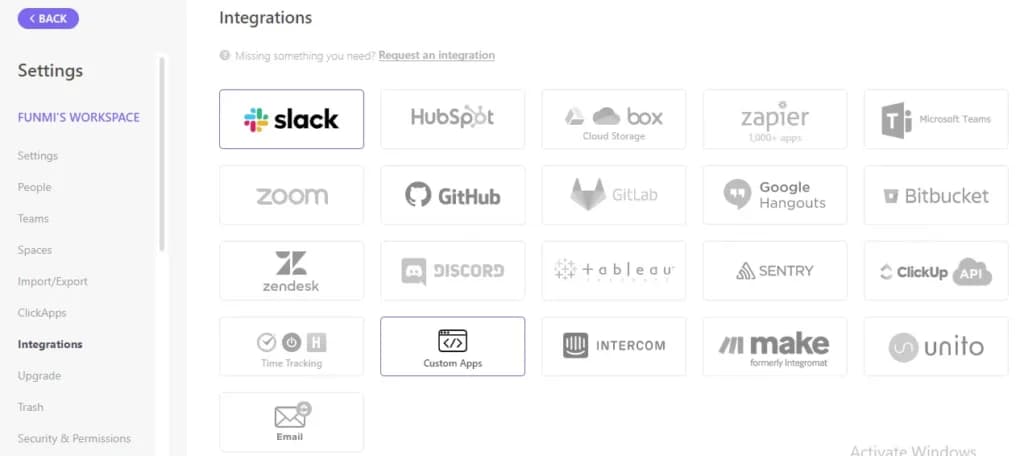
ClickUp has taken the time to make the application as accessible as possible. It has mobile apps for iOS and Android, can be downloaded to Windows, Linux, Mac, and is even available on voice assistants. Of course, it can be accessed via a web browser and is compatible with most, if not all, of the major browsers.
When it comes to integrations, the ClickUp team has built dozens of them and it has also integrated with Zapier which makes it possible to connect with hundreds of third-party applications. If that’s not enough, there’s an API that can be accessed to build your own integrations.
Streamline communication with integrated email tools.
Account Management
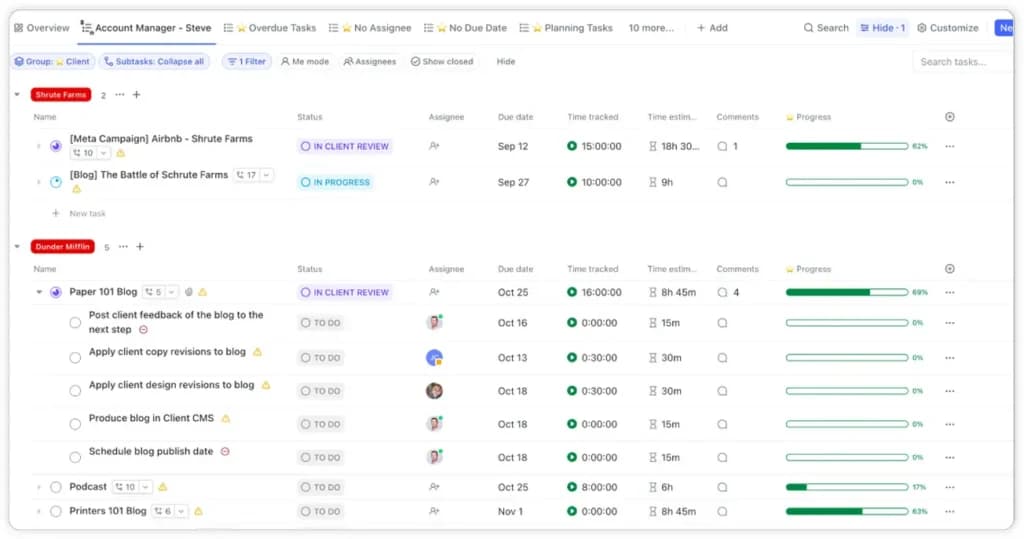
This feature on ClickUp helps you manage data from your current and past clients. You can track all their activities, including the close date, engagement status, payment status, and type. You can also include subtasks, checklists, and attachments so you can have a comprehensive overview of all that concerns your clients. It also shows the progress and priority level of every deal.
Automate workflows to improve operational efficiency.
Features
- File Sharing
- Document collaboration
- User Access and Permissions
- Mobile App
- Search
- Multi-language support
- Risk Analysis
- Reporting and Dashboards
- Customization
- Storage Included
Verdict
ClickUp, though it was only founded in 2017, has grown into one of the most popular and comprehensive project management platforms available. It allows its users to work the way they feel most comfortable by providing multiple views, document collaboration capabilities, an integrated chat application, workload monitoring, time tracking, and a host of other features. The pricing is straightforward and there are no add-ons or hidden fees. What you see is what you get.
Even though ClickUp has a lot going for it, the software isn’t perfect from a usability standpoint. There are so many tools, features, and options that it can be overwhelming for many users in the beginning. You’ll need to dedicate time to learn it and train a team before you can get the most out of it. If this isn’t a deal-breaker then the 24/7 support, a team that listens to feedback requests, and fair pricing make it worth considering for your project management needs.
ClickUp’s standout feature is its all-in-one approach to project management software. With customizable workflows, task views, collaborative documents, and real-time communication tools, it offers a versatile and scalable platform for teams seeking a comprehensive project management solution.
Users Reviews
Write a review
Leave a review, help others get it right the first time.
3 Reviews
Sam T
Project Manager
Great empowering tool
ClickUp provides us with a lot of ways to see the progress of each employee. Unlike Jira, we can insert all relevant team members in the workspace without any issues.
- It provides multiple opportunities for development of workflow, which is crucial for me.
- The free plan is annoying because I can't customize it so better to take the $5 plan.
Janet C
Product Manager
Your go-to project management tool
Click Up has so many features. It has many different views, the dashboard is great, very good automation and more. The product is great for new users, easy to use.
- The boards and the roadmap visualization.
Amanda M
Marketing Operations
A great way to organize your projects!
It helps us a lot to organize the work, insert our goals and work all together to reach them. It's very essential for our day-to-day work.
- The boards and the roadmap visualization.
- Nothing that I dislike.