
Last updated: September 2026
Figma is a browser-based design platform built for collaboration. It combines vector design, prototyping, feedback, and developer handoff into one shared workspace. Instead of juggling multiple tools, small businesses can design websites, mobile apps, and marketing visuals in one place. With flexible pricing and smart seat types, Figma gives SMBs the same professional design power that large teams enjoy.
Plans & Pricing
- Ideal for solo users and small projects
- Limited to three design files
- 30-day version history
- Unlimited projects
- Advanced Dev Mode
* Featured prices can be updated and free offers may include additional terms.
Figma uses a seat-based pricing model, which means you pay for each person’s role. This makes cost management easy if you plan it right. Designers who create files need Full seats, developers who inspect designs can use Dev seats, and reviewers or stakeholders can use Collab or Viewer access. Choosing the right seat for each team member can reduce your overall cost significantly. Paid seats only make sense once collaboration is constant, so the best free graphic design software picks are the practical starting point for solo work.
Smart SMB Tips
- Begin with the Professional plan and scale up only when needed.
- Assign Dev seats to engineers and Collab seats to reviewers to control cost.
- Choose annual billing for predictable budgeting and discounts.
- Review active seats every quarter and remove inactive users.
- Upgrade to Organization if you manage multiple teams or design systems.
With this approach, Figma remains affordable and scalable as your business grows.
Expert Score
Pros
- Real-time co-editing improves teamwork and eliminates file chaos.
- Smart layout and prototyping tools reduce repetitive work.
- Flexible pricing suits both small teams and larger organizations.
Cons
- No native CMYK support, which limits print design workflows.
- Lacks advanced photo editing capabilities.
- Requires careful seat management to avoid paying for unused licenses.
Customer Support
Figma’s Help Center is one of the most complete in the design industry. It includes tutorials, templates, and troubleshooting guides for every feature. The community forum is highly active and full of peer solutions, while Figma’s YouTube tutorials cover new features like Variables and Dev Mode in depth. Higher-tier plans offer more structured support such as SSO documentation, admin onboarding, and advanced library management. However, most SMBs will find Figma’s self-serve resources more than enough for daily needs.
Ease of Use
Figma stands out for its simplicity. Because it works directly in the browser, there is no need to install heavy software or send files back and forth. You log in, open a project, and begin designing. Real-time collaboration feels effortless. Multiple people can edit the same file, add comments, and view updates instantly. For new users, the interface feels familiar if you have used any vector-based design software before. Features like Auto Layout, Components, and Variants can take a little time to learn, but they quickly become major time-savers once you understand how they work. SMBs benefit from this ease of use because non-designers such as marketers, developers, or founders can view or comment on designs without expensive software or complex setup.
Performance
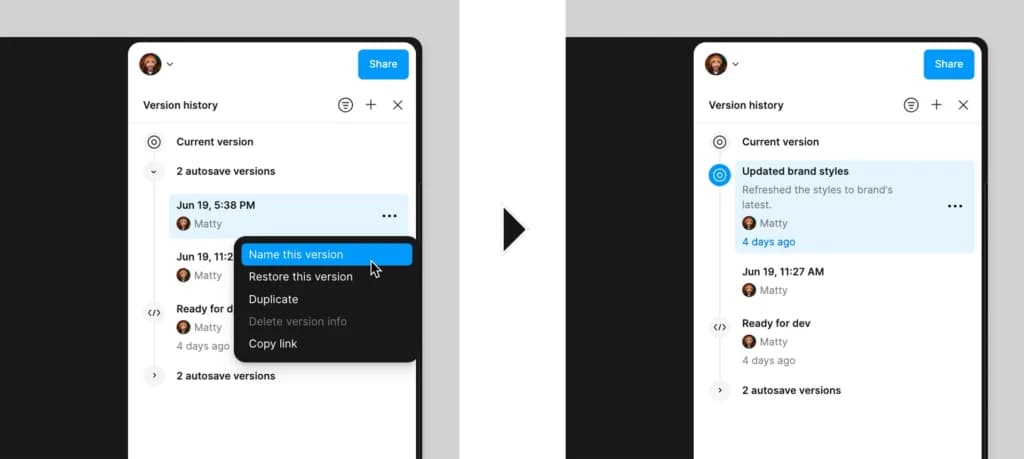
Figma’s performance is impressive for a web-based tool. It opens quickly, handles multiple users without lag, and automatically saves changes in the cloud. Version history runs silently, letting you restore previous versions without risk.
When projects become very large or contain hundreds of components, you might notice slight slowdown during zooming or scrolling. This is easy to avoid by organizing files into libraries and keeping components modular. For most small and mid-sized businesses, Figma runs smoothly and reliably even on standard hardware.
Features & Functionality
Graphic Design
Figma’s general features make it easy for small teams to design, collaborate, and deliver high-quality visuals without needing multiple tools.
Vector Editing gives users a powerful but simple workspace for creating shapes, icons, and layouts. Its Vector Network system allows free-form editing, letting you draw and connect points smoothly. This helps SMBs handle everything from social media graphics to app interfaces in one platform.
Auto Layout automatically adjusts spacing and resizing when content changes. If a button label grows or a card’s content expands, Figma instantly realigns it. This feature is especially useful for small teams that update content frequently—keeping designs consistent without manual corrections.
Version History and Branching make collaboration risk-free. Every file saves automatically, and team members can review, restore, or branch off versions without fear of losing work. This ensures a clean creative process where experimentation and safety coexist.
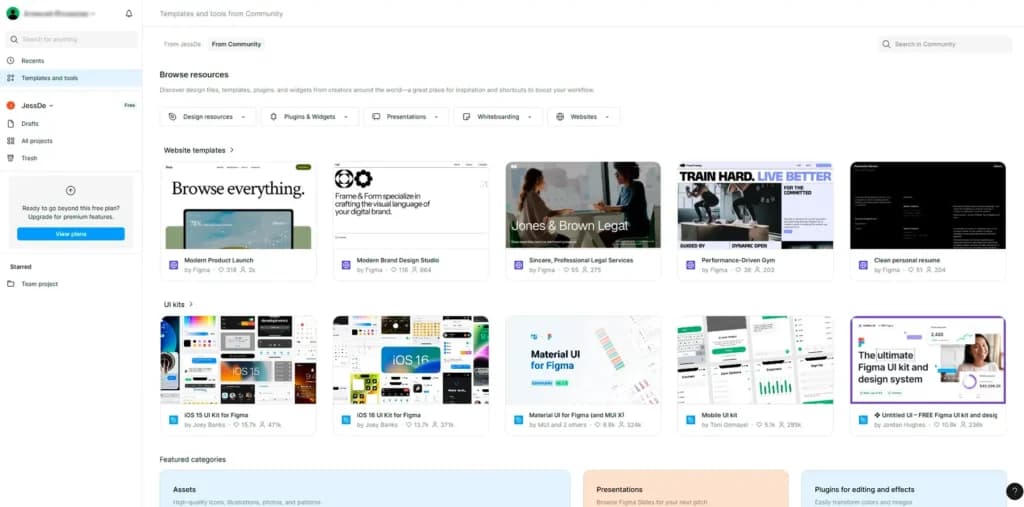
Plugins and Add-ons extend Figma’s functionality. Thousands of plugins offer instant access to stock photos, icons, AI writing tools, and accessibility checkers. For SMBs, this means you can tailor Figma to your workflow instead of paying for separate software.
Integrations with Slack, Asana, Notion, and Jira connect Figma to your existing project stack. This keeps feedback loops short, communication clear, and your design workflow fully integrated with business operations.
Figma’s advanced tools help teams scale design operations, automate repetitive work, and maintain brand consistency across products and campaigns.
Components and Variants are reusable design blocks that can include multiple states such as hover, active, or pressed. Any change to the master component automatically updates every instance across your projects. This feature ensures visual consistency while drastically reducing rework time—a key efficiency booster for SMBs managing multiple brands or product lines.
Variables and Styles store reusable tokens for colors, text, spacing, and other brand assets. By centralizing these elements, your team can update an entire brand palette or typography set in seconds. For small businesses, this simplifies rebranding, seasonal campaigns, or multi-client management without hiring a design system specialist.
Dev Mode streamlines collaboration between design and development. Developers can inspect layouts, view dimensions, and copy code-ready snippets directly from the file. This eliminates manual specification handoffs and prevents costly errors during implementation. SMBs benefit by reducing miscommunication and shortening time-to-market for new features or products.
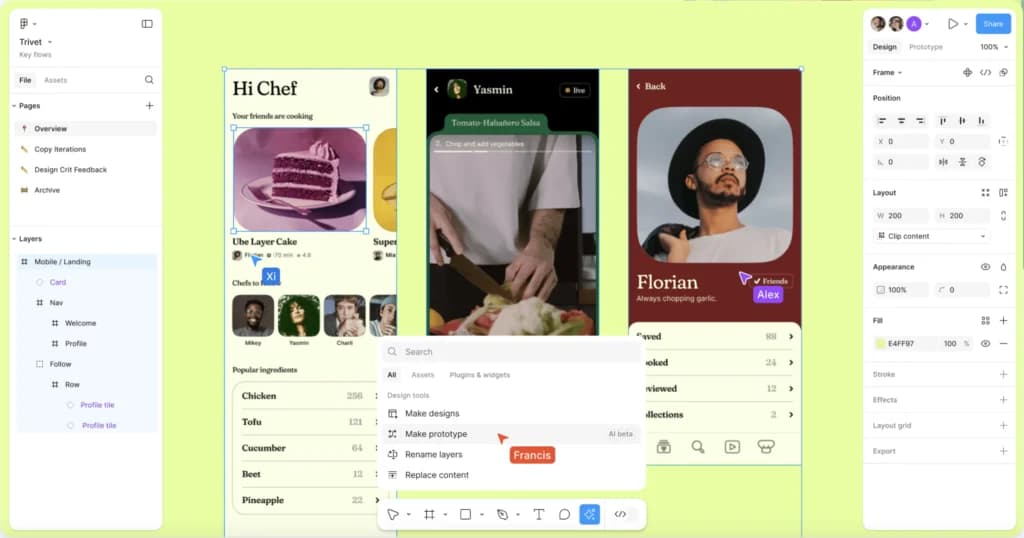
AI Tools (Make, Sites, Buzz)expand Figma beyond design. Figma Make allows you to generate working app prototypes using AI prompts, Sites lets you publish websites from designs, and Buzz assists in creating branded assets like ads or posts. These features save SMBs hours of creative time while keeping output polished and professional.
Figma’s editing tools combine precision with simplicity, helping teams refine and finalize designs quickly.
Prototyping and Animation let you transform static designs into interactive mockups. With features like Smart Animate and dynamic overlays, you can simulate real app or website behavior for presentations or user testing. For SMBs, this eliminates the need for separate prototyping tools, helping teams validate ideas before spending money on development.
Export and Print Plugins allow you to export your designs in multiple formats including PNG, SVG, PDF, and JPG. While Figma is digital-first, print plugins enable CMYK conversion, bleed settings, and high-resolution exports. This is perfect for SMBs that occasionally create physical marketing materials such as brochures, packaging, or event graphics.
Vector Editing Enhancements make detailed editing simple. The pen, arc, and shape tools are highly responsive and ideal for creating logos or icons without needing a separate vector app. Combined with pixel preview and snap-to-grid, Figma gives you the precision of desktop design tools right in your browser.
Integrations
Figma connects easily with tools most SMBs already use:
- Slack / Teams: Receive design updates in chat.
- Jira / Asana: Link designs to project tasks.
- Notion / Confluence: Embed live Figma frames in documentation.
- UserTesting / Maze: Collect real user feedback on prototypes.
- Storybook / zeroheight: Sync your design system to developer documentation.
These integrations make Figma fit naturally into modern SMB workflows—from marketing to product development.
Web Design Software
Figma’s key features are its collaboration capabilities, a wide range of design elements & templates, prototyping feature, and powerful vector editing tool.
It also offers a host of integrations, such as Google Drive and Slack, making it easy to use in a variety of workflows. We do a quick tour of their key features in this video:
Easily manage and update website content.
Drive traffic and engagement with built-in marketing tools.
AI Tools
Collaboration Features
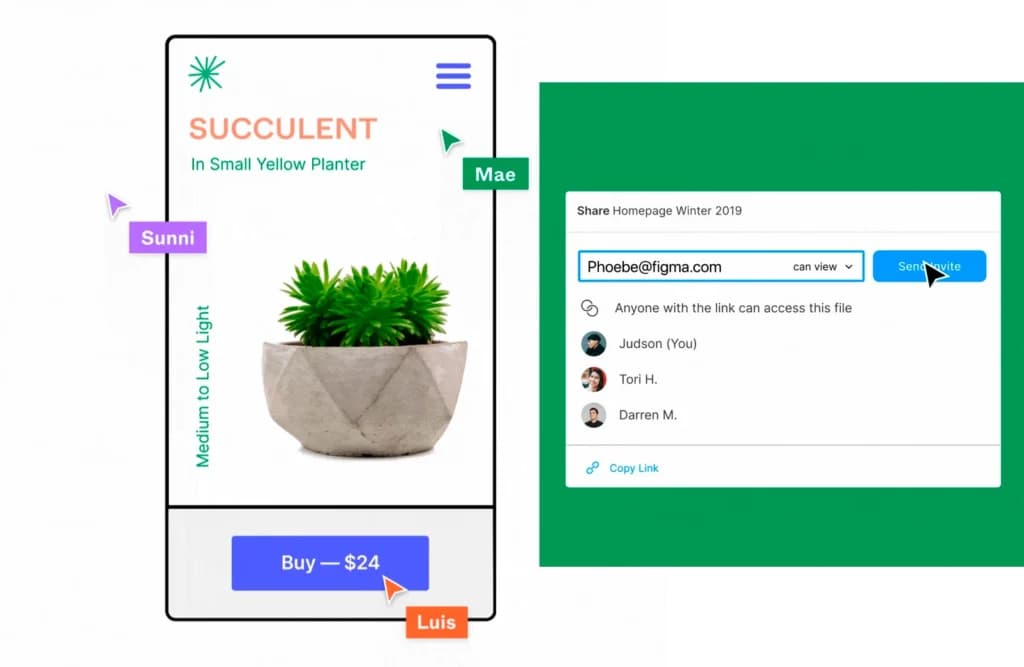
Figma is renowned for its real-time collaboration tools, allowing multiple users to edit designs simultaneously, leave comments, and track changes seamlessly. This makes it ideal for teams working remotely or across time zones.
API Access
Figma provides a robust API that developers can use to automate workflows, pull data, or integrate with third-party tools, enhancing flexibility for design system management and version control.
Layer Support
Figma uses a layer-based system similar to traditional design tools. This system allows precise control over element stacking, visibility, grouping, and blending, which is essential for complex UI or visual compositions.
Drag-and-Drop Editor
Figma’s design canvas supports drag-and-drop editing, enabling users to quickly place, resize, and align visual elements without complex controls, tailored to UI/UX design rather than photo editing.
Interactive Editing
Figma supports interactive design editing, allowing users to manipulate shapes, layouts, and components in real time. This interactivity applies to UI/UX elements, not AI-generated image assets, but still provides a fluid design experience with support for prototyping, component states, and real-time feedback.
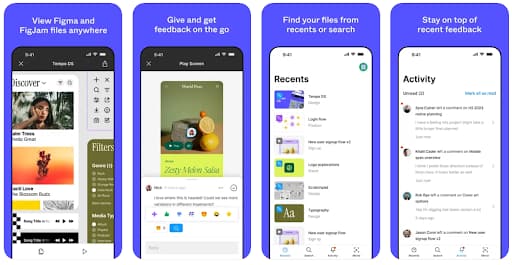
Accessible on multiple platforms for versatile use.
Features
- API
- Image Database
- Collaboration Tools
- Content Import/Export
- Content Management
- Edits Vector & Raster Graphics
- Touch Interface Support
- Pro-Level Typography
- Print Management
- Publishing / Sharing
Verdict
For SMBs that design digital products or marketing content, Figma is a must-have. It is affordable, accessible, and keeps everyone working in one shared environment. Designers can focus on creation, developers can inspect and export assets, and decision-makers can give feedback without interrupting the process.
If your business focuses mainly on web or mobile design, Figma covers almost everything you need. For print design or detailed photo editing, you will still need a specialized tool. But for digital workflows, collaboration, and productivity, Figma remains one of the best options available.
FAQ
1. Is Figma free?
Yes. The Starter plan is free and includes basic features like limited files and collaboration. It’s perfect for freelancers or small teams getting started.
2. What’s a Figma seat?
A seat is a user license type. Designers use Full seats, developers use Dev seats, and stakeholders can use Collab or Viewer seats. Choosing the right mix helps you control costs.
3. Can I use Figma offline?
Partially. The desktop app allows limited offline editing, but collaboration and version control require internet access.
4. Which plan suits small teams best?
The Professional plan offers the best balance of features and price. Upgrade later if you need advanced security or multiple teams.
5. Does Figma support print design?
Figma focuses on digital work. You can export to PDF or use print plugins, but CMYK and print-specific features are limited.
6. Are AI tools included?
Yes. AI features like Figma Make are included in paid plans and come with monthly credits, varying by seat type.
Uniqueness
Figma brings together several qualities that make it stand out from traditional design software:
- Cloud collaboration: Multiple users can design, comment, and review together in real time.
- Cross-platform: Works equally well on Windows, macOS, and Linux, directly from your browser.
- Design-to-dev workflow: Built-in Dev Mode provides measurements, variables, and code snippets for faster handoff.
- Scalable design systems: Shared Libraries, Variables, and Components keep branding consistent across products.
- AI and productivity tools: Figma Make, Sites, Buzz, and Slides help teams expand beyond UI design into full product and content creation.
These features make Figma not just a design tool but a creative platform for collaboration and growth. Teams choosing a design stack for the first time should scan the best graphic design software comparison before locking anyone into a shared file format.
Users Reviews
Be the first to write a review
Share your experience with Figma and help others choose the right software.