

Last updated: October 2025
Fotor is one of the most underrated online photo editors. It offers its users the ability to showcase their creativity without using complicated software. Aside from editing photos and creating graphics, users can also create videos in a fun, simple, and easy way. With an effective drag-and-drop system, users can combine different elements and create professional-looking videos.
Plans & Pricing
- 50,000+ templates
- 500MB of Cloud storage
- Basic editing features
- Everything in the Basic plan plus
- Advanced editing features
- Number of AI tools
- AI video enhancer and background removal
- 2GB Cloud storage
- 100 extra credits per month
- Everything in the Pro plan plus
- 10GB Cloud storage
- 300 extra credits per month
- Brand kit
- HD photos for personal and commercial use
* Featured prices can be updated and free offers may include additional terms.
Fotor offers 3 main subscription plans and the possibility of purchasing credits when needed. When writing this review, credits could be used only to buy image editing features.
A free plan is available. However, it’s limited and includes watermarks on both images and videos users create. To remove the watermark, users need to have one of the paid subscription plans.
Expert Score
Pros
- Organized interface
- Thousands of pre-made templates
- Free plan
- Powerful AI features
Cons
- Free plan is limited
- Lack of advanced editing features
Customer Support
Customer support is a big deal for Fotor, as it includes a wide specter of available information on the website. Aside from a FAQ and blog section, users can easily find tutorials that make this already simple solution even easier to master.
Email support can be reached by visiting their website
24/7 Help & Support
24/7 support is available on the Fotor website
FAQ
FAQ section is located on the Fotor website homepage
Blog
blog section includes a large quantity of information organized
Live Online Chat
Online chat is available with a chatbot
Video Tutorials
Video tutorials can be found on their official YouTube channel
Ease of Use
Fotor’s main focus is user experience as soon as users create an account, a very well-organized interface appears, revealing suggested features for image and video editing. Before seeing any of Fotor's possibilities and features, users need to create an account. This step is straightforward and takes less than a couple of minutes. Using a Google account to create an account is also possible and takes less than a minute to complete. Created accounts by default include the free plan; however, upgrading to the Fotor Pro or Fotor Pro+ plans is as easy as it gets. Within a couple of minutes, the upgraded account will include all the available features and AI tools, and the user will be able to use Fotor to its full potential.
Performance
Even though Fotor is a web-based photo and video editor, it performs exceptionally well. Users’ internet speed dictates the performance, but the great thing is that Fotor can be downloaded for free on PC and Mac, as well as all Android and iPhone devices. No matter which platform users choose, Fotor will perform better than expected.
Features & Functionality
Creative Tools
AI video generator
The most noteworthy feature is the AI video generator. This feature allows users to generate videos based on pre-made prompts or a combination of text and sample images. There are also several styles to choose from.
AI video background remover
A great feature of Fotor's video editing part is the AI video background remover. This feature mimics Chroma Key, better known as the green screen, and allows users to make great explainer and reaction videos.
AI object removal
A relatively new feature in the Fotor collection is the AI object removal feature. This feature is great for amazing shots where a single object distracts the focus from what’s important.
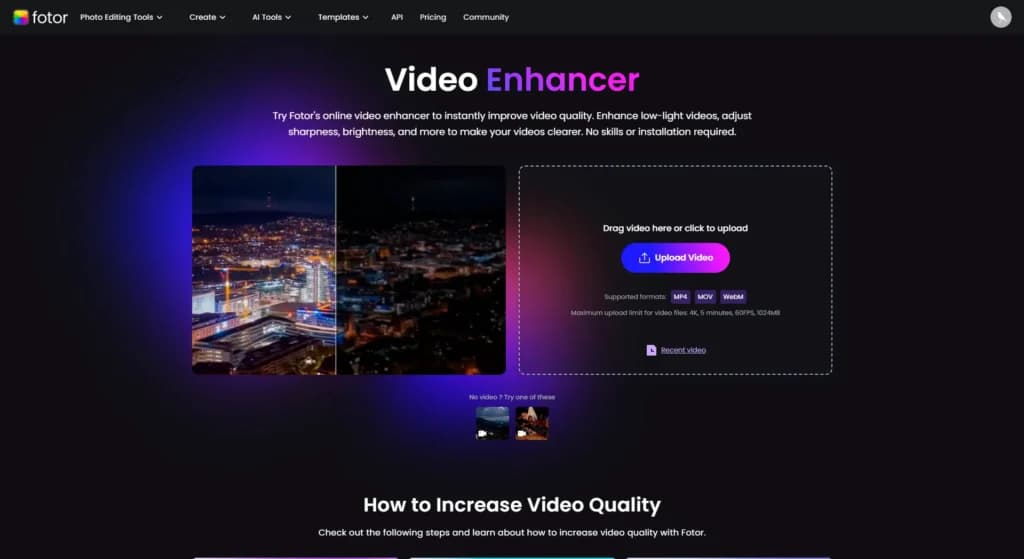
AI video enhancer
The last notable feature in the video editing pool of features is the AI video enhancer tool. This tool will transform low-quality videos into great-looking footage. The quality and color are improved, helping users get a professional look for their videos.
Work with a wide range of file types for maximum compatibility.
Choose from various plans to suit your creative needs.
Accessible on multiple platforms for versatile use.
Edit with precision using powerful professional-grade tools.
Easily share projects and export them in desired formats.
Support for diverse export options to meet specific requirements.
AI Tools
While Fotor is primarily known for its image editing, it also offers AI-powered video tools.
- AI Video Generator: The most noteworthy feature is the AI video generator. This feature allows users to generate videos based on pre-made prompts or a combination of text and sample images. There are also several styles to choose from.
- AI Video Background Remover: A great feature of Fotor’s video editing part is the AI video background remover. This feature mimics Chroma Key, the green screen, and allows users to make great explainer and reaction videos.
- AI Object Removal: The AI object removal feature is a relatively new feature in the Fotor collection. This feature is great for amazing shots where a single object distracts the focus from what’s important.
- AI Video Enhancer: The last notable feature in the video editing pool of features is the AI video enhancer tool. This tool will transform low-quality videos into great-looking footage. The quality and color are improved, helping users get a professional look for their videos.
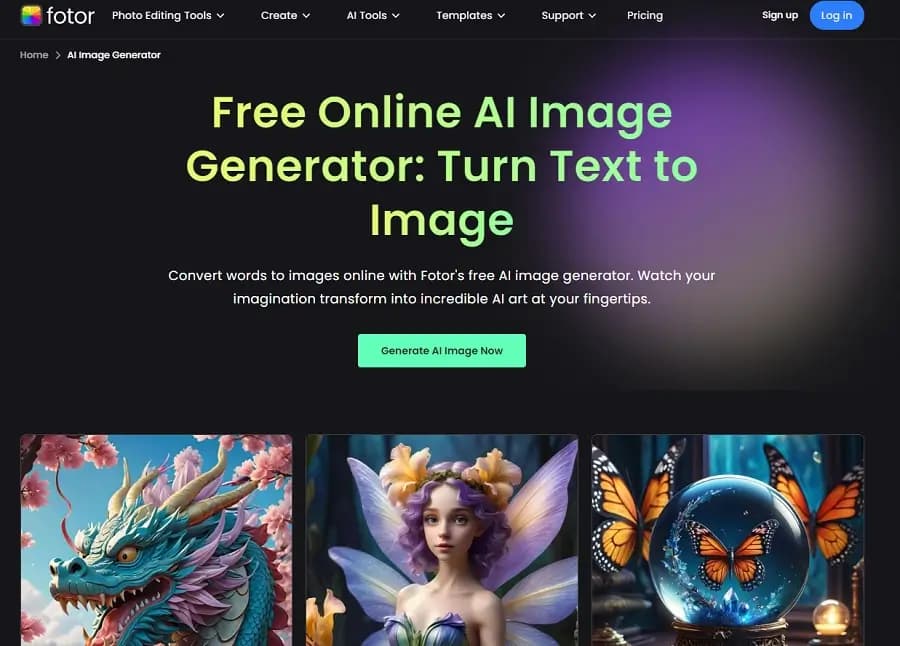
AI video generator
The most noteworthy feature is the AI video generator. This feature allows users to generate videos based on pre-made prompts or a combination of text and sample images. There are also several styles to choose from.
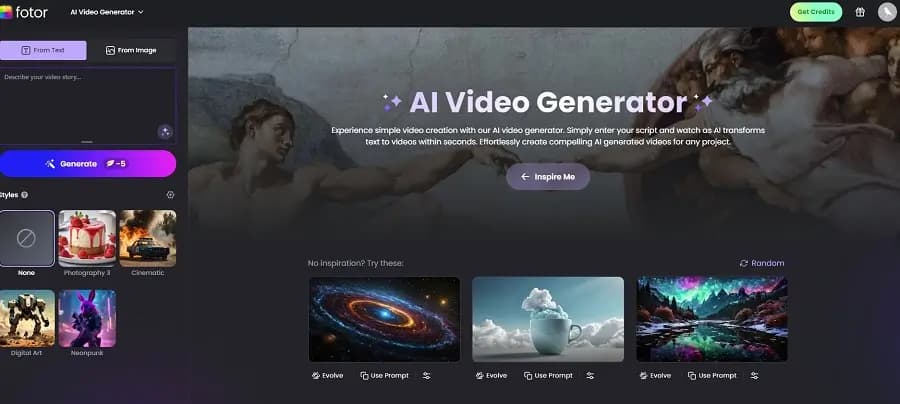
AI video background remover
A great feature of Fotor's video editing part is the AI video background remover. This feature mimics Chroma Key, better known as the green screen, and allows users to make great explainer and reaction videos.
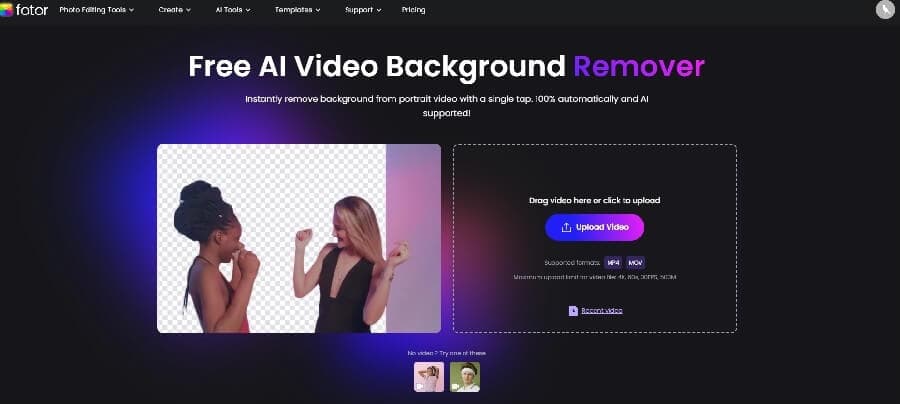
AI object removal
A relatively new feature in the Fotor collection is the AI object removal feature. This feature is great for amazing shots where a single object distracts the focus from what’s important.
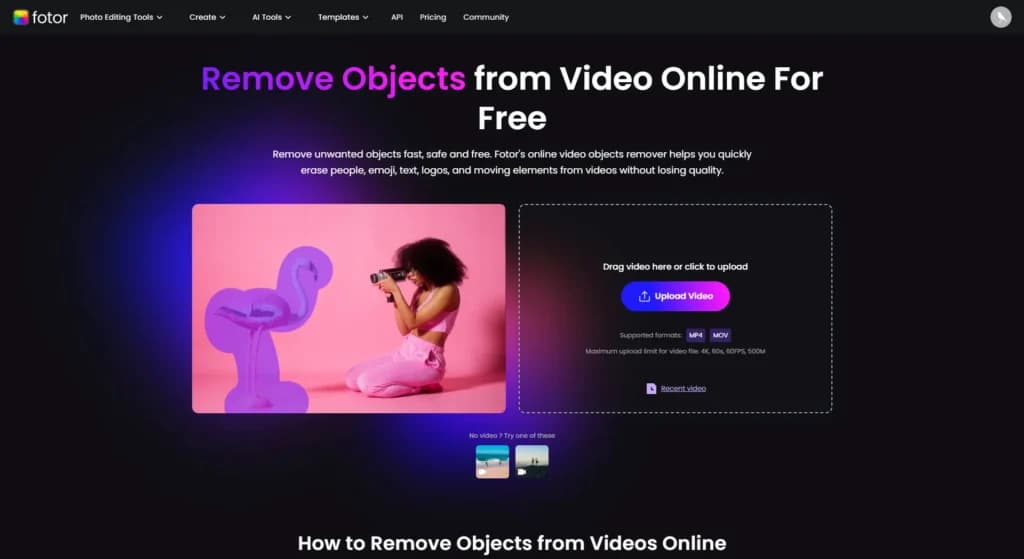
AI video enhancer
The last notable feature in the video editing pool of features is the AI video enhancer tool. This tool will transform low-quality videos into great-looking footage. The quality and color are improved, helping users get a professional look for their videos.
Fotor's AI Photo Enhancer automatically improves image quality by adjusting brightness, contrast, and sharpness. It can quickly fix underexposed photos, enhance details, and optimize colors, saving users time on manual adjustments.
AI-Powered Image Editing Features
Fotor's suite of AI tools significantly enhances its image editing capabilities.
- AI Image Generator: Generate images from text descriptions using advanced AI algorithms.
- AI Photo Enhancer: Automatically improve photo quality with one click.
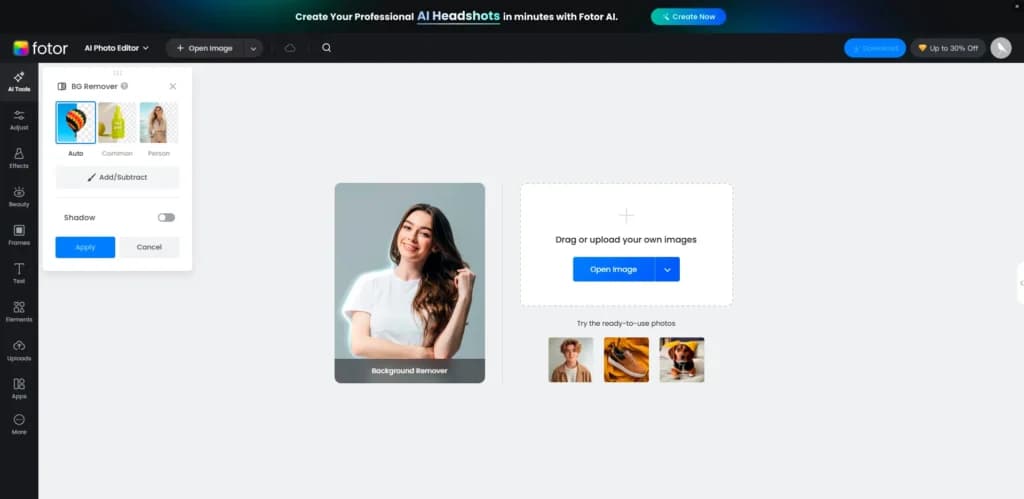
- AI Background Remover: Easily remove backgrounds from images.
- AI Object Removal: Remove unwanted objects from photos seamlessly.
- AI Art Styles: Apply artistic effects to photos, transforming them into paintings or sketch
AI Background Remover
With the AI Background Remover, users can effortlessly isolate subjects from their backgrounds. This feature is particularly useful for product photos, marketing materials, or any scenario where you need a clean background without the hassle of manual selection.
Fotor provides AI-powered retouching tools that can smooth skin, remove blemishes, and even adjust facial features. These tools make portrait editing quick and intuitive, allowing users to achieve professional results without extensive photo editing skills.
One of Fotor's standout features is its AI Image Generator, which allows users to create unique images from text prompts. By simply typing in a description, the AI can generate a variety of images matching the input, making it an excellent tool for concept visualization and creative projects.
Accessible on multiple platforms for versatile use.
Features
- Image Editing Capabilities
- Video Editing Capabilities
- JPG
- MP4
- PNG
- Free Trial
- Monthly subscription
- Annual subscription
- iOS
- Android
Verdict
Fotor is a powerful tool that should be in any digital marketer's collection. It’s incredibly simple to use and includes a wide variety of tools and features.
When it comes to image editing, there’s nothing to add—Fotor can do it all. When it comes to video creation, there are a few tools and features that will help users make professional videos in a few clicks. However, it’s not a service that can replace high-end video editing software. For simple projects, it’s a great tool to have.
The free plan is more of a trial than a plan, but it does allow users to try out some basic features. For AI tools and advanced features, a paid plan would be necessary. Thankfully, even the paid subscriptions are very affordable.
Users Reviews
Be the first to write a review
Share your experience with Fotor and help others choose the right software.