

Freshservice Review 2026: ITSM, VoIP, CRM, Inventory Management
Overall Rating
4.4
Last updated: September 2026
Freshservice is a cloud-based service desk and IT service management (ITSM) solution that currently serves more than 40000 SMB, mid-market, and enterprise customers worldwide.
Plans & Pricing
* Featured prices can be updated and free offers may include additional terms.
Asides from the free plan Freshservice offers, pricing comes in four different plans, depending on which features best suit your business needs.
Expert Score
Pros
- Ease of automation and workflow creations
- Easy to set up and maintain
- Optional PPM features for small-scaled projects
Cons
- Support is a little slow to resolve issues & there is a language barrier
- Out-of-the-box integrations are limited
- Unable to add form fields across multiple forms or submission types
- MFA management of users restricted to manage by the owner
Customer Support
Freshservice offers email support, phone and online chats. Additional customer support: Guides These guides would help you train your admins, agents and end-users. API Docs Need APIs to extend Freshservice's functionality? Freshservice's API documentation covers it all. Personal experience with support: Despite the various supports available, however, Freshservice Support is not responsive to requests in a timely or technically adequate manner. Sales pressure is high for them to close the deal but once done, they do respond though issues drag out or are not resolved. I'm surprised that their tech support is inadequate. A company selling a product for customer support is supposed to have stellar support themselves at least.
Ease of Use
Modern look and feel, beautiful icons and this makes the whole experience nice and intuitive. The workflows are very easy to create. It didn't take very long for me to learn the entire settings in the Admin panel. The most important area of the tool is form customization and Freshservice meets all complex requirements and it is easy to use at the same time. Compared to its competitors, Freshservice provides all ITSM requirements and it is user-friendly.
Features & Functionality
ITSM
Freshservice offers a ton of useful features which makes it a great competitor in the ITSM industry, in total, there are over 130 features offered by Freshservice, a few of which include:
IT Service Management
Delight your organization with a modern service management solution that puts an emphasis on experience.
SLA Management
Set multiple SLA policies for different business hours or incident categories. Easily resolve tickets based on priorities, and automate escalation rules to communicate about SLA violations.
Unified Service Catalog
Easily deploy powerful, extensible workflows that ensure speedy service delivery from everything as simple as password resets to as complex as new hire onboarding. Unify your service delivery into a single, modern platform.
Others include:
Reporting, Dashboards, Time Tracking, Surveys, Access & Usability, MobileSelf Service, Active Directory, Multi-Channel Access, Administration, Reports & Analytics, Service Desk, Help Desk, Incident Reports.
Integrations
Freshservice fits right into your existing business ecosystem with integrations available for popular business apps.
Native Integrations: Amongst the native Integrations are Freshdesk, Slack, MS Teams, Jira, Zoom, Rescue, and G suite plus tons of other integration including Amazon Web Services, which lets you Import virtual assets right from cloud storage EC2.
Efficiently handle and resolve IT incidents.
Identify and solve recurring issues with advanced solutions.
Effectively manage IT infrastructure changes.
Simplify service request processes for IT teams.
Generate detailed reports for insights and decision-making.
VoIP
Freshdesk Contact Center enhances customer communication by providing tools for efficient and seamless interaction management.
With its cloud-based architecture, Freshdesk Contact Center (formerly Freshcaller) brings together the best of legacy features like IVR and advanced capabilities like Smart Escalations, Voicebots, and Customizable Performance Reporting to help you set up state-of-the-art call center operations. Freshdesk Contact Center also offers phone numbers in 90+ countries.
Here are some other notable features:
Holiday Routing
While we all love to spend time away from the office during the holidays, you don’t want to miss out on those big deals you’ve been working so hard to close because of them. Freshdesk Contact Center’s holiday routing helps to make sure this doesn’t happen by forwarding calls to a number you can reach over the holiday period. You can even create specialized call flows to handle holiday-specific inquiries.
Warm Transfer
There’s nothing worse than being transferred to multiple agents when you’re making a call to a business. With the warm transfer features, you’re able to offset these issues by providing substantial data with each transfer. Your callers will no longer need to constantly repeat themselves during their calls.
Queue Callback
Long wait times while on the phone can be torture. With the queue callback feature, callers are able to request a callback when an agent is free, instead of staying on the line. With this, you’ll be able to reduce your hang-up rates.
Call Monitoring
Combining their real-time dashboard with the ability to listen in on calls allows management to keep an eye on how their agents are faring. You can be sure response times are meeting targets and track each call in great detail.
Shared Phone Lines
Helping to keep your team working as one cohesive unit, the shared phone lines with Freshdesk Contact Center are a dream. They help to reduce answer times by allowing any available agent to answer, and also make it easier for callers to know which number to dial.
CRM
Customizable Dashboards
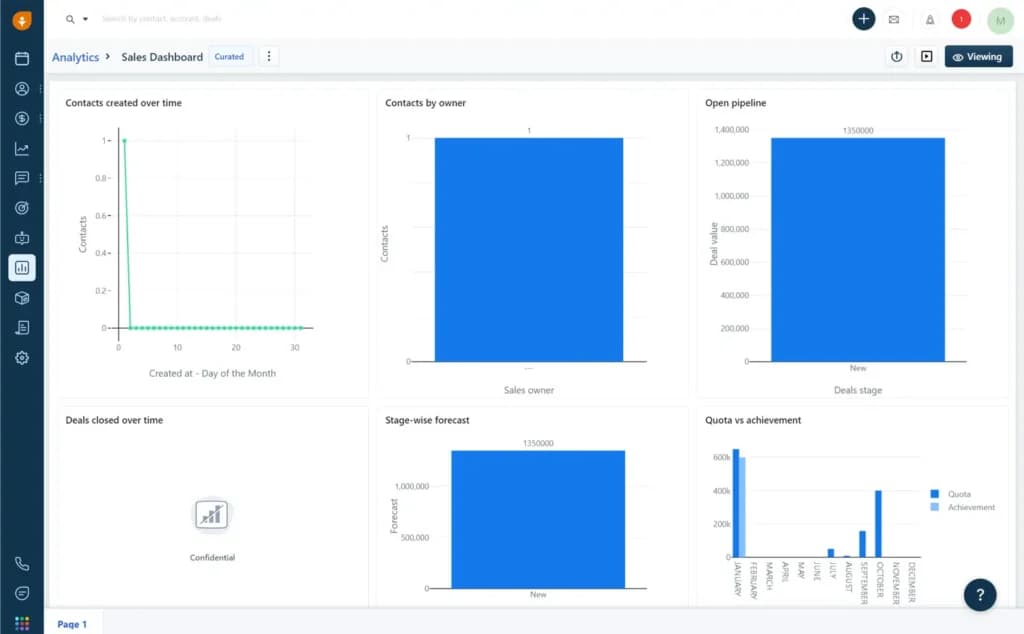
Freshsales has a sales dashboard that’s editable. It shows the contacts you’ve created over time, the contacts by the owner, and an open pipeline that shows deal stages, including the value, expected close date, sales owner, and other essential details that help you track your business activities. You can change the metrics you want to be visible; then, you can decide to change the grouping of either owner email, territory, and other metrics.
On the other hand, the activities dashboard allows you to add tasks and meetings you can easily track seamlessly. This feature works with the calendar that helps you keep close tabs on all your activities. You can link it with your video conferencing apps such as Zoom, Google Calendar, and Office 365.
Reporting and Analytics
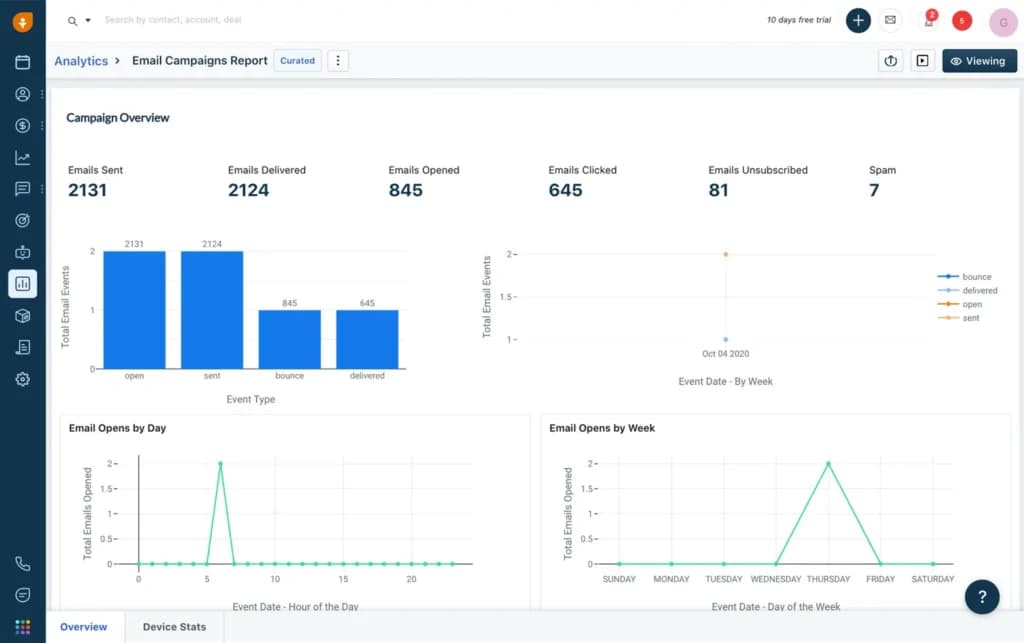
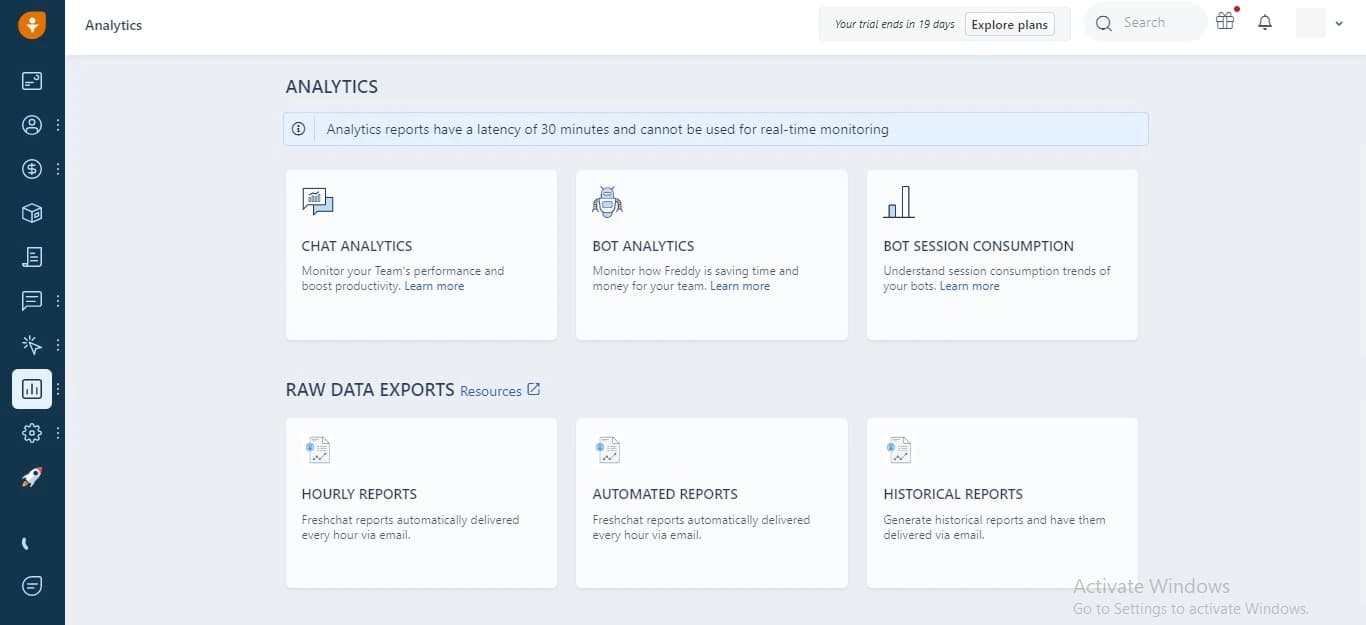
Freshsales covers chat analytics that shows the team’s performance to increase productivity. This feature also shows analytics from Freddy AI, which helps you save time, energy, and money. You get hourly reports, automated reports, and historical reports.
Collaborative Data
Contacts and Users
Many marketers and salespeople will tell you that managing leads or contacts is time-consuming. Thankfully, Freshsales CRM has features that simplify the activity, such as automatic deduplication and task reminders.
You can view your list of prospects by selecting ‘Contacts’ located under ‘Contacts and Accounts’ from the dashboard. There’s also a filtering option (looks like a hamburger icon) on the left (near the top), next to 'Contacts.' You can use that to filter your list. Also, you can import contacts to your list by CSV or Excel.
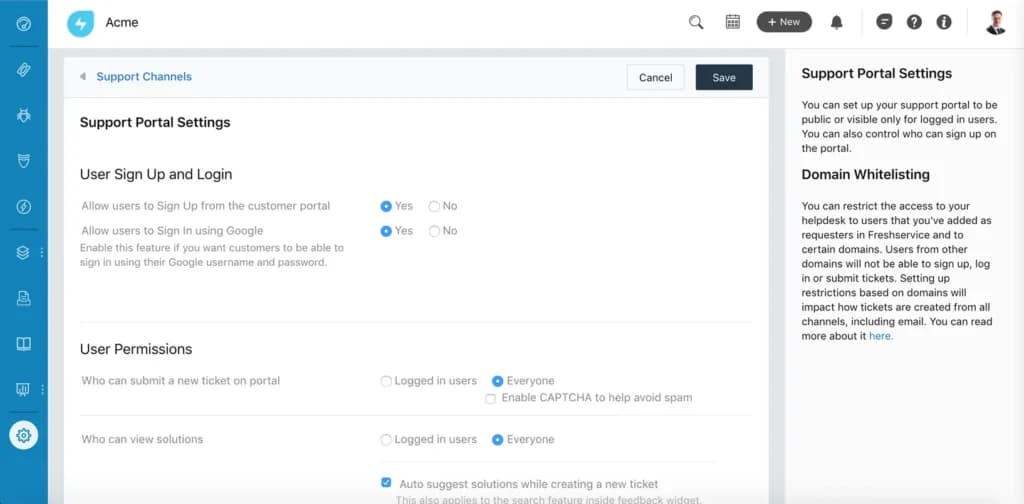
If you want to add additional users to your account, visit the ‘Admin Settings’ located on the left navigation menu. But keep in mind that billing is per user per month.
Furthermore, getting started with and navigating sales pipelines (called ‘Journeys’ in Freshsales CRM) is easy. The system features drag-and-drop functionality, so adding, removing, or tweaking steps doesn’t take time.
Reporting and Integrations
Freshsales CRM reporting and analytics are fantastic. There are many built-in or curated reports available, but you can create or customize one – something that focuses on what your business needs to know most. You can build reports to track almost anything.
When it comes to integrations, Freshsales CRM has an API (application programming interface) for integrating custom or third-party apps. Popular platforms like MailChimp, HubSpot, Zappier, Facebook, QuickBooks, and others can work with Freshsales CRM, expanding its capabilities.
Streamline communication with integrated email tools.
Deal Tracking
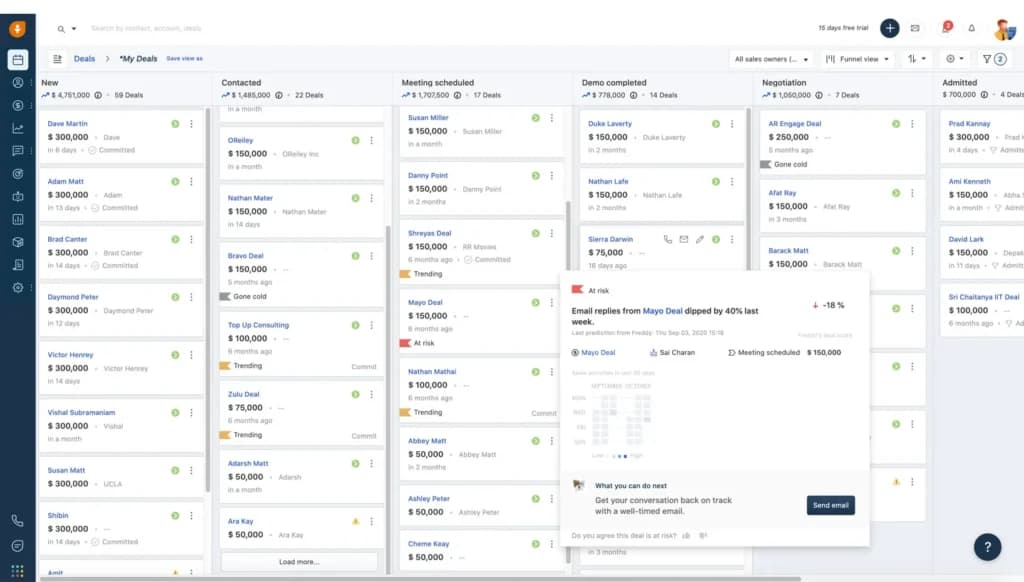
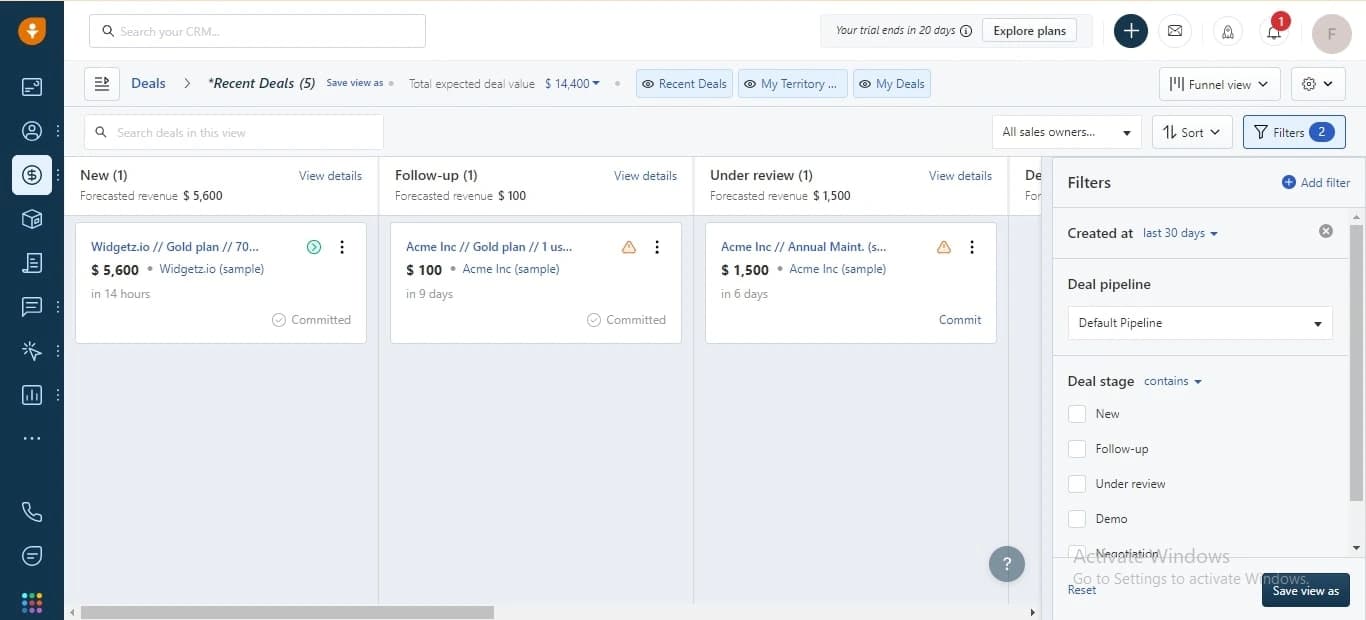
The deal management feature of Freshsales shows stage details, including forecasted revenue, total revenue, and the No. of deals, you’re managing. This section covers lost deals, won deals, and hot deals. It shows the quota and forecasting metrics that you should track. The deal stages include new deals, follow-up deals, under review, demos, and negotiation.
Sales Conversations
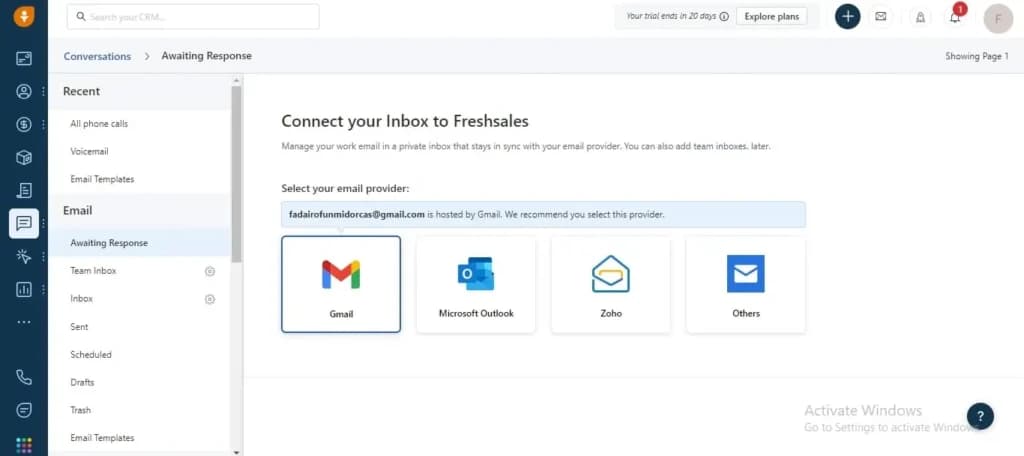
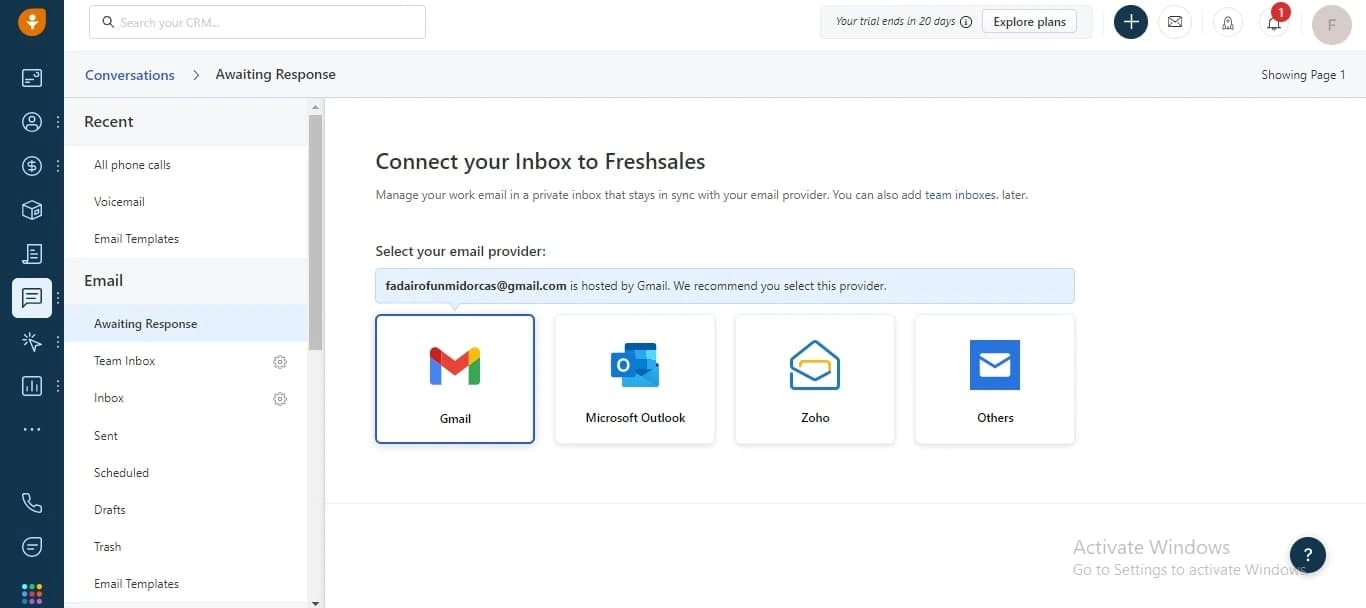
Freshsales CRM helps you track conversations across different communication channels, including phone, email, SMS, and voicemail drop. You can manage your work email by connecting your Gmail, Microsoft Outlook, Zoho, and create templates to send bulk emails. You also have to buy a business phone number or add your call log to make it accessible. This tool also helps you send recorded voicemail messages to your contacts when the call goes to voicemail.
Contact Management
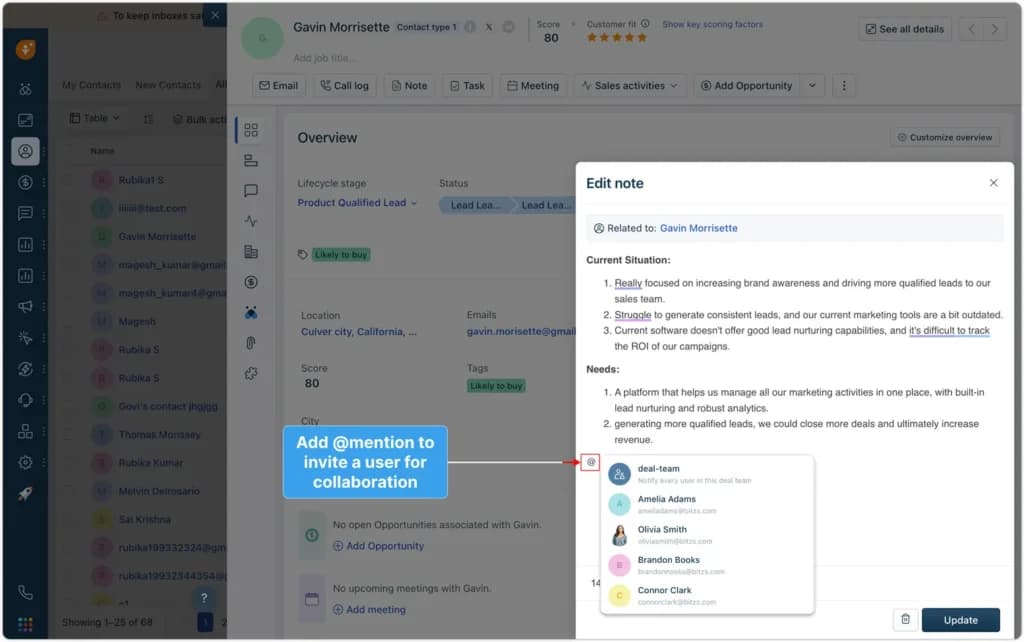
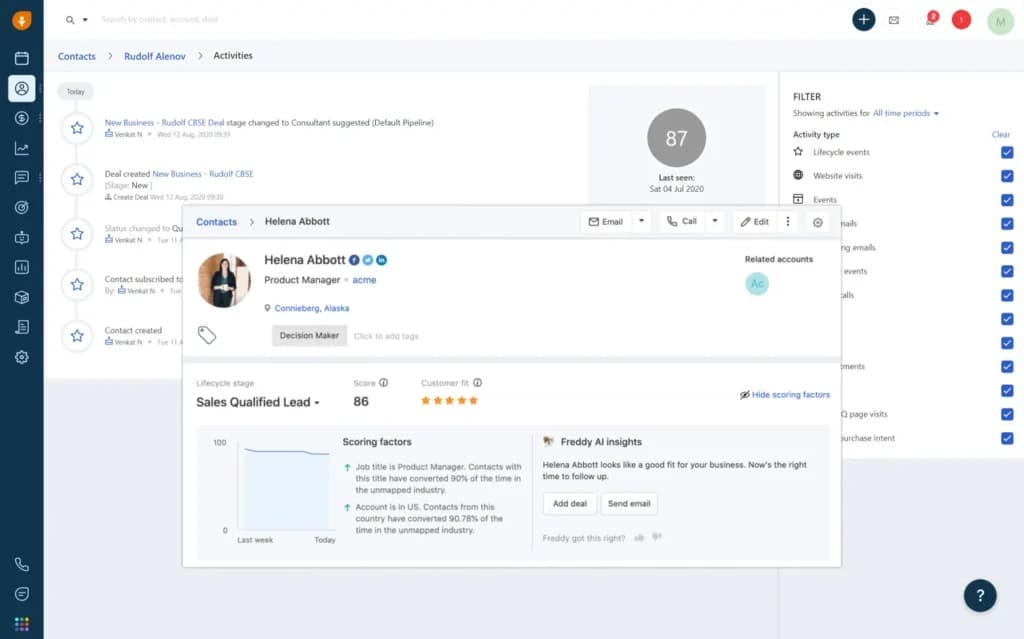
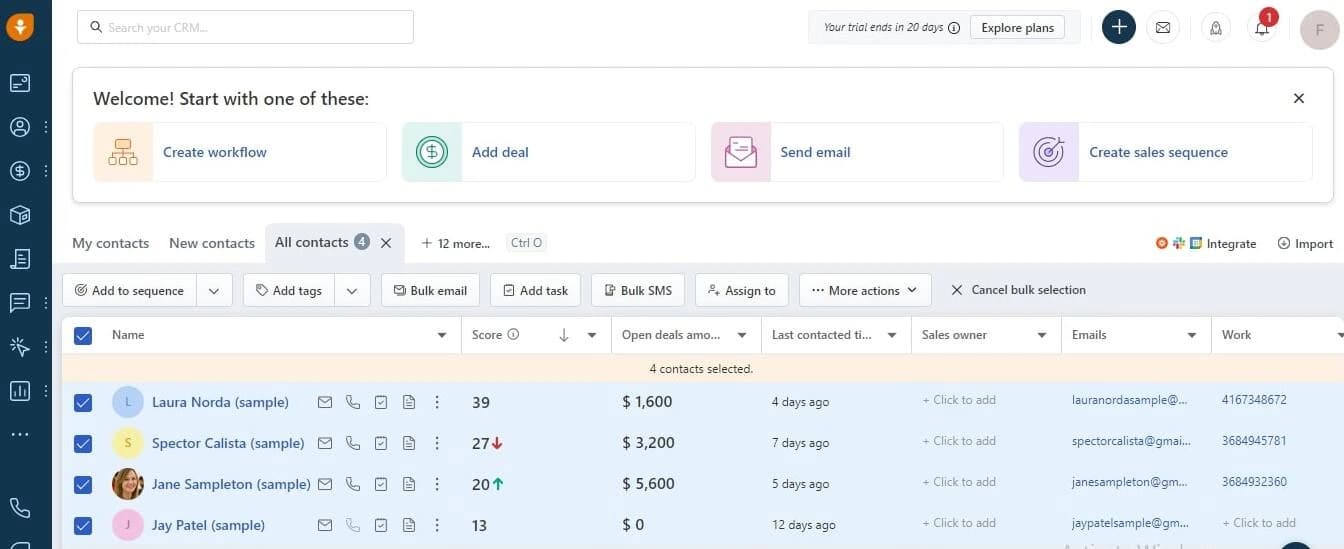
The contact management feature on Freshsales offers two different options for displaying customer details, a table and Kanban. It offers greater flexibility and functionality depending on the feature that suits you best in interpreting customer data and automating monotonous tasks. You can view lead scores, the number of open deals, and every customer's contact information.
This feature also enables you to take bulk actions like SMS and emails to be distributed to the selected people on the board. The contact management system on Freshsales allows you to create sales sequences that show different steps to nurture leads using the CRM tool.
Automate workflows to improve operational efficiency.
Inventory Management
Customer Support
There is the top-quality customer support that comes with the subscription plan, charged with catering to all of the technical needs of users. The response is swift, and problem resolution is sure.
Intuitive Predictive Insights
The AI will help you predict tasks and projects that are to be completed ahead of schedule or that are overdue. This way, you can make operational predictions to boost business efficiency.

Centralized Dashboard
With one subscription plan, there is no need for any server, ongoing maintenance, or software update. Everything is done on the dashboard, which is a self-sufficient console of its own.
Project Analytics
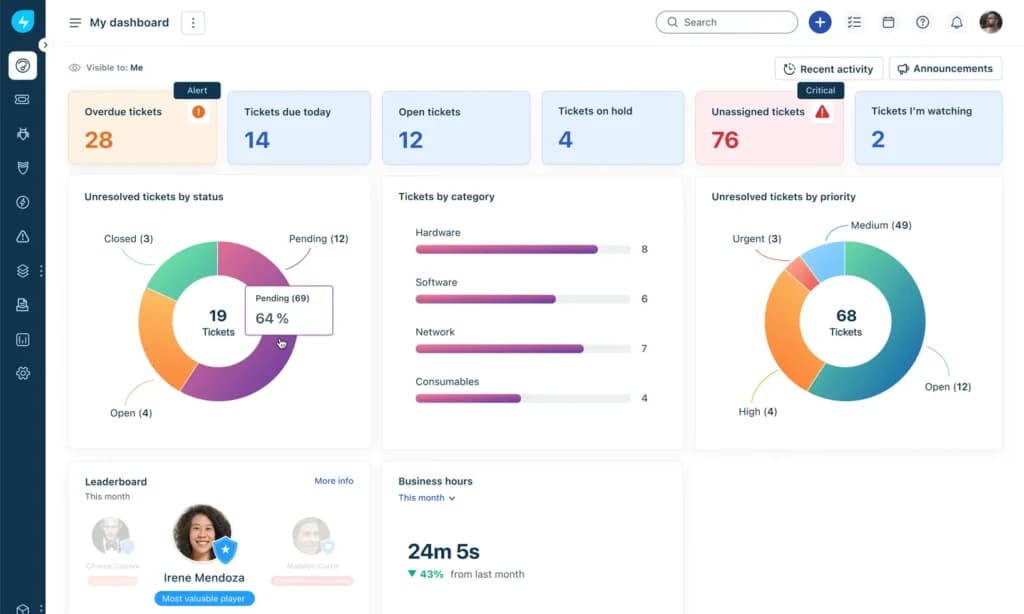
With Freshservice’s built-in analytics tool, you have data-driven intelligence at all times. This way, you have accurate business analytics at all times, which will help you to make the right decisions for your business every time.
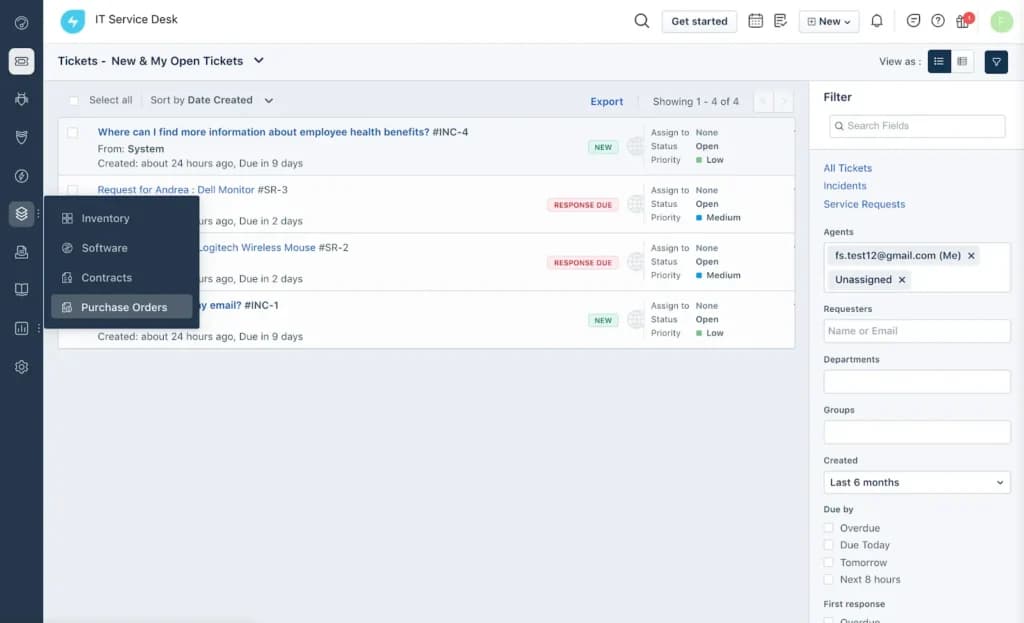
Freshservice helps you to track your inventory, with special features allowing you to filter all products by the manufacturer. In addition, you can view deployed and failed items, as well as other categories of items.
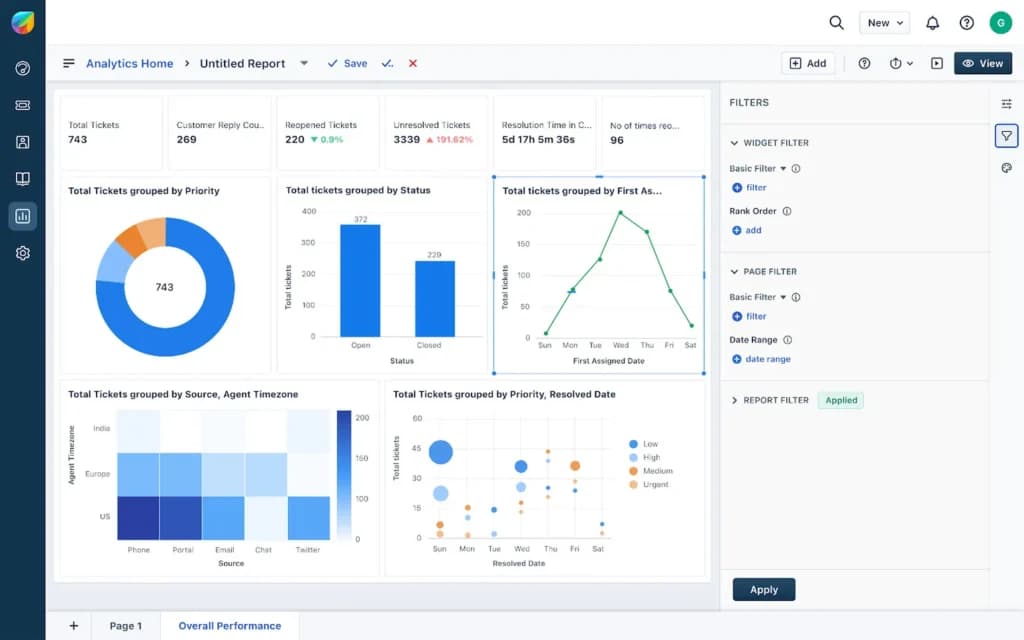
Just as well, the project management tools will help you to gain insight into your IT initiative. You can also give your ServiceDesk team a comprehensive lowdown of when and how you want to execute your projects, by extending your PPM.
The Freshservice Inventory Management Software can be accessed from the dashboard on the website after you successfully buy a subscription plan directly equivalent to your business size. You can access it by using browsers such as Chrome, Safari, Opera, Firefox, and Edge.
Freshservice also offers advanced inventory management features to streamline the supply chain processes and boost productivity. These are below:
Order Tracking
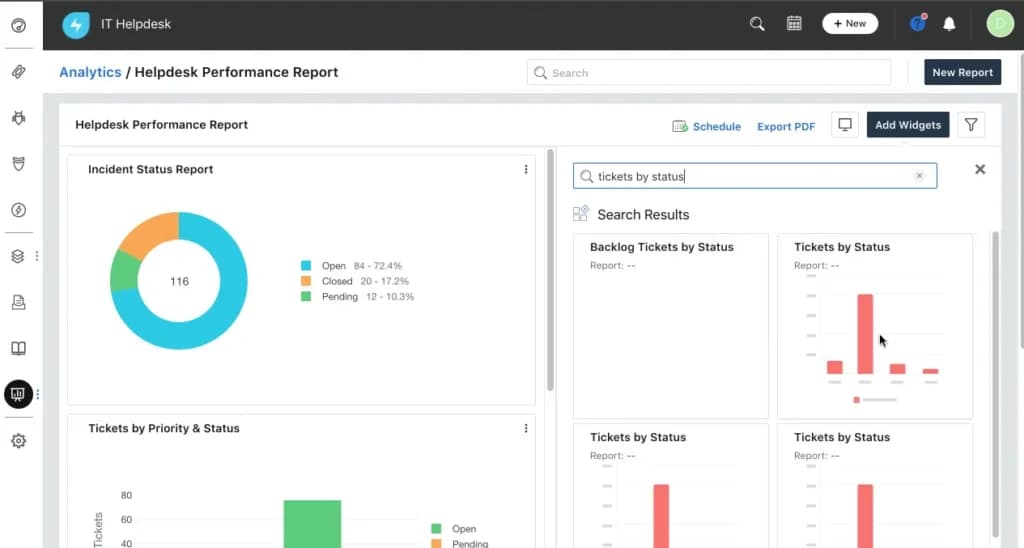
The inventory management software also offers a host of reporting and analytics features to empower businesses with actionable insights, optimize inventory levels, identify trends, and reduce carrying costs. Freshservice supports data-driven decision-making for improved operational efficiency and profitability with these features:
Customizable Reports
There are integrations with Slack, MS Teams, Zoom, GSuite, Rescue, FreshBooks Cloud Accounting, JIRA, Harvest, Dropbox, SCCM, Bomgar, Amazon Web Services, Pager Duty, CloudWatch, and Quickbooks. In addition, there is API integration capability for conversions, ticketing, locations, products and more.
Features
- Asset Discovery and Management
- Configuration Management
- Incident and Problem Management
- Self-Service Support Desk
- Knowledge Management
- Request Management
- Metrics & Analytics
- BI & Reporting
- Multi-Cloud Support
- Major Incident Management
Verdict
Freshservice is an easy-to-implement and intuitive solution for any modern IT team. The web user interface and native mobile applications make it incredibly user-friendly. I've found the post-go-live support beneficial, instant chat response and call escalation make CSI simple to implement. Freshservice has excellent features and allows us to manage our product and service catalog more efficiently, and the ticket issuance and response flow is very easy to follow. The platform is intuitive, easy to use, and has an excellent support service
Users Reviews
Be the first to write a review
Share your experience with Freshservice and help others choose the right software.