

Last updated: September 2026
The Homebase payroll tools offer amazing solutions for small businesses that need to streamline time-consuming processes such as payment scheduling, payroll, and paperwork. These things are essential when running a small business, but they likely to cost you an entire day's work per week. With the Homebase business software, employee time-tracking and salaries become as easy as pie. In this Homebase review, we’ll cover the main features such as PTO management, auto payroll, time tracking, overtime calculation, Homebase pricing, available plans, and much more.
Plans & Pricing
- Basic scheduling
- Basic time tracking
- POS integration
- Everything in the Basic plan plus:
- Advanced scheduling
- Advanced time tracking
- Team communication
- Live support
- Everything in the Essentials plan plus:
- Hiring
- Retention and performance reports
- PTO & time-off controls
- Departments and permissions
- Everything in the Plus plan plus:
- Employee onboarding
- Labor cost management
- HR & compliance
* Featured prices can be updated and free offers may include additional terms.
Homebase pricing plans offer four essential tiers, including a free plan that’s a great way to learn about the platform. The plans included are the Basic plan, Essentials plan, Plus plan, and All-in-One plan.
The Basic plan is free but limited to one location and up to 20 employees. It includes entry-level features that are a great way to get started with the Homebase platform.
The Essentials plan includes all the features from the Basic plan with an addition of advanced features such as advanced scheduling, time tracking, team communication, payroll integrations, and more. The price for the Essentials plan starts at $20 per location, with unlimited employees.
The Plus plan is designed for more advanced users who require even more advanced features that help with hiring, retention, performance, and more. The price starts at $48 per month per location with unlimited employees.
The All-in-One plan includes all the features from previous plans plus employee onboarding, labor cost management, HR, and more. The price starts at $80 per location per month.
All plans allow for the addition of a payroll add-on, which can significantly increase effectiveness and make things easier.
Expert Score
Pros
- Free plan for up to 20 employees
- Easy to use
- Mobile app available
- Great customer support
Cons
- Payroll feature can get expensive
- Some management features are accessible only when you sign into a desktop
Customer Support
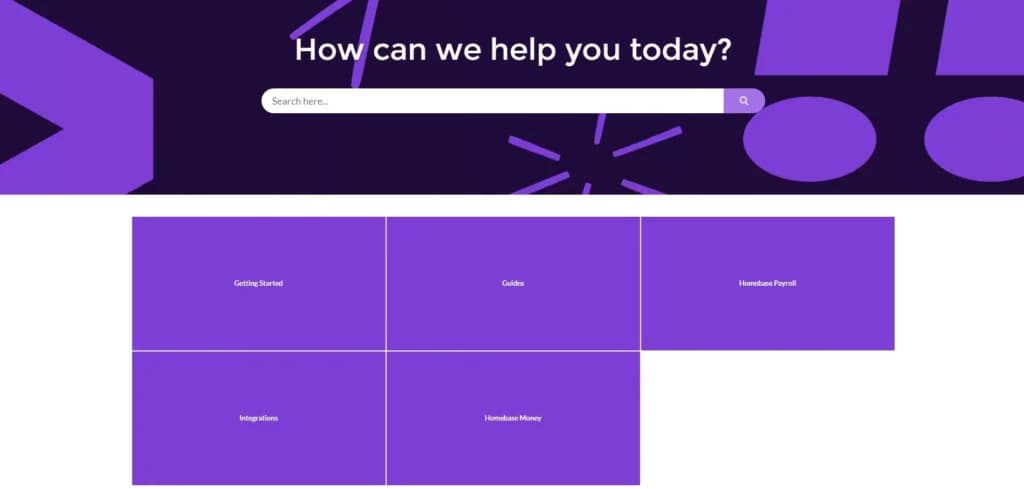
Unlike other big names in the industry, Homebase payroll provides many options regarding customer support and additional resources. Even before creating an account, potential users can familiarize themselves with the platform through the numerous written articles and guides on all the features.
Users with a Basic plan have basic support options, including the help center articles and email support, while users with paid plans get access to more advanced customer support through phone calls and a live chat feature.
Phone Support
Users with paid plans have access to phone support
You will be contacted after filling out a form on their site
FAQ
FAQs can be accessed through the Homebase help center
Blog
The blog features a variety of useful information
Live Online Chat
Users with paid plans have access to the live online chat feature
Video Tutorials
Video tutorials can be accessed on their site
Ease of Use
Homebase is clearly user-oriented, with simple design features and easy-to-find functions. From registering as a new user to scheduling the first shifts and doing payroll, everything is exactly where you’d expect it to be.
If you’re new to Homebase, you’ll probably need a few minutes to learn the ropes, but the platform is very user-friendly so even without prior experience, you’ll be using Homebase’s full potential quickly.
Even if you have issues with navigating the platform or using any of the Homebase features, you’ll easily find detailed guides that will help you master any feature you need on the platform.
Performance
Regarding performance, it’s important to understand that Homebase is a web-based platform, and its performance mostly depends on your internet connection and speed. It includes a simple interface that doesn’t require any specific computer hardware to run smoothly.
Homebase also provides a mobile app for its users, which allows them to use its features wherever they are. This is an extremely helpful feature for those who are often on the go and need to run their business within a tight schedule.
Features & Functionality
The Homebase platform includes a variety of useful features and functionalities that make running a business, especially with hourly workers, a breeze. Here’s a list of features you can expect:
- Full-service payroll
- Autopayroll
- Employee scheduling
- Time tracking
- Overtime calculation
- Payroll addon
- Mobile app for employers and employees
- Compliance management
- Tax handling
- Employee self-onboarding
- Tip management
- W-2 and 1099 forms
- Multiple business locations support
- Unlimited payroll runs
- Direct deposit & printable checks
- Next-day payroll
- Earned wage access
- Paid time off (PTO) management
- HR & compliance tools
- Onboarding support
- Team communication
Full-service Payroll
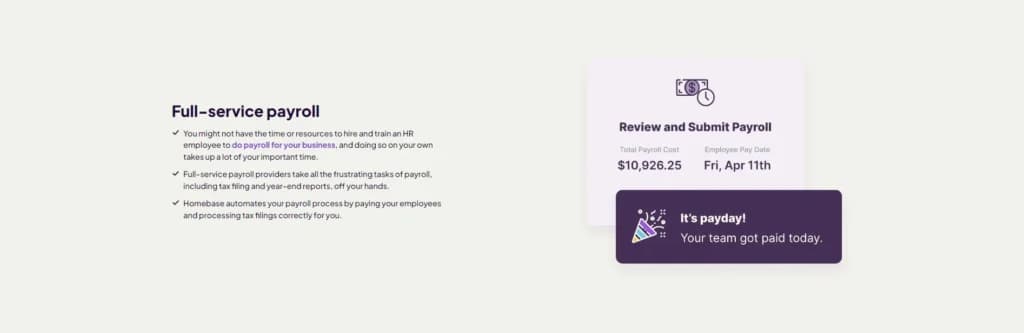
Doing payroll can be a time-consuming process, especially if you work with a number of employees who get paid by the hour. Homebase provides a full-service payroll feature that takes all this work from your hands and does everything from filing taxes to getting your employees paid on time. This gives users the opportunity to focus on more important aspects of their business.
Autopayroll
The Autopayroll feature takes things a step further and eliminates the need for manual work on timesheets and payroll. This not only saves significant time but also reduces the chances of making mistakes. Users can also schedule payroll and forget about it because Homebase does everything from calculating taxes and wages to filling out taxes.
Employee Scheduling
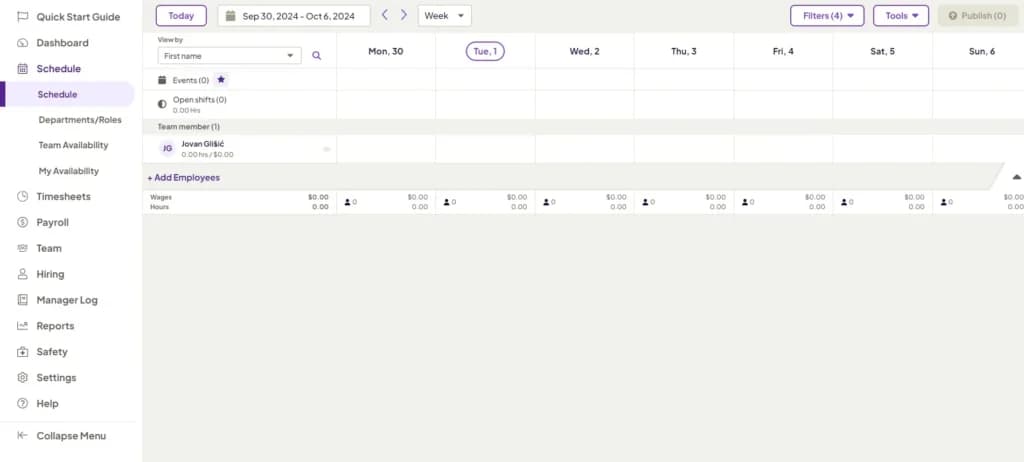
If your employees work in shifts, this feature will be incredibly helpful. Whether you decide to use the web-based platform or the mobile app, you can quickly and easily schedule shifts for each of your employees.
This feature is incredibly easy to use as it features a simple drag-and-drop system that works like a charm. Employees can also switch schedules, improving workplace flexibility and overall happiness. The scheduling feature is extremely transparent, which makes managing shifts and time off requests simple.
Time Tracking
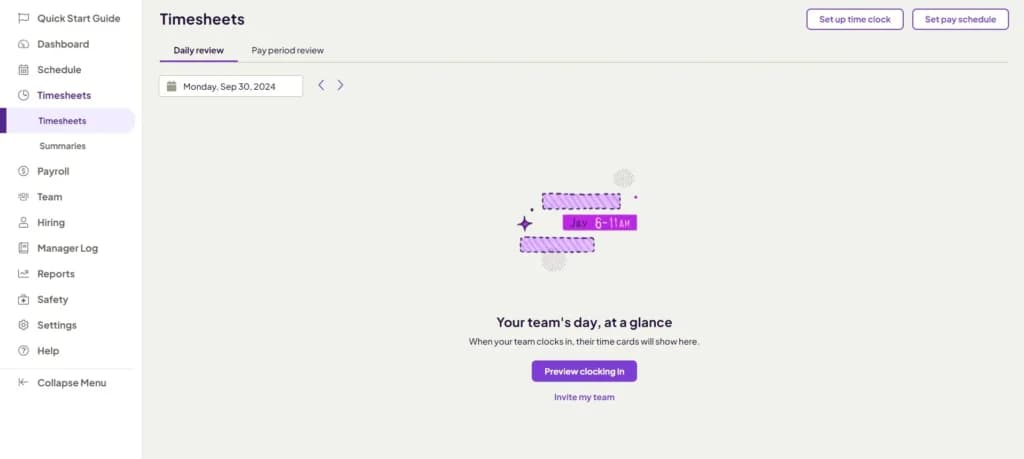
If you have employees who work by the hour, the time-tracking feature will quickly prove its value. It’s one of the best payroll tools provided by Homebase because employees can easily clock in or clock out using the mobile app. Homebase will automatically create timesheets that make calculating salaries as easy as possible.
By having such an accurate time-tracking feature, you’ll be able to track active working hours, breaks, and overtime, ensuring compliance with all labor regulations.
The mobile app also uses geolocation tracking, so employees won’t be able to enter hours unless their phones are located near the business. Unfortunately, this is a common issue with hourly jobs, where some employees add a couple of extra hours without actually being at work.
Overtime Calculation
Coffee shops, restaurants, and similar businesses often require their employees to work overtime, especially during rush hour. By using Homebase, you’ll get overtime calculations automatically, as each employee has a predetermined shift length and hourly wage. This payroll feature will allow employees to be paid fairly, with all their working hours accounted for and paid in full.
This feature helps the payroll service include additional overtime rates, which are often higher than regular hourly rates. When adding employees to your list at Homebase, you can predetermine regular and overtime rates, reducing the possibility of errors by a significant margin.
Payroll Addon
The payroll add-on is one of the best features that makes Homebase an all-around business solution. This add-on is integrated with the scheduling time tracking and other Homebase features that are automatically added for each employee. This way, users will have clear and transparent information about working hours and expected payroll expenses. Taxes and tax forms are also automatically filled out, which saves significantly on time.
Mobile App
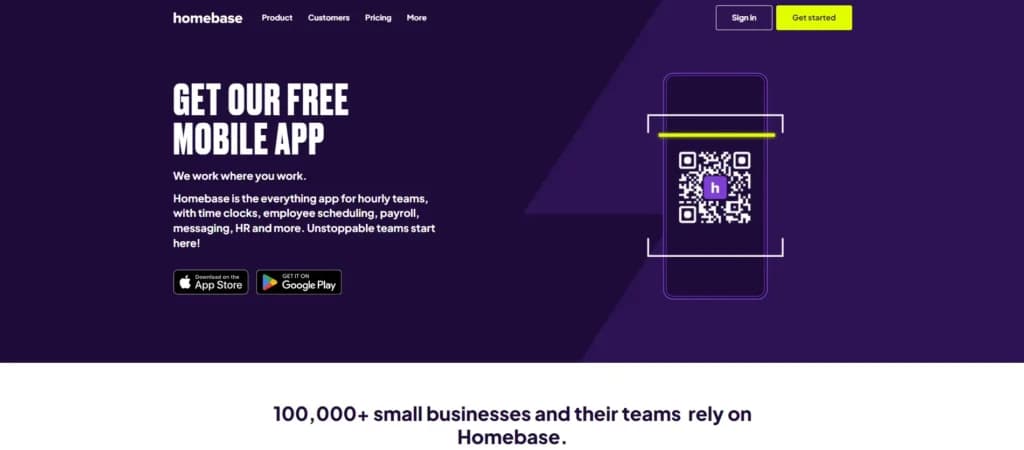
The mobile app is one of the features that can be considered the backbone of this platform. Being that Homebase is primarily a scheduling and time-tracking business tool, the mobile app gives each employee the possibility to clock in and clock out with their phone.
Aside from this, the mobile app provides many other advantages, such as real-time updates where both employees and users get information about shift changes or time off requests. Users can also communicate easily with employees within the app, whether it’s a direct message to a specific employee, department, or the entire workforce.
With the Homebase payroll tool, hourly employees can easily track their earnings and expected payments.
Tip Management
The tip management feature eliminates the need for complicated spreadsheets, especially if you distribute the tips to all employees equally based on the hours they have worked. Homebase collects all tips and evenly distributes them based on the number of hours each employee clocked in during a specific time frame, whether a week or month. Users can update their tip policy at any time with just a few clicks and keep records of their tipping history in case of wage disputes.

W-2 & 1099 Forms
Filling out yearly tax forms is essential to running a business without problems with the IRS. Homebase will automatically fill out W-2 and 1099 forms for all your employees and contractors that you worked with during the year. This is possible because all the information is stored in the Homebase platform.
Earned Wage Access
One of the most useful features, not just for businesses but also for employees, is the Earned Wage Access (EWA) feature. This feature is designed to give workers more financial flexibility by enabling them to access the money they've already earned without waiting for the full pay period to conclude. It can help employees manage immediate expenses, reduce financial stress, and avoid costly payday loans, ultimately fostering a more supportive work environment.
Automate repetitive payroll tasks to save time.
Integrated HR tools for comprehensive employee management.
Stay compliant with built-in tax management features.
Expand payroll functionality with third-party integrations.
Features
- 401k Tracking
- FMLA Tracking
- Generation of pay stubs and reports
- Multi-State
- Mobile App For Employees
- Calculate and pay employee salaries
- Compliance with state and federal tax laws
- Direct Deposit for Employee Paychecks
- Tracking of employee hours and overtime
- Update real-time employee information
Verdict
Homebase isn’t just payroll software—it’s an incredibly powerful business tool that proves its value in more ways than one. From easy and simple scheduling to time tracking and automatic payroll calculations, this software has the potential to replace several complex business tools and combine them all into one easy-to-use platform.
Even if users have no prior experience with similar platforms, there are many resources to learn from, and the customer support system is extremely helpful in every situation.
Aside from being incredibly easy to set up and use, it’s pretty affordable, considering how much similar online payroll tools cost. With Homebase, users can streamline time-consuming processes and focus on running their business instead of being drowned in paperwork, overtime, and tax calculations.
For the price it goes for, Homebase is an incredible tool that is worth investing in!
Users Reviews
Be the first to write a review
Share your experience with Homebase and help others choose the right software.