

Last updated: September 2025
Infoflo CRM Software stands out among all the applications it offers businesses. This software helps you track communication, tasks, projects, documents, and notes. It is a highly intuitive platform that offers users an affordable option with advanced features to provide a premium customer experience.
Plans & Pricing
- Unlimited custom fields
- Leads and opportunities
- Email and calendar editor
- Dashboard
- Document linking
- Manual backup
- Access to 3 add-ons
- Everything in Cloud Starter plan
- Access to all the add-ons
* Featured prices can be updated and free offers may include additional terms.
This software company offers a free trial that allows you to enjoy basic and advanced CRM features for 30 days. You can enjoy the project, email, and document management features within this period. Infoflo also provides users with advanced linking, reporting, and document archiving features for free. However, you'll have to upgrade to a paid plan to continue enjoying these features.
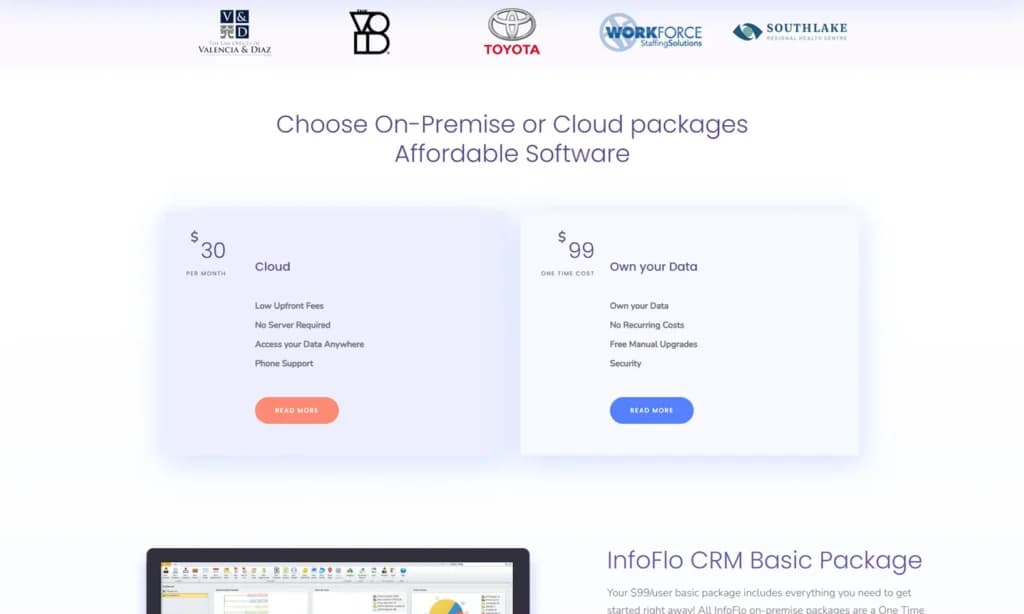
Infoflo offers a unique pricing structure divided into on-premise and cloud packages. The on-premise package on Infoflo is a one-time cost per user that allows you to own your data with free upgrades that last forever. Cloud packages, however, require no server and allow you to access data easily, regardless of location.
Choosing between these plans depends on what your business can afford since implementing on-premise CRM solutions can take time and effort. However, if you're willing to go through the pain and cost of implementing this package, it can offer benefits in the long run. As a small business, settling for cloud packages might suit you best, but that's only after discovering its features and deciding if it's a great fit for you.
Expert Score
Pros
- Affordable CRM tool
- Numerous advanced features
- Impressive data security
- Seamless integration with Outlook
Cons
- Requires technical knowledge
- Difficult to use free trial
- Outdated user interface
Customer Support
Infoflo provides a few support options for users seeking guidance on maximizing the tool to their benefit. You can reach Infoflo via phone call, email, and live chat. Although this company has a video library that shows users how to leverage its numerous advanced features to their advantage, they are still lacking in providing written content since they have no functional blog. Also, there are no audio content or expert tips for users on this platform to educate them on the benefits, usage, and impact of the CRM on their daily activities.
Email Support
After opening a ticket on Infoflo detailing my challenges using the platform, I got a response on the same day. However, the response I got wasn’t an immediate solution to my problem. At first, there were no specific answers that I found useful to help me solve my problems using the platform. This led to many back-and-forths, which almost discouraged me from using the CRM tool despite its affordability and impressive features. However, I later got a direct solution through email support.
Live Chat
When accessing the live chat, I inputted my name, email address, phone number, and message to access a live agent. However, there was no response on the live chat, even after waiting for well over an hour. They followed up with me via email the next day though.
Phone Support
Phone support is the fastest way to reach the Infoflo team. This company provides two different numbers for you to access easily, the US and toll-free numbers. You can contact the Infoflo team for the required assistance depending on what suits you best and your location.
Infoflo Academy
This academy contains videos that detail how to use the 13 powerful features that Infoflo offers users. The videos are comprehensive, making these features even simple for a beginner. These videos range from 2-6 minutes, allowing you to learn about this CRM tool at your own pace. However, this academy only covers details about the product; it provides no insights into running a successful business or enterprise and how this CRM tool can improve operations.
Phone Support
Place a call to an agent for a swift response. +1(646) 465-7676
sales@infoflosolutions.com
24/7 Help & Support
24/7 support across different channels
FAQ
The knowledge base center provides answers to FAQs
Live Online Chat
Reach agents on Infoflo through live chat
Ease of Use
Infoflo CRM is not the easiest tool to use; without prior technical knowledge or complete dependence on customer support, it can be quite difficult for you to use this platform. However, most of the technicalities are with setting up an account; once you’ve successfully achieved that, you can begin to enjoy its powerful features.
Setup
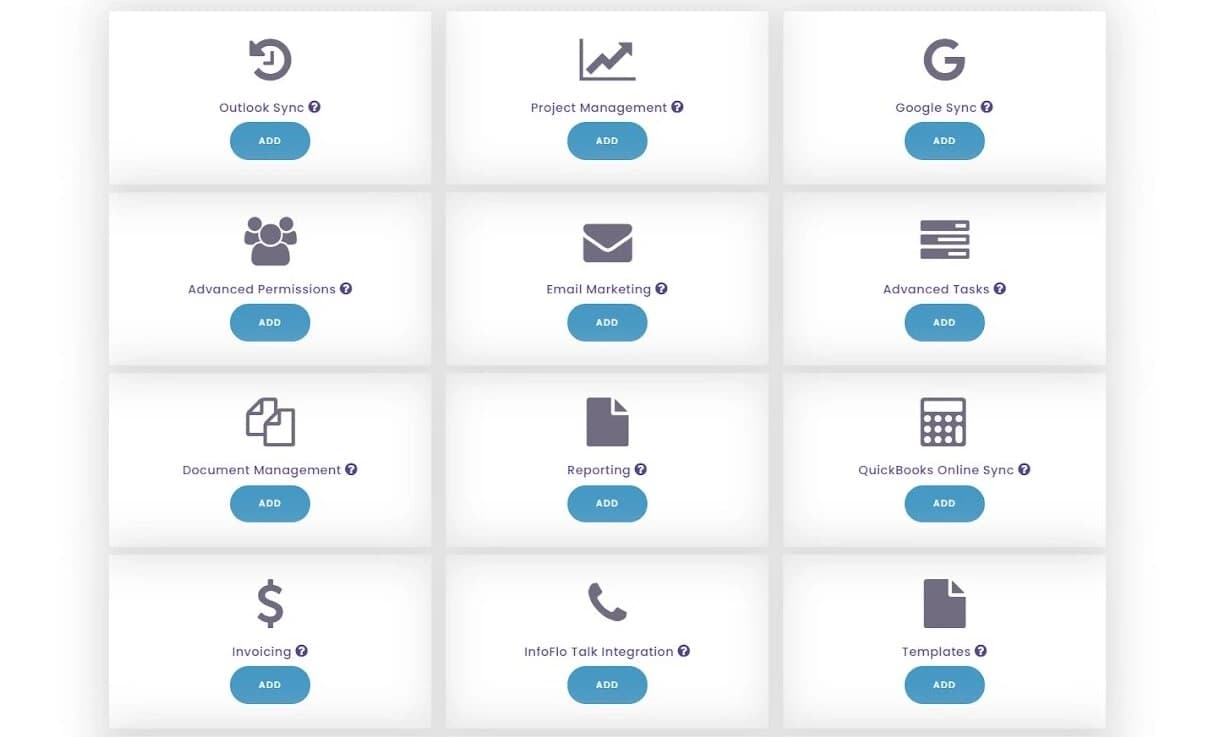
Building an account on Infoflo has its initial challenges; however, the features and security this CRM tool offers make it easy for most users to overlook the troubles. You’ll have to include your first name, last name, email address, company, phone and the number of users. Also, accessing the free trial is a little tricky. You’ll have to download it with over 200 MB, which can be quite time-consuming compared to its competitors. It is advisable to get someone with technical know-how when setting up an on-premise account on Infoflo so you can enjoy its benefits without any hitches in the long term. However, using a cloud package comes with fewer hassles and requires little or no hassles even though you’ll be required to choose some add-ons which attract additional costs.
Audience Building and Segmenting
Once you’ve made your way into the Infoflo platform, every other function becomes less daunting: building an audience. The initial page you’ll come across is labeled “Getting Started.” As a first-time user, it offers all the measures you can use to import customer data to help you save time. You can sync your Outlook account, Google contacts and import an excel or CSV file. Ensure you’ve correctly filled out the different fields so it takes less time to match them on Infoflo. This platform allows you to save your mappings in case you have other things you want to consider before you finally import the contacts. Once everything looks ready to go, you can conclude the process and easily access your data through this platform.
Customizing CRM Features
Infoflo is a flexible tool that allows you to add custom fields to contacts, companies, projects, tasks, and opportunities. You’ll have to click on “Settings'' and then click on “Preferences,” a subsection under settings. When you click on all the features you can customize, you’ll find “Custom Fields'' underneath them. You’ll find the option to create a new custom field which makes a new row appear below the previous fields; then, you label the field accordingly. After naming the custom field, you’ll have to include the data type, length, printability, data values, multi-select, and the section name. Using Infoflo allows you to make changes based on your preferences that impact how you interact with customer data.
Performance
Undoubtedly, Infoflo has numerous features that allow it identify among CRM tools with effective CRM tools. However, it is only natural to wonder how well it performs. This section shows my assessment of the tool using some essential variables.
Speed
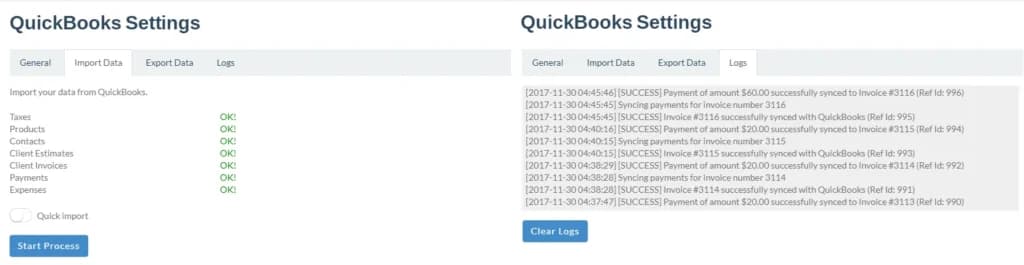
Setting up an Infoflo account can be time-consuming. However, after the onboarding process, every other feature works effectively. It took less than 5 minutes to import customer data on Infoflo from third-party platforms like QuickBooks.
Although some aspects of the reporting system require manual effort, it takes less time once you get the hang of it. After including the custom fields, it takes 30 seconds for the reports to be ready.
Automation
Infoflo provides no clear process for automating tasks, projects, or emails. Most times, you have to copy and paste sections to reduce repetitive tasks. Unlike most competitors, this CRM too has no section that helps you create a trigger, condition, or action.
Features & Functionality
Report and Analytics
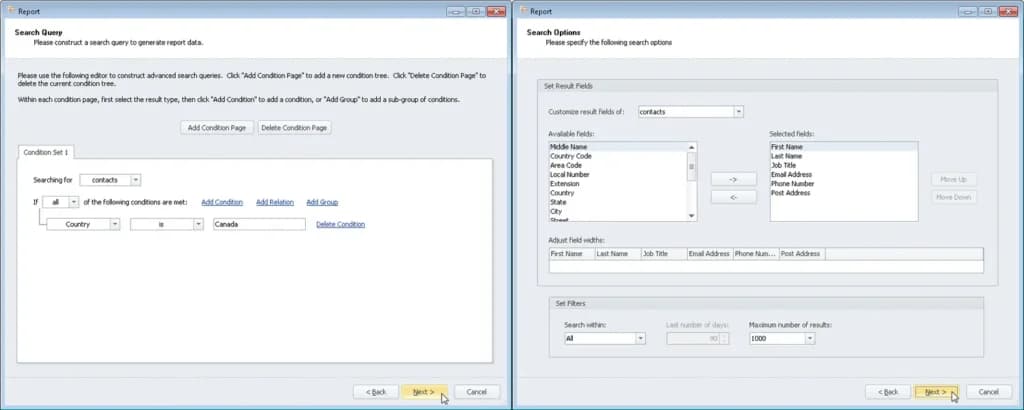
Using Infoflo, you can create a report from some contact details which can be printed directly. However, you’ll have to perform most tasks manually by selecting the fields you want Infoflo to analyze. You need to include the timeframe and the number of results that’ll be visible per page.
Project Management
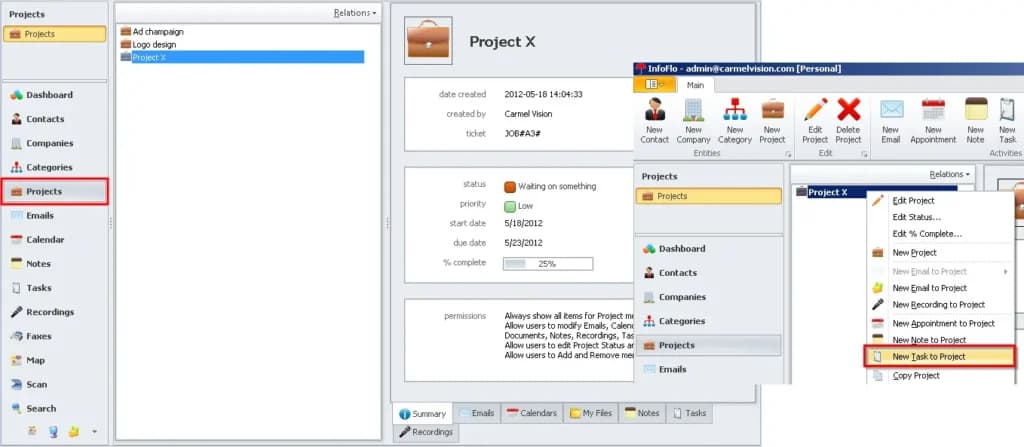
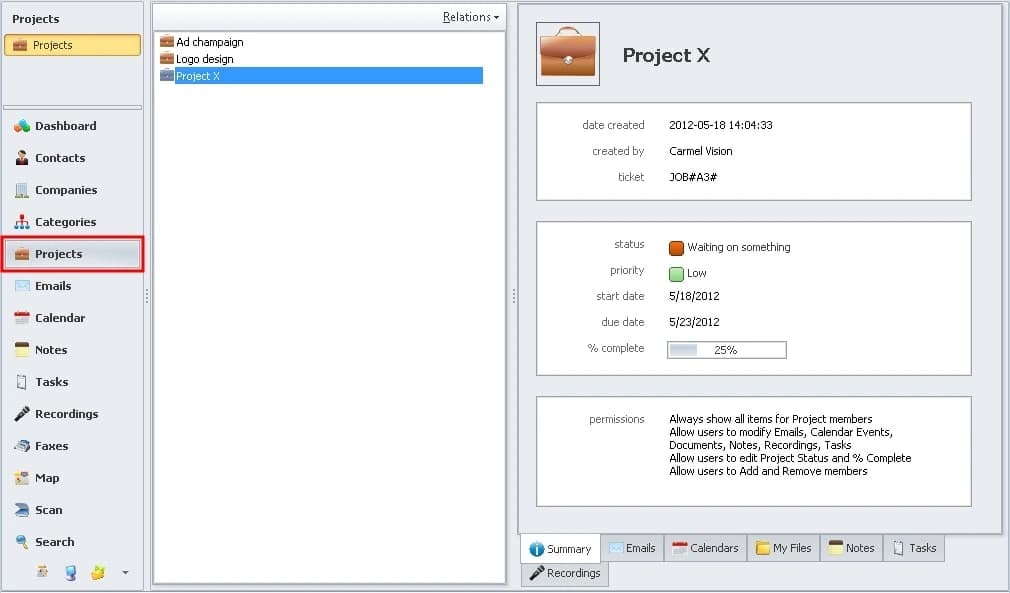
Every effective business that prioritizes productivity needs a powerful project management system that makes it easy to track project progress and its relation to each contact. Infoflo allows users to link a project to an email by automatically creating a project ID. You can also set the project type priority, due date, and status to remain visible to all team members. It has customizable features that help you include new fields or dropdowns where necessary.
Reporting features aren’t available with the basic set. You’ll need to purchase or activate the reporting add-on. InfoFlo reports are mostly text-based and cover all aspects of the CRM including emails, marketing campaigns, contacts, sales, etc. You can also create custom reports to include all standard or custom fields.
InfoFlo is a bit lacking on the integrations front. The brand offers easy integrations with only a few tools, namely Microsoft 365, WordPress, Gmail, QuickBooks, Google Contacts, and LawPay. However, InfoFlo has the most robust Outlook sync on the market, which is an insane advantage for businesses that heavily rely on Outlook for communication, collaboration, and promotions.
Email Marketing and Management
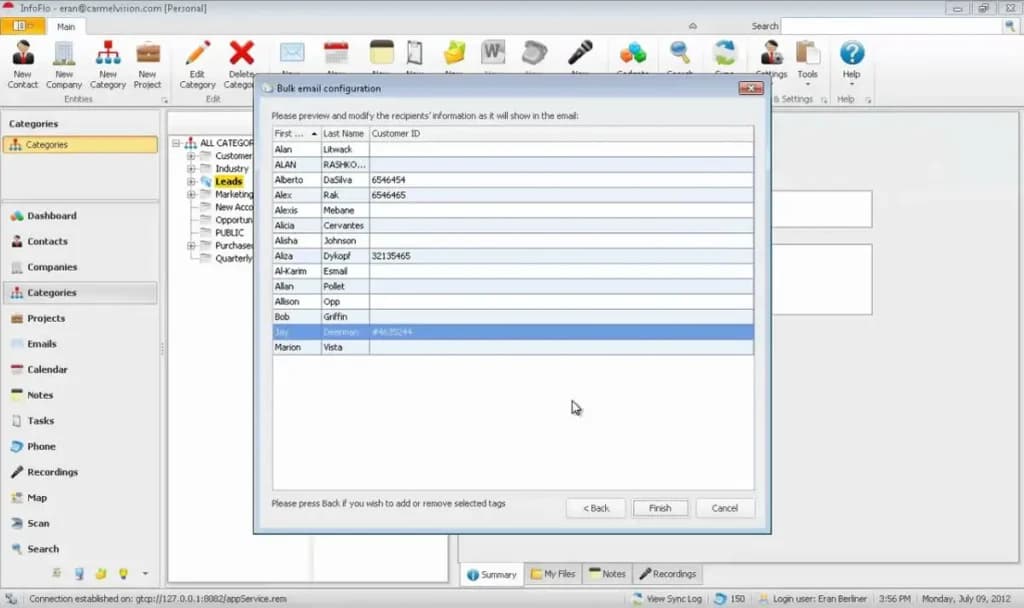
This CRM platform makes it easy for you to track, send and manage emails without using multiple applications. The first step to managing your emails via Infoflo is to use the Outlook or Gmail sync that helps you organize your emails into known, unknown, and both. You can also switch between incoming and outgoing emails.
However, sending personalized emails on Infoflo is quite straightforward. Once you’ve highlighted your recipients, you can add their personal information so your customers can connect with you using the email editor. Infoflo also allows you to create your own email templates that you can design to suit your brand. You can also settle with the basic features of the default email template if you care little about aesthetics.
Contact Management
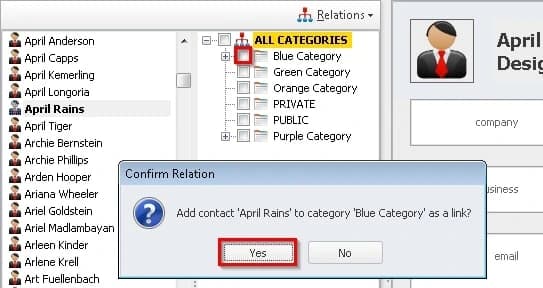
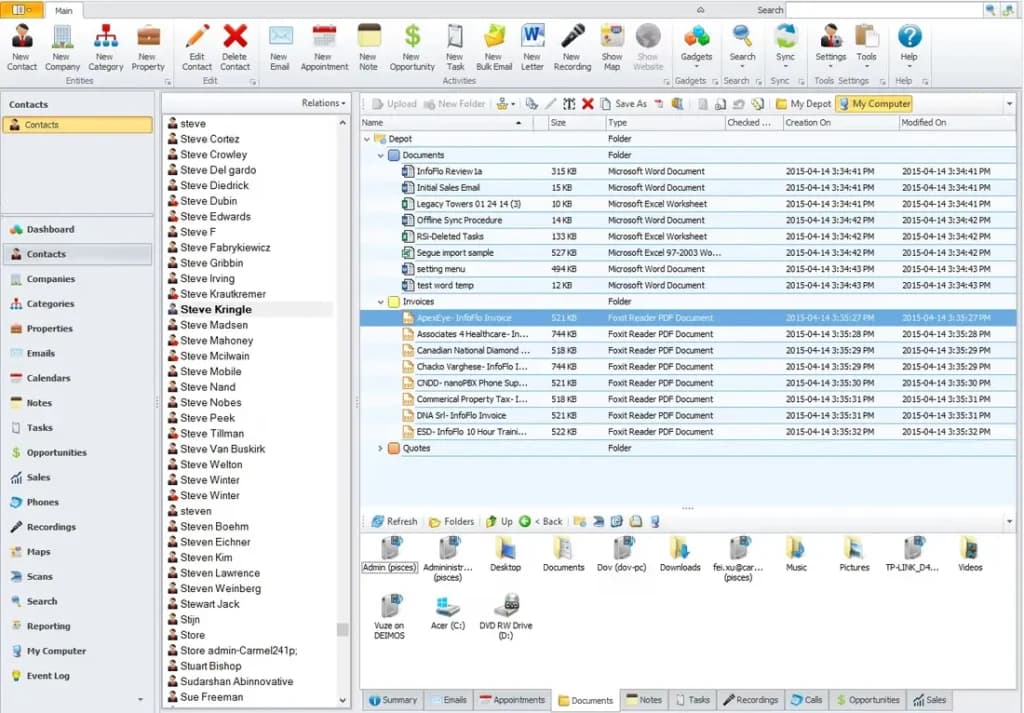
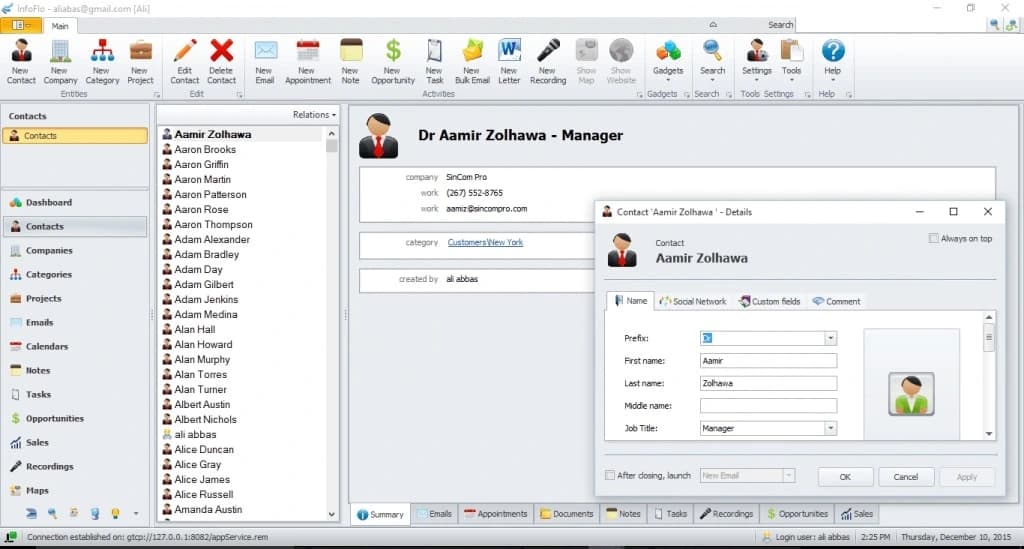
Infoflo allows you to manage your contacts without moving across different spreadsheets. With this tool, you can easily identify duplicates and merge them to ensure that all your customer data is accurate. You and your team members can quickly access contact details and even link the contact with other categories to fully harness this tool's strengths. Accessing the information linked with every contact is seamless. This section handles calendars, notes, files, tasks, and the recording of messages for every contact.
Sales Opportunity
This CRM platform allows you to link an opportunity to a contact, project, or company. With this feature, you’ll be able to track every customer's journey based on the specific product or service your company offers. The sales opportunity also contains a sales pipeline that you can customize based on the processes you’ve identified that are peculiar to your business. Infoflo also includes the probability, close date, and reminder to this section to help you remain updated. This CRM platform provides a simple process for assigning an opportunity to anyone within your organization to boost productivity and enforce collaboration.
Features
- Dashboards
- Reporting
- Pipeline Management
- Call Management
- Account Management
- Collaborative Data
- Mobile App
- Integrations
- Sales AI
- Customer Contact Management
Verdict
Infoflo’s user interface is outdated compared to more recent CRM tools, which take aesthetics seriously. However, this CRM tool provides powerful features mostly leveraged by financial and banking enterprises because of its security. Also, Infoflo is an affordable tool that offers one-time pricing, which helps even small businesses save costs once they’ve got a dedicated server. Infoflo requires no costs for maintenance and allows you to manage customer data without worrying about bugs.
Infoflo is only easy to use after you take the courses and spend some time on the platform, it has a stiff learning curve that can prove difficult for non-techies. However, since more CRM companies focus on providing only cloud-based solutions, it is impressive that Infoflo still considers enterprises that love to own their data.
Users Reviews
Write a review
Leave a review, help others get it right the first time.
5 Reviews
Luke S
It is a great CRM
We needed a better reporting set up for our performance across different timeframes like weekly, monthly, and even yearly. InfoFlo made it possible.
David K
Who doesn’t like one off-payments
I don’t have to worry about a monthly bill and all my important data is stored right on my computer.
- - The design is clean and it is easier for us to navigate it than our previous CRM
- - Modules can be added as needed instead of paying for a lot of unused features
Michael T
Takes care of most things
We need everything related to customers in one place (emails, contact info, documentation, etc.) for the team to access and use. The way InfoFlo is deployed makes this an inexpensive solution.
Tommy C
Disappointed
There was a lot of advertising hype that it didn’t live up to.
- - It has a nice website
- - We lost a years’ worth of data trying to migrate
- - It’s not good at managing multiple people in an organization and doesn’t help build relationships
Cara A
Surprised in a good way
Pleasantly surprised and not regretting our decision one bit !
- - The processes are simple and hard to forget once you’ve learned them
- - You only have to pay for parts of the software that you will actually use
- - Syncs with Google services