

Last updated: September 2025
With Onshape, teams can collaborate simultaneously on a single design via cloud services, integrating data management, real-time analytics, CAD, and collaboration tools. Software upgrades are released directly through the web interface, so users don't have to provide maintenance.
Plans & Pricing
* Featured prices can be updated and free offers may include additional terms.
Onshape offers three packages with different price ranges that you can choose from depending on your budget and needs. A free trial is also available that allows users to explore the platform and get a feel for the benefits involved once they start paying. These are the different packages available and their features and prices.
Expert Score
Pros
- Easy to learn and understand, making the process of making models simple.
- A convenient cloud-based CAD system.
- Collaborative features with multi-user design.
Cons
- No offline access to created models.
- Features are sometimes tricky to find.
- Absence of features like 3D sketching and Weldments.
Customer Support
The support team at Onshape is available via live chat at all hours of the day, and they're quick to respond and offer solutions and troubleshooting. There is also the option to file a support ticket (if you subscribed to the professional plan) or Report a Bug (if you have a free or EDU subscription- designed for educators) if you can't find a relevant answer on its interactive forum and an extensive list of FAQs.
FAQ
The company's website boasts an extensive FAQ page.
Live Online Chat
Available at all hours of the day to help and offer solutions
Video Tutorials
There are several videos available on the website.
Ease of Use
Onshape is simple and easy to use even for one who is new to CAD, with it being more efficient at general 3D CAD designs than traditional programs due to its cloud nature. Delivering as much as a professional and expensive tool can offer, Onshape offers free trials, although with an initial learning curve to figure out how to use it.
Features & Functionality
Onshape offers a comprehensive suite of design features that enhance productivity, streamline workflows, and expand design capabilities for modern product development.
Here are the key design features offered by Onshape:
- Custom Keyboard Shortcuts
- Hole Features Improvements
- Boundary Surface and Face Blend
- Fit Class Tolerances
- Inspection Table Panels
- Arena R2 Integration
- List View
- Frame Profiles
- Boundary Surface and Face Blend
- Modal Analysis
- Collaborative Features
- Merge Lines and Protected Branches
- Action Item Panel
- Thin Loft and Thin Sweep
- Mate Connectors on Curves
- Custom Watermarks in Drawings
- Data Management
- Drawings
- Configurations
- Analytics
Hole Features Improvements
The Onshape tool enhances defining holes with new start and termination options, providing flexibility and improving the ease of creating detailed hole specifications.
Hole specifications detail the properties and dimensions of holes in a design, including diameter, depth, tolerance, type (through or blind), and thread specifications, if applicable. They also cover the hole's position, surface finish, countersink angle, and chamfer dimensions. These ensure the holes meet functional and manufacturing requirements for precise assembly and operation.
Boundary Surface and Face Blend
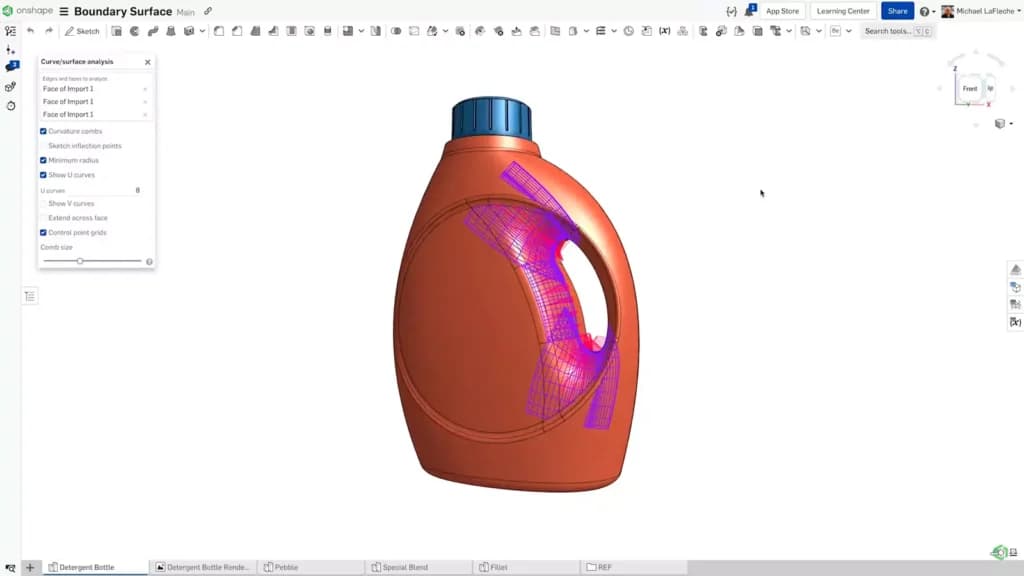
Boundary Surface and Face Blend are advanced surfacing tools in Onshape that enable high-quality surface modeling, including the creation of smooth transitions between surfaces and detailed control over face blends. These features enhance the ability to manipulate and refine complex geometries, providing designers with precision and flexibility in their modeling tasks.
Inspection Table Panels
The CAD tool introduces a formatted table for viewing inspection items, allowing for easy tagging, automatic updates, and seamless export to CSV.
Arena R2 Integration
Simplifies the connection between CAD and PLM (Product Lifecycle Management) functionalities, allowing for one-click synchronization of the bill of materials to Arena PLM.
Frame Profiles
Frame Profiles in Onshape support the creation of custom frame profile libraries, enabling the definition and sharing of standard sections within organizations. This feature streamlines the design process and ensures consistency across projects by allowing teams to access and utilize predefined frame profiles easily.
Modal Analysis
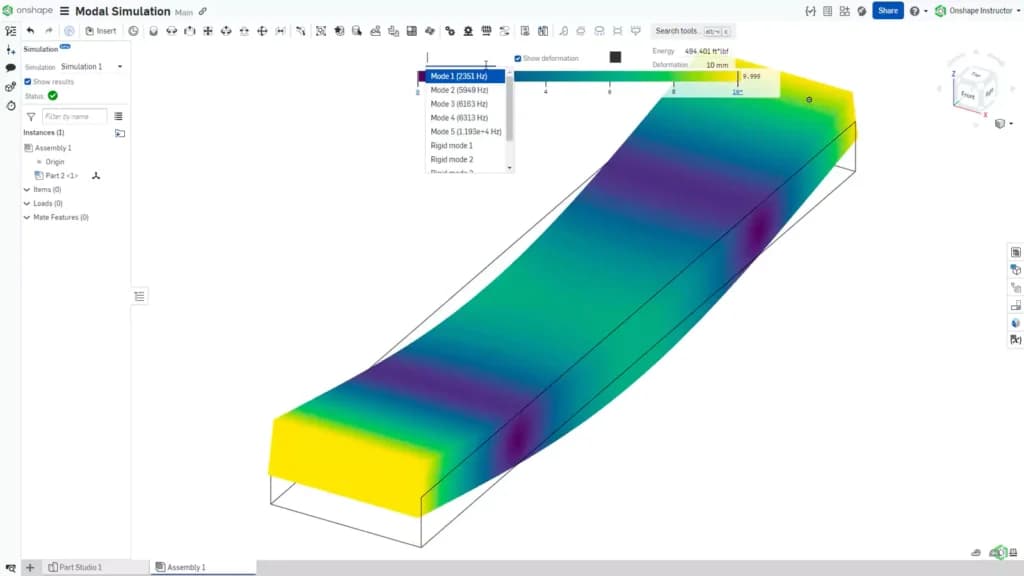
The CAD tool offers Modal Analysis to determine product modes and shapes. This provides insights into how products may behave under different frequencies and integrates seamlessly into existing workflows. This feature allows engineers to visualize and understand the dynamic behavior of their designs, improving the overall design quality and performance assessment.
Collaborative Features
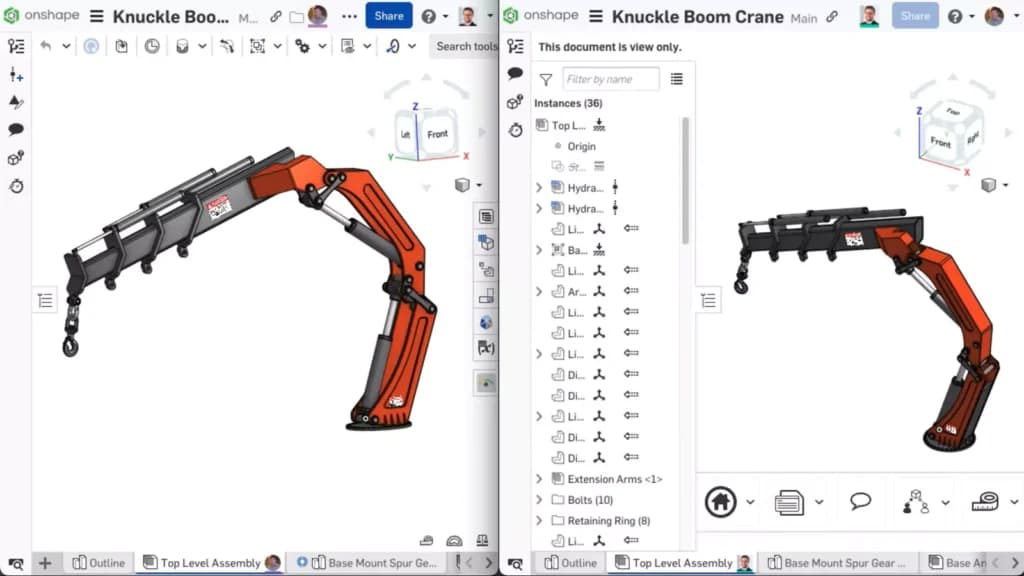
Includes tools such as sharing features, link sharing, follow mode, live comments, assigning tasks, and markups to facilitate real-time collaboration and efficient communication among team members.
The CAD tool also offers an Action Item Panel, which improves team communication and task management by keeping important tasks and discussions readily accessible within the interface.
Thin Loft and Thin Sweep
The CAD tool streamlines the creation of uniform wall thickness features, which is particularly useful for designs requiring consistent thickness, such as injection-molded parts. These tools reduce the number of steps needed to achieve precise wall thickness, enhancing efficiency in specific design workflows.
Mate Connectors on Curves
Allow the placement of mate connectors directly on curves and alignment to faces, enhancing control over component relationships in complex designs. This feature provides more precise control in intricate mechanical assemblies, improving overall design flexibility and accuracy.
Data Management
Onshape offers unhindered cloud-based CAD access, thereby eliminating the challenges facing add-on PDM/PLS systems and traditional file-based CAD. Users no longer face the challenge of managing several versions of a design document and risking lost time from manufacturing errors. This frees them to improve their design quality instead of fixing administrative hassles. Data can be accessed quickly and work assigned to various team members with changes made and recorded in real-time.
Drawings
Onshape enables users to create detailed drawings of assemblies and parts with several drawing features, including date values, dimensions, geometric tolerance, drawing sheets, entirely customizable drawing properties, and welding symbols. Supported file imports for imports and exports are DXF, DWG, and DWT.
Configurations
Onshape allows the building of families of assemblies and parts independent tables for each configuration option, drastically reducing the number of rows and cells and allowing limitless product variations through configuration variables. Each configuration can have its change release (revision) history or part number.
Analytics
With its inbuilt analytics, Onshape records each interaction and presents the data in tables and charts which are easy to read. Project status can be monitored easily with Release, Activity, Project, and User Dashboards. The central assignment of rights controls the users' access to the reports
Modify and refine designs with versatile editing tools.
Onshape enables collaboration in ways no other design, data management, or CAD platform offers, with multiple users having the option to edit designs simultaneously. With its simple and interactive user interface that makes it user-friendly, data can be shared with the company, suppliers, or within a team, with all changes updated live as they are made and visible to editors instantly.
Transform designs into real-world projects with construction-oriented features.
Features
- Visualizing
- Rendering
- Drawing
- Editing
- Sequence Steps
- Modeling
- Dynamic Updating
- File Import
- Push/Pull
- Views
Verdict
Being a cloud-based development platform with the freedom to work remotely from any location, Onshape is a fantastic choice for teams looking to unburden themselves from the fallbacks and headaches of traditional CAD, with its advantage of easier collaboration, more IP protection, instant CAD deployment, and no need for PDM.
Users Reviews
Be the first to write a review
Share your experience with Onshape and help others choose the right software.