

PaperRater Plagiarism Checker Review 2026
Overall Rating
2.4
Last updated: October 2025
PaperRater is a free web-based AI-powered tool that offers students writing and plagiarism detection features to help them with their essays. The plagiarism checker detects similarities against the massive indexes of major search engines.
Plans & Pricing
Free
$0
seat/
month
- 50 reports per month
- Grammar and spelling check
- 10 plagiarism checks per month
- Writing suggestions
- Automated scoring
Premium
$11.21
seat/
month
$71.55/yr
- Everything in the Free plan
- 200 reports per month
- 25 plagiarism checks per month
- No ads
- Multiple file formats support
- Premium only modules
* Featured prices can be updated and free offers may include additional terms.
Expert Score
Pros
- No need to sign up to use features
- Speedy reports
Cons
- Ads can be annoying
- Inaccurate and outdated plagiarism, grammar, and spelling detection
- Outdated user interface
- Very limited customer support
Customer Support
PaperRater’s customer support is bare-bones, offering only email support as a means to contact a representative. Their resources comprise a few FAQs and blogs that discuss writing tips for students. The FAQs/Help page contains only 21 answers. There is no search function available so you have to diligently scroll down and find the question you’re looking for. If you can’t find a solution within the help center, you can try contacting someone from their team via email.
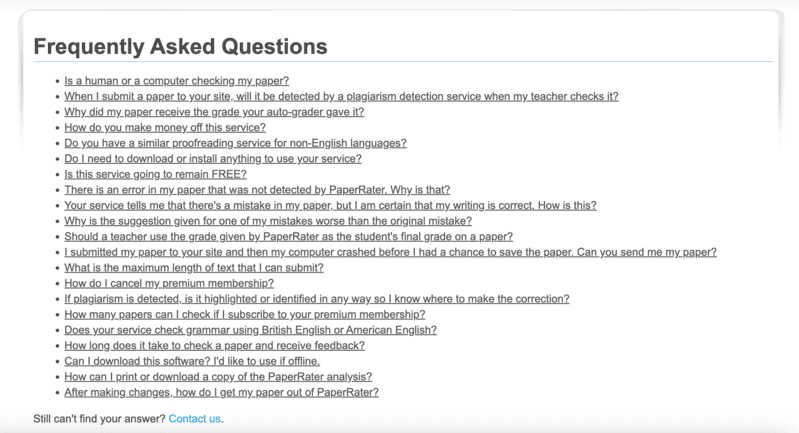
Email support is available on weekdays only from 9AM to 5:30PM EST. I tried this channel and asked if they offered a free trial for their Premium plan. It’s been three days since, and I have yet to receive a reply.
Email is the only means to contact their team.
FAQ
There is a list of 21 answers to basic questions.
Blog
The blog section offers essay tips for students.
Ease of Use
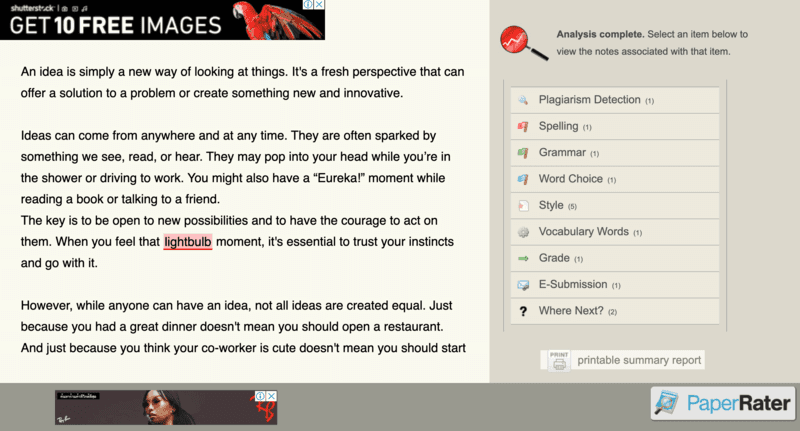
PaperRater is tough to use if you don’t have the patience. Compared to the rest of the plagiarism checkers available, PaperRater’s user interface looks outdated and busy. The ads bombarding your screen do not make it easier to navigate the tool.
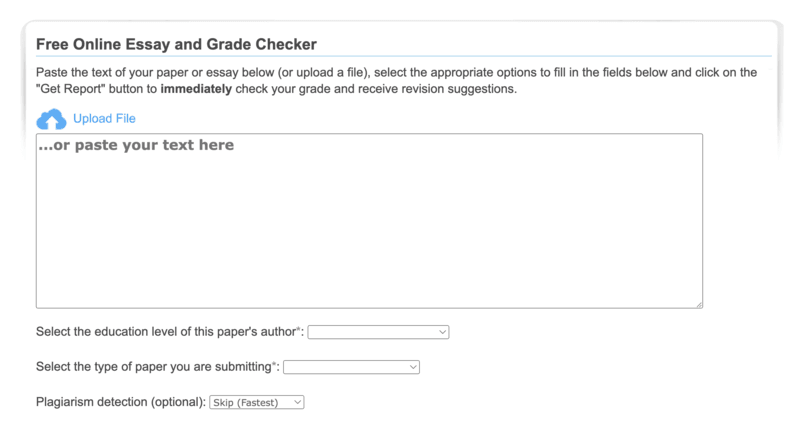
On the plus side, most of PaperRater’s major features are available in the free version. You don’t need to sign up for an account to use them. The homepage of the tool already has a space available for you to submit your texts for checking. Once uploaded, the website takes you to the dashboard, where you’ll find the different reports available. The features are all laid out on one side for easy checking, but the ads make the process distracting. The interface colors used aren’t aesthetically pleasing either.
Lastly, PaperRater is purely web-based and doesn’t have any integrations, which may be inconvenient for many users who prefer having plugins for services like Microsoft Word or Google Docs.
Performance
Aside from the old-fashioned user interface and the presence of ads, PaperRater takes a while for the text formatting to show properly. I waited for at least 17 seconds before the document finally showed proper formatting.
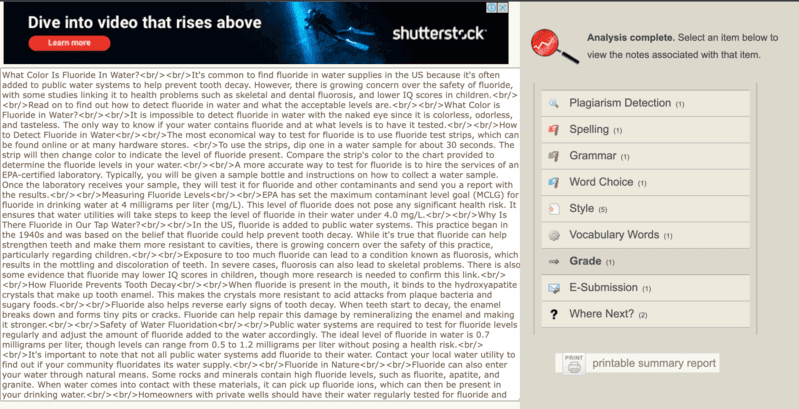
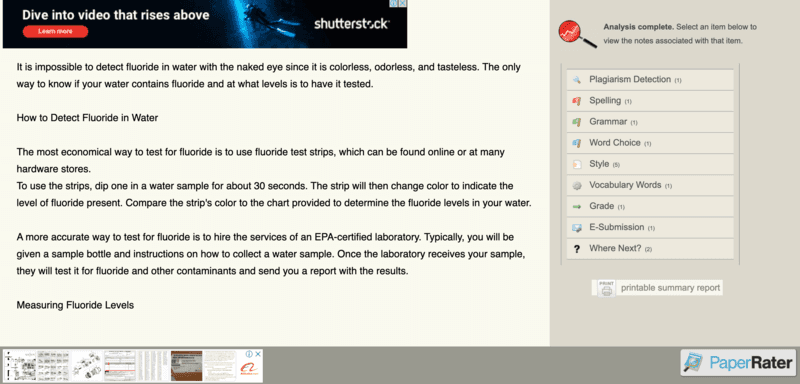
Despite the slow text formatting bugs, PaperRater’s report delivery is surprisingly speedy. The tool’s analysis of 1955 words took only 23 seconds. For reference, my internet speed was 63.34 mbps.
The accuracy of the plagiarism detection feels lacking, however. For one file, I blatantly copied a paragraph from another source. Sadly, PaperRater was not able to detect this plagiarism. This can only mean that the software’s database is outdated.
For comparison, I ran the same file in tools like Grammarly and Unicheck. Both were able to catch the copied paragraph and match the exact source.
PaperRater’s other features also don’t seem updated. For instance, the tool flags words like “gamification” and “cryptocurrency” and gives other spelling suggestions instead.
Features & Functionality
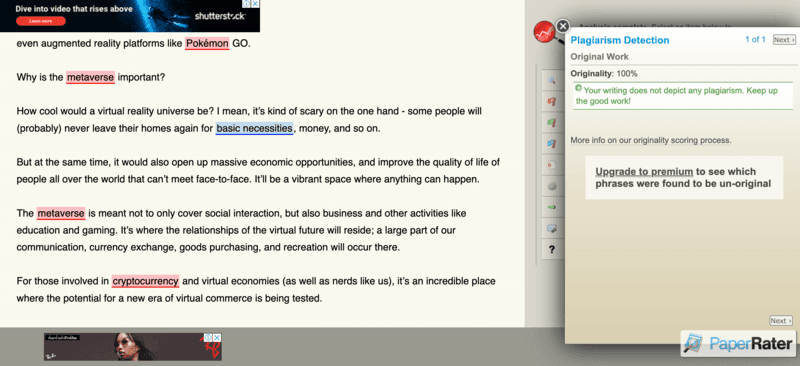
Originality Detection
PaperRater's originality detection feature runs your file through billions of online pages and resources to check for plagiarism. If there are any similarities, the tool will highlight these texts and provide a list of sources.
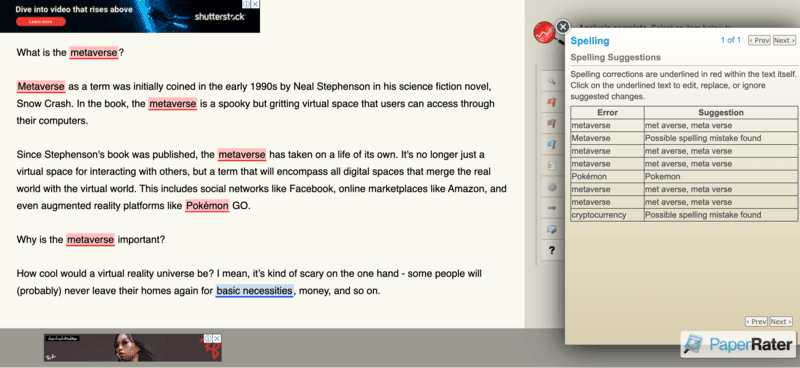
Grammar and Spelling Checker
The software uses machine learning and statistical models to identify grammar and spelling errors within a text. With each error, the tool also provides suggestions on how to correct them.
Multiple File Format Support
PaperRater’s free version requires you to copy and paste your texts, but the premium plan allows users to upload documents in .doc, .docx, .txt, and .rtf formats.
Vocabulary Words
This feature gives your document a score based on the quality and quantity of vocabulary usage. The vocabulary in question refers to words used in an academic or scholarly manner.
Word Choice
Word choice functions similarly to Vocabulary Words. It gives a score based on how many times similar words are used and pulls up the top 10 most common words in the text.
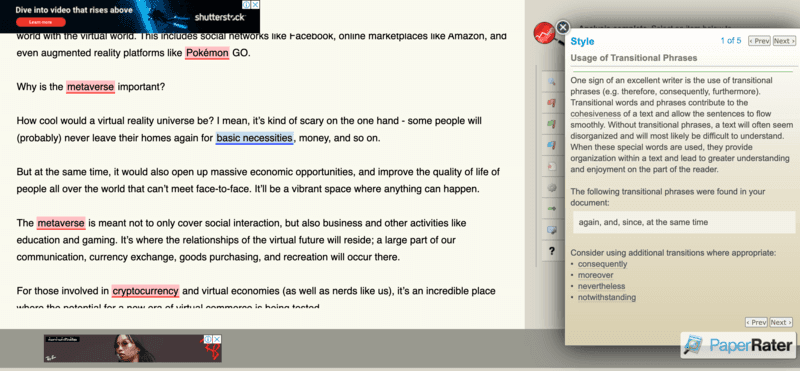
Style
This feature focuses on transitional phrases used and gives a score based on the variety found in the text. The report also offers suggestions to improve overused words.
Improve writing quality with advanced grammar correction features.
Choose from standalone tools or integrated software options.
Supports various database formats for enhanced functionality.
Features
- Plagiarism Check
- Style Editor
- Content Scan
- Text Similarity Detection
- Multiple File Format Support
- Spell Checker
- Grammar Check
- Sentence Formatting
- Vocabulary Recommendations
- Sentence Rephrasing
Verdict
PaperRater’s plagiarism and other writing features can all be enjoyed for free, but using the tool has more disadvantages than advantages. The detection capabilities are not entirely accurate, and the software itself is not user-friendly. However, it does have helpful functions that can encourage you to improve your writing.
While PaperRater is geared towards students, other free plagiarism checkers perform better and offer more robust services. The software just doesn’t seem to be up to date. Therefore, it’s recommended that you look for an alternative plagiarism checker. PaperRater is unfortunately leagues behind its competitors.
Users Reviews
Be the first to write a review
Share your experience with PaperRater and help others choose the right software.