

Last updated: October 2025
Paycom is an all-in-one human capital management platform for businesses of all sizes. It provides a range of HR, payroll, and time and labor management solutions through cloud-based software. It includes online payroll processing, applicant tracking, onboarding, and benefits administration.
Plans & Pricing
Quote Based
Custom
seat/
$4/employee
$500 Setup Fee
- Employee Self-Service Payroll
- Vault Visa Payroll Card
- General Ledger Concierge
- Expense Managemet
- Mobile App
* Featured prices can be updated and free offers may include additional terms.
Paycom's pricing is not publicly listed on its site. They offer a personalized demo, followed by a custom quote based on the business's needs. Monthly subscription and per-employee fees are common for payroll service providers.
Reports from Paycom users indicate a setup fee of $500 for 15 employees and $1,200 for 40 employees, which includes training and implementation. The monthly fee per employee ranges from $4 to $6.
Expert Score
Pros
- Employee self-service
- Employee Visa Card
- Intuitive Mobile App
- Excellent customer service
Cons
- High Setup Fee
- No Transparent Pricing
- Limited Third-Party Integrations
Customer Support
Paycom offers various customer support options, including an extensive online knowledge base, personal demo option, and phone support. They also provide training and implementation services to help users get started with their payroll system. They have sales offices in all 50 US States, and their support hours are Monday to Friday, 8:00 AM to 5:00 PM in each time zone. Paycom does not have a live chatbot or email address listed on their site, but there is a convenient directory by state to assist users in finding the correct sales team.
Contact Submission
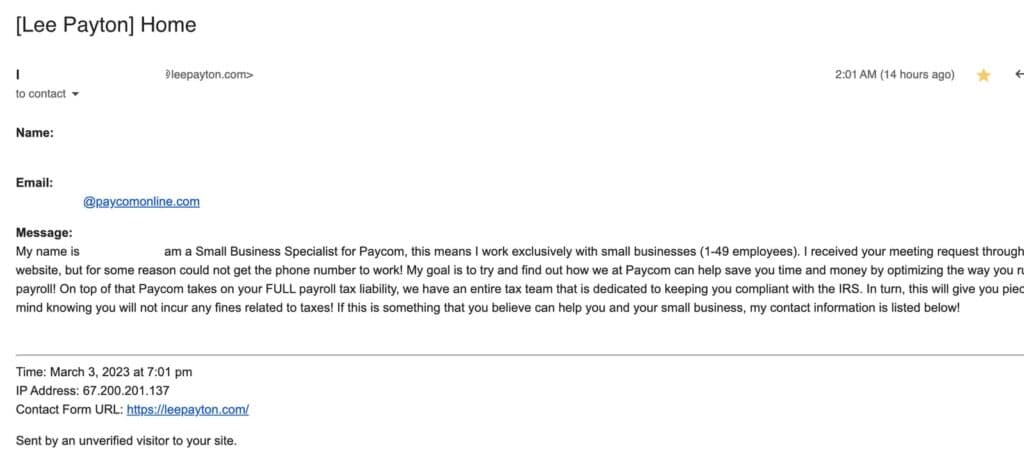
After requesting a free demo, I was contacted by a member of the support team within 9 hours via email. The representative also went to my business website and attempted to reach me through my own contact form.
Live Phone Call
I called the Florida sales office and was able to get through on the 4th ring. The representative was helpful and the upsell attempts were limited. I was also offered a free demo at my convenience. A second call was placed for assistance from customer support. This took several redirects, but once on the call, the representative was helpful with my questions regarding new employee onboarding.
Online Resources
Paycom has an organized blog, on-demand webinars, a podcast, and a dedicated YouTube Channel.

Overall Experience
Although limited to contact forms and phone calls, my experience was positive. Their support staff was helpful without too many upsell attempts. It was also convenient to be able to contact a representative in the state where my LLC is registered.
Phone Support
Monday to Friday, 8:00 AM to 5:00 PM in each US time zone
FAQ
This is for investors
Blog
Available on their website and updated every 3 days
Video Tutorials
On-Demand Webinars
Ease of Use
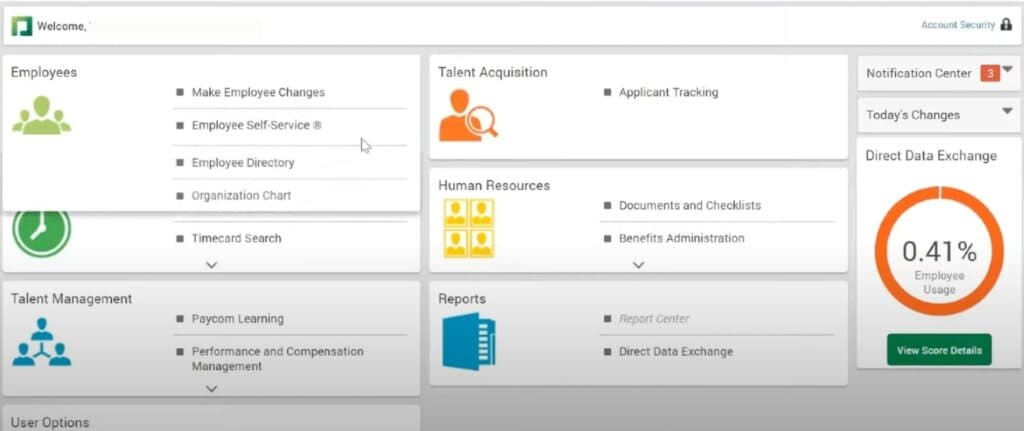
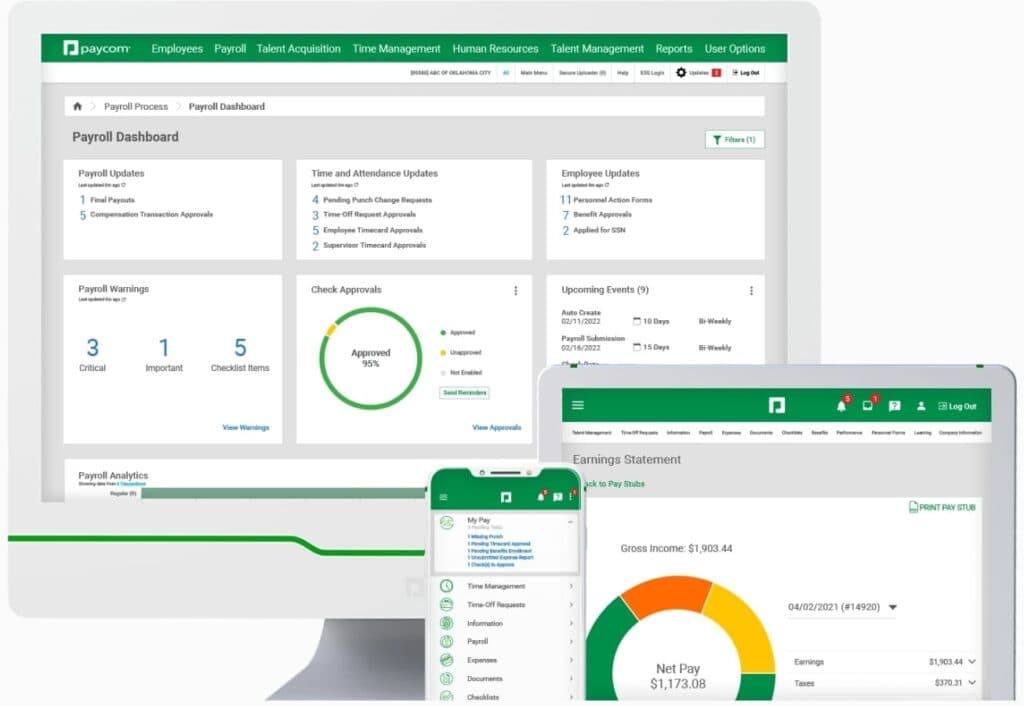
Paycom is an intuitive and easy to navigate platform.The software's interface is intuitive and user-friendly, making it simple to manage employee data and payroll processing tasks. The dashboard provides quick access to all the essential features, such as adding new employee information, talent management, time management and creating reports.
Log in or Sign up
The log-in process for a client on Paycom payroll software is straightforward. The client can access the software by visiting the Paycom website and entering their login credentials, which typically consist of a client code, username and password. Once logged in, you will be directed to the Paycom dashboard, where they can access all the features of the software, including employee data management, payroll processing, and reporting.
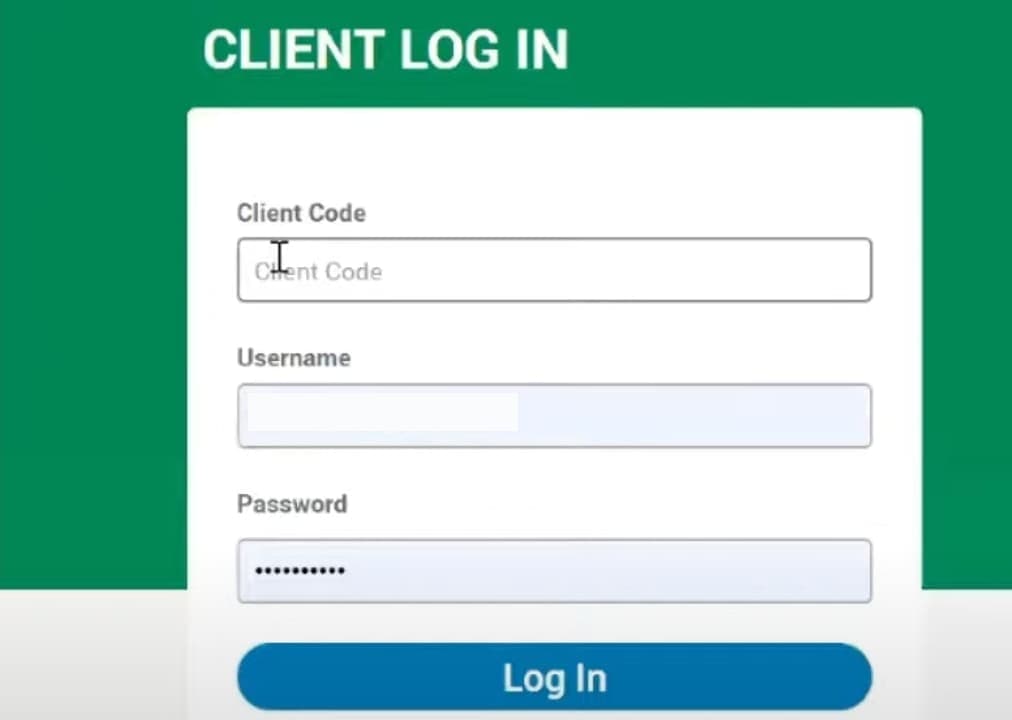
The Paycom platform also provides a secure login process, ensuring that only authorized individuals can access sensitive employee and payroll data. Overall, the log-in process for a client on Paycom payroll software is simple and secure, allowing clients to access their payroll data quickly and easily.
Run Payroll
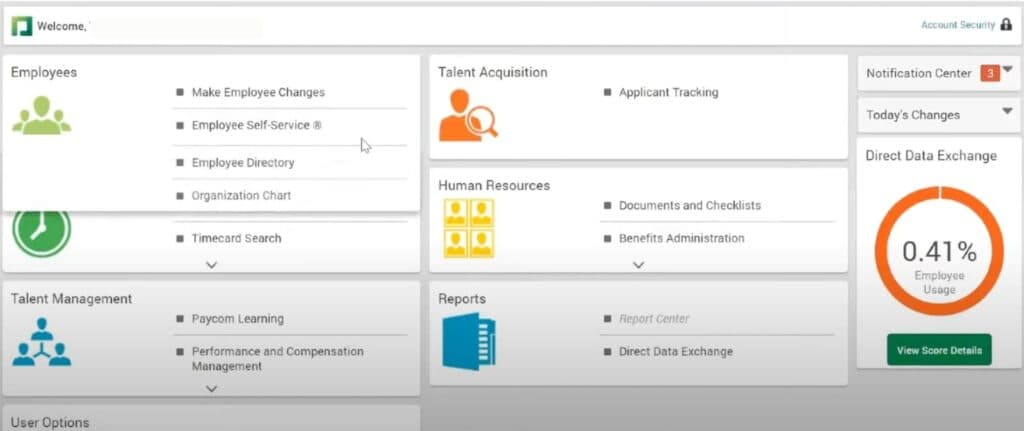
Once signed up, the Paycom dashboard is easy to use and seamless for running payroll. I found Paycom's automated payroll processing to be a standout feature, making the payroll process efficient and error-free.
Performance
Paycom offers real-time payroll data processing, ensuring accurate and timely payroll operations with minimal delays.
Features & Functionality
Employee Self-Service Payroll
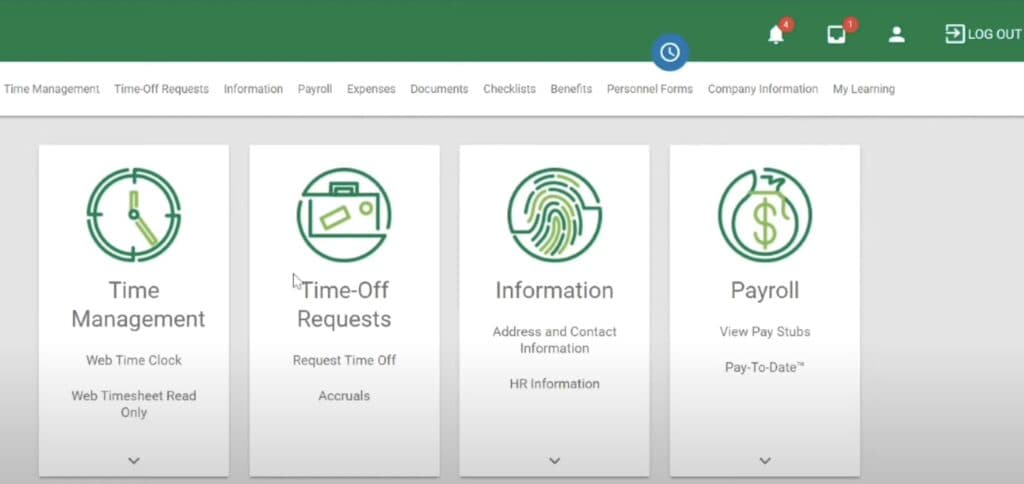
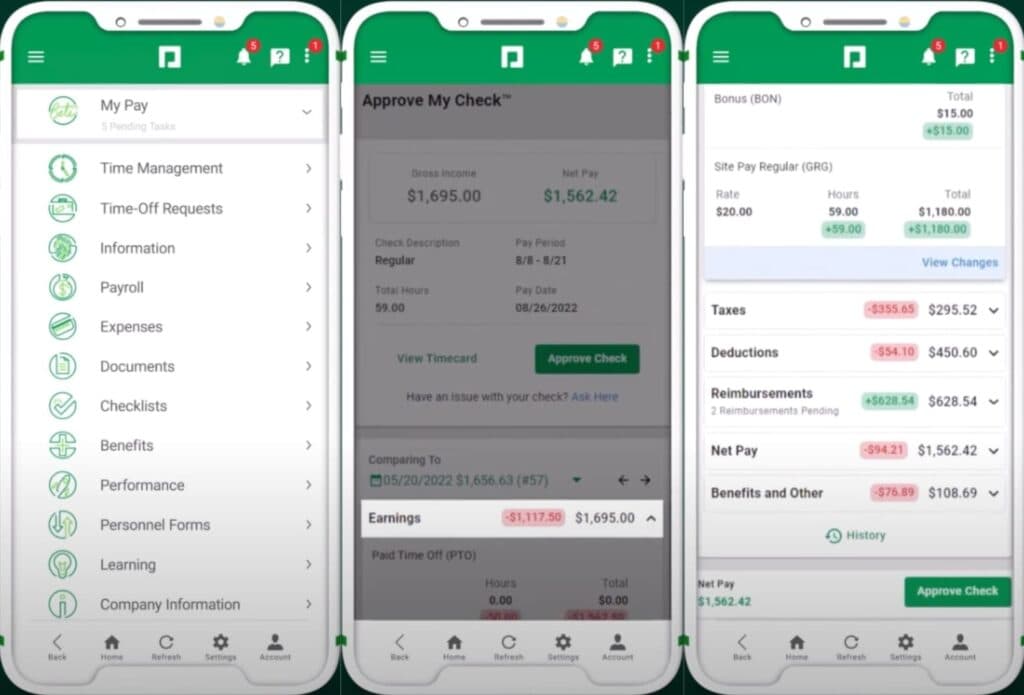
With Paycom’s Beti feature, employees easily do their own payroll from any device. Through the self-service app, Beti notifies employees of pending tasks requiring action before payday. Employees then preview their pay before approving it for submission.
Vault Visa Payroll Card
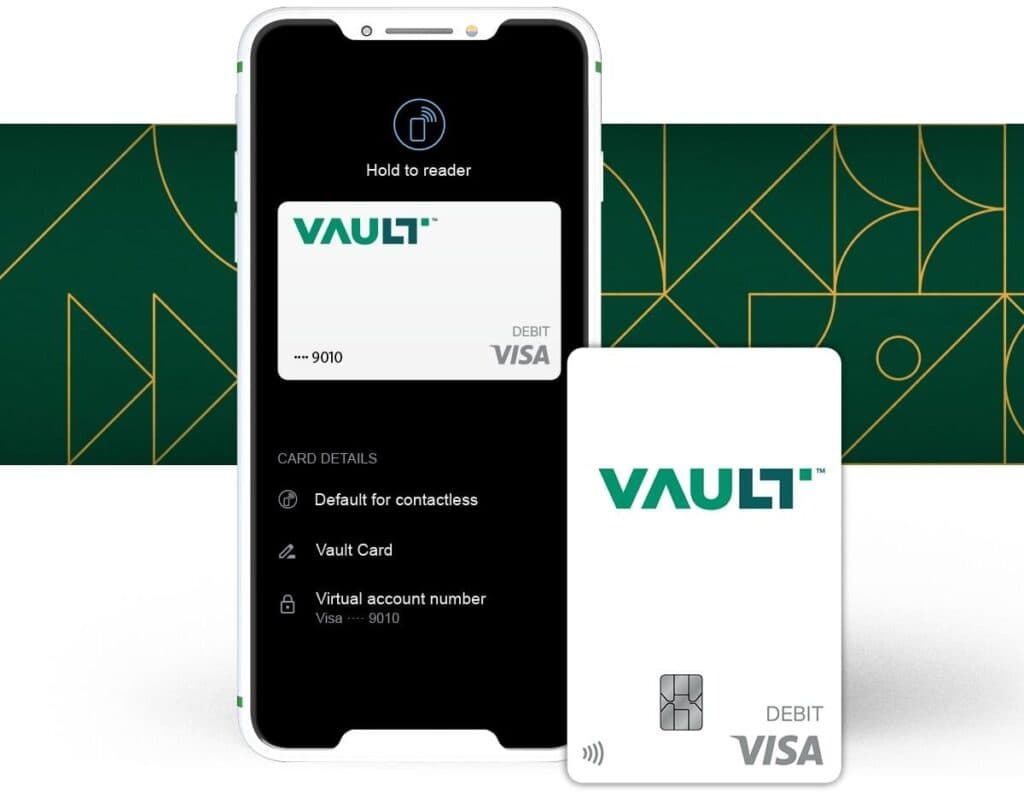
Paycom lets employers issue visa debit cards to employees with the Vault Visa® Payroll Card. With Vault, employees can have some or all of their wages deposited on the secure Vault card. And they can get paid up to two days earlier† for greater financial flexibility.
General Ledger Concierge
Paycom’s General ledger software eliminates errors and wasted time. The user has the payroll portion of their general ledger at their fingertips for easy management, even across multiple sectors within one business entity. For agility, GL Concierge keeps accounting current on changes affecting the payroll ledger, such as new earnings, deductions, and labor allocations.
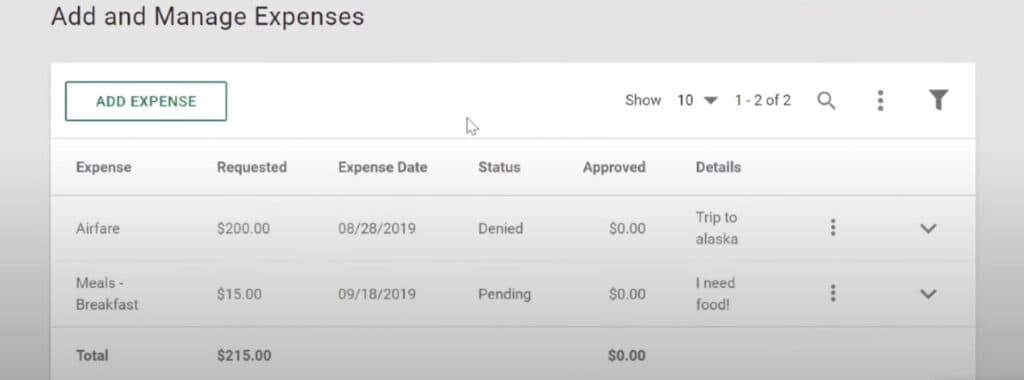
Expense Management
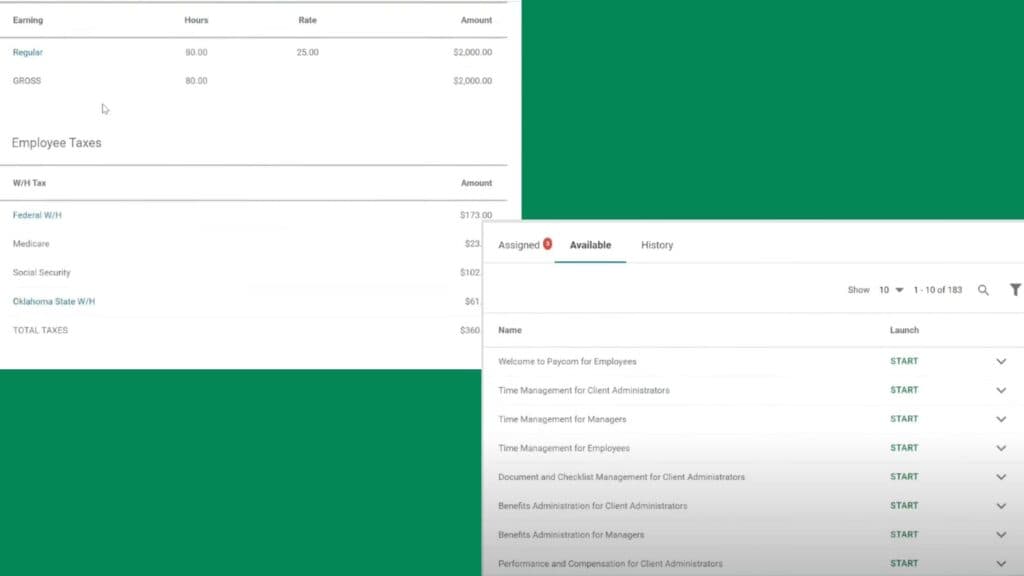
With accuracy and efficiency, Paycom’s Expense Management software simplifies the entire reimbursement process, from submission to reporting. It puts all critical functions in the same app as payroll and other HR needs, reimbursement is seamless. It’s all in their expense-tracking software for small businesses, enterprise companies, and organizations in between.
Mobile App
Paycom’s mobile app allows employers and employees to access all respective features. Some of these include Employee self-service, Manager self-service, Onboarding, and Recruiting.
Paycom automates payroll runs, tax filings, and garnishments, streamlining payroll processes for accuracy and efficiency.
Paycom provides a comprehensive HR management system, including employee self-service, time tracking, and benefits administration.
Paycom automatically calculates, files, and remits federal, state, and local taxes, ensuring full compliance with tax regulations.
Paycom integrates smoothly with other business systems, including time tracking, benefits, and accounting platforms for streamlined data flow.
Features
- 401k Tracking
- FMLA Tracking
- Generation of pay stubs and reports
- Multi-State
- Mobile App For Employees
- Calculate and pay employee salaries
- Compliance with state and federal tax laws
- Direct Deposit for Employee Paychecks
- Tracking of employee hours and overtime
- Update real-time employee information
Verdict
Paycom is a human resources management software that is best suited for small to medium-sized businesses. Their pricing is based on the number of employees and requires a consultation for details. One thing to note is that Paycom charges a setup fee, which can be a bit expensive, but they do offer a free demo to help you decide if it's the right software for you. The Vault Visa Payroll Card and Beti employee self-service features give Paycom an edge over other platforms.
Click the video to see my closing thoughts:
https://www.youtube.com/watch?v=mAOcagSPDWY
Paycom offers an employee-submitted payroll option through their Beti feature. Employees manage, troubleshoot, verify and approve their own time cards.
Users Reviews
Be the first to write a review
Share your experience with Paycom and help others choose the right software.