

Last updated: October 2025
Paycor is a comprehensive payroll software designed to streamline and automate the payroll process while saving businesses time and reducing errors. Paycor also integrates with popular HR systems, providing a seamless and integrated solution for small to medium-sized businesses.
Plans & Pricing
14-Day Free Trial
- Basic Wage Garnishments
- Payroll and Tax ServiceInfo Icon
- Pay Options
- Check Stuffing
- Online Check Stub
- Online Reporting Info Icon
- Additional Tax Local Authorities
- Additional Tax State Authorities
- New Hire Filing EVS
- Work Number
14-Day Free Trial
- Everything in the Basic plan
- Report Builder
- General Ledger Report
- Labor Distribution
- HR Support Center
- Month End Accounting Pkg.
- Electronic Custom Data File
- Labor Law Poster
- Onboarding
- Time Off ManagerInfo Icon & Job Costing
14-Day Free Trial
- Everything in the Essential plan
- HR Support Center On-DemandInfo Icon
- Employee Import
- Paycor HR
- Paycor Career Management
+$14/mo/employee
- Everything in the Core plan
- Paycor Analytics Pro
- Paycor Compensation Planning
- Paycor Talent Management
* Featured prices can be updated and free offers may include additional terms.
For businesses under 50 employees, Paycor offers 4 pricing tiers. Businesses with over 50 employees require a consultation with a representative.
As of this review, they are also running several sign-up offers to include 50% off the first year and all setup fees waived.
Here’s a look at the 4 plans for businesses with less than 50 employees:
Expert Score
Pros
- Mobile App
- Customizable Features
- Easy to Use
Cons
- Limited Customer Service Options
- Busy Interface
- Limited Reporting
Customer Support
Paycor offers customer support via phone Monday through Friday, between 8 a.m. and 8 p.m. ET for Payroll, and 8 a.m. and 6 p.m. ET for all other products. They have an online Support Center divided into categories for Employers, Administrators, and News, along with a limited on-screen chatbot.
Online Chatbot
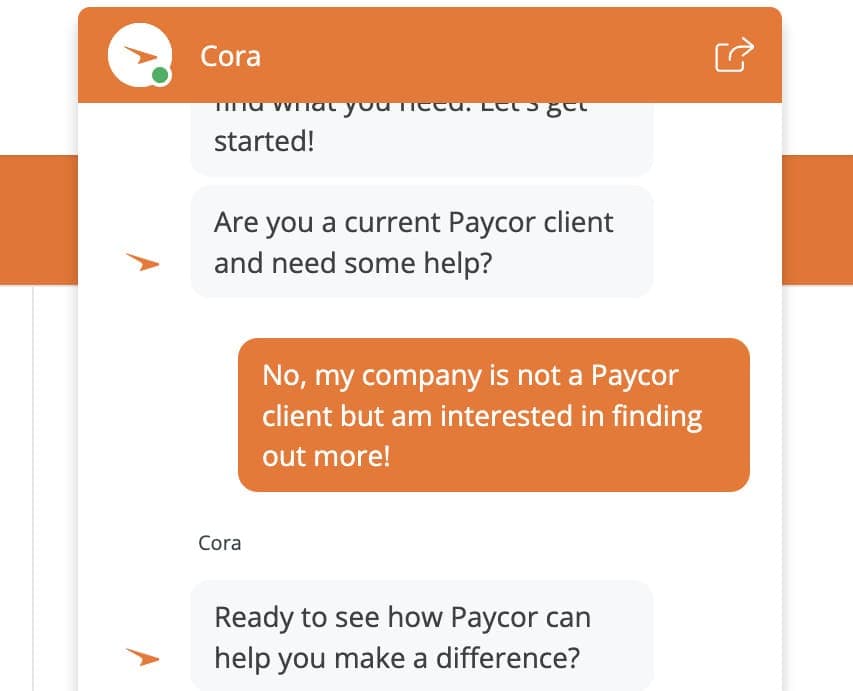
The site features a Chatbot named “Cora” for quick questions. It does, however, only allow one to choose from pre-loaded responses before trying to connect you with the sales team.
Live Phone Conversation
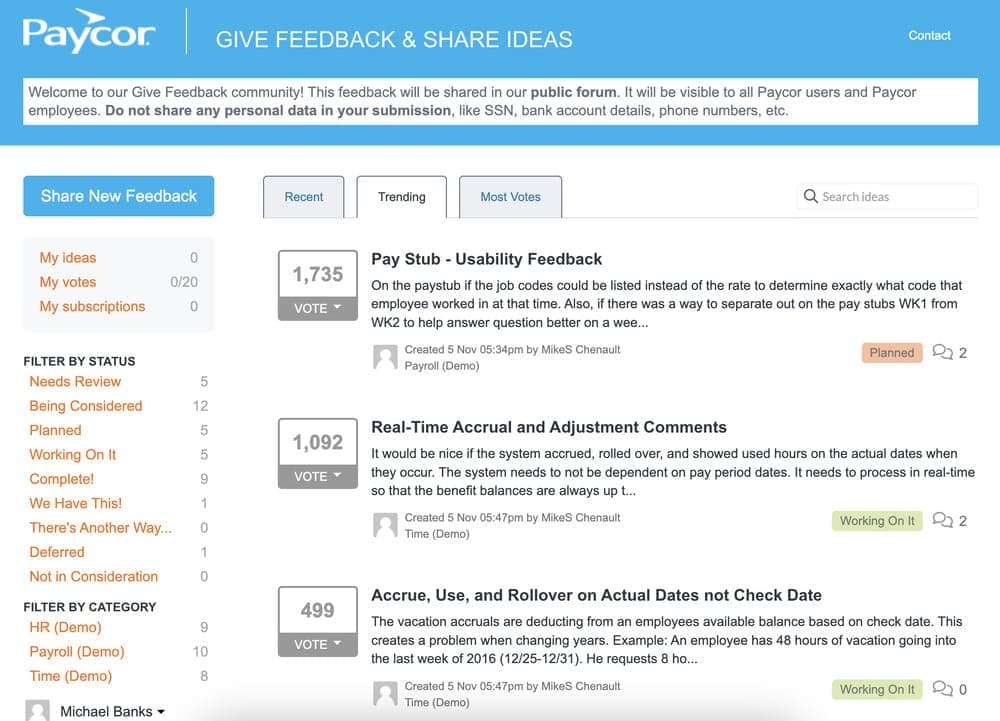
As a non-user, all roads lead to a live conversation with one of their agents. I was able to get through in 3 rings and the representative was helpful. There is also a Paycor forum for employers to share and discuss issues with the software under the Product Feedback button:
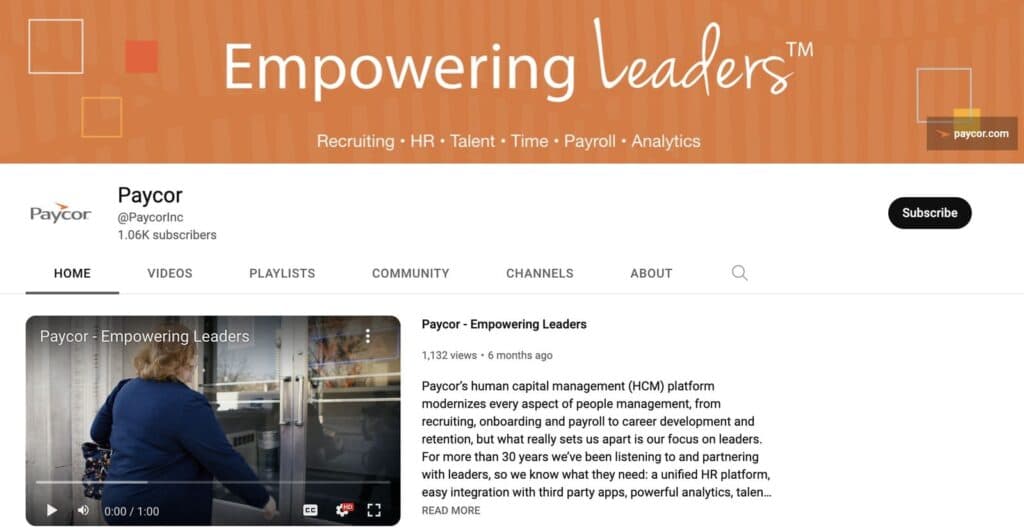
Paycor also has a dedicated YouTube Channel for tutorials and new product reveals:
Overall Experience
Before signing up, help options are limited to phone consultations. After creating an account, there are email options and dedicated staff available. I found the customer service options to be limited for those who mind being on the phone.
Phone Support
During Business Hours
Available to Users
FAQ
Limited
Blog
On the website under “Resource Center”and easily searchable
Video Tutorials
Dedicated YouTube Channel & Online Demo
Ease of Use
Creating an account was fairly easy after searching their website for the free trial offer. This option was not made obvious on the homepage and took some digging.
Setup of the Payroll Software
Click the video to see the full sign-up process and the information you’ll need to create an account:
Run Payroll
In this video, we create an employee/contractor account and walk through the steps for running payroll:
Features & Functionality
Payroll Services
Paycor is one of the most feature-rich payroll and HR platforms on the market. It provides the major features you’d expect such as direct deposit, W-2 or 1099 forms, and tax compliance assistance. It also provides employee pay cards, an employee portal for self-service, and 401k integrations.
Custom reporting
The custom reporting features allows you to pull data from various places like time tracking, payroll, and HR to create reports that give you a holistic overview of your business. You can then slice and dice the data to get the insights needed to make smart labor decisions. It’s not locked into your account, you can share reports with various stakeholders so everyone is on the same page.
Recruiting
It has in-built tools and smart integrations like Zoom to help you manage the entire recruitment process. Search resumes, send text messages to candidates, create and save interview scorecards, automate offer letters, and even collect signatures electronically.
Benefits administration
Paycor gives you the tools to integrate with your benefits providers and make it easy to enroll new employees, share pertinent information with the right people, and see analytics related to your benefits packages. It also helps you stay compliant with the IRS by generating and filing the necessary forms.
Employee onboarding
The platform allows you to set up a series of tasks that new employees need to complete and even automate form submission, signatures, and training.
Check out this video to see a walk-through of Paycor’s main features:
Paycor offers 24/7 U.S.-based customer support and flexible services. Time and attendance tracking and management are also included along with PTO tracking.
Mobile App & Cash Account
Paycor has a mobile app for both employers and employees to track time, make/receive payments, and monitor employee data.
Automations include various HR tasks such as onboarding, benefits administration, and performance reviews, making the process faster and more efficient. Paycor also automates 401(k) plan administration, including compliance and reporting.
Some of Paycor’s HR features benefits administration, performance reviews, and insurance services, including group health, dental, and life insurance options.
Paycor allows you to can calculate, file, and pay payroll taxes, and has 200+ compliance experts monitoring changing laws and regulations.
Paycor also integrates via their APIs to connect to popular HR, productivity, and financial tools.
HR
The Paycor software is full of great features and functionalities. It has been serving clients for over 30 years, so it has learned a lot along the way about what works and what changes have to be made. Here are a few of the main standout aspects of the Paycor HR offering:
All-In-One System
The Paycor software brings everything into the same place. You no longer will have to use multiple HR systems in order to manage and store your relevant data. You will be able to store, sign, and review all key info in the same place.
Easy Access
The HR software at Paycor is very efficient and it allows you to save time when you are importing data. There is also easy access for employees who will be able to update any of their information or put in requests. This can be done through a computer or on mobile devices thanks to the Paycor app.
An Efficient Approach
The goal of Paycor with its HR software is to save clients time and energy when it comes to importing and managing data. One of the main features of the software is that most key processes are going to be automated. These common workflows will remain in place so you don’t have to constantly be re-entering data and enacting certain procedures. You will also be able to transition over to a paperless system and get access to all sorts of useful checklists and templates.
Integrations & Add-Ons
There is a top-level integration capability available for Paycor clients. This covers most common types of recruiting and onboarding tools, as well as accounting software, time management, and productivity tools. Paycor also offers a good range of add-ons to its clients. This covers everything from employee surveys to benefits administration and compensation planning.
Monitor and manage employee attendance accurately.
Track and manage applicants efficiently during hiring.
Simplify payroll and tax management for employees.
Provide engaging and effective training solutions.
Flexible pricing options to suit diverse HR needs.
Implement HR tools across various environments with ease.
Features
- 401k Tracking
- FMLA Tracking
- Generation of pay stubs and reports
- Multi-Country
- Multi-State
- Mobile App For Employees
- Calculate and pay employee salaries
- Compliance with state and federal tax laws
- Direct Deposit for Employee Paychecks
- Tracking of employee hours and overtime
Verdict
Paycor is best for small to medium-sized businesses looking for a comprehensive human capital management solution. Pricing for under 50 employees is straightforward and per employee. For more than 50 employees you’ll have to contact a representative.
The software is feature-rich, offering a wide range of HR, payroll, and time and attendance tools to help streamline HR processes. Paycor also integrates with other popular business applications, such as QuickBooks and ADP.
Support is limited to business hours, and the employer dashboard takes some getting used to.
Click the video to see my closing thoughts:
Users Reviews
Write a review
Leave a review, help others get it right the first time.
2 Reviews
Evelyn M
easy to use software
Paycor has an easy-to-use system and plenty of training materials for users. I can configure the system without any help guides.
Danny B
user friendly payroll
Paycor was chosen over our previous payroll application because it was hard to navigate and too complicated. We prefer a more user-friendly interface. Many payroll applications do not offer a solution to hourly employees, which Paycor does.