

ProjectManager Review
Overall Rating
4.0
Last updated: November 2025
ProjectManager is the project management software that transforms how businesses get work done. Its management solutions enable world-class collaboration for thousands of customers globally, with tools for all types of project management. ProjectManager works across all experience levels.
Plans & Pricing
Team
$13
seat/
/mo /+$16 per user
Billed Annually
Business
$24
seat/
/mo /+$28 per user
Billed Annually
Enterprise
Custom
seat/
/mo /user
Billed Annually
* Featured prices can be updated and free offers may include additional terms.
There are three plans you can choose from with Project Manager Software. The three packages offer varying prices depending on how many users are involved. All packages are billed monthly and each package differs in features.
All of these plans offer a free trial that you can cancel or change plans at any time.
Expert Score
Pros
- The project management software site is easy to navigate.
- The software has designated topics and areas
- The site is welcoming and up to date on all of the current technological software
Cons
- Not enough assistant for large companies
- This software is best for minor companies with smaller teams
- The tools should incorporate more advanced tools within their applications
Customer Support
The help and support system offers video tutorials and an active phone line throughout business hours. You can also communicate with the software company using their email system. The overall response is fast and quick.
Phone Support
Offers phone support from 8 am to 5 pm Monday- Friday
FAQ
The software does have an extensive FAQ page
Video Tutorials
The software does offer video tutorials and demos
Ease of Use
Overall this tool is not overly complicated to use. The project managing site is easy to navigate with clear labels and instructions for what is expected of each interface. It is easy to adjust and become more familiar with the software. The learning curve is not severe and can be quickly understood.
Features & Functionality
This project managing software offers professional equipment that allows you to create, monitor, and share your projects online, with many views for your team. This software allows you to produce instant reports that increase your productivity.
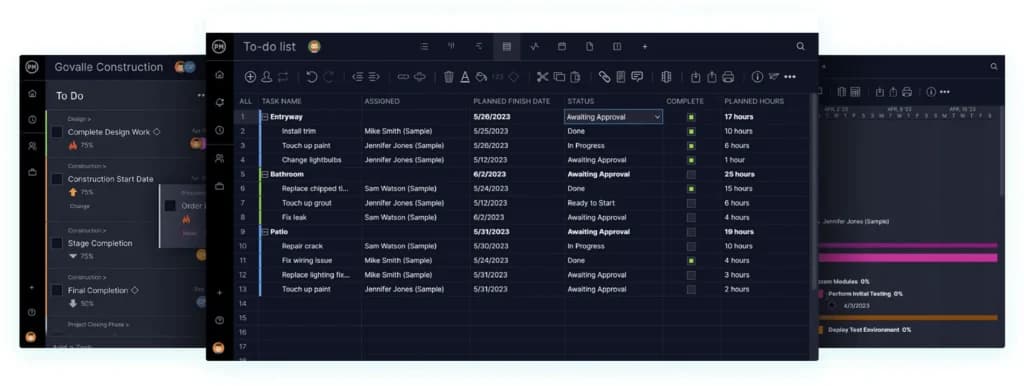
Along with instant reports, you can also work on multiple tasks that automatically update in real-time as you plan your project, which increases your productivity. The timesheets are also extremely helpful in keeping accurate records of working hours to help you and your employees remain committed.
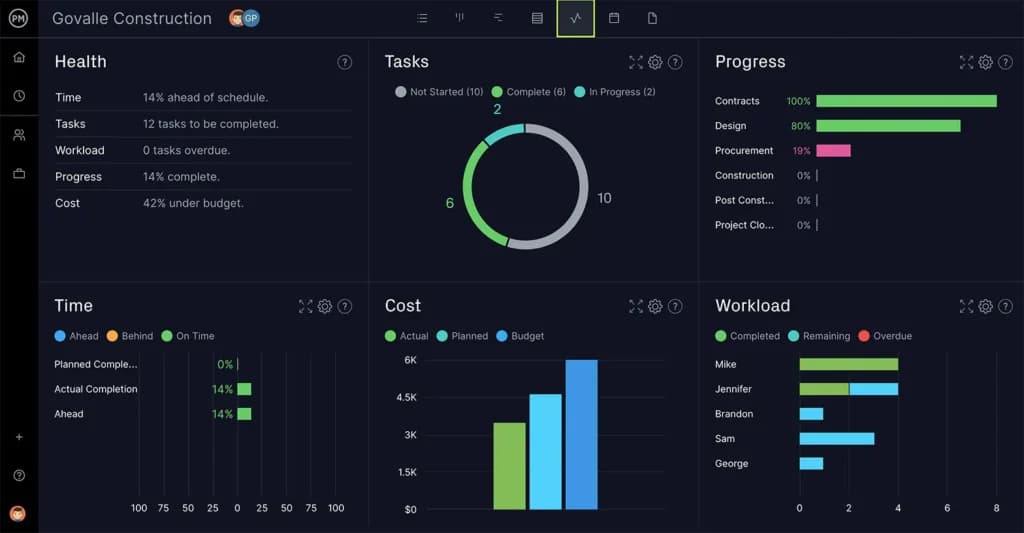
You can also customize the project dashboard that immediately tells you where your projects are and whether or not your team is on track. Along with a qualified dashboard, the task management application offers a sustainable technology that improves your organization to reach deadlines.
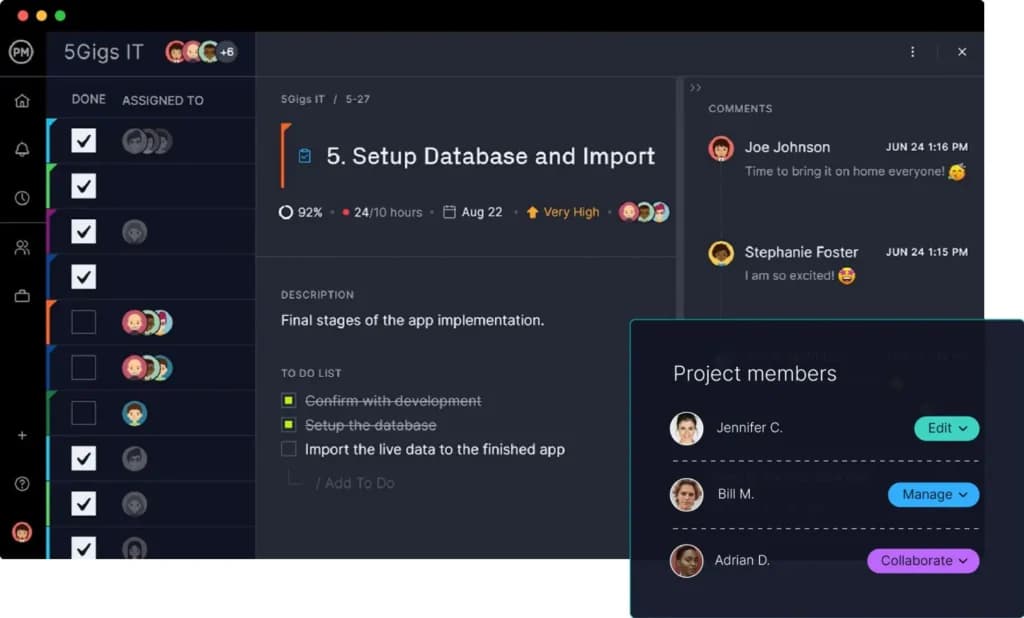
The task management software allows you to see your professional and personal daily tasks while you work and manage multiple projects at any given time. This is especially important for you to keep up with your assignments and never lose track of time.
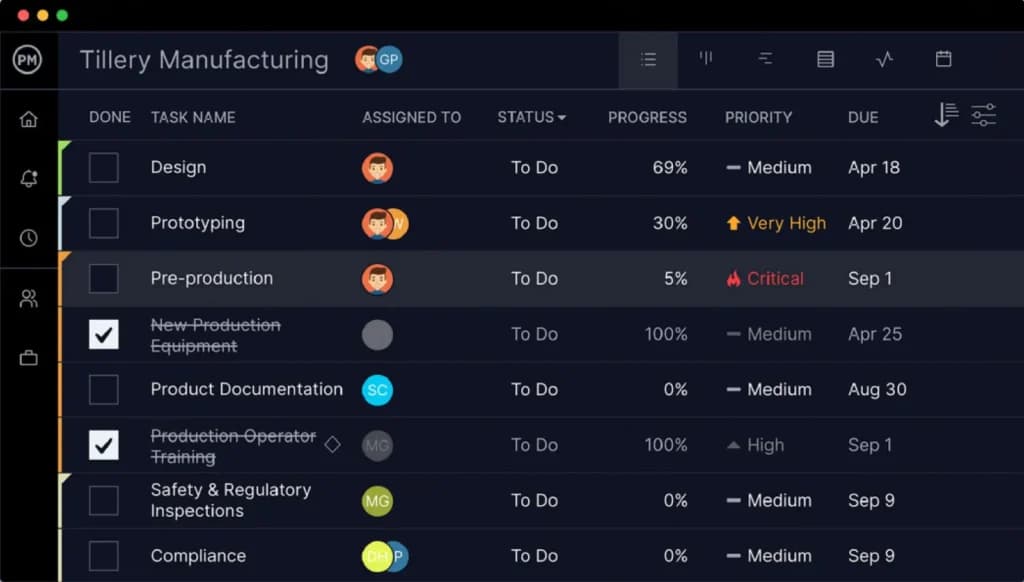
This software is a great update to the basic project managing software. The difference between this software and other generic software applications is the user friendly and organized system. This software increases your productivity and ability to manage a multitude of projects without feeling overwhelmed or distracted.
Enhance team collaboration with integrated communication features.
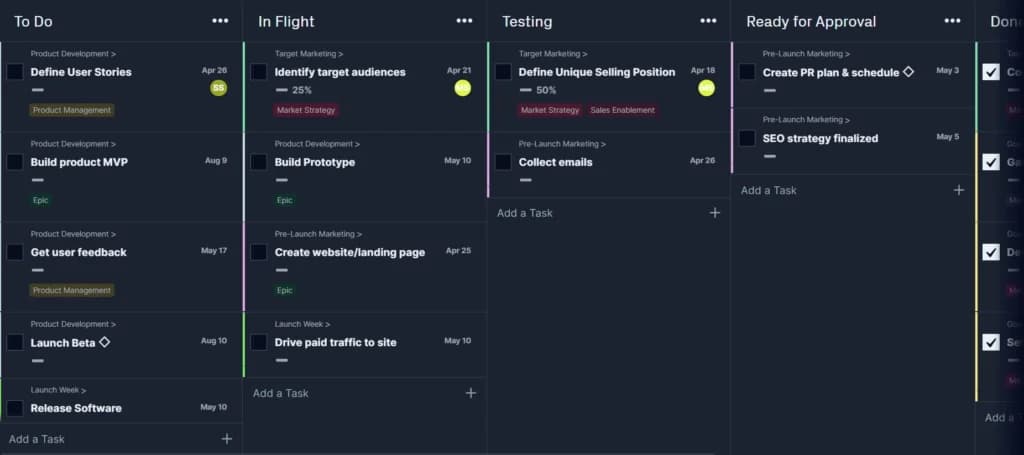
Task Management
ProjectManager.com provides powerful task management by enabling teams to plan, track, and update tasks in real time, ensuring agile collaboration, clear accountability, and seamless execution across desktop and mobile.
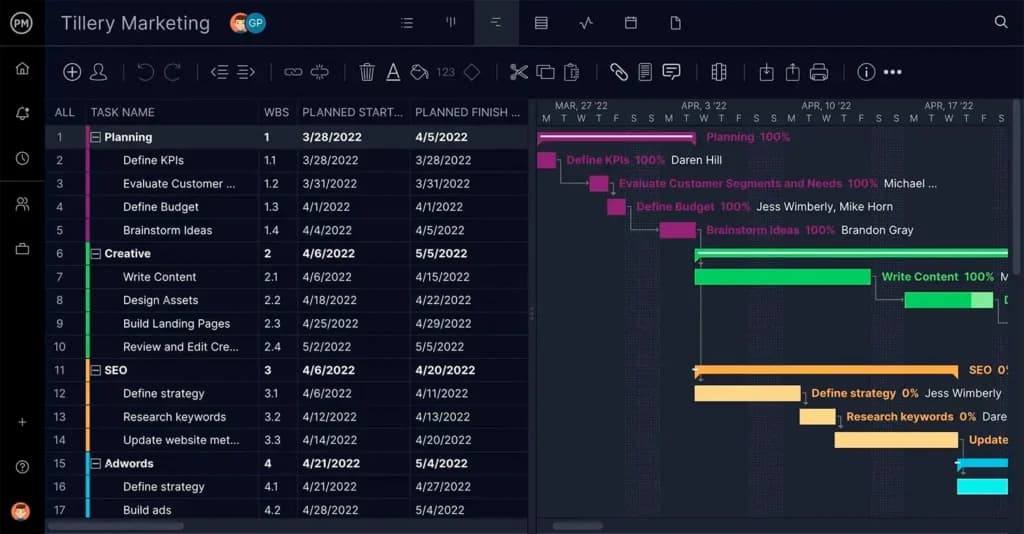
Gantt Chart
Intuitive Gantt charts allow teams to plan, schedule, and adjust project timelines easily with drag-and-drop simplicity and real-time collaboration.
The integration application used with this project managing software is Zapier. Zapier is a productivity tool that enables you to easily integrate all of your tools for reporting. Another helpful integration tool is using both Microsoft Office and Microsoft Project files to combine all of your data across all systems. This reduces the time spent transferring your information and it is easily kept in one safe place.
The rate of transferring your files is quick and easy. All of these applications are accessed through your project management software, where all of your Microsoft files are imported and exported across all platforms.
The project management software also offers a Google Apps integration tool that accesses all of your Google Drive and calendaring applications. This keeps all of your files up to date from your Gmail account.
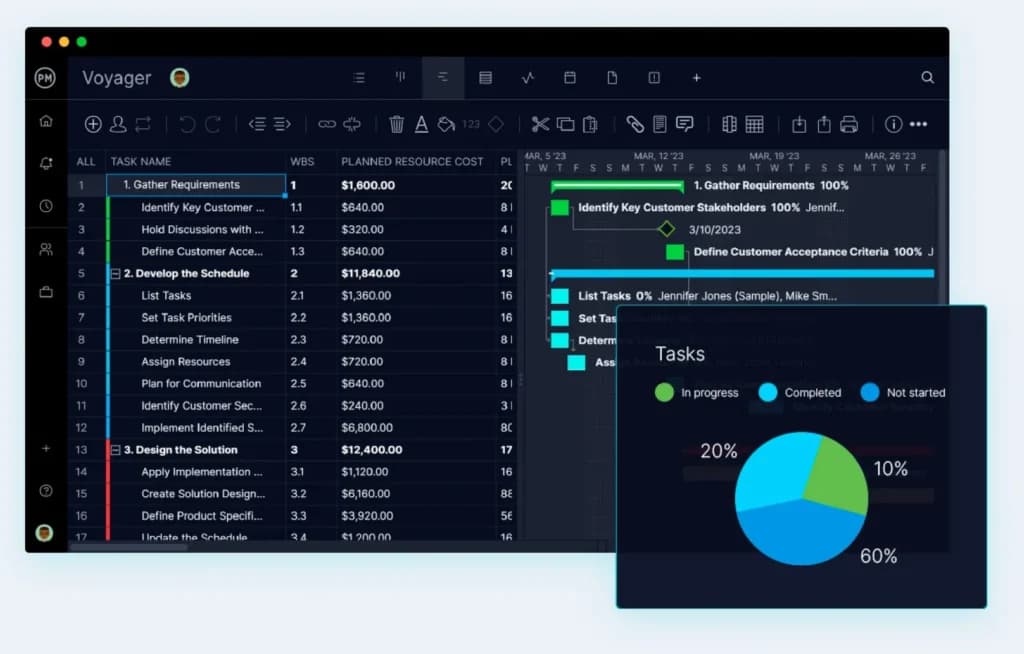
Features
- File Sharing
- Document collaboration
- User Access and Permissions
- Mobile App
- Risk Analysis
- Reporting and Dashboards
- Customization
- Notifications
- Comments on Tasks
- Discussion
Verdict
Overall this site is exceptionally designed with the clear and concise tools being offered. All of the technology present within this software is current and relevant for growing and sustaining a thriving modern business. The variety of plans to purchase is a great addition to the service that allows more choice for the consumer.
This project managing site is a great software for any up and coming entrepreneur or a small to a midsized company that is looking to expand and update its resources. This software allows you to optimize your organization by having effective tools that allow your deadlines, tasks, and communication to be held in one location.
Users Reviews
Write a review
Leave a review, help others get it right the first time.
4 Reviews
Claire U
Works well
I use it for my civil construction business and I have been happy with the results of it so far. My team uses it much more than me but I have not had any complaints. The billing is a bit difficult to understand so it is important to clarify yourself befor
Garrett W
Customer service ruined it
I was happy with the software because it did what I needed and was simple for me to learn. The customer service is another story. I called for three days straight but couldn’t communicate with a human.
Rachel P
Effective PM tool
We use ProjectManager for many things and it has been able to step up to the plate for all of them. Our organization is more in sync than ever.
- - Project control panel is customizable and updates in real-time
- - Multiple task/project views depending on what you prefer
- -Personal task manager based on the team’s tasks
Remi D
Great mobile app
This is one of the few PM tools that has a mobile app you can use to do something useful. Everything is at my fingertips even if I am out of the office. Pros -
- -Ideal for tracking projects and planning budgets
- -You can prioritize specific tasks when assigning them to others
- It takes a fair bit of getting used to