
Last updated: September 2025
QT9 QMS is a cloud-based quality management system that integrates seamlessly with enterprise resource planning (ERP) functionalities, offering a comprehensive solution for small to medium-sized businesses. Designed to simplify compliance and enhance operational efficiency, QT9 QMS provides extensive features tailored to industries requiring stringent quality control and regulatory adherence. With modules for document control, employee training, corrective actions, and customer feedback, it centralizes quality processes to ensure consistency and accountability. In this review, we'll dive in to how QT9 QMS's features and performance can benefit your organization, along with insights into its customer service and pricing structure.
Plans & Pricing
- Document control
- Employee training management
- Non-conformance tracking
- Supplier management Basic reporting and analytics
- Basic reporting and analytics
- All Basic Plan features
- Audit management
- Corrective and preventive actions (CAPA)
- Risk management
- Enhanced reporting and analytics
- All Standard Plan features
- Equipment management
- Calibration tracking
- Advanced reporting and custom dashboards
- Integration with ERP modules
- All Premium Plan features
- Unlimited user support
- Dedicated account manager
- Custom ERP integrations
- API access for third-party apps
* Featured prices can be updated and free offers may include additional terms.
Expert Score
Pros
- Integration with Microsoft Ecosystem
- Comprehensive feature set
- Customizable dashboards
- User-friendly interface
Cons
- Cost (may be considered high for small business)
- Learning curve
Customer Support
QT9 QMS provides comprehensive help and support, ensuring users have access to various resources. The support is generally responsive, addressing user needs promptly and effectively.
Ease of Use
Setup Process:
QT9 QMS is designed to be user-friendly and can be set up with minimal IT support. Basic functionalities can be used out of the box, but complex configurations may require IT support.
User Interface:
The interface is modern and intuitive, consistent with other Microsoft products.
Dashboards:
Dashboards are highly customizable, providing a comprehensive view of key business metrics.
Learning Curve:
While basic functionalities are straightforward, advanced features may have a learning curve.
Training Program:
Offers a variety of training resources, including online tutorials, webinars, documentation, and community support.
Features & Functionality
Special Features
NetSuite ERP stands out due to its extensive range of features designed to enhance business efficiency and visibility, making it a comprehensive solution for businesses of all sizes.
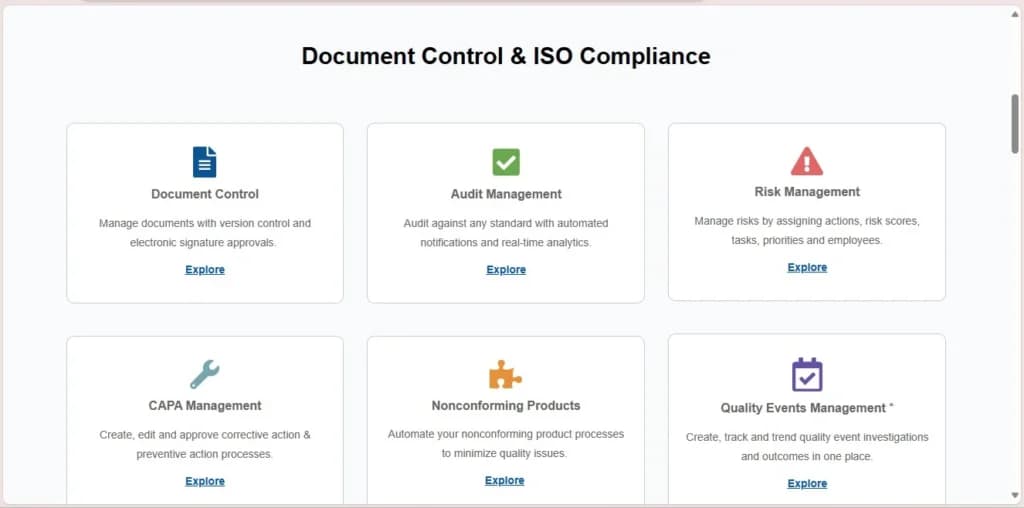
Document Control
Centralized document management ensures that all documents are current and accessible. This is critical for maintaining compliance with industry regulations and standards. By centralizing documents, NetSuite ERP minimizes the risk of outdated or lost documentation, ensuring that all employees have access to the latest versions.
Employee Training Management
NetSuite ERP tracks employee training and certifications, ensuring compliance with industry standards and regulations. This feature helps businesses maintain a well-trained workforce, monitor employee development, and ensure that all staff meet the necessary qualifications and certifications.
Non-Conformance Tracking
The non-conformance tracking feature identifies, documents, and resolves non-conformances, helping to maintain high-quality standards. By systematically managing non-conformances, businesses can quickly address issues, implement corrective actions, and improve overall product and service quality.
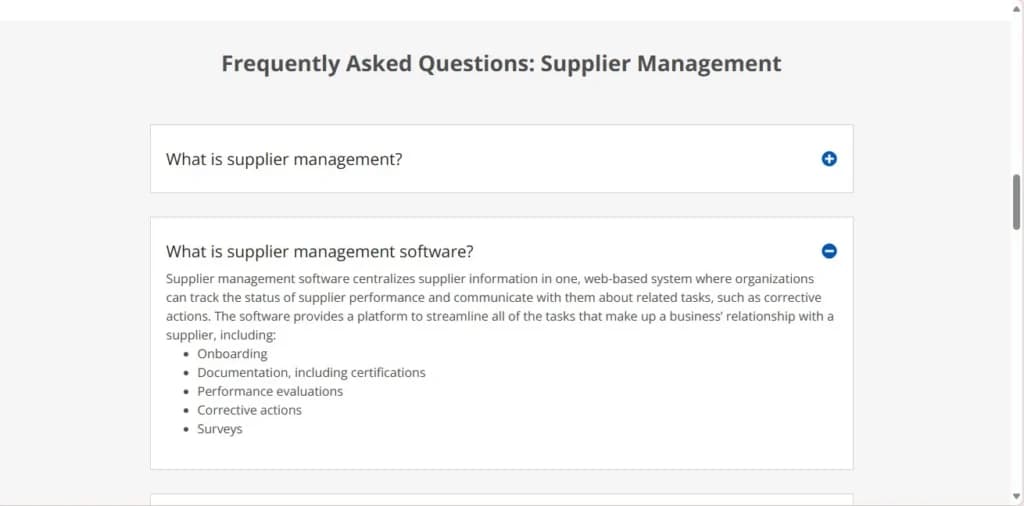
Supplier Management
NetSuite ERP manages supplier qualifications and performance, ensuring consistent supply chain quality. This feature allows businesses to evaluate and monitor supplier performance, ensuring that all suppliers meet required standards and contribute to the overall quality of products and services.
Audit Management
Audit management in NetSuite ERP plans and schedules, as well as tracking audits to ensure ongoing compliance with internal and external standards. This feature streamlines the audit process, ensuring that all necessary audits are conducted on time and that any issues are promptly addressed.
Corrective and Preventive Actions (CAPA)
NetSuite ERP implements CAPA processes to identify the root causes of issues and prevent their recurrence. By systematically addressing problems and implementing preventive measures, businesses can reduce the likelihood of future issues and improve overall operational efficiency.
Risk Management
The risk management feature identifies and mitigates risks to ensure business continuity and compliance. By proactively managing risks, businesses can minimize potential disruptions, ensure regulatory compliance, and safeguard operations against unforeseen challenges.
Equipment Management and Calibration Tracking
NetSuite ERP manages equipment maintenance schedules and calibration, which is crucial for operational efficiency. This feature helps businesses keep track of equipment performance, schedule regular maintenance, and ensure that all equipment is properly calibrated and functioning optimally.
Custom Reporting and Dashboards
NetSuite ERP provides robust reporting tools and customizable dashboards to monitor key metrics and business performance. These tools enable businesses to generate detailed reports, track performance indicators, and gain insights into various aspects of their operations, facilitating informed decision-making.
ERP Integration
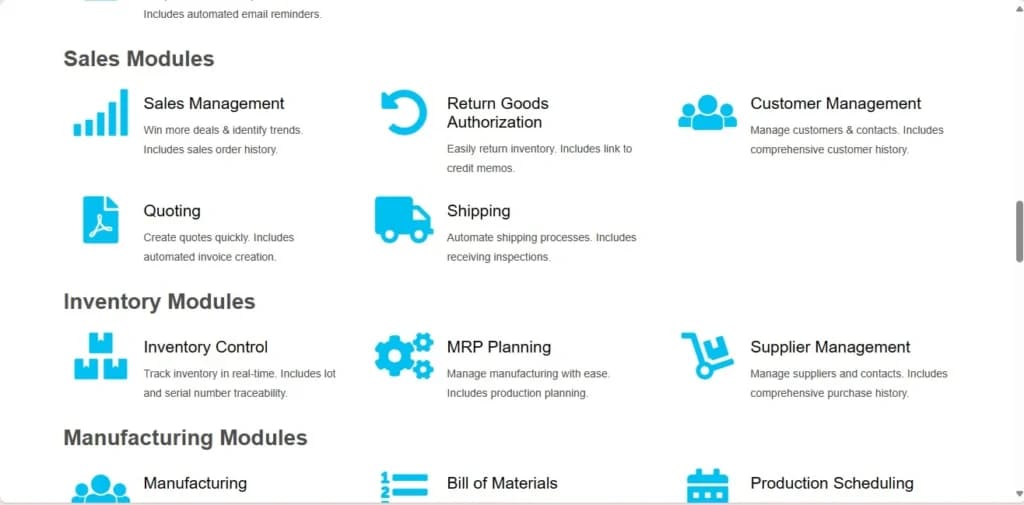
NetSuite ERP integrates with other ERP modules to provide a comprehensive business management solution. This integration allows businesses to streamline their processes, improve data accuracy, and enhance overall operational efficiency by connecting different aspects of their operations within a single platform.
NetSuite ERP’s wide array of features makes it a versatile and powerful tool for enhancing business operations across various functions. Whether it’s financial management, customer relationship management, inventory management, e-commerce, human capital management, or project management, NetSuite provides the tools needed to improve efficiency, visibility, and overall business performance.
Monitor and manage business expenses effortlessly.
Simplify tax compliance and reporting.
Automate key processes for improved efficiency.
Enhance ERP capabilities with additional modules.
Access ERP tools across a range of devices.
Features
- General Ledger
- Bookkeeping
- Manages Accounts Payable/Receivable
- Account Reconciliations
- Financial Reporting
- Generate Invoices
- Tax Compliance
- Automation of Invoices/Notifications
- Project Management
- Third-party Integrations
Verdict
QT9 QMS emerges as a robust and comprehensive ERP solution, particularly lauded for its quality management and regulatory compliance prowess. Its feature-rich architecture, coupled with seamless integration capabilities with Microsoft products, establishes it as a formidable choice in the market. Primarily tailored for small to medium-sized businesses, QT9 QMS serves as a dependable platform for augmenting operational efficiency and ensuring adherence to regulatory standards. While it may entail a learning curve for users and potentially entail higher costs, its manifold benefits solidify its position as a top contender in the competitive ERP landscape.
Accessing the Software
Cloud:
QT9 QMS is primarily cloud-based, offering flexibility and remote access.
Desktop:
Accessible via desktop through a web browser, ensuring compatibility with various operating systems.
Mobile App:
Available on iOS and Android, allowing users to manage their operations on the go.
Web Browsers:
Works with all major web browsers, including Google Chrome, Mozilla Firefox, Microsoft Edge, and Safari.
Add-Ons & Integrations
Payment Processing:
Integrates with third-party payment gateways for seamless payment processing.
Payroll Processing:
While QT9 QMS does not have built-in payroll processing, it integrates with systems like ADP and Paychex.
Project Management:
Includes project management features and integrates with tools like Microsoft Project.
Time Tracking:
Integrates with third-party time tracking tools like TSheets and TimeCamp.
Other Systems Integration:
Integrates with CRMs, time/expense tools, payment gateways, and platforms like Zapier.
Available Integrations with Apps:
Mobile Apps: Available on iOS and Android.
E-commerce Platforms: Integrates with platforms like Shopify and Magento.
Marketplace Apps: Available on QT9’s marketplace for various add-ons and extensions.
Other Types of Integrations:
Cloud Storage and Collaboration: Integrates with Microsoft OneDrive, SharePoint, and Teams.
Productivity Suites: Seamlessly works with Microsoft 365 (formerly Office 365).
APIs and Web Services: Supports custom integrations through APIs.
Users Reviews
Be the first to write a review
Share your experience with QT9 and help others choose the right software.