

Last updated: January 2026
SendGrid is an enterprise-grade email marketing software that gives businesses the option to integrate and control email marketing locally on their apps, and to design hyper-engaging email marketing campaigns on its cloud-based platform.
Plans & Pricing
- Store up to 2,000 contacts
- Up to 6,000 emails sends
- 3 email testing credits
- A/B testing
- Analytics and reporting
- Segmenting and personalization
- Email deliverability authentication
- Email automation
- Responsive email design editor
- Everything in Free plan
- Up to 100,000 email contacts
- Up to 300,000 email sends
- Live chat support
- Up to 5 signup forms
- 10 Email testing credits
- Everything in Basic plan
- Up to 200,000 email contacts
- Up to 1 million email sends
- Up to 1,000 teammates allowed
- Dedicated IP and subuser management
* Featured prices can be updated and free offers may include additional terms.
SendGrid’s email marketing software is built to help with marketing campaigns.
If choosing a paid option, SendGrid doesn’t offer refunds except if you meet 2 conditions.
- You’ve not used the product for the month that you’re billed for.
- You have no contacts on your campaigns and haven’t sent any emails.
The table below highlights all plan categories as well as their key features.
Expert Score
Pros
- Ultra-high deliverability rate
- API integration direct to app and websites
- Deliverability optimization for effective campaigns
- A/B testing available on free plan
Cons
- Challenging setup process
Customer Support
SendGrid has comprehensive customer support resources. There is a wide collection of resources to help users understand and navigate the platform. However, the phone and chat support options are reserved exclusively for paid users.
Ticketing Support System
SendGrid uses a ticketing system, powered by Zendesk, as its primary support option. After submitting a ticket, I received an automated email acknowledging their receipt of my support ticket. However, a SendGrid representative didn’t back to me until over 8 hours. Nevertheless, this long wait time is one of the effects of using the free plan. Paid plans have considerably shorter wait times of around 3 hours or less.
Setup Guide
If you’re just trying out SendGrid for the first time, it’s pretty easy to find your way around. The company has a setup guide designed to help new users understand and setup the software. You can find it by clicking on the user’s name.
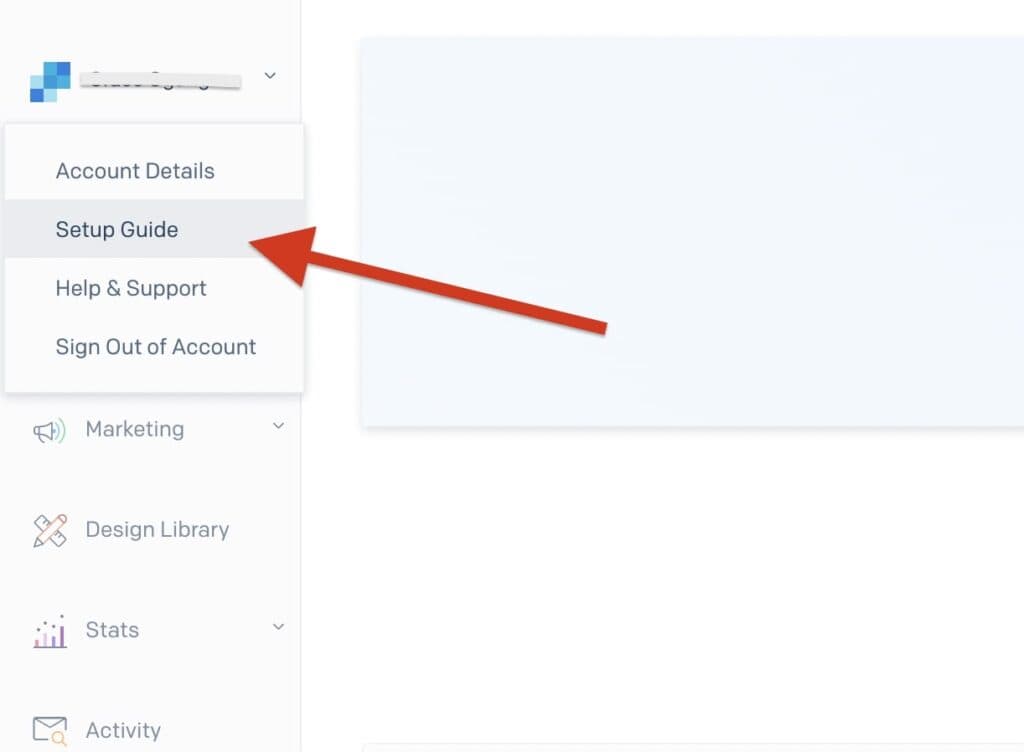
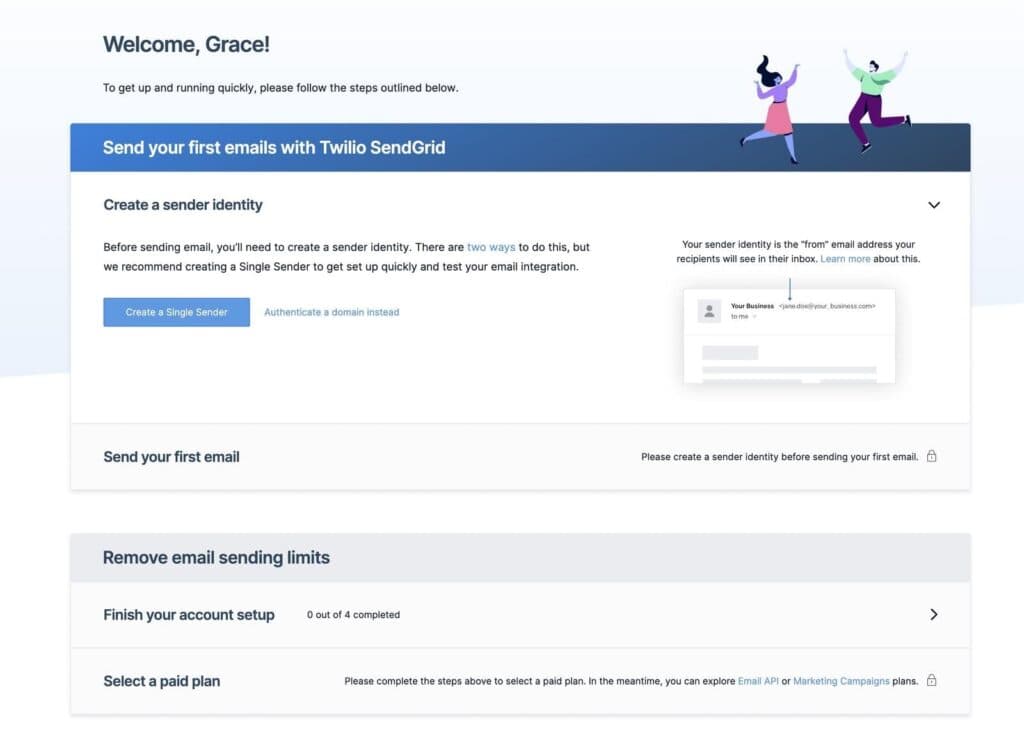
Once you click that, you will find an orderly guide to help you set up SendGrid from start to finish.
Live Chat
SendGrid offers a live chat option to paid users. Trying it out as a free plan user was next to impossible. However, my research showed that it takes about 3 minutes to connect with a service representative. That’s after getting through the bot, of course.
Phone Support
Only Advanced, Pro, and Premier customers are allowed to contact SendGrid via phone. This can be frustrating for lower-tier users that prefer to discuss their challenges over the phone. But my research found that the phone support is quite effective and timely.
Blog, Guides, and video tutorials
SendGrid has an elaborate blog that is updated with more than 12 posts per month. In the blog, users can stay up to date on virtually anything related to marketing, development, and business generally. The company also provides practical guides for users to learn how to build highly effective email marketing campaigns. Most guides are centered around very technical developments in the marketing industry, including privacy protection measures, performance metric calculations, etc. The video and podcast section of the company’s website is meant to address simpler issues and provide opportunities for a conversation with email marketing experts.

Phone Support
(303)552-0653
Ease of Use
SendGrid is a relatively simple solution to use. However, the setup can be a bit time-consuming. So, you might want to be a little patient if you want to enjoy the goodness of SendGrid. Here’s my experience with the software.
Setup
Setting up a SendGrid account goes beyond the regular sign up process seen in other email marketing tools. SendGrid, being a subsidiary of a big company, puts regulatory compliance at the center of its operations. So, after signing up, you will be required to provide more details about your business and how you intend to use the software in a healthy way. SendGrid collects this information via a form on the support page accessible from a ribbon right on top of your dashboard.

Audience building and segmenting
Adding a contact to your SendGrid account is one of the easiest things. However, there are limited options. You can only add contacts manually or upload a csv file. Excel and PDF are not supported. Once you have csv file for your contacts, the upload process is a breeze as shown in the video.
Drag-and-drop email editor
SendGrid has an impressive email editor. On setup, you can choose to build your email from scratch or from one of the dozens of templates on the platform. Whichever you choose, making the email your own is amazingly easy. The video here shows my experience.
Performance
The performance of an email marketing software matters to the eventual success of a business. SendGrid has offered this Holy Grail to top brands for a very long time and my tests have proven the same.
Deliverability
SendGrid is a robust tool that provides a deliverability testing tool for users to assess how likely it is for their emails to successfully reach the recipients. On testing my email on the platform’s tool, I found that all email service providers allowed my email to go right into the recipients’ inboxes. It doesn’t matter if it’s a B2B or B2C campaign, recipients’ inboxes you shall reach.

Features & Functionality
Using SendGrid has its perks. While many are offered by competitors, SendGrid built some features in an outstanding way.
Reporting and Analytics
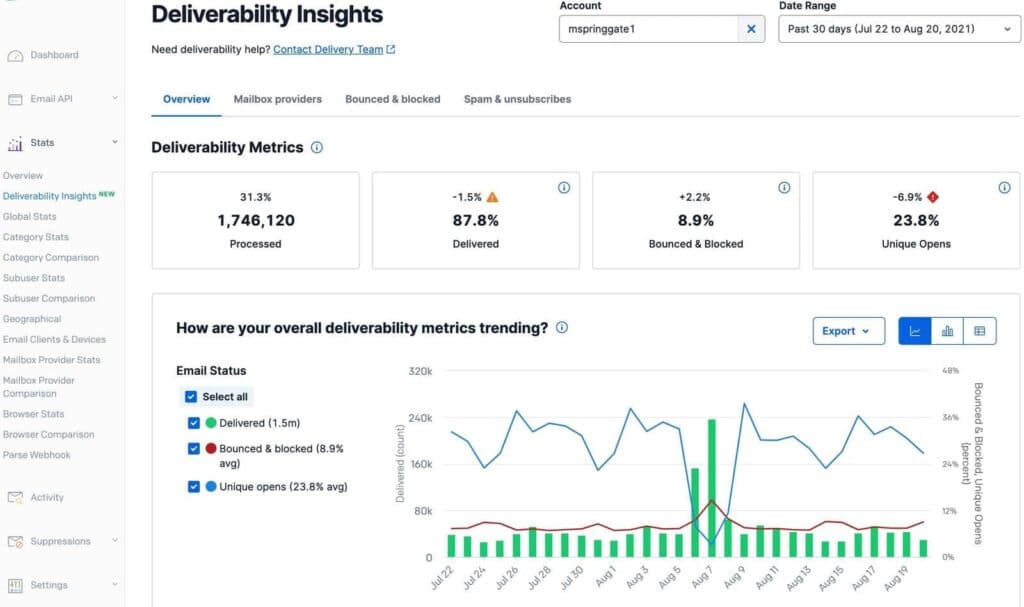
Not much difference between marketing blindly and not marketing at all. SendGrid makes it easy for marketers to assess the performance of their email campaigns and gain practical insights on how to engage their audience better.
Deliverability testing and optimization
SendGrid provides industry-leading email deliverability features. With SendGrid, marketers can be certain that most (if not all) of their email marketing campaigns will be delivered straight into the recipients’ inboxes. Not sure the same can be said of most competitors.
Mobile-friendly email design
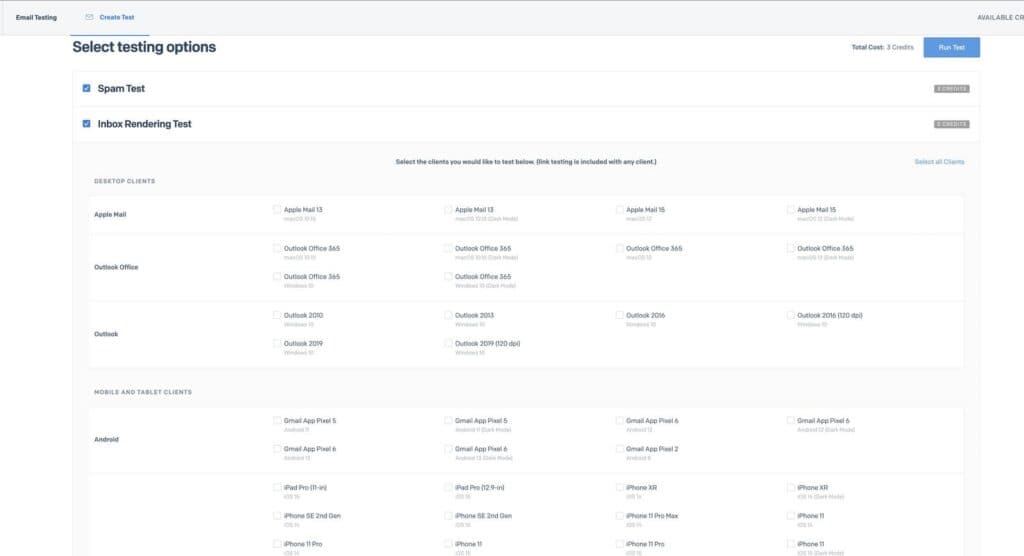
With a drag-and-drop email editor and loads of customizable templates, SendGrid is a mobile-first email marketing solution. Every email sent through SendGrid is responsive and optimized for a seamless mobile experience. Marketers don’t have to worry about how the message will look on the recipient’s end. Doesn’t matter the screen size and type of device, every email is delivered to fit.
Native App and Website Integrations
Big brands enjoy seamless email marketing experience across a suite of products. SendGrid makes this happen by providing Email APIs that let marketers communicate directly with customers right from their very own apps and websites. Marketers don’t need to move contacts around. Everything syncs smoothly with SendGrid.
A/B Testing
This feature is often considered a paid offer for many email marketing software providers. However, SendGrid makes it accessible to all users (free and paid). With the A/B testing tool, marketers can experiment between subject lines to identify the ones that inspire more engagement from their recipients.
Create visually appealing emails with design tools.
Features
- Image Library
- Multiple Users
- Gmail Import
- Sign-Up Forms
- Google Analytics
- Email Lists
- Segmenting
- A/B Testing
- Social Media Marketing
- Surveys
Verdict
Dozens of email marketing software but only SendGrid has made enterprise-grade email marketing solutions available to small and mid-sized businesses. Given that it offers a free plan and metered payment structure on its premium plans, SendGrid is a solution that’s suitable for all businesses regardless of budget.
However, I’d say that they could do more with their customer support offers. It feels like the customer service quality is for sale. Other than that, SendGrid is a remarkable product to use.
Unlike most email marketing software, SendGrid provides enterprise solutions to small and mid-sized businesses. Its email delivery optimization and authentication features make it possible for marketers to increase engagement and easily identify emails that aren’t going to be delivered. This can help businesses save costs since email marketing solutions are priced based on contact size and the number of emails sent.
Users Reviews
Be the first to write a review
Share your experience with SendGrid and help others choose the right software.