

Last updated: May 2025
Setmore scheduling software is a scheduling tool that allows businesses to manage their appointments online. As a meeting scheduler and calendar scheduler, Setmore allows you to easily create and manage appointments, sync your calendar across devices, and send automated reminders to clients. Customers can book appointments online 24/7, which can help businesses save time and improve efficiency. Setmore also integrates with other popular software programs, such as Google Calendar, which can help businesses keep their schedules organized. This Setmore review will explore the pricing plans, features, customer support, and performance of the scheduling software.
Plans & Pricing
- 24/7 Customer support
- Up to 4 users
- Up to 200 appointments
- Accept payments
- Custom booking page
- Available on iOS and Android apps
- Customized notifications
- Email reminders
- Integrates with other apps
- Everything in the Lite plan plus:
- Unlimited appointments
- 1-2 users
- SMS reminders
- Pro integrations with leading apps
- Recurring appointments
- 2-way calendar sync
- Remove Setmore's branding
- Donating 1% to plant trees
- Everything in the Pro plan plus:
- Unlimited users
* Featured prices can be updated and free offers may include additional terms.
Setmore offers three pricing tiers: Free, Pro, Team, and Enterprise. For the paid versions, the starting Setmore cost is $12/user/mo if you’re paying monthly or $5/user/mo if you’re paying annually.
- Free Plan: Just as it sounds, the free version is $0/mo/user and can accommodate up to 4 users. While the features are limited, there is still a large selection, and users get 24/7 support.
- Pro: Between $5/mo/user or $12/mo/user, depending on if you’re paying monthly or annually. This plan allows you to add up to 2 users and includes almost all the features and customer support.
- Team: $9/mo/user or $5/mo/user depending on monthly or annual billing, and can be used for an unlimited number of users. This includes even more features than the Pro plan and unlimited customer support.
Before committing, you can use the free version to see if the Setmore scheduling tool is the right fit for you and your business. You can cancel your subscription at any time and try any of the paid versions with a 30-day money-back guarantee if you’re not satisfied.
Expert Score
Pros
- Feature-rich free version available
- Integrates easily with 3rd party software
- Affordable premium plans compared to competitors
- User-friendly interface for users of all levels
Cons
- Occasional sync issues
- Limited reporting and analytics
Customer Support
Setmore offers a variety of customer support options, including online resources, email support, live chat, and phone support. They can be reached 24/7 via their online chat option, or you can schedule 1-1 demos with a specialist. The Setmore website is filled with additional resources like blogs, guides, and FAQs to assist with any extra questions or information you need.
Personal Experience of Customer Support
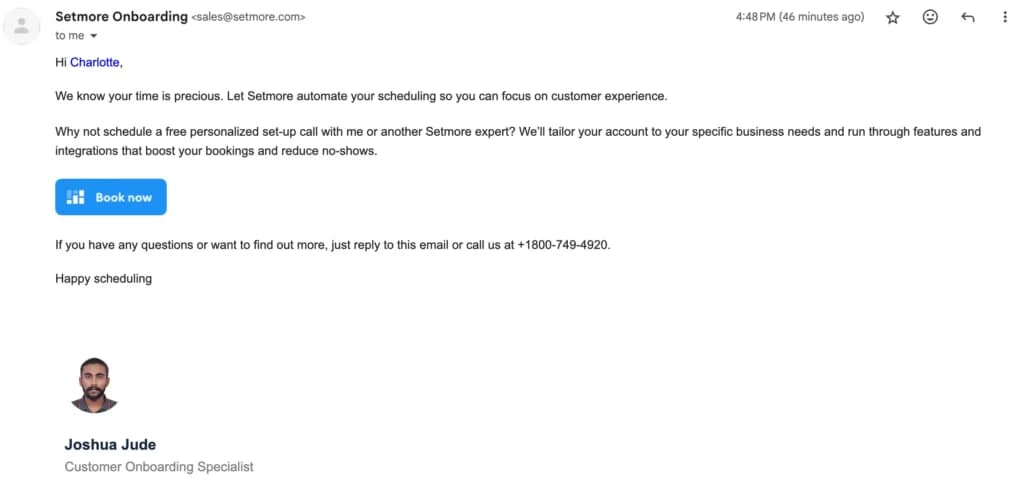
I used the online chat option to test Setmore's customer support. My question was about integrating Setmore with a specific third-party software. The chat representative responded within a few minutes and provided clear guidance on the integration process. They also offered additional tips and troubleshooting advice. Additionally, when I signed up for the free version, I received an email from an onboarding specialist asking me to schedule a free personalized set-up phone call. The email contained his work email and phone number, which added a nice personal touch. I always appreciate as much information as possible to contact support directly.
Phone Support
Phone support is available at this number +1 (800) 749-4920.
They can be reached via email at help@setmore.com.
24/7 Help & Support
24/7 support available via online chat.
FAQ
There is an FAQ section available on the site.
Blog
There are blogs and guides available on the site.
Live Online Chat
Live chat bubble is at the bottom right-hand corner of the site.
Video Tutorials
They have video tutorials on their official YouTube channel.
Ease of Use
Setmore is designed with user-friendliness in mind, making it easy for businesses and clients to navigate and use, even if they aren’t tech-savvy. The intuitive interface and clear layout allow for a seamless booking experience. Features like drag-and-drop scheduling and customizable templates further simplify the process. While some users may require a brief learning curve to fully utilize all the advanced features, Setmore's overall ease of use makes it accessible to a wide range of businesses.
There are onboarding specialists available to schedule demo phone calls to walk you through the set-up. They can assist with tailoring your account to your specific business needs and going through features to get the best use out of them.
Performance
Setmore's performance is generally smooth, with easy navigation and quick loading times on both desktop and mobile versions. However, like most things, the speed of certain features can be affected by an internet connection and the complexity of your scheduling setup. For instance, loading a calendar with numerous appointments and custom fields might take slightly longer on slower internet connections. In comparison to some other scheduling software that may experience lag or delays, Setmore's performance is generally reliable and efficient.
Features & Functionality
Setmore scheduling tool offers a wide range of user-friendly features to meet your business's appointment scheduling and management needs. Here’s a breakdown of some key features and functionalities:
- Online Scheduling Tool
- Calendar Synchronization
- Automated Reminders
- Customization Options
- Multi-platform Access
- Payment Integration
- Client management
- Marketing tools
- Multiple locations
- Resource Management
- Appointment Scheduling Pages
- Analytics and Reporting
- Class management
- Team Collaboration
- Third-party Integration
Online Scheduling Tool
This feature allows your clients to book appointments in advance directly through your website or the Setmore mobile app, 24/7, eliminating the need for phone calls and back-and-forth communication.
Calendar Synchronization
Setmore's calendar synchronization feature integrates your scheduling tool with Google Calendar. This ensures your appointments are always up-to-date and reduces the risk of scheduling conflicts. By connecting your accounts, you can manage your entire schedule from one location and enjoy a more organized and efficient workflow.
Automated Reminders
Automated email and text reminders about appointments, rescheduling, and cancelations can be sent to customers to reduce no-shows.
Customization Options
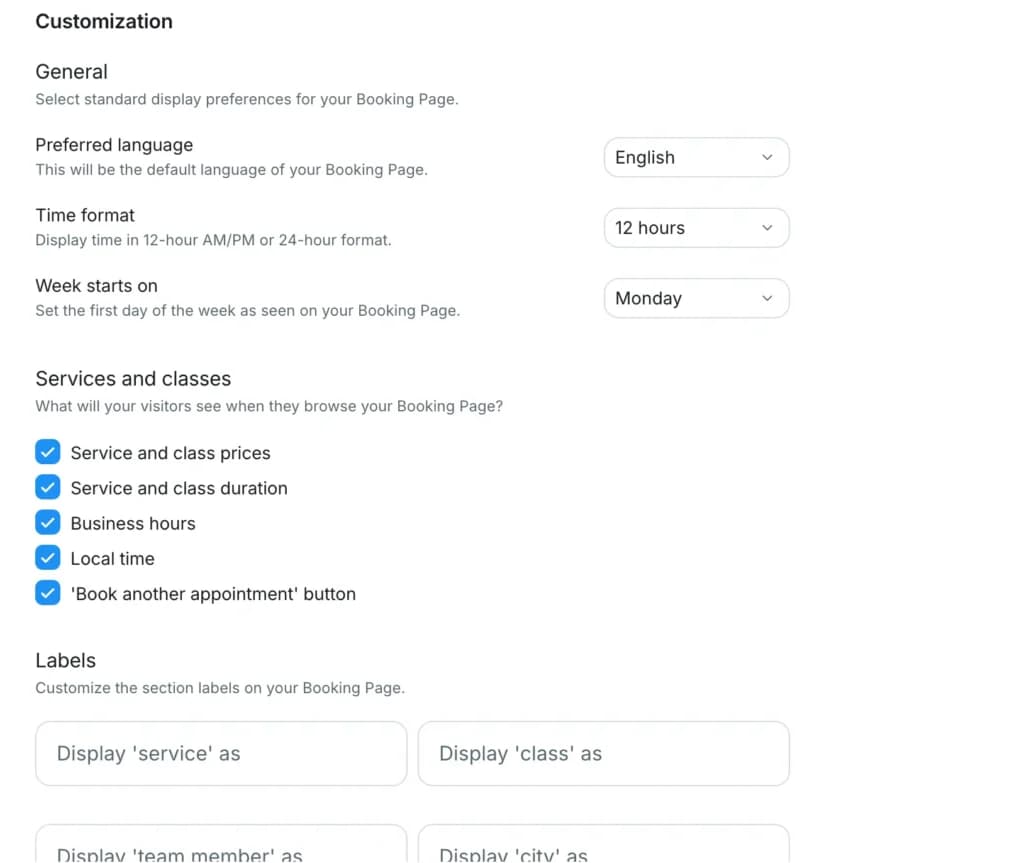
Tailor the booking experience by customizing the booking page, appointment types, email templates, and text messages to match your business's brand identity.
Multi-platform Access
Manage your schedule and appointments from both your computer and your mobile device using the Setmore app. This allows for greater flexibility and convenience, enabling you to stay on top of your appointments no matter where you are.
Payment Integration
This feature allows you to accept secure online payments directly through your booking page, eliminating the need for manual invoicing. Setmore also integrates with popular platforms like Square, PayPal, and Stripe, allowing for secure online payments.
Client Management
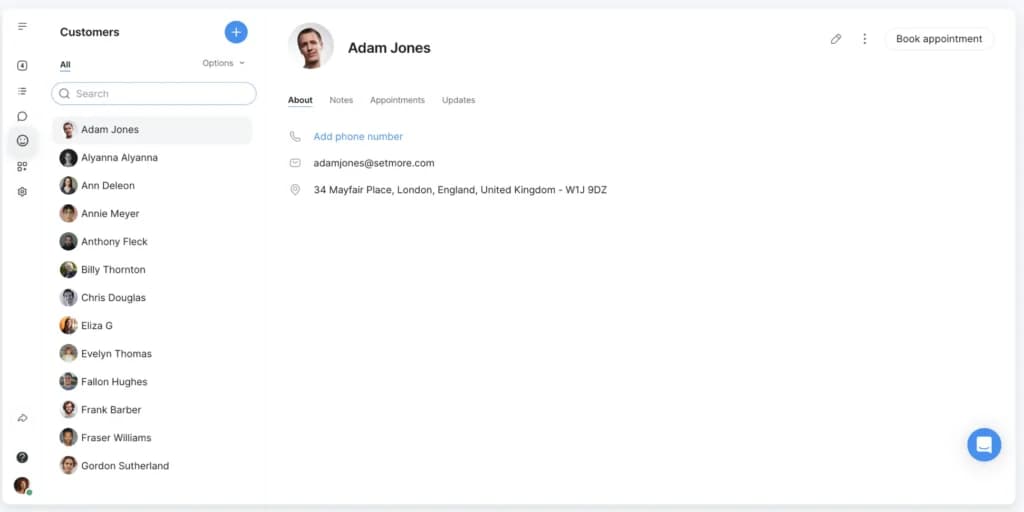
Customer profiles make it easy for you to manage contact information for your clients while keeping track of notes, appointments, and spending habits.
Marketing Tools
The Setmore scheduling tool can promote your services and attract new clients with built-in marketing features like custom booking pages and online reviews.
Multiple Locations
Schedulicity is working on releasing an official Multiple Locations feature, but until then, you can manage multiple branches by using service categories. Create categories for each location and assign services and providers accordingly. This workaround allows you to effectively manage appointments and resources across your multiple locations.
Resource Management
Provides the ability to manage resources such as meeting rooms, staff availability, and client appointments. Team members working hours, breaks, time off, and more can be managed in the settings.

Appointment Scheduling Pages
This feature allows flexibility with your clients to easily schedule appointments 24/7. Customize the booking page to reflect your brand and showcase your services. This eliminates the need for back-and-forth communication and streamlines the appointment booking process for both you and your clients.
Analytics and Reporting
Setmore integrates with Google Analytics, providing valuable insights into your booking page performance. Track key metrics like website traffic, appointment conversions, and popular booking times. This data will help you make informed decisions about optimizing your booking page and attracting more clients.
Class Management
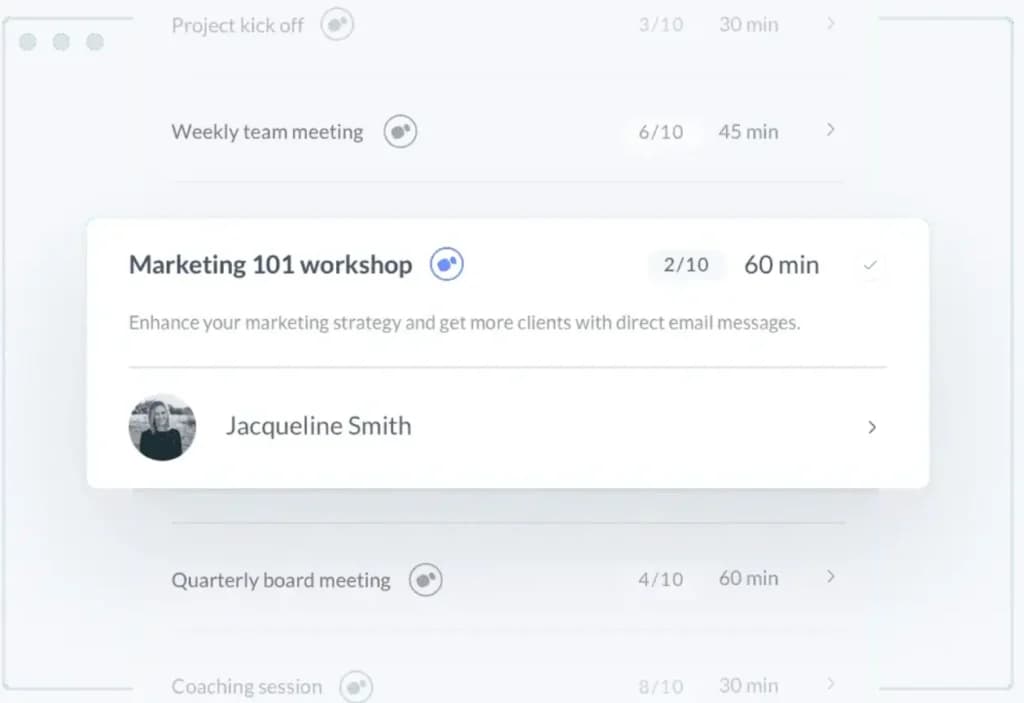
If you run a business that offers group sessions like workshops or fitness classes, Setmore's class booking feature is a lifesaver. You can create classes, set capacities, and manage enrollments all in one place. Clients can easily book their spots online, and you can receive automatic notifications when a new attendee joins.
Team Collaboration
Multiple users can collaborate by sharing schedules, assigning tasks, and managing bookings across teams or departments.
Third-party Integrations
Connect Setmore with your favorite tools like Google Calendar and Analytics, Zoom, Wix, PayPal and more. I realized that Setmore lacks a built-in waitlist feature, however, you can integrate a waitlist service with Setmore using Zapier.

Enhance scheduling capabilities with additional features.
Accessible across various platforms for versatile use.
Features
- Online Scheduling
- Calendar Synchronization
- Automated Reminders
- Customization Options
- Multi-platform Access
- Payment Integration
- Resource Management
- Appointment Scheduling Pages
- Analytics and Reporting
- Team Collaboration
Verdict
Setmore is a strong online scheduling tool that offers a comprehensive suite of features to streamline your appointment management. From customization options and integration capabilities to automated reminders and analytics, Setmore caters to businesses of all sizes. Its user-friendly interface and efficient performance make it a valuable asset for those seeking to improve their scheduling processes.
While Setmore excels in many areas, it's worth noting that the platform's performance can be affected by internet speed and the complexity of your scheduling setup. However, these limitations are outweighed by Setmore's numerous advantages, making it a strong contender in the online scheduling market. It’s always advisable to weigh the Setmore pros and cons.
In conclusion, Setmore is a reliable and versatile scheduling tool that can significantly enhance your business operations. Compared to similar scheduling tools, Setmore is fairly priced and even on the more affordable end. If you're looking for a solution to simplify your appointment management, automate tasks, and improve customer satisfaction, Setmore is worth considering.
Users Reviews
Be the first to write a review
Share your experience with Setmore and help others choose the right software.