

Last updated: November 2025
WorkZone's project management software is a well-balanced and highly-awarded platform that simplifies workflow and communications. They believe that the right features are better than more, so they suggest tools to meet your goals. It's the perfect project management solution for teams.
Plans & Pricing
* Featured prices can be updated and free offers may include additional terms.
WorkZone has three core pricing plans and each one is divided based on the features customers have access to. There are usage limits but they’re not the defining factor for each plan.
WorkZone is pricier than competitors with a similar feature set and it’s recommended that customers have at least five people using the software. That means the cheapest plan is around $200 and they’re all billed annually.
Expert Score
Pros
- Easy to get set up
- Solid core feature set to manage projects
- Time tracking that can be integrated with billing/invoicing software
- Employee workload tracking and optimization
Cons
- The application looks dated in some areas
- It’s more expensive than many comparable project management tools
Customer Support
Over the years, WorkZone has built a support system that works for it and its customers. You can contact them on multiple channels such as the phone during business hours or via email. It also provides a knowledgebase that covers most aspects of the platform. The support reps are knowledgeable and are able to solve most issues you may have.
Phone Support
Available for customers between 8 AM to 6 PM Monday to Friday
Email support is also available for all customers.
Ease of Use
WorkZone has a straightforward user interface that has little to no learning curve for most users. You just log in, create a task (or project), and get to work. Many people will appreciate this inherent simplicity which is in stark contrast to some of the larger project management software companies out there. Even though the most used features are simple to handle, the advanced features can be difficult to master. That’s where the help videos come into play. There are also times when the user interface looks dated which can be attributed to the fact that it’s been around since 2002 and has grown more slowly than some of the other hyper-growth project management tools.
Features & Functionality
WorkZone has been on the market for nearly 20 years. In that time, it has built a stable application with the core features you’d expect such as task management, assigning tasks, templates for projects, and a group calendar. It also has a few more powerful features that you won’t find in every project management platform.
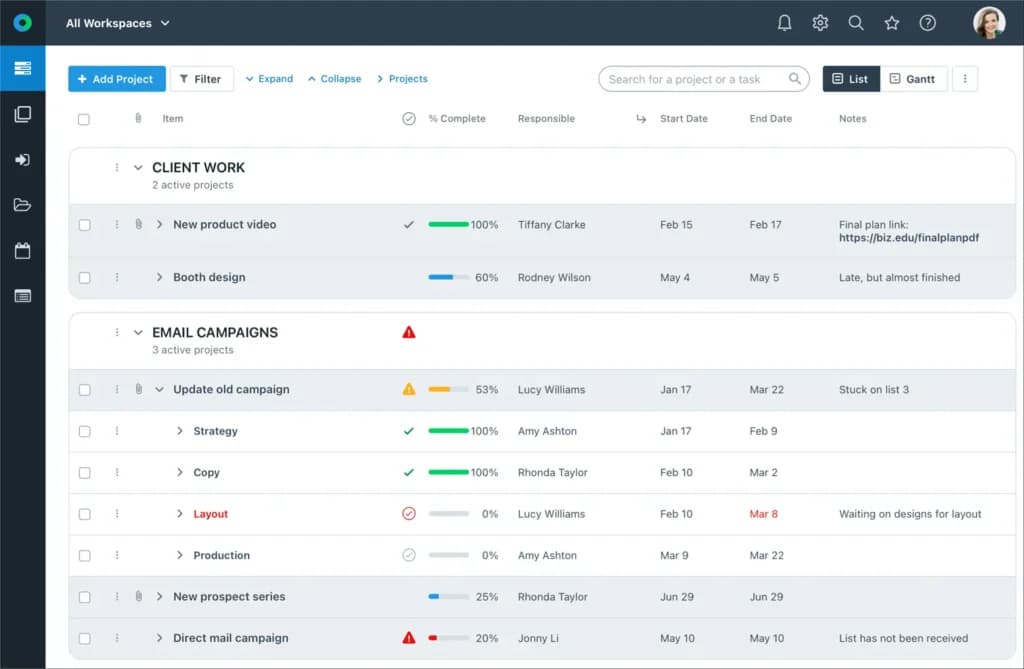
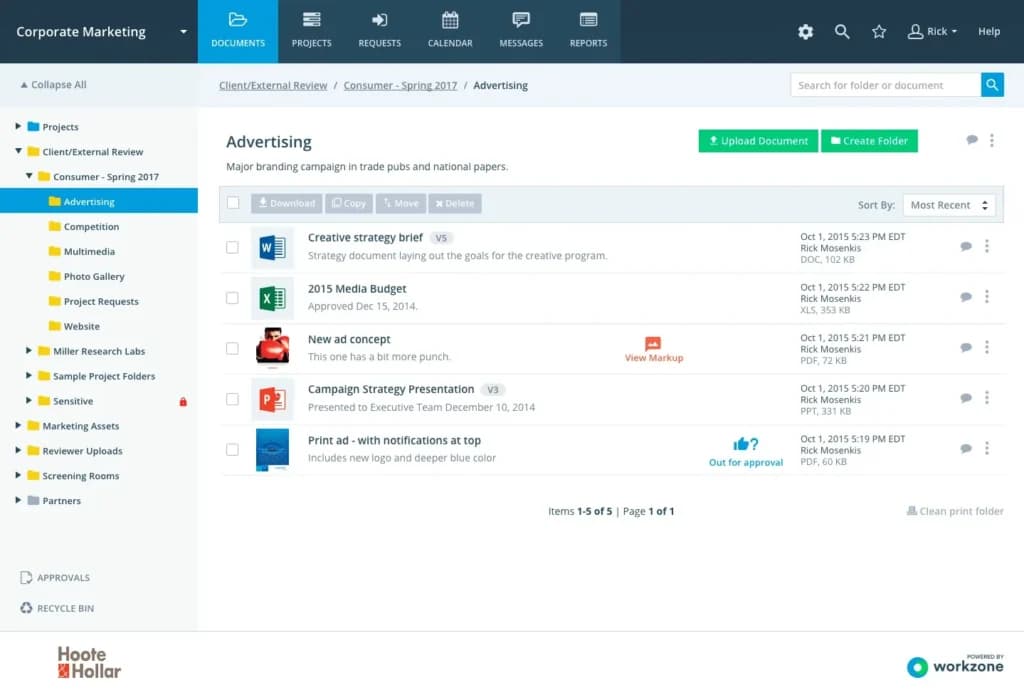
File Sharing
Teams can securely share, review, and approve files online, streamlining collaboration and reducing email clutter.
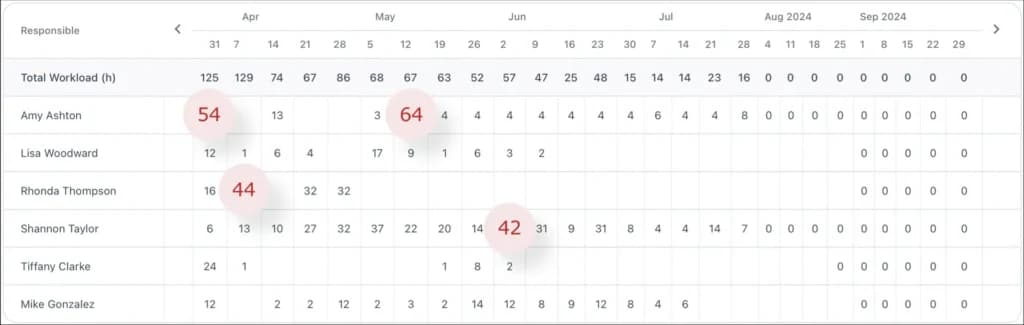
Workload reporting
You can plan the hours of work someone has been assigned and WorkZone will add those up and alert you based on who’s overburdened and under burdened. With these insights, you’ll be able to catch deadlines that may be missed due to an unreasonable workload and better spread out work across an entire team.
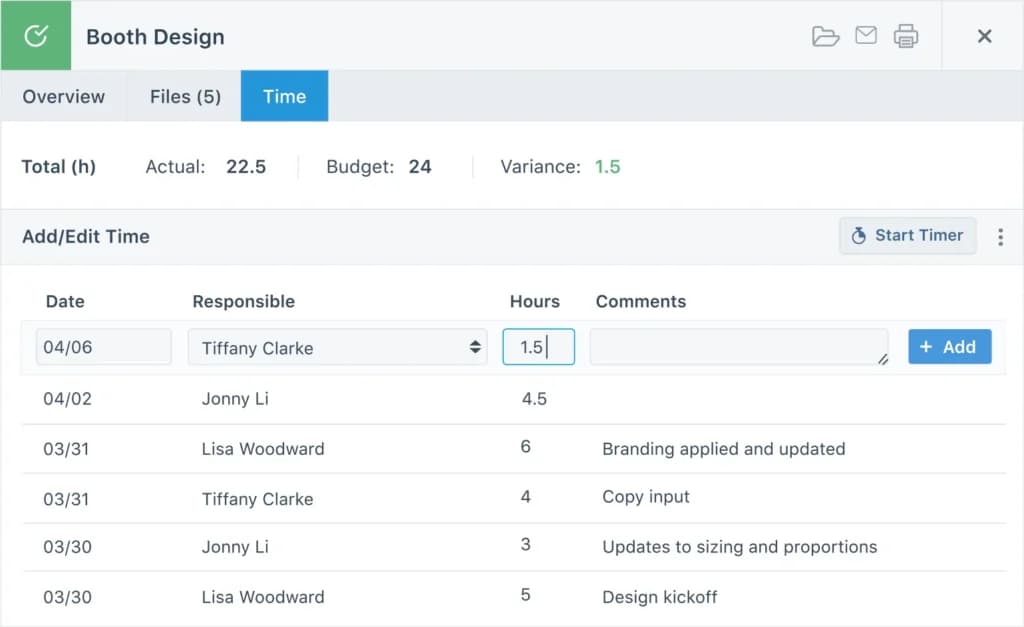
Time tracking
The time tracking tools allow you to set up a budgeted allocation of time, track it using simple tools, then compare the planned versus actual time used. You can then take the reports to optimize processes or turn them into invoices to bill clients for work done.
Approval workflows
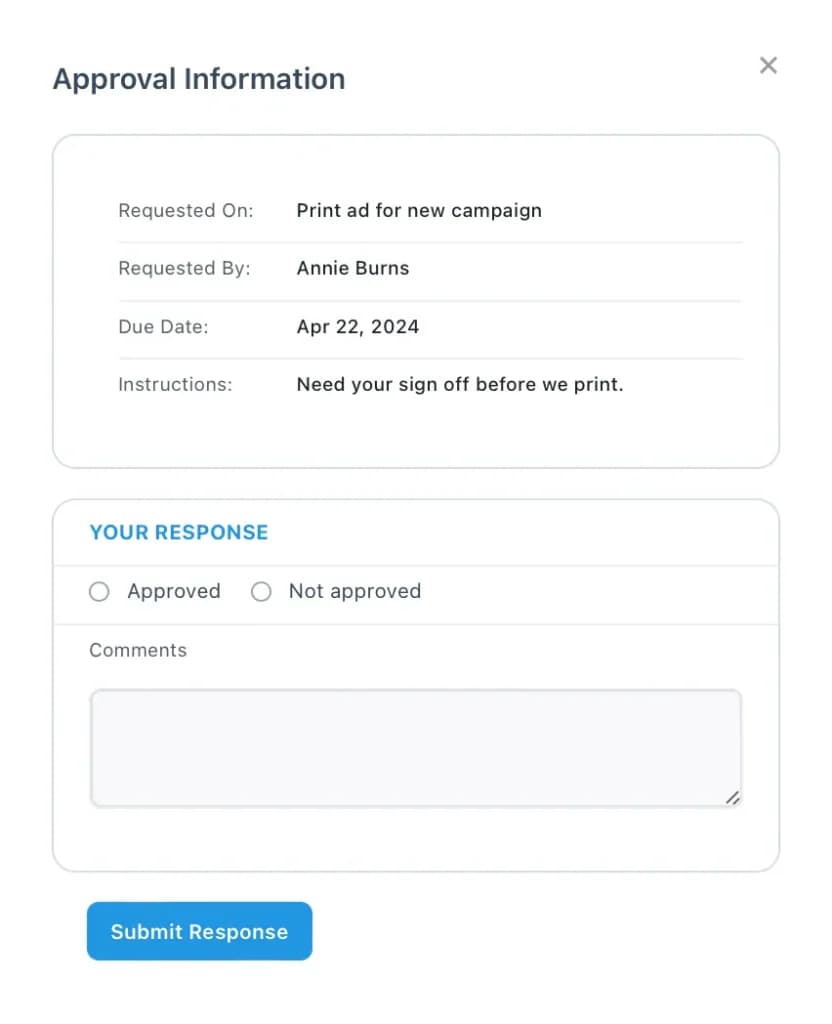
Build out automated approval processes that allow you to send tasks for approval, get feedback, record the approval trail, and even notify people when they’re overdue for approval. This helps you keep your company running like a well-oiled machine.
Dashboard
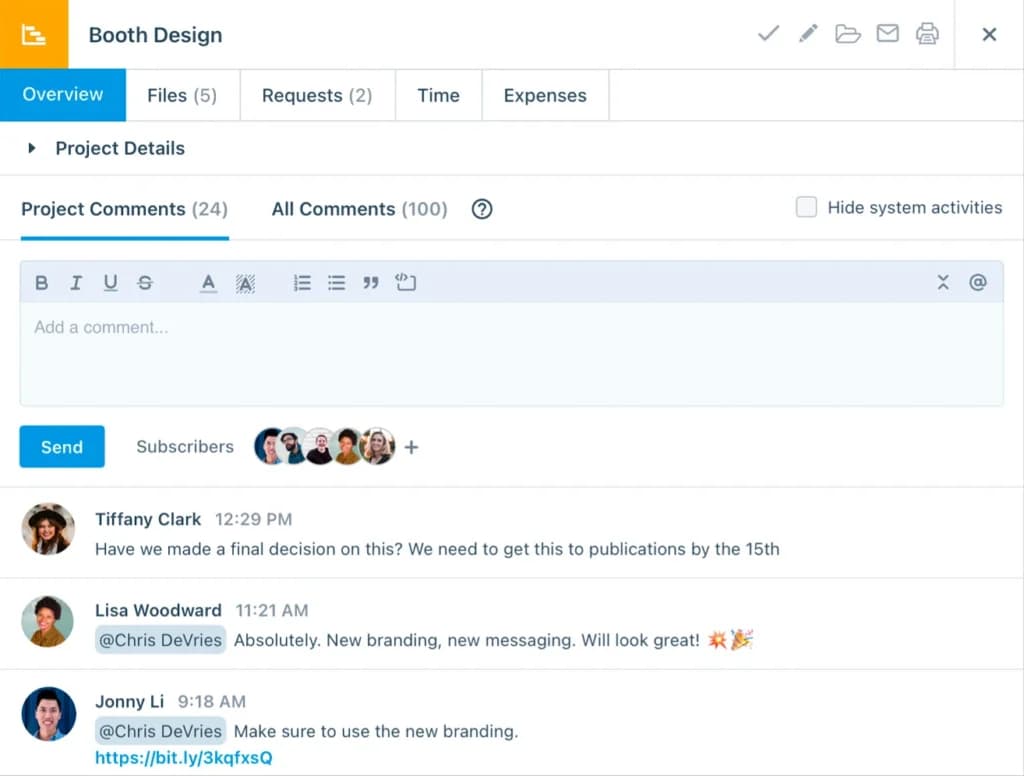
Enhance team collaboration with integrated communication features.
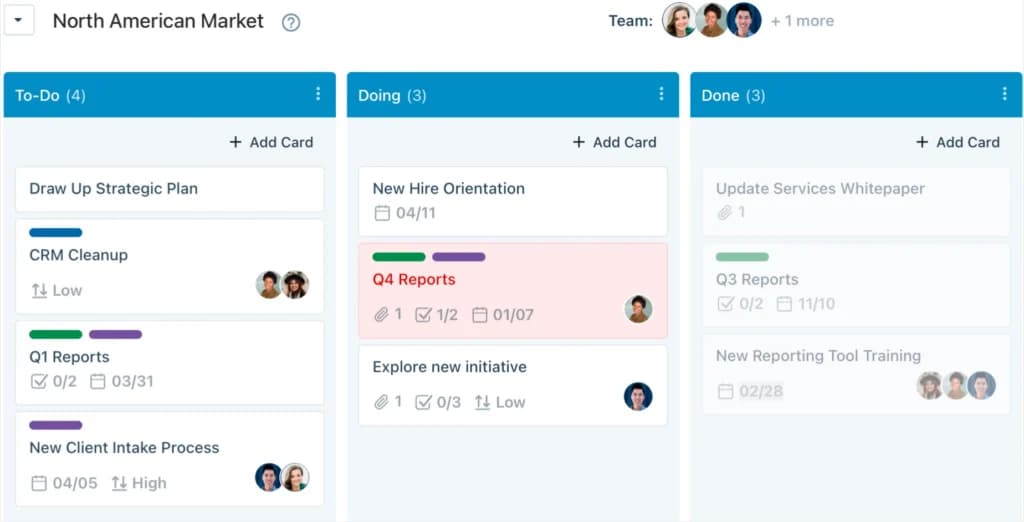
Task Management
Workzone’s task management enables teams to create, assign, and track tasks with due dates, priorities, and dependencies—ensuring nothing slips through the cracks and projects stay on schedule.
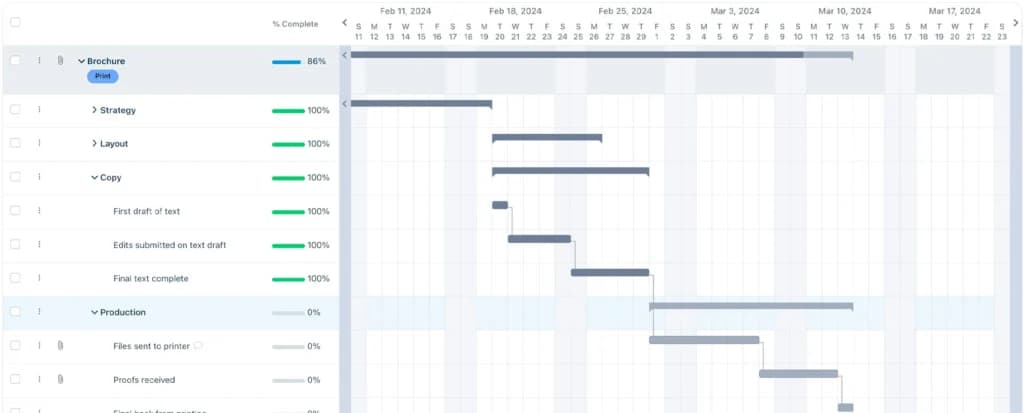
Gantt Chart
Workzone provides a clear, visual timeline of projects, allowing teams to instantly see task dependencies, deadlines, and progress across departments—all in one centralized view.
WorkZone has a mobile application for iOS and Android and a web-based application. Most of the action happens via the web browser. It's where you can access all of the features and set up some of the advanced workflows and customizations. Like similar project management tools, the application is compatible across almost every popular web browser.
The application also has a collection of direct integrations with third-party applications. These extend the software's functionality and make it easier for you to get meaningful work done. With that said, its integration ecosystem is limited compared to other project management tools, but it's extensible via a Zapier integration.
Features
- File Sharing
- User Access and Permissions
- Mobile App
- Search
- Multi-language support
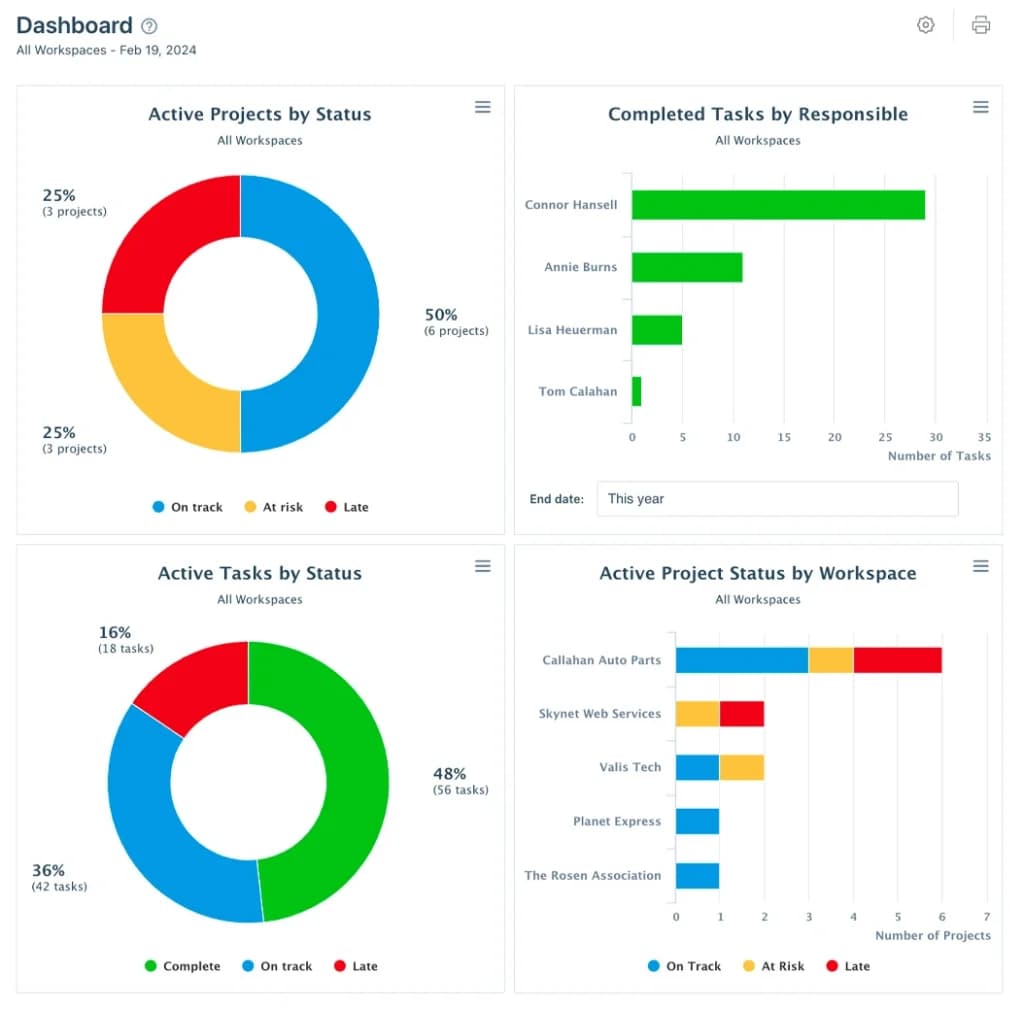
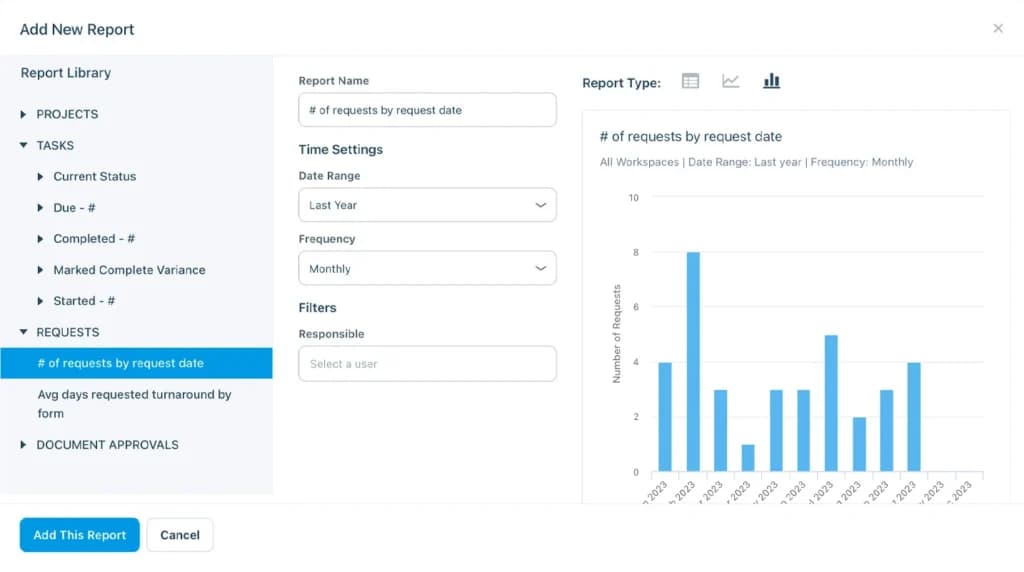
- Reporting and Dashboards
- Customization
- Storage Included
- Integrated Chat
- Notifications
Verdict
WorkZone has been around for nearly 20 years and, in that time, it has built a stable project management software solution used by thousands of customers around the world. It seems to be focused on allowing customers to focus on the core of project management without the clutter. This is reflected in its strict adherence to certain features within its application. These include limited project views, time tracking, workload tracking, approval workflows and automation, Gantt charts, and customization tools.
This approach, while effective for many, can feel like WorkZone isn’t innovating as fast as its competitors. This is only enforced by the UI looking dated in some areas. With that being said, if you want software that’s good at what it does, robust support options, and simple automation then WorkZone may be worth taking a closer look at.
Users Reviews
Write a review
Leave a review, help others get it right the first time.
2 Reviews
Riley M
Nice Software!
Allow teammates to be notified when their tasks are complete
- Templates are difficult to create and manage
Lena G
With Workzone its easy
Using Workzone makes it easy to manage tasks and import a checklist of information for a project. Communication with coworkers and the ability to upload photos and documents to a project are also valuable.