

Last updated: November 2025
Wrike stands out as a premier project management solution, empowering teams to visualize progress, collaborate in real-time, and tailor workflows to meet specific needs. Trusted by over 200,000 organizations worldwide, Wrike offers dynamic Gantt charts, intuitive Kanban boards, and customizable dashboards, providing unparalleled control and visibility over tasks and projects. Its robust integration capabilities and scalable architecture make it an ideal choice for businesses aiming to enhance efficiency and foster growth. In this Wrike project management software review, I'll discuss features, performance, customer service, and Wrike pricing.
Plans & Pricing
- Web, desktop, and mobile apps
- Board view
- Active task limitations apply
- Project & task management
- Table view
- 2-15 users
- Unlimited projects, tasks & subtasks
- Dashboard (1 per account)
- Automations (50 actions/user/month)
- Unlimited free viewers
- Integrations & open API
- 2 GB storage per user
- Folders structure & nested projects
- Unlimited custom fields
- Gantt charts, Calendar & Chart view
- Team plan features, plus:
- 5-200 users
- Unlimited request forms
- Unlimited Dashboards
- Resource & Capacity Planning
- Custom item types
- Real-time reports
- AI risk prediction & work creation
- Adobe Creative Cloud Extensions
- Project Blueprints, and more
- Team plan features, plus:
- 5 to unlimited users
- Two-Factor Authentication (2FA)
- Custom access roles
- Admin permissions
- SAML-based SSO
- Password policies
- Customizable user types
- User audit reports
- 10 GB storage per user, and more
- Enterprise plan features, plus:
- Advanced reporting & BI
- Team utilization and performance dashboard
- Automations (1500 actions/user/month)
- Bookings (project-level effort & time planning)
- Wrike Datahub (10,000 records)
- 15 GB storage per user
- Locked Spaces
- Advanced Resource & Capacity Planning
- Budgeting and billable hours, and more
* Featured prices can be updated and free offers may include additional terms.
I found five Wrike pricing plans, one of which is totally free. Plans are designed for different team sizes and different needs, and each is capped with a seat number. Paid plans are billed annually but priced per user per month.
All in all, Wrike’s pricing and available features are pretty similar compared to other project management apps. All paid plans offer a 14-day free trial.
Wrike offers several plans to accommodate different team sizes and project management needs:
- Free Plan: Designed for small teams or individual users, this plan includes basic task management and file sharing, supporting unlimited users.
- Team Plan: At $10 per user per month, this plan is suitable for teams of 2 to 15 users, offering enhanced collaboration tools and integrations.
- Business Plan: Priced at $25 per user per month, it caters to teams of 5 to 200 users, providing advanced features like custom workflows, real-time reporting, and more.
- Enterprise and Pinnacle Plans: These plans offer comprehensive solutions with advanced security and customization options. Pricing is available upon request tailored to your organization's specific requirements.
Expert Score
Pros
- Offers top-tier support for all users, but especially enterprise businesses and applications.
- Easy to integrate other tools with Wrike
- Very easy to use, even with the customizable dashboards
Cons
- Pricing could be better for smaller businesses
- The timer is task-based, not account-based, and it can be tricky for some to find
Customer Support
Wrike's commitment to customer satisfaction is evident through its award-winning service department, recognized for excellence in project management customer support. When I tested Wrike's customer support, I found it to be robust and multifaceted, catering to various user preferences. Wrike offers 24/7 assistance through multiple channels, ensuring that help is always within reach. Phone Support For users with Premium Support packages, Wrike provides a dedicated phone line, offering direct access to support agents. This feature is particularly beneficial for immediate assistance and complex inquiries. To verify the availability of phone support for your plan, it's advisable to consult your Order form or contact Wrike directly. Live Chat I found the live chat feature, accessible via the Help Center, to be a quick and efficient way to resolve issues. Starting with an AI-powered chatbot, it seamlessly transitions to a live agent if needed, providing real-time solutions. This service is available 24/5 for Standard Support users and 24/7 for those with Premium Support. Email Support Submitting a request through the Help Center's web form initiates email support. This method is suitable for non-urgent matters or when attaching detailed documentation. Responses are prompt, with Premium Support users receiving replies within an hour. Self-Service Resources Wrike's Help Center is a treasure trove of information, featuring a comprehensive knowledge base, interactive training modules, and a community forum. These resources empower users to find answers independently and enhance their proficiency with the platform.
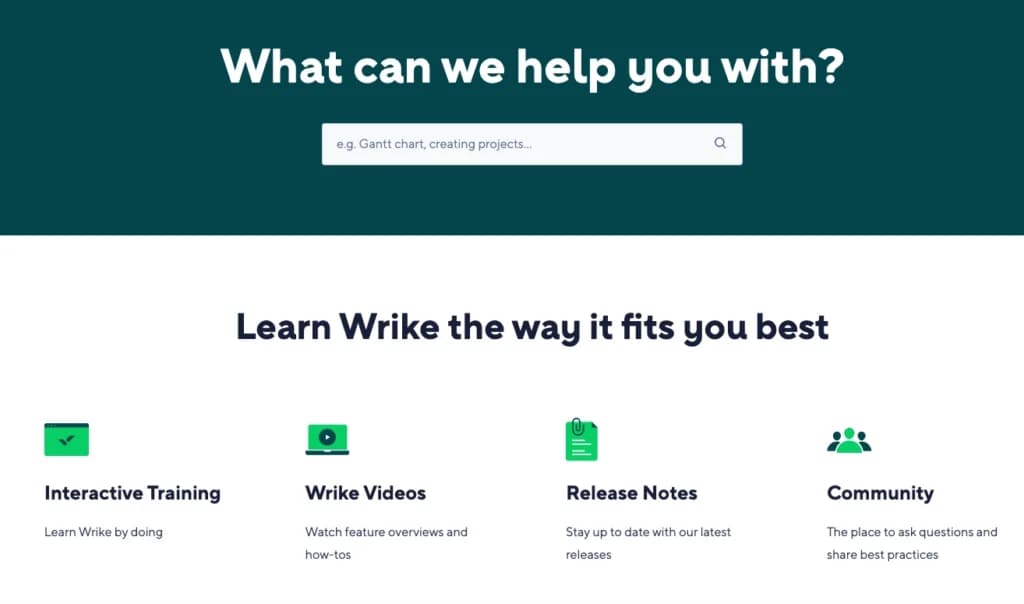
Additional Support Packages For businesses requiring specialized assistance, Wrike offers Premium Support and Premium Support Plus packages. These include benefits like a designated support team, governance support, and proactive issue monitoring. Such packages are often included in custom pricing for Enterprise plans, providing tailored support solutions.
Phone Support
Included for all users 24/7
All members get access to email support.
Live Online Chat
Live chat is available for all users.
Ease of Use
A Smooth Experience When I tried out Wrike, I was impressed by its clean interface and intuitive design. Navigating through the project management software felt natural, with bold lettering and logically structured menus that made it easy to locate features. Simple and Intuitive Navigation Wrike keeps things straightforward with well-organized menus and a minimal learning curve. The project management tools are easy to access, and the layout ensures that even new users can get started quickly. Customizable Dashboards for Better Visibility As a task management software, Wrike excels in providing customizable dashboards that are straightforward to set up. Team leaders and members can monitor project tracking software updates without feeling overwhelmed. Streamlined Task and Report Management The platform's best task management software features allow users to efficiently find their tasks, make adjustments, and submit reports, all from a few main screens. This ease of use makes Wrike one of the best project management solutions for small businesses.
Performance
From my experience, Wrike is one of the best project management solutions in terms of speed, reliability, and flexibility. It keeps teams organized, moves fast, and has the tools needed to stay ahead.
Speed and Responsiveness
When I tested Wrike, I was impressed by how fast and responsive the platform felt. Tasks update instantly, navigating between projects is smooth, and there’s no frustrating lag. Whether I was creating new workflows, adjusting project timelines, or pulling reports, everything ran without hiccups. Speed is a big deal in project management software, and Wrike keeps up with even the busiest teams.
Reliability and Stability
One thing I noticed right away is Wrike’s reliability. I never ran into crashes or delays, even when managing multiple complex projects. As a top project management tool, stability is key, and Wrike delivers. No matter how many tasks I had open, the system stayed responsive, making it easy to track progress and update projects in real time.
Features That Boost Productivity
What really sets Wrike project management software apart is its extensive features. I found the Gantt charts, dashboards, and task tracking tools especially helpful. The dashboards are customizable, so I could focus on key metrics, and Wrike’s automation features saved a ton of time on repetitive tasks.
Scalability and Integrations
Another thing I liked is how Wrike scales with a business. Whether you're running a small team or an enterprise operation, the platform adapts. Plus, it integrates with over 400 apps like Google Drive and Microsoft Teams, so it fits into existing workflows without hassle.
Features & Functionality
Wrike offers all paid plan members tools to organize, track, and report on various projects, as well as to streamline requests from both internal members and external clients or customers.
I tested out some of these features and I'll go into detail here:
- Customizable Dashboards
- Document collaboration
- User Access and Permissions
- Mobile app
- Multi-language support
- API / Integrations
- Reporting and Dashboards
- Customization
- Workflow Automation
- Time Tracking
- File sharing
- Resource Management
- Request Forms
- Search
- Proofing and Approval
- API / Integrations
Customizable Dashboards
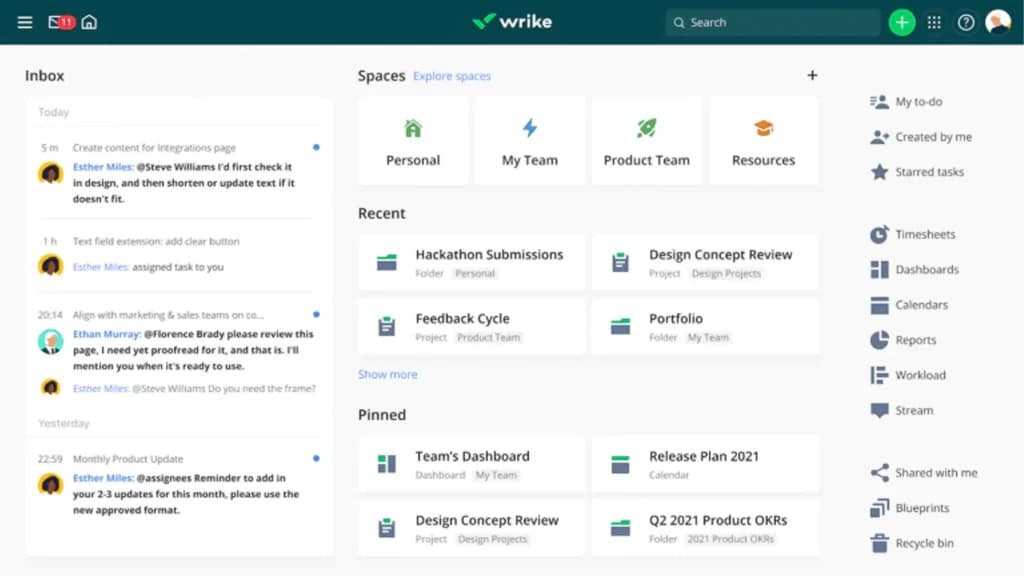
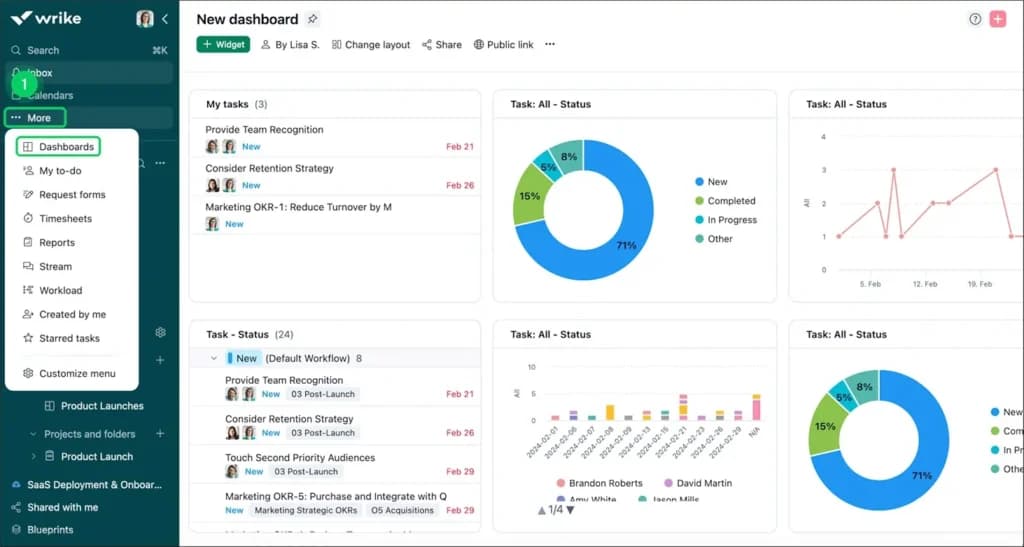
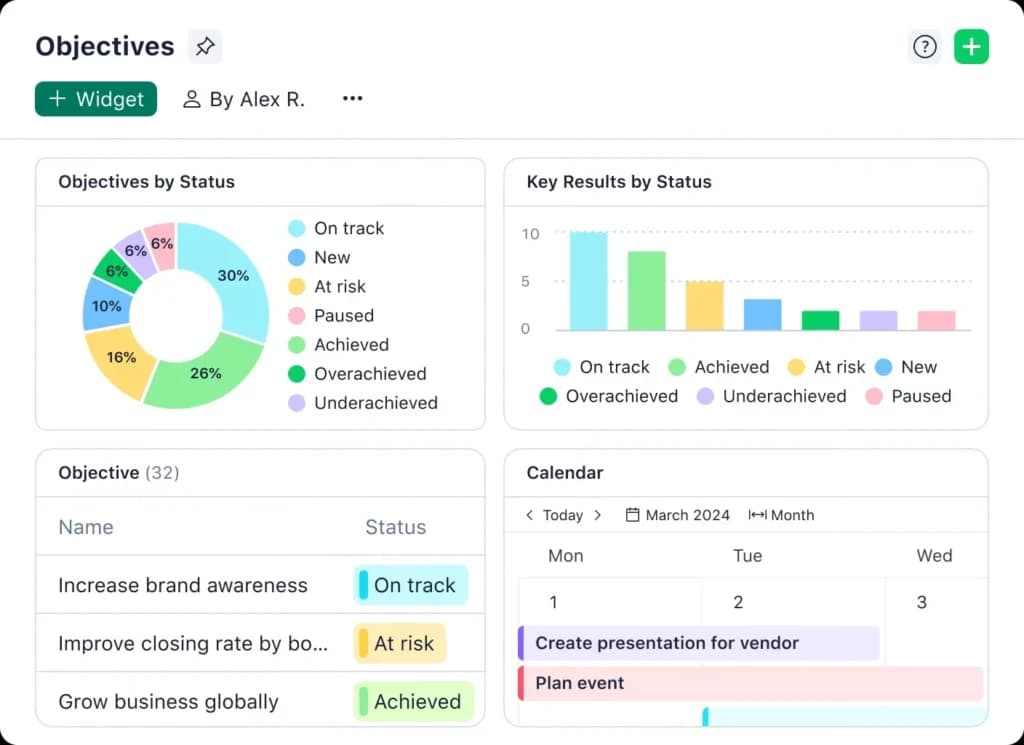
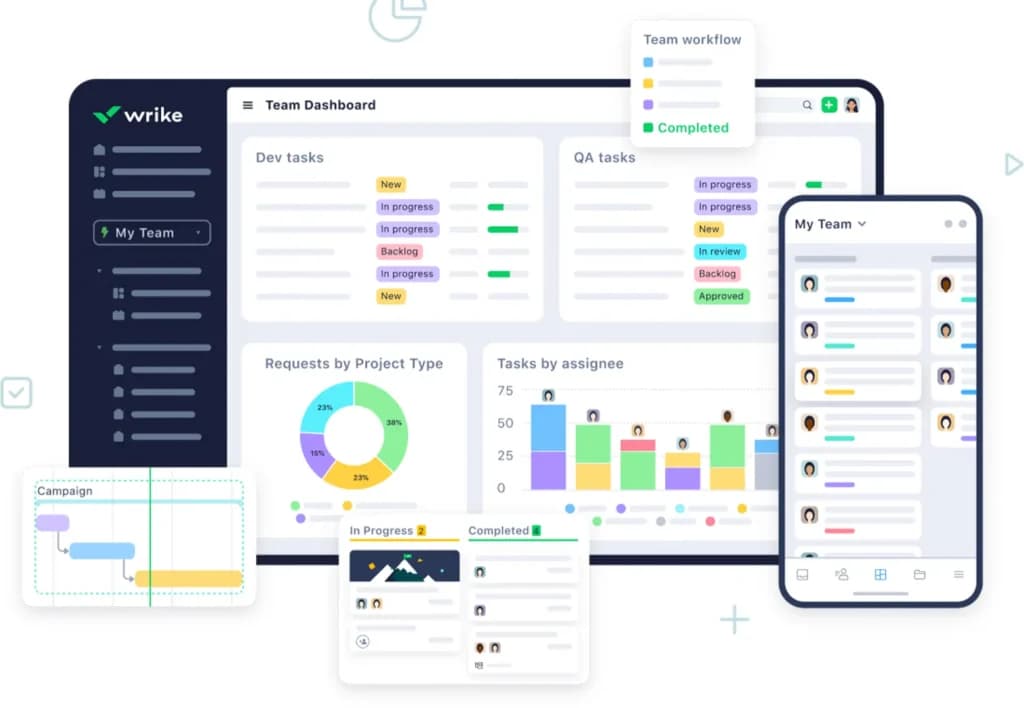
Wrike offers dashboards that can be tailored to unique projects or team members' needs. Dashboards can include widgets for real-time updates, graphs, and interactive reports. Real-time notifications can be added to any dashboard so nothing is missed by team leaders or key project workers.
When I tested Wrike’s customizable dashboards, I found them incredibly useful for keeping project details front and center. I could adjust them to display active tasks, upcoming deadlines, and team workload, making it easier to track everything at a glance.
For businesses handling multiple projects, this feature is a game changer. Instead of clicking through multiple screens, I had real-time data in one place, improving workflow efficiency.
Document Collaboration
Wrike’s document collaboration feature made working with my team seamless. I tested it by co-editing a project proposal within Wrike, and the ability to leave comments and tag teammates helped streamline feedback.
Unlike other project management platforms, I didn’t have to switch to another app to review documents. It kept everything centralized, cutting down on unnecessary back-and-forth communication.
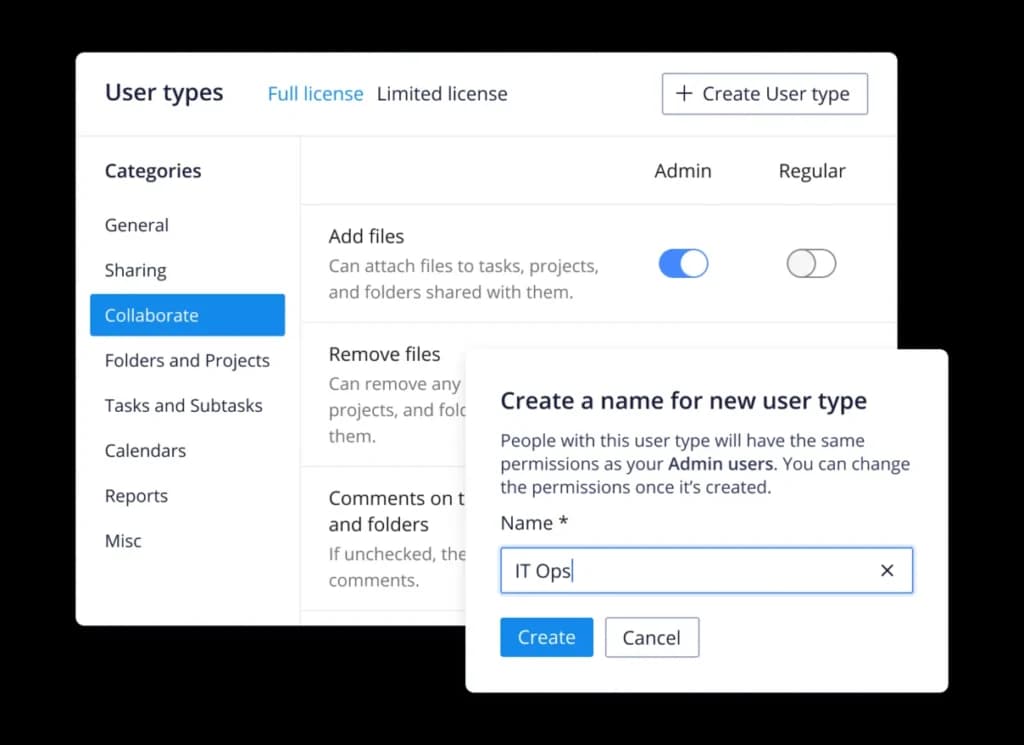
User Access and Permissions
Managing user access and permissions in Wrike was straightforward. I could control who had access to specific tasks, folders, and reports. For businesses handling sensitive information, this is crucial.
When I tested it with different roles, I found it easy to assign permissions, ensuring that only the right people could make changes. This feature helps keep projects secure while maintaining efficiency.
Mobile App
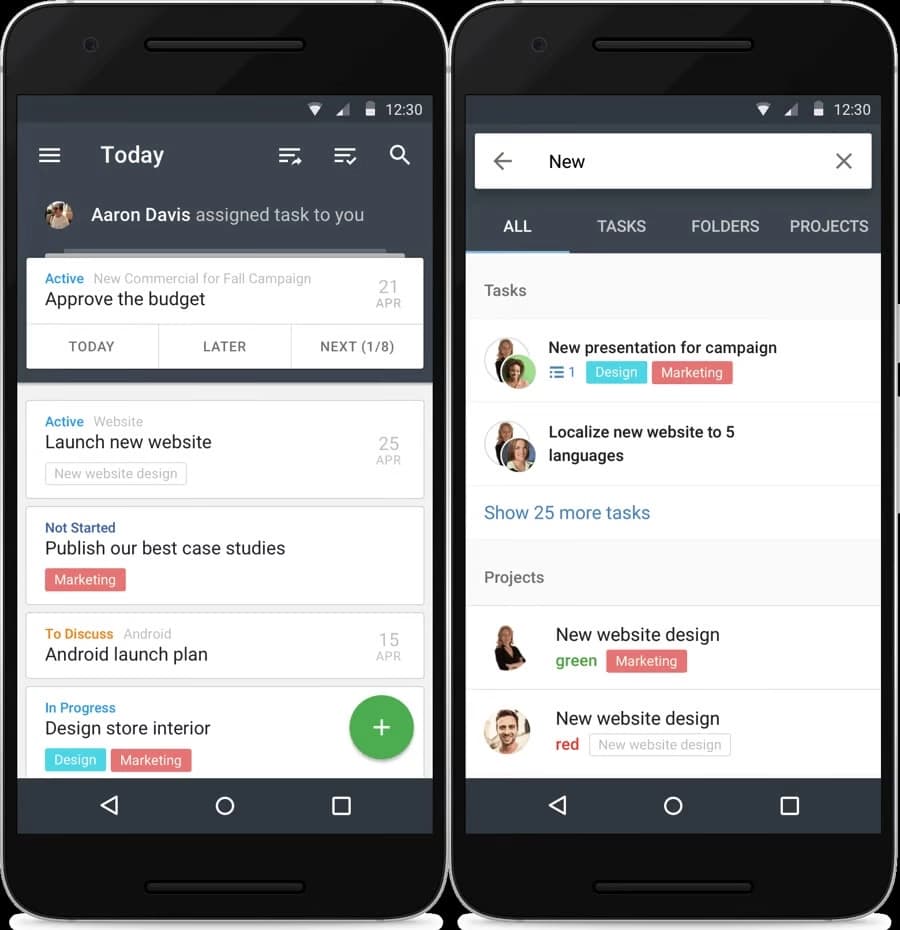
When I used Wrike’s mobile app, I was surprised by how well it mirrored the desktop experience. I could assign tasks, update statuses, and even view Gantt charts from my phone.
This was particularly useful when I was away from my desk but needed to check project updates. It’s one of the best project management software apps for staying connected while on the move.
Multi-Language Support
While testing Wrike’s multi-language support, I switched between different languages like French and Spanish to see how well the interface adapted.
Everything remained clear and easy to use, which makes Wrike a strong choice for global teams. Businesses working across multiple regions will appreciate how this feature ensures smooth collaboration without language barriers.

Reporting and Analytics
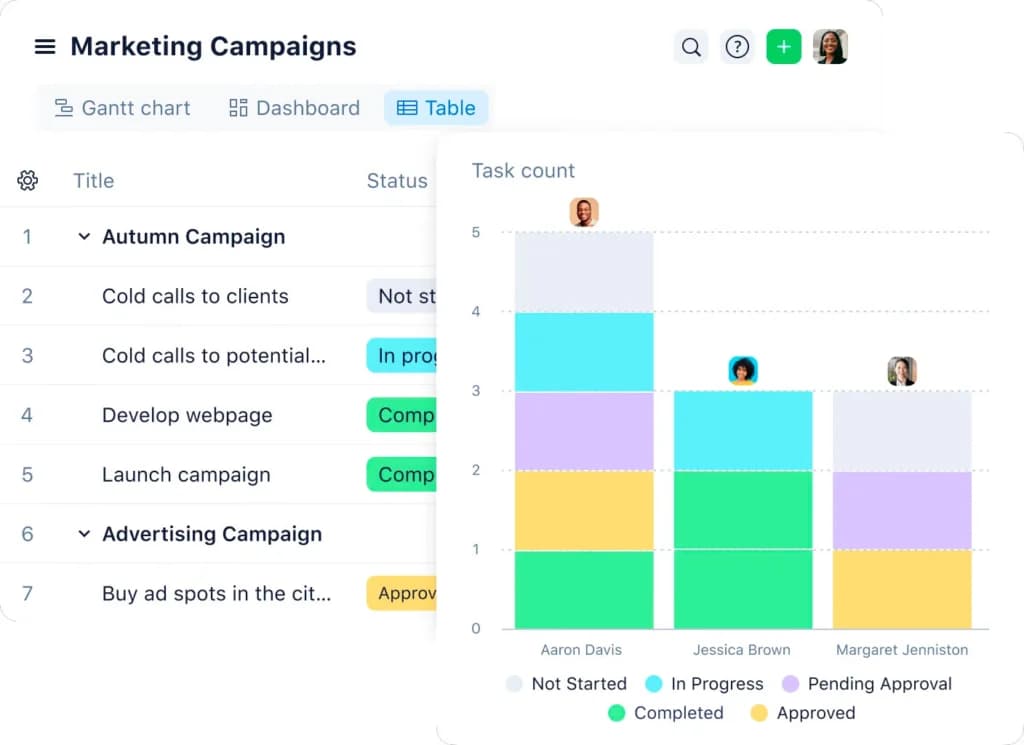
All users will be able to create reports using Wrike’s report wizard: A template-generator that allows you to build reports unique to your business or project’s needs. These can also be edited after creation, and there’s no limit to the number of report templates you can create.
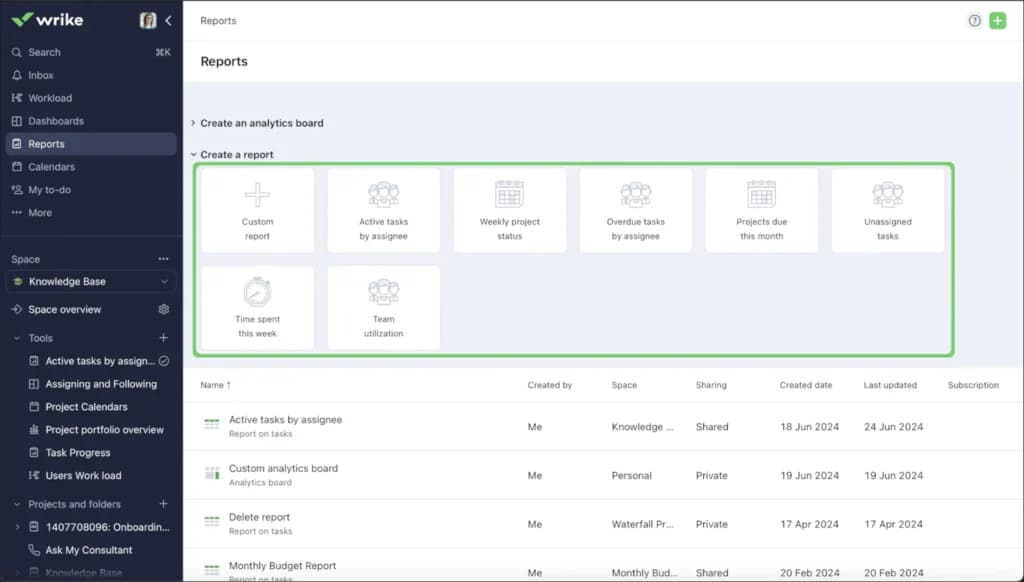
I played around with Wrike’s reporting and dashboards, generating real-time performance reports. The visual breakdowns — charts, graphs, and task completion trends—helped me quickly identify project bottlenecks.
If your business relies on project tracking software, Wrike’s reporting tools provide clear, actionable insights without the need for external analytics software.
Customization
What I liked about Wrike’s customization was how easy it was to tailor workflows. I set up custom statuses, automation rules, and personalized dashboards to fit specific project needs.
Unlike rigid PM software, Wrike adapts to different industries and team structures. Whether you’re managing marketing campaigns or IT projects, the ability to tweak everything to fit your workflow is a huge advantage.
Workflow Automation
Wrike's workflow automation streamlines repetitive tasks by automating processes such as task assignments and status updates. This reduces manual effort, minimizes errors, and allows teams to focus on more strategic activities.
For instance, I set up automation rules that automatically assigned tasks to team members based on project requirements, which significantly improved our efficiency.
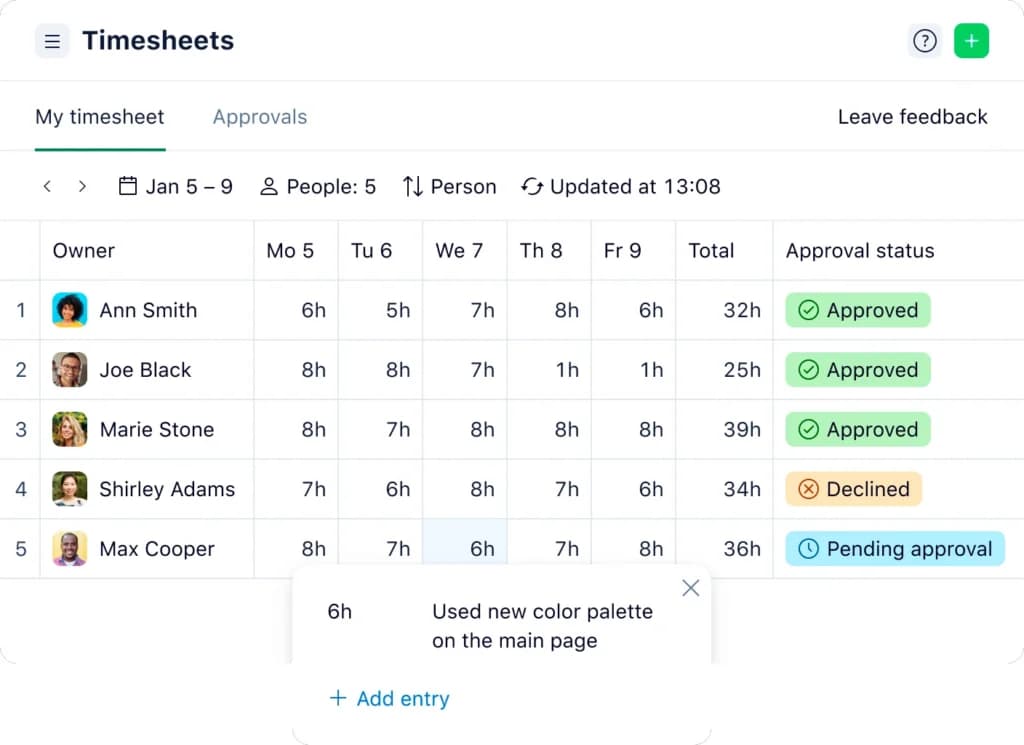
Time Tracking
The time tracking feature in Wrike enables users to log the time spent on tasks directly within the platform. This functionality provides valuable insights into resource allocation and project budgeting.
When I utilized this feature, it helped our team monitor productivity levels and identify areas where we could optimize our efforts.
File Sharing
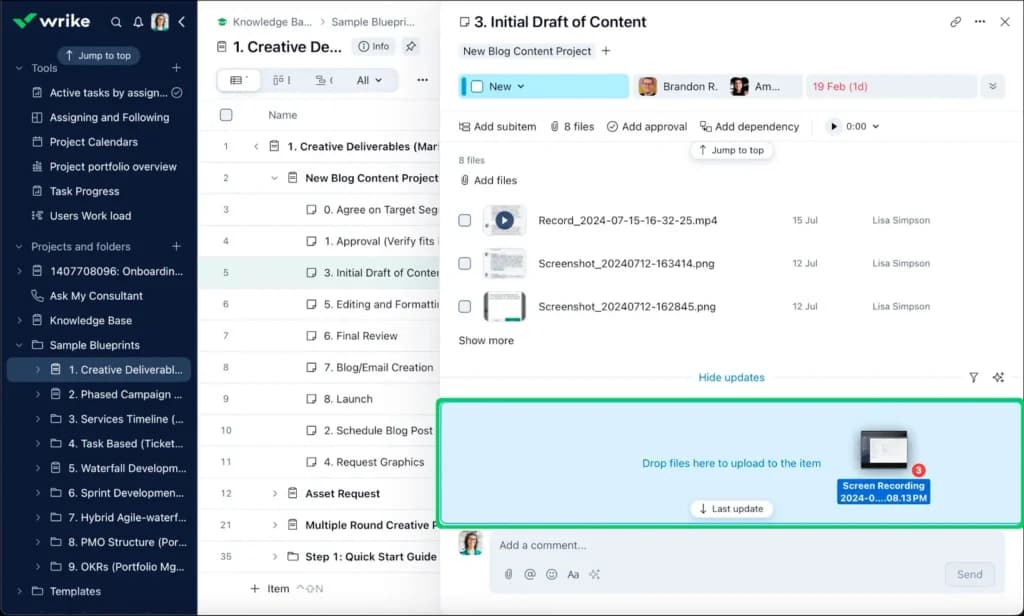
I tried Wrike’s file sharing by uploading project documents directly into tasks. It was simple—just drag and drop, and team members had instant access. What stood out was how easy it was to manage file versions.
No more endless email chains or searching for the latest draft. Everything was organized, and team members could comment directly on files, saving time and reducing confusion.
Resource Management
Wrike's resource management tools offer visibility into team workloads, allowing project managers to allocate resources effectively and prevent burnout.
By using this feature, I could balance workloads across the team, ensuring that no one was overwhelmed and that project deadlines were met efficiently.
Request Forms
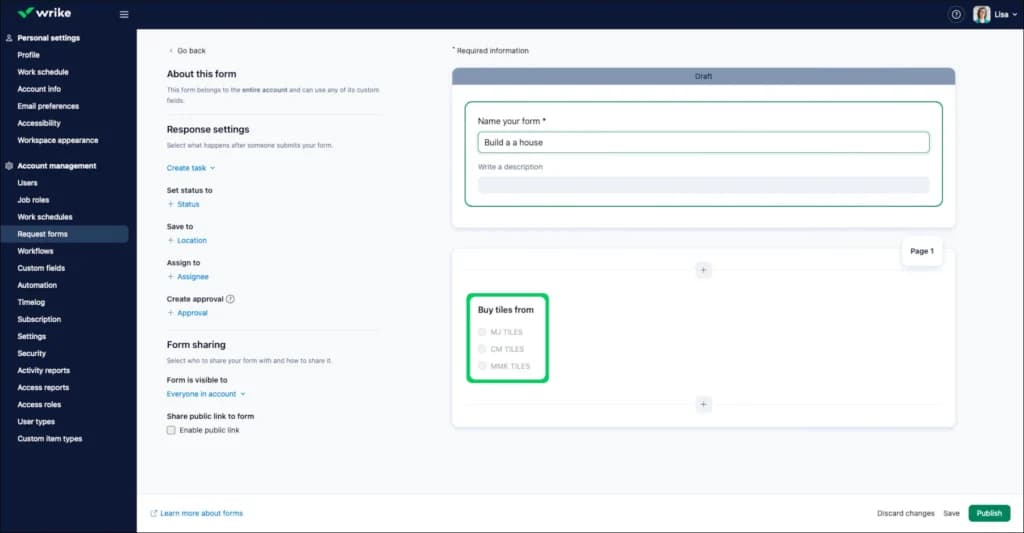
Wrike includes customizable request forms that standardize the way new tasks or projects are initiated. This ensures that all necessary information is captured upfront, reducing back-and-forth communications.
In my experience, implementing these forms streamlined our project intake process, leading to clearer expectations and smoother project kick-offs.
Search
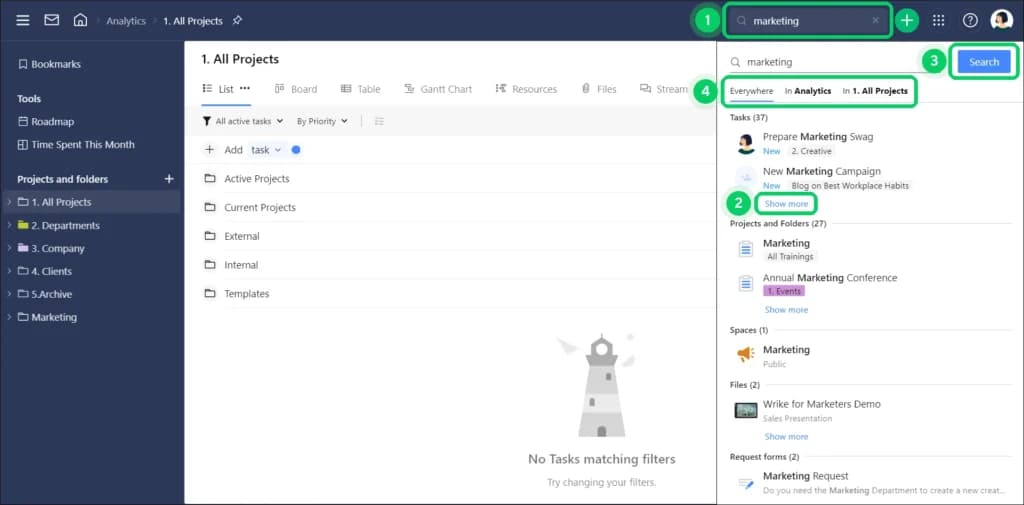
Wrike’s search function saved me a ton of time. I tested it by looking for specific documents buried deep in a project thread, and it pulled them up instantly. You can filter searches by project, assignee, and even file type. If you manage large projects with tons of data, this feature will make finding what you need effortless.
Proofing and Approval
The proofing and approval feature in Wrike facilitates the review process for digital assets by allowing stakeholders to provide feedback directly on the content.
This eliminates the need for lengthy email threads and ensures that revisions are clearly documented. When I used this feature, it accelerated our approval cycles and improved the quality of our deliverables.
API / Integrations
I explored Wrike’s integrations with tools like Google Drive, Slack, and Microsoft Teams, and they worked flawlessly. Connecting my existing workflows was smooth, and I could automate task creation through Wrike’s API.
This is a huge plus for teams that rely on multiple tools and want to consolidate everything within one project management app.
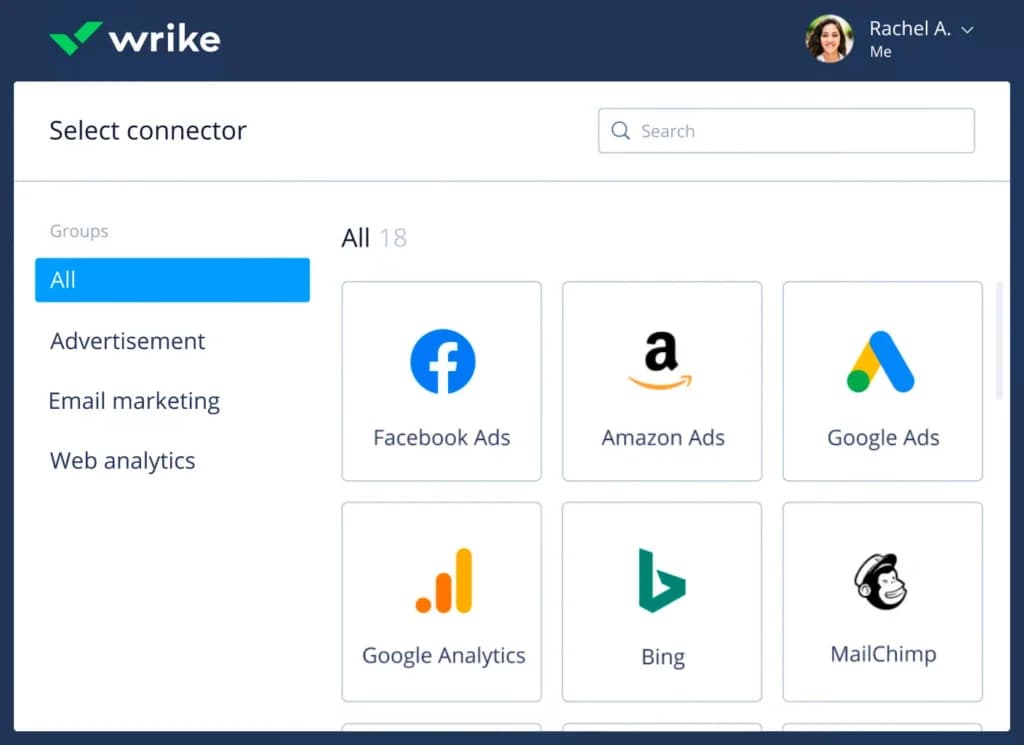
Enhance team collaboration with integrated communication features.
Gantt Charts
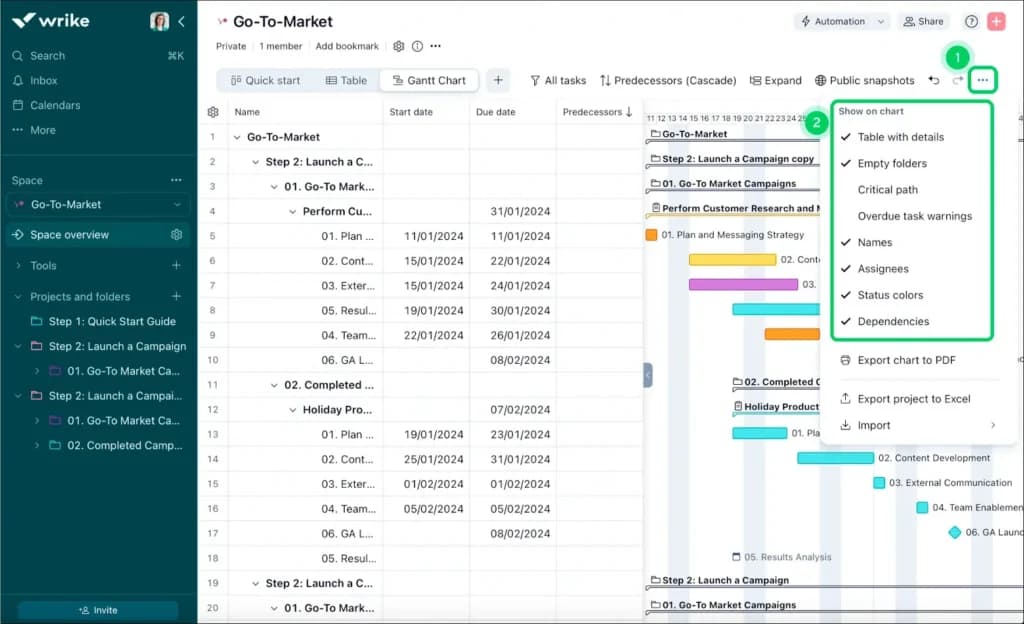
Wrike gives all paid members access to a Gantt chart view during meetings. This allows team members to visualize their progress and locate bottlenecks where progress might slow. The interface is intuitive and easy to alter for all team members, using a drag-and-drop interface. Teams are able to create custom workflows on this screen as well.
Wrike offers both the desktop interface and a mobile app for iOS and Android devices. Both screens are well-designed and optimized for desktop or mobile use, respectively. Users can work offline on their phone, then automatically update those hours the next time to connect to the Internet. The included Time Tracker is project/task-based instead of account-based.
Wrike is also available for most major browsers, including Chrome, Firefox, Safari, and Explorer.
Wrike Business users and above will gain Salesforce integration, although Wrike also has an open API. This allows dedicated teams to connect any tool or third-party platform they want to Wrike if they so choose.
Features
- File Sharing
- Document collaboration
- User Access and Permissions
- Mobile App
- Search
- Multi-language support
- Reporting and Dashboards
- Customization
- Storage Included
- Integrated Chat
Verdict
Wrike is a solid project management app that mid-sized and larger businesses will likely find extremely valuable, especially given its open API. It offers one of the best customizable dashboards systems you can find, plus excellent widgets and effective charts, task silos, and more.
Learning Wrike is quick, so teams can get started fast, and with 24/7 customer support, help is always available. If you’re looking for one of the best project management software solutions, Wrike delivers efficiency, flexibility, and scalability for growing businesses.
Wrike stands out with customizable dashboards, real-time collaboration, and seamless integrations with 400+ apps. Its scalability, automation, and open API make it a versatile project management tool for any business.
Users Reviews
Write a review
Leave a review, help others get it right the first time.
5 Reviews
Kimberley T
Marketing Manager
Our Marketing Team Love it
There are options to create projects based on team preferences as well as individual preferences (for example, I prefer to see tables, but others on the team prefer to see them in different formats).
- Whenever I send an email to vendors or colleagues not in Wrike, I have to forward their responses to the task. In response, their replies are buried in task comments, causing confusion among teammates.
Brittany C
Easiest collaboration interface on the market
You'll always have access to visual components, fluid project updates, and chat support to help you if you need it.
- New projects can be created and assigned by inexperienced users without providing any details or descriptions. This is a risk with any project management tool. I'd like to see a clear Change History of each task.
John V
I use Wrike, satisfied.
Easy access and excellent training! Every business can take advantage of project management. It is easier to build up your team using the blueprints (templates) that are ready-made and available.
Nicholas P
Seamless integration
Wrike integrates seamlessly with many of our existing platforms to ensure a smooth operation of tasks across departments. To ensure that nothing is lost in translation, and that we can review a record if we are unsure of what needs to be completed and what has already been done.
- Not enough integration options
Eva L
Satisfied with the product
I am very pleased with Wrike's product, which has helped our teams communicate better and create transparency.