

Top Adobe Lightroom Alternatives & Competitors in 2026
The best Adobe Lightroom AI Tools alternatives are Chatgpt Writing Tool, Base44, and Rytr, each offering seo optimization, with pricing from free.
The best Adobe Lightroom AI Tools alternatives are Chatgpt Writing Tool, Base44, and Rytr, each… Show more
The best Adobe Lightroom AI Tools alternatives are Chatgpt Writing Tool, Base44, and Rytr, each offering seo optimization, with pricing from free.
Starting from: $11.99/month
Lightroom Individual (1TB)
- Advanced editing features
- Great for beginners and professionals
- Free trial
- Incredible customer support
- Requires ongoing monthly payments
- Full features are available only with internet access
- Additional costs for more cloud storage

Starting from: $0/month
Picsart free
7-day FREE trial
- A wide variety of AI tools
- Thousands of premium design templates
- Free trial across all paid plans
- Simple user interface
- Limited free plan
- Works only online
- Limited cloud storage in the free and plus plan
![Facetune_l_2[1]_logo](https://assets.sonary.com/wp-content/uploads/2024/02/08174144/Facetune_l_21.svg?2026-07-20T14%3A01%3A10.085Z)
Starting from: $0/month
Facetune Free
- AI-powered styling and makeup
- Intelligent AI editing options
- Amazing filters and effects
- Extremely easy to use
- Has limited support options
- No customization options for the app
Adobe Lightroom is a AI Tools known for advanced editing features and great for beginners and professionals. However, businesses often look for alternatives when they need Requires ongoing monthly payments, more competitive pricing than $11.99/mo, or features Adobe Lightroom doesn't offer such as content personalization. Below we compare the 6 best AI Tools alternatives — ranked by overall rating, feature coverage, and value, so you can find the right fit for your business.

Firefly is a new online AI tool designed by the software giant Adobe. It is a part of the Adobe Creative Cloud suite and leverages artificial intelligence in its Firefly Image 3 Model. The… Read more
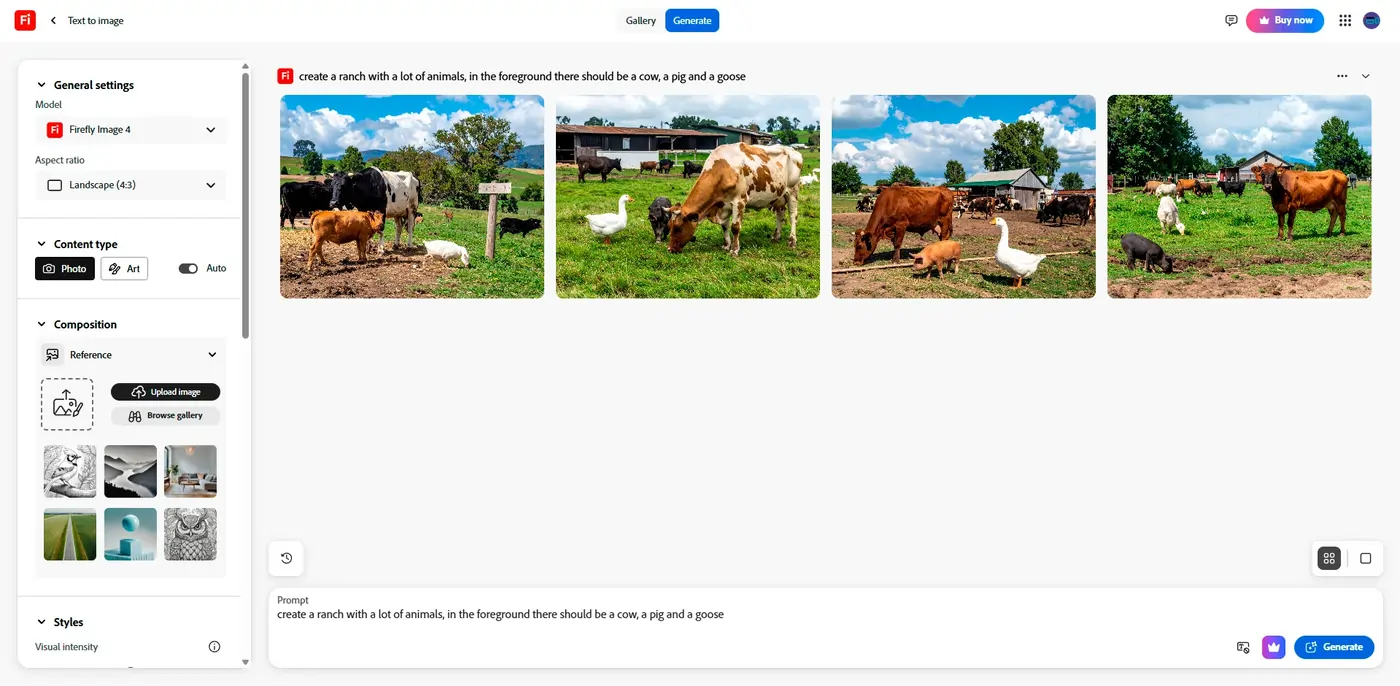
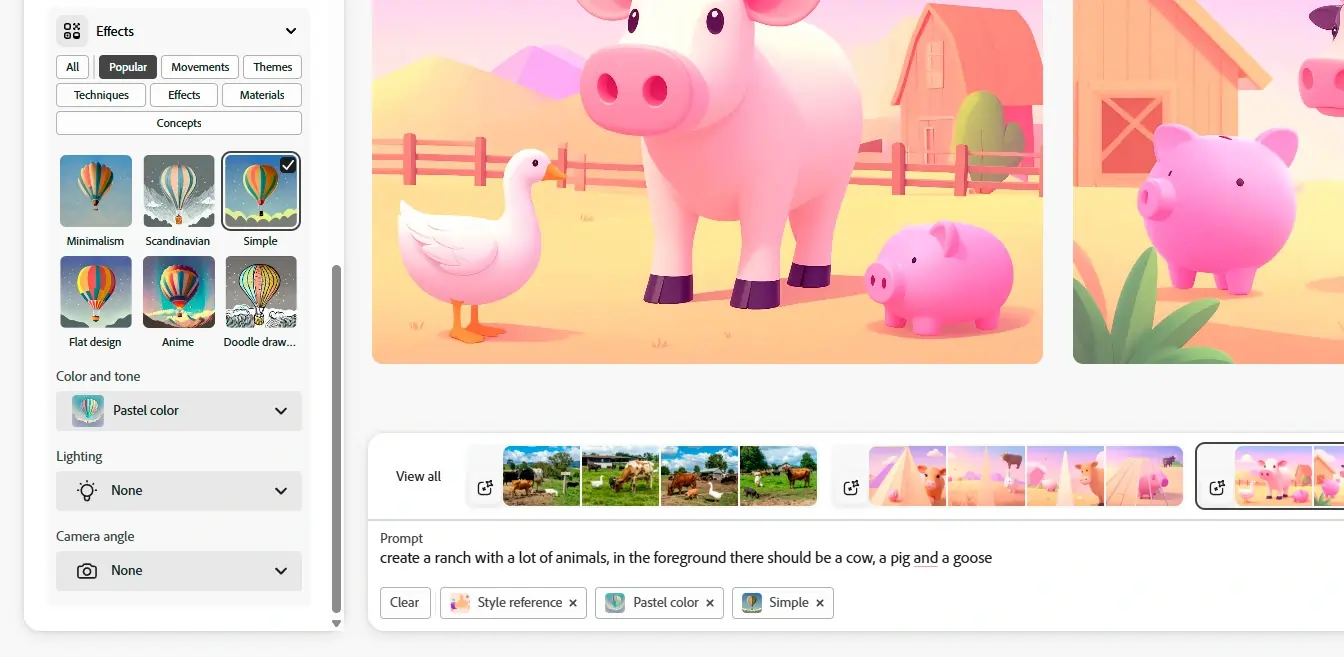
Firefly is a new online AI tool designed by the software giant Adobe. It is a part of the Adobe Creative Cloud suite and leverages artificial intelligence in its Firefly Image 3 Model. The web-based app can generate images from scratch based on text directions. Thanks to the generative fill feature, you can modify your images by switching, adding, and removing elements via text prompts. Adobe Firefly is a simple and powerful tool suitable for individual and commercial use!
Learn more in our full Adobe Firefly AI Image Generator review.
Pros & Cons
- Multiple variations of generated images on one prompt entered.
- Many effects and adjustments to choose from the camera angle to color variations.
- Can access the web-based app with portable and desktop devices. E
- dit your own images by removing, adding, or replacing certain areas.
- It takes a bit of patience to receive the result when generating images.
- Limited photo editing features, better for generating
- Live agent support isn’t easy to reach
Features
- Text-to-Image Generation
- Style Emulation
- Interactive Editing
- Web
- Windows
- macOS
- Android
- iOS
Pricing
$0
mo/
month
$4.99
mo/
month
Screenshots


Facetune is one of the most advanced AI-driven photo editing apps on the market; it’s an easy-to-use app that allows you to do everything - from removing blemishes to adding makeup, hair, and blemish… Read more
Facetune is one of the most advanced AI-driven photo editing apps on the market; it’s an easy-to-use app that allows you to do everything - from removing blemishes to adding makeup, hair, and blemish filters - in a matter of seconds!
Learn more in our full Facetune review.
Pros & Cons
- AI-powered styling and makeup
- Intelligent AI editing options
- Amazing filters and effects
- Extremely easy to use
- Has limited support options
- No customization options for the app
Features
- Object Removal
- AI Filters and Effects
- Background Replacement
- Pre-Built Templates
- Layer Support
- Android
- iOS
Pricing
$0
mo/
month
$19.99
mo/
month

For over three decades, Adobe Photoshop has set the benchmark in digital creativity, offering robust tools for designers and artists. With its latest AI capabilities, Photoshop simplifies complex… Read more
For over three decades, Adobe Photoshop has set the benchmark in digital creativity, offering robust tools for designers and artists. With its latest AI capabilities, Photoshop simplifies complex processes like image generation and content addition through features like Generative Fill and Generative Expand. These tools use the Adobe Firefly engine to enhance creative freedom and efficiency, allowing users to add or alter content with simple text prompts or to expand images seamlessly. Adobe Photoshop is known for its comprehensive toolset that caters to professionals at all levels, leveraging advancements in AI that have further solidified its role in enhancing creative workflows.
Learn more in our full Adobe Photoshop review.
Pros & Cons
- Enhance productivity and creativity, automating complex processes
- Produce high-quality results that blend with the original images
- Tools for mobile and web design
- Adobe Suite integration for easy workflow
- It may be too complex for basic editors
- No option for a perpetual license
Features
- Grammar and Style Checks
- SEO Optimization
- Plagiarism Check
- Collaboration Features
- Multilingual Support
- API Access
- Text Editing and Formatting
- Compliance and Security Measures
- Background Noise Reduction
- Green Screen
- Text-to-Video
- Object Tracking
- Pre-Built Templates
- Object Removal
- AI Filters and Effects
- Layer Support
- Text-to-Image Generation
- Scene Composition
- Style Emulation
- Interactive Editing
- Web
- Windows
- macOS
- Android
- iOS
Pricing
$14.98
mo/
month
$22.99
mo/
month
$37.99
mo/
month
$59.99
mo/
month

Videoleap is the ultimate all-in-one social platform for video editing and sharing. With millions of downloads and thousands of reviews, it’s one of the most advanced AI-based apps on the market.… Read more
Videoleap is the ultimate all-in-one social platform for video editing and sharing. With millions of downloads and thousands of reviews, it’s one of the most advanced AI-based apps on the market. Creators can effortlessly edit, share, use templates, and upload straight to social media. Videoleap by Lightricks caters to every creator’s video editing needs.
Learn more in our full Videoleap review.
Pros & Cons
- Projects are immediately stored, even while editing
- Ability to see and use other creator's templates
- Uses the latest AI tools in the industry
- User-friendly timeline
- Not supported on Windows or Mac
- Prices are on the high-end
- Watermark on the final outcome of the free version
Features
- Background Noise Reduction
- Green Screen
- Text-to-Video
- Object Tracking
- Pre-Built Templates
- Android
- iOS
Pricing
$119.99
yr/
year
$10
mo/
month
Firefly is a new online AI tool designed by the software giant Adobe. It is a part of the Adobe Creative Cloud suite and leverages artificial intelligence in its Firefly Image 3 Model. The… Read more
Firefly is a new online AI tool designed by the software giant Adobe. It is a part of the Adobe Creative Cloud suite and leverages artificial intelligence in its Firefly Image 3 Model. The web-based app can generate images from scratch based on text directions. Thanks to the generative fill feature, you can modify your images by switching, adding, and removing elements via text prompts. Adobe Firefly is a simple and powerful tool suitable for individual and commercial use!
Learn more in our full Adobe Firefly AI Image Generator review.
Pros & Cons
- Multiple variations of generated images on one prompt entered.
- Many effects and adjustments to choose from the camera angle to color variations.
- Can access the web-based app with portable and desktop devices. E
- dit your own images by removing, adding, or replacing certain areas.
- It takes a bit of patience to receive the result when generating images.
- Limited photo editing features, better for generating
- Live agent support isn’t easy to reach
Features
- Text-to-Image Generation
- Style Emulation
- Interactive Editing
- Web
- Windows
- macOS
- Android
- iOS
Pricing
$0
mo/
month
$4.99
mo/
month
Screenshots

Picsart is one of the most comprehensive online video editing apps. Aside from must-have photo editing features, Picsart offers a variety of powerful AI tools that enable users to create visually… Read more
Picsart is one of the most comprehensive online video editing apps. Aside from must-have photo editing features, Picsart offers a variety of powerful AI tools that enable users to create visually appealing content without much hassle. Unlike many other online photo editing apps, Picsart also includes mobile apps for both Android and iPhone users, which is extremely beneficial, especially for users who are frequently on the go. The Picsart platform is an amazing addition to any marketer, no matter whether it’s an individual or an entire team. With more than 150 million users creating amazing content with Picsart, it’s clear that this platform offers features and functionalities that will raise the users’ content game to a higher level.
Learn more in our full Picsart review.
Pros & Cons
- A wide variety of AI tools
- Thousands of premium design templates
- Free trial across all paid plans
- Simple user interface
- Limited free plan
- Works only online
- Limited cloud storage in the free and plus plan
Features
- Grammar and Style Checks
- Text Editing and Formatting
- Object Tracking
- Pre-Built Templates
- Object Removal
- AI Filters and Effects
- Background Replacement
- Layer Support
Pricing
$0
mo/
month
$5
/mo, paid yearly/
/mo, paid yearly
$7
/mo, paid yearly/
/mo, paid yearly
What is the best alternative to Adobe Lightroom?
The best alternative to Adobe Lightroom depends on your needs. For overall value, Chatgpt Writing Tool is the highest-rated option with a 4.9-star average. For budget-conscious buyers, Chatgpt Writing Tool starts at free.