

GoDaddy Review 2026: Hosting, Web Design & POS
Overall Rating
4.9
Last updated: September 2026
GoDaddy provides a wide range of internet services including hosting. With industry-leading load times, guaranteed 99.9% uptime and expert, 24/7 support, your site couldn’t ask for more.
Plans & Pricing
Economy
$6.99
seat/
month
- 1 website
- 10 databases
- 25 GB NVMe storage
- Free email
- 30-day trial
Deluxe
$9.99
seat/
month
- 10 websites
- 25 databases
- 50 GB NVMe storage
- 30-day, money-back guarantee
Ultimate
$14.99
seat/
month
- 25 websites
- 50 databases
- 75 GB NVMe storage
- Free domain
- Free email
- Free, unlimited SSL for all your websites
- 30-day, money-back guarantee
- Free WordPress migration tool
Plus Launch
$21.99
seat/
month
- 50 websites
- 100 databases
- 100 GB NVMe storage
- Free domain
- Free email
- Free, unlimited SSL for all your websites
- 30-day, money-back guarantee
- Free WordPress migration tool
* Featured prices can be updated and free offers may include additional terms.
Here are the summarized details of GoDaddy's web hosting plans tailored to different needs:
- Economy Plan: Prices start at $6.99. Designed for a single website, this plan includes 25 GB of NVMe storage, 10 databases, and shared RAM and vCPU resources. It also comes with a free domain, free email, a free SSL Certificate for one year, and a 30-day money-back guarantee. Additionally, it provides a free WordPress migration tool.
- Deluxe Plan: Prices start at $9.99. Suitable for managing up to 10 websites, offering 50 GB NVMe storage and 25 databases. This plan also includes shared RAM and vCPU resources, a free domain, free email, and unlimited free SSL certificates for all sites. Like the Economy plan, it offers a 30-day money-back guarantee and a free WordPress migration tool.
- Ultimate Plan: Prices start at $14.99. This option supports up to 25 websites with 75 GB NVMe storage and 50 databases. It includes all the features of the Deluxe plan, such as shared RAM and vCPU resources, a free domain, free email, unlimited SSL certificates, a 30-day money-back guarantee, and a free WordPress migration tool.
- Maximum Plan: Prices start at $21.99. The most robust option, supporting up to 50 websites and providing 100 GB NVMe storage and 100 databases. It features shared RAM and vCPU resources, a free domain, free email, unlimited SSL for all sites, a 30-day money-back guarantee, and a free WordPress migration tool.
Expert Score
Pros
- Free SSL certificate when purchasing a hosting plan
- Free domain is also included with hosting plans
- Unlimited storage and unmetered bandwidth on most plans
- 1-click installation for 100+ applications
Cons
- More expensive than comparable web hosting services
- Many instances of the hosting service being slow
Customer Support
GoDaddy has well-developed support channels which include phone, email, and live chat. If you don’t want to talk to an individual, you can tap into the knowledgebase and video tutorials which span almost every aspect of GoDaddy’s services. The support reps are knowledgeable but you may have to navigate around the occasional upsell – especially when you call in for help. Additional support includes: Community forum An active community forum is maintained by the company. Blog The GoDaddy blog focuses on company news, customer highlights, and business tips.
Phone Support
Phone support is available 24/7.
24/7 Help & Support
It offers 24/7 support for all customers via multiple channels.
FAQ
Multiple FAQs and a detailed knowledge base is available.
Live Online Chat
Live chat is also available 24/7 for customers.
Video Tutorials
Video tutorials available on YouTube and official support website
Ease of Use
GoDaddy is an expansive platform that combines multiple services into one. Because of this, it can be difficult for new users to master every aspect. When it comes to web hosting, it’s straightforward because it has adopted cPanel which most shared web hosting services also use. With that being said, new users may still find cPanel difficult to use but there is a lot of help documentation and video training available to make it simpler.
Features & Functionality
Hosting
GoDaddy hosting has most of the standard features you’d expect from a mature hosting brand. These features include SSH, Htaccess, SSL certificates, etc. It also provides a few more customized features that give you an edge when hosting with the company.
Payments platform
It has a custom payments tool called Poynt that’s pre-activated when you set up your hosting. It’s an integration for WooCommerce stores that allows you to collect all major credit card and debit cards online. It charges 2.9% plus $0.30 per transaction and settles payments in your bank account the next day.
Statistics dashboard
Instead of fumbling around in the dark trying to figure out if you’ve met or exceeded your usage limits, GoDaddy provides a clear statistics dashboard. You can see your CPU usage, I/O, file usage, etc. so if anything needs to be pared back, you’ll be the first to know.
One-click app installation
It offers well over 100 applications such as WordPress, Drupal, and Joomla that can be installed with a single click. This reduces the burden of technical experience and lets you launch your website even faster.
Password protected directories
When you’re sharing a hosting account with a team, not everyone needs to have access to every single file or directory. GoDaddy makes it simple to password protect important files so only specific people have access to it. This adds another layer of security to your hosting account so you can rest easy.
Control panel
Like many other hosting companies, GoDaddy provides the popular cPanel for customers to manage their websites and hosting services. Within cPanel, users can install software, add websites, manage DNS, and much more. If you want to manage your account, it has a custom interface that gives you access to plan details and the ability to upgrade, downgrade, or cancel subscriptions.
Premium features for secure and optimized hosting.
Integrated email solutions for seamless communication.
Easily manage access and permissions across your site.
Promote your site effectively with integrated tools.
Web Design Software
GoDaddy offers a variety of services beyond domain name registration, such as website builders, email hosting, and SSL certificates, all at competitive prices.
Templates and Themes
GoDaddy has over 300 templates available in a range of categories, including business, e-commerce, and personal. The templates are of high quality, with professional designs and responsive layouts that look great on any device. Additionally, GoDaddy's templates are customizable, allowing users to easily add their own text, images, and other content to create a unique and professional-looking website. Overall, GoDaddy's large selection of high-quality templates makes it easy for users to find a template that fits their needs and gives their website a professional look.
Domain registration
GoDaddy is a popular choice for domain registration, as it offers a simple and easy-to-use process for finding and registering a unique domain name. When registering a domain through GoDaddy, users can search for a domain name using keywords related to their business or personal brand. Once users have found and selected a domain name, GoDaddy's domain registration process is straightforward and can be completed in just a few steps. Additionally, GoDaddy offers custom domain name options for users who want to create a unique and memorable domain name for their website.
The following video is a quick walk-through of their additional features:
Easily manage and update website content.
Drive traffic and engagement with built-in marketing tools.
Expand functionality with seamless integrations.
Customize websites with advanced coding options.
POS
Tailored solutions for retail stores, coffee shops, nightclubs, quick service, bars, restaurants, and food trucks.
The GoDaddy POS software and hardware devices offer a tremendous range of features. I’ve handpicked some of the most important ones to showcase the flexible approach the company provides to business owners.
- Inventory Management
- Fast Payments
- Real-Time Alerts
- Sales Processing
- Reporting & Sales Analytics
- Credit Card Surcharge
- E-Commerce Integration
- Keep Selling Offline
- Mobile POS
- Accept Payments Anywhere
- Built-in Printer & Scanner
- Send Branded Pay Links & Invoices
- Create Discounts and Promotions
- WiFi & Cellular Connectivity
- Click & Collect
- Multi-Device Syncing
- Compatibility With Other Printers & Scanners
- Third-Party App Integration
- End-to-End Encryption
- PCI Compliant
- Searchable Catalog With Images
- Flexible Receipt Options
Core Features
Inventory Management
You can sync your inventory tracking online and offline, so you don’t have to manually sync the POS software to get the latest insights into your current inventory levels. This helps avoid miscommunication when you’re off-site, as you can ensure that stock levels are kept topped up for your hottest-selling products.

Fast Payments
GoDaddy aims to move the funds into your bank account as quickly as possible after making sales, often as quickly as the following business day. This is something that really helps businesses with cash flow, which is often one of the hardest things to get right as a business owner.
Real-Time Alerts
GoDaddy POS offers real-time alerts, allowing business owners to monitor inventory issues, such as items selling out or hitting dangerously low levels. I was able to get low-stock alerts and restock in time to avoid any lost sales.
Sales Processing
GoDaddy’s POS devices handle all types of transactions for your business, including cards, digital, and cash. If you deal with many different transaction types every day, being able to seamlessly handle them with your internal systems and staying up to date with everything is vital for compliance and bookkeeping reasons.
Reporting & Sales Analytics
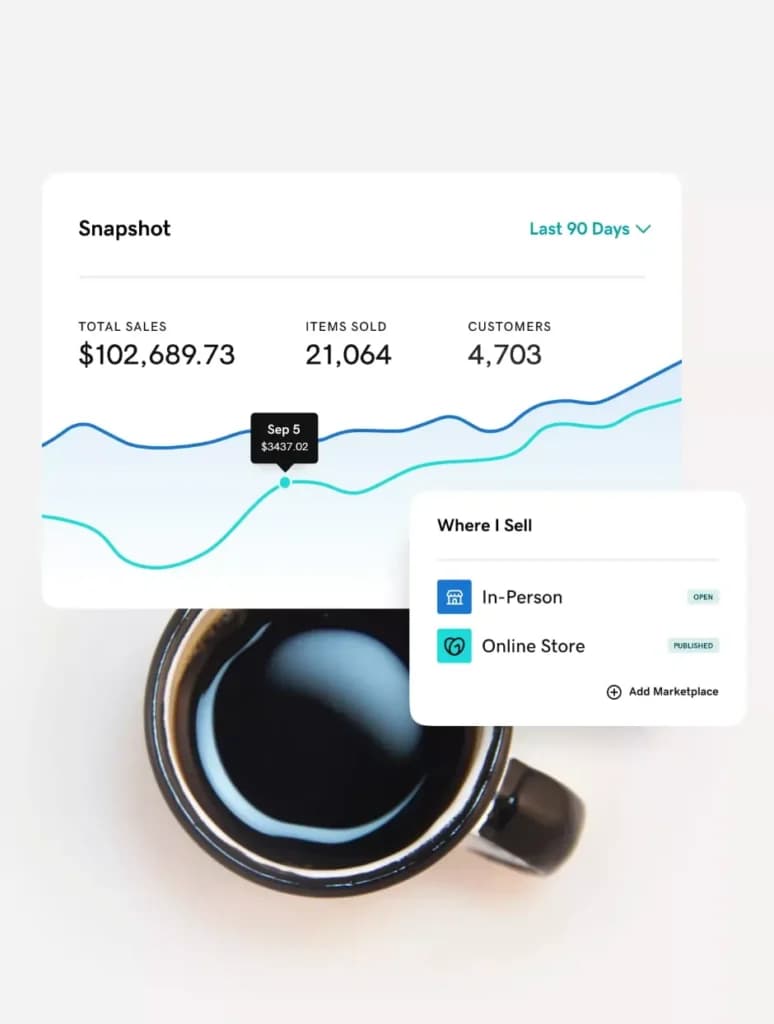
The GoDaddy POS system dashboard allows you to track all your business data in one place, creating charts, insights, and recommendations on how to best manage your operations. I was able to identify months with significantly lower sales. This will help drive up extra revenue by running special promotions during these periods.
Advanced Features
Credit Card Surcharge
Business owners can add a surcharge for people making payments with a credit card, allowing you to protect your bottom line. This small change can make a big difference when added up over the long run.
E-Commerce Integration
Sync all your physical inventory with your e-commerce store to ensure everything is up to date with GoDaddy’s POS software. This helpd transform the connectivity between your online and in-person operations.
Keep Selling Offline
If you can’t access the internet due to connectivity issues, you can still accept payments while offline, which avoids disaster situations where you lose sales. This is a life saver if the internet connection can sometimes be spotty. Registration and hosting do not have to live with the same provider - the best domain registrars comparison covers transfer terms and renewal pricing.
Mobile POS
Enable transactions directly through mobile devices and tablets to ensure great flexibility. You could easily accept transactions if you have a pop-up location, not having to do anything extraordinary or revert to recording payments by hand. Teams that outgrow shared plans usually move to containers or instances instead, which the best cloud hosting services comparison covers in more detail.

Customization and Usability
Accept Payments Anywhere
With multi-location management, business owners can accept payments from customers no matter where they are, whether on a phone call, at a desk, or at a farmer’s market. The POS system offers great flexibility and convenience.
Built-in Printer & Scanner
Quickly print receipts for customers on the go with the built-in scanner and printer system for GoDaddy POS devices. This saves time and energy having to hook up external devices, allowing you to simplify the entire process.
Send Branded Pay Links & Invoices
You can customize the pay links and invoices to include certain information, messaging, and branding to create a more unique experience for the customer. I found that including information about upcoming sales and promo codes was very beneficial.
Create Discounts and Promotions
With minimal setup, you can create promotional prices, sales, discounts, and loyalty rewards to boost the customer experience. You can easily test the viability of different types of promotions to identify which approach works best.
Integration and Compatibility
WiFi & Cellular Connectivity
Connect your point of sale system to the Internet either through cellular data or by connecting to a secure WiFi network. This gives good flexibility in case one option struggles with connectivity.
Click & Collect
Thanks to the integration the POS devices have with your website, customers can place orders and pay online before picking up in-store. Many customers are delighted with this offering as it means they can save on delivery fees and control the time of collection.
Multi-Device Syncing
Whether using the GoDaddy mobile app, an in-store POS, or a computer, your account and catalog will sync in real-time across all devices, meaning no lag time could cause unintended issues. I found that it reduced the number of miscommunication errors between on-site staff and those working in the office.

Compatibility With Other Printers & Scanners
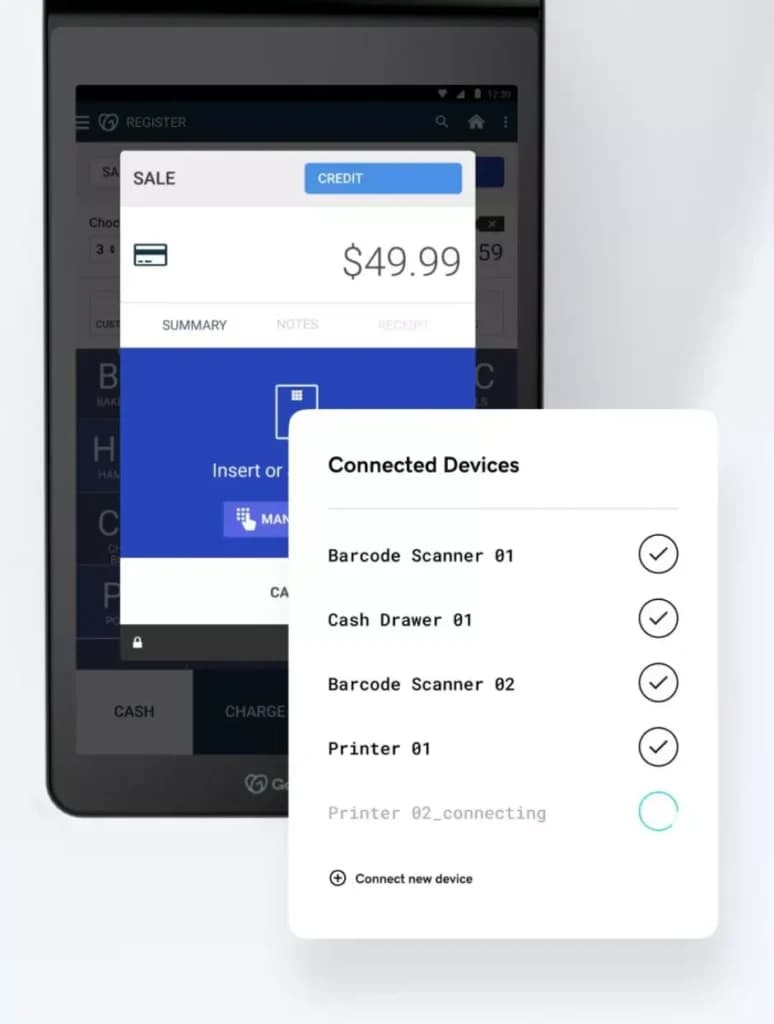
You can hook up any GoDaddy tool with any existing wireless or wired printers, barcode scanners, and cash drawers without skill. This saved me the time and energy of checking the compatibility of different devices.
Third-Party App Integration
GoDaddy’s Smart Terminal integrates with access to 35+ industry apps.
Security and Compliance
End-to-end Encryption
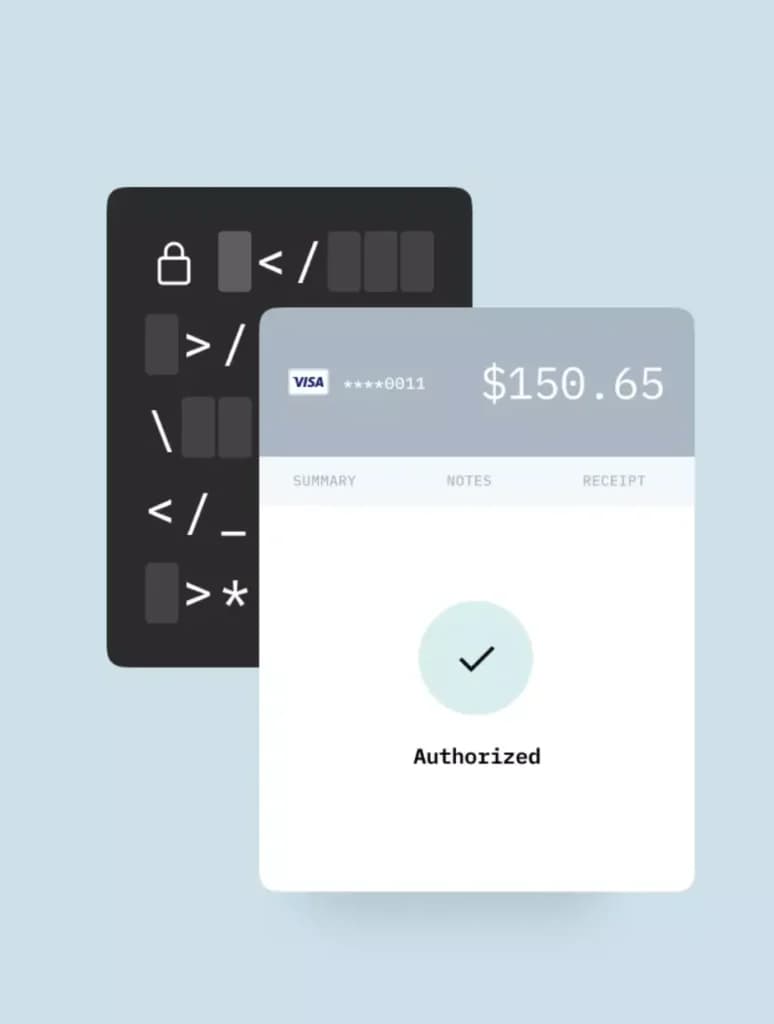
All transactions through GoDaddy payments are subject to end-to-end encryption, so you can be confident that payments are always secure. This helps minimize the risk of fraud, eliminating plenty of headaches.
PCI Compliant
GoDaddy POS ensures all its devices and systems meet the industry standards for secure transaction processing. This ensures that your business meets regulatory requirements and won't face any penalties or enforcement action.
Customer Engagement
Searchable Catalog With Images
The POS system allows you to showcase your available goods and services accompanied by images for enhanced searchability. Your staff will find this feature useful for saving time when searching for specific items.

Flexible Receipt Options
Customers can choose the receipt option they prefer, whether it’s by text, email, or printed, keeping them satisfied. This doesn’t require any extra effort on your part and can help build your marketing lists when you get permission to send customers details about future offers by phone or email.
Integrated tools for seamless transactions and operations.
Flexible pricing plans to meet different business needs.
Features
- Website Builder
- Shared Hosting
- Reseller Hosting
- Dedicated Hosting
- VPS Hosting
- WordPress Hosting
- Linux Servers
- Windows servers
- Unmetered SSD storage
- Unlimited Transfers
Godaddy Alternatives
Starting from: $6.99/month
Economy
$6.99
seat/month
Pros
- Free SSL certificate when purchasing a hosting plan
- Free domain is also included with hosting plans
- Unlimited storage and unmetered bandwidth on most plans
- 1-click installation for 100+ applications
Cons
- More expensive than comparable web hosting services
- Many instances of the hosting service being slow

Starting from: $1.98/month
Stellar
$1.98
seat/month
Pros
- 24/7 customer support with multiple contact options
- 99.9% uptime guarantee
- Free domain and SSL certificate on select plans
- Affordable, transparent pricing
Cons
- Limited resources on entry-level plans
- No free backups for lower-tier plans
- Monthly billing not available on all plans

Starting from: $2.95/month
Essentials
$2.95
seat/month
Pros
- 24/7 customer support
- 1-click installation of many popular software tools
- Unlimited emails
- Unmetered bandwidth
Cons
- Large price increase after the first term
- Site backups are only included in the largest plan
Verdict
GoDaddy is an established internet company that’s been around for well over twenty years. During that time it has expanded its service offering to include domain registration, website hosting, SSL certificate, email hosting, and so much more. 20 million customers have chosen GoDaddy because it provides many tools and features essential to their growth. FTP access, 24/7 customer support, unlimited storage, unmetered bandwidth, are just a few of the features provided to customers.
GoDaddy has had many growing pains over the years. Though it has moved beyond some, there are still a few that persist. These include generally slower hosting, regular upsells, and a more expensive price tag. If these things aren’t deal-breakers then GoDaddy’s well-developed infrastructure, unlimited usage limits, and wide range of features can be a great benefit to small and medium businesses. Hosting is easy to switch and painful to switch badly, so scan the best web hosting options before you renew for another term.
Users Reviews
Write a review
Leave a review, help others get it right the first time.
2 Reviews
Whitney D
#1 Hosting services!
Every aspect of GoDaddy's services is transparent. Clients are kept informed at all times. Most hosting companies do not do this. Every time I used other hosting companies, I ended up being charged for sitelock or any other service I didn't need.
- -customer support is incredible
- -great packages
- -reliable
Brandy D
Super easy
Many of my websites have been built using the template builder, so I am very familiar with it. Their Hosting services are great and i am very happy and satisfied customer