

Last updated: September 2026
Microsoft Copilot is an advanced AI tool that enables individuals and organizations to optimize their workflows, thereby accomplishing more tasks efficiently in less time. Copilot AI's chatbot functionality is deeply integrated into its system, capable of generating content and providing conversational interactions based on natural language processing. This AI tool supports authors by offering features like conversational search, summarization, and creative content generation, making it an effective assistant for a wide range of writing tasks.
Plans & Pricing
Copilot Free
$0
seat/
month
- Use on multiple devices
- Multimodal search
- Create and edit images with AI
- 15 boosts per day for faster image generation
Copilot Pro
$20
seat/
month
14-day money-back guarantee
- Everything included in the Free plan plus:
- 100 boosts per day for faster image generation
- Use Copilot in select Microsoft 365 apps
- Access to GPT-4 turbo for faster performance
Copilot for Microsoft 365
$30
seat/
month
14-day money-back guarantee
- Integrated with Teams, Word, Outlook, PowerPoint, Excel, and other 365 Apps
- Chat powered by AI
- Enterprise-grade security, privacy, and compliance
* Featured prices can be updated and free offers may include additional terms.
Microsoft Copilot serves as an effective AI assistant for both personal projects and corporate environments, enhancing productivity and operational efficiency.
The Copilot pricing plans:
For individual users, Microsoft offers a complimentary subscription with an option to upgrade to the Copilot Pro plan for a monthly fee of $20.
Businesses, however, need to have an existing Microsoft 365 subscription to integrate Copilot. For these corporate users, the cost to add Copilot services begins at $30 per user each month with an annual commitment.
Expert Score
Pros
- Enhances teamwork by streamlining communication Integration with other Microsoft Apps
- Enterprise-grade security against threats and breaches
- Consistent updates
Cons
- The depth of data analysis needed for Copilot to function optimally raises privacy issues
- Dependency on Microsoft 365 subscription for business users
Customer Support
Since the Copilot AI chatbot is Microsoft’s tool, users can expect a high level of customer support and additional resources. Users can find a vast amount of information regarding products and subscriptions and, most importantly, resources on how to use the Copilot and get the most out of it. Phone support is available only at specific times; however, there are many other ways for users to reach Microsoft’s customer support and get the help they need quickly.
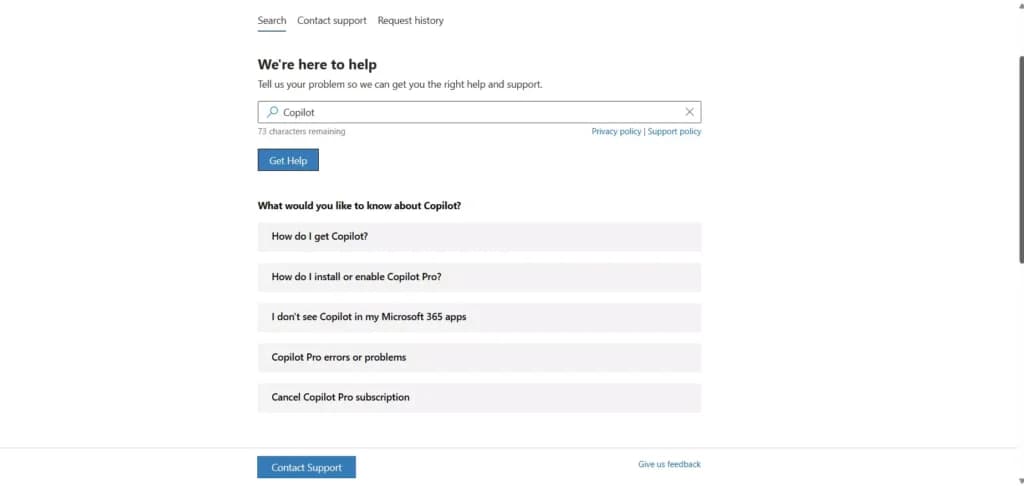
24/7 Help & Support
Customers can receive 24/7 support via multiple channels
Ease of Use
Although Microsoft Copilot uses advanced AI tools to provide users with incredible features, using this AI tool is fairly simple. Users who require only basic features can use the Copilot free plan, and all that’s required is to access the tool through the Microsoft website with a Microsoft account. Another way to access the Copilot is to download the Copilot app on any Android or iOS device. Downloading the Copilot app during the writing of the Copilot review gives 1-month access to the Copilot Pro subscription completely free. Upgrading to a Copilot Pro plan can be done within minutes, however, businesses that require Copilot need to have a Microsoft 365 subscription beforehand. Setting up the Copilot with Microsoft 365 might take some time, but the process is fairly simple and doesn’t require IT experts to finish the job. Using Copilot and its basic features can be done without experience, but in order to use Copilot’s full potential, it’s recommended to browse through the resources and learn how to write prompts for the best results. It may take some time to get used to, and learn how to maximize the use of everything Copilot has to offer.
Performance
Speed: Delivers fast results for writing and code development tasks.
AI Writing Tool:
- Ensures perfect grammar and punctuation.
- Supports 25+ languages, with more to come.
- Allows customization of tone and style.
AI Code Development:
- Supports languages like Python, HTML, CSS, JavaScript, Java, and Ruby.
- Capabilities include writing code from prompts, bug checking, and code completion.
AI Image Generator:
- Free users may experience slower speeds.
- Enhanced speeds for paid subscribers.
Features & Functionality
Chatbot Features
The Microsoft Copilot is a multi-tool AI companion that incorporates various features that allow users to increase their productivity and streamline certain processes and tasks. The thing about Copilot, just like almost every other AI tool on the market, is the fact that it’s constantly evolving and adding new features and functionalities to its roster.
Multimodal Reasoning
Unlike the first AI tools that used only textual prompts to work, new AI tools, including Copilot, are capable of understanding audio, video, text, code, and other types of media. The most prevalent way of communicating with the Copilot tool is by text prompts, but other types of media widen the possibilities significantly.
Due to the multimodal reasoning feature, the Copilot tool is easily integrated into other tools. This feature also opens up a huge number of possibilities, making Copilot a worthy assistant for almost any task.
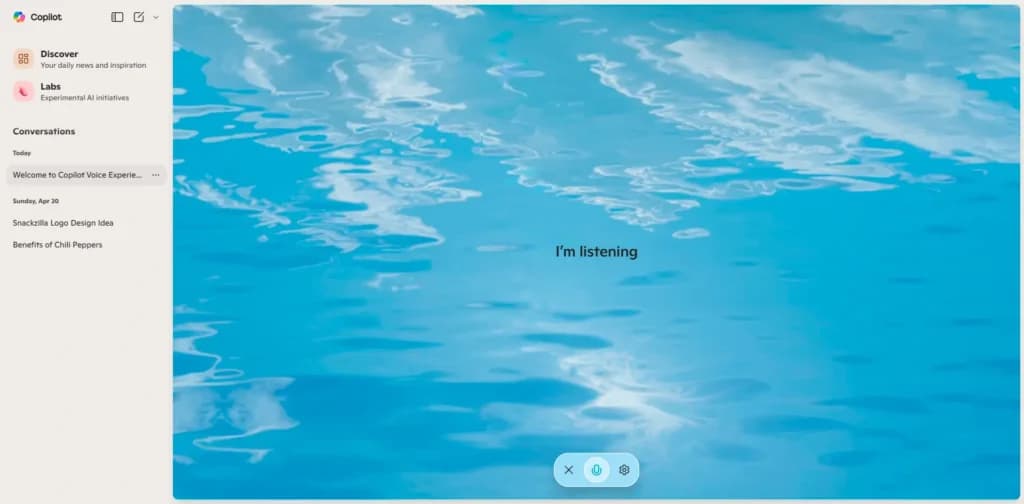
AI Chatbot
Here are some of the features you can leverage:
- Real-time Response
- Copilot Studio Customization
- Microsoft Teams Integration
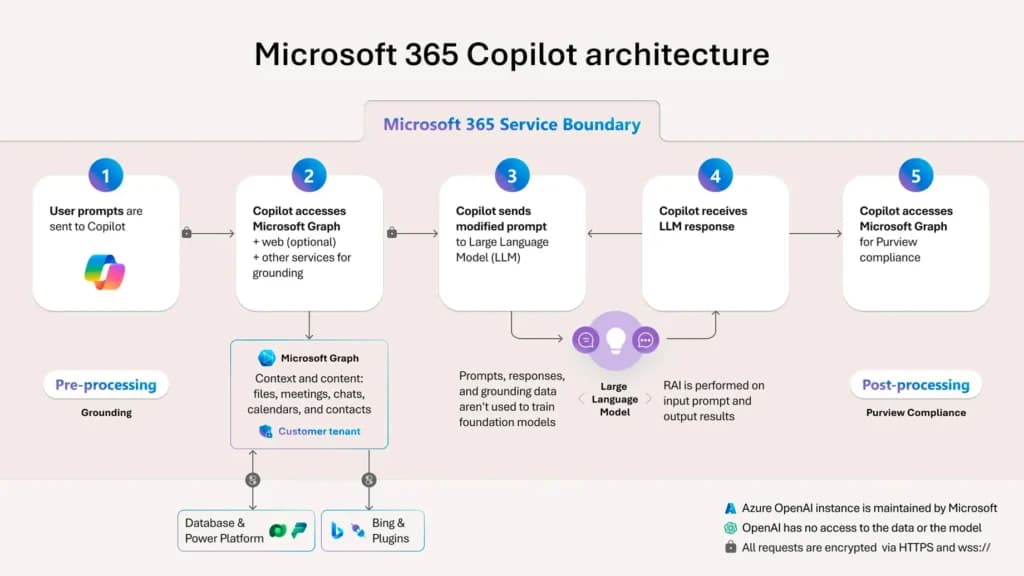
- Microsoft Graph Grounding
- Project Management Automation
- Data Protection
- Copilot Connectors
- Business Process Automation
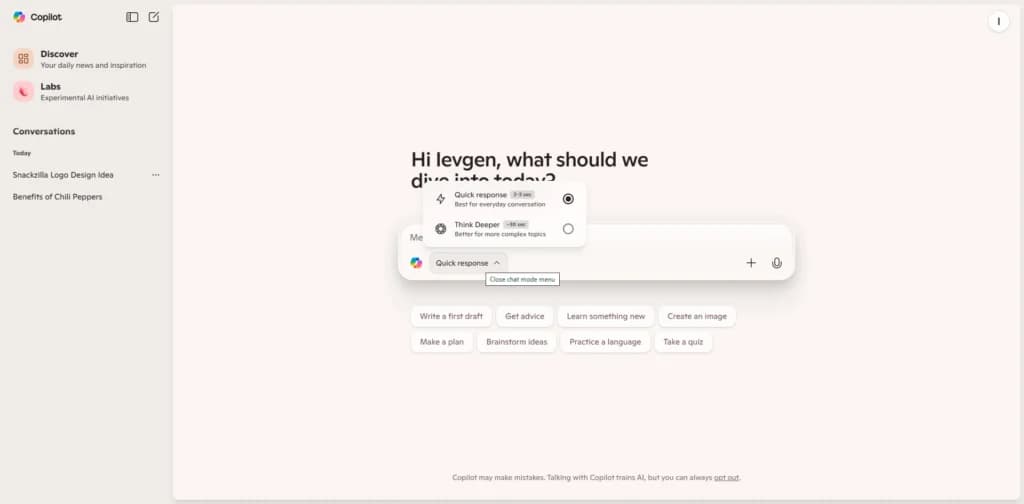
Real-time response
This is possible because the Copilot tool uses the GPT-4 Turbo language model. This can significantly reduce the time needed to research a certain topic. Even with a wide variety of information, Copilot’s AI chatbot can summarize large blocks into easy-to-understand information.
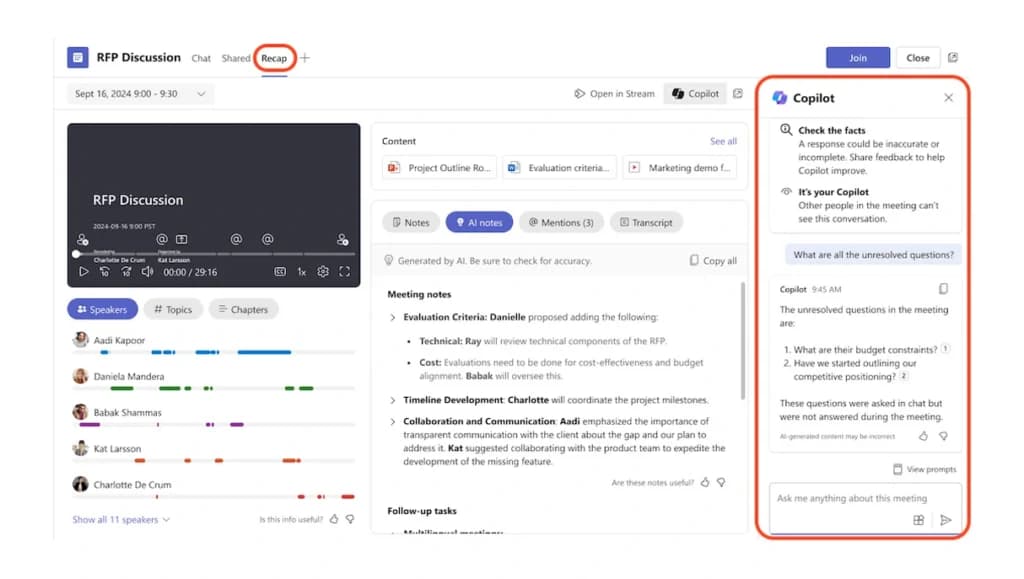
Microsoft Teams integration
Users can integrate Copilot into Microsoft Teams and leverage the power of AI for numerous applications. Because Copilot understands multiple media, it can create summaries and key moments from text, audio, or even video files.
Project management automation
Being that Copilot is integrated into Microsoft 365, it’s a great tool to automate project management processes. The tool can analyze the details of any project and break it down into smaller tasks. Users can easily schedule tasks and automatically send reminders to other team members working on the same project.
Integration With Microsoft Tools
One of the biggest features of this AI tool is the possibility of integrating it into Microsoft tools such as Word, Excel, Teams, and other widely used apps. For teams that need video rather than text output, the guide to the best free AI video generators is the more direct route.
The Copilot tool can help users with both simple and complex tasks, from giving suggestions in content writing in a specific style and tone of voice to summarizing certain documents and live meetings with key points. Chat-based help stops short of building software, and the field of best no-code app builders covers tools that ship a working app.
Mobile Apps for Android and iOS
One of the biggest differences between Copilot and other AI tools is that Copilot already has fully functioning apps available for Android and iOS. This simple but effective feature allows users to use the AI companion no matter where they are.
The same features are available in the browser AI chatbot and in the app as well, so users can generate written content, code, and even AI-generated images on the go.

AI Content Writing
You could leverage the writing tool not only for your chatbot but also for educational materials and engaging blogs that could further explain and answer your customer queries, increasing customer trust and loyalty.
Microsoft Copilot’s content writing feature is a robust tool utilized by thousands for creating engaging digital content, notably for platforms like LinkedIn. Its functionality includes:
- Automated Generation: Effortlessly produces diverse content at scale.
- SEO Optimization: Implements SEO strategies efficiently, enhancing online presence.
- Grammar and Style Refinement: Automatically corrects and refines content.
- Tone Customization: Allows precise control over the content’s tone.
- Plagiarism Detection: Ensures content originality.
- Multilingual Support: Facilitates content creation across multiple languages.
- Analytical Tools: Offers detailed insights into user engagement and content performance.
AI Image Generator
Images could be a great way to increase the user experience when helping customers navigate through your product or website. Consider adding images to the customer journey.
Microsoft Copilot enhances its utility with an AI-powered image generator, DALL-E 3, capable of creating visually impressive and customized images. Features include:
- High-Quality Image Generation: Delivers sharp, clear images designed to meet professional standards.
- Style Customization: Users can dictate the artistic direction of the generated images.
- Batch Processing: Facilitates the creation of images in large quantities.
- Creative Software Integration: Ensures compatibility with existing graphic design platforms.
- Text-to-Image Conversion: Simple textual prompts can be transformed into images, with usage levels adjusted according to the subscription plan.
AI Code Generation
You could also use the chatbot feature to facilitate code writing.
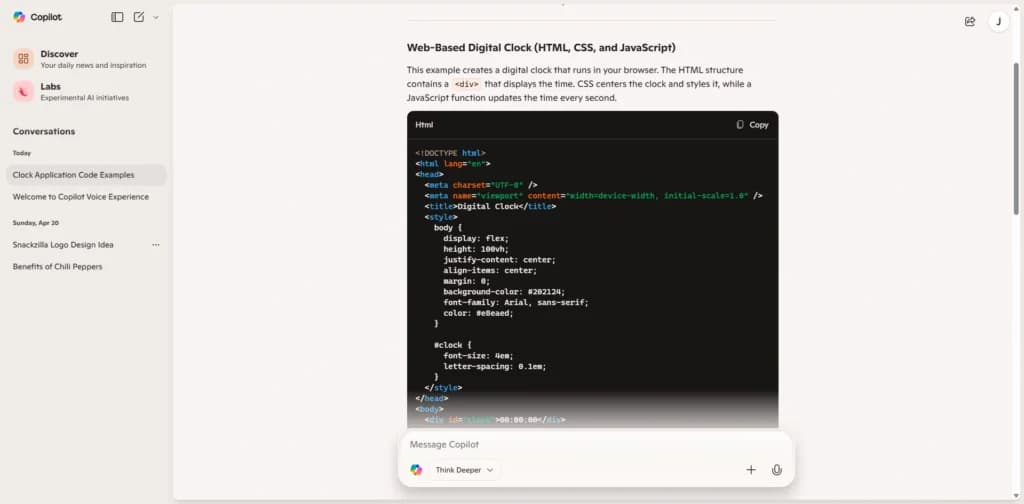
The integration of Copilot AI with Microsoft Visual Studio has been a game-changer, assisting developers write code, and offering a suite of tools designed to enhance productivity and code quality.
- Real-Time Code Suggestions: Delivers coding suggestions live as you type.
- Broad Language Compatibility: Supports a range of coding languages, including Python, HTML, CSS, JavaScript, Java, and Ruby.
- Integrated Development Environment (IDE) Compatibility: Merges flawlessly with Visual Studio.
- Error Detection and Correction: Proactively detects and corrects code errors.
- Automated Documentation: Generates relevant documentation on the go.
- Test Case Development and Rapid Prototyping: Streamlines test case creation and the prototyping process.
Verdict
The Copilot is exactly what Microsoft claims - an AI companion for everyday use. It has proven its value for thousands of users, and with its constantly evolving features, there’s no doubt it's one of the tools that should be used to speed up certain processes and get help with repetitive tasks whenever possible.
One of the biggest advantages of the Copilot AI tool is the fact that it offers an incredibly powerful free plan. Even without a paid subscription plan, users can generate written content with Copilot’s AI writing tool, and create images or code based on prompts.
The Copilot Pro and Copilot for Microsoft 365 open up a number of additional features and functionalities. The Copilot for Microsoft 365, which is the best plan for businesses, keeps prompts private. This feature alone is extremely important for businesses that need to use sensitive information in their prompts or use sensitive files with the Copilot tool.
The Microsoft Copilot is definitely worth checking out, given that a lot of features are available in the free plan. As the tool is constantly evolving, it's expected that new tools and features will become available soon, making the Copilot one of the most powerful AI companions on the market. Assistants vary a lot in what they actually automate, so the roundup of best AI tools for small business is worth reading before you commit.
Users Reviews
Be the first to write a review
Share your experience with Copilot and help others choose the right software.