
Best No-Code Web & App Builders in 2026
Build professional apps and websites without code. Free plans available, start building today - We tested 15+ builders, see the comparison
Last updated: September 2026
Before we dive in, let’s clear the air: what is a no code platform? No-code platforms are visual tools (drag-and-drop or AI-driven) for building software, such as websites and apps, without traditional coding. This allows small businesses to save on development costs, launch products faster, and maintain direct control over their digital assets.
What’s the best no code platform for your project?
Honestly? The short answer is that Base44 is the best overall choice for most modern entrepreneurs needing functional apps, Lovable is the strongest pick for non-technical founders, offering production-grade output and the cleanest React/TypeScript code among AI no-code builders. Emergent is the multi-agent AI builder for non-technical founders. Wix is the go-to for pure, high-end website design, and Shopify is the king of e-commerce, each allowing you to look like a 50-person company while it’s just you and a laptop. But the real answer depends on whether you’re building a simple landing page or a complex business engine. Let me walk you through each one the way I’d explain it to a friend.
- Automatically sets up the backend for you
- Build with words. No coding needed
Key Takeaways: The 6 Things You Need to Know
- Base44 is the gold standard for small businesses in 2026—it’s the best pick because it balances high-end app power with a refreshingly simple interface that doesn't require a degree to master.
- Lovable and Bubble are the "power user" choices for those building complex, custom logic or internal business systems from scratch.
- Emergent is an intuitive no-code platform for small businesses. Just provide a detailed prompt, and get your results in minutes, no technical knowledge needed to build web or mobile apps.
- Wix is the top choice for visual-heavy businesses that need an AI-powered no-code platform for a website that looks like it was designed by an expensive agency.
- Shopify remains the non-negotiable pick if your primary goal is selling physical products across the web, Instagram, and TikTok.
- Hostinger is the best free no code platform alternative (meaning it's ultra-cheap) for micro-businesses that just need to exist online for the price of a monthly latte.
- Don't overpay for features you won't use. A local bakery doesn't need the database logic of Bubble. Match the platform to your actual business needs today.
In 2026, 84% of small businesses have adopted no-code tools to reduce overhead, saving an average of $45,000 in annual development costs.
At a Glance: Top No-Code Platforms2026
Compare the best no-code platforms, free plans, AI capability, and team-size fit in seconds
Product | Best For | AI Capabilities | Free Plan | Team Size Sweet Spot | |
|---|---|---|---|---|---|
Best Overall / Modern Apps | Full-Stack Generation | ✓ Yes | 1–5 | ||
"Chat-to-Build" Apps | Conversation AI | ✓ Yes | 1–5 | ||
Full-Stack Web and Mobile Apps | Conversation AI | ✓ Yes | 1–10+ | ||
Brand-First Websites | Design & SEO AI | Limited | 1–10+ | ||
High-Volume E-commerce | Commerce AI | 3-day trial | 1–10+ | ||
Ultra-Low Budget Sites | Simple Site AI | 7-day trial | 1–2 | ||
Complex Data Systems | Workflow AI | ✓ Yes | 2–10 |
Base44 – Best Overall for Small and Micro Businesses
- Automatically sets up the backend for you
- Build with words. No coding needed
Here’s the thing about running a small business: you don’t just need a website that looks pretty; you need a tool that works. You need a platform that respects the fact that you have exactly zero hours to spend watching 40-minute YouTube tutorials on “database relationships” or “API calls.”
That’s why Base44 has become my go-to recommendation for 2026. It fills the gap that used to frustrate every small business owner: it’s more powerful than a basic website builder like Wix, but it’s nowhere near as intimidating as Bubble. You can build a functional MVP (Minimum Viable Product), a client portal, or an internal dashboard in a single afternoon.
What makes it different from the alternatives is the “logic” layer. Most builders are great at layout but bad at “if this happens, then do that.” Base44 handles this with a modern, AI-assisted interface that feels like you’re building with digital Legos. It’s a top-rated no-code platform because it doesn’t treat you like a developer, but it gives you a developer’s results. Since being acquired by Wix in late 2025, its integration with the broader Wix ecosystem—including support for REST API connections to external services—has made it the most versatile “do-everything” tool on the market.
Why choose Base44:
- Launch a custom business tool in hours, not weeks, by describing your app in plain English to the AI builder.
- Stop entering the same data twice by connecting your existing tools (Slack, Google, Stripe) directly into the platform’s native integrations.
- Integrate seamlessly with backend systems and support robust data storage for business-critical information.
- Works when it’s just you—still works when you hire your first three employees and need role-based access controls and user authentication for secure access.
Pricing?
Base44 offers a free tier so you can build your entire project before you ever pull out a credit card.
Pricing starts around $20/month(the Starter plan). That’s essentially the cost of a couple of fancy sandwiches, which is a steal considering it can replace several smaller, disconnected apps. Who Should Pick Base44
If you’re a solo founder or a 2-person team and you’ve thought, “I wish there was an app that did [Specific Business Task] for my niche,” Base44 is built for you. It’s perfect for those who want to move fast without hitting a “technical wall” three days in.
Real Talk: When Base44 Might Not Be the One
Real talk? If all you want is a simple blog to post your photography, Base44 is probably overkill. You’d be spending money on power you don’t need. Also, while its AI tools are great, it still requires you to have a clear idea of how you want your business to flow. If you’re looking for a “one-click and it’s done” brochure site, stick with Wix or Hostinger.
A Real-World Example
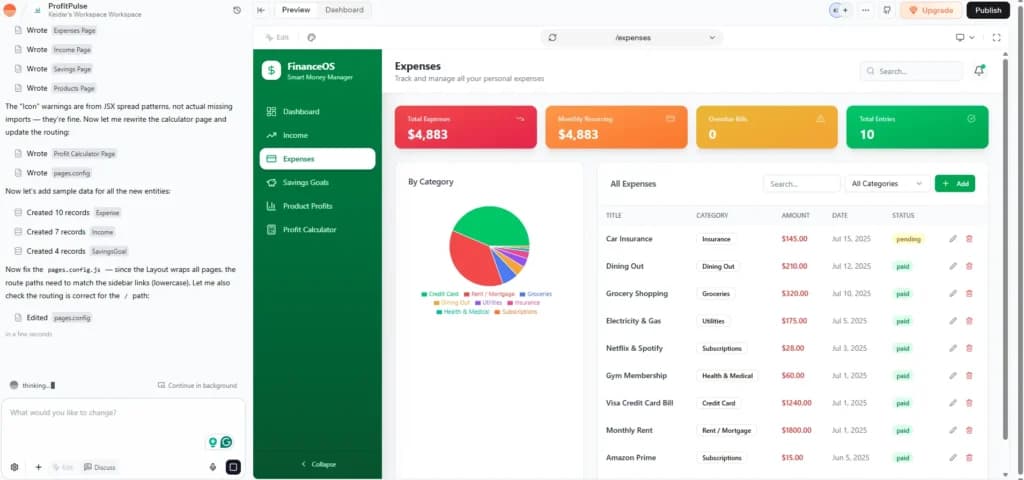
Imagine a 2-person property management team. They were drowning in spreadsheets to track maintenance requests. The founder used Base44 to build a simple "Tenant Portal" where renters could upload photos of broken sinks. It took him four hours on a Saturday. No developer. No agency. Just two people, one platform, fully running.
Total cost:$20/month. Outcome: They reduced their email volume by 60% in the first month.
Lovable – Best for "Chat-to-Build" Custom Apps

- Describe what you want in plain language
- Refine your design and deploy
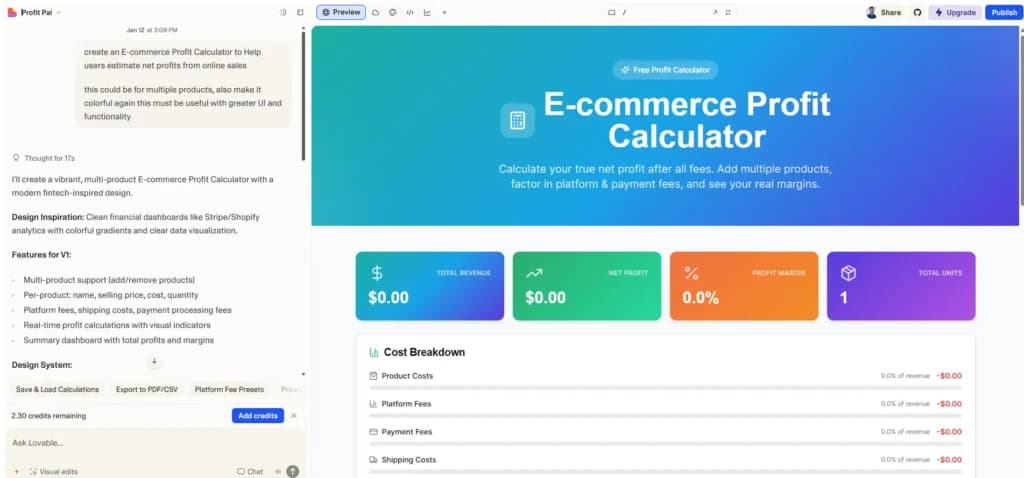
Lovable is the rising star of the no code ai platforms world. The concept is genuinely wild: you “vibe code” your way to a full-stack application, enabling users to create apps and even generate complete applications simply by having a conversation. Instead of dragging and dropping boxes, you have a conversation with an AI engineer. You say, “Add a dashboard where my clients can see their project status,” and the AI writes the code and deploys the update in real-time.
For a small business owner, this is a game-changer because it removes the “blank page” syndrome. You don’t need to know what a “container” is. You just need to know how to describe your business needs. It’s the best no-code platform for those who have a specific idea for a tool—like a custom calculator for their clients—but zero interest in learning a complex builder.
Why choose Lovable:
- Build through conversation: You describe features in plain English, and the AI implements them instantly.
- Code ownership: Unlike many builders, Lovable lets you export your code. You aren’t “locked in” forever.
- Full-stack capability: It handles databases (via Supabase) and payments (via Stripe) internally.
Pricing?
They have a free tier for testing. The Pro plan is $25/month, which includes custom domains and the ability to keep your projects private. For most solo founders building their first “tool,” this is the sweet spot.
Who Should Pick Lovable
The solo entrepreneur who has said, “I have a great idea for an app, but I can’t afford a developer.” It’s for the founder who wants to focus on the vision and let the AI handle the execution.
Emergent – Best for Building Full-Stack Apps Through Conversation (No Coding Required)
- Transform your ideas into functional apps & sites
- Design & deploy intelligent agents
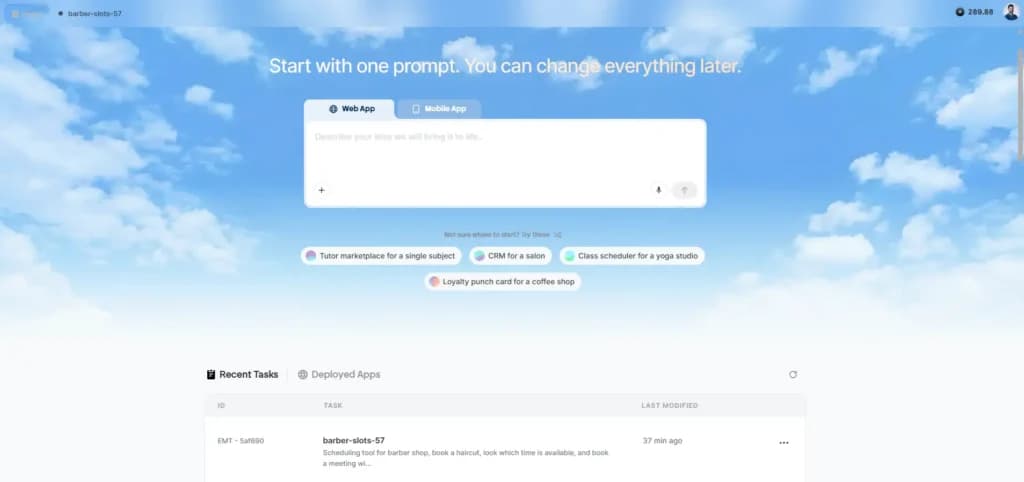
Emergent is the AI no-code platform that took multi-agent AI development and made it actually usable for non-technical small business owners. The technology underneath is impressive: multiple AI agents collaborate to handle architecture, coding, testing, and deployment, but the user experience is purely conversational. You describe what you want; the platform builds it. No code. No dragging components. No learning a builder UI. Just chat with the AI until the app does what you need.
That accessibility is what separates Emergent from the AI builders that get described as "for developers." Emergent does give technical founders the option to drop into code when they want to, but for most small business owners using the platform, that's never necessary. The app builds itself through conversation; you stay in the driver's seat without ever touching code.
Free Plan Details
Emergent's free tier ($0/month) includes 10 message credits, enough to validate whether the platform can build what you need before paying anything. Each AI action consumes credits; simple apps use 1–2 credits, more complex builds use 3–5. No credit card required to start.
Pricing
- Free: $0/month, 10 credits
- Standard: $20/month, 100 credits
- Pro: $200/month, 750 credits
- Team: $300/month, 1,250 shared credits
Annual billing saves up to 17%. Use code VIBE5 at checkout for an additional 5% off any paid plan.
Why choose Emergent:
- Multi-agent AI development, multiple AI agents collaboratively handle architecture, coding, testing, and deployment
- Conversational build process, describe what you want, the platform builds it; no drag-and-drop, no coding required
- Full-stack output, backend setup, authentication, hosting, databases, and Stripe payments all in one workflow
- Fully responsive across desktop, tablet, and mobile out of the box
- Suitable for full-stack web apps and mobile apps
- Use cases: internal tools, dashboards, customer portals, CRMs, learning apps, e-commerce, landing pages
Who It's For
Non-technical small business owners who want to build a full-stack working app, including the parts that traditionally require a developer (database, authentication, Stripe payments, hosting), through conversation alone. Strong fit for solo founders building their first SaaS product, small teams building internal tools, and anyone who needs a customer-facing portal without hiring engineering. Technical founders can also use Emergent and have the option to drop into code, but that's not the primary user.
A Real-World Example
Imagine a small business owner who needs a customer-onboarding portal, a working web app where new clients sign up, upload documents, see their account status, and receive automated emails when each onboarding step is complete. Traditionally, this requires a developer: a backend, a database, authentication, email integration, and file storage. With Emergent, the owner describes the workflow in conversation. The multi-agent system architects the app, generates the UI, sets up the database tables for clients and documents, wires up authentication, integrates an email service for the automated notifications, and deploys the app , all within one session. The owner pays nothing for the first build attempt (using free-tier credits) and tests whether the result actually works before committing to a paid plan. This is the kind of project that previously required either a hired developer or weeks of learning to build it yourself; with Emergent, it's a conversation.
Wix – My Go-To for Visual Small Teams

- Over 300 million sites were built on Wix
- 90K+ Sites created daily
Here’s the thing about Wix: it has figured out the AI game better than almost anyone else. For a micro business owner who is “design challenged,” Wix is a lifesaver. You aren’t just getting a website; you’re getting an AI-powered no-code platform for creating websites easily with Wix that handles your SEO, your email marketing, and your bookings in one place.
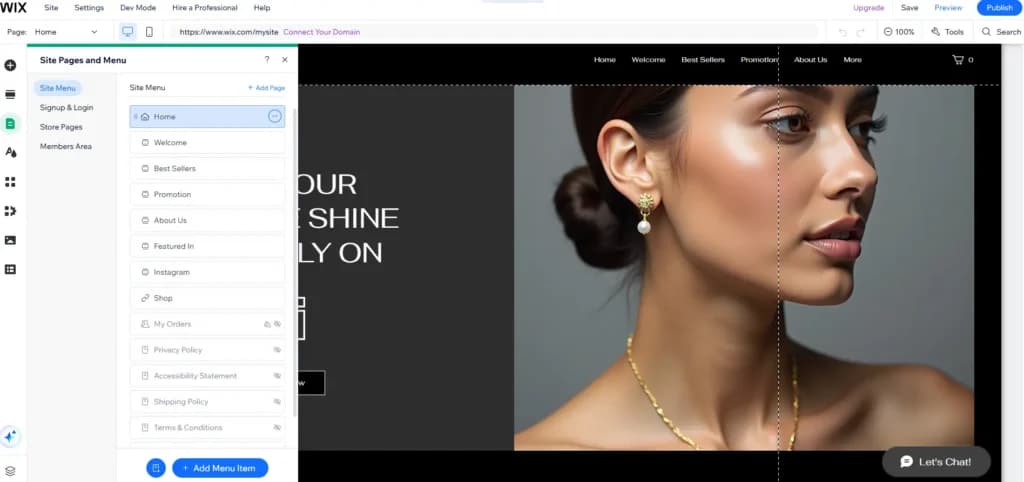
What I love about Wix is the “What You See Is What You Get” editor. You literally move things around the page, and what you see is what your customers see. With drag-and-drop simplicity, you can customize visual components and the user interface to match your brand, making design changes effortless. No weird workarounds. In 2026, their “AI Assistant” can now handle everything from writing your product descriptions to generating a full SEO strategy based on your competitors.
If you're still deciding between Wix and Shopify for your store, Sonary has a detailed Wix vs. Shopify comparison that breaks down exactly which one fits which business type.
Why choose Wix:
- Look professional without a designer thanks to the AI-generated layouts that actually look high-end, not generic.
- See today’s sales and bookings in 10 seconds from their industry-leading mobile app.
- Set it up once, it follows up for you with automated customer emails and review requests.
Pricing?
Enaergent offers a free plan with 10 free monthly credits and standard plans for $17/month(billed annually). That’s less than what most people spend on coffee in a week. It includes your hosting, a custom domain for the first year, and access to their extensive app market.
W
Who Should Pick Wix
If you’re a small team (1–10 people) and the person running the website is also the person running the business, Wix is built for you. It’s especially great for service-based businesses like salons, consultants, or fitness instructors. New to website building entirely? Sonary's website builders for beginners guide is the perfect starting point.
Real Talk: When Wix Might Not Be the One
If your business is 100% about selling 5,000+ products across multiple warehouses, Wix can start to feel a bit slow on the backend compared to Shopify. It’s a “website first” platform, whereas Shopify is “selling first.”
A Real-World Example
A solo nutritionist used Wix to launch her practice. She used the AI builder to set up a site that included a "Members Only" area for her clients to download meal plans. She didn't need a designer; she just talked to the Wix AI for 15 minutes.
Total cost:$17/month. Outcome: She launched in one weekend and booked her first three clients through the built-in calendar system by Monday.
Shopify – The Best Choice When Selling Is the Whole Business

- Trusted by millions of businesses globally
- Drag-and-drop store creator
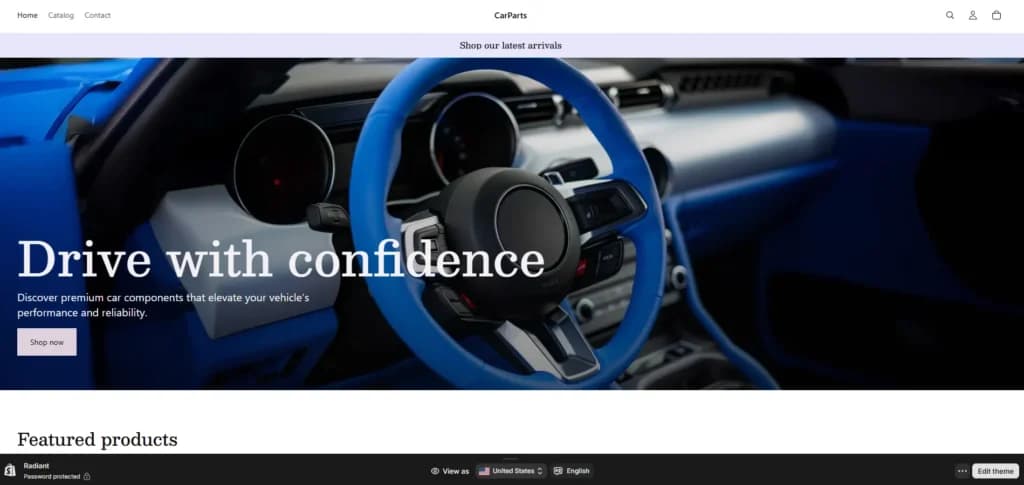
Shopify is the no code website platform that most retail small businesses should start with. Not because it’s the cheapest, but because it removes every barrier to actually making money. If your goal is to spend your day packing boxes and running ads rather than “building a site,” Shopify is your best friend.
The reason I call it the gold standard is the “boring” stuff. Shopify’s checkout is the most optimized in the world. People trust it. When someone sees that “Shop Pay” button, their conversion rate jumps. For a small business, that extra 2% in sales pays for the subscription ten times over.
For a full breakdown of all the leading e-commerce platforms for small businesses, including how Shopify stacks up against BigCommerce, WooCommerce, and Square, Sonary has a complete comparison guide.
Why choose Shopify:
- Sell everywhere from Instagram and TikTok to your own storefront with a single inventory sync, including seamless integration with backend systems for improved operational efficiency.
- Track stock from your phone and print shipping labels directly from the app, while managing database records for products and customers to keep your store organized.
- Enterprise-grade security—your data and your customers’ credit cards are safe without you needing to know what a “firewall” is, and Shopify maintains data integrity for all transactions.
Pricing?
The Basic plan is $39/month(or $29 if you pay annually). A store with 5–10 paid apps can easily add $100/month to your bill, but for a micro business, the peace of mind that your checkout won't break on Black Friday is worth the investment.
Who Should Pick Shopify
If you have a physical product and your goal is to grow into a major brand, start here. For a deeper cost breakdown, check Sonary's guide on how to choose the best e-commerce platform.
Real Talk: When Shopify Might Not Be the One
If you are a service provider (like a coach or a plumber), Shopify is the wrong tool. It’s built for products. Using it for a service-based business feels like trying to drive a semi-truck to the grocery store—it’s just too much machine for the simple job of “getting a lead.”
Hostinger – Best Budget Pick for Micro-Businesses
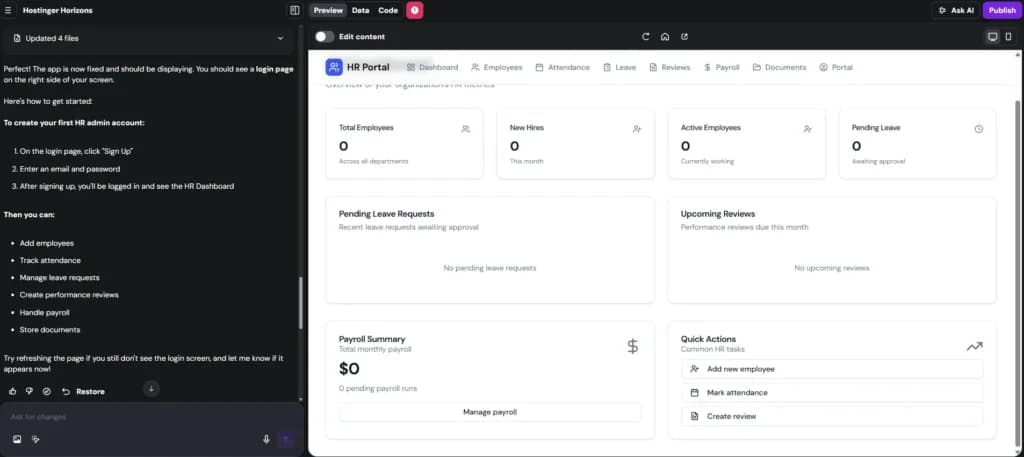
Hostinger Horizons is the cheapest no-code app builder on this list at $6.99/mo. No free forever plan, but the lowest entry price of any builder we tested, ideal for micro-businesses on a tight budget.
- Get hosting, domain & AI from $2.99/mo
- Sell online: 0% fees, 100+ payment options
If you’re a solo operator—maybe a consultant, a local handyman, or a baker—and you just need a professional “digital business card” that doesn’t cost more than your monthly Netflix subscription, Hostinger is the winner. It is a free no code platform alternative (it’s not actually free, but at these prices, it’s close) that actually gives you an AI builder that produces clean, modern results. Hostinger is ideal for creating websites quickly and easily, even if you have no technical background.
Here’s the thing about micro-businesses: every dollar counts. You don’t need a $2,000 custom build just to tell people your hours and show off a portfolio. Hostinger respects that. You can go from a blank screen to a live, professional website in under 15 minutes. The AI generates the layout, picks the images, and even writes your initial copy. Hostinger’s AI features also help you manage your site content efficiently, including organizing data tables and handling data storage for your website.
Why choose Hostinger:
- The absolute lowest barrier to entry: You can get online for the price of a single latte per month.
- AI that actually saves time: Its “AI Website Generator” builds a cohesive site based on your prompt, including an AI Logo Maker and AI Heatmaps.
- Zero hidden transaction fees: If you use their basic e-commerce tools, they don’t take a cut of your sales.
Pricing?
The Business plan starts around $2.99/month if you commit to a 48-month term. Even month-to-month, it’s around $12.99. That includes a free domain name for the first year and free email accounts.
Who Should Pick Hostinger
If you’re a “business of one” and you need a site that looks professional but your main focus is on the work—not the tech—this is for you.
Real Talk: When Hostinger Might Not Be the One
Real talk? You get what you pay for. The integration library is thin. If you need to connect your site to 15 different third-party marketing tools or want deep, custom app logic, you will hit a wall quickly. It’s for brochure sites, not complex tech startups.
Bubble – The Best Choice for Complex Technical DIYers

- Generate, deploy & scale with ease
- Automate actions in just a few clicks
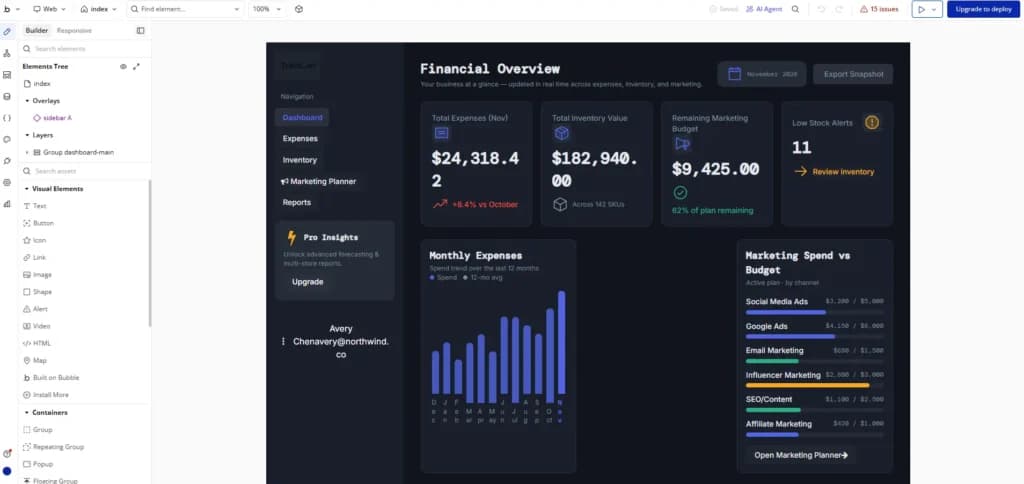
Bubble is the most powerful no code app builder platform on this list. If you want to build the next Airbnb, a massive marketplace, or a complex social network with 10 different user roles—or even other complex applications—Bubble is the gold standard. As one of the leading low code platforms, it is essentially a professional-grade development environment without the code.
Real Talk: Bubble has a steep learning curve. If you have a busy week, don’t start Bubble on a Monday. It requires you to think like a developer. But once you master it, there are literally no limits to what your small business can build.
Why choose Bubble:
- Total control: You can customize every single pixel and every single line of logic.
- Massive plugin ecosystem: If Bubble doesn’t do it out of the box, someone has built a plugin for it.
- Scalability: It handles everything from your first user to your 100,000th, and is designed to efficiently manage large numbers of database records as your application grows.
Who Should Pick Bubble
The "technical" small business owner. If you're the type of person who loves tinkering with spreadsheets and logic, you will love Bubble. It's perfect for a 2–5 person team building a product-led business. For a broader comparison of AI-powered building tools, Sonary's AI tools for small businesses guide is a great companion read.
Introduction to No-Code Development
No-code development is changing how people make software. If you want to make mobile apps, business tools, or a website app, no-code tools make it possible; you don't need to know how to code.
No-code platforms let you build apps without messing around with code. Think of it like using digital LEGOs: you just drag, drop, arrange, and tweak pre-made parts until your app does what you want. This makes creating software super fast and simple for everyone, even if you're not a developer. You can whip up software, automate tasks, and fix problems just by putting visual pieces together instead of typing out lines of code.
Not sure which direction to take? Sonary's best AI app builders guide covers the leading platforms side-by-side to help you compare before you commit.
Benefits of No-Code solutions
No-code development is seriously changing the game for building apps, bringing huge wins for companies and individuals alike.
Awesome No-Code Perks:
- Super Fast Building and Tweaking: This is the biggest deal—it absolutely shrinks the development timeline. Projects that used to take months of traditional coding can now be up and running (or prototyped) in just days or even hours. This speed means you can test ideas faster, get feedback quickly, and keep improving things constantly.
- Giving Power to the Non-Tech Crowd: No-code makes development accessible, letting people without technical backgrounds build the custom tools and solutions they need that perfectly fit their business requirements.
- Saving Your Tech Team for the Big Stuff: By letting non-developers handle the everyday tools and workflows, your technical experts are free to focus on the really complex, high-impact projects.
- More Stable and Easier to Manage: Because you're using visual drag-and-drop and pre-built blocks, there are fewer chances for coding mistakes. The result? Software that's more reliable and way easier to maintain over time.
- Growing Without the Headaches: Whether you're a small business or a major player, no-code solutions help you build apps that can easily handle growth without all the typical hassle and complexity of traditional software development.
Key Features of No-Code Platforms
What makes no-code platforms so powerful? It all comes down to their key features.
- Visual Development: They primarily use a drag-and-drop interface, allowing users to visually build applications without programming knowledge.
- Speed and Efficiency: A wide array of visual tools and pre-built components enables rapid application assembly, from simple web apps to complex internal dashboards.
- Seamless Integration: Most platforms offer easy integration with popular third-party services, such as Google Sheets, to streamline data management and automate critical business workflows. Many also connect directly to CRM tools and email marketing platforms your business already uses.
- Inherent Security: Enterprise-grade security is typically built directly into the platform, ensuring robust data protection for all applications.
- Extensibility and Advanced Features: For users with specialized needs, many platforms also offer advanced capabilities such as AI-powered app creation, native mobile development, and the ability to add custom code to extend functionality.
In essence, no-code platforms provide the flexibility, security, and power to launch any solution, from a basic site to a complex, multi-device application—all without writing a single line of code.
How We Test
We test these no-code platforms hands-on. Not as a reviewer sitting in a corporate office. As a micro business owner.
We’ve gone through over 15 different no code app builder platforms and used each one the way you would—as one person doing everything. We evaluated the entire development process from start to finish, including how quickly and easily you can build, launch, and manage your project. That means we signed up, used the AI builders to generate layouts, tried to connect custom domains, and set up real business workflows like “if a customer signs up, send them this specific PDF.”
We specifically focus on platforms that don’t require outside help a micro business can’t afford. If a no-code website platform needs you to hire a consultant or have technical skills just to change your pricing page, it’s not making this list. After testing all of them, we picked the tools that actually make your life easier when you’re wearing every hat in the business—including testing each code tool for usability and flexibility. We looked at:
- Setup Speed: How quickly can you go from “idea” to “live link”?
- Daily Maintenance: Can you fix a typo from your phone while standing in line for coffee? We also checked how easy it is to manage data tables for storing and accessing information.
- Hidden Costs: We dug into “workload units,” transaction fees, and plugin costs that usually stay buried in the fine print.
Essential Knowledge: Navigating the No-Code World in 2026
Feeling a bit lost with terms like "vibe coding" or the super popular "low-code/no-code platforms"? You're definitely not the only one. This is a deep dive into what these game-changing technologies actually mean for how fast, efficient, and future-ready your business can be. The explosion of no-code solutions and low-code platforms is giving us some powerful alternatives to the old way of building custom software. They're making app creation way more accessible, enabling much faster deployment, and offering amazing flexibility for everyone, from professional developers to regular business folks (the "citizen developers").
Low-Code Platforms basically give you a graphical toolbox for building apps, taking care of the complicated coding in the background. Still, pro developers can jump into the actual code for tricky customizations and integrations.
No-Code Platforms take this even further, letting business users create fully functional apps just by dragging and dropping visuals and pre-built parts—seriously, without writing any code at all.
However, picking a platform needs some smart thinking about the potential downsides. Specifically, you need to be really careful about vendor lock-in, which can seriously tie your hands down. Vendor lock-in happens when you rely so much on a proprietary platform that trying to switch later, customizing things, moving your data, or connecting with other systems becomes difficult, super expensive, or even impossible. That's the stuff that ultimately messes with your ability to grow and pivot strategically.
No Code vs. AI App Builders: What’s the Real Difference?
It’s easy to get confused when every tool now claims to be an ai powered no code platform. To choose the right one, you need to understand where the “work” is actually happening.
- Traditional No-Code (The Visual Architect): Think of tools like Bubble or the classic Wix editor. These platforms focus on app building by providing a toolbox of “widgets” (buttons, text boxes, forms) and visual interfaces. You drag them onto a canvas and manually define the logic:“When Button A is clicked, save this text to Database B.”With these tools, users can create apps without writing code, customizing user interfaces and workflows visually. You are the architect and the builder.
- The Benefit: Total precision. You know exactly why every button works because you placed the “wiring” yourself.
- AI App Builders (The Conversational Engineer): This is the “Conversational Building” era found in tools like Lovable or Base44. You describe what you want in plain English:“I need an app for my landscaping business that lets clients book a quote and uploads a photo of their yard.”The AI can generate complete applications by automatically producing all the necessary files and functional code, configuring the database, and styling the buttons for you.
- The Benefit: Incredible speed. You can go from an idea to a working prototype in the time it takes to finish a cup of coffee.
The Hybrid Reality: In 2026, the best no-code platforms like Base44 use both. You use AI to generate the first 80% of the app instantly—handling the boring stuff like login screens and basic layouts—and then use traditional no-code visual tools to tweak the last 20% to your exact business requirements.
No Code vs. Vibe Coding: Logic vs. Intuition
You’ve likely seen the term“Vibe Coding”trending on social media.
- No-Code is about visual logic. It’s like building with high-tech Legos. You connect bubbles and lines to make things happen. It is precise, scalable, and easy to “debug” when something goes wrong because you can see the flow of information. It’s the best choice for tools you plan to run your business on for years.
- Vibe Coding is about iteration. This is what happens when you use an ai powered no code platform like Lovable to “talk” your way through a build. You “vibe” with the AI, describing your vision, seeing what it builds, and then saying,“No, make that more blue,”or“Actually, let’s make that a subscription instead of a one-time fee.”Launching an MVP with vibe coding is just the beginning—it's the first step in a continuous journey of learning, iteration, and improvement.
Which should you choose? If you are building an internal tool for your team to use every day, you want the stability of No-Code (Base44). If you are trying to quickly test a wild new idea to see if customers like it, you want the “vibe” speed of AI builders (Lovable).
What You Can Build: App Types and Channels
In 2026, the question isn’t“Can I build this without code?”—the answer is almost always yes. The question is:“Where will my customers find it?”No-code platforms have revolutionized app building, making it possible for anyone to create software for a wide range of needs, from business solutions to personal projects.
The Kinds of Stuff You Can Build with No-Code:
- Web Apps (The "Doers"): These are platforms for building actual, functioning websites for specific jobs—think a client portal for dropping off documents, a custom CRM for your specific industry, or a membership site with locked content. Base44 and Bubble are the big players here.
- PWA (Progressive Web Apps) – The Small Business Ace in the Hole: PWAs are web apps that feel just like a mobile app but run right in a browser. They're usually way cheaper to build and keep running. A lot of no-code app platforms focus on PWAs, offering slick, responsive designs that work great on any device.
- Native Mobile Apps (The "App Store" Crew): These are the apps people download straight from the Apple or Google Play stores. You need one of these when you constantly need access to a phone's features like the camera, GPS, or push notifications. For this, you'll need a specialized no code app builder platform designed for mobile, like the one Wix offers.
Internal Tools:
These are the "behind-the-scenes" systems that make your business run—like a dashboard that pulls together all your data (maybe Shopify sales and Google Calendar) for a small team. No-code makes setting up these internal tools super fast and efficient. Base44 is especially good at this.
How to Choose a No-Code App Builder
Selecting the right no-code platform is crucial for your project's success. Use these six guiding principles to make an informed decision:
- The Primary Action Rule:
Identify your users' core activity.
- If the goal is buying(E-commerce): Prioritize platforms like Shopify.
- If the goal is viewing(Content/Information): Consider visual builders like Wix.
- If the goal is managing data(Internal Tool/Database): Look at data-centric solutions like Base44.
- The Technical Patience Assessment:
Be honest about your willingness to "tinker."
- If you are tech-averse: Stick to streamlined AI-powered no-code platforms.
- If you enjoy logic and solving "puzzles": Powerful visual programming tools like Bubble will be a good fit.
- Integration Capabilities:
Verify the platform's ability to "play well with others." Ensure it connects easily to your existing tools — your email marketing software, CRM, social media management tools, or calendar systems — without requiring custom developer-built bridges.
- The Data Portability Test (Exit Strategy):
Can you take your business data with you? Choose platforms known for user-friendly data export, making it easier to switch providers if needed. Base44 and Lovable are often cited as being more flexible in this regard.
- Flexibility and Advanced Customization:
Examine options for extending functionality. Some platforms offer low-code tools or allow you to insert custom code, which is essential for scaling, achieving greater flexibility, and automating complex business processes beyond basic no-code features.
- Scalability for Growth:
Plan for the future. Opt for platforms that support building unlimited apps, allowing you to manage multiple distinct projects or grow your existing solution as your business scales.
See also
- No code is one route to software, and the categories where buying beats building are flagged in best AI tools.
- Describing what you want in a prompt instead of dragging blocks is what the best AI app builders do differently.
- When the goal is a public site with pages and search visibility, best drag and drop website builders fit better than an app platform.
- Anyone who will still ship real code wants autocomplete and review instead, which is the point of best AI coding tools for small business.
Conclusion: Which One Is Your Match?
Picking the right tool is about being honest about your team size and your technical comfort. No platform is perfect, but the right one for your small business is the one that lets your tiny team get big things done without losing your mind—or your budget.
- Pick Base44 if you want the "best overall" balance—powerful enough for a custom business engine but simple enough to finish in an afternoon.
- Pick Lovable if you want to "talk" your way into building a custom web app without touching a single button.
- Pick Wix if you want a beautiful, design-first website with industry-leading SEO and marketing tools.
- Pick Shopify if selling products is your whole business and you want the most reliable commerce engine.
- Pick Hostinger if you're on a micro-budget and just need a fast, professional online presence.
- Pick Bubble if you're building a complex, long-term product and have the time to learn a professional tool.
FAQ
What is a no code platform exactly?
It’s a code tool that lets you build software (websites or apps) using visual menus and AI instead of typing lines of code. With these platforms, you don’t need any programming knowledge or experience writing code—the tool handles all the technical details for you. It’s like using a microwave instead of building a fire—you get the same result (a hot meal) much faster.
Which is the best free no code platform?
Wix, Base44, and Bubble all offer “Free Forever” plans that let you build your project. However, you’ll need to pay (usually $15–$30/mo) to use your own domain name (like .com) and remove their branding.
Are no code platforms for app development secure?
Yes. Modern no code solutions like Shopify and Base44 handle the “enterprise-grade security” for you. They manage the servers, the encryption, and the SSL certificates, so your data stays safe without you needing an IT team.
Can a solo founder really build a complex app?
In 2026, yes. With ai powered no code platforms, one person can do what used to take a team of three months. It’s about leveraging the AI to handle the “heavy lifting” while you focus on the business logic.
How much does a no-code website platform cost annually?
Realistically, budget between $200 and $500 a year for a professional setup. This covers your hosting, your platform subscription, and your domain name.
What is the difference between low-code and no-code?
No-code is 100% visual and AI-driven, requiring no programming knowledge at all. Low-code might require you to occasionally copy-paste a small snippet of code for advanced features. Most small businesses should stick to no-code to save time.
Do I need a designer for Wix?
No. Their AI builder asks you questions and generates a design that looks high-end from day one. You just swap in your photos and text.
Can I move my app if I want to leave a platform?
It depends. Tools like Lovable and Base44 are “portability friendly,” meaning they let you export code or data more easily than “closed” systems like Wix. Always check the “Export” options before you build.
Would you like me to walk you through how to set up your first project on Base44 or another platform from this list?