
Last updated: September 2026
Brevo (formerly Sendinblue) is an all-in-one digital marketing software designed to empower businesses with tools like email marketing, SMS campaigns, marketing automation, and CRM functionalities. Its intuitive drag-and-drop editor and over 60 customizable templates simplify campaign creation, saving time and resources. Brevo also provides survey functionalities that can be used for customer feedback and adapted for employee feedback collection. With its affordability and scalability, Brevo delivers significant value to businesses of all sizes, enhancing customer engagement while supporting internal communication and growth strategies. In this Brevo review, I'll look at the features, performance, customer service, and the Brevo pricing plans.
Plans & Pricing
- Price is for annual subscription
- 300 emails/day
- Customizable Email Templates
- Drag & Drop Editor
- Transactional Emails
- SMS & WhatsApp Campaigns
- Price is for annual subscription
- Everything in free plan
- A/B testing
- Advanced analytics
- No Brevo branding on emails
- No daily limit
- 5,000 monthly emails
- Drag-and-drop editor
- Customizable email design templates
- Price is for annual subscription
- Everything in Starter Plan
- Up to 5 landing pages
- Multi-user features
- Facebook ad management
- Phone support
- 20,000 monthly emails
- Everything in Business plan
- 20+ landing pages
- Custom volume monthly
- 10+ user access
- Access to customer success manager
- Priority sending
- Priority support
- Access to additional features based on business needs
* Featured prices can be updated and free offers may include additional terms.
I found the Brevo pricing plans to be very affordable. Here's a quick breakdown:
Free Plan:
The Free Plan, priced at $0/month, is ideal for individuals or small businesses starting with email marketing. It offers up to 300 emails per day, customizable email templates, and an intuitive drag-and-drop editor. Additional features include transactional emails and support for SMS and WhatsApp campaigns, making it a comprehensive option for beginners.
Starter Plan:
At $8.08/month(with an annual subscription), the Starter Plan builds on the Free Plan with advanced tools. It removes daily email limits and includes 5,000 monthly emails. Additional features like A/B testing, advanced analytics, and the removal of Brevo branding on emails provide businesses with more professional and effective email marketing features.
Business Plan:
For $16.17/month(with an annual subscription), the Business Plan caters to mid-sized businesses seeking advanced tools and collaboration capabilities. This plan includes everything in the Starter Plan and adds up to five landing pages, multi-user features, Facebook ad management, and phone support. With a 20,000 monthly email limit, this plan is perfect for growing marketing efforts.
Enterprise Plan:
The Enterprise Plan offers custom pricing and is tailored for large organizations with high-volume email marketing needs. It includes everything in the Business Plan and provides 20+ landing pages, custom monthly email volumes, and 10+ user access. Additionally, it offers access to a customer success manager, priority sending, priority support, and extra features customized to the business’s unique requirements. This plan is ideal for companies needing a fully scalable, enterprise-level solution.
The free plan is suitable for business owners who are just starting. It offers free email templates and automation. Using the free plan, you can get email support on business days and Sendinblue branding in all your emails. Phone support is only available to premium users.
Brevo has over 70 integrations, including WordPress and e-commerce platforms such as WooCommerce and Spotify. You can link your Brevo account to these platforms for free. Where a vendor puts its send limits decides the real cost, and the best free email marketing software roundup lays those limits side by side.
Expert Score
Pros
- Intuitive user interface
- Simple drag-and-drop editor
- Easy integrations
- Wealth of resource materials
Cons
- Brevo branding on free plan
- Limited tools on free plan
Customer Support
Brevo is a company that prioritizes customer needs and provides multiple channels for customers to make their complaints. From the beginning, the company offers a seamless experience for users to have all their needs at their fingertips. The customer service that Brevo provides is top-notch. Even with the free version, you get swift email support to guide you. Also, the platform has resources that answer all your questions about using the software. This section covers all the services that the software offers. However, you need a paid plan to access phone support and customer success management.
Email Support
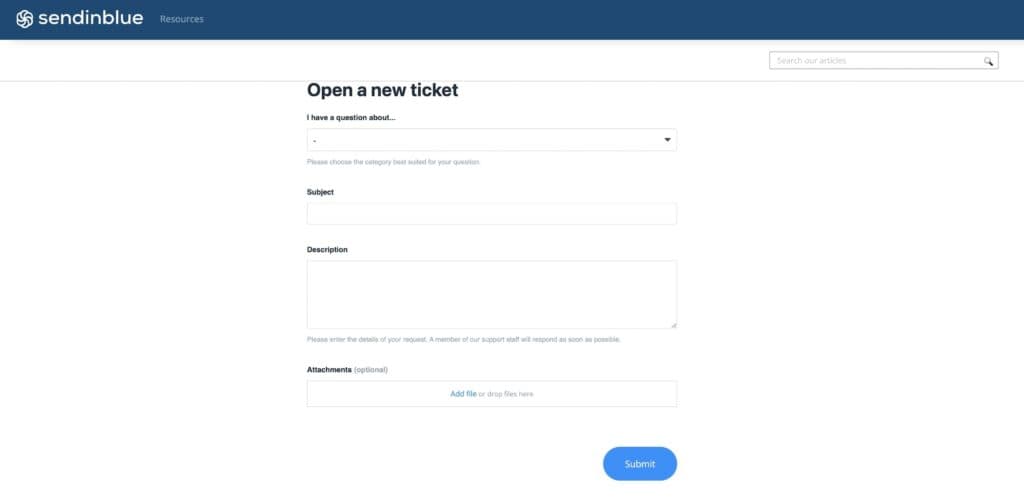
This is Brevo’s primary support channel. However, it is available via a ticketing system. When I signed in, I simply opened a new ticket, sent my concerns through a form, and got a response from them in about 12 minutes.
Phone Support
When using Brevo email services, you might have a hard time finding a phone line to call. However, the Brevo Academy support page shows a Paris phone number that you can call. Placing a call cost me a few bucks on international call fees but their response was very polite and they offered as much assistance as I needed.
API Docs
Brevo is a developer-friendly platform that uses email APIs that allow you to send out emails in large volumes. It offers access to advanced features attached to your enterprise custom plan to make your email marketing efforts faster and easily accessible. Brevo uses the REST API to give developers access to short code operations to enhance business functions.
Blog
The Brevo blog is very educational and engaging. You can forgive yourself if you get hooked. It’s so hard to resist. The blog contains expert opinions and perspectives for anyone navigating digital marketing.
Phone Support
+33 (0)1 75 43 78 62
contact@sendinblue.com
24/7 Help & Support
Gain 24/7 support via phone and email
FAQ
Receive explicit answers to all your questions
Video Tutorials
Video tutorials are available on Brevo Academy
Ease of Use
From the beginning to the end, Brevo (formerly Sendinblue) offers support to users to avoid losing them as they move closer to using the software. This company uses an interface that is easily accessible to all, regardless of their technical knowledge.
Setup
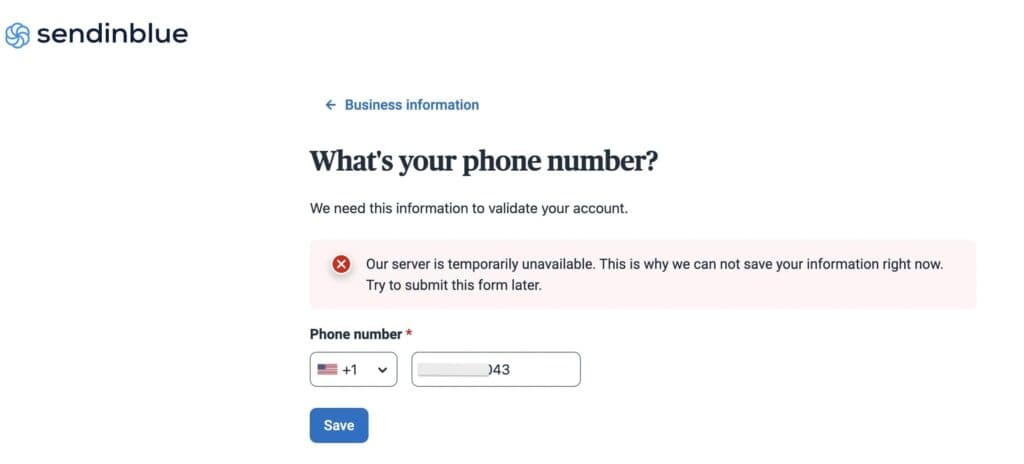
I had a pretty tough time setting up my account at first. It appeared that Brevo (formerly Sendinblue) was experiencing some issues with their server. However, after several tries, I was able to add my phone number and went ahead to start building my email marketing campaign with relative ease.
Designing your email with the drag-and-drop email editor:
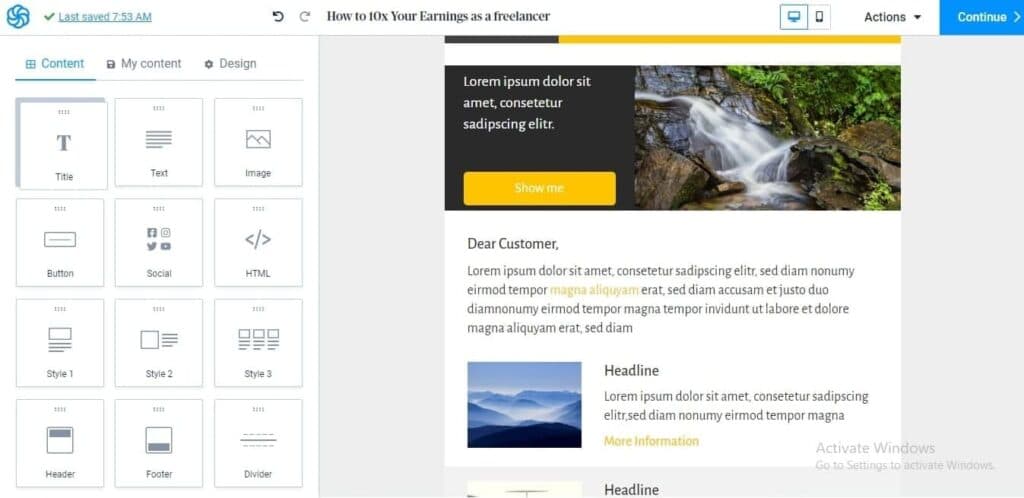
The drag-and-drop email editor is one of the most outstanding features of Brevo (formerly Sendinblue). You can access more than 40 templates to help you create visually stimulating designs for your audience. It is easy to use and convenient even for beginners to design decent emails that resonate with your audience.
Audience building and segmenting
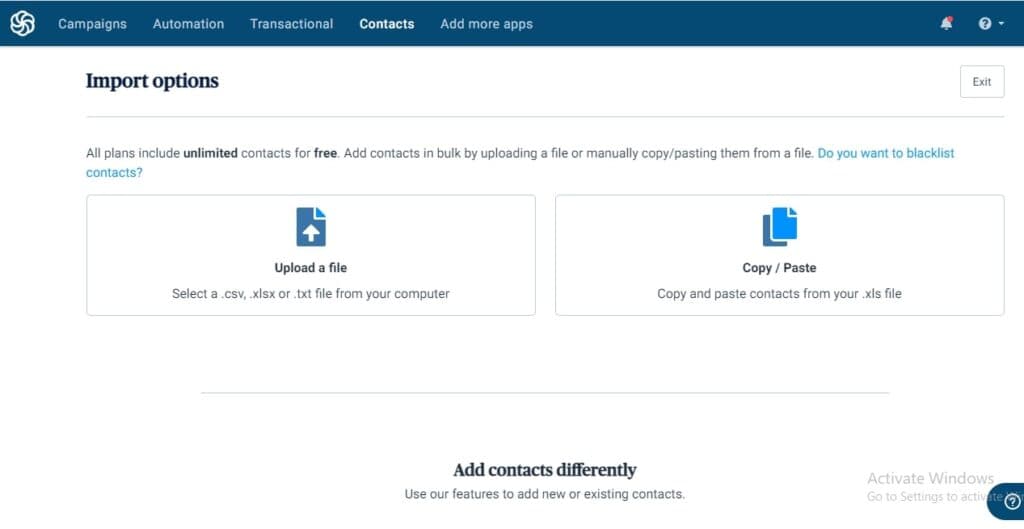
Importing your contact list to Brevo (formerly Sendinblue) is simple. All you have to do is click on the contacts link and then import your contacts to the software. To segment your contact and make it easy to identify each contact segment, you can add tags and filter criteria to each contact as you create them. There are several other parameters for segmenting contact on Brevo, including activities (email open, join date, etc), and demographic data (age, location, etc.)
Email automation
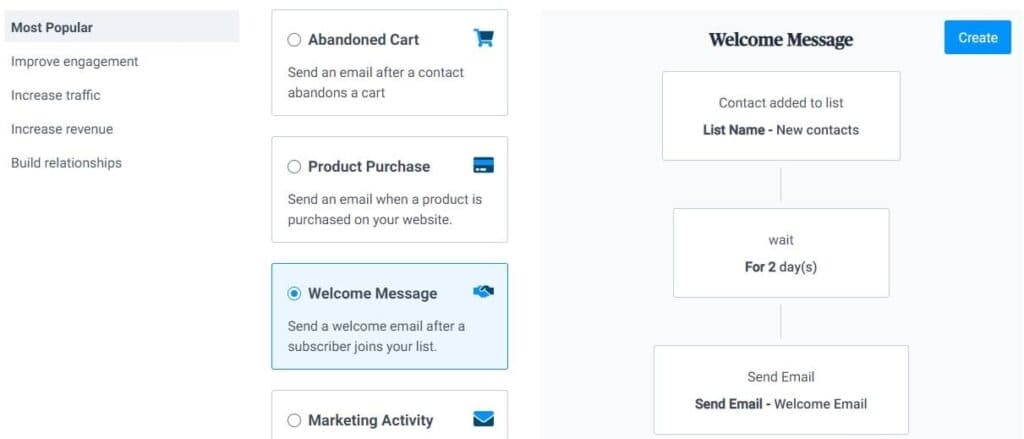
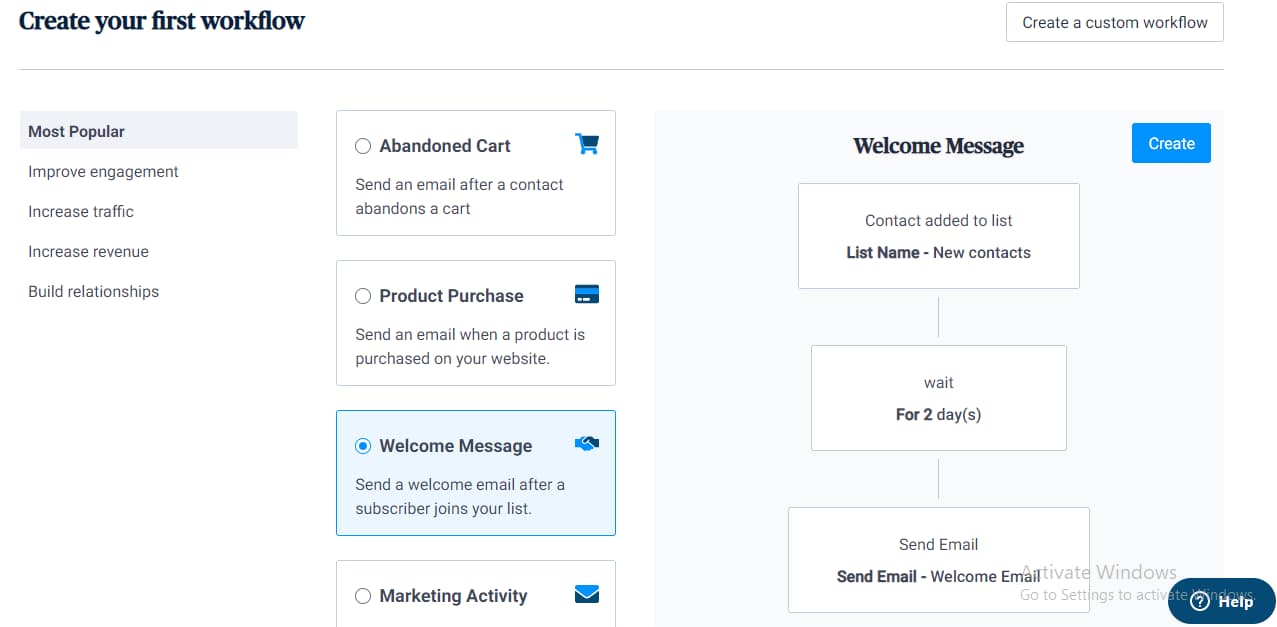
Automating your emails with Brevo is easy and fun. All you need to achieve a smooth workflow is within your fingertips. When I used this feature, I could send emails to specific customers by setting the date and time I wanted with my desired trigger. It allowed me to send messages to my customers on their birthdays to show them I cared about them beyond the transactions between us. Also, I could reach customers with abandoned carts by automating. This way, I could ensure that I didn’t lose them at the critical point of their decision. Using Brevo helped me build solid relationships with customers right from the time they find my service till the end. I could automate welcome emails, reactivation emails, and onboarding emails without breaking a sweat. My overall experience using the email automation feature was satisfactory.
Integrations
I tried integrating my WordPress account with the Brevo SaaS and the process was hitch-free. Brevo provides video tutorials and blog articles that detail the integration process to make your process seamless. As a first-time user, the integration process had no software lags. You can either decide to use Zapier to link your Brevo account to other applications or take advantage of the plugins that offers to ease the process.
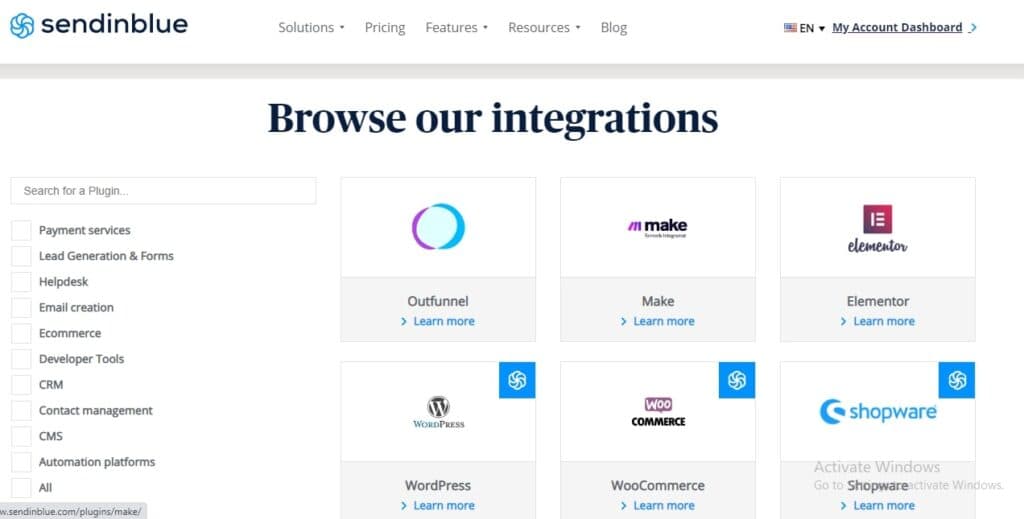
The integrations that Brevo provides give you access to increased data security, better customer service, and detailed analysis. It removes the need to move from one application to another, thus saving you time and enhancing productivity. You can trust the data because the tasks are simple, more organized, and structured to help you improve your sales potential in the long run. You can enhance your work culture by relying on the integrations that Brevo provides to avoid burnout and stress.
Performance
Although it's difficult to identify how effective an email marketing tool can be, you still need to know that your emails will be delivered on time. Also, you need a tool that will keep your outreach out of the spam folder. This section focuses on testing Brevo (formerly Sendinblue) email marketing for spamminess and deliverability. After testing the software, I found the following result.
Deliverability
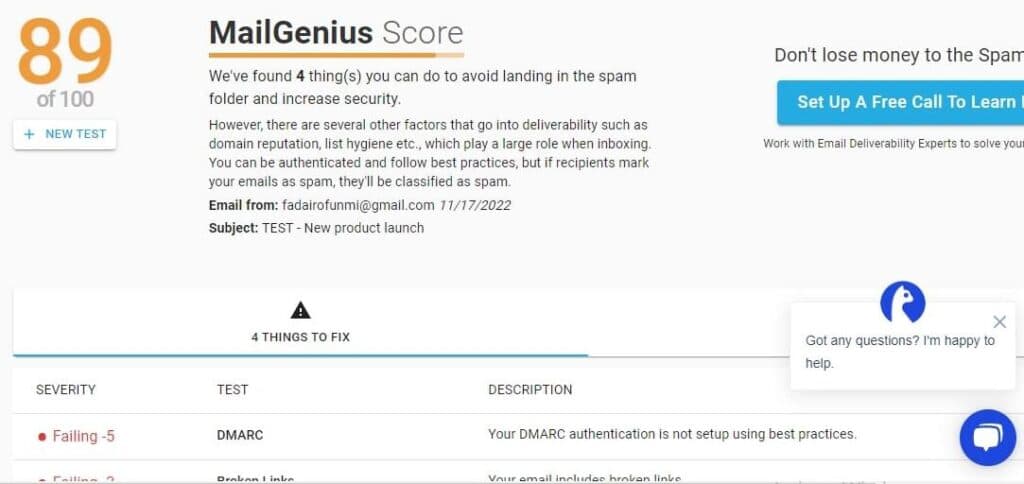
The current results from Brevo show a deliverability score of 89%. This means more than 89% of your contacts will receive emails every time you send them, which means there’s a high probability that your emails will reach your recipients successfully.
Spamminess
The secret to getting your campaign to your target audience easier is low spamminess. After testing the tool for spamminess, I got a 90% inbox delivery rate. There were no broken links identified.

Features & Functionality
Email Marketing
I looked into the main features offered by the Brevo email marketing offering and tested them out. Here's some of what you'll find.
- Survey Tools for Customer and Employee Feedback
- Sales CRM
- Drag and Drop Editor
- Reporting & Analytics
- Landing Pages
- Survey Tools for Customer and Employee Feedback
- Image Library
- Multiple Users
- Gmail Import
- Sign-Up Forms
- Email Lists
- Segmenting
Survey Tools for Customer and Employee Feedback
Brevo (formerly Sendinblue) provides flexible survey functionalities that are ideal for customer and internal feedback collection.
After testing Brevo’s survey functionalities, I found them highly effective for internal feedback collection. Creating surveys was seamless, with options to embed forms directly into emails or link to external forms using buttons or images. This flexibility made it easy to gather insights on employee satisfaction and workplace improvements.
The design tools were intuitive, and the distribution process ensured high engagement. Overall, Brevo’s survey features proved to be a valuable tool for fostering open communication and enhancing team dynamics.
Sales CRM
Brevo uses a customer relationship management tool that helps you streamline your business operations, especially when it concerns email automation, contact, and campaign management.
This feature allows you to focus on more important tasks instead of spending hours running between applications. It gives you insight into your customer’s needs so you tune your efforts to their expectations. The sales CRM allows you to personalize the experience for every customer and measure the results from it.
Drag and Drop Editor
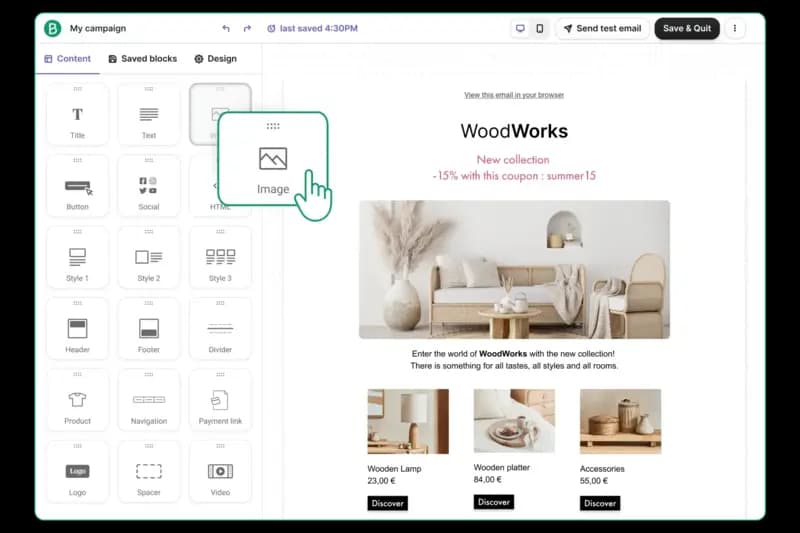
As I tested Brevo’s drag-and-drop editor, I was impressed by how intuitive and user-friendly it is. Without any coding skills, I was able to create visually stunning email designs in minutes. Even with minimal design experience, the editor made it easy to craft professional and captivating layouts.
I particularly appreciated the preview feature, which lets you switch between mobile and desktop views to ensure every detail is perfect before sending. It’s a seamless tool for delivering polished, impactful emails.
Reporting & Analytics
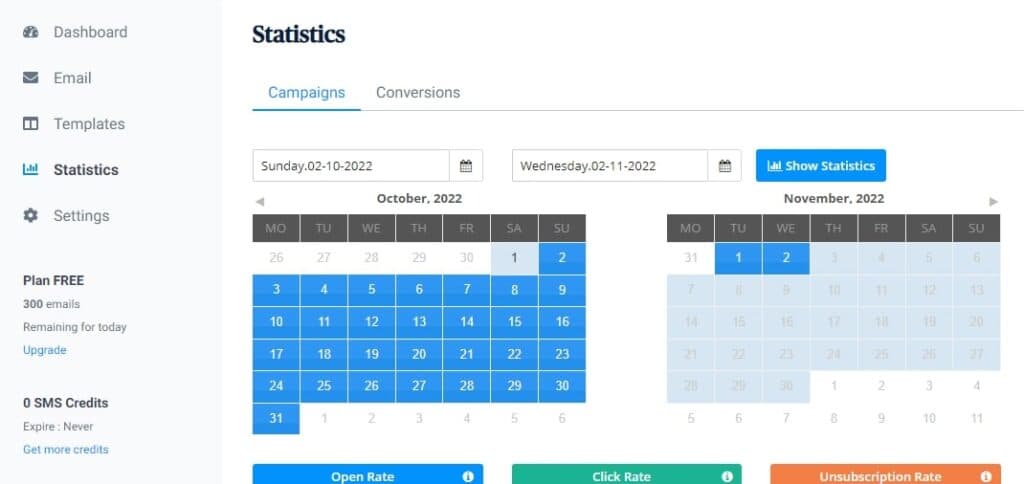
Brevo gives you the opportunity to analyze the click-through rate of your emails and the effectiveness of your campaigns. It reports performance metrics such as click rate, open rate, and unsubscription rate.
This feature helps you differentiate between those who viewed your email once and those who checked it multiple times. It also contains the details of those who marked it as spam. The statistics show the number of complaints and bounce rate of your emails. The analytics even add the conversion rate to the performance metrics.
Landing Pages
Email marketing is not complete without a landing page for recipients to visit. Brevo makes sure this essential piece is not missing. You can build simple, aesthetic, and compelling landing pages for your products and services. So, as you send out emails, you can refer them to your landing page where they can be converted to paying customers.
Image Library
Brevo’s Image Library stands out as an efficient and well-organized tool for managing visuals in email campaigns. During my testing, I found its drag-and-drop functionality incredibly straightforward, allowing for quick uploads and hassle-free organization.
The library ensures consistent branding by keeping all assets easily accessible in one place. It’s a must-have feature for businesses aiming to create visually cohesive and professional email marketing campaigns with minimal effort.
Multiple Users
Brevo’s Multiple Users feature allows teams to collaborate seamlessly on email campaigns. During testing, I appreciated the ability to assign role-based permissions, ensuring control over access levels. This email marketing feature fosters collaboration while maintaining data security. For businesses with multiple stakeholders, it streamlines workflows and accelerates campaign execution.
Gmail Import
The Gmail Import feature in Brevo simplifies the process of transferring contact lists from Gmail into your email platform. I found it incredibly useful for quickly syncing accounts without manual data entry. This email marketing tool saves time, reduces errors, and helps businesses manage subscriber lists efficiently, making it ideal for quick campaign setups.
Sign-Up Forms
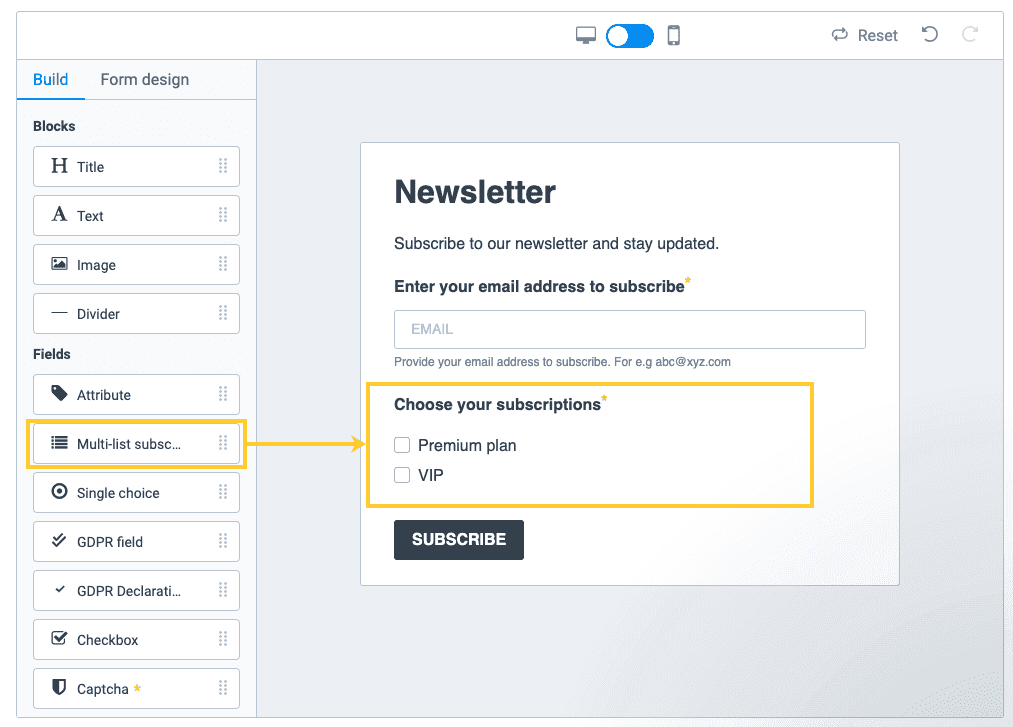
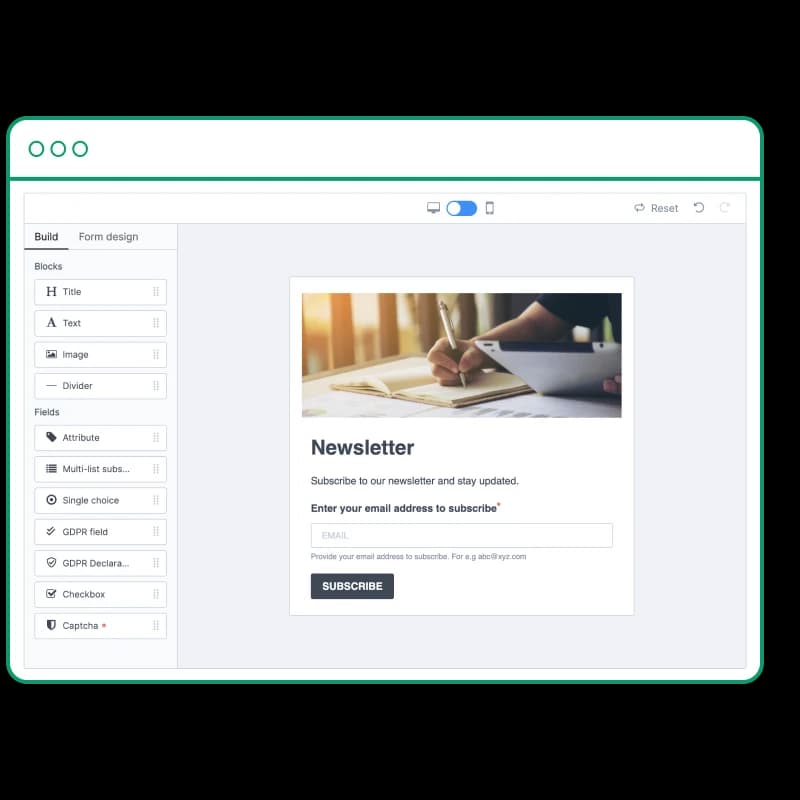
Brevo’s Sign-Up Forms allow businesses to create and embed customizable forms into websites or emails. I found this feature invaluable for capturing leads and building email lists. The forms are easy to design, mobile-responsive, and integrate seamlessly with Brevo’s system. This feature is essential for businesses looking to expand their audience and generate consistent engagement.
Email Lists
Brevo’s Email Lists management feature is an excellent tool for organizing and updating subscriber data seamlessly. While testing, I was impressed by how dynamic list updates automatically adjusted based on user interactions, such as clicks or sign-ups.
This ensures campaigns are always accurately targeted. For businesses, it’s a game-changer, saving time and enabling precise segmentation to maximize engagement and campaign effectiveness. It’s a must-have for efficient and impactful email marketing.
Segmenting
Brevo’s Segmenting capabilities impressed me with their precision and customization. I tested various filters, such as user behavior, location, and demographics, to create highly targeted campaigns. This email marketing feature enhances personalization, leading to better engagement and higher conversions. It’s a must-have tool for businesses aiming to connect with their audience on a deeper level.
Brevo offers a ton of targeted marketing features to boost customer retention and engagement:
A/B Testing
Brevo's A/B testing feature allows marketers to experiment with different email elements, such as subject lines or content variations, to determine which version resonates best with their audience. This capability is essential for optimizing campaign performance and enhancing engagement rates.
Social Media Marketing
Brevo integrates social media marketing tools, enabling users to manage and schedule posts across various platforms. This integration streamlines marketing efforts, allowing for cohesive cross-channel campaigns and consistent brand messaging.
Surveys
While Brevo doesn't offer a dedicated survey tool, users can create custom forms to gather feedback or conduct surveys. These forms can be embedded in emails or on websites, facilitating the collection of valuable audience insights.
Bounce Management
Brevo's bounce management system automatically handles undeliverable emails by categorizing them into 'hard' and 'soft' bounces. This process helps maintain list hygiene and improves sender reputation by ensuring that future campaigns target valid email addresses.
Tracking Analytics
Brevo provides comprehensive analytics for email campaigns, including metrics like open rates, click-through rates, and conversion statistics. These insights enable marketers to assess performance and refine strategies for better results.
Automated Email Responses
With Brevo's automation features, users can set up workflows to send automated email responses based on subscriber actions or predefined triggers. This functionality enhances customer engagement by delivering timely and relevant communications.
Create visually appealing emails with design tools.
Email Templates
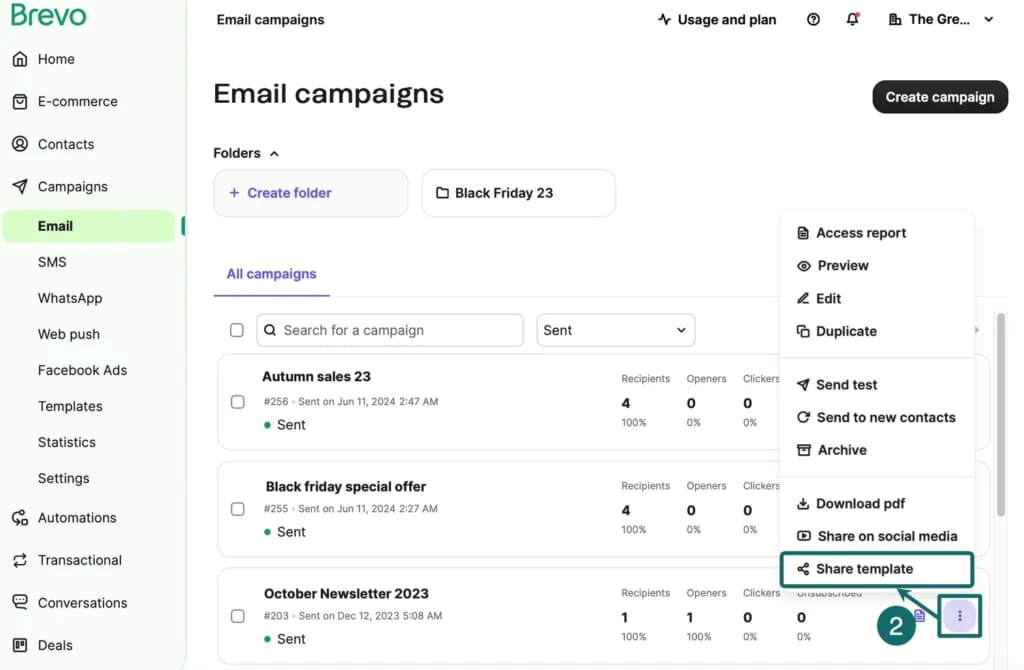
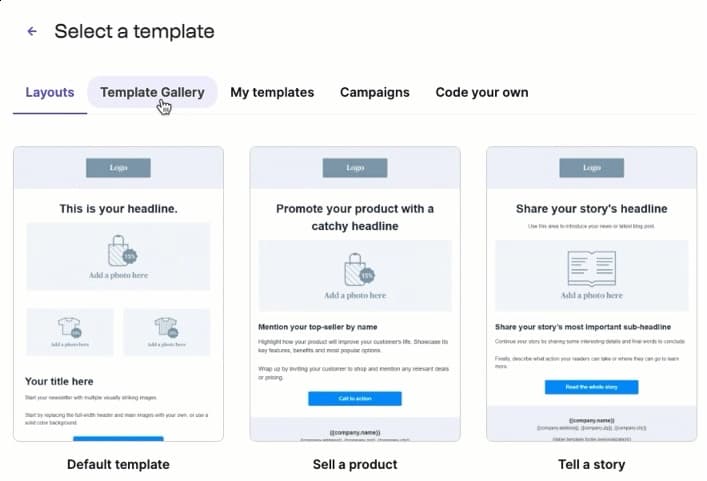
Brevo provides a diverse selection of customizable email templates, streamlining the creation of professional campaigns. The intuitive drag-and-drop editor allows for easy personalization, ensuring brand consistency and engaging content. This feature is invaluable for businesses aiming to enhance their email marketing efficiency and effectiveness.
Building Personalized Emails
Brevo's personalization capabilities enable the inclusion of dynamic content tailored to individual recipients. By leveraging contact attributes, businesses can craft messages that resonate on a personal level, thereby increasing engagement and conversion rates. This functionality is essential for targeted marketing strategies.
Email & Mobile Preview
The platform offers a preview feature that displays how emails will appear across various devices. This ensures that campaigns are optimized for both desktop and mobile viewing, maintaining a consistent and professional appearance. It's a critical tool for enhancing user experience and engagement.
Flexible Design
Brevo's flexible design tools allow users to adjust layouts, colors, and fonts to align with brand aesthetics. The platform supports both HTML and drag-and-drop editing, catering to users with varying levels of technical expertise. This versatility facilitates the creation of visually appealing emails that capture audience attention.
Storage for Data & Images
Brevo provides a centralized repository for storing images and data, simplifying asset management for email campaigns. This organized storage ensures quick access to necessary files, streamlining the campaign creation process and maintaining consistency across communications.
Newsletter Templates
The platform offers a variety of newsletter templates designed to facilitate regular communication with subscribers. These templates are easily customizable, allowing businesses to share updates, promotions, or news in a structured and visually appealing format. This feature supports sustained audience engagement and brand loyalty.
Languages
Brevo supports multiple languages, enabling businesses to communicate effectively with a global audience. This multilingual capability ensures that email campaigns can be tailored to diverse linguistic preferences, enhancing accessibility and engagement across different regions.
CRM
Task Management
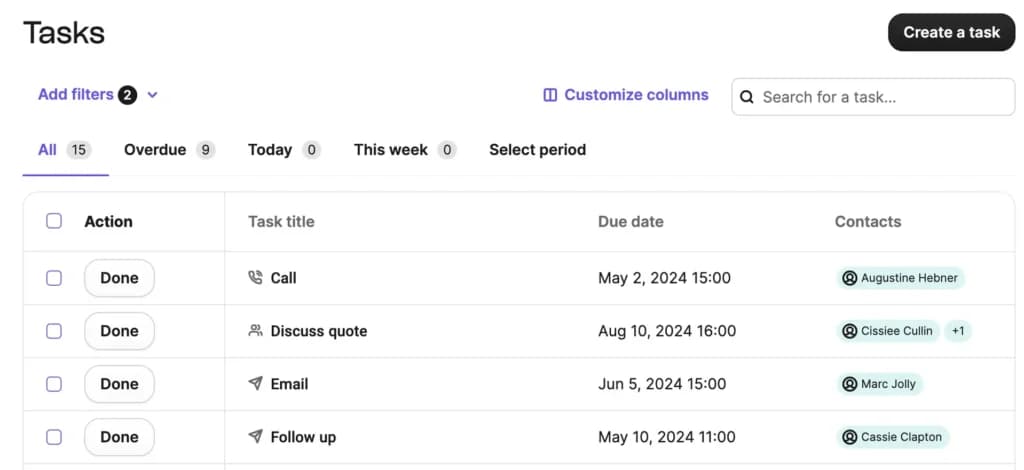
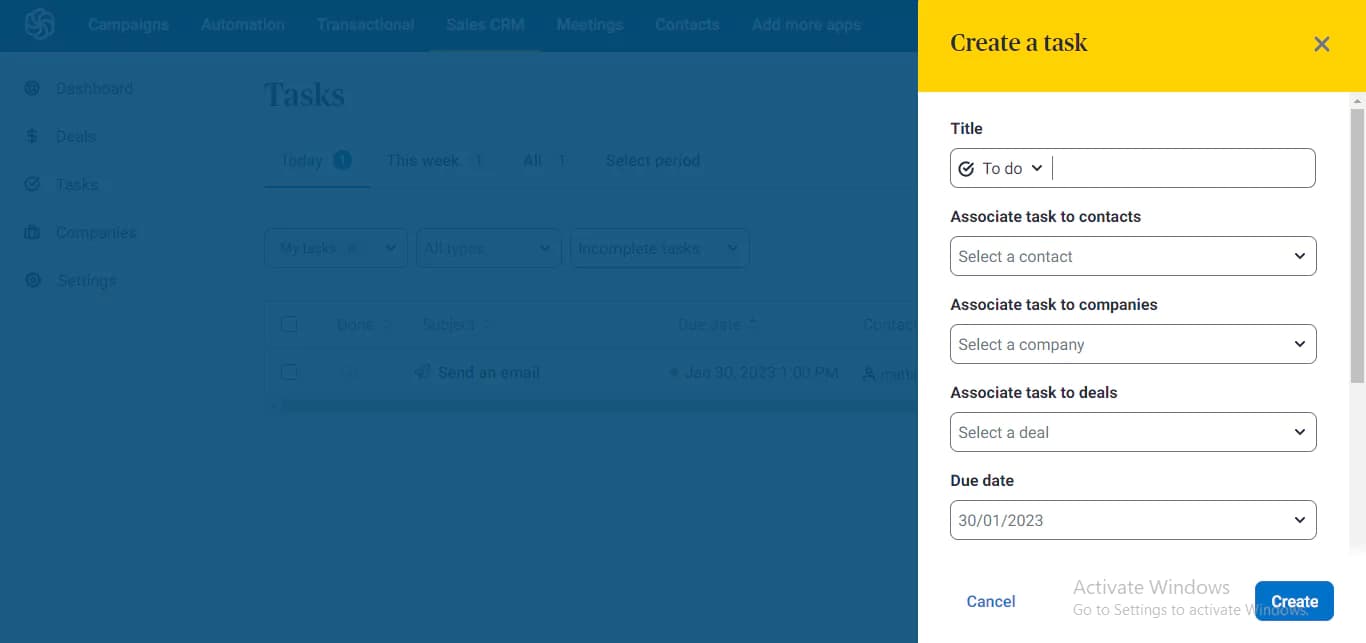
An effective CRM tool helps you keep track of all your business activities to ensure that you need miss important deadlines. For businesses to remain constantly productive, they require a powerful task management tool that allows them to remain on schedule. The task management tool on Sendinblue has various options, including call, email, meeting, lunch, to-do, and deadline. When creating a new task, you can include your task in an appropriate section to make your work smoother. It accounts for complete and incomplete tasks. Sendinblue allows you to create tasks of up to 100 rows per page.
Reporting and Analytics
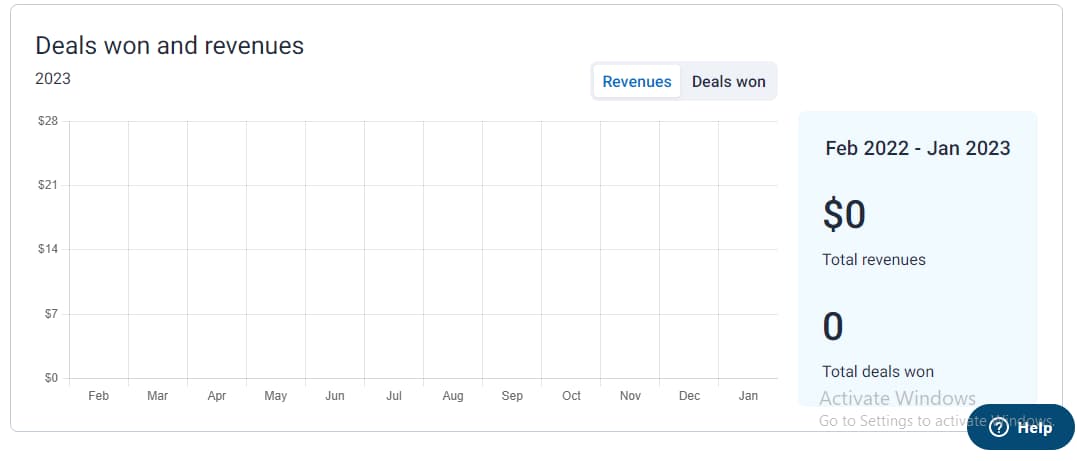
Although Sendinblue provides a detailed analytics structure for email marketing, the Sales CRM lacks analytics that covers all aspects of the tool. The only aspect that’s accounted for in terms of analytics is the deals page which only tracks the number of deals won and revenue. Also, it only provides one medium for viewing the data, which can be quite restricting and inflexible. However, if you’re only starting, this might be workable for your team.
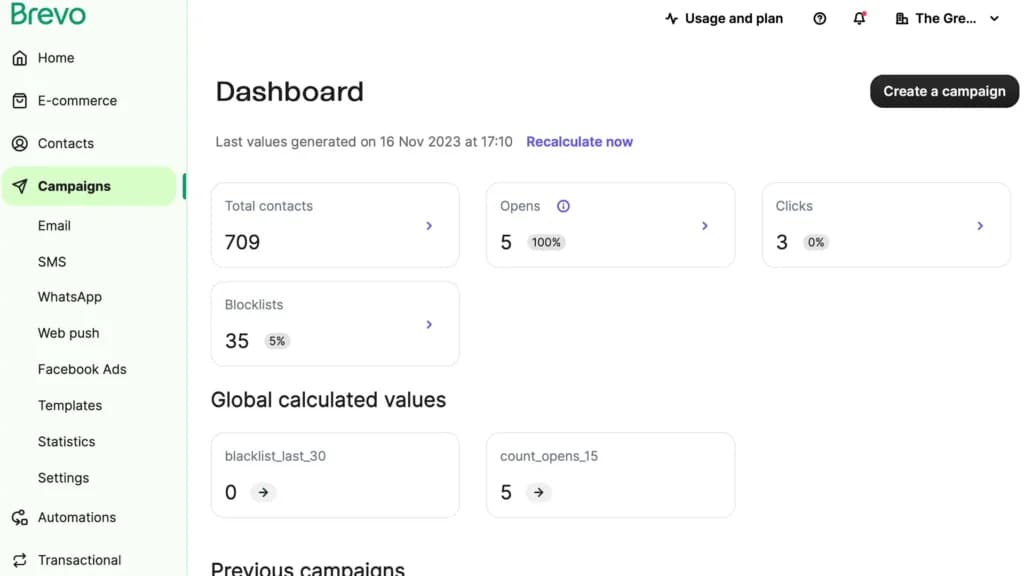
The marketing automation features are a different aspect of Sendinblue but work seamlessly with the CRM. Take contacts from your CRM and enter them into different workflows based on their behavior or other criteria. Send personalized messages before you take a sales call or even pitch them directly from the email.
Contact organization
This is one of the most important aspects of CRM. Sendinblue uses lists to organize contacts based on criteria you find important to your organization. One contact can be on more than one list and you can also add specific customer attributes.
It doesn’t have reporting for the activities you performed through the CRM but you can view prebuilt reports for the marketing automation workflows set up for CRM contacts. Sendinblue is an email marketing service itself so it doesn’t offer integrations with other email tools.
With that being said, it does have a wide range of integration partners such as Magento, Shopify, and Google Analytics. Integrating with other services is as simple as copying and pasting a few lines of code.
Streamline communication with integrated email tools.
Pipeline Management
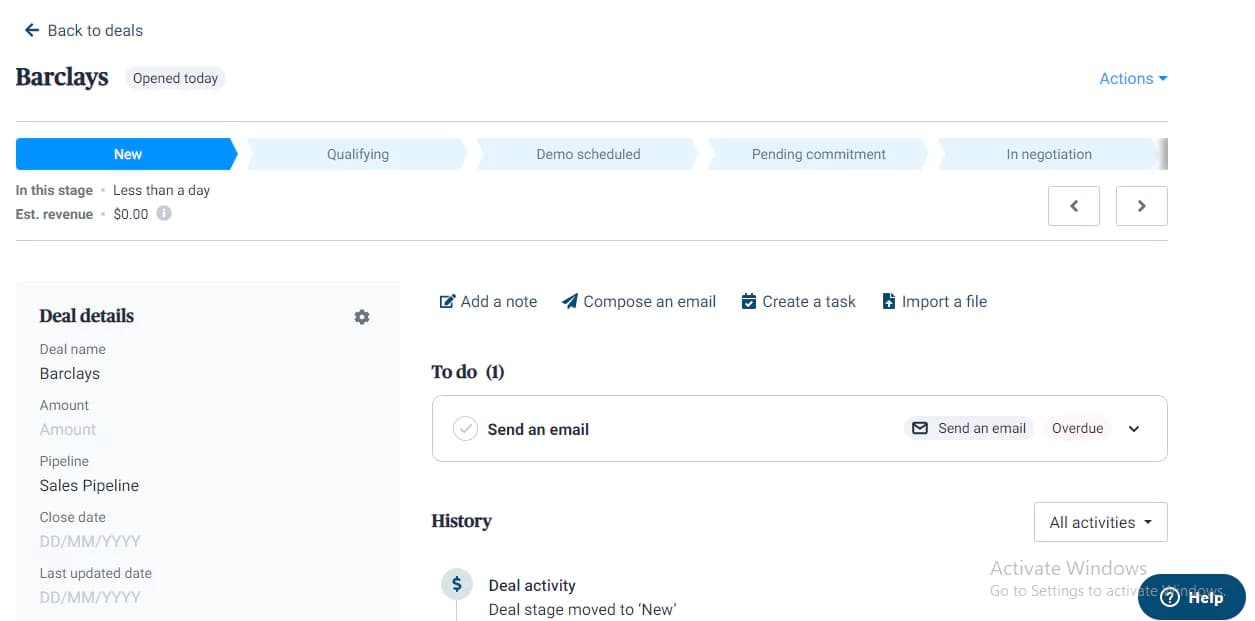
This Sendinblue makes it easy to track your customers' progress through the sales pipeline. Depending on what suits you best, you can decide to view your deals using the kanban software or a list. You can set an estimated revenue for each deal owner and classify them into different stages. The deals page on Sendinblue has a section for new, qualifying, demo scheduled, pending commitment, negotiation, and won and lost deals that are structured to help you know how much effort is required to convert a new lead. The page also tracks the expected close date, actual close date, and next activity, providing better insight into your business operations.
Contact Management
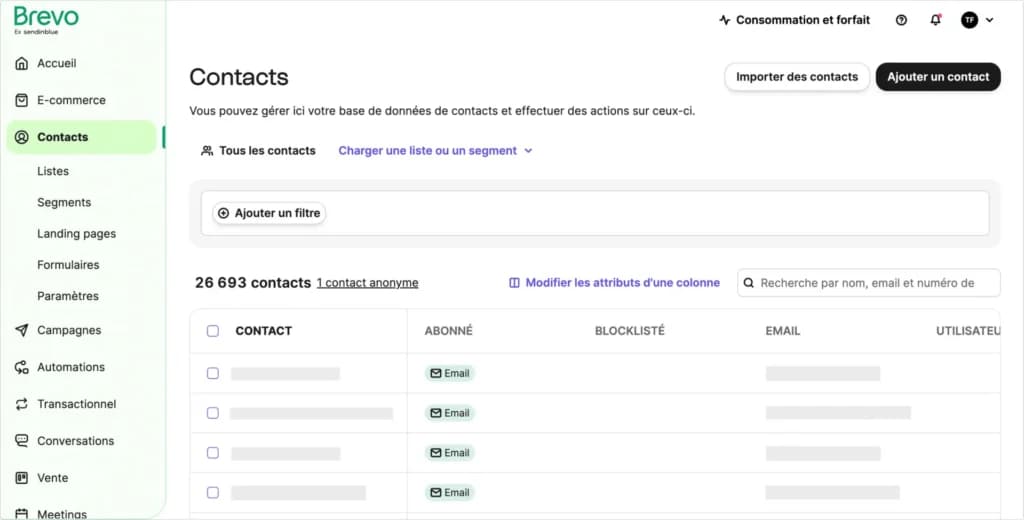
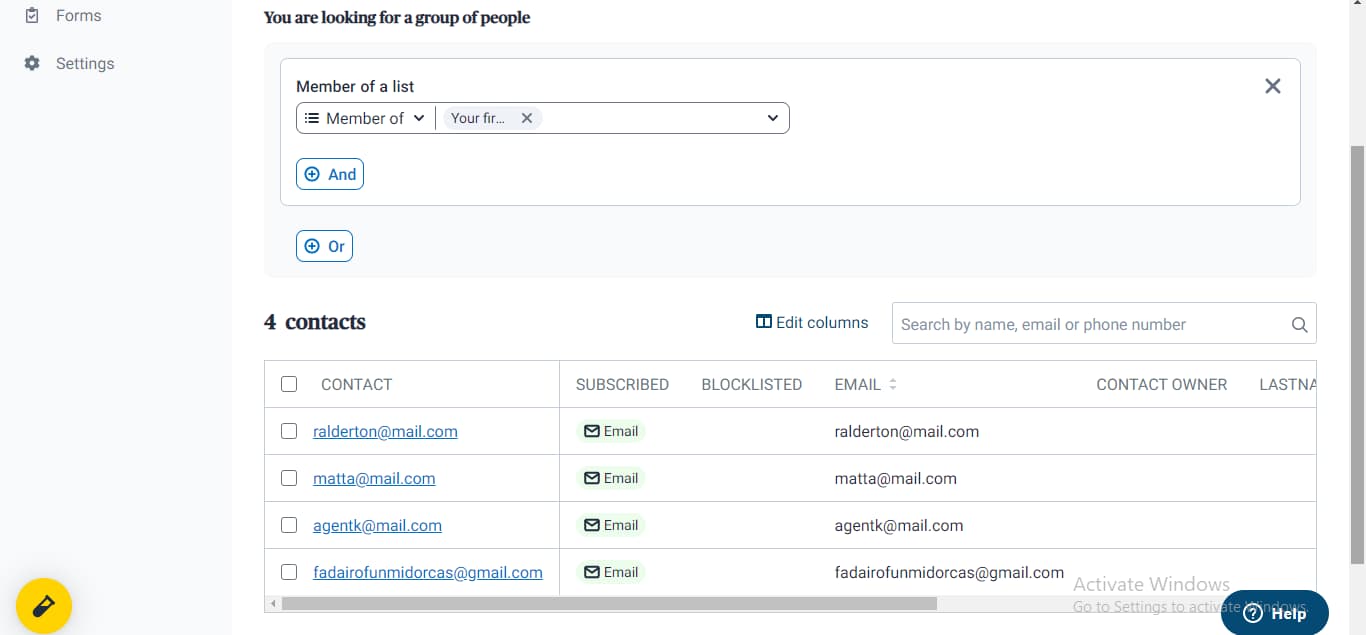
Managing your contacts on Sendinblue is a lifesaver. You can work with an unlimited number of contacts without incurring extra costs. Sendinblue makes it possible for you easy access and manages your customer information. The contacts page on this platform shows the customer's email address, subscription status, contact owner, first and last name, SMS, date added, and other additional columns you might be willing to include. This way, every team member can have a comprehensive insight into all the customer data required to take strategic steps. It also enables you to create different segments for your contact for easy accessibility.
Marketing Automation
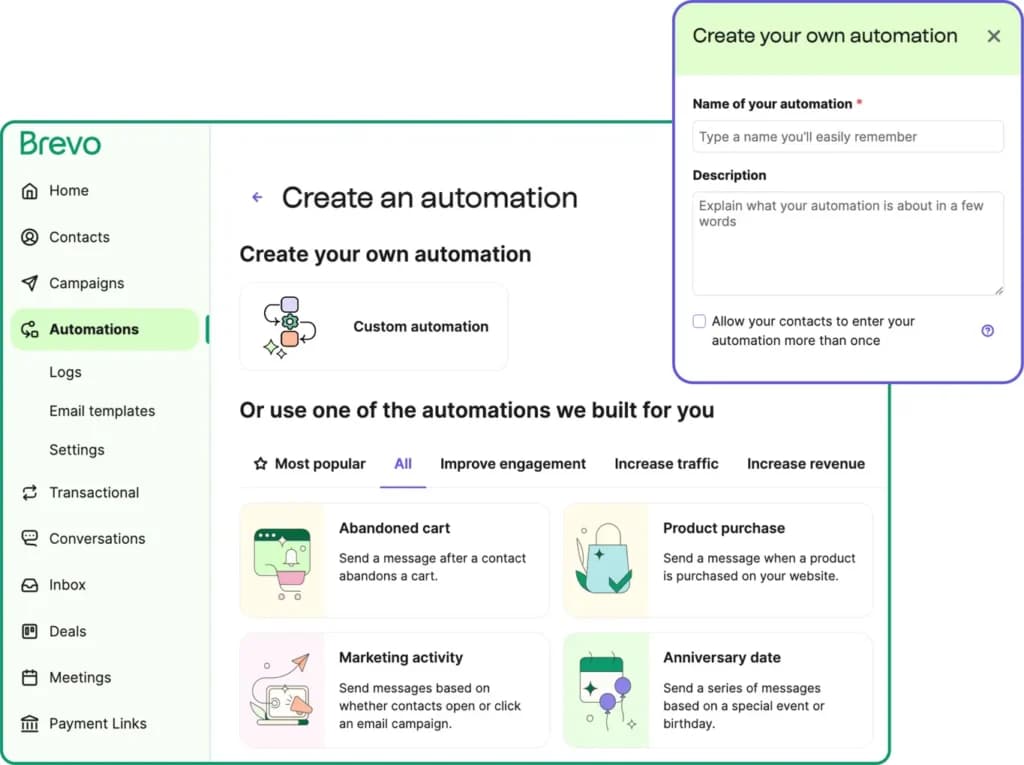
Sendinblue is also a powerful marketing tool that makes it easy to automate different activities to avoid performing repetitive tasks. This tool helps you to send an email to those who abandoned a cart, joined your subscribe list, made a purchase, or performed certain marketing activities. This way, Sendinblue ensures you remain in touch with potential clients and increase your chances of increasing sales.
Features
- Image Library
- Multiple Users
- Sign-Up Forms
- Google Analytics
- Email Lists
- Segmenting
- A/B Testing
- Social Media Marketing
- Surveys
- Bounce Management
Verdict
Running email campaigns on Brevo (formerly Sendinblue) is a priceless experience that every business owner whether big or small should consider having. It gives you value for your money if you want additional features not offered in the free plan. Brevo makes it possible for you to run effective email campaigns within your budget without having to break the bank.
Although I need a paid plan to access some of the juicy features of the software, it is a reasonable deal that beats many of its competitors. Brevo (formerly Sendinblue) is an all-in-one marketing tool suitable for all business sizes. So, it doesn't matter if you’re a startup or a team in a massive organization, you can still use Brevo to your full advantage.
Among email marketing tools, Brevo (formerly Sendinblue) stands out as an intuitive platform with a user-friendly interface that makes it easy to find essential details. It has exceptional features, integrations, and functions that can improve your marketing campaigns with ready-made templates. The free version of Brevo is unmatched among competitors, primarily because it measures based on the number of emails sent rather than contact volume.
Users Reviews
Write a review
Leave a review, help others get it right the first time.
6 Reviews
Ralph K
Superb value for money
I’ve been doing email marketing for years and have used most of the tools out there. Usually, to switch from a basic tool like Mailchimp to something more robust you’re looking at paying hundreds or thousands a month. Sendinblue offers tons of automation
- - Great webpage tracking
- - Lead scoring is simple and effective
- - Fantastic contact management and segmentation
Shaun M
It changed the game
After doing email marketing for 5 years with a legacy provider that took too much energy for too little results, we switched to Sendinblue. It has helped us speed up our processes and get better results.
Gerald M
Great for automation
It had a free plan and still offered automation. I jumped on board and have not regretted it because of how simple it is to use.
Eric A
It delivers great value
I have set up Sendinblue for my business and signup dozens of my clients. They have no complaints because it is packed full of value.
- - Low cost
- - Unlimited contacts
- - Lot of automation features comparable to competitors that charge more than twice as much
- - The APIs are easy to work with
- Limited to 300 emails a day on the free plan
Jack S
SendinBlue is Incredible
I’m able to automate so much of my work thanks to Sendinblue. The API is easy to understand and makes it possible to send out transactional emails without a high price tag.
- It gets slow at times
Lionel D
Great product and support
It is one of the few email marketing tools that has been built with the end-user in mind. It’s easy to get around and set up your first few campaigns.
- - Minor learning curve
- - It has all the features you need for basic and advanced email marketing campaigns
- - The support team replies quickly