

Vcita Review 2026: CRM, Accounting Software, Email Marketing, Online Invoicing, Bookkeeping, and more
Overall Rating
4.2
Last updated: March 2026
Vcita CRM is a cloud-based business solution platform for small businesses to manage their marketing activities, sales conversion, and revenue growth. It is an all-in-one tool for customer engagement and resource management.
Plans & Pricing
- Everything in the Free trial
- 100 monthly SMS credits in the US
- 20 monthly SMS credits outside the US
- 1000 campaign recipients
- Everything in the Essentials plan
- 250 monthly SMS credits in the US
- 50 monthly SMS credits outside the US
- 5000 campaign recipients
- Everything in the Business plan
- 250 monthly SMS credits in the US
- 50 monthly SMS credits outside the US
- 10,000 campaign recipients
* Featured prices can be updated and free offers may include additional terms.
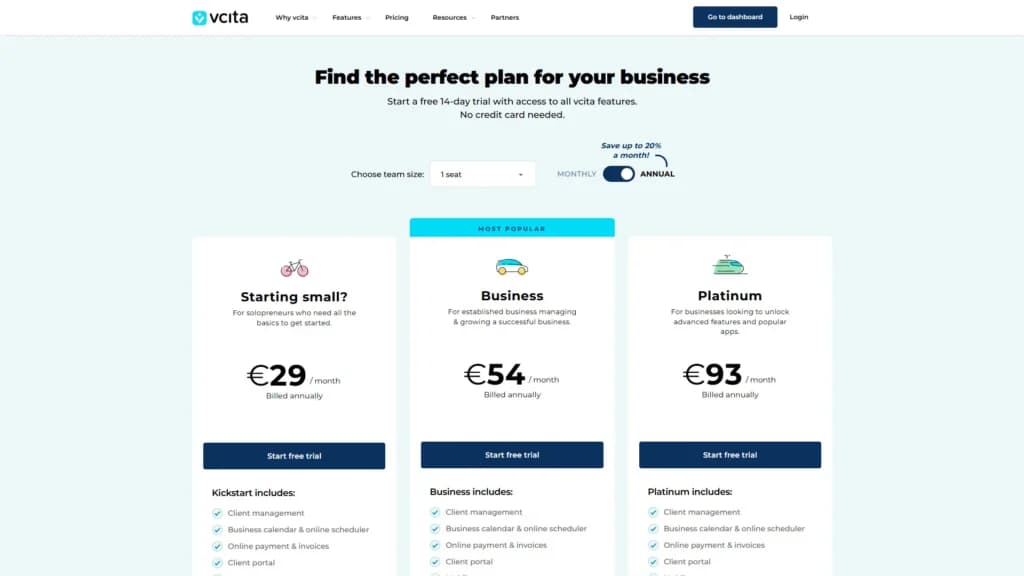
Vcita has no free plan, however, it has a 14-day free trial. It allows you to access the majority of its functions and features, such as email campaigns, appointment scheduling, custom branding, online billing, invoicing, etc. During this period, you can contact the business consultants for assistance in navigating the platform.
Additionally, it has three tiers of the paid plan option that allow you to access the full feature set like, tracking customer interactions, viewing their payment history, and sending payment reminders to forestall late payments.
Depending on your chosen plan, you can always upgrade to a higher plan if your team size number increases. Albeit, as you upgrade your plan for increased contacts, your payment increases. Based on what suits you best, you can have your fee billed monthly or annually. It is, however, advisable to subscribe to an annual plan as it comes with a percentage discount.
Expert Score
Pros
- Intuitive design
- Mobile and desktop version
- Reliable customer support
- Numerous workflow templates
Cons
- Enables payment integration with limited payment gateways
- Live support is automated and run by chatbots
Customer Support
Vcita has a robust help center that enables customers to try a free demo of all its features. The Vcita guide familiarizes customers with the main features and workflows, the Vcita status page for all updates and upgrades, and other numerous resources and support options to guide users at every step. This all-in-one platform walks you through leveraging its marketing automation and sales CRM tools with emails, videos, guides, phone calls, and a live chat at your fingertips.
Vcita Live/Offline Chat
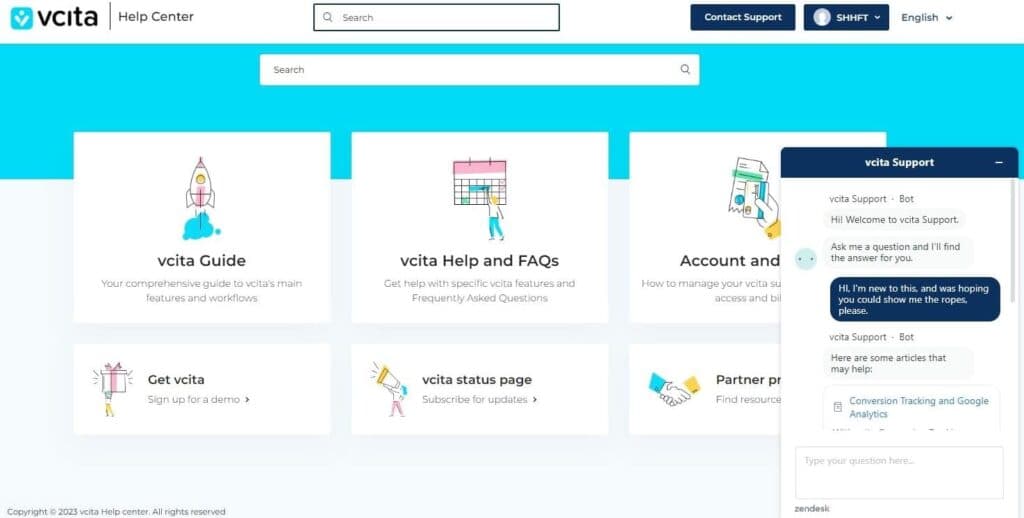
Finding the live and offline chat features was easy. At the help center section, the Vcita support icon dangles at the bottom-right corner. In less than a minute, the chatbot pops up with automated messages. After inputting a request, it took less than a minute to process the request and provide satisfactory feedback. The chatbot was not conversational and lacks human tone. However, it showed enthusiasm to help me navigate the platform seamlessly. Even though it says it is offline chat support, the bot didn’t respond when I switched off network connectivity and remained offline. Immediately I switched on my network connection and clicked on the “chat offline”, a welcome message popped up.
Email Support
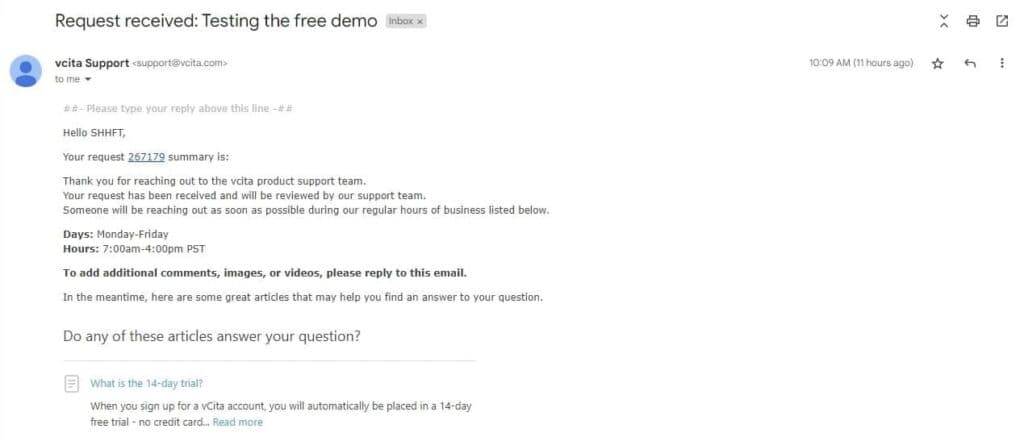
For every ticket you submit to Vcita support, you should receive an email response. The support section has eight different fields to tailor your request to the exact support that you need. The first field requires the client’s email address, followed by how the support system can help, the details and subject of your request. The next field has a large space for the description of your complaint or request while the remaining fields on the Email help center request for the“environment”, “browser” and “phone number” of the client (the enquirer). After filling in all fields in this section, you can either add a file attachment or proceed to submit your request. The team responds within a maximum of 24 hours to emails. While waiting, you get redirected to other resources.
Vcita Guide
The Vcita guide is a section with topics and content that are helpful to customers and those who need more information about this customer resource management tool. The “All Topics” section includes content on Clients, Marketing, Payments, Online Presence, Booking, and Business. All the content in this guide is divided into topics and sub-topics. A click on each of them shows a video explanation, with some interlinked to YouTube on how you can navigate the Vcita software. Most of the videos are short clips detailing how to navigate various functions and features. The help center allows you to lodge your request and complaint in three different languages: English, Spain, and French.
Phone Support
By providing a space to insert phone numbers, one would think Vcita has a responsive and swift phone support system. However, 24 hours after filing a request and providing a phone number, there was no contact from the support system via phone call.
Blog
In the resources section of the website, Vcita has blog posts covering marketing, sales, and service. The blog has various categories, including most read, most edited, most updated, tips, and insights. There are additional resources on how you can deploy the software to improve your business acumen, including pricing, processing and integrating payment gateways, time management, lead conversion, and email marketing trends. The blog section can be accessed from the home page. You can also subscribe to newsletters to get constant content and updates from Vcita.
Phone Support
Book a call - +1 (855) 824-8244
support@Vcita.com
24/7 Help & Support
Access 24/7 support through live chat, email, and phone.
FAQ
The help center has an FAQ section with explicit answers
Video Tutorials
Tutorials & free online courses are accessible
Ease of Use
Vcita is quite easy and smooth to use. Anyone that uses a mobile device or is tech-savvy should be able to navigate the tool. With the demo session that you can schedule at your convenient time, you can get a tour that guides you through using different tools and features to benefit your business. From the homepage, you get access to support resources for easy navigation and usage.
Setup
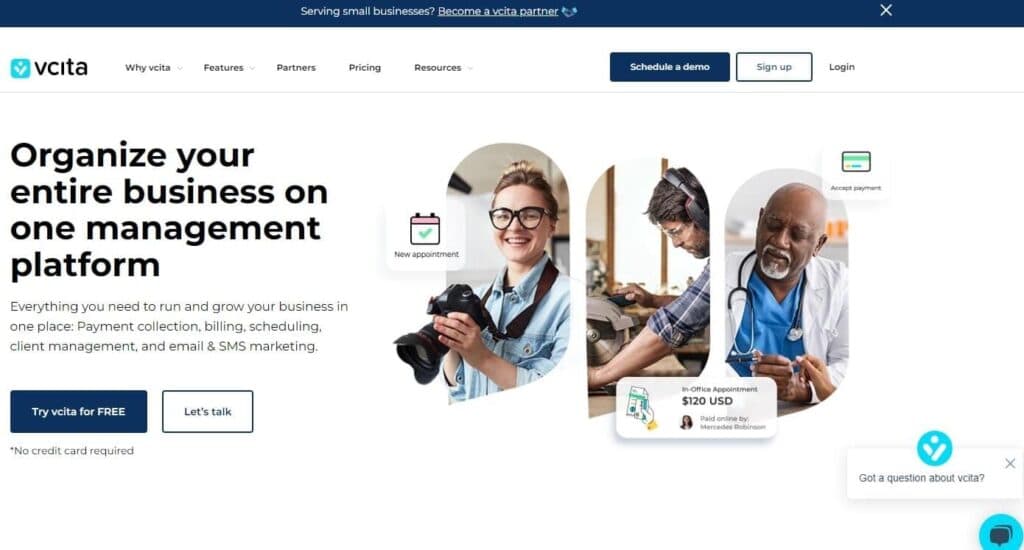
Setting up the Vcita software is easy and fast. Once you open the homepage via the URL or a referral link, you get the option to “try Vcita for free” or “let's talk.” The former option allows you to open an account with your email and activate the free trial for 14 days while the latter option redirects you to a one-on-one demo session with a support expert. The “let’s talk” interface has fields that require your first name, last name, email address, phone number, and industry. Once you’re done with this step, you can click on “go” to explore the one-on-one demo session with a Vcita support expert.
Customizing CRM tools
The main customizable feature on the Vcita CRM tool is your business dashboard and client portal(after setting up one). You can customize your dashboard by editing the icons, images, and colors. Clients can log into their portal by clicking “My Account!” to view bookings, payments, and other interactions with their business, as well as set or reschedule upcoming appointments.
Automation
One of the foremost features of Vcita is the ability to automate tasks and functions. It helps to save time and increase productivity. Coincidentally, all automation processes are simple. Victa has numerous templates for workflows that you can use, and there is the option to explore and build from scratch. Some of the functions that you can automate include data formatting, workflow scheduling, data transfer, task scheduling, lead capturing, insight, and analytics generation.
Performance
Vcita is an all-in-one business management tool with high-performance features. In identifying the capabilities of this software, I assessed some of the performance parameters and conducted an objective review accordingly.
Speed
When choosing CRM software, speed of setup and data transfer is important. Setting up the Vcita software is simple. Once you input your details in the available field, you can proceed to set up your dashboard.
Similarly, Vcita supports importing contacts from multiple sources to build client lists. Whether you are importing from Square, Quickbooks, or CSV/Excel spreadsheet, it takes about 2 minutes.
https://www.youtube.com/watch?v=PmiPtQatPU0
Automation
Discovering a potential lead, tracking, collecting, and managing their data is cumbersome and could involve some repetitive steps. However, the best CRM tool automates the steps and makes them seamless.
With Vcita CRM, I was able to automate the lead and client management process. Also, I was able to automate the appointment scheduling process and set a reminder for clients. The reminder prompts them when it is time for the appointment with a message to the clients.
Beyond this, Vcita offers several other automation features that business owners can use to save time and get more work done. These performance features include:
- Email marketing automation
- Automated invoicing
- Appointment scheduling
However, Vcita CRM does not offer sales forecasting automation, automated report generation, and a chatbot for lead generation.
Features & Functionality
CRM
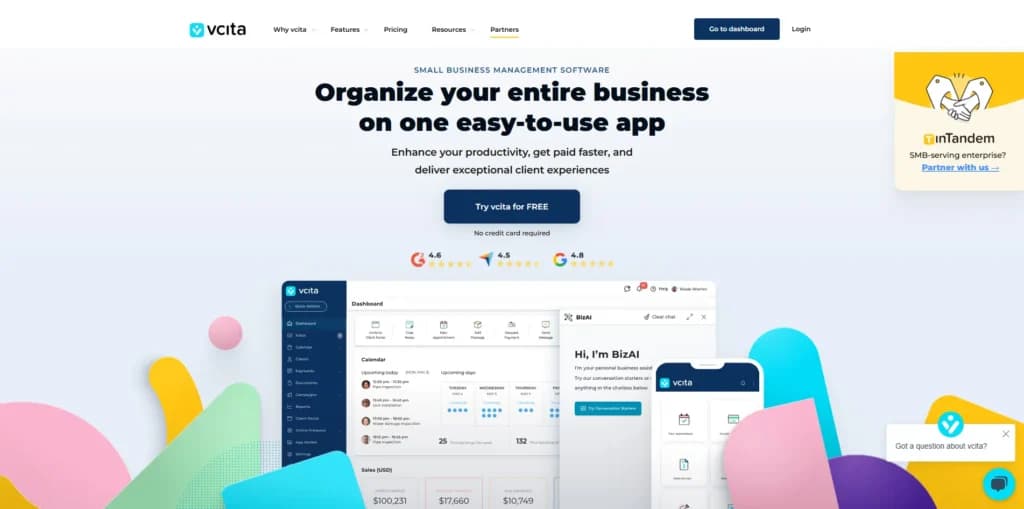
Homepage
Client Portal
This Vcita feature is client-centric. It allows clients and partners to schedule appointments, pay for services, and share files online. All clients will get a link to open their private portal either via a browser or the Vcita app. You will create an account with your email address, receive a login code via the mail, enter your login mail, and access your personal dashboard via that link. You can create multiple accounts and manage them on a single dashboard by using the dropdown button in the upper right section of your screen.
Payment Collection
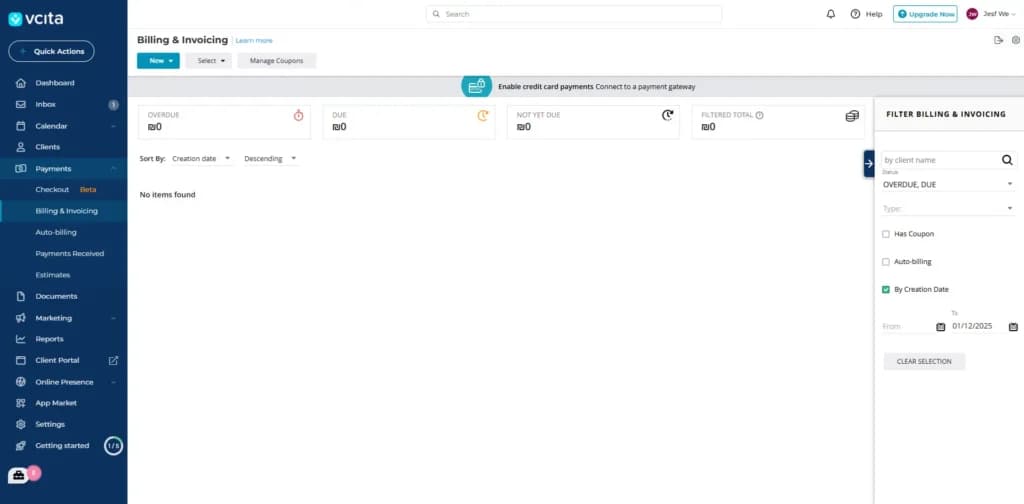
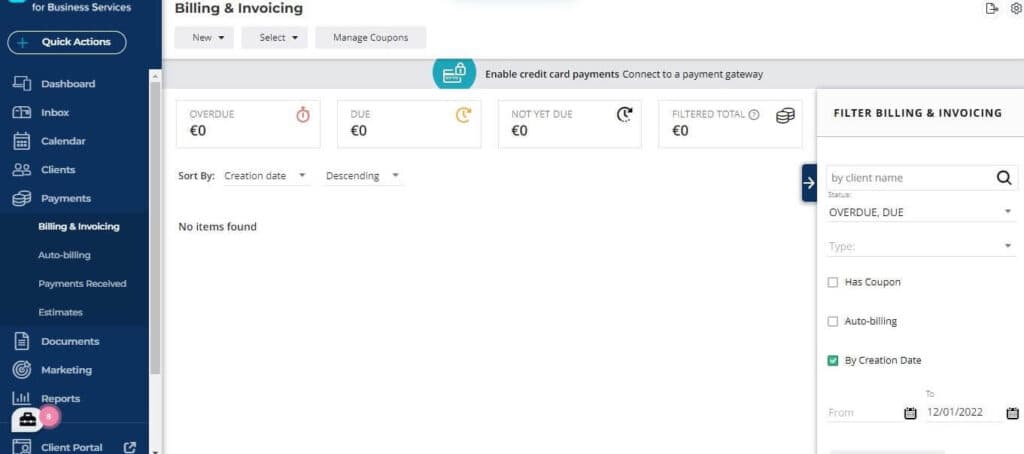
Vcita helps streamline all payment processes. This feature allows service providers and businesses to quote, create invoices, and bill clients. You can send automated payment reminders and confirmations to clients. In the payment collection tab, you can access the billing and invoicing section to see open payment requests from clients, open the details and accept payment. The payment option gives you the preference to pay using a payment link, debit/credit card, or record the payment. You can also send payment links and billing details directly to clients' emails with the payment integration.
Scheduling and Calendar
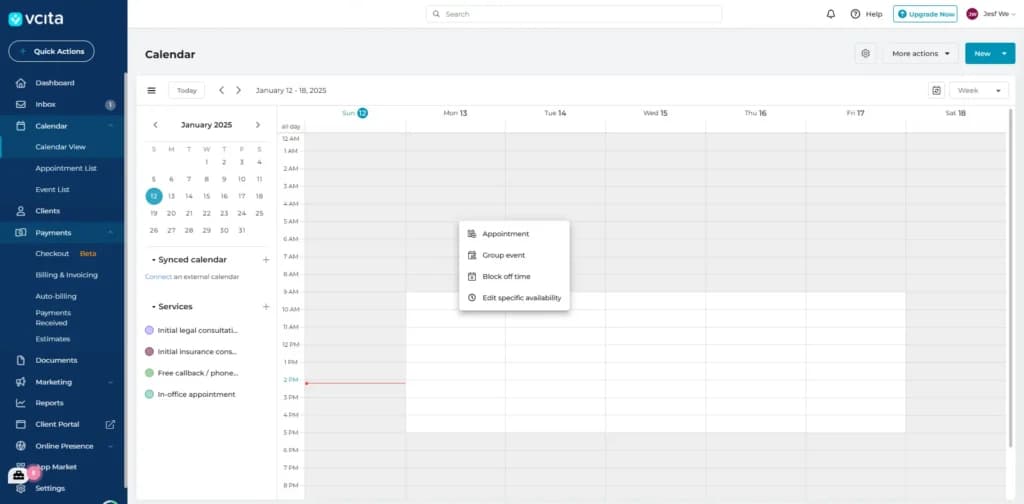
Business managers and service providers can book online services on a 24/7 basis. While you are offline, you can schedule appointments and get notified at the appropriate time. The feature also helps you receive and manage appointment requests from clients. You can click on the availability & calendar menu, and update your regional settings like time zone, time format, and working hours. You can set your busy hours and save changes when you change them.
Vcita doesn’t have reporting features, which can be a big downside for large teams. However, small teams usually can derive the most important analytics from their past interactions. And yet, it never hurts to have a look at reports at the end of each month, so this is a notable downside. As for the integrations, Vcita can be integrated with Facebook and G-Suite, Google Analytics, QuickBooks, Zoom, Wix, PayPal, and Zapier.
Streamline communication with integrated email tools.
Client Management
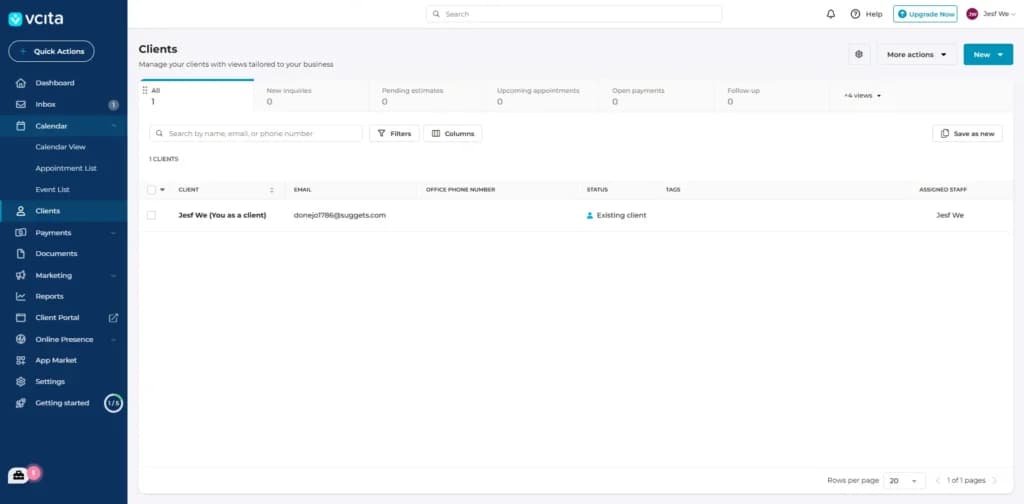
Vcita has a client management feature that helps you manage all your contacts on a single platform. This feature gives a birds-eye view of your client’s history of appointments, payments, invoices, documents, and conversations. With this feature, you can use the export tab to move your client list and import it to another system. It has a sorting and filtering option to sort and search your contacts with their basic details easily.
Marketing Automation
Vcita prioritizes the entire marketing workflow and automates the activities right from generating leads to converting them to dedicated clients. This feature includes intuitive email and SMS marketing tools for busy professionals. In the marketing section, you can click on automated campaigns to notify you and send a structured message to the client on an occasion like their birthday. This section also has announcements and delivery history options.
Accounting Software
Dashboard
Vcita is all about consolidating various administrative and marketing functions to free up time. Its central financial dashboard helps you do this by showing an overview of your financial situation and letting you view various details.
Client Management
Managing your clients is easy in Vcita. You can add clients directly in the application, via email invitation, import them from an Excel or CSV file, or bring them in from Google Contacts. Once you have clients in Vcita, you can use many filters and sorting features to sift through them.
Client Self-Service Portal
One way to please your clients is to offer them a single area where they can receive invoice reminders, view and pay their invoices, and analyze their payment history. Vcita provides such a feature in the form of a client self-service portal.
Automated Payment Reminders
Collecting payment is often the most tedious part of doing business. Fortunately, you can set customized, automated payment reminders for any time you want after a payment deadline. You can also add an SMS reminder with a single extra click.
Marketing Features
Email is one of the highest-ROI marketing channels, and SMS can undoubtedly help your efforts as well. Vcita’s marketing tools let you create beautiful email campaigns and compelling SMS campaigns in just a few minutes and segment your audience in several ways. Vcita also offers a library of email templates if you can’t or won’t write the copy yourself.
Monitor and categorize expenses for accurate financial tracking.
Streamline tax compliance with automated preparation tools.
Automate repetitive accounting tasks to boost efficiency.
Vcita offers numerous integrations to make bookkeeping and invoicing easier, including Quickbooks, PayPal, Stripe, Square, and Zapier.
You can also integrate with non-bookkeeping functions to streamline other areas of your business. Some of these integrations include Gmail, Google Calendar, Wix, and WordPress.
Some integrations are only available with certain plans. For example, Quickbooks, Zapier, and Google Analytics integrations are only available with Business or one of the Platinum plans.
Access accounting tools seamlessly across various devices.
Email Marketing
Payment Collection
Payment collection is a major problem among small business owners. However, Vcita provides a payment collection feature that helps you send automated reminders to clients to ensure your money reaches you.
This email marketing tool makes it easy for you to automate your payment collection process to gain a steady cash flow. In addition, Vcita allows you to accept payment through various channels including PayPal, Venmo, Stripe, and Square.
Editor
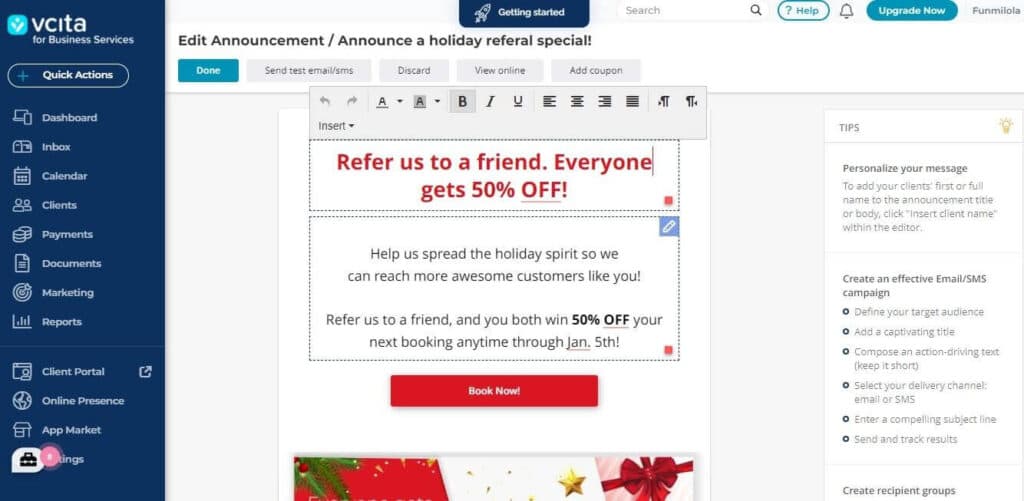
Designing an email campaign using Vcita is straightforward. Once you click on the section you want to edit, you find different options you can select. You can decide to make the text bold, underlined, italicized, or align it in a certain direction.
Another option is to include your specific input field identity in the text to create a more personalized feel. You can also edit the colors to suit your brand and upload an image from your personal gallery to achieve your desired effect. However, there’s no preview feature for you to know how your emails will look on mobile devices except you switch to your phone.
Reporting & Analytics
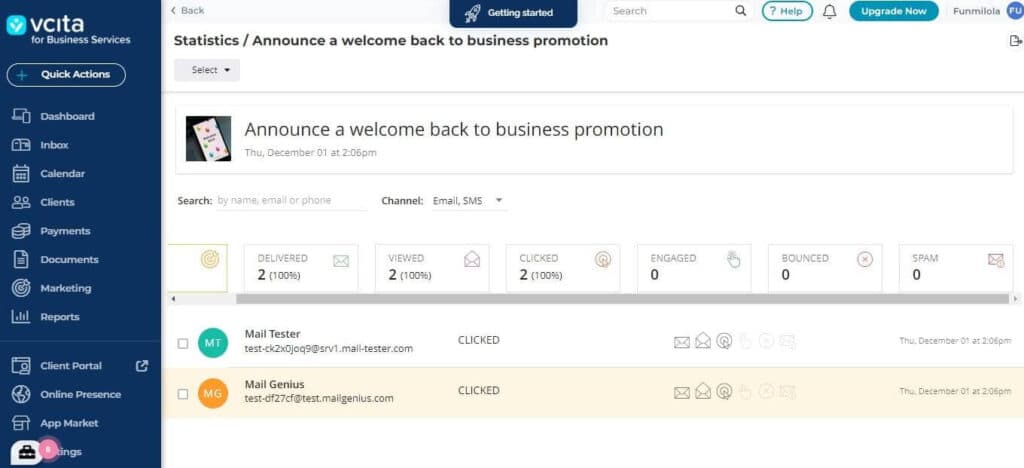
After you’ve sent the email, Vcita shows you the performance metrics below the email. However, you can click “show stats” to get a more comprehensive view of how customers responded to your email. It shows the number of emails sent, delivered, viewed, and clicked. Beyond that, it also shows the bounce rate, engagement, and spam rate of the emails you send. These analytics offers insights into how your audience responds to the content you produce so you can make adjustments subsequently. More advanced reporting tools are only available with the paid version.
Scheduling Tools
As a busy professional, it’s easy to forget important meetings and appointments with clients, especially when you’re going about your regular day-to-day activities. However, Vcita provides scheduling tools that make it easy for your clients to access you at any time. You can easily jump on Zoom calls, reduce no-shows, and schedule across different platforms all with one tool.
Calendar
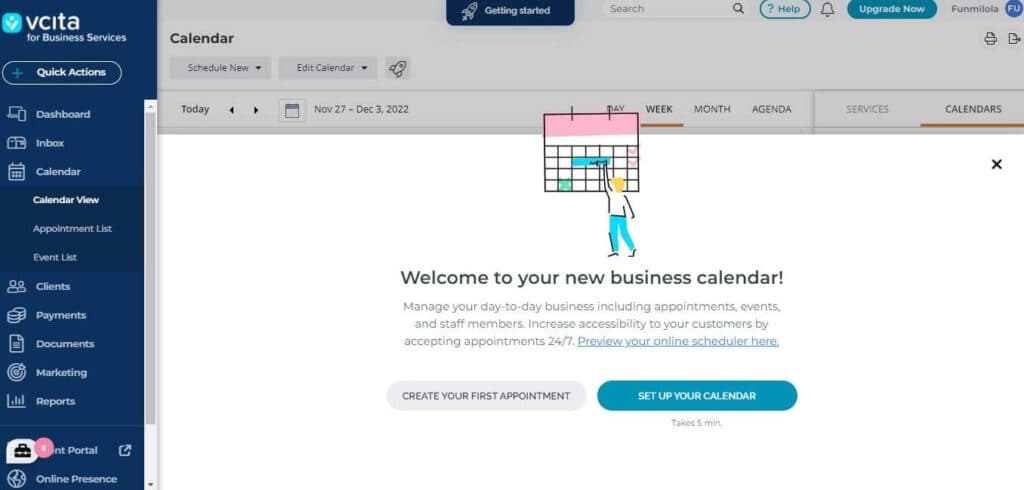
Vcita helps you keep track of all your appointments, bookings, and client meetings. You can connect it with an external calendar to access its full potential. This tool helped me create a comprehensive list of the events I needed to attend and track the status of every appointment I had. It shows canceled, pending, declined, scheduled, and completed appointments. You can also add a staff member so they can access the calendar.
Mobile App
This company prioritizes mobile-friendliness and accessibility, which is why it makes a mobile version of Vcita. It helps you carry your business everywhere you go and provides better convenience, unlike your regular PC. The features are properly adapted to mobile devices to still provide a superior experience to users.
Boost engagement with targeted marketing strategies.
Create visually appealing emails with design tools.
Online Invoicing
Dashboard
Vcita is all about consolidating various administrative and marketing functions to free up time. Its central financial dashboard helps you do this by showing an overview of your financial situation and letting you view various details.
Client Management
Managing your clients is easy in Vcita. You can add clients directly in the application, via email invitation, import them from an Excel or CSV file, or bring them in from Google Contacts. Once you have clients in Vcita, you can use many filters and sorting features to sift through them.
Client Self-Service Portal
Providing clients a single area where they can receive invoice reminders, view and pay invoices, and look over their payment history is sure to increase their satisfaction when dealing with your firm. Fortunately, Vcita lets you provide them a client self-service portal for all of that.
Automated Payment Reminders
Collecting payment is tedious, especially when you have stingy clients and customers. With Vcita, you can set custom, automated payment reminders for nearly any time and interval you want. Plus, you can add SMS reminders with a single extra click.
Offline Payment Tracking
Do any of your clients pay you offline? Maybe they prefer to mail your a check. No worries, because Vcita thought of that. Clients can pay over the phone, by cash, or wire transfer and you can record said payments accordingly with ease.
Estimates to Invoices to Receipts
To make billing as seamless as possible, Vcita lets you convert estimates into invoices, then turn those invoices into receipts. All you have to do is make the estimate, and the rest is mostly taken care of for you.
Miscellaneous Helpful Billing and Invoicing Features
Vcita makes getting paid easier by letting your display pricing on your website, allowing you to collect payment through those pricing widgets on your site, letting you offer, bundle discount service packages, and more.
Process payments seamlessly with integrated systems.
Track time spent on projects for accurate billing.
Available on multiple devices for accessibility.
Affordable pricing to fit varied business needs.
Bookkeeping
Dashboard
Vcita is all about consolidating various administrative and marketing functions to free up time. Its central financial dashboard helps you do this by showing an overview of your financial situation and letting you view various details.
Client Management
Managing your clients is easy in Vcita. You can add clients directly in the application, via email invitation, import them from an Excel or CSV file, or bring them in from Google Contacts. Once you have clients in Vcita, you can use many filters and sorting features to sift through them.
Client Self-Service Portal
Providing clients a single area where they can receive invoice reminders, view and pay invoices, and look over their payment history is sure to increase their satisfaction when dealing with your firm. Fortunately, Vcita lets you provide them a client self-service portal for all of that.
Automated Payment Reminders
Collecting payment is tedious, especially when you have stingy clients and customers. With Vcita, you can set custom, automated payment reminders for nearly any time and interval you want. Plus, you can add SMS reminders with a single extra click.
Offline Payment Tracking
Do any of your clients pay you offline? Maybe they prefer to mail your a check. No worries, because Vcita thought of that. Clients can pay over the phone, by cash, or wire transfer and you can record said payments accordingly with ease.
Estimates to Invoices to Receipts
To make billing as seamless as possible, Vcita lets you convert estimates into invoices, then turn those invoices into receipts. All you have to do is make the estimate, and the rest is mostly taken care of for you.
Miscellaneous Helpful Billing and Invoicing Features
Vcita makes getting paid easier by letting your display pricing on your website, allowing you to collect payment through those pricing widgets on your site, letting you offer, bundle discount service packages, and more.
Simplify and optimize tax filing with expert features and tools.
Automate repetitive tasks to improve efficiency and productivity.
Expand functionality with additional tools and integrations.
Access and use on a variety of compatible devices.
Flexible pricing structures tailored to different needs and budgets.
Accounts Receivable
The focus of Vcita is on streamlining diverse administrative and marketing tasks to allow for greater time efficiency. This is achieved through its financial dashboard, which presents a comprehensive summary of the user’s financial status and enables access to specific accounting information.
https://www.youtube.com/watch?v=gCWFyRHWv2o
vCita users can customize various messages, including auto-reply emails after a booking, confirmation emails and texts, reminders, post-meeting follow-ups, and emails and texts for estimates and invoices. The tab also enables users to set a custom sender name for outgoing SMS notifications.
The Reports module enables businesses to track their activities in real-time and assess their performance using data analysis. By utilizing this feature, users can obtain valuable insights to make informed, data-driven decisions regarding their business operations.
The Reports module is categorized into several sections that correspond to the specific data the user wants to analyze, such as Bookings, Payments, Clients, Marketing, and Staff. With this feature, businesses can monitor their progress, identify areas of improvement, and make strategic decisions that will contribute to the growth and success of their enterprise.
vCita helps users monitor their business operations by providing detailed reports, timely, cloud-based invoicing services, while accepting multiple forms of payment. The software utilizes automation and online payments which can also increase profitability as a long-term strategy.
vCita has integrated with a number of popular platforms including Square, Wix, WordPress,
Google, Facebook, Zoom, Weebly, Quickbooks, Zapier, Stripe, and Duda. These integrations allow users to easily connect their vCita account with these platforms and streamline their business processes.
In addition to these integrations, vCita also offers online scheduling and calendar management tools to help users efficiently manage their appointments. Automated appointment reminders are also available to help reduce no-shows and improve customer engagement. With these features, vCita aims to provide a comprehensive solution for small businesses to manage their client interactions and increase productivity.
Features
- Dashboards
- Reporting
- Marketing Analytics
- Pipeline Management
- Account Management
- Collaborative Data
- Mobile App
- Integrations
- Customer Contact Management
- Sales Opportunity
Verdict
If you need dependable and sophisticated CRM software, Vcita is a worthy option. It offers one of the best platforms for service providers and small business owners to streamline their workflows.
The tool offers an affordable and flexible pricing plan, client relationship management, collaboration and integration tools. In addition, it comes with a free trial plan for 14 days to familiarize yourself with its functions. Although the live support is via chatbot and might not be conversational, there are other support features such as email and phone support to lodge and resolve complaints.
Vcita offers resources that help you navigate the platform seamlessly. Once familiar with how the features work, you can import contacts in bulk and customize your dashboard.
Users Reviews
Write a review
Leave a review, help others get it right the first time.
4 Reviews
Corbin B
Great features but equally great glitches
I use it on my website so it is easy for clients to book meetings and let me automate the backend procedures. Before Vcita, everything was done manually.
Kyle R
Love the website communication tools
It’s a great tool to get in touch with prospects while they are on our website. Installation was easy and it has had a big impact on our close rate on new clients.
- - It was easy to implement on our website and managing contacts is also straightforward
- - Managing communication between individual clients also a breeze
Vinny D
Terrific for service businesses
We use it as our CRM and hold all of our customer information there and it’s easy to access it, send emails, schedule appointments, and everything in between. It now forms the core of our business processes.
- - Each service has a link so we can send that directly to clients for booking
- - Accepts multiple types of payment
Timothy J
Valuable for the price
We are a team of five and use it for appointment booking and managing our contacts because many people like to book online directly.