
Zoho Books Review 2026: Accounting Software, Online Invoicing, Bookkeeping, Accounts Payable, Accounts Receivable
Overall Rating
4.0
Last updated: September 2026
Zoho Books is the online accounting software for managing finances, automating business workflows, and collaborating across departments in your business. Its affordable price model and numerous features make this ideal keeping all of your accounting needs under one platform.
Plans & Pricing
Free
$0
seat/
month
- 1 User + 1 Accountant
- Manage Clients
- Manage Invoices (Up to 1,000/annum)
- Customer Portal
- Online/Offline Payments
- Automate Payment Reminders
- Multi-lingual Invoicing
- Credit Notes
- Recurring Invoices
- Expenses & Mileage Tracking
Standard
$15
seat/
month
14-Day Free Trial
- Includes everything in Free +
- Invite 3 Users
- Manage Invoices (Up to 5,000)
- 10 Custom Reports
- Recurring Expenses
- Predefined User Roles
- Track Project Expenses and Invoice
- Bulk Updates
- Transaction Locking
- Custom Views
Professional
$40
seat/
month
14-Day Free Trial
- Includes everything in Standard +
- Invite 5 Users
- Sales Approval & Orders
- Retainer Invoices
- Billing & Payments
- Vendor Credits
- Recurring Bills
- Purchase Orders
- Purchase Approval
- Basic Multi-currency Handling
Premium
$60
seat/
month
14-Day Free Trial
- Includes everything in Professional +
- Invite 10 Users
- 50 Custom Reports
- Custom Domain
- Vendor Portal
- Multi-Transaction Number Series
- Custom Buttons
- Validation Rules
- Workflow Rules (Up to 200)
- 10 Custom Modules
Elite
$120
seat/
month
14-Day Free Trial
- Includes everything in Premium +
- Invite 10 Users
- Unlimited Custom Reports
- Advanced Multi-currency Handling
- Integrate Shopify Stores (Up to 2 stores)
- Warehouse Management (Up to 5 warehouses)
- Email, Voice, Chat Support
Ultimate
$240
seat/
month
14-Day Free Trial
- Includes everything in Elite +
- Invite 15 Users
- 25 Custom Modules
- Real-Time Reports & Dashboards
- Analyze & Track Key Financial Metrics
- Customize Reports & Dashboards
- Analyze Zoho Books Data
- Collaboratively Create Reports
- Export & Print Reports
- Embed Reports in Websites/Applications
* Featured prices can be updated and free offers may include additional terms.
Zoho Books is a robust cloud-based accounting solution designed to cater to small and medium-sized businesses (SMBs). With its wide range of features, intuitive design, and seamless integration capabilities, it stands out as a reliable tool for managing financial operations efficiently. Here’s a comprehensive review based on experience and research:
When you are considering different invoicing options, Zoho Books has one of the most affordable offerings out there. There are different plans that will suit different types of needs. There are three main packages on offer and you also have the ability to add additional features to these packages if needed.
Zoho Books offers a tiered pricing structure, ensuring affordability for businesses of all sizes:
Free Plan: Ideal for micro-businesses, covering basic accounting for one user and one accountant.
Standard and Professional Plans: More advanced features like purchase orders and multi-user support at budget-friendly rates.
Premium and Higher Plans: Designed for larger businesses, these plans include custom domain options, advanced reporting, and extensive user support.
The range of plans ensures scalability, allowing businesses to upgrade as they grow.
Strengths of Zoho Books
- Comprehensive features for invoicing, expense management, and reporting.
- User-friendly interface and mobile accessibility.
- Cost-effective pricing structure with scalable options.
- Automation and workflow customization reduce manual work.
- Excellent integrations within the Zoho ecosystem and with third-party apps.
Areas for Improvement
- While inventory management features are helpful, they may not be robust enough for businesses with complex supply chain needs.
- Higher-tier plans, while feature-rich, might be costly for small businesses with limited budgets.
- The learning curve for advanced features could be steep for users unfamiliar with accounting software.
Expert Score
Pros
- Account packages are reasonably priced
- Ability to add on a range of different services
- Very easy to use on desktop and mobile
- Allows for plenty of time-saving due to automation
Cons
- Probably not suitable for very large businesses
- Separate accounts needed for different businesses
- No payroll services as an add-on option
Customer Support
You have the ability to get in touch with the team at Zoho Books by phone on a 24-hour basis between Monday and Friday. This support is free and has no limit to it. There is also the option to use the live chat feature or send an email on a 24/7 basis. There is also a section on the Zoho Books website that contains answers to a lot of common questions. The quality of responses is top-notch across the board.
Phone Support
Available 24-hours between Monday-Friday
Support available for customers 24/7 via email
24/7 Help & Support
Available 24 hours from Monday-Friday
FAQ
Large FAQ section with lots of answers to common questions
Live Online Chat
24/7 live chat available
Video Tutorials
Zoho Books has tutorials available
Ease of Use
Zoho Books is easy to navigate and use, even for beginners. All of the tabs are neatly organized in the right corner of the desktop app, enabling easy access to whichever aspect you’re interested in. The dashboard provides all the required information regarding accounting and payments. There is absolutely no learning curve involved and neither team members nor accountants should have any problems using the app to its full potential from the start.
Performance
Zoho Books is user-friendly, with an intuitive interface that caters to both accounting professionals and non-accountants. The mobile app enhances accessibility, enabling users to manage their finances on the go. The seamless integration with other Zoho apps (such as Zoho CRM and Zoho Inventory) further amplifies its value for businesses using multiple tools within the Zoho ecosystem.
Features & Functionality
Accounting Software
There are tons of great features associated with using Zoho Books. Billing and tracking for individual projects is an option, which allows you to compartmentalize everything involved with specific projects.
The tools to track inventory are very useful for managing your current stock and making sure that you do not run into any issues in this regard. You can get email notifications when inventory falls to a certain level. The accounting software has plenty of useful integrations to optimize the experience, such as joining with payment gateways and tax programs.
As well as the smooth desktop platform, there is also a Zoho Books app for mobile devices. This covers both Android and iOS phones, with Windows phone users also having their own app. This mobile offering allows you to complete a variety of key functions on the go, including making invoices, capturing receipts, recording your expenses, and tracking time that is billable.
Key Features
1. Invoicing and Receivables
Zoho Books simplifies invoicing by allowing users to create professional, customizable invoices with ease. It supports recurring billing, multi-currency transactions, and payment reminders. The client portal is a highlight, enabling customers to view their transaction history, download invoices, and make payments directly online. This level of transparency improves cash flow and enhances client relationships.
2. Expense Tracking and Payables
Managing expenses is effortless with Zoho Books. Users can record, categorize, and track expenses while attaching scanned receipts for accurate record-keeping. The platform also supports vendor management, purchase orders, and payment scheduling, providing a clear view of liabilities and helping avoid late payments.
3. Banking and Reconciliation
Zoho Books integrates seamlessly with multiple bank accounts and credit cards, offering automatic bank feeds and statement imports. Its bank reconciliation feature ensures accuracy by matching bank transactions with accounting records. This functionality reduces errors and saves time, especially during month-end processes.
4. Inventory Management
Basic inventory management tools help businesses maintain optimal stock levels. Features like reorder point settings, real-time stock tracking, and inventory valuation reports ensure efficient control over products, making it ideal for retail and manufacturing sectors.
5. Reporting and Analytics
Zoho Books provides over 70 customizable reports, including profit and loss statements, cash flow reports, and balance sheets. These insights enable data-driven decision-making, helping businesses understand their financial health and identify growth opportunities.
6. Automation and Workflows
Automation is one of Zoho Books’ strongest suits. It streamlines repetitive tasks such as recurring invoices, payment reminders, and email alerts. Custom workflows can also be created to fit specific business needs, increasing efficiency and reducing manual intervention.
7. Tax Compliance
Zoho Books is designed with tax compliance in mind. It supports tax calculations and filing reports and integrates with regional tax systems like VAT and GST. This ensures compliance while simplifying the tax process.
Streamline tax compliance with automated preparation tools.
Automate repetitive accounting tasks to boost efficiency.
As well as the three main plans that are offered by Zoho Books, there are some add-on available if needed. If you want to add more users to your account, this will come at a monthly fee of $2 per user of a one-off annual payment of $20. This can be used for all of the different plans.
You can also get Zoho Books to mail hard copies of estimates or invoices to your customers. This snail mail service will cost $2 for each credit. A single credit is required for domestic US customers, with two credits necessary for international clients. Domestic mail can take up to five business days, will international mail can take 10-15 days.
There is also the ability to use an auto-scan feature for $5 monthly or a one-off $40 annual payment. This allows for as many as 50 scans in a month. After uploading the likes of receipts or invoices, they will get automatically scabbed in order to create the new transactions rather than you having to manually complete this step.
In terms of integrations, you are able to connect many popular payment processors to your Zoho Books account. This includes the likes of Square, Stripe, and PayPal. This allows for quicker invoice payments in a lot of cases. You can also integrate your credit card and bank accounts to Zoho Books. This allows you to keep track of everything going in and out of your accounts. In all, Zoho Books can integrate with hundreds of third-party apps, such as Uber For Business and G Suite.
Access accounting tools seamlessly across various devices.
Online Invoicing
There are tons of great features associated with using Zoho Books. Billing and tracking for individual projects is an option, which allows you to compartmentalize everything involved with specific projects.
The tools to track inventory are very useful for managing your current stock and making sure that you do not run into any issues in this regard. You can get email notifications when inventory falls to a certain level. The accounting software has plenty of useful integrations to optimize the experience, such as joining with payment gateways and tax programs.
As well as the smooth desktop platform, there is also a Zoho Books app for mobile devices. This covers both Android and iOS phones, with Windows phone users also having their own app. This mobile offering allows you to complete a variety of key functions on the go, including making invoices, capturing receipts, recording your expenses, and tracking time that is billable.
Process payments seamlessly with integrated systems.
Track time spent on projects for accurate billing.
Keep a close eye on expenses for better financial management.
Available on multiple devices for accessibility.
Affordable pricing to fit varied business needs.
Bookkeeping
Highly Customizable Transaction Forms
Zoho offers a significant degree of customization on numerous types of transaction forms such as invoices and packing slips. These forms can get quite detailed — you can adjust things such as shipping charges, sales taxes, and discounts.
You can genuinely make every form your own while providing all the necessary information to your clients/customers.
Automated Workflows
Manual, repetitive work is a substantial pain point among many small businesses. If only you could automate it.
Well, Zoho Books provides extensive workflow automation that lets you get specific with your tasks. It takes a while to get the hang of writing automation formulas, but you could save an untold number of hours once you do.
Reporting and Analytics
Zoho Books offers numerous reports. First off, it has your standard bookkeeping reports, such as your trial balance and financial statements.
Additionally, you can create reports for all sorts of other areas, such as receivables/payables, sales, purchases, and projects.
There’s plenty of filtering and sorting available, and you can schedule reports to be generated at a particular time automatically. You can also send reports via email with just a few button clicks.
Simplify and optimize tax filing with expert features and tools.
Automate repetitive tasks to improve efficiency and productivity.
Zoho Books lets you add new users a la carte for $2/user per month or $20/user per year. You can also buy credits for snail mail (if you need to send things from Zoho Books via snail mail) for $2 per credit. You can also pay $15 for 25 autoscans.
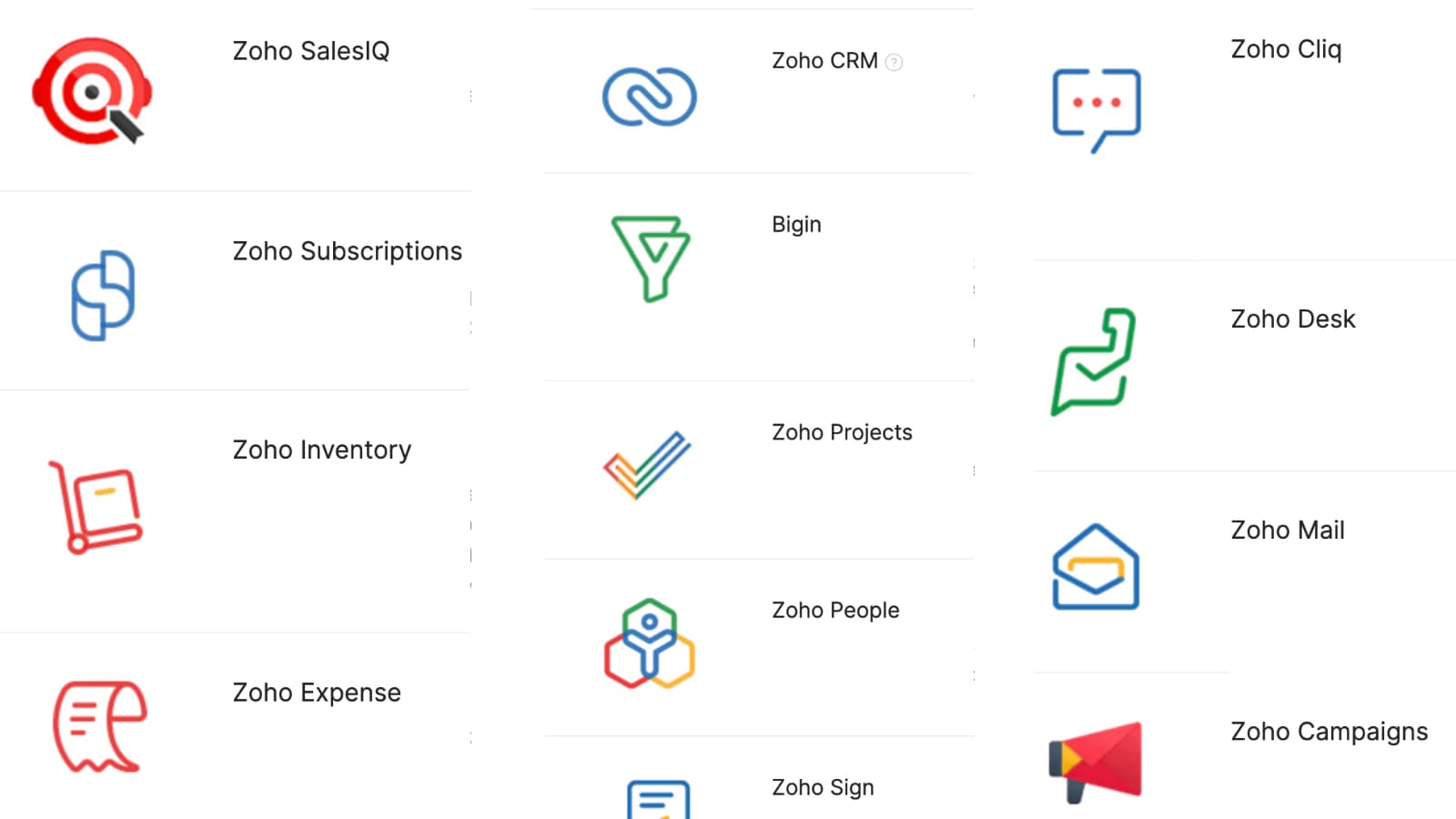
Beyond that, Zoho Books integrates with numerous other Zoho products, such as Zoho Sign mentioned earlier. Other products include Zoho Inventory (for inventory management), Zoho Payroll (for payroll), Zoho Projects (for project management), Zoho Subscriptions (for subscription businesses), and Zoho Expense (for expense approvals in Zoho).
However, there are many more Zoho products. If you’re a fan of those apps, getting Zoho Books lets you connect everything under one software program’s umbrella.
Finally, Zoho integrates with numerous third-party applications, such as payment gateways, PoS providers, productivity software, and tax software. It appears Zoho Books is a flexible choice if you need to streamline your operations.
Access and use on a variety of compatible devices.
Flexible pricing structures tailored to different needs and budgets.
Accounts Payable
Account Dashboard
Zoho Books account dashboard has a great layout with updated reports on the home page so you can see how your business is performing. The links to the features and functions of the software are on the toolbar on the left side of the dashboard's homepage.
Integrations
Zoho Books integrates with multiple applications for your business. Zoho CRM will manage invoices and estimates related to customers within your Zoho CRM account. Zoho Mail will allow you to access mail conversations you had with your customers right from your Zoho Books account. Sign your financial documents in Zoho Books digitally by integrating with Zoho Sign. Zoho Expense does everything, from instant employee reimbursements to customizable approval workflows.
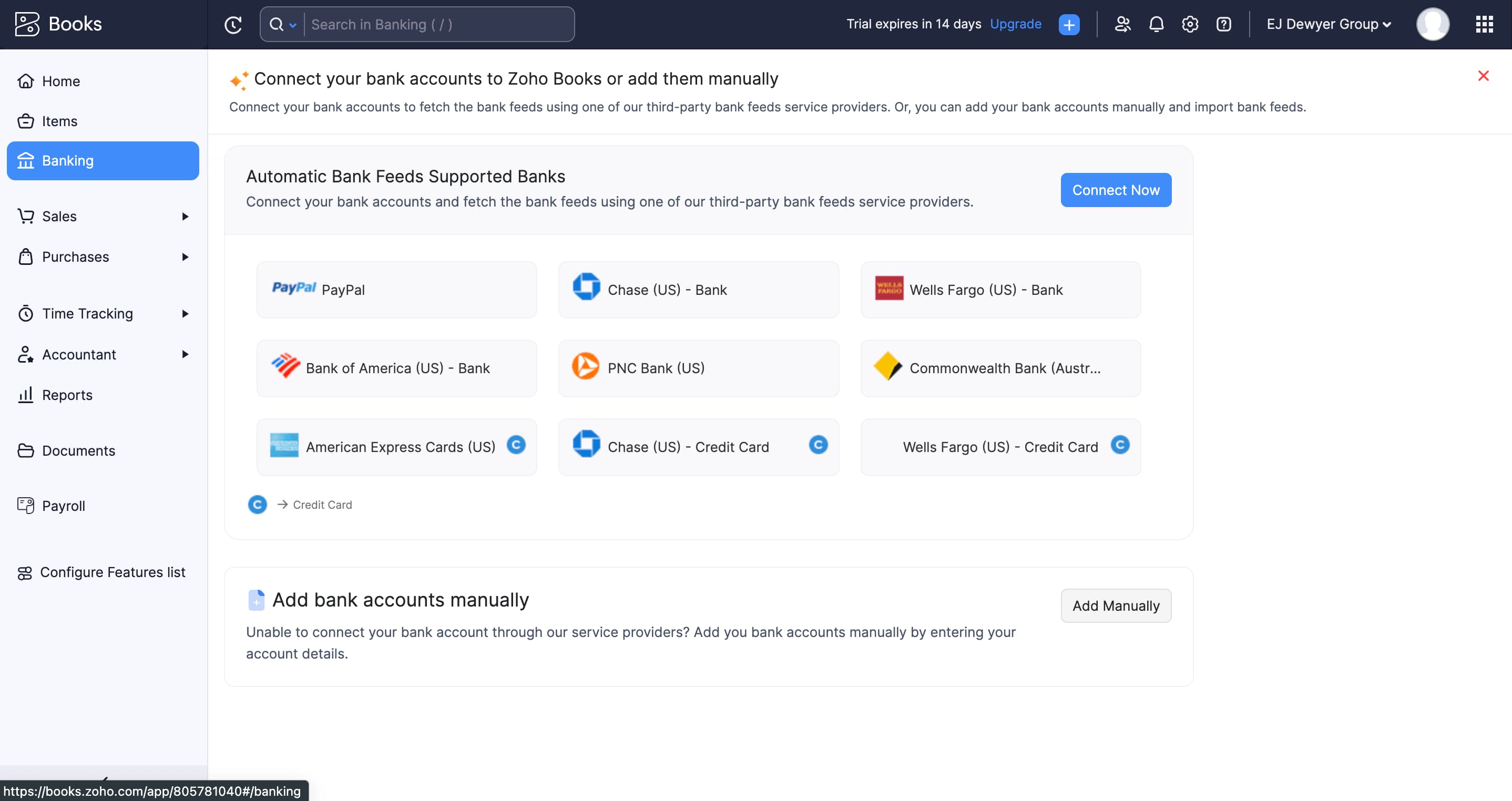
Zoho Books has a magnitude of payment methods. You can pay with automatic bank feeds with supported banks. All top debit and credit card companies are supported through payment with Zoho Books. It's also easy to connect your bank account or credit card to Zoho or you can make payments from a PayPal account.
Invoice Importing
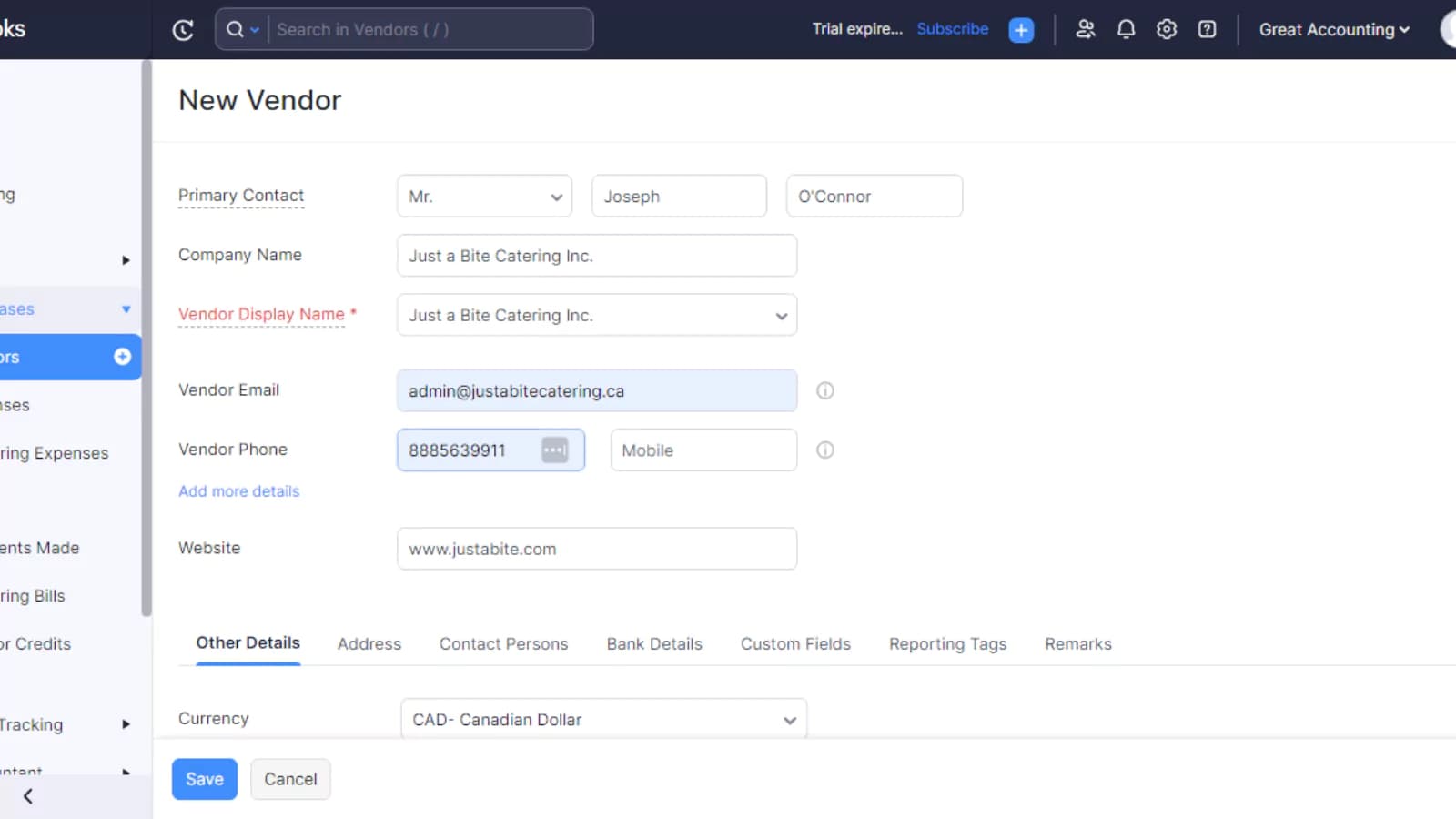
Zoho Books has an invoice feature but all information needs to be entered manually. The software doe’s not collect data from uploaded invoice files, which isn't ideal. The Zoho Invoice feature also has many templates with customizable options for creating invoices. They allow you to completely customize your company invoices, to maintain your brand identity.
Reports
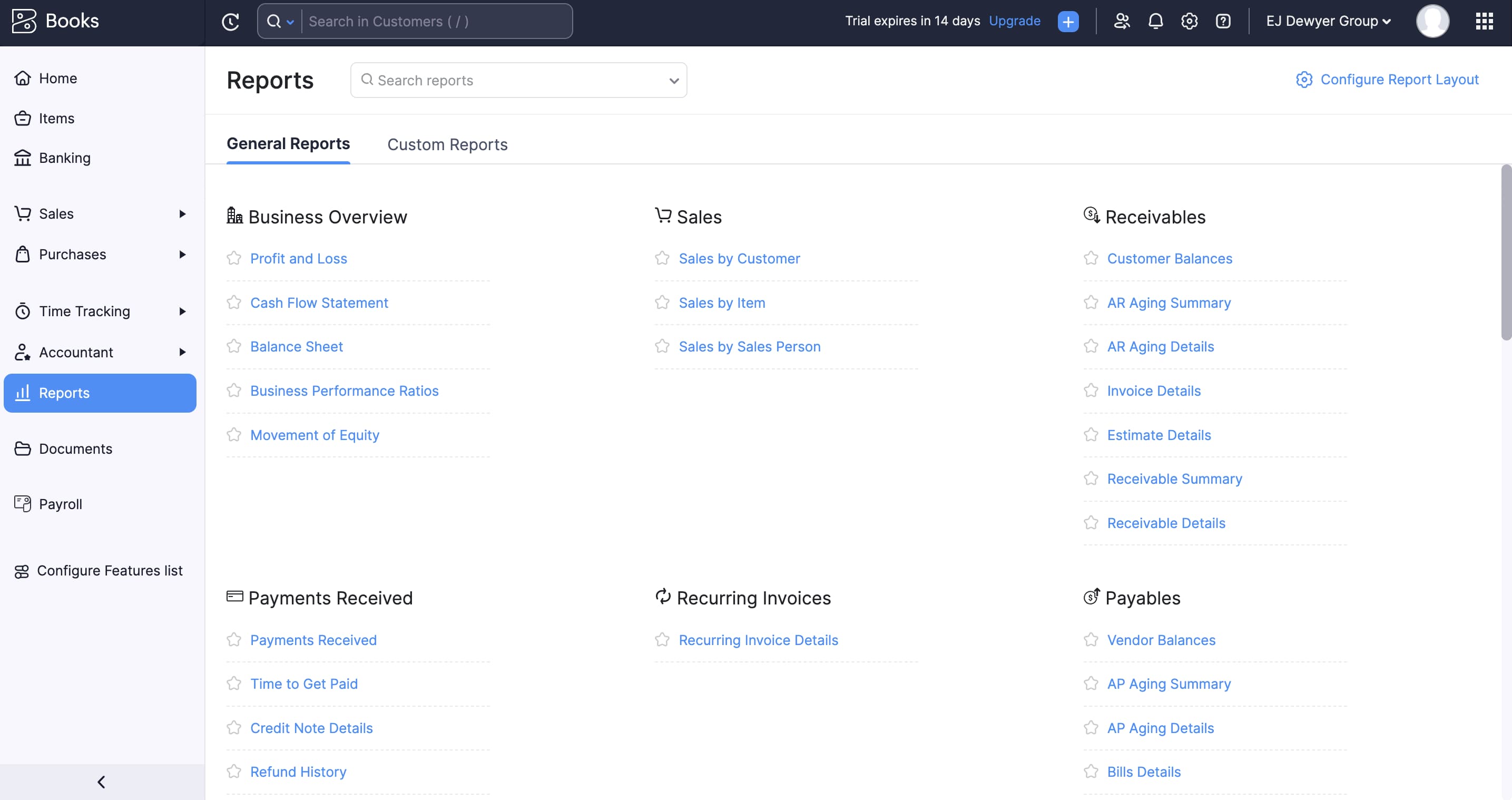
Zoho Finance is where you will find your suite of features for finance reports. The main features in the finance section of Zoho Books are books, invoices, expenses, inventory, subscriptions, and checkout. They show a brief cash flow report upon signing into your account on the dashboard. Zoho Books has integrated software to allow real-time payment data reporting. The software automatically collects data for reports like total receivables, total payables, cash flow, income & expense, top expenses, projects, bank, and credit cards.
Accounts Receivable
Zoho boasts several key features, including real-time sales forecasting for automation in Salesforce, streamlining of the lead management process, centralized account management through a single database, logging of customer calls for more effective follow-ups, customizable CRM workflow management, and monitoring of sales opportunities throughout the sales cycle.
For more advanced accounting processes, users may want to contemplate the Zoho Books auto-scan add-on, which enables you and your accountants to scan financial statements. By doing so, Zoho can extract relevant data and enter it into your account automatically. For a fee of $8 per month, you will have access to 50 scans every month.
Zoho is a versatile and mature SaaS solution that uses visually appealing reports to streamline lead generation. Charts are utilized to display leads and customer ratios in a clear manner, and users can save their favorite reports in a dedicated folder. Although the reporting feature may not be as advanced as other higher-priced CRM software, it still offers robust functionality.
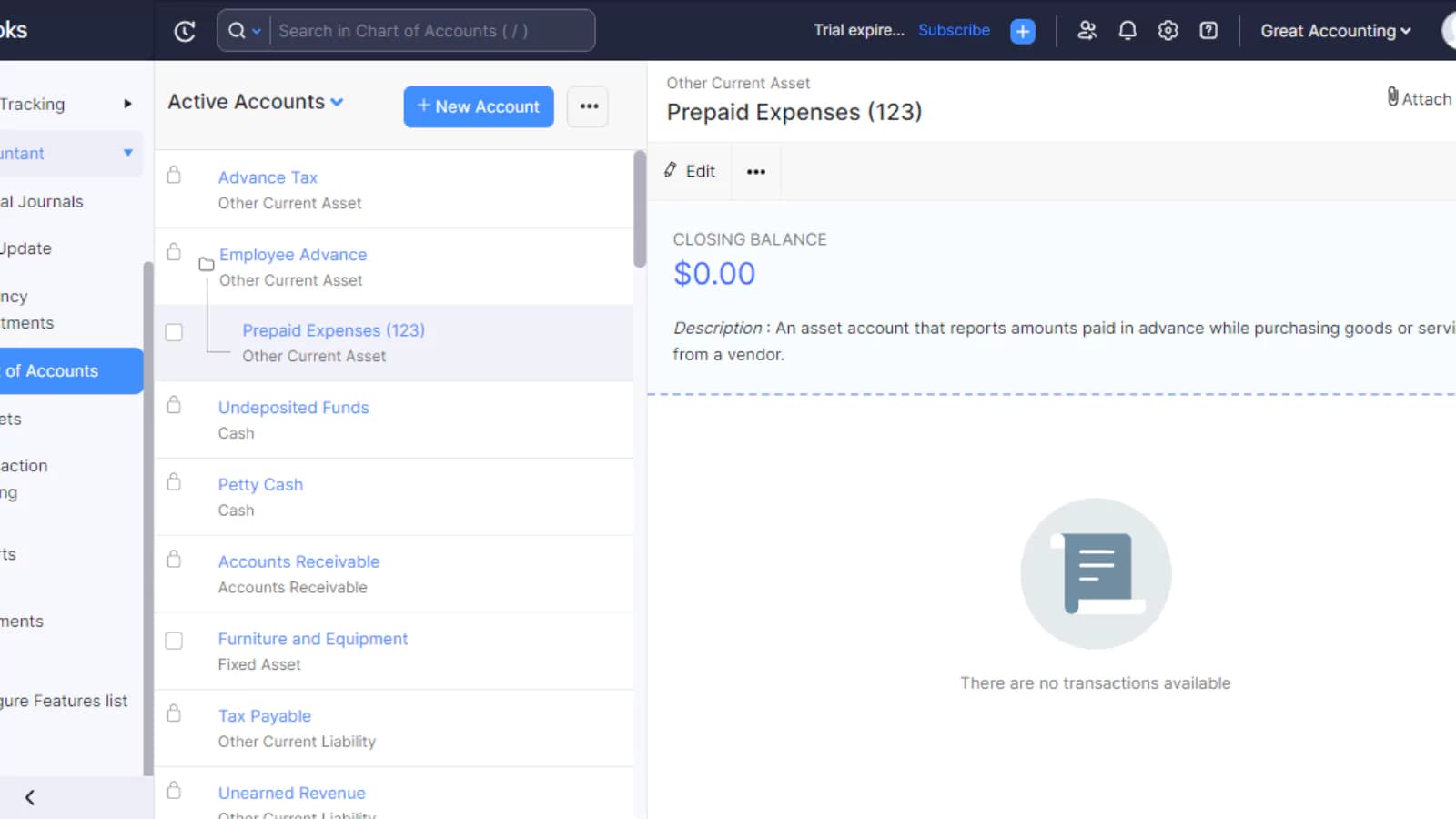
By using the dashboard, you can easily track your top expenses, as well as view the total amount of money owed to you and the amount you owe others. In addition, the dashboard allows you to generate various business reports such as profit and loss statements, balance sheets, and cash flow statements. To make things even easier, there's also a tax tool that you can utilize to set a default tax rate, calculate sales tax, and file 1099s for your contractors.
Zoho CRM offers integration with numerous third-party applications through the Zoho Marketplace. A variety of B2B apps, including ClickDesk, Evernote, Slack, MailChimp, G-Suite, Microsoft Office 365, and QuickBooks, are available. Additionally, other Zoho software can be easily integrated with Zoho CRM through the Marketplace.
Zoho provides additional options that can enhance the functionality of their software. If you have found a Zoho plan that suits your requirements but requires more users, you can add a user to your account for a monthly fee of $2.50.
If the need arises to send physical copies of invoices or estimates to your clients, the Zoho Books Snail Mail add-on can be useful. You can use the credits provided by this add-on to send hard copies to customers in different parts of the country or the world.
Features
- General Ledger
- Bookkeeping
- Manages Accounts Payable/Receivable
- Income & Expenses Tracking/Management
- Account Reconciliations
- Financial Reporting
- Invoicing
- Tax Compliance
- Manage Tax Calculations/Reporting
- Accountant-Prep Friendly
Verdict
Zoho Books is definitely a great option for small to medium-sized businesses that are looking for an easy, yet effective way to manage their accounting and invoicing. It has tons of great features and you can choose between the various affordable pricing plans to find which one is the best fit for your needs.
Both the desktop and mobile apps are customizable and couldn’t be easier to use. By automating various aspects of the billing process through Zoho Books, you can likely free up some time to spend elsewhere on your business.
Zoho Books is a powerful, well-rounded accounting solution that excels in streamlining financial operations for SMBs. Its ease of use, automation capabilities, and integration options make it an excellent choice for businesses looking to simplify accounting processes without breaking the bank. Whether you’re managing day-to-day transactions or planning for growth, Zoho Books provides the tools needed to stay on top of your finances. Budget is often the deciding factor - the best free accounting software comparison shows which ledgers cost nothing until you add payroll or inventory.
Users Reviews
Write a review
Leave a review, help others get it right the first time.
5 Reviews
Ketul N
Creole Studios
Game-Changer for Small Business Accounting
Zoho Books is an exceptional accounting software that offers a seamless experience for small and medium-sized businesses. I've been using it for several months, and it has significantly streamlined my accounting processes.
Stephen L
Consultant
Not satisfied
The features set makes sense for a small consulting practice, and usability is reasonable, not great. Support is inadequate. Will seek another package at the end of the year.
Laura M
Powerful and efficient tool
Overall, very satisfied with this accounting solution. Zoho has streamlined all our payable processes and made financial reporting a breeze
- Easily configurable, excellent tracking, continuous updates, and extremely helpful customer service, just to name a few
- Nothing negative to say about this software. It's been a great contributor to my business
Zack H
Great cloud accounting platform!
Zoho books has tremendously helped simplify business transactions. I can track income and expenses, which has been super important for better understanding and organizing customer relations.
- Solid software! Best feature is the customization aspect to everything
- Can take some time to set up because it's so hands on
Khalil R
Effective solution for anything accounting
First off, amazing support team. They assisted me and my co-workers numerous times through email and phone. This suite allows vast customization, especially customer reports. Integrations with other apps has also proved easy with Zoho. Lastly, it's cost e
- Onboarding could be improved, but other than this everything is pretty efficient and on point