
Zoho Review 2026: Is Zoho One Cheaper Than Buying Separately?
Overall Rating
4.4
Last updated: September 2026
Zoho CRM is a single repository that helps businesses gain more leads, build excellent customer relationships, and have efficient business processes that help you save time and cost. With the precise data generated on Zoho CRM, organizations can make impactful decisions to boost sales.
Plans & Pricing
Free
$0
seat/
month
Standard
$14
seat/
/mo/user
15-Day Free Trial
- Everything in Free Trial
- Multiple pipelines
- Sales forecasting
- Custom list views
- Custom fields
- Predefined dashboards and reports
- Analytics mobile app
- Social profile integration
- GDPR compliance
Professional
$23
seat/
/mo/user
15-Day Free Trial
- Everything in Standard plan
- SalesSignals
- Webhooks
- Blueprint
- Unlimited custom reports and dashboards
- CRM for Google Ads
- Field-level security
Enterprise
$40
seat/
/mo/user
15-Day Free Trial
- Everything in Professional plan
- Multiple scoring rules
- Custom SalesSignals
- Custom functions
- Record approval process
- Page layouts
- CommandCentre
- Translation
- Record approval process
- Custom modules & buttons
Ultimate
$52
seat/
/mo/user
15-Day Free Trial
- Everything in Enterprise plan
- Zoho analytics
* Featured prices can be updated and free offers may include additional terms.
Zoho has a free version that offers basic functionalities that small businesses can leverage for their operations. It offers contact management, lead generation, social collaboration, and workflow automation features that allow new businesses to manage their data effectively. It provides a free trial across all its premium plans, allowing users a wholesome experience using the tool.
Zoho doesn't require credit card details during this period, so you can try out all its amazing features without worrying about losing money. With the 30 day free trial, you can automate your lifecycle, enhance customer acquisition, and manage global CX operations. After 30 days, you can upgrade to a paid plan at a decent rate billed per user if Zoho wins you over.
Although the pricing seems affordable initially, it becomes more expensive when other team members subscribe to the plan.

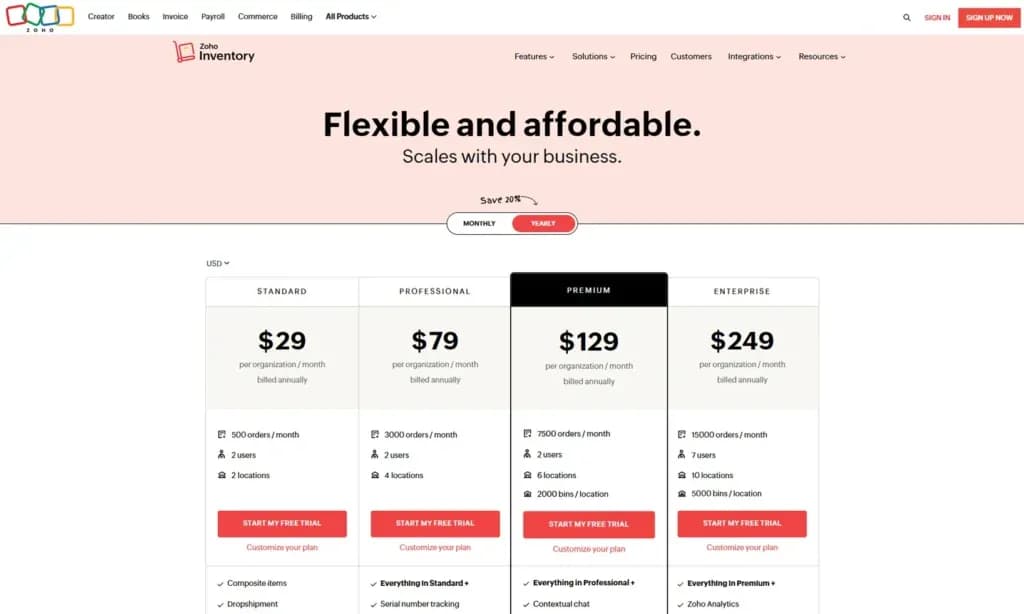
Zoho Inventory Inventory Management
Zoho Inventory pricing begins at $29 per month.
Is Zoho One Cheaper Than Buying Separately?
Yes, usually, but only if your team uses three or more Zoho apps and almost everyone on your payroll needs access. If you only need one or two tools, or if you have a large workforce where only a few people actually touch a computer, buying standalone apps is usually the smarter financial move.
Where Zoho One Saves You Money
- The 3-App Rule: Individual enterprise-level Zoho apps run anywhere from $20 to $40 per user each month. The moment a single employee needs CRM, Desk, and Books, buying them separately hits ~$80–$100/mo. Zoho One bundles all of them—plus 40+ other apps—for $37/user/month (billed annually).
- Desk-bound Teams: If your entire workforce sits behind laptops all day, paying the $37 rate across the board unlocks a full software stack at a low cost.
Where Buying Separately (or Skipping Zoho One) is Smarter
- Single-Tool Usage: If all you need is a solid accounting tool or a simple CRM, paying $15–$25/mo for that standalone app saves you money over a full suite.
- The "Payroll Catch": To get that discounted $37 rate, Zoho strictly requires you to buy a license for every single employee on your payroll. If you run a business with 5 office managers and 45 field technicians who never log into software, buying 50 licenses at $37/mo costs $1,850/mo. You'd be far better off buying standalone licenses or using Zoho One's Flexible Plan ($90/mo for active users only) for those 5 office workers.
The Real-World Cost Breakdown
Your Situation | Estimated Cost | Better Option |
1–2 Apps Needed (e.g., just CRM or Books) | ~$15 – $30/mo per user for standalone apps | Buy Separately. Standard individual tiers cost less than bundling. |
3+ Apps Needed (CRM + Helpdesk + Accounting) | $37/mo total per user on Zoho One (All-Employee) | Zoho One Wins. Standalone tools would easily hit $80–$100+/mo. |
Large Headcount, Few Software Users (e.g., 5 office staff, 45 drivers) | $90/mo per active user (Flexible) OR standalone apps | Buy Separately. All-Employee forces you to pay $37 for all 50 staff. |
Expert Score
Pros
- Easy setup
- Customizable capabilities
- Reliable customer support
- Different resource materials
Cons
- Billed per user
- Limited third-party integrations
Customer Support
Zoho provides numerous customer support options and resources to ensure customers are properly guided as they navigate the platform. This company stands out by offering a guided tour of the CRM tool that lasts for 5 minutes. It provides audio, video, and written content that suits the preferences of different customers as they can improve their business and understand the platform conveniently. You can also access ebooks and tips to help you improve your business and generate revenue.
Live Chat
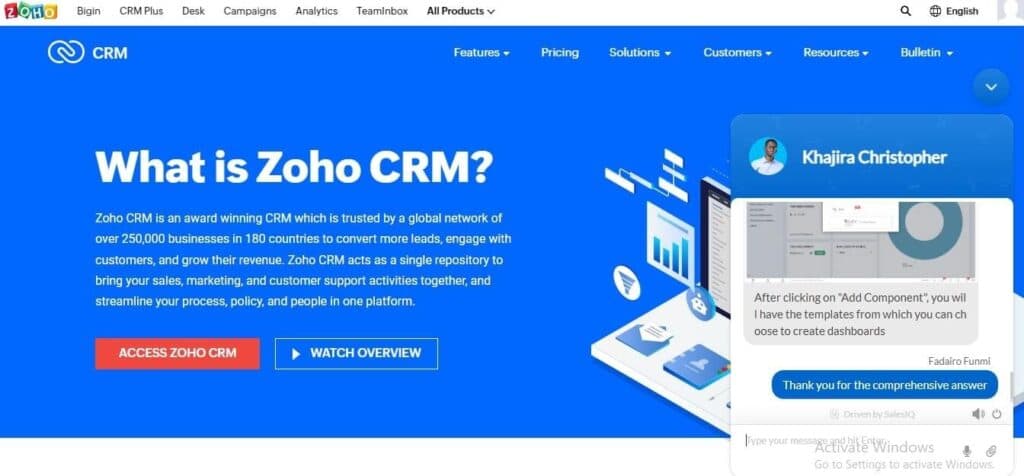
Although I had trouble using the live chat feature after logging in, it was still worth the wait. I connected with a human agent in less than a minute when I reached out. The agent was conversational while showing genuine interest in my well-being before helping me solve my problems. Instead of referring me to external resources like most companies, the agent provided the solution on the spot while helping me save time. Zoho has agents eager to help customers and possesses great knowledge about the software. I also got the chat transcript in my email in a few minutes.
Email Support
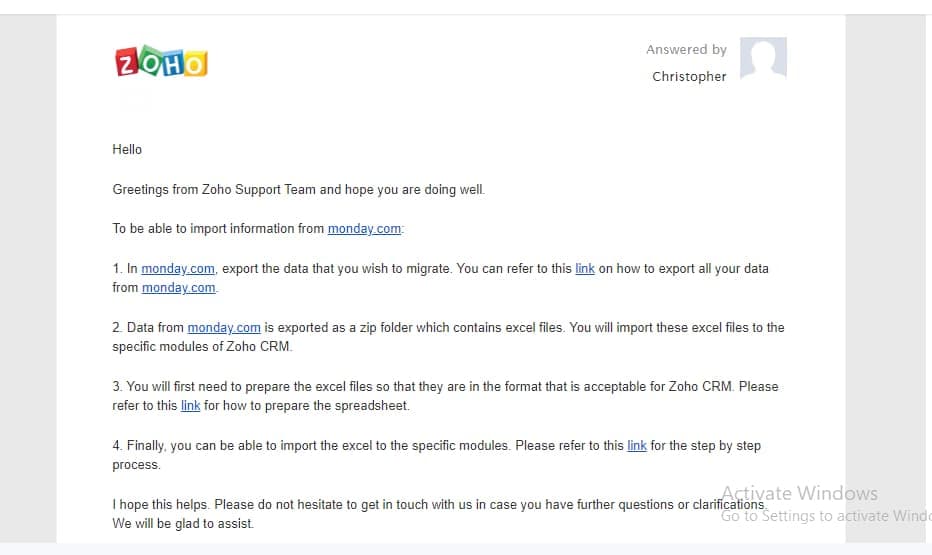
After opening a ticket, I got a response from the Zoho team within 2 hours with explicit details that addressed my challenges directly. I first got a breakdown of all the necessary steps I had to take at a glance before being referred to other resources to make my work easier.
Phone Support
Zoho offers a phone support function that covers 24 countries with local numbers you can call to receive the guidance you require. Most of the numbers are toll-free, except if the phone provider in your country decides to charge for it. Although you will have to incur extra costs to access the phone support system, it is worth it because it offers prompt responses to your challenges. If you want the team to call you, you can also request a callback without any charges.
Blog
Zoho’s blog offers insights and tips covering sales, marketing, and building customer relationships by leveraging the numerous tools available. However, the posts on this blog are infrequent; there were 6 posts in 2022 and 5 in 2021. This inconsistency shows that it might be difficult to follow most of the blog information since it is outdated.
Videos
This platform provides explicit videos that allow you to take the first steps using Zoho more easily. There are also conceptual videos on the platform that help you understand the CRM language so you can employ the concepts better to your advantage.
Zoho CRM Tutorials
This company provides guided tutorials to help your organization understand CRM concepts and how to apply them in critical business scenarios. It covers customization, workflow, multiple sales pipeline, approval process, CommandCenter, and blueprints.
Phone Support
Available across all plans - 044 - 67447070
Open a ticket to get a prompt response - support@zohocorp.com
24/7 Help & Support
24/7 support across diverse channels
Live Online Chat
Meet human agents in the live chat through the live chat
Ease of Use
Using Zoho has minimal complexities. This platform helps you access powerful tools with the appropriate guidance you need. Different resources ensure you’re not left stranded, even as a newbie using the tool. Within a few clicks, you can leverage the numerous features on the platform.
Setup
Zoho has the fastest and smoothest setup process among numerous CRM tools. You can access the features within a few minutes to make managing your customer data easier. You’ll have to include your full name, password, and phone number so you can directly access the full trial this process provides. Once you are done, you only have to set up your CRM software and include your information to make the process seamless.
Customizing CRM Tools
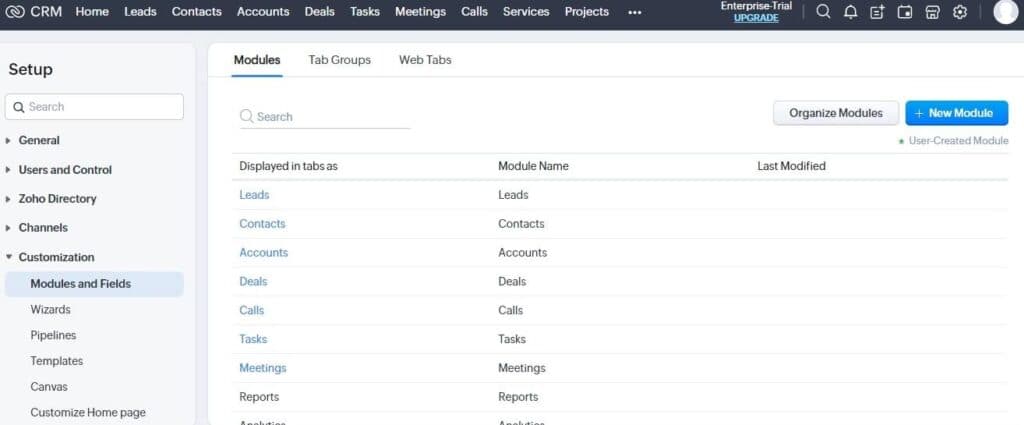
This platform is fully customizable. Although the aesthetics are not impressive, you can customize the fields and modules on different tabs. They include leads, contacts, accounts, deals, calls, tasks, meetings, products, quotes, campaigns, and other pages. Zoho also ensures you can customize your sales pipeline, templates, and home page. This software allows you to prioritize the fields you want and hide the ones that don’t suit your preferences.
Audience Building and Segmenting
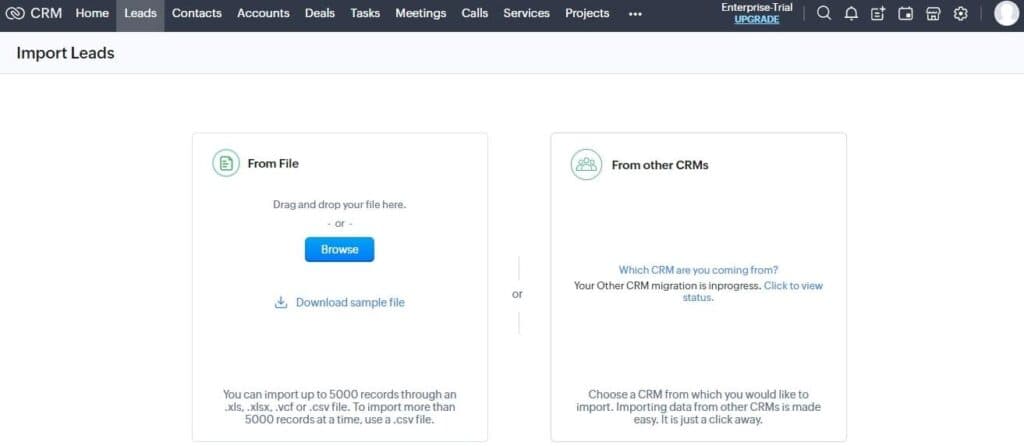
You can’t get an idea of how your data looks on the platform unless you import data. This platform allows you to create leads, contacts, deals, and tasks from scratch if the data you’re handling is small. You can upload the details with up to 5000 records through a CSV, VCF, XLS, or XLSX. To make your work easier, you can download the sample file Zoho provides so you’ll see how to organize the data. However, it took about 3 minutes for the file to import successfully. Zoho allows you to transfer data from existing CRMs to ensure easy migration. You can easily import data from Hubspot, Salesforce, Pipedrive, Capsule, Insightly, Microsoft Dynamics 365, and Maximizer CRM. If your data is on a CRM software not included in the list, you can click on “another CRM” to drag and drop the exported CSV file to your Zoho account.
Automation
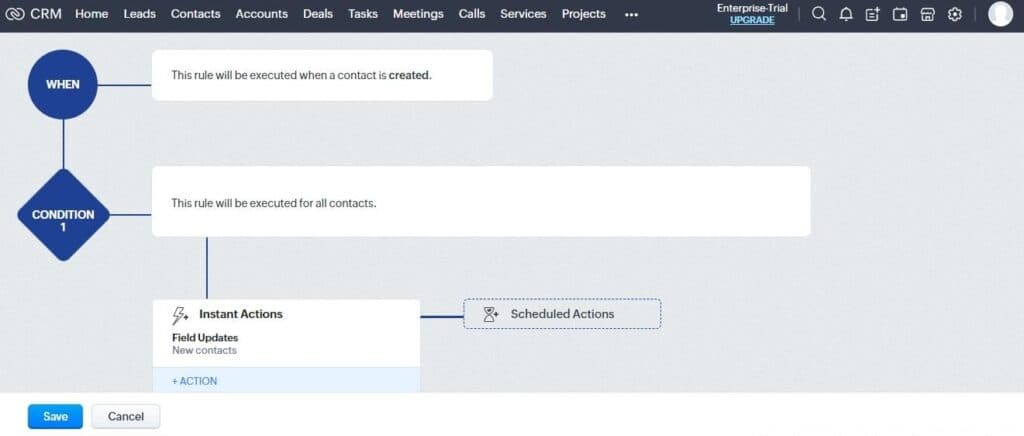
There are numerous automated features on Zoho. You can leverage workflow rules to create automated actions using filtered criteria. These rules can help you update fields, send emails, and form records without repeating the same processes. To create a workflow rule, you need to create a trigger, and condition and know the specific action you want to undertake with the automated task.
Performance
Zoho is undeniably a high-performance CRM. Although its aesthetics are quite basic, but the functions are not. It allows you to upload customer data and store them without any hitches. I analyzed some variables to determine its performance:
Speed
The best CRM software are those which help you focus better on important business operations with its speed, and that’s what Zoho CRM provides. Setting up an account with Zoho is one of the fastest. Also, importing a file on Zoho takes around 1 minute. You can customize the fields and gain powerful analytics in only a few clicks.
Automation
Although Zoho has no templates to help you create a workflow rule, it provides a smooth process to help you create one that works effectively. As a high-performance CRM, Zoho helps you create a workflow within 1 minute, as seen in the video below. This CRM tool covers automation across all the functions required for effective business operations, including email marketing, sales pipeline automation, forecasting automation, opportunity and lead scoring, and so much more.
Features & Functionality
Zoho CRM Features
Analytics and Reporting
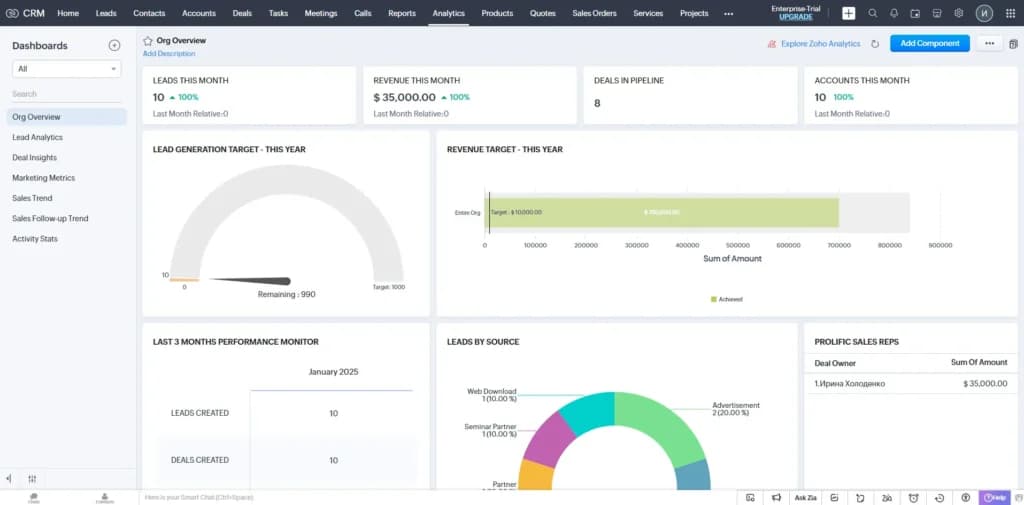
This platform offers comprehensive metrics that allow you to determine the impact of your efforts and how to make adjustments that align with them. This section shows lead analytics which has subcategories that include sales funnel, lead sources, monthly lead creation, and leads by industry. You’ll also deal insights with subcategories named deals in the pipeline, deals created, revenue lost, deals by stages, and amounts by lead source. Other metrics measured by Zoho include marketing metrics, sales trends, sales follow-up trends and activity stats.
Process Management
The process management tools on Zoho help you manage numerous activities that deal with your business. This category has a section titled “blueprint" which is a chart that covers all the activities which makes it easy for team members to know the right actions to take by ensuring it matches your organizational policies. The section “approval process” helps you automate where you can specify the required to approve records. Other sections help verify your information and find the problems using detailed reports.
Data Administration
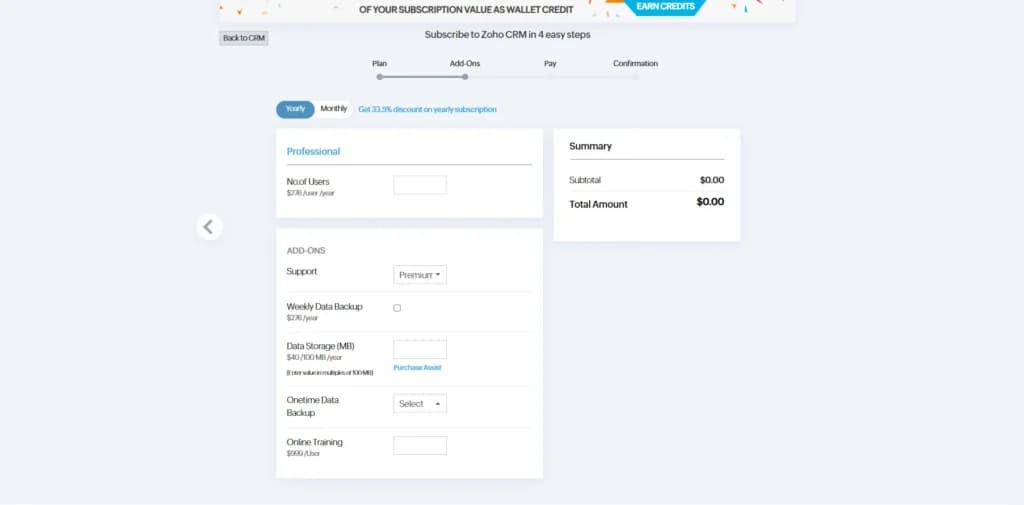
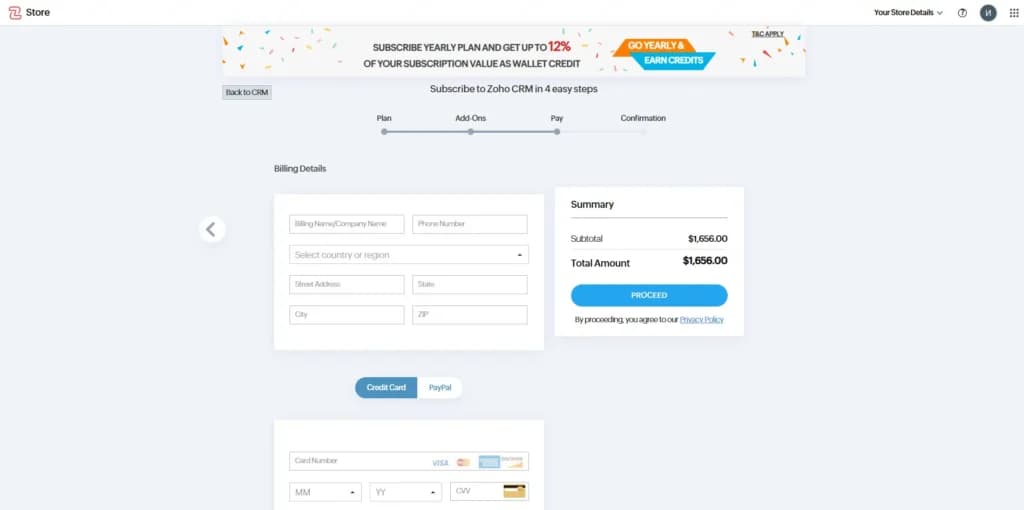
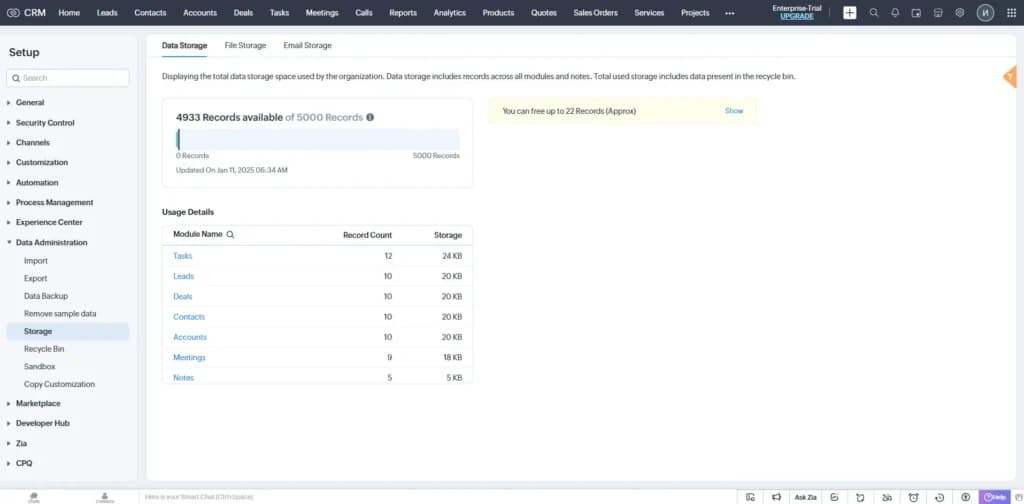
This feature helps you to verify, create or ensure that your data is accurate across your entire database. It covers importing and exporting data. Zoho also helps you with a data backup you can purchase if you have difficulties. With the data storage section, you can get accurate into how much data space your organization has used up. The recycle bin helps you access all the data you’ve deleted from the account.
Streamline communication with integrated email tools.
Customer Contact Management
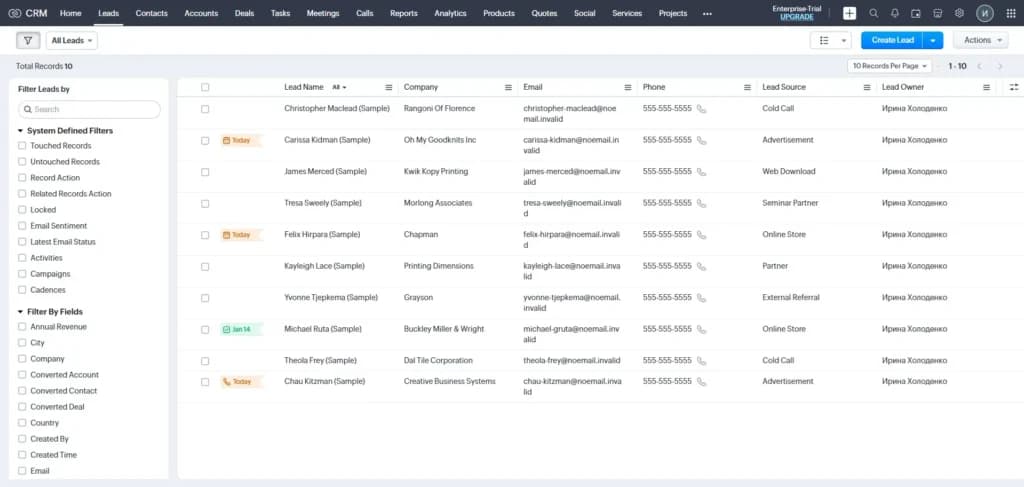
Zoho helps you to manage your contacts effectively through its customizable features. It makes the lead name, company, email, phone number and lead source visible for you to track easily. You can also add other features from up to 50 fields which include activities, campaigns, annual revenue, email, and tag. These same fields are available on the pages for leads, accounts and deals.
Data Enrichment and Prediction
This platform has an intelligence system that helps you enrich your leads, contacts and accounts leveraging contextual information from the web. It also uses predictive AI to help you determine the direction of your business. This field prediction feature helps you understand the pattern from your data so you can predict the future outcome of fields in your CRM.
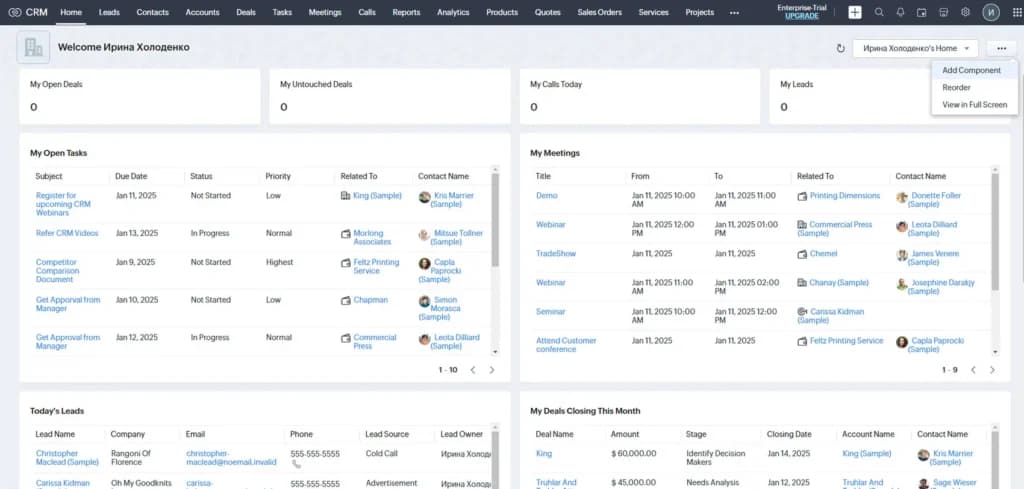
Automate workflows to improve operational efficiency.
Zoho Inventory Management Features
Zoho inventory is good for e-Commerce businesses, online wholesale, and retail businesses. Whether it is a small or medium-sized business, Zoho inventory is applicable and has different business growth, operations, and management packages.
Customisable Features
You can use the functional data import and integration APIs to create a connector fast to receive data from any online or offline application for analysis.
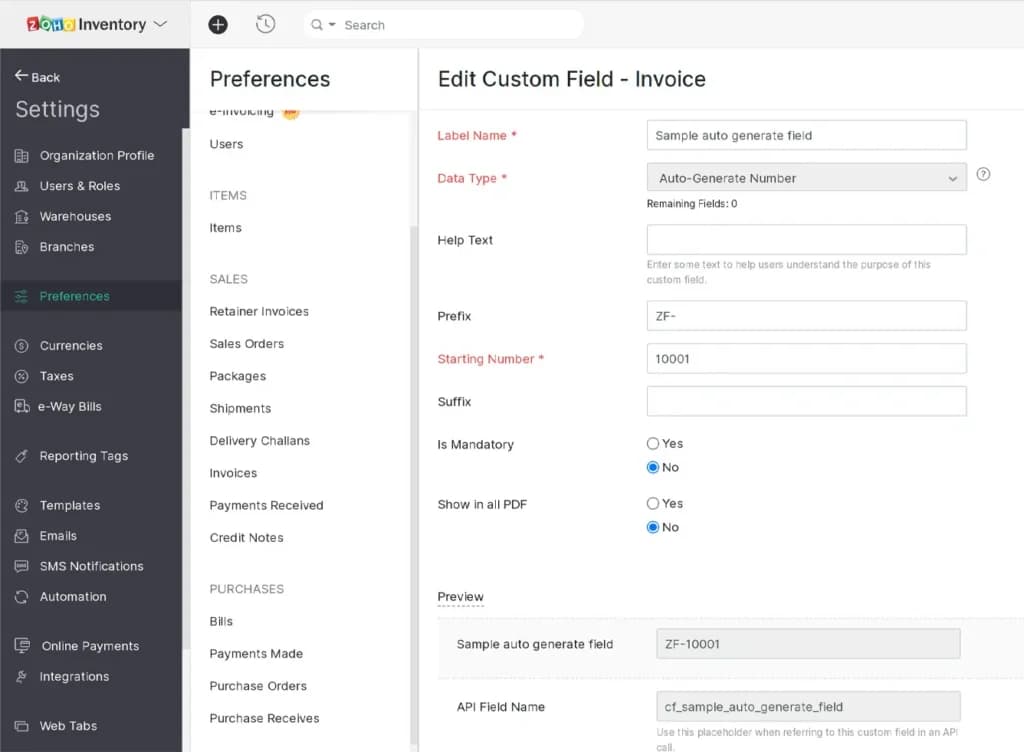
Sales Force Automation
Automate routine sales, marketing, and support functions that take up valuable work time, giving you more time to concentrate on your customers. Create optimized workflows that help you reduce manual data entry, eliminate excesses, and speed up your overall process.
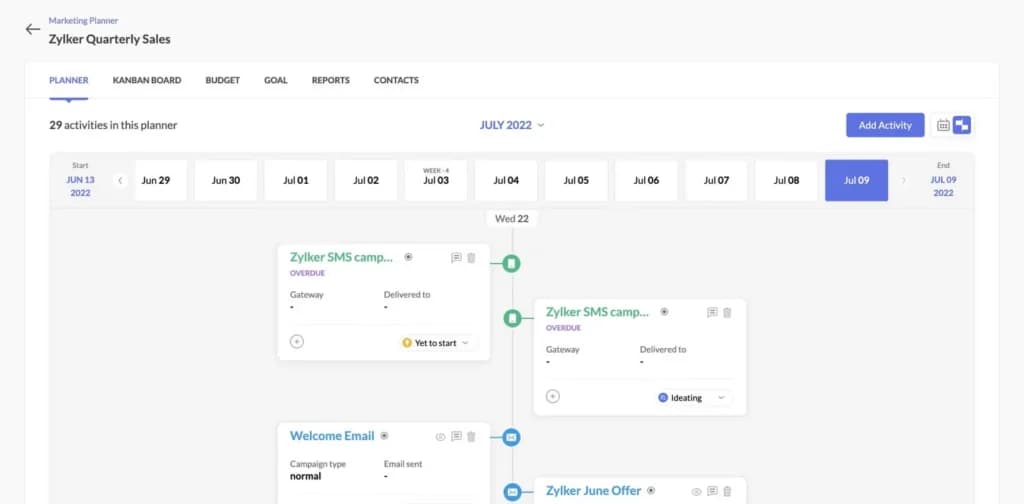
Stock and inventory management.
Zoho helps to check stock availability, manage inter-warehouse transfer, and create reports for particular warehouses in no time. Warehouse inventory management couldn't get any easier. Monitor every unit of items with the order fulfillment, stock management, and inventory control software.
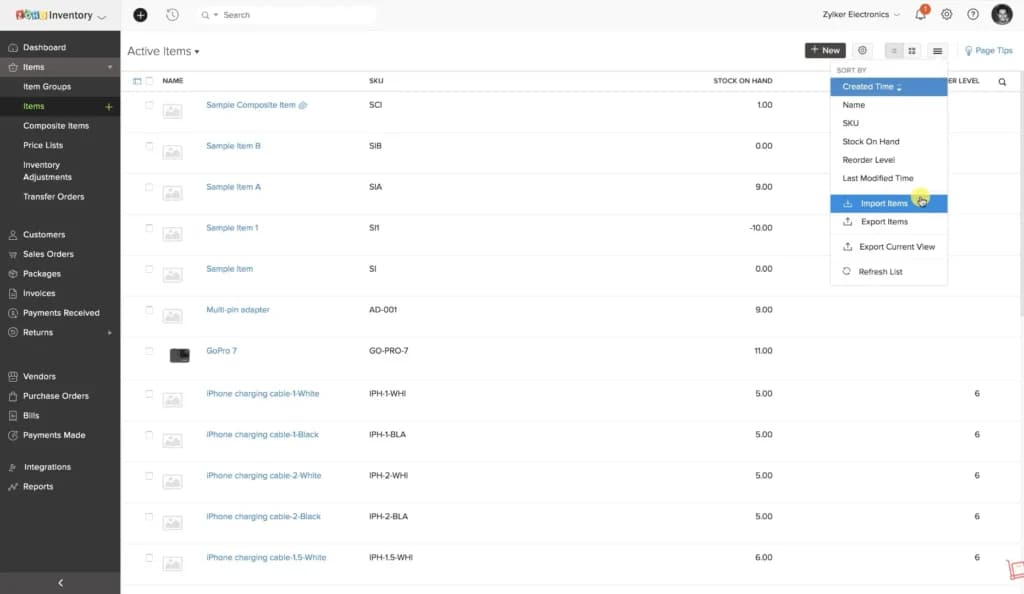
Customer database
Customer records are accessible and help you to note clients and potential clients. This helps increase sales and know the kind of products customers inquire about.
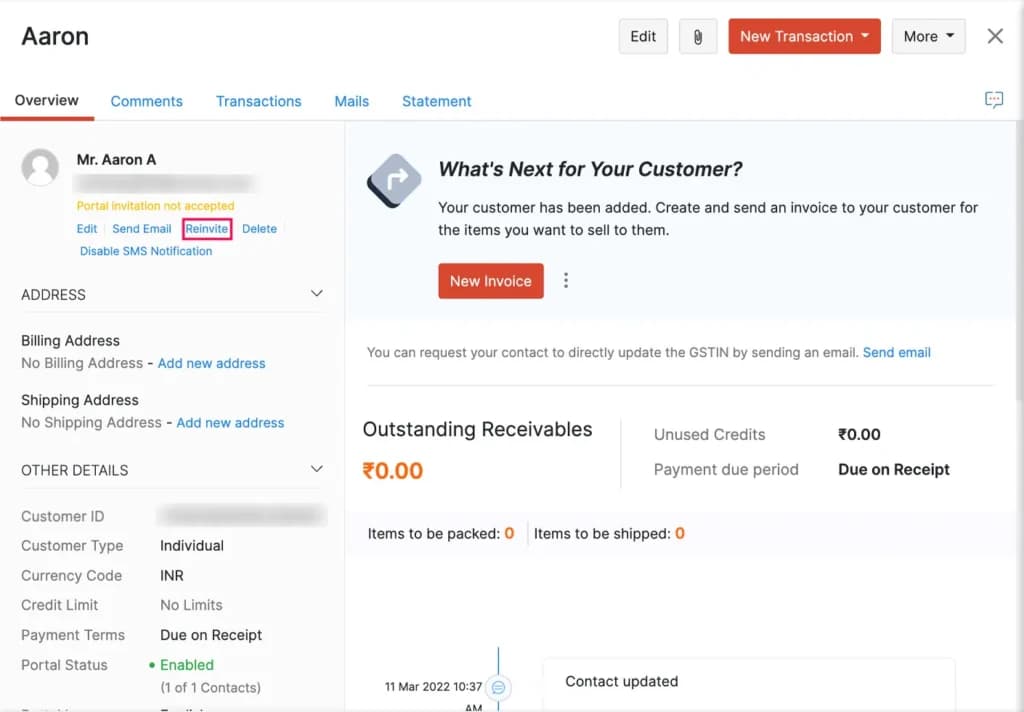
Order and Shipping tracking
This feature helps you track each item or batch in your inventory using a serial number and a tracking feature. With this method, you can easily keep track of the movement of items and work with the expiry date of each batch.
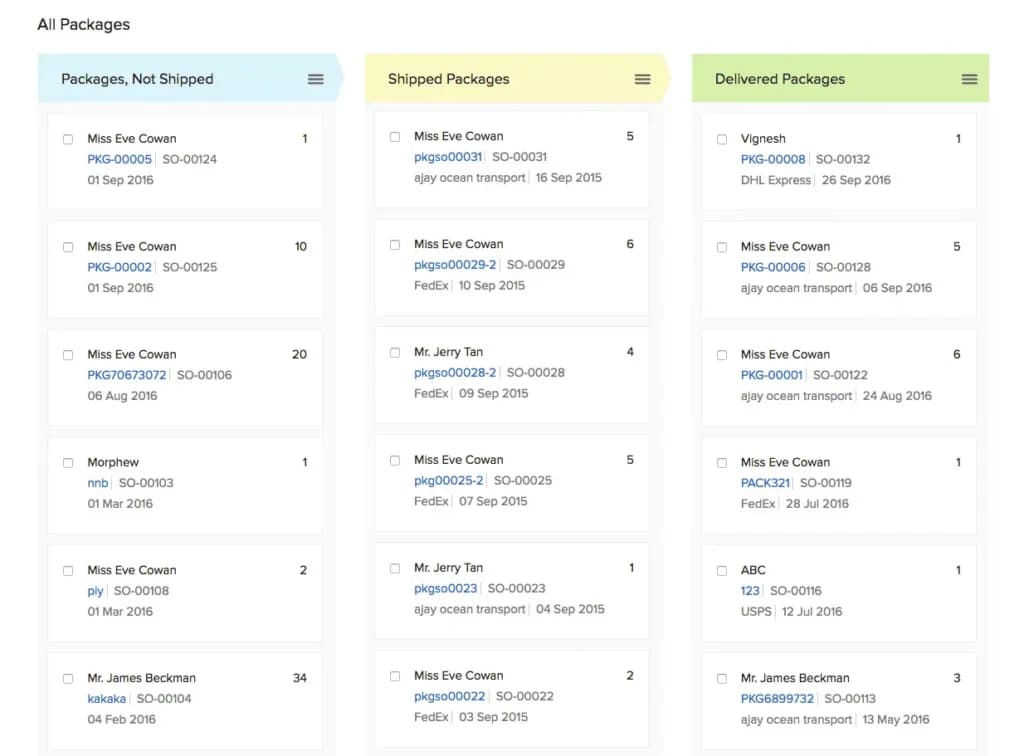
Management of orders
You can manage online and offline orders with an effective order management system. You can also create orders, backorders, and drop shipments in one single inventory management application. Other necessities like invoices, bills, and shipping labels are generated from a single application making it simple to handle on the go.
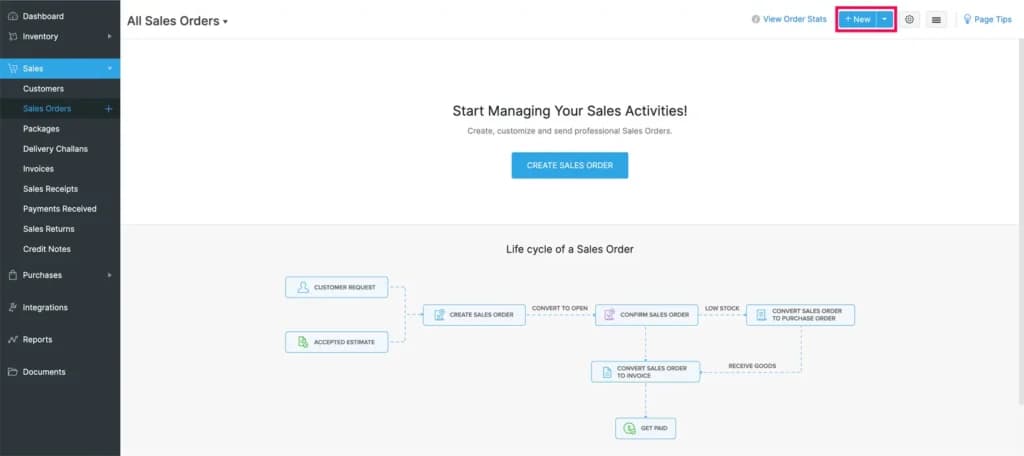
Zoho also offers advanced inventory management features to streamline the supply chain processes and boost productivity. These are below:
Deployments
Zoho Analytics is deployed depending on your business. You can subscribe to Zoho Analytics cloud or use the option of installing it on-premise in your servers. It could also be deployed in public clouds like Azure, AWS, Google. The white-labeled version can also be used.
You can have access to a complete self-service BI and analytics service hosted in the Zoho cloud, with just a mobile app or browser. There is no advanced cost; it is a monthly subscription payment, and yearly billing is not required.
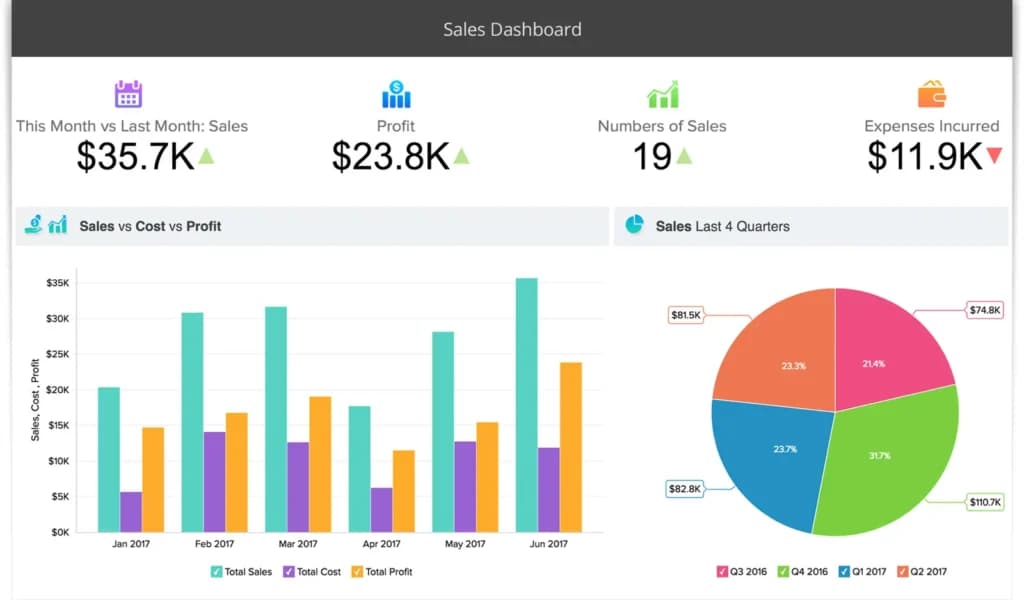
Zoho Analytics Cloud
Zoho analytics can be installed in your personal server, behind your firewalls. You get to analyze your data at home or in private.
Zoho Integration feature
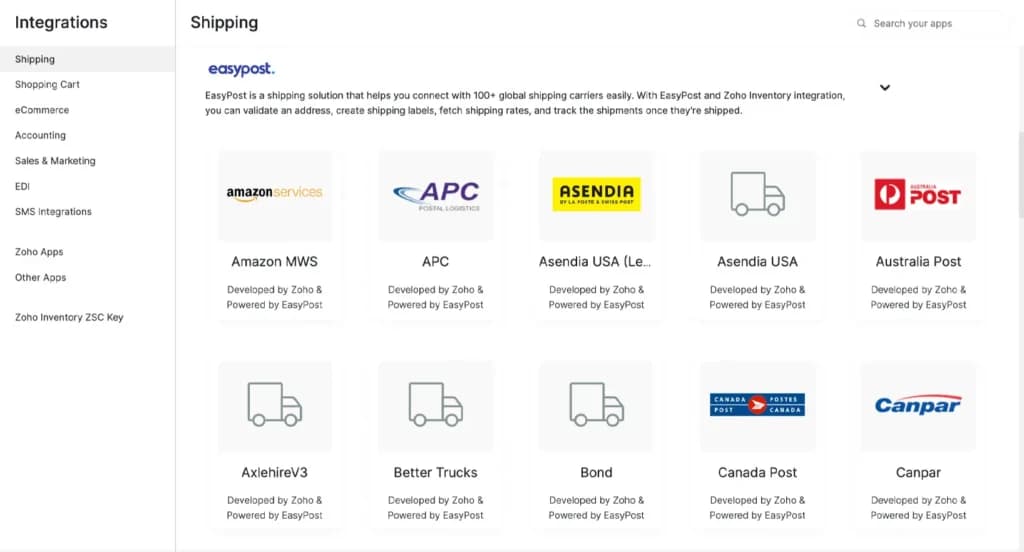
This feature integrates you to a host of shipping service providers, payment firewalls, and other applications, offering you better access to customers, new markets and making you a trusted vendor.
Multiple shipping integrations
With this integration, you can get real-time shipping rates and in-transit information from major shipping carriers and select a shipping partner for your business. This feature is necessary for a complete and successful inventory management system.
Accounting and CRM integrations
The seamless integration with Zoho CRM and Zoho Books automatically joins all your contacts, orders and helps you control financial data effortlessly.
Zoho works hand in hand with the client and Office 365 integration to improve the experience and help manage inventory, set workflows, automate everyday operations while you focus on your business. It also has an integration with Microsoft Azure Directory, eBay, Shopify. Shipping integrations help to disseminate information on package location for easy control and tracking.
See Other Zoho Products:
- Zoho Bookings Review: An online calendar that lets customers schedule appointments with you without needing to call or email.
- Zoho Books Review: Accounting software that keeps track of the money coming in and going out of your business.
- Zoho Desk Review: A shared customer service hub that helps you track and answer customer questions in one place.
- Zoho Project Review: A digital team to-do list that helps you assign tasks, track deadlines, and get work done on time.
Features
- Dashboards
- Reporting
- Marketing Analytics
- Pipeline Management
- Call Management
- Account Management
- Collaborative Data
- Mobile App
- Integrations
- Sales AI
Zoho has an impressive customer support system that provides prompt and comprehensive responses to users. If you’ve always complained about getting inadequate support from SaaS companies, then you should try Zoho. It also offers data enrichment and predictive AI that can determine the direction of your business. Pipeline complexity should decide this one, and the best CRM for small business comparison lays the contenders out so you can match features to deal flow.
Zoho CRM Alternatives
Starting from: $0/month
Free
$0
seat/month
Pros
- Easy setup
- Customizable capabilities
- Reliable customer support
- Different resource materials
Cons
- Billed per user
- Limited third-party integrations
Starting from: $14/month
Lite
$14
seat/month
Pros
- User-friendly design
- Easy setup process
- Friendly customer support
- Efficient management tools
Cons
- No free version
Starting from: $12/seat/month
Basic
$12/seat
seat/month
Pros
- Intuitive design
- Responsive customer service
- Numerous templates
- Cross-team collaboration tools
Cons
- Limited features on free version
Verdict
Zoho CRM software provides a free version and free trial that allows all business owners to access the tool with ease. It has an impressive customer support that allows beginners to have the required support to make the most out of this platform. It also has advanced enrichment and prediction features that benefit businesses with accurate details to nurture leads effectively.
However, the process of using the management tools can be more straightforward, especially for beginners who might be unfamiliar with using CRM tools. If you leverage the resources on this platform, it can help you navigate more easily.
Users Reviews
Write a review
Leave a review, help others get it right the first time.
4 Reviews
Debbie R
Freelancer
Nice CRM for small businesses
It was nice to have a flexible trial. You could try the free version, then try one of the packages, then go back to the free version and try another. Because there was no obligation for me to try any specific package, I could try different sizes until I found the right one. In the end, I found one that would bring in all my email and customize the CRM to fit my business as opposed to trying to make it fit my business overall, I would of liked a CRM for a freelancer kind of work.
- Packages for a single user do not exist, and you cannot choose which modules you need for a custom subscription.
Samuel R
Nice CRM software
It was very simple and intuitive to customize. The software offers a wide range of features.
- Some customization features were limited.
Gabriella M
CRM Manager
Easy to use CRM
With Zoho CRM, you can pick and choose what you need, and customize it accordingly. In addition to its ease of use, it is also a very cost-effective CRM tool.
- sometimes it feels sluggish and slow to respond
Veronica B
Customer Retention Manager
Affordable and easy to use CRM
I love how easy it is to integrate with my Google Suite (calendar, mail, etc) and how affordable it is. Depending on my preferences, information is either synced two-way or one-way. The system integrates with our own partner information portal. You can run reports, save them, and filter them as needed.