
Best Free VPN Software in 2026
Virtual Private Networks (VPNs) are powerful tools that help secure your internet connection, unblock restricted content, and keep your data safe from prying eyes. But do you really need to spend money on a VPN? The good news is, you don’t have to. There are several free VPN services that offer robust features, making online privacy accessible to everyone. This guide will introduce you to the best free VPN software available, highlight their features, and help you determine which one fits your needs. Whether you’re looking for the best free VPN for PC, a free VPN for iPhone, or just curious about whether VPNs cost money, we’ve got you covered.
Last updated: September 2026

30-Days Free Trial
- Connect to over 94 countries
- High speed streaming: Netflix, Disney+, HBO
- 30-day money-back guarantee
- Protects privacy using strong encryption.
- Protects privacy using strong encryption.
- Offers fast speed.
- Supports Netflix.
- ExpressVPN is slightly expensive than its competitors.
- There is no phone call support.
- The product offers only 5 simultaneous connections.
30-Days Free Trial
- Connect to over 94 countries
- High speed streaming: Netflix, Disney+, HBO
- 30-day money-back guarantee
- Protects privacy using strong encryption.
- Protects privacy using strong encryption.
- Offers fast speed.
- Supports Netflix.
- ExpressVPN is slightly expensive than its competitors.
- There is no phone call support.
- The product offers only 5 simultaneous connections.

30-Days Free Trial
- Connect up to 6 devices simultaneously
- Browse the internet with total privacy
- 30-day no hassle money-back guarantee
- Uninterrupted streaming
- 5398 servers in 59 countries worldwide
- 24/7 customer support
- Worldwide access
- OpenVPN not User-Friendly
- Not the cheapest option
30-Days Free Trial
- Connect up to 6 devices simultaneously
- Browse the internet with total privacy
- 30-day no hassle money-back guarantee
- Uninterrupted streaming
- 5398 servers in 59 countries worldwide
- 24/7 customer support
- Worldwide access
- OpenVPN not User-Friendly
- Not the cheapest option

1-Days Free Trial
- Ultra-fast streaming experience
- Over 6400 servers worldwide
- 45-day money-back-guarantee
- Easy to use and operate
- Specialized servers for streaming, gaming, torrenting
- Unblocks services like Netflix Hulu, etc.
- Large network of over 7,000 servers
- Speeds may drop on international servers
- No OpenVPN for macOS and iOS
- Not working in China
1-Days Free Trial
- Ultra-fast streaming experience
- Over 6400 servers worldwide
- 45-day money-back-guarantee
- Easy to use and operate
- Specialized servers for streaming, gaming, torrenting
- Unblocks services like Netflix Hulu, etc.
- Large network of over 7,000 servers
- Speeds may drop on international servers
- No OpenVPN for macOS and iOS
- Not working in China
7-Days Free Trial
- Ultra-fast speeds
- 3200+ servers in 65 countries
- Unlimited simultaneous connections
- Unlimited simultaneous connections
- Low price for a 2-year plan
- Safe & private connection
- Multi-hop connection
- Poor customer service
- Bad torrent speed
7-Days Free Trial
- Ultra-fast speeds
- 3200+ servers in 65 countries
- Unlimited simultaneous connections
- Unlimited simultaneous connections
- Low price for a 2-year plan
- Safe & private connection
- Multi-hop connection
- Poor customer service
- Bad torrent speed

7-Days Free Trial
- Fast connection speeds
- Surf the web in total privacy
- Offers WireGuard
- Supports 10 simultaneous connections
- Large server network
- Easy to use app
- No free version
- No additional privacy tools
- Inconsistent speeds
7-Days Free Trial
- Fast connection speeds
- Surf the web in total privacy
- Offers WireGuard
- Supports 10 simultaneous connections
- Large server network
- Easy to use app
- No free version
- No additional privacy tools
- Inconsistent speeds

7-Days Free Trial
- Anonymous browsing & military-grade encryption
- Bypass Netflix & many more VPN blocks
- Hide IP address while browsing
- Great speeds
- Doesn’t keep any logs
- Kill switch and DNS leak protection
- 7-day free trial
- Only supports Windows
- Very few features
- Based in the US
7-Days Free Trial
- Anonymous browsing & military-grade encryption
- Bypass Netflix & many more VPN blocks
- Hide IP address while browsing
- Great speeds
- Doesn’t keep any logs
- Kill switch and DNS leak protection
- 7-day free trial
- Only supports Windows
- Very few features
- Based in the US

7-Days Free Trial
- Unlimited bandwidth on over 2,500 servers
- Military-grade encryption & no logs
- 45-day money-back guarantee
- Fast speeds
- 45-day money-back guarantee
- Up to 5 simultaneous connections
- Free version available
- Limited configuration options
- Free version is supported by ads
7-Days Free Trial
- Unlimited bandwidth on over 2,500 servers
- Military-grade encryption & no logs
- 45-day money-back guarantee
- Fast speeds
- 45-day money-back guarantee
- Up to 5 simultaneous connections
- Free version available
- Limited configuration options
- Free version is supported by ads
Free plan available
- Works with Netflix and other streaming services
- 6,000+ servers in 40+ countries
- Has a no-logs policy
- 6 simultaneous devices
- Huge server network with specialized servers
- Unblocks Netflix, iPlayer, and more
- 30-day money-back guarantee
- Links to China
- Slow speeds in some locations
- Highly-priced
Free plan available
- Works with Netflix and other streaming services
- 6,000+ servers in 40+ countries
- Has a no-logs policy
- 6 simultaneous devices
- Huge server network with specialized servers
- Unblocks Netflix, iPlayer, and more
- 30-day money-back guarantee
- Links to China
- Slow speeds in some locations
- Highly-priced
1-Days Free Trial
- 2500+ Servers in 50 Locations
- Blazing speed & unlimited streaming
- Multiple VPN protocols
- Multiple protocols, including WireGuard
- Kill switch & DNS leak protection
- 10 simultaneous connections
- 30-day money-back guarantee
- Keeps connection logs
- Slow speeds in some locations
- Live chat too slow
1-Days Free Trial
- 2500+ Servers in 50 Locations
- Blazing speed & unlimited streaming
- Multiple VPN protocols
- Multiple protocols, including WireGuard
- Kill switch & DNS leak protection
- 10 simultaneous connections
- 30-day money-back guarantee
- Keeps connection logs
- Slow speeds in some locations
- Live chat too slow
* Featured prices and terms can be updated. Free offers may include additional terms.
DISCLAIMER: The “free VPN” options are recommendations designed to get you off the ground. While these programs are indeed “free” on the most basic levels or for limited times, it’s important to note that once the free trial period concludes, you will be required to pay for continued use. Additionally, if you use a “Freemium” VPN service, you must pay for more advanced features and functionality.
What is a VPN?
A Virtual Private Network (VPN) is a service that encrypts your internet connection and routes it through a secure server, masking your IP address and protecting your data from hackers, advertisers, and even your Internet Service Provider (ISP). With a VPN, you can browse anonymously, access geo-restricted content, and safeguard sensitive information.
How Does a VPN Work?
- Your device connects to a VPN server.
- The server encrypts your data and assigns a new IP address.
- Websites and apps you use see the VPN server’s IP instead of yours, adding a layer of privacy.
With that foundation covered, let’s dive into the top free VPN services available today.
The Best Free VPN Software in2026
ExpressVPN (Free Trial Available)
ExpressVPN is one of the largest Virtual Private Networks (VPNs). This VPN service comprises over 3,000 servers that are spread across 160 locations in 94 different countries. A number of security… Read more
ExpressVPN is one of the largest Virtual Private Networks (VPNs). This VPN service comprises over 3,000 servers that are spread across 160 locations in 94 different countries. A number of security experts, vendors, and security experts recommend and recognize ExpressVPN when it comes to online privacy and security.
Learn more in our full ExpressVPN review.
Pros & Cons
- Protects privacy using strong encryption.
- Protects privacy using strong encryption.
- Offers fast speed.
- Supports Netflix.
- ExpressVPN is slightly expensive than its competitors.
- There is no phone call support.
- The product offers only 5 simultaneous connections.
Features
- Anonymous Browsing
- DNS Leak Protection
- Kill Switch
- Multi-Language
- Multi-Protocol
- Peer-to-Peer
- Policy Management
- Remote Access
- Web Inspection
- Shared IP (Dynamic)
- PPTP
- L2TP/IPSec
- IKEv2
- SSTP
- OpenVPN
- iPhone/iPad
- Android
- Windows Mobile
- Apple TV
- Credit Card
- Bitcoin
- PayPal
Pricing
$6.67
/mo +3 Months FREE/
/mo +3 Months FREE
$9.99
mo/
month
$12.95
mo/
month
While ExpressVPN is primarily a paid service, it offers a free trial with all premium features enabled. Known for its blazing-fast speeds and top-notch security, it’s ideal for short-term needs like traveling or testing a VPN.
Key Features:
- AES-256 encryption for maximum security.
- Servers in 94 countries.
- Easy-to-use apps for PC, iPhone, and Android.
Limitations: Free trial lasts only 7 days.

Surfshark (Free Trial Available)
Surfshark is a top VPN service provider. The service offers high speed, security & privacy, unlimited connectivity, and bandwidth. Multiple platforms and VPN protocols are supported by the product.… Read more
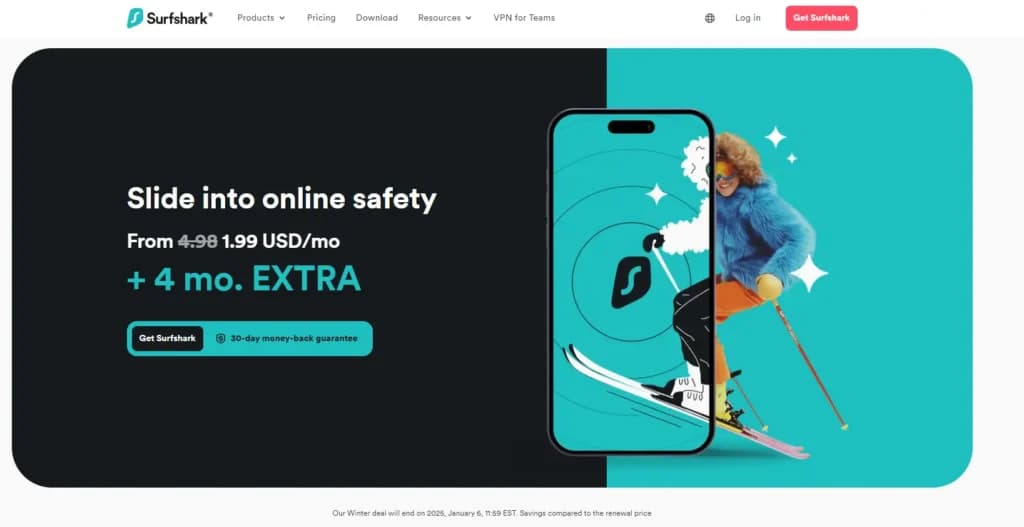
Surfshark is a top VPN service provider. The service offers high speed, security & privacy, unlimited connectivity, and bandwidth. Multiple platforms and VPN protocols are supported by the product. The price is affordable for the average user. In 65 countries, the company provides over 3200 servers.
Learn more in our full Surfshark review.
Pros & Cons
- Unlimited simultaneous connections
- Low price for a 2-year plan
- Safe & private connection
- Multi-hop connection
- Poor customer service
- Bad torrent speed
Features
- Anonymous Browsing
- DNS Leak Protection
- Kill Switch
- Multi-Language
- Multi-Protocol
- Peer-to-Peer
- Policy Management
- Remote Access
- Web Inspection
- Shared IP (Dynamic)
- IKEv2
- OpenVPN
- iPhone/iPad
- Android
- Windows Mobile
- Credit Card
- Bitcoin
- PayPal
- Amazon Pay
Pricing
$2.49
mo/
month
$3.39
mo/
month
$16.45
mo/
month
Surfshark’s free trial gives you access to its full suite of features, including unlimited device connections and malware protection. It’s great for families or those with multiple devices.
Key Features:
- Unlimited simultaneous connections.
- Strong encryption and CleanWeb ad blocker.
- Excellent speeds and server variety.
Limitations: Trial period is limited to 7 days.
NordVPN (Free Trial Available)
NordVPN is a VPN (Virtual Private Network) software designed to help businesses secure their internet connection and protect their data. Founded in 2012, it's now used by millions of customers,… Read more
NordVPN is a VPN (Virtual Private Network) software designed to help businesses secure their internet connection and protect their data. Founded in 2012, it's now used by millions of customers, ranging from individual remote workers to small business teams. Its main goal is to make online activity private and secure, even on public Wi-Fi.
Learn more in our full NordVPN review.
Pros & Cons
- Uninterrupted streaming
- 5398 servers in 59 countries worldwide
- 24/7 customer support
- Worldwide access
- OpenVPN not User-Friendly
- Not the cheapest option
Features
- Anonymous Browsing
- DNS Leak Protection
- Kill Switch
- Multi-Language
- Multi-Protocol
- Peer-to-Peer
- Policy Management
- Remote Access
- Shared IP (Dynamic)
- Dedicated IP
- PPTP
- L2TP/IPSec
- IKEv2
- OpenVPN
- iPhone/iPad
- Android
- Web-Based, Cloud, SaaS
- Windows Mobile
- Credit Card
- Bitcoin
- PayPal
- Google Pay
- Amazon Pay
Pricing
$3.09
mo/
month
$3.99
mo/
month
$4.99
mo/
month
NordVPN is another premium VPN with a free trial option. Its advanced features, such as double VPN encryption, make it one of the most secure choices on this list.
Key Features:
- Double VPN and Onion Over VPN features.
- Thousands of servers worldwide.
- Fast connections ideal for streaming and gaming.
Limitations: Free trial lasts for 7 days and requires a payment method.

CyberGhost VPN (Free Trial Available)
CyberGhost VPN offers one of the largest server networks and specialized servers for streaming, gaming and torrenting at a very affordable price. The VPN app is available for all desktop and mobile… Read more
CyberGhost VPN offers one of the largest server networks and specialized servers for streaming, gaming and torrenting at a very affordable price. The VPN app is available for all desktop and mobile OSs as well as TVs and routers. The VPN supports all required security protocols and features.
Learn more in our full CyberGhost VPN review.
Pros & Cons
- Easy to use and operate
- Specialized servers for streaming, gaming, torrenting
- Unblocks services like Netflix Hulu, etc.
- Large network of over 7,000 servers
- Speeds may drop on international servers
- No OpenVPN for macOS and iOS
- Not working in China
Features
- Anonymous Browsing
- DNS Leak Protection
- Kill Switch
- Multi-Protocol
- Peer-to-Peer
- Policy Management
- Remote Access
- Web Inspection
- Shared IP (Dynamic)
- Dedicated IP
- L2TP/IPSec
- IKEv2
- OpenVPN
- iPhone/iPad
- Android
- Web-Based, Cloud, SaaS
- Apple TV
- Credit Card
- Bank Transfer
- Bitcoin
- PayPal
Pricing
$12.99
mo/
month
$6.99
mo/
month
$2.19
mo/
month
CyberGhost offers a free trial with basic features and access to limited servers. It’s perfect for casual users who need occasional VPN access.
Key Features:
- Dedicated apps for PC and mobile devices.
- No-log policy.
- Reliable security and privacy.
Limitations: Free plan has limited server options and slower speeds.

Hotspot Shield (Free Plan Available)
Developed and operated by Pango (formerly AnchorFree Inc.), HotSpot Shield is a new VPN company that is already a successful player in the VPN market. Users of Hotspot Shield can access restricted… Read more
Developed and operated by Pango (formerly AnchorFree Inc.), HotSpot Shield is a new VPN company that is already a successful player in the VPN market. Users of Hotspot Shield can access restricted content securely and privately through a simple and easy-to-use VPN solution.
Learn more in our full Hotspot Shield review.
Pros & Cons
- Fast speeds
- 45-day money-back guarantee
- Up to 5 simultaneous connections
- Free version available
- Limited configuration options
- Free version is supported by ads
Features
- Anonymous Browsing
- Kill Switch
- Multi-Protocol
- Peer-to-Peer
- Shared IP (Dynamic)
- PPTP
- L2TP/IPSec
- IKEv2
- SSTP
- OpenVPN
- iPhone/iPad
- Android
- Web-Based, Cloud, SaaS
- Windows Mobile
- Apple TV
- Credit Card
- Bitcoin
- PayPal
Pricing
$0
mo/
month
$12.99
mo/
month
$7.99
mo/
month
$2.99
mo/
month
Hotspot Shield’s free version is widely popular for its generous 500MB daily data limit. It’s a great option for lightweight browsing and securing public Wi-Fi connections.
Key Features:
- 500MB daily data.
- Military-grade encryption.
- Ideal for secure browsing on public Wi-Fi.
Limitations: Ads in the free version; limited server access.
VeePN (Free Trial Available)
Fast, ultra secure, and easy-to-use VPN service to protect your privacy online. VeePN lets you enjoy the web without boundaries with an ultra-fast and super simple VPN service for all your needs.
Learn more in our full VeePN review.
Pros & Cons
- Multiple protocols, including WireGuard
- Kill switch & DNS leak protection
- 10 simultaneous connections
- 30-day money-back guarantee
- Keeps connection logs
- Slow speeds in some locations
- Live chat too slow
Features
- Anonymous Browsing
- DNS Leak Protection
- Kill Switch
- Multi-Language
- Multi-Protocol
- Peer-to-Peer
- Web Inspection
- Shared IP (Dynamic)
- IKEv2
- OpenVPN
- iPhone/iPad
- Android
- Web-Based, Cloud, SaaS
- Windows Mobile
- Credit Card
- Bitcoin
- PayPal
- Apple Pay
- Google Pay
Pricing
$1.67
1-day FREE trial/
1-day FREE trial
$5.83
1-day FREE trial/
1-day FREE trial
$10.99
1-day FREE trial/
1-day FREE trial
VeePN offers affordable subscription plans with a 30-day money-back guarantee, making it a great choice for first-time VPN users who want to explore premium features risk-free.
Key Features:
- Easy-to-use interface.
- Servers in multiple countries.
- Decent speeds for everyday use.
Limitations: Limited data usage in the free plan.
VPN Proxy Master (Free Plan Available)
VPN Proxy Master is a VPN that is most popular among Android users, but it also offers lots of apps and features for other users. If you’d like to know what the VPN has to offer, this review will… Read more
VPN Proxy Master is a VPN that is most popular among Android users, but it also offers lots of apps and features for other users. If you’d like to know what the VPN has to offer, this review will take you through the VPN’s privacy, security, features, capabilities, pricing, and more.
Learn more in our full VPN Proxy Master review.
Pros & Cons
- 6 simultaneous devices
- Huge server network with specialized servers
- Unblocks Netflix, iPlayer, and more
- 30-day money-back guarantee
- Links to China
- Slow speeds in some locations
- Highly-priced
Features
- Anonymous Browsing
- Kill Switch
- Multi-Language
- Multi-Protocol
- Peer-to-Peer
- Shared IP (Dynamic)
- OpenVPN
- iPhone/iPad
- Android
- Credit Card
- Bitcoin
- PayPal
- Apple Pay
- Google Pay
Pricing
$0
mo/
month
$3.75
mo/
month
$5.83
mo/
month
$11.95
mo/
month
VPN Proxy Master is a lightweight option for quick and easy access to a virtual private network free of charge.
Key Features:
- Simple setup and user-friendly apps.
- Unblocks basic geo-restricted content.
- Available on PC, iPhone, and Android.
Limitations: Slower speeds and ads in the free version.
VuzeVPN (Free Trial Available)
VuzeVPN provides zero logs service, top-notch encryption, great speeds, and several essential features such as a kill switch and DNS leak protection. The VPN’s server network isn't the largest, but… Read more
VuzeVPN provides zero logs service, top-notch encryption, great speeds, and several essential features such as a kill switch and DNS leak protection. The VPN’s server network isn't the largest, but it still offers connections in 27 countries. You can make an informed decision based on this detailed VuzeVPN review.
Learn more in our full VuzeVPN review.
Pros & Cons
- Great speeds
- Doesn’t keep any logs
- Kill switch and DNS leak protection
- 7-day free trial
- Only supports Windows
- Very few features
- Based in the US
Features
- Anonymous Browsing
- DNS Leak Protection
- Kill Switch
- Peer-to-Peer
- OpenVPN
- Windows Mobile
- Credit Card
- PayPal
Pricing
$2.95
billed yearly/
billed yearly
$5.95
billed yearly/
billed yearly
VuzeVPN offers reliable performance for casual browsing with a risk-free trial, allowing users to explore its robust encryption protocols before committing to a premium plan.
Key Features:
- No-log policy.
- Compatible with multiple platforms.
- Free and premium plans available.
Limitations: Fewer server locations in the free version.
Private Internet Access (PIA) (Free Trial Available)
Private Internet Access (PIA) VPN runs on all desktop and mobile operating systems and is reliable and affordable. Their server network has over 35,000 servers in 78 countries, which is above… Read more
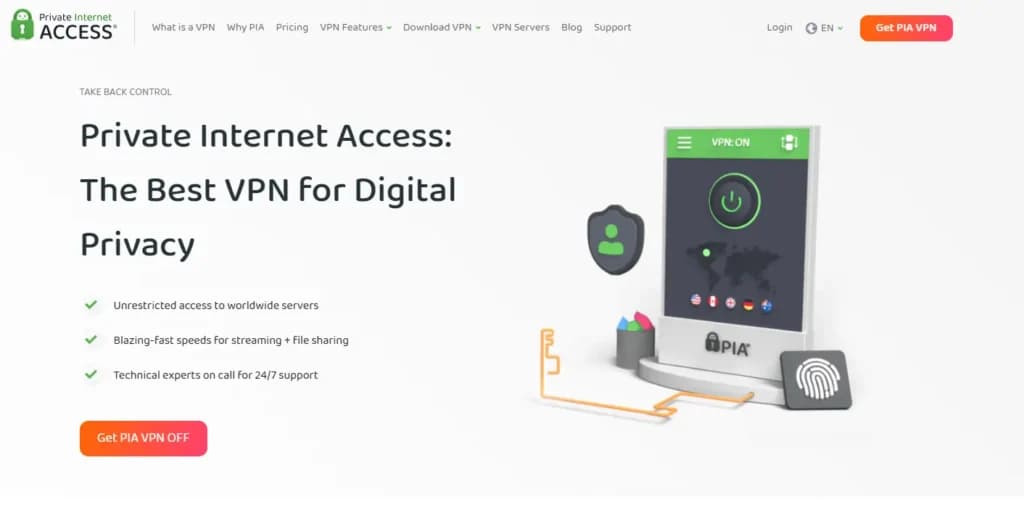
Private Internet Access (PIA) VPN runs on all desktop and mobile operating systems and is reliable and affordable. Their server network has over 35,000 servers in 78 countries, which is above average. There are no additional protections in the app, but it offers all VPN features needed plus 10 simultaneous connections.
Learn more in our full Private Internet Access (PIA) review.
Pros & Cons
- Supports 10 simultaneous connections
- Large server network
- Easy to use app
- No free version
- No additional privacy tools
- Inconsistent speeds
Features
- Anonymous Browsing
- DNS Leak Protection
- Kill Switch
- Multi-Protocol
- Peer-to-Peer
- Policy Management
- Remote Access
- Web Inspection
- Shared IP (Dynamic)
- Dedicated IP
- L2TP/IPSec
- OpenVPN
- iPhone/iPad
- Android
- Web-Based, Cloud, SaaS
- Credit Card
- Bitcoin
- PayPal
- Apple Pay
- Google Pay
- Amazon Pay
Pricing
$2.03
/mo +3 months FREE/
/mo +3 months FREE
$3.33
mo/
month
$11.95
mo/
month
PIA provides a free trial with robust privacy features, including advanced customization for more experienced users.
Key Features:
- Customizable encryption settings.
- Wide server network.
- Strong no-logs policy.
Limitations: Free trial is short-lived.
Top Features to Look for in a Free VPN Service
Before choosing a free VPN, it’s important to know what to look for. Not all free VPNs are created equal, and some come with limitations. Here are the key features to consider:
- Security and Encryption: Ensure the VPN uses strong encryption protocols like AES-256 to protect your data.
- Bandwidth and Speed Limits: Many free VPNs cap data usage or slow down your connection after a certain limit.
- Device Compatibility: Look for VPNs that work seamlessly on your preferred devices, such as PCs, iPhones, or Android phones.
- Server Locations: A wide range of servers in different countries can help you access geo-restricted content.
- No-Logs Policy: Choose a VPN that doesn’t store your browsing data to maintain your privacy.
Are Free VPNs Safe to Use?
Free VPNs are a convenient option, but they come with potential risks. Some free VPNs may log your data, inject ads, or even sell your information to third parties. To stay safe:
- Choose reputable providers with no-log policies.
- Avoid free VPNs with overly intrusive ads.
- Consider upgrading to a paid plan for added security.
How to Set Up a Free VPN on PC, iPhone, and More
Free VPN For PC:
- Download the VPN software from the official website or app store.
- Install and launch the application.
- Connect to a server and start browsing securely.
Free VPN For iPhone:
- Download the VPN app from the App Store.
- Sign up or log in to your account.
- Connect to a server with one tap.
Does a VPN Cost Money?
While many VPNs offer free versions or free trials, they often have limitations, such as slower speeds, data caps, or fewer server options. Paid VPNs provide additional features like unlimited bandwidth, advanced security, and broader server access. Ultimately, the choice depends on your needs and budget.
The Risks of Using Free VPN Providers: What You Need to Know
The answer to this question depends on the type of free VPN service you’re using. For example, suppose you’re using a free trial of a premium VPN service like ExpressVPN, Surfshark, and others.
In that case, you can be confident that they include advanced features, including ad blockers, split tunneling, hotspot shields, internet kill switches, and multiple server locations. Further, premium VPN providers that offer free trials are typically committed to protecting your online privacy with constant updates to security features.
However, using a completely free VPN server may be unsafe for many reasons. A few of the most commonly cited reasons to steer clear of 100% free VPN providers include:
- Many 100% free VPN apps collect and sell your data to third-party marketing companies
- Due to a lack of budget, many totally free VPN providers are vulnerable to malware, DNS leaks, and other cyberattacks
- In many cases, a completely free VPN can slow your internet connection
- Many free VPNs result in CAPTCHA requests on streaming sites, search engines, and others
- Some free VPN companies show free and instructive ads that include trackers
Generally, if you’re using a totally free VPN service, you should be aware that it’s far from risk-free. In most cases, the premium versions of paid VPN free trials offer much more security and safety.
Pros and Cons of the Top Free VPN Services
There are countless top-rated VPN services. Each has its pros and cons. In general, the benefits and drawbacks of the best VPN providers like OpenVPN, NordVPN, WindScribe, CyberGhost, Surfshark, and others depend on your needs, location, devices, and more.
Further, you can expect a vastly different experience depending on whether you’re using the free version of a VPN app or a premium version of a paid plan.
Whether in the U.S., Germany, Japan, Switzerland, The Netherlands, Canada, France, or anywhere else, there are many advantages to using the best VPN services. The general benefits of VPN use include but are not limited to:
- User-friendly set-up and instructions
- Secured network
- Hidden private information
- Workaround for monthly data allowances and bandwidth data caps
- Access to Geo-blocked content (especially helpful for streaming services)
- Workplace network security
- Reduced IT costs
While there are many benefits of using a VPN, there are also a few drawbacks. Common disadvantages of the best VPN providers include but are not limited to:
- Depending on the VPN protocol, it can result in lower internet speeds. In many cases, it’s best to use an internet speed test while using a free trial.
- Complicated configurations (i.e., Router set-up, AES-256 configuration, IKEv2 setup, and more.
- Monthly or yearly costs associated with the paid plans
How to Choose the Best Free VPN
Choosing the right free VPN involves considering a few key features that ensure safety, performance, and accessibility. Here’s a simplified guide:
Key Features to Look For:
- Privacy and Security: Choose a VPN with strong encryption and privacy tools like a kill switch to safeguard against data leaks.
- Streaming Capability: Opt for a VPN that can bypass geo-restrictions during the trial period, allowing access to various streaming content.
- Privacy Policy: Ensure the VPN has a strict no-logs policy and clear, audited procedures to protect your data.
Performance Considerations:
- Speed: Since VPNs can slow down your internet connection, check the VPN’s speed for streaming and gaming. Tools like Ookla can help measure VPN performance.
Testing the VPN:
- Trial and Refunds: When testing a VPN, see if the trial period is sufficient to evaluate its features. Also, understand the terms of the money-back guarantee:
- Is the refund policy unconditional, or are there specific criteria?
- Are refunds possible if you pay through third parties or with cryptocurrencies?
- What is the process and timeline for receiving a refund?
Selecting a free VPN that offers a trial period with access to premium features allows you to assess its value before committing financially.
Why Choose the Top Free VPN? Key Advantages Explored
Generally, the best free VPN services offer most of the same benefits as paid VPN options. A few benefits of using a free virtual privacy network include but are not limited to the following:
- Private browsing history
- Online identity protection
- The ability to change your IP address to unblock Geo-blocked content
- You can enjoy a VPN for free
Free VPN use has its advantages. However, there are also a few disadvantages you should be aware of before downloading free VPN software on your iPhone, Android, laptop, computer, or router. Learn more below.
Potential Drawbacks of Free VPN Solutions
Suppose you need to protect your data, network, and personal information (most of us do). In that case, it’s typically better to use any reputable VPN provider compared to no VPN at all. However, you should be aware of the following potential negatives of using the best free VPN providers online:
- Potentially intrusive advertisements
- Collection and sale of your personal data
- The VPN might not be free forever
- Inability to add additional free users to your account
- You may have more connectivity problems compared to paid plans
- Limited advanced features
- Lack of customer support
- Slow internet speeds (use a speed test site to ensure good speeds)
If you want to test out a VPN service for free, we’d recommend trying a free trial before paying for premium features OR using a highly-trusted 100% VPN service. Check out our list of the best free VPNs (with free trials) at the top of this page.
Final Thoughts
Choosing the right free VPN depends on your specific needs. For short-term use, try free trials from premium services like ExpressVPN or NordVPN. If you need a long-term free solution, consider Hotspot Shield for lightweight browsing or Private Internet Access VPN for unlimited device connections.
Remember, while free VPNs are a great starting point, upgrading to a paid plan often unlocks the full potential of VPNs. Start protecting your privacy today with one of these top free VPN services!
FAQs: Navigating the World of the Best Free VPN Apps
There are many free VPN apps on the market, including services like PrivadoVPN, Hide.Me, NordVPN, VeePN, VPN Proxy Master, and so many others. To alleviate some confusion, we’ve answered a few of the most frequently asked questions about free virtual private network services below.
Which is the Best Free VPN?
VPNs offer similar features but are slightly different. With that in mind, the best VPN for Chrome, the best VPN for an iPhone, and the best VPN for TOR aren’t always the same. Generally, the best top-rated virtual private network apps include but are not limited to:
- ExpressVPN
- NordVPN
- VPN Proxy Master
- Hotspot Shield
- Surfshark
- And many others
Check out our picks for the top VPNs offering free trials and free plans at the top of this page.
Are There 100% Free VPNs?
There are plenty of 100% free VPNs. However, you should research to fully understand the pros and cons of each before installing new software on your device. The most notable completely free VPN services include:
- Me
- PrivadoVPN
- TunnelBear
- Windscribe
- ZoogVPN
- ProtonVPN,
- And more
Why Shouldn’t You Use a VPN?
You’d be hard-pressed to find a reason not to use a VPN. However, there are a few reasons why using a VPN may not always be in your best interest. They include but are not limited to:
- VPN use is illegal in some countries
- Some content providers and websites may block you
- It’s not always easy to know how secure your information is
- Connection breaks
Can a VPN Steal Your Data?
If you’re using an unproven or low-quality VPN provider, you risk malware infections, installation of hidden tracking libraries, and the theft (and re-sale) of your personal information. It’s best to conduct thorough research on the VPN provider of your choice before installation.
See also
- Free VPNs trade bandwidth, server choice or logging policy for the price, so compare paid best business VPN options before routing work traffic.
- Unblocking a library needs addresses that are not already blacklisted, and that is the whole point of best VPNs for streaming.
- A tunnel does nothing about reused credentials, so pair it with best business password manager picks.
- For reaching one office machine rather than hiding traffic, best free remote desktop software for small business is the simpler answer.