
Best Healthcare Payment Processing for Medical Practices in 2026
Seven healthcare payment providers are worth your consideration - and which one you choose depends entirely on the size and type of your practice. Kurv is the best all-round choice for an independent practice. Helcim costs the least once you look at the real numbers, and it is the only one that will sign a BAA in writing. Square is right for a solo, cash-pay practice and wrong for almost everyone else. Stax wins above roughly $300,000 a year in card volume. PaymentCloud takes the practices others turn down, like med spas and telehealth. North puts the front desk POS and the payments in one box. Worldpay is for multi-location groups.
Last updated: November 2026

Free plan available
- Pass card fees to patients
- Set up patient payment plans
- Accept HSA and FSA cards
- Lower rates for phone and online billing
- Fast signup with free terminal options
- Often uses auto-renewing two-year contracts
- HIPAA privacy agreement is not publicly listed
Free plan available
- Pass card fees to patients
- Set up patient payment plans
- Accept HSA and FSA cards
- Lower rates for phone and online billing
- Fast signup with free terminal options
- Often uses auto-renewing two-year contracts
- HIPAA privacy agreement is not publicly listed

Free plan available
- Easy front desk card readers
- Combines patient booking and payments
- Top-rated mobile checkout app
- No monthly fees on basic plan
- Reliable hardware needs almost no training
- Gets expensive when your clinic grows
- Large medical bills can trigger account holds
Free plan available
- Easy front desk card readers
- Combines patient booking and payments
- Top-rated mobile checkout app
- No monthly fees on basic plan
- Reliable hardware needs almost no training
- Gets expensive when your clinic grows
- Large medical bills can trigger account holds

- Free HIPAA privacy agreement included
- Bank transfers capped at $6
- Save patient cards for free
- Very low rates with no monthly fees
- No contracts and automatic volume discounts
- Approval takes extra time and paperwork
- Extra 0.4% fee on recurring billing
- Free HIPAA privacy agreement included
- Bank transfers capped at $6
- Save patient cards for free
- Very low rates with no monthly fees
- No contracts and automatic volume discounts
- Approval takes extra time and paperwork
- Extra 0.4% fee on recurring billing

- Legal credit card fee passing
- One dashboard for all payments
- Fast payouts and strong security
- Saves big money for high-volume clinics
- Great tools for text and online billing
- Refuses to sign a HIPAA privacy agreement
- Low app ratings and slow billing support
- Legal credit card fee passing
- One dashboard for all payments
- Fast payouts and strong security
- Saves big money for high-volume clinics
- Great tools for text and online billing
- Refuses to sign a HIPAA privacy agreement
- Low app ratings and slow billing support

- Dedicated human help for setup
- Strong tools against patient chargebacks
- Works well for phone orders
- High approval rate for specialty health clinics
- Lower risk of sudden account freezes
- Prices are hidden until you get quoted
- Has no mobile app of its own
- Dedicated human help for setup
- Strong tools against patient chargebacks
- Works well for phone orders
- High approval rate for specialty health clinics
- Lower risk of sudden account freezes
- Prices are hidden until you get quoted
- Has no mobile app of its own

Free plan available
- Offer discounts for cash payments
- Reliable in-house payment network
- Easy text and email invoices
- Affordable machines that are easy to use
- Strong security for office and online visits
- Watch out for surprise monthly extra fees
- Canceling early can cost $295 or more
Free plan available
- Offer discounts for cash payments
- Reliable in-house payment network
- Easy text and email invoices
- Affordable machines that are easy to use
- Strong security for office and online visits
- Watch out for surprise monthly extra fees
- Canceling early can cost $295 or more

Free plan available
- Automatically updates expired patient cards
- Connects into established clinic software
- Lets patients pay over time
- Lower wholesale rates for busy growing clinics
- Works with existing office card machines
- Too complex for small solo offices
- Confusing pricing and slow customer support
Free plan available
- Automatically updates expired patient cards
- Connects into established clinic software
- Lets patients pay over time
- Lower wholesale rates for busy growing clinics
- Works with existing office card machines
- Too complex for small solo offices
- Confusing pricing and slow customer support
* Featured prices can be updated and free offers may include additional terms.
Healthcare is not like retail, and three things make it different - none of which a general credit card processing guide will tell you. Here’s the thing – your patients pay with HSA and FSA cards that only work if your account is coded correctly. Most of your money arrives after insurance pays, which means charging a card you saved weeks ago. And your vendor may need to sign a legal agreement called a BAA, or may not, depending on what it actually does for you.
Whether you call it healthcare merchant services, medical payment processing or healthcare credit card processing, you are buying the same thing, and the section below explains why the labels differ. Every rate below came from the provider's own published pricing page where one exists, checked on 2026. Where a provider publishes nothing, we say so and label the third-party figure rather than presenting it as fact
Best healthcare payment processing: Quick comparison
Kurv leads for independent practices with flexible text and QR payment options, while Helcim offers transparent interchange-plus pricing and a written BAA. Square fits solo, cash-pay providers needing built-in scheduling, Stax delivers subscription pricing for high-volume groups, and PaymentCloud specializes in high-risk categories like med spas and telehealth. North combines front-desk POS hardware with processing, and Worldpay provides enterprise-level reporting for large multi-location health systems.
Provider | Best for | In-person rate | Monthly fee | Signs a BAA | iOS app |
|---|---|---|---|---|---|
Independent practices | 2.50% + 10c | $0 processing, software $0 to $59.95 | Not published | 4.4 from 7 | |
Lowest real cost | interchange + 0.40% + 8c | $0 | Yes | 3.2 from 105 | |
Solo and cash-pay | 2.6% + 15c | $0 | Yes | 4.8 from 604,000 | |
High-volume groups | interchange + 8c | $99 | No | 2.1 from 27 | |
Med spas, telehealth | Not published | Not published | Not published | No app | |
Front desk POS | 2.69% | $0 / $14.95 / $29.95 | Not published | 3.6 from 660 | |
Multi-location groups | Not published | Not published | Not published | None named |
Three honest notes before you read further. Two of the seven, PaymentCloud and Worldpay, publish no pricing at all, so you are getting a quote built around what the rep thinks you will accept rather than a number you can check. Three of the seven will not name a single report they produce, which matters more than it sounds and is covered further down. And only Helcim will commit to a BAA in writing, which is the one compliance question most practices ask and almost nobody answers.
Healthcare merchant services, medical payment processing, healthcare payment platform: What is the difference?
Mostly nothing, and the confusion is costing practices money. These are marketing labels for the same job, which is moving a payment from a patient or an insurer into your bank account. Healthcare merchant services and healthcare credit card processing usually mean the merchant account itself, the thing that lets you accept cards at all. Medical payment processing and payment processing in healthcare are the same product described from the other direction. Healthcare payment processing solutions and medical payment solutions are the phrases sales teams use when the package includes hardware and software, not just the account.
The one term that does mean something different is healthcare payment platform. That describes a system built to handle the whole money flow for a hospital or a large group, including insurance remittance, patient estimates and statement cycles. Phreesia and Worldpay sell platforms. Kurv, Helcim and Square sell payment processing. A ten-person clinic buying a platform is buying a hospital's problem.
So when a rep tells you their healthcare payment processing solutions are purpose-built for medical practices, ask what that means in features. Usually the honest answer is HSA and FSA acceptance plus recurring billing, and you should check whether both are actually there.
How we picked these seven providers
We started with every provider reviewed in Sonary's merchant services category, then kept only the ones that do something specific for a medical practice rather than treating it as another small business. We checked each provider's own pricing page, its BAA or HIPAA policy if one exists, its published integration list, its documented reporting, its current app store rating, and whether it will underwrite the healthcare categories that get turned down elsewhere.
Sonary is a comparison site and advertising affects which products appear here. It does not affect the rates we publish, the limits we report, or the order we rank them in. Where a provider publishes nothing, we say so instead of filling the gap with a guess.
Kurv: Best for an independent practice
Kurv is a strong fit for small clinics, wellness studios, and mobile healthcare providers because it makes collecting payments easy anywhere care happens—at the front desk, in an exam room, or at a… Read more
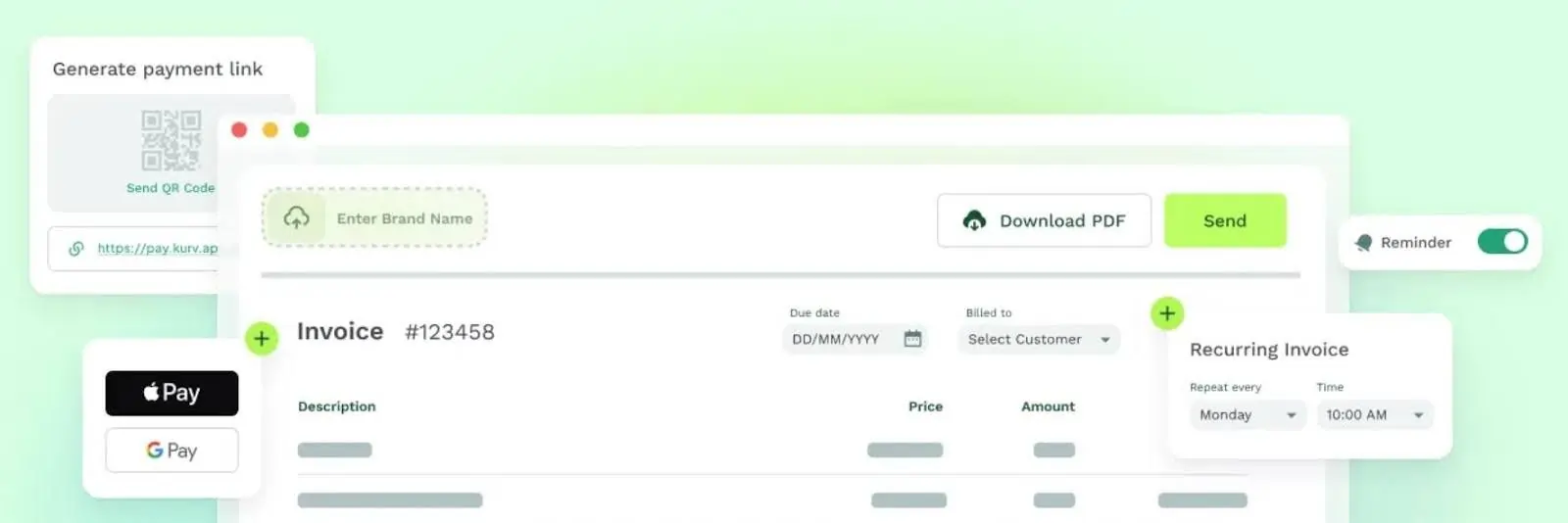
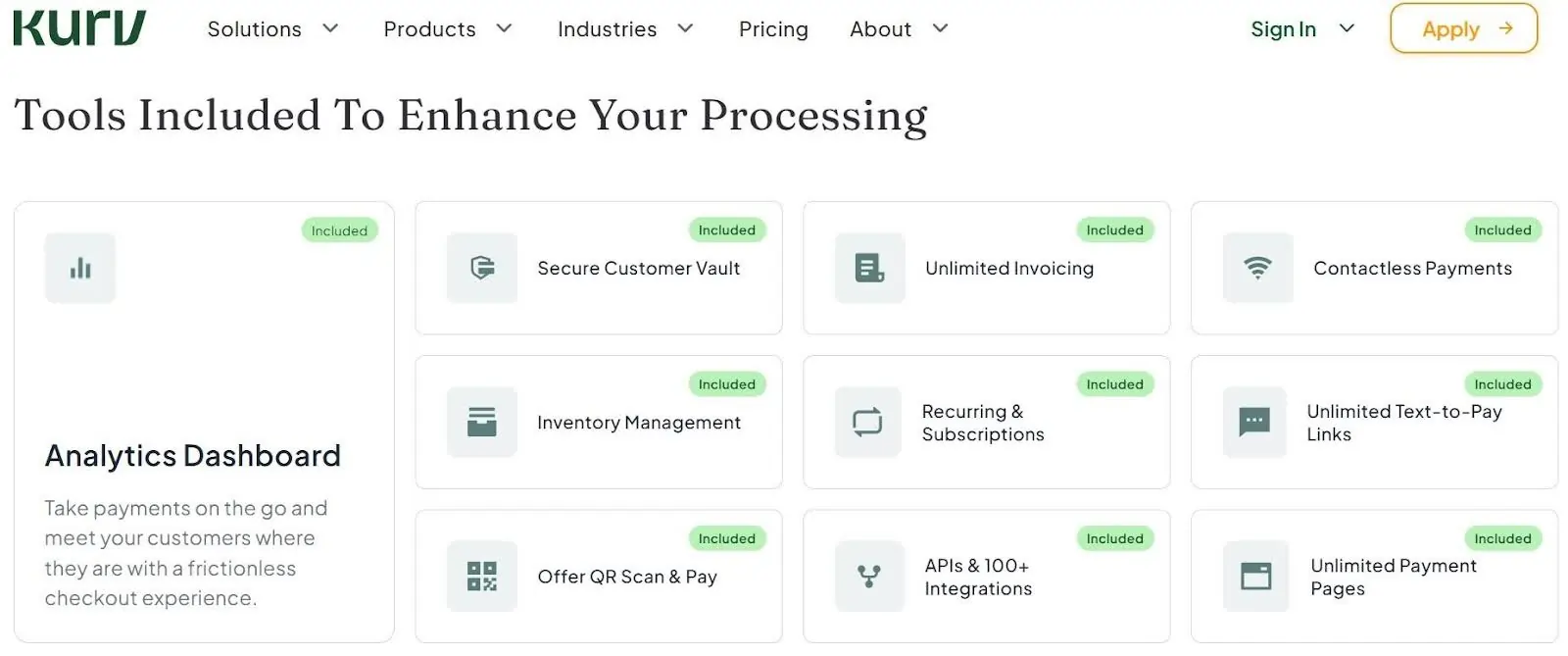
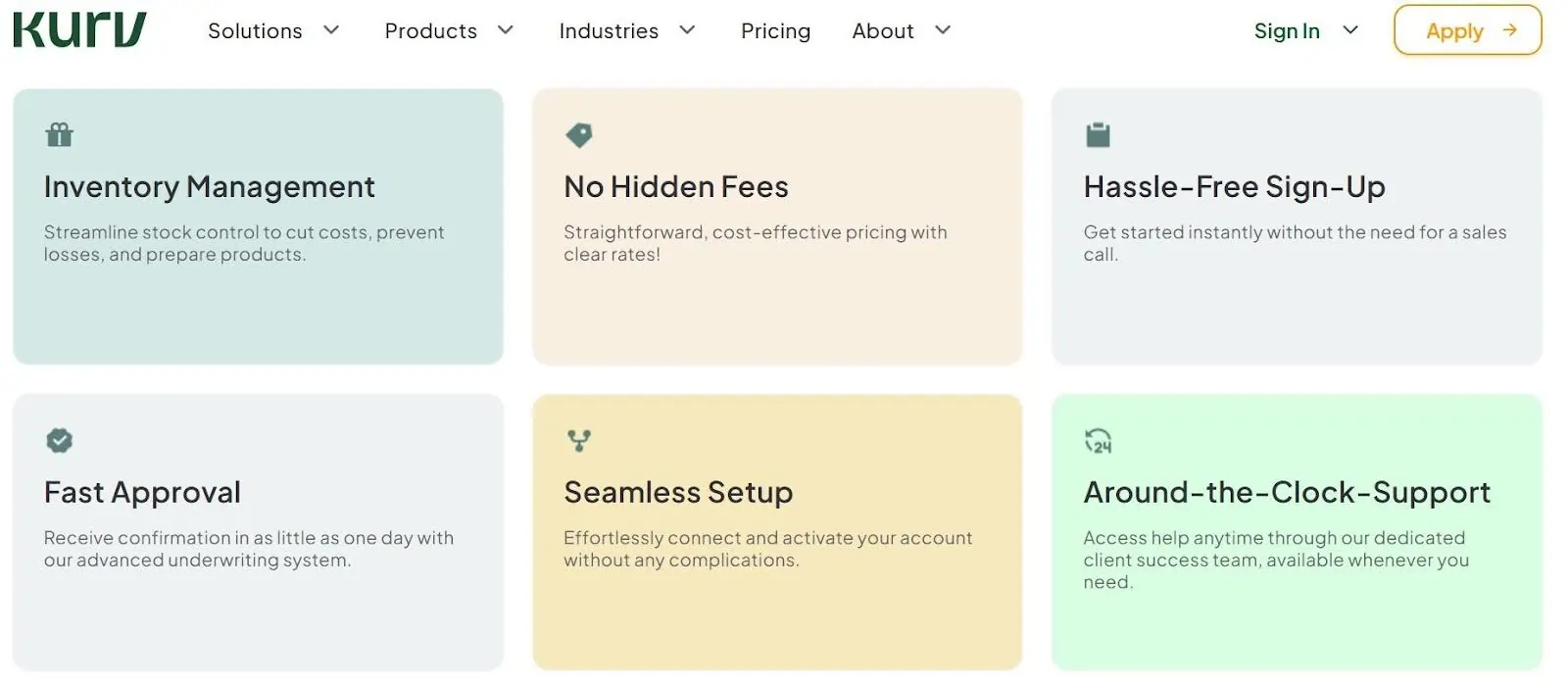
Kurv is a strong fit for small clinics, wellness studios, and mobile healthcare providers because it makes collecting payments easy anywhere care happens—at the front desk, in an exam room, or at a patient's home. It gives practices helpful healthcare tools like built-in HSA and FSA card support, text-to-pay links, automated payment plans, and late-bill reminders so patients pay faster. Clinics can also use its virtual terminal for phone orders, take tap-to-pay right on an iPhone or Android without extra hardware, or turn on dual pricing to pass credit card fees to patients who choose not to pay with cash or debit.
Learn more in our full Kurv review.
Pros & Cons
- Lower rates for phone and online billing
- Fast signup with free terminal options
- Often uses auto-renewing two-year contracts
- HIPAA privacy agreement is not publicly listed
Features
- Tap to Pay
- Fraud Monitoring
- ACH Payment Processing
- Billing & Invoicing
- Data Security
- Debit/Credit Card Processing
- In-Person Payments
- Mobile Payments
- Online payment processing
- PCI Compliance
- POS Integration
- Payment Fraud Prevention
- Payment Processing Services Integration
- Recurring Billing
- Reporting/Analytics
- iOS
- Android
- Cloud-Based
- Windows
- Mac
- Instore Sales
- Online Sales
- Mobile Sales
- Electronic Signature
- Multiple Payment Gateways
- Mobile Credit card processing
- Contactless NFC
- Mobile Card Reader
- Electronic Receipts
- 3rd-Party Integrations
Pricing
$0
mo/
month
$0
mo/
month
Screenshots


* Featured prices can be updated and free offers may include additional terms.
Pricing: Transaction fees range from 2.50% to 2.90% (plus a small per-swipe fee), or you can pass card fees to patients. Base processing is $0/month, optional software runs up to $59.95/month, and hardware ranges from $0 (first handheld reader) to $199.
What You Actually Get:
- Fast phone checkout: Text a payment link or show a QR code at the front desk so patients pay with Apple Pay or Google Pay in seconds—no app or account needed.
- Take payments anywhere: Accept tap payments directly on an iPhone or Android in the exam room, or use a handheld terminal that keeps working even if your office Wi-Fi drops.
- Collect insurance balances faster: Send same-day text bills as soon as insurance settles instead of mailing paper statements weeks later.
- Healthcare-ready billing: Accept HSA and FSA cards, set up automatic payment plans, and sync two ways with QuickBooks or Xero.
What Is Not So Good:
- Higher rates for text and QR payments: Phone payment links cost more per transaction than in-person card taps.
- Conflicting software tiers and contracts: Website pricing tiers contradict each other, and accounts come with an auto-renewing two-year contract.
- Missing healthcare proof: Kurv does not name specific financial reports or publish a HIPAA Business Associate Agreement (BAA) online.
Is Kurv worth it for a healthcare business? Yes, if you want patients paying quickly by phone and need HSA/FSA support or payment plans. However, if you need a signed HIPAA BAA or detailed bank reports, choose Helcim instead.
Who Should Use It: Independent dental, chiropractic, optometry, physical therapy, or primary care clinics (1–5 locations) wanting easy phone checkouts, or clinics turned down by Square.
Who Should Skip It: Clinics that want month-to-month terms, direct Dentrix/Open Dental integration, or a signed HIPAA BAA.
Helcim: Best for the lowest real cost
Helcim is an ideal choice for growing medical, dental, and therapy clinics that want lower credit card fees without giving up modern software tools. Its browser tool connects directly into popular… Read more
Helcim is an ideal choice for growing medical, dental, and therapy clinics that want lower credit card fees without giving up modern software tools. Its browser tool connects directly into popular SMB clinic platforms like SimplePractice, Jane App, TherapyNotes, and Athenahealth, letting front-desk staff take copays and save patient cards on file without doing extra data entry. It also includes a free HIPAA privacy agreement (BAA) upon request
Learn more in our full Helcim review.
Pros & Cons
- Very low rates with no monthly fees
- No contracts and automatic volume discounts
- Approval takes extra time and paperwork
- Extra 0.4% fee on recurring billing
Features
- ACH Payment Processing
- Billing & Invoicing
- Data Security
- Debit/Credit Card Processing
- In-Person Payments
- Mobile Payments
- Multiple Payment Gateways
- Online payment processing
- PCI Compliance
- POS Integration
- Payment Fraud Prevention
- Payment Processing Services Integration
- Recurring Billing
- Cash Transactions
- Contactless NFC
- Electronic Receipts
- Mobile Card Reader
- iOS
- Android
- Cloud-Based
- Windows
- Mac
- Instore Sales
- Online Sales
- Mobile Sales
Pricing
1.79%
+ 8¢/
+ 8¢
2.31%
+ 25¢/
+ 25¢
* Featured prices can be updated and free offers may include additional terms.
Pricing: Wholesale rates with a small markup that drops automatically as your clinic grows (roughly 0.15% to 0.50% above wholesale cost). $0/month with no contracts, bank transfers capped at $6, and hardware from $199 to $349.
What You Actually Get:
- Connects to your clinic software: Works directly inside 37 healthcare platforms—including Jane App, SimplePractice, TherapyNotes, DrChrono, and Athenahealth—so staff never have to enter payment data twice.
- Written HIPAA protection: The only provider here that gives you a signed HIPAA BAA upon request at no extra cost.
- Lower fees on HSA and FSA cards: Because HSA and FSA cards run as debit cards, wholesale pricing saves you much more than flat-rate apps.
- Clear deposit reports and patient portal: Gives you an end-of-day report showing the exact dollar amount hitting your bank account, plus a free vault to store patient cards on file.
What Is Not So Good:
- Manual reports and business-hours support: You have to pull your end-of-day reports manually rather than getting automatic emails, and phone support isn't 24/7.
- Extra fee on payment plans: Recurring billing carries a small extra percentage fee, and Helcim does not accept med spas or prescribing telehealth.
Is Helcim worth it for a healthcare business? Yes—for most standard clinics, Helcim offers the best overall value, the lowest real fees, direct software integrations, and a written HIPAA BAA. Only pick Kurv over Helcim if you need 24/7 phone support or faster QR checkouts.
Who Should Use It: Behavioral health practices, therapists, physical therapists, and clinics on Jane App, SimplePractice, or TherapyNotes—or any practice needing a written BAA.
Who Should Skip It: Med spas, prescribing telehealth clinics, and office managers who need reports emailed automatically.
Square: Best for a solo, cash-pay practice
Square is great for solo doctors, therapists, and cash-pay clinics because it is fast to set up and very easy for front-desk staff to learn. It builds a HIPAA privacy agreement right into its terms… Read more
Square is great for solo doctors, therapists, and cash-pay clinics because it is fast to set up and very easy for front-desk staff to learn. It builds a HIPAA privacy agreement right into its terms for eligible healthcare tools, letting small practices safely manage appointments, send automatic visit reminders, charge no-show fees, and send digital bills. Clinics can also take tap-to-pay cards at the counter, run phone payments on a computer, or keep taking payments offline if the office internet goes down.
Learn more in our full Square review.
Pros & Cons
- No monthly fees on basic plan
- Reliable hardware needs almost no training
- Gets expensive when your clinic grows
- Large medical bills can trigger account holds
Features
- ACH Payment Processing
- Billing & Invoicing
- Data Security
- Debit/Credit Card Processing
- Electronic Signature
- In-Person Payments
- Mobile Payments
- Multiple Payment Gateways
- Online payment processing
- PCI Compliance
- POS Integration
- Payment Fraud Prevention
- Payment Processing Services Integration
- Recurring Billing
- Reporting/Analytics
- Contactless NFC
- Electronic Receipts
- Mobile Card Reader
- iOS
- Android
- Cloud-Based
- On-place Installation
- Windows
- Mac
- Instore Sales
- Online Sales
- Mobile Sales
Pricing
$0
mo/
month
$49
mo/
month
$149
mo/
month
Screenshots
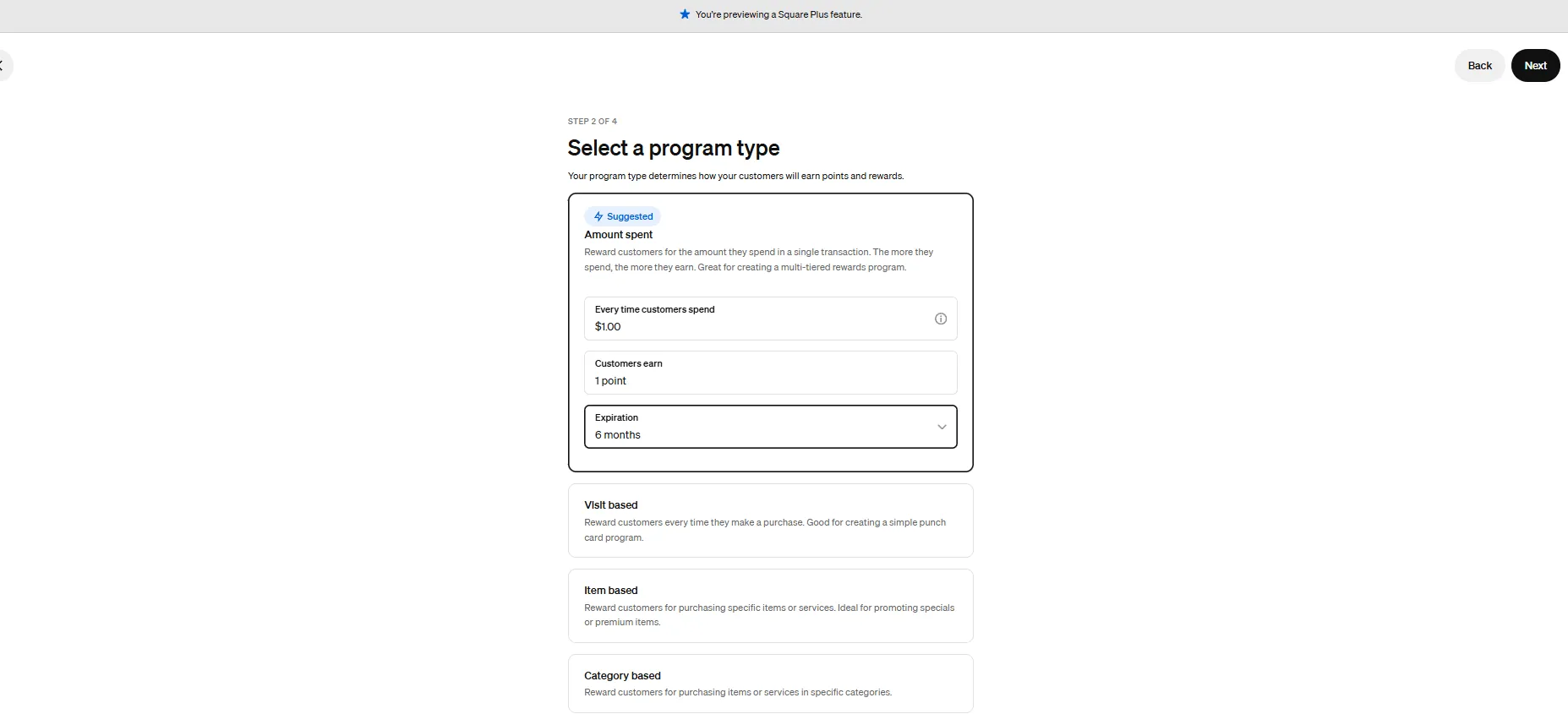
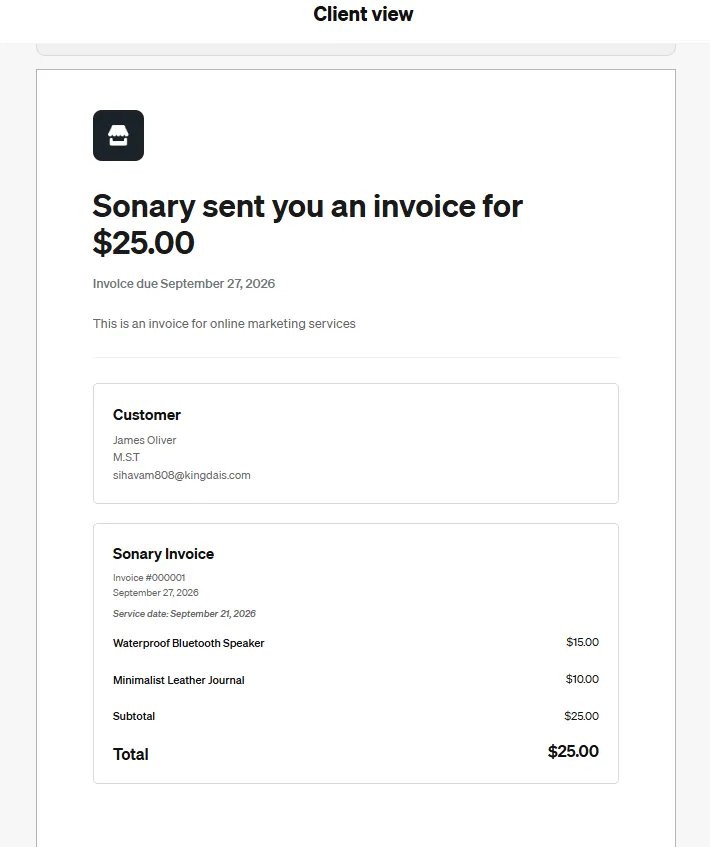
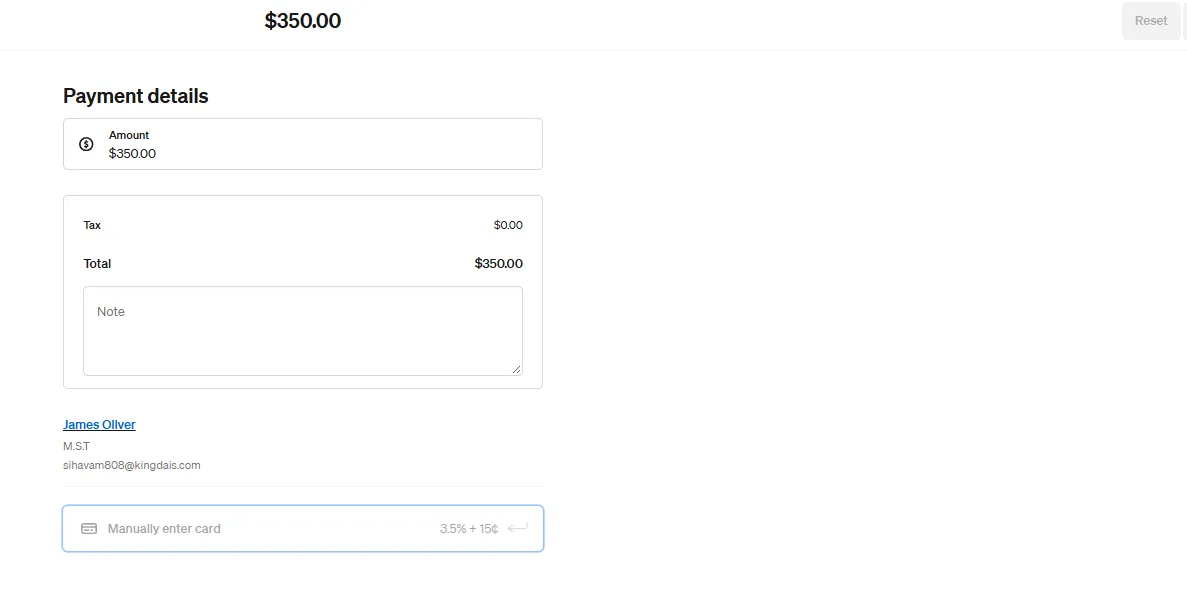
* Featured prices can be updated and free offers may include additional terms.
Pricing: Flat rates range from 2.4% to 2.6% in person and 3.3% to 3.5% for online invoices or saved cards on file. Software plans range from $0 to $149/month with no contracts, and card readers start at $59.
What You Actually Get:
- Booking and payments in one tool: Square Appointments lets patients book online, sends automatic reminders, and charges no-show fees right alongside your checkout.
- Easy front-desk and offline checkout: Runs on a top-rated, easy-to-learn app that keeps taking payments even if your office internet goes down.
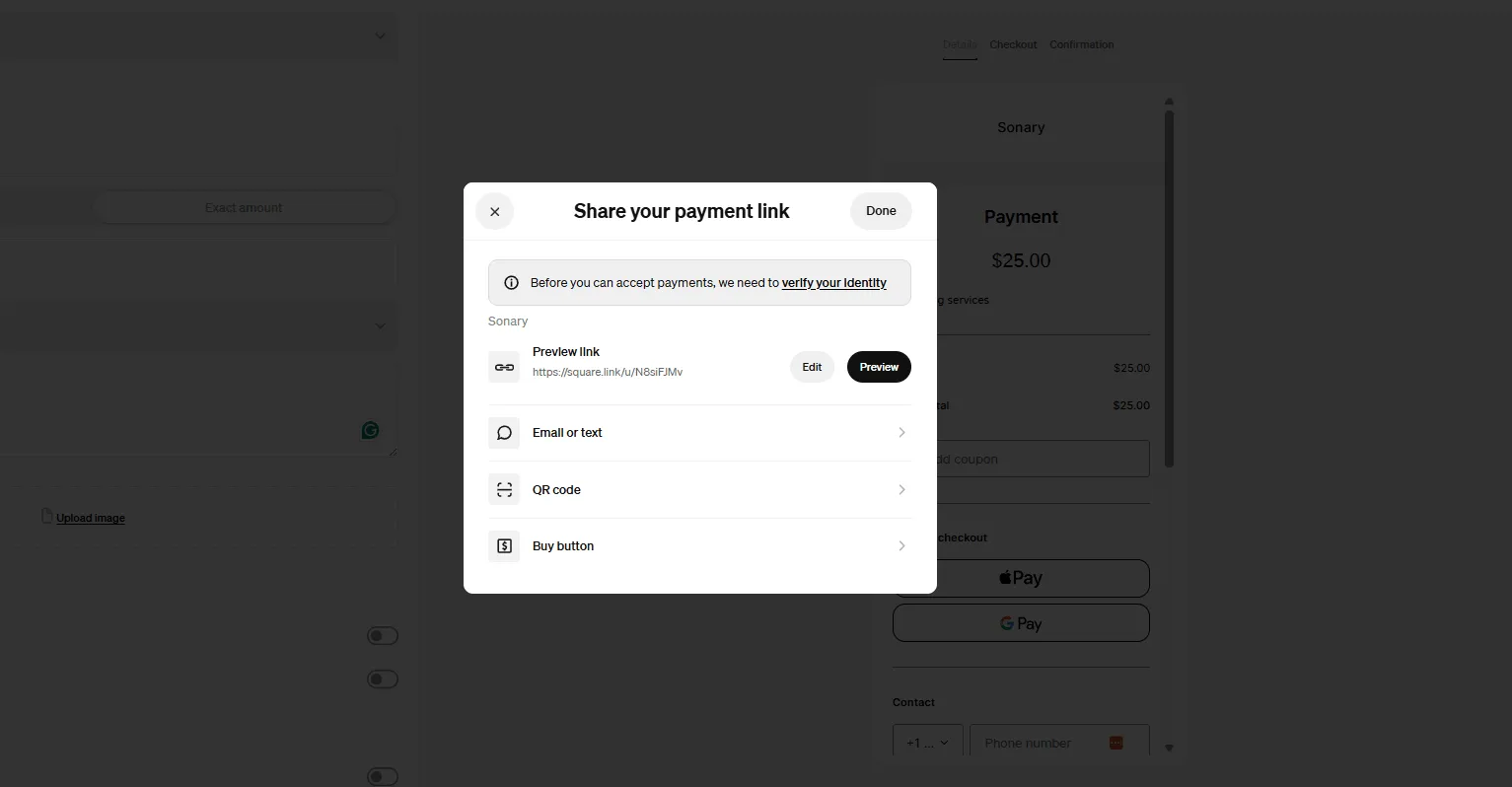
- Simple digital invoices: Send text or email bills that patients can pay in seconds with Apple Pay, Google Pay, bank transfer, or HSA/FSA cards.
- Built-in HIPAA coverage: Includes a HIPAA BAA right in its terms for core healthcare tools like Appointments, Invoices, and POS.
What Is Not So Good:
- Expensive for saved cards: Charging a card on file after insurance settles triggers Square's highest rate, making it costly for insurance-based clinics.
- Risk of account holds: Because you share a master account rather than having your own dedicated merchant account, sudden spikes in billing can freeze your funds.
Is Square worth it for a healthcare business? Only if you are a solo practitioner taking cash or card payments at the end of each visit. If you bill insurance and charge saved cards later, choose Helcim instead.
Who Should Use It: Solo, cash-pay practitioners (therapists, massage therapists, acupuncturists) making under ~$10,000/month who also need appointment scheduling.
Who Should Skip It: Clinics that bill insurance and charge saved cards later, prescribing telehealth clinics, and growing med spas.
Stax: Best for a high-volume group
Stax is built for busy, multi-doctor clinics and growing medical practices that process a high volume of patient payments every month. Instead of taking a percentage cut of every bill, Stax charges a… Read more
Stax is built for busy, multi-doctor clinics and growing medical practices that process a high volume of patient payments every month. Instead of taking a percentage cut of every bill, Stax charges a flat monthly subscription starting at $99 and gives clinics wholesale card rates, which can save busy practices thousands of dollars. It gives billing teams one simple dashboard to handle front-desk smart terminals, text-to-pay bills, HSA/FSA cards, recurring care plans, and legal credit card surcharging. (Note for SMBs: Stax refuses to sign a HIPAA BAA, so clinics cannot put patient diagnoses or treatment details inside Stax receipts or notes.)
Learn more in our full Stax review.
Pros & Cons
- Saves big money for high-volume clinics
- Great tools for text and online billing
- Refuses to sign a HIPAA privacy agreement
- Low app ratings and slow billing support
Features
- ACH Payment Processing
- Billing & Invoicing
- Debit/Credit Card Processing
- Electronic Signature
- In-Person Payments
- Mobile Payments
- Online payment processing
- PCI Compliance
- POS Integration
- Recurring Billing
- Reporting/Analytics
- Electronic Receipts
- Mobile Card Reader
- iOS
- Android
- Cloud-Based
- Monthly subscription
- Instore Sales
- Online Sales
- Mobile Sales
Pricing
$99
mo/
month
$199
mo/
month
$199
mo/
month
* Featured prices can be updated and free offers may include additional terms.
Pricing: Flat monthly subscriptions range from $99 to $199+/month based on volume, with 0% percentage markup on wholesale card rates (you only pay a tiny per-swipe cents fee). Bank transfers are capped at $10.
What You Actually Get:
- Wholesale pricing with zero markup: Instead of taking a percentage of every patient bill, you pay a flat monthly fee—saving large practices thousands once volume grows.
- All-in-one billing portal: Send text or email invoices, create QR codes, run recurring payment plans, and accept bank transfers from one dashboard.
- Pass credit card fees to payers: Includes built-in compliant surcharging tools so large clinics can offset credit card processing costs.
- Fast payouts: Delivers funds to your bank account the next business day and connects with QuickBooks Online.
What Is Not So Good:
- Only worth it at high volume: If you process under ~$25,000/month ($300,000/year), the monthly subscription costs more than Helcim's free plan.
- Not built for healthcare: Refuses to sign a HIPAA BAA, connects to zero clinical software, relies on third-party card machines, and has a poorly rated mobile app.
Is Stax worth it for a healthcare business? Only if your clinic processes more than $25,000/month in cards and wants pure wholesale savings. Most smaller independent clinics will get better tools and lower costs with Helcim.
Who Should Use It: Busy multi-provider medical, dental, dermatology, or eye care groups processing over $25,000/month in cards.
Who Should Skip It: Independent clinics processing under $300,000/year, practices needing a written BAA, or teams wanting EHR integrations.
PaymentCloud: Best for med spas and telehealth
PaymentCloud is a lifesaver for online doctors (telehealth), med spas, weight-loss clinics, and specialty health businesses that often get turned away or frozen by regular payment companies. They… Read more
PaymentCloud is a lifesaver for online doctors (telehealth), med spas, weight-loss clinics, and specialty health businesses that often get turned away or frozen by regular payment companies. They specialize in getting tricky medical niches approved and give every small business a dedicated human helper to set things up. Their system includes strong tools to block fake patient chargebacks, computer terminals for taking phone orders, recurring billing for memberships, and connections to online patient portals.
Learn more in our full PaymentCloud review.
Pros & Cons
- High approval rate for specialty health clinics
- Lower risk of sudden account freezes
- Prices are hidden until you get quoted
- Has no mobile app of its own
Features
- ACH Payment Processing
- Billing & Invoicing
- Data Security
- Debit/Credit Card Processing
- Electronic Signature
- In-Person Payments
- Mobile Payments
- Multiple Payment Gateways
- Online payment processing
- PCI Compliance
- POS Integration
- Payment Fraud Prevention
- Payment Processing Services Integration
- Recurring Billing
- Reporting/Analytics
- Cash Transactions
- Contactless NFC
- Electronic Receipts
- Mobile Card Reader
- iOS
- Android
- Cloud-Based
- On-place Installation
- Windows
- Mac
- Monthly subscription
- Annual subscription
- Instore Sales
- Online Sales
- Mobile Sales
* Featured prices can be updated and free offers may include additional terms.
Pricing: Custom-quoted after reviewing your clinic's paperwork. Typical rates range from 2.70% to 3.95%+ per transaction, monthly fees range from $10 to $50/month, and terminals range from $0 (loaned) to purchased units.
What You Actually Get:
- Approval for specialty and high-risk clinics: A dedicated account manager reviews your licenses and matches you with a bank that welcomes med spas, prescribing telehealth, weight-loss, IV therapy, and hormone clinics, preventing sudden shutdowns.
- Phone, online, and membership billing: Take card numbers over the phone, send digital invoices, and run recurring monthly memberships for aesthetic or wellness plans.
- Chargeback protection: Gives you dispute alerts and fraud filters to help stop unfair patient chargebacks on expensive treatments.
- Reliable gateways and loaned terminals: Sets you up with established payment gateways (like Authorize.Net) and loaned countertop card machines.
What Is Not So Good:
- Hidden rates and strict contracts: Pricing isn't published upfront, accounts typically require a two-year contract, and banks may hold a temporary cash reserve.
- No proprietary software: There is no PaymentCloud mobile app, no published BAA policy, and no clinical software integrations.
Is PaymentCloud worth it for a healthcare business? Only if your clinic falls into a specialty niche that mainstream processors freeze or reject. If you run a standard dental, therapy, or primary care clinic, you don't need high-risk pricing—go with Helcim or Kurv instead.
Who Should Use It: Med spas, aesthetic clinics, prescribing telehealth, weight-loss/hormone clinics, IV therapy, and addiction treatment centers.
Who Should Skip It: Standard dental, chiropractic, optometry, physical therapy, primary care, and behavioral health practices.
North: Best for a front desk that wants POS and payments together
North is a solid choice for busy medical and dental front desks that want reliable, easy-to-use countertop card machines. Using its Payanywhere smart terminals and computer payment tools,… Read more
North is a solid choice for busy medical and dental front desks that want reliable, easy-to-use countertop card machines. Using its Payanywhere smart terminals and computer payment tools, receptionists can quickly check out patients in person, take card numbers over the phone, or send bills by text and email. North also protects patient payment data with strong encryption, lets offices set up automatic payment plans, and offers its Edge cash-discount program to cut down on card fees.
Learn more in our full North Payments review.
Pros & Cons
- Affordable machines that are easy to use
- Strong security for office and online visits
- Watch out for surprise monthly extra fees
- Canceling early can cost $295 or more
Features
- ACH Payment Processing
- Billing & Invoicing
- Data Security
- Debit/Credit Card Processing
- Electronic Signature
- In-Person Payments
- Mobile Payments
- Multiple Payment Gateways
- Online payment processing
- PCI Compliance
- POS Integration
- Payment Fraud Prevention
- Payment Processing Services Integration
- Recurring Billing
- Reporting/Analytics
- Mobile Credit card processing
- Contactless NFC
- Electronic Receipts
- Mobile Card Reader
- 3rd-Party Integrations
- iOS
- Android
- Cloud-Based
- On-place Installation
- Windows
- Mac
- Freemium
- Monthly subscription
- Instore Sales
- Online Sales
- Mobile Sales
Pricing
$14.95
mo/
month
$29.95
mo/
month
* Featured prices can be updated and free offers may include additional terms.
Pricing: Software plans range from $0 to $29.95/month (plus optional per-device POS fees up to $49.95/month). Flat processing rates range from 2.69% in person to 3.49% for phone or invoice payments. Hardware ranges from $0 (free placement) to $949.95, with potential annual fees of $199 to $249/year.
What You Actually Get:
- Front-desk POS for retail and copays: Ideal if you sell physical products—like glasses, contact solution, braces, or supplements—alongside taking patient copays, complete with an item catalog and staff logins.
- Free countertop card machines: North owns both its Payanywhere POS and its payment network, offering free terminal placement so multi-desk offices avoid big upfront costs.
- Clear web deposit reporting: Its online dashboard breaks down your sales by item and employee and shows the exact cash hitting your bank account.
- Flexible billing and cash discounts: Send text or email invoices, create QR codes, run payment plans, and offer cash discounts to lower card fees.
What Is Not So Good:
- No signed HIPAA BAA: North uses card encryption, which protects credit card numbers, but does not provide a legal HIPAA BAA for patient health data.
- Extra fees and weak mobile reporting app: Watch out for annual fees and multi-year equipment contracts, and use the web dashboard instead of the glitchy mobile reporting app.
Is North worth it for a healthcare business? Yes, if your front desk sells retail products alongside copays and wants free hardware placement from a single vendor. If you don't sell retail items or need a HIPAA BAA, choose Helcim or Square instead.
Who Should Use It: Optometry, chiropractic, dental, or multi-provider clinics with a busy reception desk that also sells physical products.
Who Should Skip It: Clinics requiring a signed HIPAA BAA or owners unwilling to sign multi-year equipment agreements.
Worldpay: Best for growing multi-location groups
Even though Worldpay is known for big companies, it is a great option for growing small and mid-sized clinics—especially multi-location dental, urgent care, or therapy groups that have outgrown basic… Read more
Even though Worldpay is known for big companies, it is a great option for growing small and mid-sized clinics—especially multi-location dental, urgent care, or therapy groups that have outgrown basic payment apps. Instead of managing separate accounts for every office, owners get one central dashboard (Worldpay iQ) to track sales across every location. It also connects directly into many established medical and dental software systems, works with a wide variety of existing card machines, and lowers costs for busy offices through custom wholesale rates. For clinics offering monthly memberships or payment plans, Worldpay automatically updates expired patient cards on file and lets patients split big bills with buy-now-pay-later options.
Learn more in our full Worldpay review.
Pros & Cons
- Lower wholesale rates for busy growing clinics
- Works with existing office card machines
- Too complex for small solo offices
- Confusing pricing and slow customer support
Features
- ACH Payment Processing
- Billing & Invoicing
- Cryptocurrency Processing
- Data Security
- Debit/Credit Card Processing
- Electronic Signature
- In-Person Payments
- Mobile Payments
- Multiple Payment Gateways
- Online payment processing
- PCI Compliance
- POS Integration
- Payment Fraud Prevention
- Payment Processing Services Integration
- Recurring Billing
- Reporting/Analytics
- iOS
- Android
- Cloud-Based
- Windows
- Mac
- Free Trial
- Monthly subscription
- Annual subscription
- Instore Sales
- Online Sales
- Mobile Sales
* Featured prices can be updated and free offers may include additional terms.
Pricing: Custom-quoted only. Typical rates range from 0.30% to 0.50% above wholesale (or flat rates near 2.55%), with monthly fees around $50 to $100/month and early exit fees near $500+.
What You Actually Get:
- One dashboard for multiple clinics: Growing groups (2 to 15+ locations) can track sales across every office in one central portal while sending deposits to separate clinic bank accounts.
- Keep existing hardware when buying clinics: Works with both older legacy card machines and modern readers, making it easy to take over retiring doctors' offices without replacing equipment on day one.
- Automatic card updates and deep reporting: Refreshes expired patient cards on file automatically so membership plans don't fail, and delivers automated nightly reconciliation reports via FTP.
- Built into major medical software: Powers payments behind the scenes inside several established dental, veterinary, and medical software systems.
What Is Not So Good:
- Overkill for single clinics: There is no US healthcare page for small practices, no mobile app, and solo offices get routed through resellers with steep markups.
- Tough contracts and slow support: Comes with multi-year agreements, ~$500 exit fees, and notoriously slow customer support after setup.
Is Worldpay worth it for a healthcare business? Not for a single-location clinic—choose Helcim, Square, or Kurv instead. However, if you run a multi-location group, acquire other practices, or use software that already has Worldpay built in, it scales smoothly with your business.
Who Should Use It: Growing multi-location clinic groups (2–15+ sites), practices acquiring other clinics, offices using software with Worldpay built in, and health-tech platforms.
Who Should Skip It: Solo practitioners and single-location independent clinics.
How to judge a processor you cannot test yet
Here is a shortcut that held up across all seven, and you can use it on any vendor not in this article.
How much a company publishes about its own back office tells you how good that back office is. Worldpay documents over fifty reports. Helcim publishes a full documentation site you can read before you sign. Square documents every report and every filter. North publishes its rates and names its eight reporting tabs. All four have genuinely good software.
Kurv, Stax and PaymentCloud publish adjectives. Real-time insights. Powerful reporting. Track key metrics. Not one named report between them. That does not automatically mean the software is bad, and in Kurv's case the payment side is genuinely well documented. But you are buying on trust, so insist on a live demo of the reporting screen before you sign anything, not a slide about it.
One more thing nobody tells you: six of these seven assume you already run a practice management system and are only buying payments. Only Square has a scheduling layer of its own. So for most practices the real question is not which processor has the best software, it is which processor gets its payments into the software you already use.
EHR and PMS integrations: Which providers connect to your practice software
This is the weakest part of the entire category, and you should know it before you start calling reps. Your PMS, or practice management system, is the software your front desk lives in. Your EHR is where the clinical record sits. In a lot of small practices they are the same product. If your payment provider does not connect to it, someone keys every payment twice.
Only one of the seven providers here names the practice software it connects to.
Provider | Named EHR and PMS integrations |
|---|---|
Helcim | 37 named. Live: Jane App, SimplePractice, TherapyNotes, DrChrono, Tebra, Cliniko, CarePatron, Noterro, Owl Practice, SmilePass. Coming soon: athenahealth, ChiroTouch, ChiroFusion, ClearDent, ezyVet, DaySmart Vet, Gingr, SPRY PT, Practice Perfect, Juvonno |
Kurv | None named. Its published list is Shopify, WooCommerce, QuickBooks, Xero, Sage 300, Salesforce and Zendesk |
Square | None. Square Appointments replaces the PMS rather than connecting to one |
Stax | None published |
PaymentCloud | Claims 100+ integrations, names none |
North | None published |
Worldpay | No US clinical system named. Its list is Xero, Salesforce and similar business tools |
Read the Helcim row carefully, because the live-versus-coming split matters. Roughly 16 of the 37 are not available yet. If you run Dentrix, Eaglesoft or Open Dental, nobody on this list publishes a connector at all, and you have to ask directly before you sign anything.
The three ways payments connect, and what each costs you
Embedded, or captive. Your PMS is also the payment provider, or takes a cut from one. Setup is one click and payments post automatically. The catch is that you cannot choose or negotiate the processor, and the rate is usually the highest of the three. Jane Payments is the clean example, publishing 2.6% + $0.10 in person and 2.85% + $0.25 online, which is fair pricing but it is the only pricing you get.
Certified partner. Your PMS has an approved list and you pick from it. You keep the automatic posting and you keep the ability to negotiate. This is the best outcome for most practices, and it is why Open Dental is worth knowing about: its open API makes it the dental system most likely to let you bring your own processor. Dentrix and Eaglesoft steer you toward their parent companies' payment partners.
Standalone. A separate terminal or platform, and your front desk keys the payment into the PMS by hand. Cheapest processing, most staff time, and the reconciliation gets worse as you grow.
Three questions to ask before you sign
- Ask your PMS vendor, in writing, whether it allows third-party payment integrations or only its own processor. Ask the software company, not the payment rep, because the payment rep does not decide it.
- If I leave, do I get my card vault? If you have 400 patients with cards on file and the tokens are not portable, switching means collecting every card again.
- Does the integration write payments back into the ledger automatically, or does my front desk key them twice? Double entry is where the real cost of a cheap rate hides, and staff time is usually the bigger number.
Which providers did we rule out, and why
Clover makes good front desk hardware, but the terminals are locked to the processor that sold them, contracts commonly run 36 to 48 months, and the exit fee is the remaining balance. Clover publishes no pricing of its own, so every quote comes from a reseller. That combination is the worst contract structure in the category - and it does not become better because the screen looks nice.
Stripe and PayPal are built for online businesses. Neither has a healthcare product, and PayPal's 3.49% + $0.49 on its main checkout rate is the most expensive way to collect a patient balance in this entire article.
Toast and Lightspeed are restaurant and retail systems. They surface in healthcare search results because of keyword overlap, not because anyone should use them in a clinic.
Any provider selling you a terminal lease. A $300 terminal at $50 a month over 48 months costs $2,400. Buy the hardware.
What makes healthcare different from any other business
Three things, and they are the ones a general credit card processing article will never tell you about medical payment processing.
HSA and FSA cards work on your merchant code, not your terminal. These are debit cards with restrictions - the card administrator approves the charge only if the expense looks medical. It decides that by looking at your merchant category code, or MCC, the four-digit number your processor assigns to your account. Physicians are 8011, dentists 8021, chiropractors 8041, optometrists 8042, podiatrists 8049, and physical therapists and most other practitioners fall under 8099. If HSA cards keep declining at your front desk, your account is almost certainly coded wrong, and re-coding is free. Ask your processor in writing which code you are on.
Two exceptions that catch people. Med spas are often coded 7298, which is a beauty business, so HSA cards will not work and your underwriting looks riskier than it is. And veterinary practices are coded 0742, which is not a healthcare code at all, because vet care is not a qualifying medical expense under the tax rules. No processor can fix that one.
Most of your money arrives late, and late money collects badly. J.P. Morgan and InstaMed found that 70% of providers need two or more statements to collect a patient balance in full, and 63% still collect using manual, paper-based processes. Meanwhile 82% of consumers already run autopay on something and 64% use digital wallets. Collection rates on balance-after-insurance vary widely by setting, with Cedar's benchmarks putting medians around 61% for health systems and 67% for medical groups, and materially lower for pure self-pay. The fix is not a cheaper rate - it is keeping a card on file with written consent and sending the balance by text the same day instead of mailing a statement next month.
HIPAA-compliant processor usually means nothing. A processor that only moves money sits outside HIPAA under a specific part of the law, section 1179, and does not need a BAA. That is why Square and Stripe historically declined to sign one and were right to. But the moment a vendor sends patient statements with treatment details, runs a patient portal, or syncs with your practice software, it is handling protected health information and it does need one. So do not ask "are you HIPAA compliant?" Ask which parts of what you do touch patient information, and will you sign a BAA for those parts? Get the answer in writing.
How to choose healthcare merchant service in five steps
- Work out your real rate first. Take your last three statements, add up every fee, and divide by the total you processed. That is your effective rate, and it is usually higher than the number on the contract - the gap is where every hidden fee lives. You cannot judge a quote without it.
- Match the provider to your size. For credit card processing for a small medical business under $10,000 a month and cash-pay, Square. Between $10,000 and $25,000, Helcim or Kurv. Above $25,000, run the Stax maths. Above $300,000 a year, Stax usually wins. Hospitals and health systems are a different purchase entirely and should be looking at Worldpay, Phreesia or Elavon.
- Ask two questions before you sign. Which merchant category code will my account use, and will you sign a BAA covering the products that touch patient data. Both answers in writing.
- Check the contract length and the exit. Kurv is 24 months and auto-renews. Helcim and Square have no contract. North and Clover run multi-year terms on equipment. A cheap rate on a 48-month agreement is not cheap - price the exit, not the rate.
- Ask whether your saved cards can leave with you. If you have 400 patients on file and the tokens are not portable, switching means collecting every card again.
FAQs
Which healthcare payment processing companies are the best?
Which healthcare payment processing companies are the best?
Kurv is the strongest all-round choice for an independent practice, at 2.50% + $0.10 in person with no monthly fee on the processing account and a genuine healthcare feature set including HSA and FSA cards, recurring billing, and text-to-pay. Helcim costs less at most volumes, connects to 37 clinic systems, and is the only provider that will sign a BAA in writing. Square suits solo cash-pay practices, Stax suits groups above $300,000 a year, and PaymentCloud handles med spas and telehealth that others decline.
Does my payment processor need to sign a HIPAA Business Associate Agreement (BAA)?
Does my payment processor need to sign a HIPAA Business Associate Agreement (BAA)?
Your processor only runs the card payment without seeing any medical details; federal rules generally exempt it from needing a BAA. However, the moment a digital invoice, receipt, text reminder, or payment portal links a patient's name to a treatment type, diagnosis, or appointment date, that data becomes Protected Health Information (PHI)—and your clinic legally needs a signed BAA.
What is the difference between HIPAA and PCI?
What is the difference between HIPAA and PCI?
HIPAA protects patient health information and applies to providers and their business associates. PCI DSS protects cardholder data and applies to any business that accepts card payments. Your card numbers are PCI's problem. Your patient records are HIPAA-compliant. They only overlap when one system holds both.
Is PCI compliance the same thing as HIPAA compliance?
Is PCI compliance the same thing as HIPAA compliance?
No. PCI compliance is a card-network security standard that protects credit card numbers from theft, while HIPAA is a federal law that protects patient medical privacy. Every legitimate processor is PCI compliant, but only a select few will sign a HIPAA BAA.
Can we legally store patients' credit card information on file?
Can we legally store patients' credit card information on file?
Yes. You can safely keep patient cards on file as long as your processor uses encrypted "tokenization" (so real card numbers are never stored on your office computers) and your clinic collects a signed consent form authorizing future charges.
How do we collect balances after insurance settles without mailing paper bills?
How do we collect balances after insurance settles without mailing paper bills?
Look for a processor that offers text-to-pay links or a card-on-file vault. Instead of printing and mailing paper statements weeks later, your front desk can text a secure payment link the same day insurance clears—or automatically charge the patient's saved card with their prior consent.
What is the difference between medical billing software and merchant services?
What is the difference between medical billing software and merchant services?
Medical billing software handles insurance coding, claim submissions, and insurer payouts. Merchant services handle the actual money movement when patients pay copays, deductibles, or out-of-pocket balances by card, digital wallet, or bank transfer.
Can our clinic pass credit card processing fees onto patients?
Can our clinic pass credit card processing fees onto patients?
In most U.S. states, yes—either through credit card surcharging (adding a fee up to your actual processing cost, capped at 3% by Visa) or dual pricing / cash discounting (offering a lower price for cash or debit). Note that credit card surcharges are banned in Connecticut, Maine, and Massachusetts, and card-network rules strictly forbid surcharging debit cards or HSA/FSA cards anywhere.
How fast will money reach our bank account, and how do we avoid hidden fees?
How fast will money reach our bank account, and how do we avoid hidden fees?
Most modern healthcare processors deposit funds into your bank account the next business day. To avoid surprises, look for transparent pricing with no long-term contracts, and make sure your dashboard includes a clear end-of-day reconciliation report showing exact net deposits after fees.
What is the difference between flat-rate and interchange-plus pricing, and which saves clinics more?
What is the difference between flat-rate and interchange-plus pricing, and which saves clinics more?
Flat-rate pricing charges the exact same percentage on every swipe, which is simple for low-volume solo offices. Interchange-plus passes through the bank's actual wholesale cost plus a small fixed markup. Because patients frequently pay with debit cards and HSA/FSA cards (which carry much lower wholesale fees), interchange-plus almost always saves established clinics money.