

Last updated: September 2026
Acumatica has an intuitive design that supports flexible pricing and enterprise scalability. These features combine to make Acumatica a great choice for inventory management, ledger accounting, and business resource planning.
Plans & Pricing
* Featured prices can be updated and free offers may include additional terms.
Acumatica offers tailored pricing for its inventory management and other ERP solutions, which are based on three key factors:
- Applications:
- Pricing depends on the number of applications you implement. These are fully integrated, and you can add applications as needed.
- Projected Resource Consumption:
- Costs are aligned with the transaction volumes you expect and the resources you require. Adjustments can be made as your needs grow.
- License Type:
- Pricing varies depending on the deployment model you choose (cloud-based, on-premises, etc.), with your Acumatica partner guiding you on the best option.
Key Features:
- Unlimited Users: No pricing per user seat.
- Consumption-Based Licensing: Tailored to your transaction volume.
- Growth-Friendly Pricing: Transparent and scalable based on business needs.
Expert Score
Pros
- Supports on-premise or cloud installation and deployment.
- Support for multiple databases.
- In-depth reporting.
- Non-user-based pricing is convenient for small businesses
Cons
- Difficulty in license cost estimation.
- Standard report filters require additional customizing.
- Inconvenient pricing structure.
Customer Support
Ease of Use
The dashboard is easy to use, with the availability of mobile apps helping to make it even more convenient. Round-the-clock technical support is also available, especially in the deployment phase. Smaller teams without an implementation partner usually land somewhere in the best inventory management software for small business lineup, where setup does not need consultants.
Features & Functionality
Inventory Management
Acumatica has support for a variety of business operations. It has different software modules that offer users access to forecasting tools, accurate data analysis, collection, workflow management, and data visualization to promote the implementation of better business policies. Some of Acumatica’s key features are as follows:
Activity Dashboard
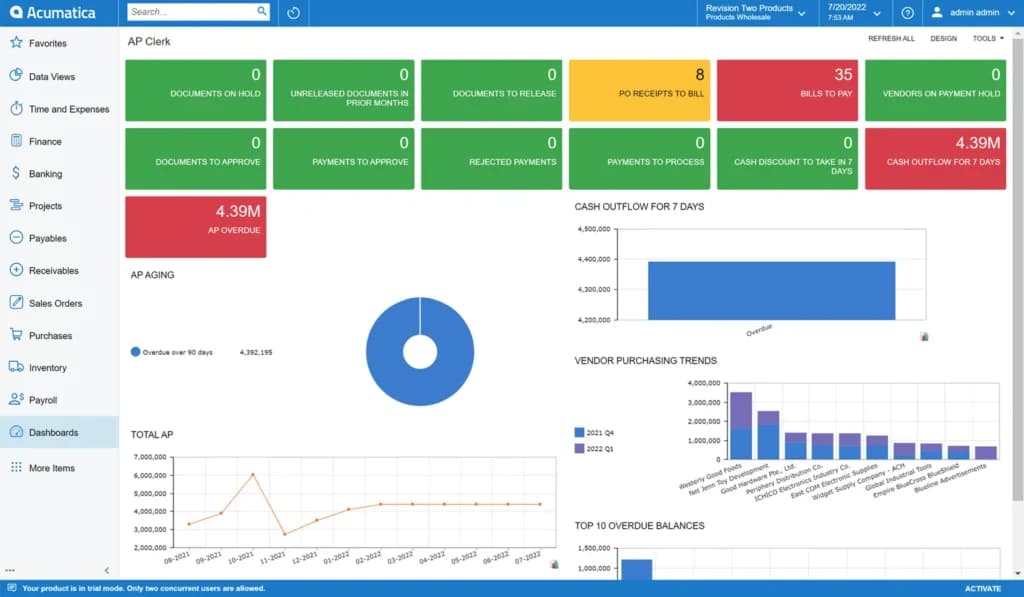
Business Intelligence
Using Acumatica, it is possible to gather data and information from third-party tools, data sources, and Acumatica’s dashboard. In addition, ISVs (independent software vendors) provide businesses with a variety of reporting tools to enable them to view organization-wide data.
Just as well, the data can be viewed by other entities like customers, businesses, and vendors. Real-time data is available.
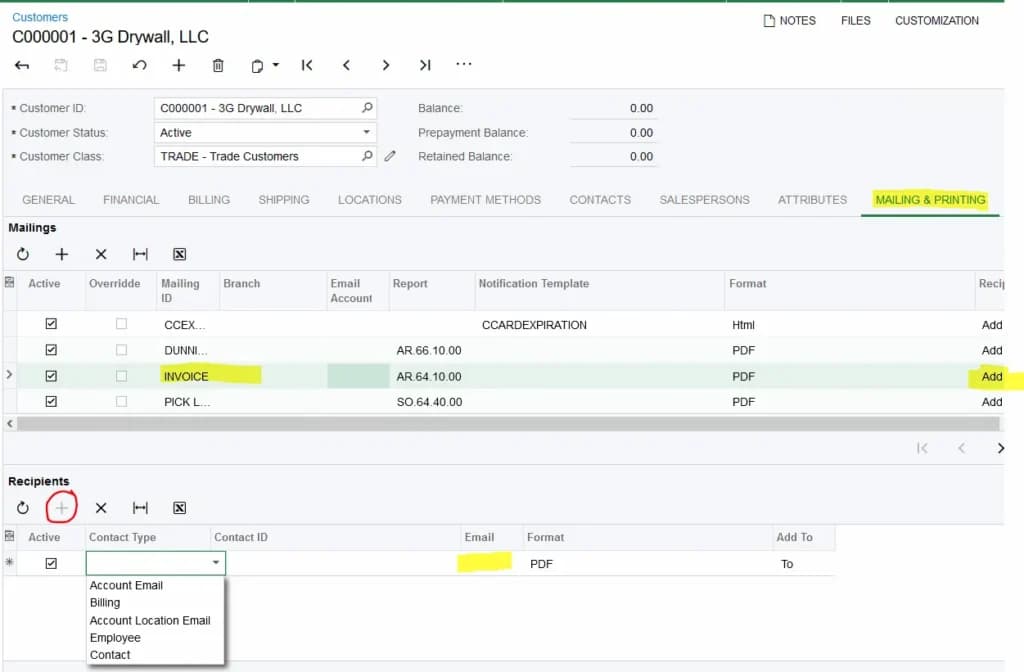
Billing & Invoicing
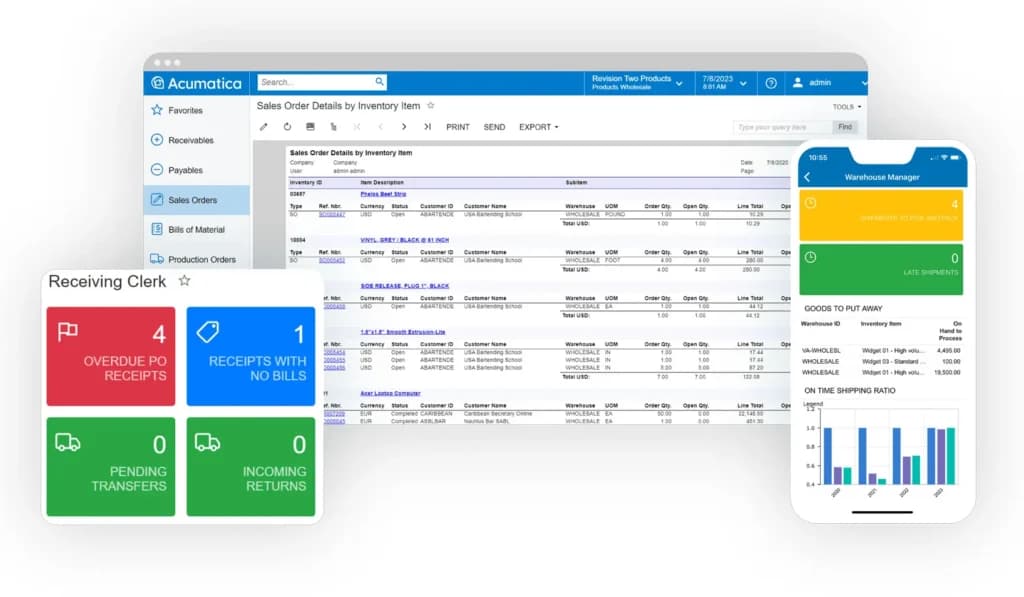
Distribution Management
With Acumatica, distribution management takes on a whole new capability, granting enterprises the ability to view inventory as they move in transit, inventory cost, available inventory, and reorder quantities. It is possible to completely do away with delay, as the generation of order delivery and the processing of sales order speeds up considerably.
Just as well, Acumatica makes it possible for users to control costs across the supply and distribution chains completely. In addition, there is the option for the integration of these processes with financials and company sales.
Project Accounting
This special module makes it possible for users to apportion shared expenses and overhead costs to different projects, taking accounting formulas into consideration. Users can also streamline every billing scenario e.g, contract-specific pricing, fixed price, milestone billing, and cost-plus.
With Acumatica, the cost of materials and labor can be billed according to the project or category of the task. In addition, partners, contractors, and personnel can be entered into timesheets on the Acumatica dashboard.
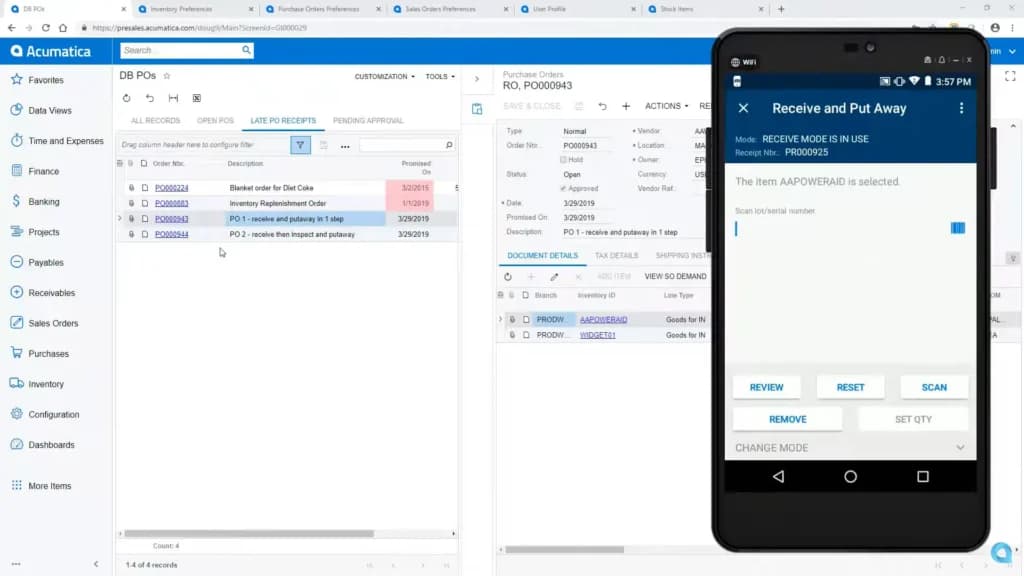
Commerce
With the commerce module, users can manage business distribution procedures in order to step up the customer experience. For example, clients can manage inventory sub-items, expiration dates, warehouses, and multiple lots.
The commerce module also comes with a product configurator which will aid users in the establishment of control over the products that they offer. In addition, a multilevel, multidimensional rules-configured method is used on product and sales orders and quotes.
Acumatica also has support for Android and iOS, even if the UI is different on both platforms. Different icons exist for functions like reports, purchase orders, and expense claims.
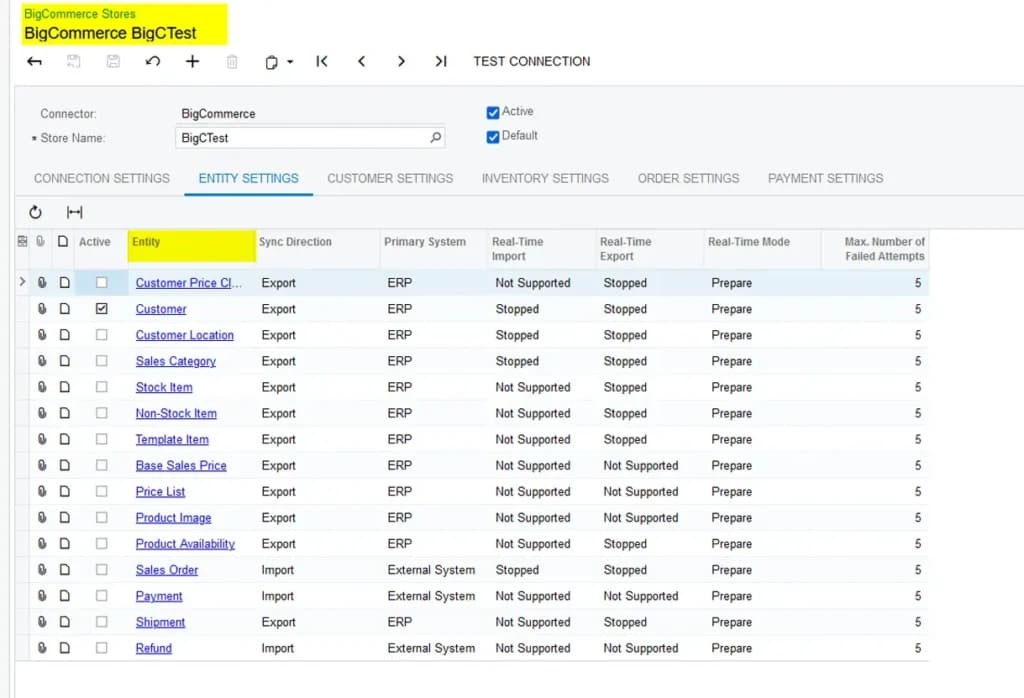
Acumatica also offers advanced inventory management features to streamline the supply chain processes and boost productivity. These are below:
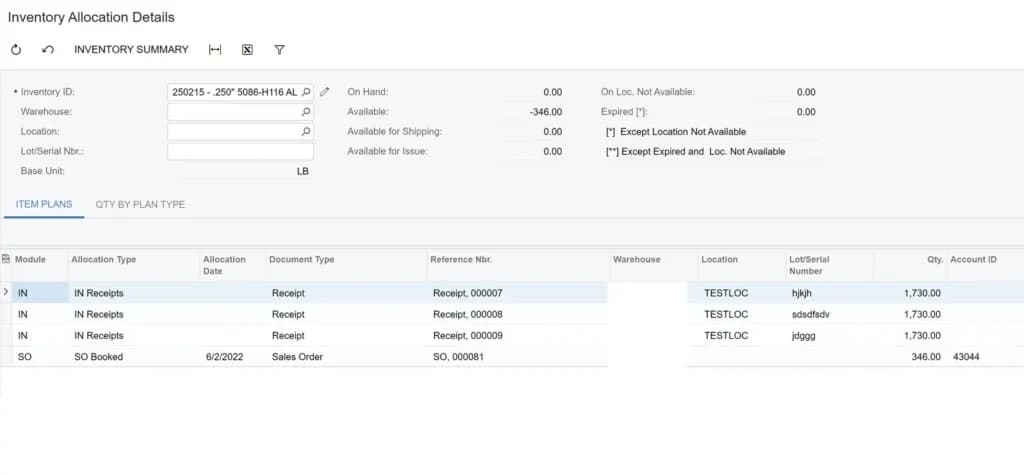
The inventory management software also offers a host of reporting and analytics features to empower businesses with actionable insights, optimize inventory levels, identify trends, and reduce carrying costs. Acumatica supports data-driven decision-making for improved operational efficiency and profitability with these features:
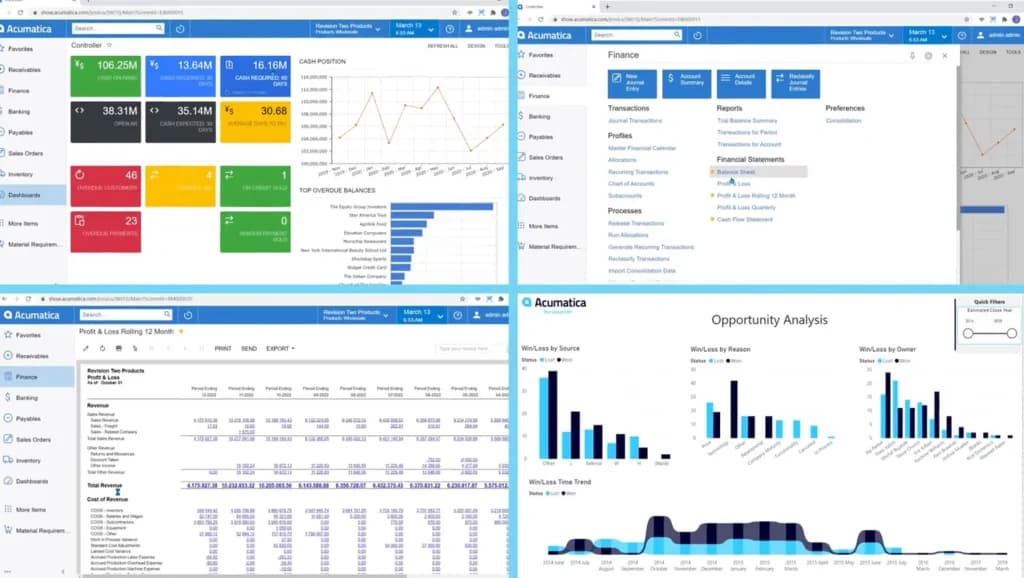
Regarding integrations, Acumatica can be deployed via three unique methods:
SaaS (Software-as-a-Service) deployment
For this deployment, the maintenance and the installation are overseen and handled by full-time cloud hosts such as AWS (Amazon Web Services).
Private Cloud Deployment
Acumatica can also be deployed on-premise via dedicated channels through an independent cloud host.
Private Deployment
Here, users have the option to deploy the software through a hosting vendor of their own choice.
No matter the manner of deployment, an Acumatica technical professional who is savvy about the system and is qualified to administrate its cloud and will work hand-in-hand with the client throughout the deployment
There are also integrations with software such as Avalara Sales Tax to help businesses track tax-inclusive sales. This feature is great for e-commerce and real estate. The Acumatica Partner Program has a list of supported third-party integrations.
ERP
Acumatica ERP boasts several unique features that enhance its functionality.
Automation
Acumatica ERP automates routine tasks, significantly improving efficiency and reducing the potential for human error. This automation spans across various processes such as order processing, inventory management, and financial transactions, allowing businesses to focus on strategic activities rather than repetitive tasks.
Multi-Currency Invoicing
Acumatica ERP supports multi-currency invoicing, which is essential for businesses operating internationally. This feature allows users to handle transactions in multiple currencies, accommodating exchange rates and ensuring accurate financial reporting across different regions.
Time/Expense and Payroll Processing
The platform streamlines employee management by integrating time and expense tracking with payroll processing. This ensures accurate employee compensation, simplifies billable hours management, and reduces administrative overhead by automating payroll calculations and disbursements.
Custom Reporting
Acumatica ERP's custom reporting capabilities enable businesses to create tailored reports that meet their specific needs. Users can generate detailed financial, operational, and compliance reports, providing insights that drive informed decision-making and strategic planning.
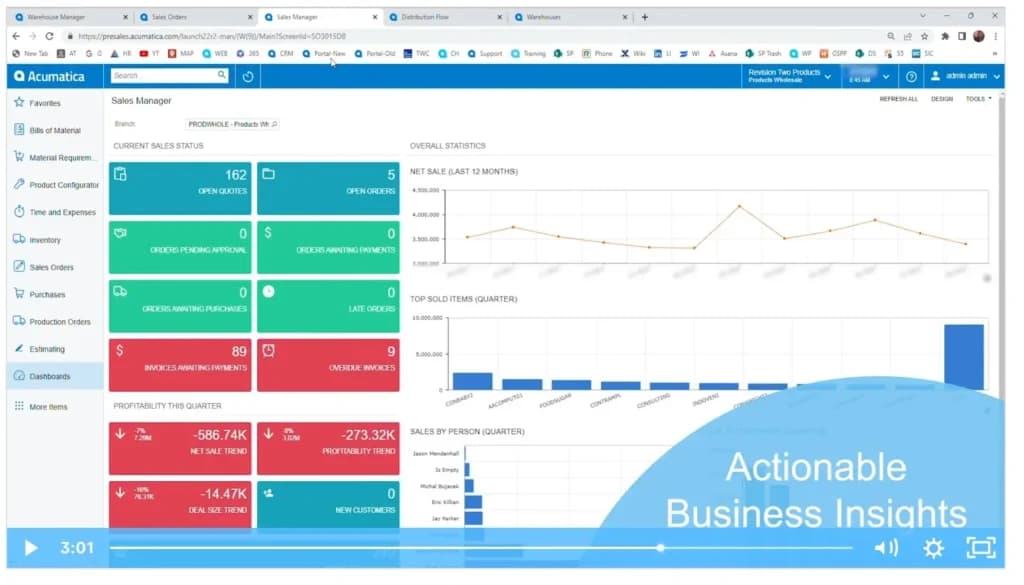
Dashboards
Acumatica ERP provides real-time dashboards that offer visibility into key business metrics. These customizable dashboards display vital information such as sales performance, financial health, and operational efficiency, allowing users to monitor their business at a glance and make timely adjustments.
Auditing
The auditing feature in Acumatica ERP ensures compliance and accurate record-keeping by tracking changes and activities within the system. This helps businesses maintain transparency, adhere to regulatory requirements, and quickly identify and rectify discrepancies.
Payment Integration
Acumatica ERP integrates with various payment gateways, facilitating seamless and secure transactions. This integration supports multiple payment methods, streamlining the payment process for customers and vendors and enhancing the overall efficiency of financial operations. Sellers syncing stock across storefronts have a narrower shortlist, covered in the best ecommerce inventory management software comparison.
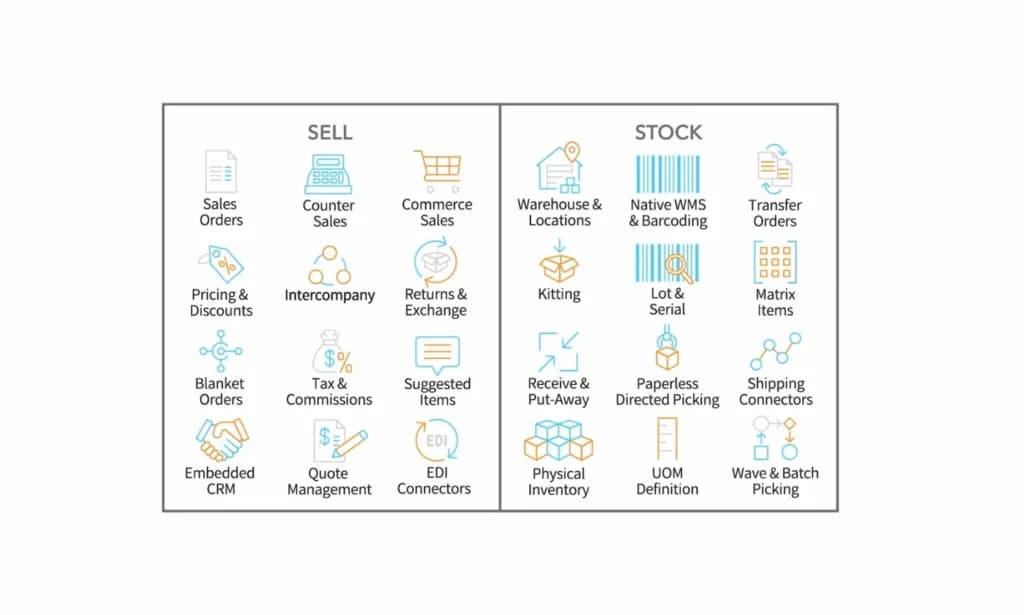
Monitor and manage business expenses effortlessly.
Simplify tax compliance and reporting.
Automate key processes for improved efficiency.
Enhance ERP capabilities with additional modules.
Access ERP tools across a range of devices.
Features
- Accounting Integration
- Activity Dashboard
- Alerts/Notifications
- API
- Auditing
- Barcode/Ticket Scanning
- Billing & Invoicing
- Cloud Infrastructure
- Control Software
- Cost Tracking
Verdict
With Acumatica, you can get a Materials Requirement Planning (MRP) module which is specially designed. Before signing anything at this tier, run the shortlist against the best free inventory management software to see what a no-cost stock ledger covers.
Users Reviews
Be the first to write a review
Share your experience with Acumatica and help others choose the right software.