
Best Inventory Management Software for Small Businesses in 2026
For small businesses, staying on top of inventory is key to efficiency and growth. The right inventory management software simplifies tracking, streamlines operations, and ensures you always have the right products at the right time. It’s a smart, professional solution that helps reduce waste, improve cash flow, and support better customer experiences, all while giving you more time to focus on growing your business.
Last updated: September 2026
Free plan available
- Easily manage orders, shipping & returns
- Accurate stock tracking: Barcode & RFID
- Support for multiple currencies & taxes
- Able to duplicate products
- Affordable business plans
- Complete features for warehousing
- Easy to use features
- Plans suit big companies
Free plan available
- Easily manage orders, shipping & returns
- Accurate stock tracking: Barcode & RFID
- Support for multiple currencies & taxes
- Able to duplicate products
- Affordable business plans
- Complete features for warehousing
- Easy to use features
- Plans suit big companies

Free plan available
- Manage your inventory in bulk
- Real-time tracking & item categorization
- Automate stock alerts to avoid running out
- Free to use with any Square account
- Easy to deploy and use
- Few warehousing features
- Zero manufacturing features
- Not suited to large businesses
- No invoicing features
Free plan available
- Manage your inventory in bulk
- Real-time tracking & item categorization
- Automate stock alerts to avoid running out
- Free to use with any Square account
- Easy to deploy and use
- Few warehousing features
- Zero manufacturing features
- Not suited to large businesses
- No invoicing features
30-Days Free Trial
- Quick data entry with integration tools
- Migrate product catalogs across platforms
- Track sales across multiple platforms
- User friendly
- Complete retail integrations
- Automated system
- Synchronisation of all data
- Focuses on small or retail businesses
30-Days Free Trial
- Quick data entry with integration tools
- Migrate product catalogs across platforms
- Track sales across multiple platforms
- User friendly
- Complete retail integrations
- Automated system
- Synchronisation of all data
- Focuses on small or retail businesses

- Real-time visibility into supply chain
- Barcode scanning & RFID technology
- Demand planning tools to forecast needs
- It is fully integrated with NetSuite ERP modules
- Can be customised with extra coding
- Excellent user interface.
- Multiple connectors for e-commerce and mobile functionality
- Costly subscription plans
- Real-time visibility into supply chain
- Barcode scanning & RFID technology
- Demand planning tools to forecast needs
- It is fully integrated with NetSuite ERP modules
- Can be customised with extra coding
- Excellent user interface.
- Multiple connectors for e-commerce and mobile functionality
- Costly subscription plans
* Featured prices and terms can be updated. Free offers may include additional terms.
Why You Can Trust the Expertise of Sonary
At Sonary, we are committed to providing accurate and trustworthy information to help you make informed decisions. Our research process is meticulous, transparent, and guided by a dedication to maintaining the highest standards of integrity.
Unlike many other review platforms, we conduct in-depth evaluations of the software and services we feature. Our expert team tests and actively uses the tools we review to understand their features, performance, and value comprehensively. Our assessments are based on real-world use, giving you insights beyond surface-level descriptions.
Our research methodology includes analyzing key consumer factors such as pricing, functionality, device usability, scalability, customer support quality, and unique industry-specific features.
This hands-on approach and dedication to transparency mean you can trust Sonary to deliver regular, up-to-date content and recommendations that are well-researched and genuinely helpful for your business needs.
Managing inventory effectively is essential for small businesses looking to streamline operations, reduce costs, and maintain customer satisfaction. With the right inventory management software, you can automate stock tracking, optimize supply chains, and ensure you have the right products available at the right time. Below are some of the best inventory management solutions tailored specifically to small businesses, providing the features and flexibility you need to grow.
TL;DR
Inventory management is the process of overseeing and controlling a company's inventory, ensuring that the right products are available at the right time. For small and medium-sized businesses (SMBs), effective inventory management can lead to reduced costs, improved cash flow, and increased customer satisfaction.
What Is Inventory Management?
Inventory management involves tracking and managing a company's stock of goods—from purchasing and storing to selling—ensuring optimal inventory levels to meet customer demand without overstocking or understocking.
Why It Matters for Small Businesses
Small businesses often operate with limited resources, making efficient inventory management crucial. Key benefits include:
- Cost Reduction: Avoiding overstocking minimizes storage costs and reduces waste from unsold goods.
- Improved Cash Flow: Efficient inventory turnover ensures capital isn't tied up in excess stock.
- Enhanced Customer Satisfaction: Maintaining optimal stock levels prevents stockouts, ensuring customers can purchase desired products.
- Theft Prevention: Accurate inventory tracking can deter and detect employee theft.
Top Small Business Inventory Management Software
Best Overall: Zoho Inventory
Why: Zoho Inventory offers affordability, ease of use, and rich features tailored to small and growing businesses. It supports multi-channel selling (Amazon, eBay, Etsy, Shopify, etc.), includes robust automation for order management, and integrates seamlessly with other Zoho apps, making it a scalable and cost-effective choice as your business grows.
Zoho CRM is a single repository that helps businesses gain more leads, build excellent customer relationships, and have efficient business processes that help you save time and cost. With the precise… Read more
Zoho CRM is a single repository that helps businesses gain more leads, build excellent customer relationships, and have efficient business processes that help you save time and cost. With the precise data generated on Zoho CRM, organizations can make impactful decisions to boost sales.
Learn more in our full Zoho review.
Pros & Cons
- Easy setup
- Customizable capabilities
- Reliable customer support
- Different resource materials
- Billed per user
- Limited third-party integrations
Features
- Dashboards
- Reporting
- Marketing Analytics
- Pipeline Management
- Call Management
- Account Management
- Collaborative Data
- Mobile App
- Integrations
- Sales AI
- Sales Opportunity
- Quote Management
- Email Sync
- Schedule Emails
- Customer Contact Management
- Lead Chatbot
- Lead Scoring
- Automated Reports
- Marketing Automation
- Sales Pipeline Automation
- Sales Forecasting Automation
- Automated Emails
Pricing
$0
mo/
month
$14
/mo/user/
/mo/user
$23
/mo/user/
/mo/user
$40
/mo/user/
/mo/user
$52
/mo/user/
/mo/user
Why Zoho Inventory is Ideal for Small Businesses
Zoho Inventory is a distinguished yet affordable inventory management system tailored for small businesses, especially those in e-commerce or retail. It integrates effortlessly with other Zoho apps, offering a full suite of business tools that can help manage every aspect of a small business’s operations. With excellent features for order management, it is an ideal choice for businesses that want to streamline operations and reduce manual work.
Key Features for Small Businesses
- Multichannel Selling: Zoho Inventory supports multiple sales channels, including Amazon, eBay, Shopify, and more, making it easy to manage inventory across various platforms from a single dashboard.
- End-to-End Order Management: From creating sales orders to shipping, Zoho Inventory offers a comprehensive solution for handling orders and shipments efficiently.
- Barcode Scanning: This enables businesses to use barcode scanning for faster, more accurate stock tracking and inventory updates.
- Affordable Pricing Plans: Designed with small businesses in mind, Zoho Inventory offers scalable pricing that grows with your business needs.
- Integration with Zoho Ecosystem: Integrates seamlessly with other Zoho products, such as Zoho Books and Zoho CRM, providing a complete business management solution.
Why It Stands Out
Zoho Inventory is an excellent option for small businesses looking for a cost-effective yet feature-rich solution. Its multichannel selling capabilities and seamless integration with other Zoho apps make it especially attractive to e-commerce businesses and retailers.
Square for Retail (SquareUp): Best for Retail and POS Integration
Why: SquareUp is built with retailers in mind. It seamlessly integrates with Square POS, making it easy to manage both in-store and online inventory from a single dashboard. The intuitive interface and real-time tracking features are perfect for SMBs with physical storefronts.

Square is one of the most complete free business platforms for small businesses, covering POS, merchant services, accounting, online invoicing, payroll, bookkeeping, and ecommerce from a single… Read more
Square is one of the most complete free business platforms for small businesses, covering POS, merchant services, accounting, online invoicing, payroll, bookkeeping, and ecommerce from a single dashboard. It works especially well for micro businesses and SMBs that want to replace multiple subscriptions with one connected system — where sales, finances, inventory, and payroll all update automatically in the same place. For most small businesses, Square is worth it.
Learn more in our full Square review.
Pros & Cons
- No monthly payment
- Next-business-day transfers
- Inexpensive long-term option
- Comprehensive inventory management
- Not great for all industries
- Some performance issues
Features
- Inventory Management
- Loyalty Program
- Mobile Compatibility
- Online Ordering
- Reporting
- Split Checks
- Manage Tips
- Staff Scheduling
- Offline Payments
- Customer Profiles
- Multidevice Payments
- Gift Card Support
- Accounting Integration
- Tableside Ordering
- Floor Plan Management
- Customer-Facing Display
- Self-Service Kiosk
- Retail Store
- Coffee Shop
- Nightclub
- Quick Service
- Bars
- Restaurants
- Food Truck
- iOS
- Android
- Cloud-Based
- Free Trial
- Freemium
- Monthly subscription
- One-Time License
Pricing
$0
mo/
month
$29
mo/
month
Screenshots

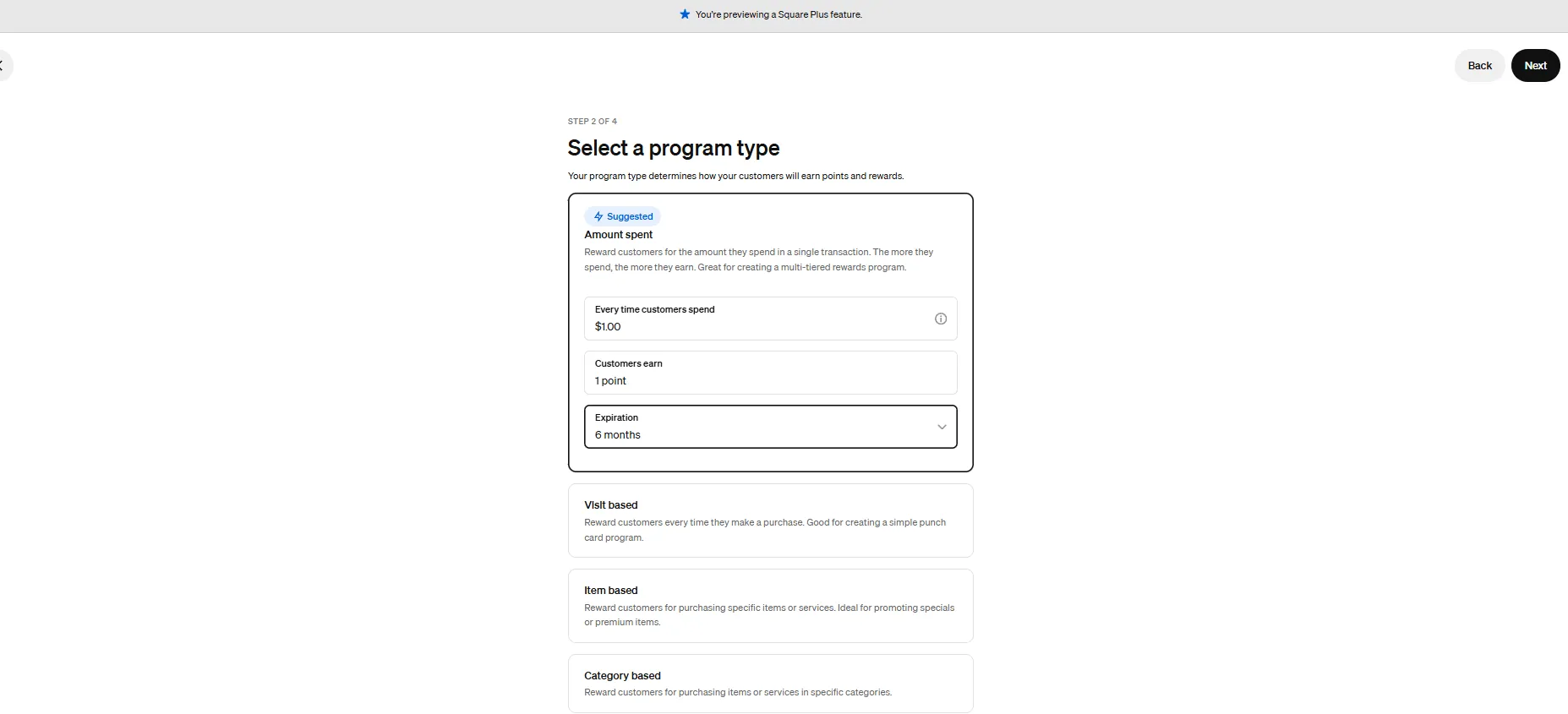
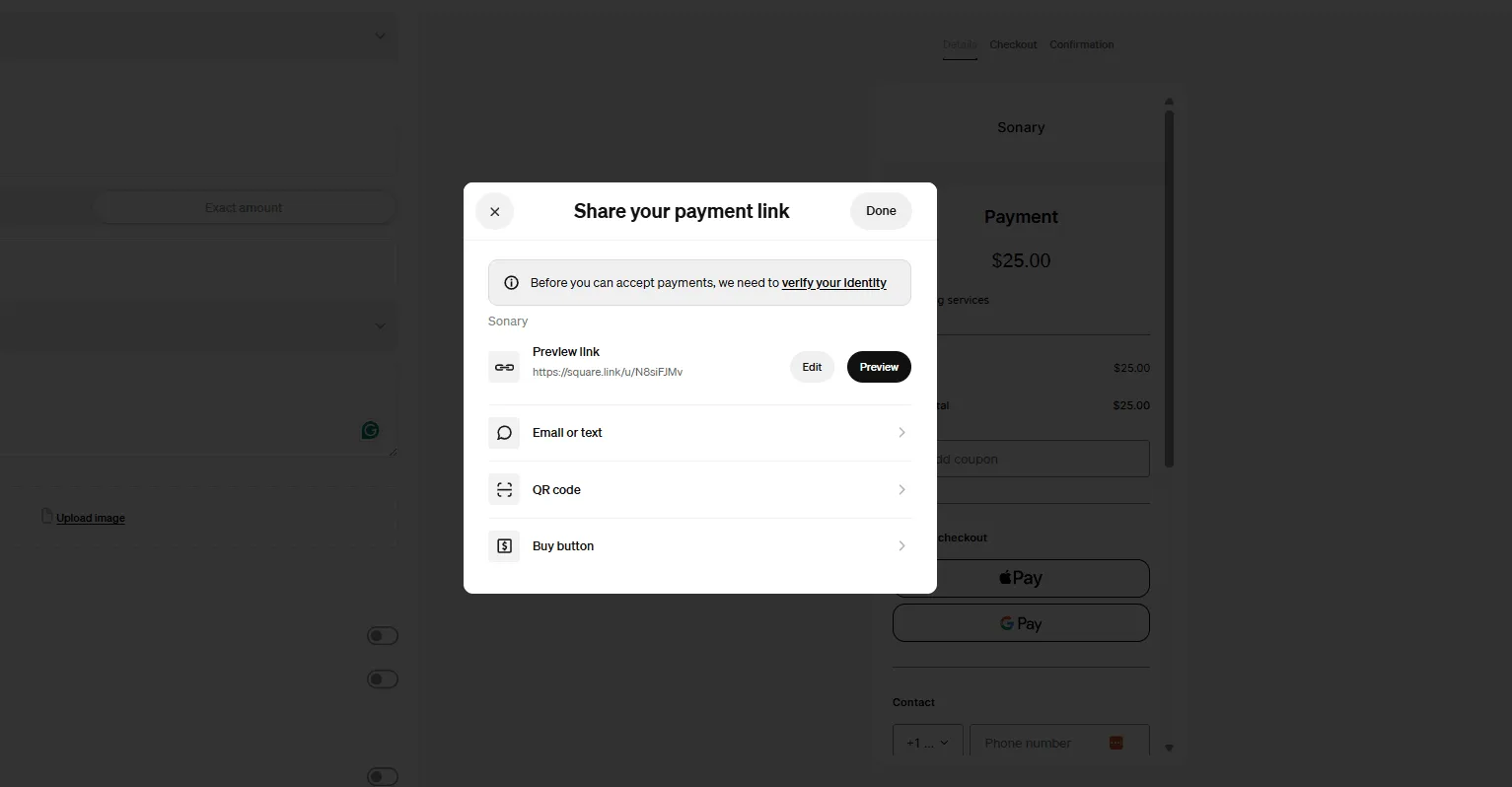
Why Square for Retail is Ideal for Small Businesses
Square for Retail offers a combination of inventory management and POS systems, making it an all-in-one solution for small businesses that sell both online and in-store. With its user-friendly interface and transparent pricing, it’s ideal for small businesses that need a powerful, yet affordable, solution to manage inventory alongside other aspects of their business.
Key Features for Small Businesses
- Built-in POS System: Provides seamless integration between inventory and your point-of-sale system, allowing you to manage inventory in real-time as products are sold.
- Smart Stock Alerts: Automatic stock alerts notify you when items are low, helping small businesses stay on top of stock levels without manual tracking.
- Vendor Management: Easily manage vendor orders and restock products directly through the platform, streamlining the reordering process.
- Sales Reporting: Square provides detailed sales and inventory reports that are crucial for making informed restocking and budgeting decisions.
- Ease of Use: With its intuitive interface, Square for Retail is accessible to business owners without extensive tech expertise.
Why It Stands Out
Square for Retail is perfect for businesses already using Square for payments, offering a seamless transition into inventory management. Its affordability, ease of use, and built-in POS make it a go-to option for small retailers with both physical and online sales channels.
Related Articles


SKU IQ: Best for Syncing Inventory Across Platforms
Why: SKU IQ shines in real-time inventory syncing across multiple e-commerce and POS platforms like Shopify, Wix, Square, and Clover. Small businesses selling on multiple channels can avoid overselling and stock mismatches, keeping everything unified in one dashboard.
SKU IQ is an inventory management solution. It is a multi-channel retailing system used by offline and online businesses that connect point-of-sale data to marketplaces,eCommerce and applications.… Read more
SKU IQ is an inventory management solution. It is a multi-channel retailing system used by offline and online businesses that connect point-of-sale data to marketplaces,eCommerce and applications. The solution offers cross-channel analytics and helps to reduce overselling with robotic quantity adjustments between eCommerce and POS.
Learn more in our full SKU IQ review.
Pros & Cons
- User friendly
- Complete retail integrations
- Automated system
- Synchronisation of all data
- Focuses on small or retail businesses
Features
- Accounting Integration
- Activity Dashboard
- API
- Auditing
- Barcode/Ticket Scanning
- Billing & Invoicing
- Cloud Infrastructure
- Control Software
- Customer Database
- Forecasting
- Kitting
- Machine Learning & AI
- Mobile-device access
- Multi-Channel Management
- Optimization
- Purchase Order Management
- Replenishment
- Returns Handling
- Search/Filter
- eCommerce Management
- Manufacturing Inventory Management Software
- Multi-Currency
- Multi-Location
- Product Identification
- Purchasing & Receiving
- Real-time Updates
- Reorder Management
- Status Tracking
- Vendor Managed Inventory
- Customizable Reports
- Real-Time Data
- Mailing lists
- Search engine submission
Pricing
$45
mo/
month
$89
mo/
month
$159
mo/
month
$349
mo/
month
Why SKU IQ is Ideal for Small Businesses
SKU IQ is designed for small businesses looking for simple, seamless inventory synchronization between online and brick-and-mortar stores. It’s especially valuable for retailers that sell across multiple platforms (such as e-commerce sites and physical locations). Its affordability and ease of use make it a strong choice for businesses without a dedicated IT department.
Key Features for Small Businesses
- Multichannel Inventory Synchronization: Automatically syncs your inventory between physical stores and online platforms like Shopify, WooCommerce, or Square, ensuring your stock levels are always accurate no matter where you sell.
- Real-time Data Insights: Provides real-time data on stock levels and sales performance, enabling business owners to make informed decisions quickly.
- Easy Setup and Integration: SKU IQ is designed to be user-friendly, with a straightforward setup process and compatibility with many popular POS systems.
- Affordable for Small Budgets: SKU IQ offers pricing plans that are small business-friendly, making it an affordable solution without sacrificing essential inventory features.
Why It Stands Out
SKU IQ’s seamless ability to synchronize physical and online sales channels is particularly beneficial for small retailers who want to avoid stock discrepancies. It’s a fantastic solution for businesses looking to balance e-commerce and in-store operations without a steep learning curve.
Oracle NetSuite: Best for Fast-Growing SMBs
Why: While more expensive than others on this list, NetSuite offers enterprise-grade inventory and ERP capabilities. It’s best for small businesses expecting rapid growth or complex inventory needs. With features like demand forecasting, supply chain automation, and real-time analytics, it’s powerful and highly customizable.
Netsuite's accounting software improves financial controls, produces accurate reports, and simplifies the recording of payment transactions. Gain real-time insights into financial metrics and ensure… Read more
Netsuite's accounting software improves financial controls, produces accurate reports, and simplifies the recording of payment transactions. Gain real-time insights into financial metrics and ensure accounting regulations, all on their app or desktop.
Learn more in our full Netsuite review.
Pros & Cons
- 24/7 customer support
- Offers an integrated eCommerce storefront
- Extensive global compliance features
- Tons of modules available for nearly everything you need
- Expensive
- Many features are paid add-ons
- Excessive modules
Features
- General Ledger
- Bookkeeping
- Manages Accounts Payable/Receivable
- Income & Expenses Tracking/Management
- Account Reconciliations
- Financial Reporting
- Receipt Scanning
- Invoicing
- Record Expenses
- Generate Invoices
- Recurring Expenses
- Tax Compliance
- Manage Tax Calculations/Reporting
- Accountant-Prep Friendly
- Automation of Invoices/Notifications
- Suggests Transaction Matches
- Purchase Order Automation
- Payment Processing
- Payroll Processing
- Project Management
- Time tracking
- Third-party Integrations
- Web-Based
Why Oracle NetSuite is Ideal for Small Businesses
Oracle NetSuite is a comprehensive cloud-based solution that combines inventory management, financials, and customer relationship management (CRM). For small businesses, it offers scalability without the complexity, ensuring you have everything you need without overpaying for unnecessary features. This is a platform designed to grow with your business, so you don’t outgrow your software in a few years.
Key Features for Small Businesses
- Real-time Inventory Visibility: Small businesses can track stock levels across multiple locations and sales channels, ensuring accurate stock counts and reducing the risk of overselling.
- Order Management Automation: Helps streamline order processing from start to finish, improving fulfillment speed and reducing human errors.
- Supply Chain Optimization: NetSuite's intelligent demand planning feature allows businesses to forecast inventory needs and avoid stockouts or overstock situations, crucial for small businesses with limited cash flow.
- Scalability: Start with basic modules and add more as your business grows, making it a cost-effective solution for small enterprises.
Why It Stands Out
Oracle NetSuite may initially seem like a big-business solution, but its modular approach allows small businesses to start small and expand over time, making it a perfect fit for businesses aiming for growth.
Step-by-Step Setup
- Assess Your Inventory Needs: Determine the types and quantities of products you need to stock based on sales data and forecasts.
- Choose the Right Inventory Management System: Select software that fits your business size and industry, such as Zoho Inventory or SquareUp.
- Organize Your Inventory: Categorize products, assign SKUs, and set up a logical storage system.
thefinanceweekly.com - Implement Inventory Tracking: Use barcodes or RFID tags to monitor stock levels in real-time.
- Set Reorder Points: Establish minimum stock levels that trigger automatic reordering to prevent stockouts.
- Train Staff: Ensure employees are trained on inventory procedures and the use of inventory management systems.
See also
- Purchase orders and reorder points are the real dividing line, and best inventory software for small business marks where basic counting stops.
- Marketplace and storefront sync is a separate requirement, covered by the best inventory software for multi channel selling comparison.
- Starting with no budget works inside the caps, which the best free inventory management software page lists in full.
- Shops selling mostly over a counter may get enough from the till alone, and that is what best POS with inventory management compares.
Conclusion: Which Inventory Management Software is Best for You?
Choosing the best inventory management software for your small business depends on your needs, budget, and sales channels. Oracle NetSuite is a great option for those looking for scalability and a comprehensive solution. If you need seamless synchronization between online and physical stores, SKU IQ stands out. Square for Retail is ideal for businesses already using Square for payments and want an integrated POS system. At the same time, Zoho Inventory offers a budget-friendly, multichannel selling solution, especially for those who rely on e-commerce.
FAQs
Q1: What is the best inventory management software for small businesses?
The best software depends on your specific needs. Zoho Inventory offers a free plan suitable for startups, while SquareUp provides robust features for businesses with multiple locations.
Q2: How often should I conduct inventory audits?
It's recommended to perform full inventory counts annually and cycle counts (partial counts) monthly or quarterly, depending on your business size and inventory turnover rate.
cleverence.com
Q3: Can inventory management software integrate with other systems?
Yes, many inventory management solutions integrate with accounting software, e-commerce platforms, and point-of-sale systems to streamline operations.
cleverence.com
Q4: How does inventory management improve customer satisfaction?
By ensuring products are in stock and available when customers want them, reducing wait times and preventing lost sales due to stockouts.
Q5: Is inventory management software scalable as my business grows?
Most modern inventory management systems are scalable, allowing you to add features and handle increased inventory as your business expands.