
Last updated: September 2026
Plans & Pricing
- Increased customer acquisition
- Prebuilt UIs
- Reduce fraud and increase revenue
- Improve conversions
- Accept payments in minutes with no-code links
- Sell products, offer subscriptions and more
- Automate marketing campaigns and sales operations
- Accept payments made on Stripe checkout
- Custom domain for payment pages
- Auto-generate invoice on sale
- Custom checkout or POS setup
- Use pre-certified card readers
- Unify online & in-person sales
- Global scale with one integration
* Featured prices can be updated and free offers may include additional terms.
At first glance, I’ll admit Stripe's pricing structure can seem a bit overwhelming. Each product has its own standard pricing, and there’s a lot to look at if you’re not familiar with how everything works. But once I got into it, I realized the pricing is actually pretty straightforward, especially for core features.
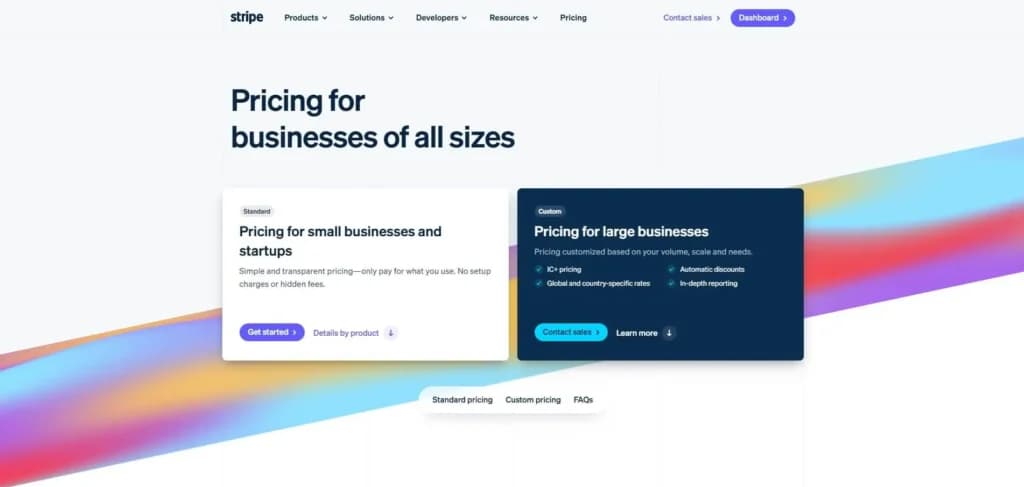
For small businesses or startups, the standard pricing options are more than enough. Tools like Payments, Payment Links, Checkout, Terminal, Radar, and revenue automation are all available without needing a custom quote, which makes setup quick and hassle-free.
For larger businesses or those with more complex needs, Stripe also offers the flexibility to build a custom pricing package. That’s a great option if you're processing high volumes or using multiple Stripe products across your stack. Here's a breakdown of the available plans:
Payments
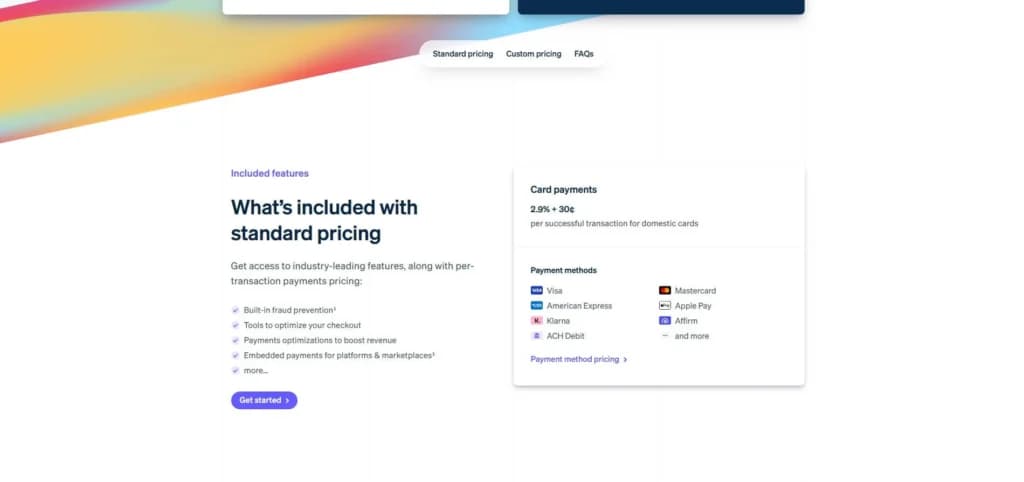
Stripe’s Payments product is built for businesses of all sizes, offering flexible pricing and global support for various payment methods.
Pricing:
- 2.9% + 30¢per successful transaction (domestic cards)
- 2.6% + 30¢per successful transaction (Instant Bank Payments)
- Starting at 5.99% + 30¢per successful transaction (Klarna)
- 0.8%ACH Direct Debit, capped at $5.00
Payment Links
Stripe Payment Links let you start accepting payments in minutes with no code required—ideal for subscriptions, one-time purchases, and simple setups.
Pricing:
- $10/month for custom domain
- 0.4%fee on automatically generated invoices
Checkout
Stripe Checkout is a hosted payment page that you can customize and launch quickly. It supports custom domains and automated invoicing.
Pricing:
- $10/month for custom domain
- 0.4%fee on automatically generated invoices
Terminal
Stripe Terminal enables in-person payments with integrated hardware and software, perfect for businesses that want to unify online and offline sales.
Pricing:
- 2.7% + 5¢per successful transaction (domestic cards)
Expert Score
Pros
- Integration capabilities
- Ease of use
- Numerous security features
- Diverse payment options
Cons
- High processing fees for disputes
- Geographical limitations
Customer Support
Stripe offers 24/7 support through phone, email, and live chat—no matter which plan or product you’re using. That kind of always-on help can be a lifesaver, especially when you're dealing with payment issues in real time. For less urgent questions, their support center is packed with helpful resources. I found guides, FAQs, and walkthroughs that covered everything from basic setup to more advanced features—and everything was explained in plain, easy-to-follow language. They also have an active developer community on Discord, which was great when I had more technical questions. Between the official resources and the community support, I never felt stuck for long.
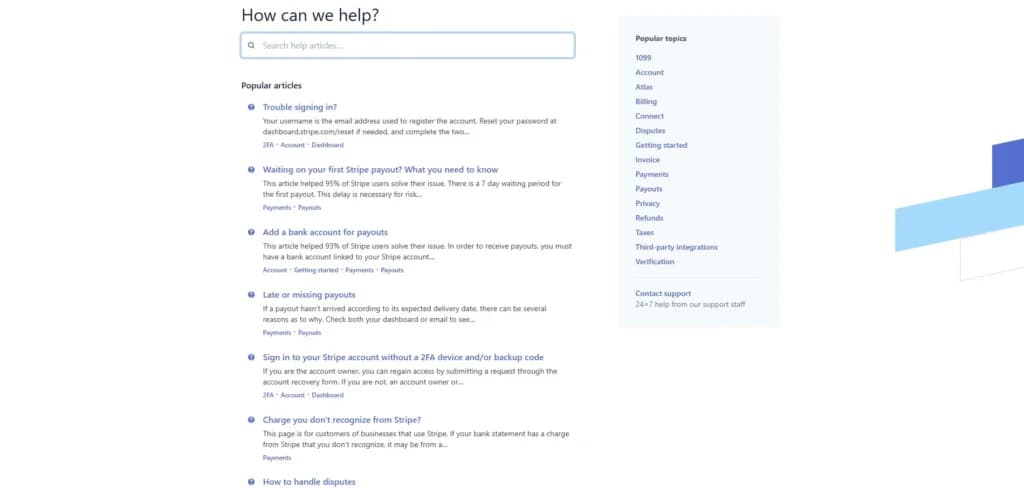
Phone Support
Phone support at +1 (877) 220-8555, Monday-Friday from 9am-5pm
Email support is available through Stripe’s support tab.
24/7 Help & Support
All Stripe customers have access to 24/7 help
FAQ
FAQs can be found through Stripe’s support tab.
Blog
Available from resources section at bottom of homepage.
Live Online Chat
Live chat is available to all Stripe users via the website.
Ease of Use
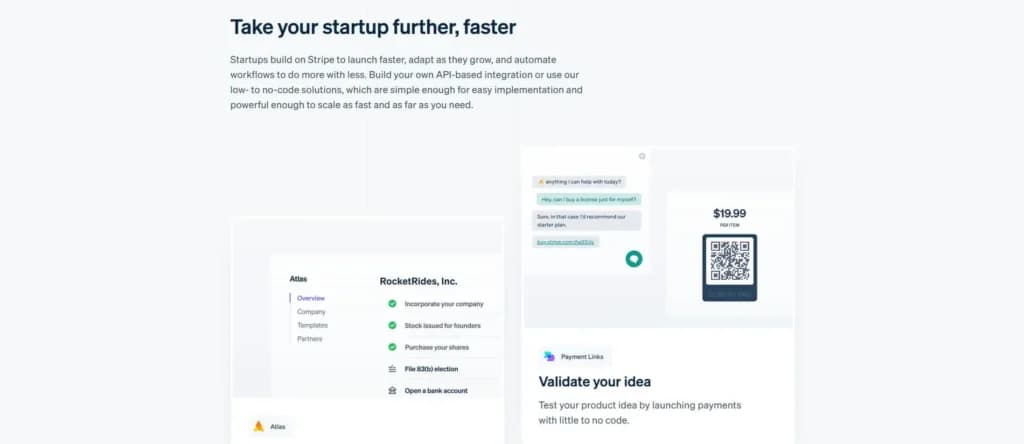
One thing I really appreciate about Stripe is how easy it is to get started. Creating an account took just a few minutes, and while the dashboard looked a bit overwhelming at first, it didn’t take long to get the hang of it. After an hour or two of exploring, everything started to feel intuitive. Even the more advanced features are well-supported. Stripe has clear, detailed guides for pretty much everything, which saved me a lot of trial and error. Any time I wasn’t sure how to do something, I found answers quickly. Setting up integrations was also surprisingly simple. There are tons of tools you can connect to Stripe, and the setup process for each one was quick and smooth. These integrations made it easier to streamline a few workflows and opened up options I didn’t even realize I needed.
Performance
Even though it’s internet-based, I’ve found it to be incredibly reliable, no matter how many transactions are coming through. That consistency is especially important for businesses handling high volumes or traffic spikes.
One of the things I like most about Stripe is the variety of payment options. It supports over a hundred different methods, from credit cards to electronic check processing to no-code payment links. It gives customers the flexibility to pay how they want, and that’s a big plus when it comes to improving the checkout experience.
Security is another area where Stripe really shines. It uses machine learning to detect and block fraud, which has given me more confidence in using the platform. With so many potential risks out there, knowing that Stripe is actively protecting transactions makes a big difference. And when it comes to growth, Stripe scales effortlessly. Whether you're handling a handful of orders or hundreds a day, it keeps up. It automates so much of the payment process that I’ve been able to focus more on running my business and less on managing transactions.
Features & Functionality
Stripe is one of the merchant services software that offers a wide range of features and functionalities. Some of the most popular features of this merchant services software include:
- Payment processing
- Multi-currency support
- Integration possibilities
- Fraud prevention and payment safety
- Customizable checkout
- No-link payments
- Custom reporting
- Mobile compatibility
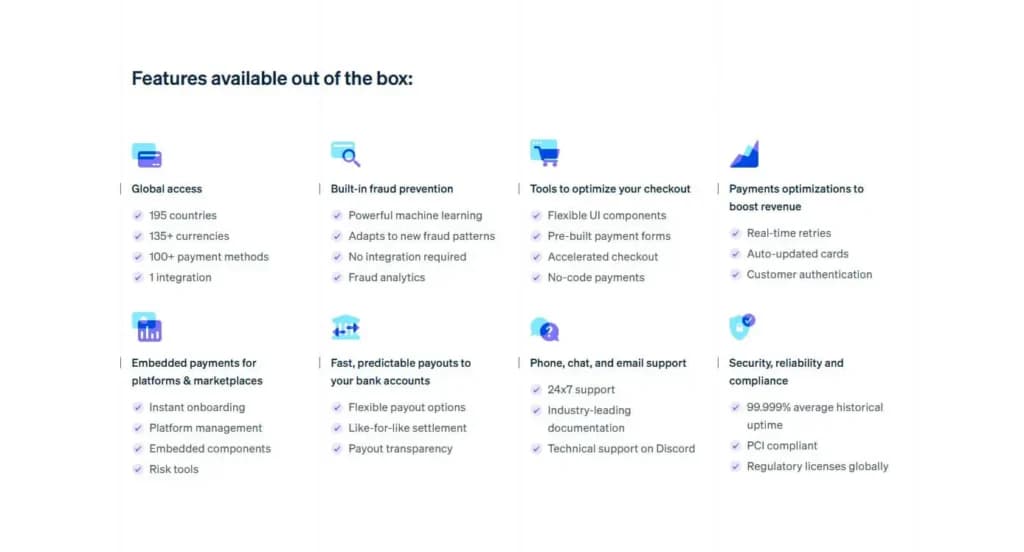
Payment Processing
Payment processing is Stripe’s main feature, and most commonly used by users. E-commerce businesses rely on safe, secure, and reliable e-commerce payment methods that can handle multiple currencies and payment options. Stripe has nearly perfected their payment gateway, providing their customers with a secure way to accept payments from a wide variety of countries.
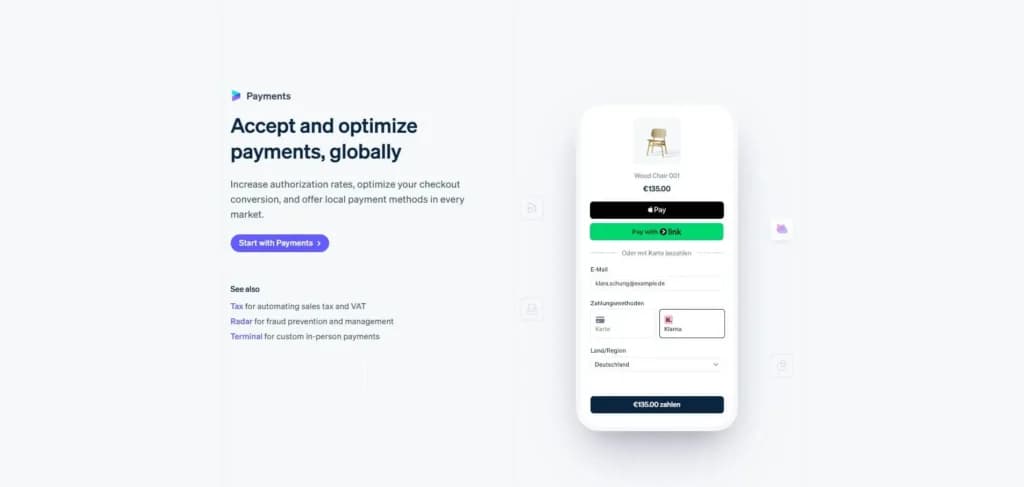
Multi-currency Support
The multi-currency support feature is among the most important ones, especially for businesses working globally. This feature allows customers to pay for products or services in their local currency while the business receives funds in preferred currencies. This feature also allows businesses to set prices in local currencies, making it easier for buyers to make a purchase.
Integration Possibilities
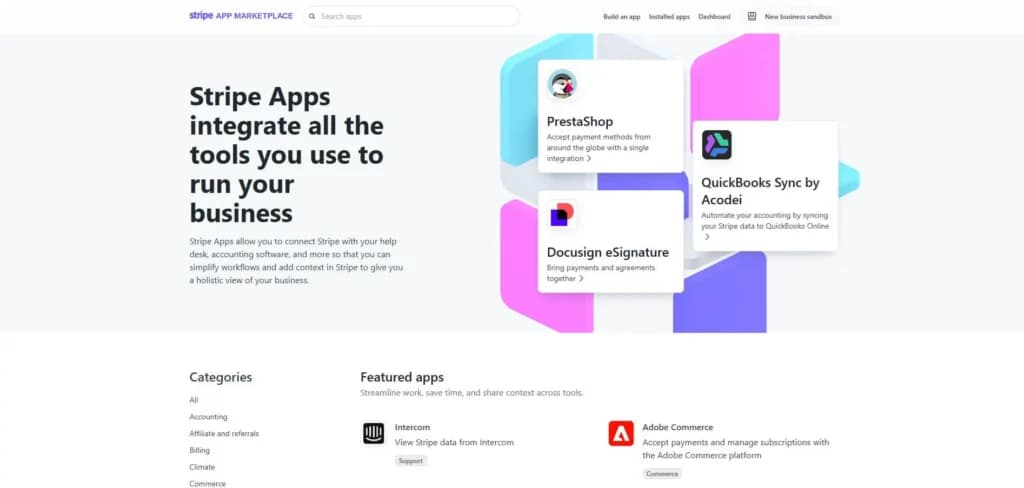
When it comes to integrations, Stripe can be connected to various apps that can streamline processes and simplify workflows. Some of the most common apps Stripe can integrate with include Intercom, Adobe Commerce, Hands Off Sales Tax, Dropbox, WooCommerce, Webflow, and many more.
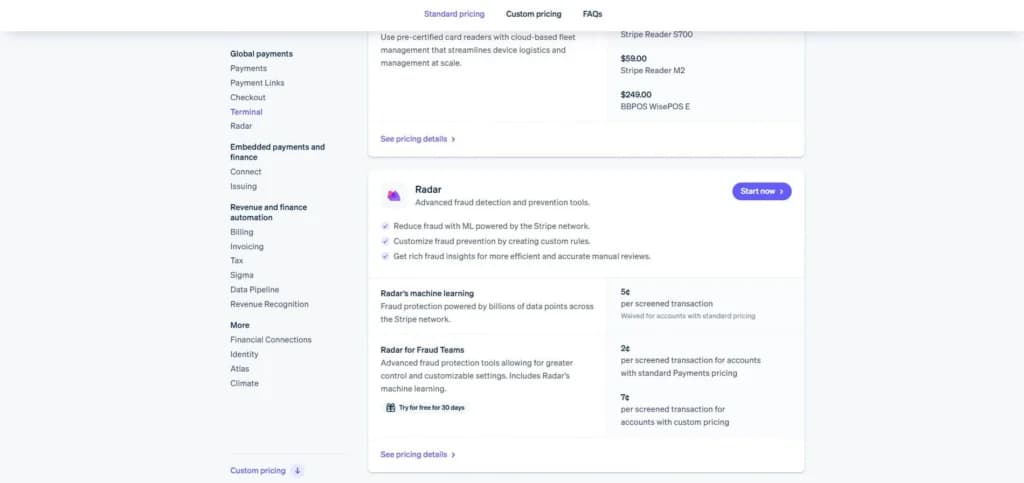
Fraud Prevention and Payment Safety
Fraud prevention is done through machine learning, providing ultimate protection through countless data points analyzed from almost 200 countries worldwide. When dealing with payments, especially from different countries and in different currencies, fraud prevention is of the utmost importance.
Custom Reporting
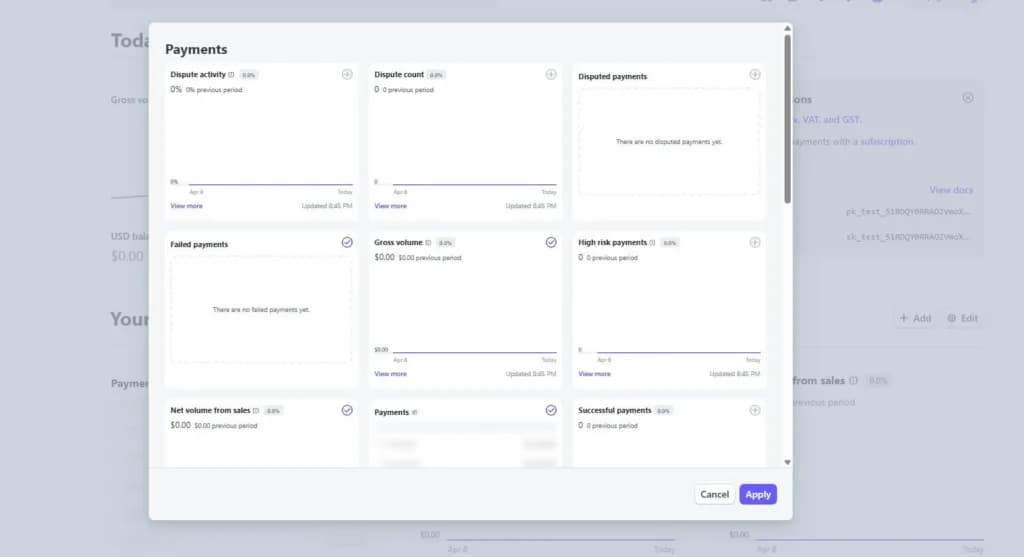
Running an online business requires continuous improvements, and the only valid information that can be used are precise metrics. Stripe’s user dashboard includes numerous metrics by default, but the great thing is that users can manually adjust the reports that are most valuable to them.
Because the dashboard is user-friendly, it doesn’t take much to realize how to customize the reports and create a dashboard that will meet all your expectations and show information that you need on a regular basis.
Mobile Compatibility
Having the ability to track and manage payments, as well as get real-time information and reports is a very helpful feature, especially for entrepreneurs and online business owners who travel frequently and need to rely on their mobile phones or other handheld devices.
The Stripe tool is available for both Android and iOS users, and it includes all the most important features and capabilities as the desktop version. Having information on the go allows for quick responses and decisions to be made depending on the most recent information.
Features
- ACH Payment Processing
- Billing & Invoicing
- Cryptocurrency Processing
- Data Security
- Debit/Credit Card Processing
- Electronic Signature
- In-Person Payments
- Mobile Payments
- Multiple Payment Gateways
- Online payment processing
Verdict
Stripe Alternatives

Starting from: 2.9%+30¢//transcation
Payments
2.9%+30¢
seat//transcation
Pros
- Integration capabilities
- Ease of use
- Numerous security features
- Diverse payment options
Cons
- High processing fees for disputes
- Geographical limitations

Starting from: 1.83% /+ 8¢
In-person
1.83%
seat/+ 8¢
Pros
- No minimum processing requirement
- Easily navigate surcharging, convenience fees, and service charge with one tool
- No monthly fees
- Excellent customer service
Cons
- Exclusive to low-risk industries

Starting from: $0/month
Flat Rate
$0
seat/month
Pros
- Reliable Merchant Services software
- Transparent transaction-based pricing
- Strong online payment solutions
- Responsive, knowledgeable support
Cons
- No money-back guarantee
- No free trial option
I’ve tested quite a few merchant services platforms, but Stripe is one of the few that truly covers all the essentials, and does it well. With millions of users worldwide, it’s clear why Stripe is considered one of the top online payment processing solutions out there. Whether you're running a small online store or managing thousands of daily transactions at scale, Stripe has the flexibility to support both ends of the spectrum.
What I appreciate most is how well it balances advanced features with ease of use. It’s intuitive enough for small businesses but powerful enough for larger operations. And if you ever run into an issue, the support team is one of the most reliable I’ve dealt with.
Another huge plus is the pricing. There are no flat monthly fees; Stripe charges based on sales volume. That kind of structure is ideal for startups or businesses just getting off the ground because you don’t pay much until you start earning more. It keeps things affordable while you scale.
Users Reviews
Be the first to write a review
Share your experience with Stripe and help others choose the right software.