

Last updated: November 2026
TouchBistro POS is a restaurant-focused point-of-sale and management system built for full-service, quick-service, bars, food trucks and cafés. It runs on iPads (primarily) and offers robust front-of-house and back-of-house tools (tableside ordering, floor-plan management, menu management, kitchen display etc) tailored for hospitality.
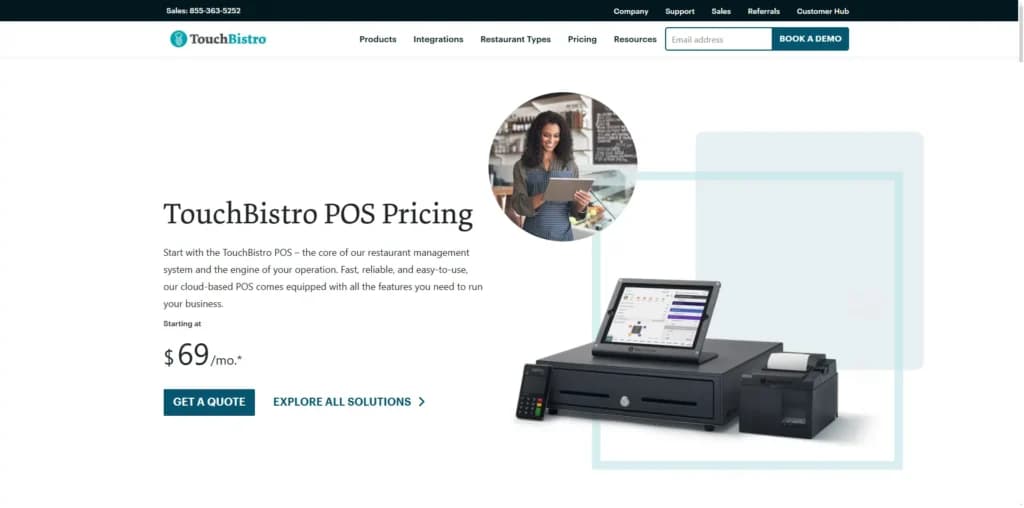
Plans & Pricing
- Menu Management
- Reporting & Analytics
- Floor Plan & Table Management
- Staff Management
- Tableside Ordering
- Integrations
* Featured prices can be updated and free offers may include additional terms.
TouchBistro Payments Powered by Chase is a three-in-one hardware, software, and support solution that allows you to accept payments of all types in your restaurant.
Designed to keep your business moving, TouchBistro Payments integrates directly with the TouchBistro POS to reduce the burden of double entry and features a built-in offline mode so you can continue taking payments even if your internet goes down. And with simple, transparent pricing, you never have to worry about surprise payment processing fees.
Expert Score
Pros
- Intuitive system build specifically for restaurants
- Easily manage online ordering and table reservations
- 24/7 support available
- A wide choice of add-ons
Cons
- Some additional features cost extra
- Only supports iPads
- Pricing for multiple users could be more transparent
Customer Support
TouchBistro offers 24/7 support (phone/email/chat) with restaurant-specialist teams. Mmany praise the quick training, dedicated onboarding and reliable assistance; others note that support responsiveness can vary, especially with add-on issues or custom integrations. If you’re running a restaurant during busy hours (evenings/weekends), you’ll want to confirm your support SLA (service level) and whether local language/time-zone support fits your region.
Phone Support
Available via the toll free numbers in US, UK & Canada
Available through an online form on the website
24/7 Help & Support
Available to all licensed TouchBistro customers
FAQ
High quality FAQs & how-to guides available
Live Online Chat
Available via chat from within the POS app
Video Tutorials
Available on the website for end users, managers & system admin
Ease of Use
TouchBistro’s interface is widely praised for its intuitiveness and minimal training requirement — since it is iPad-based, staff tend to adapt quickly. Onboarding is reasonably smooth for standard restaurant workflows (orders, tables, payments). However, some users report that integrating advanced features (large multi-location setup, complex inventory/ingredient tracking) can introduce a steeper learning curve and some dependency on vendor/support to assist. Because it runs primarily on iOS devices, if your business uses mixed device platforms (Android, Windows), you may face limitations.
Performance
Performance in operational use is strong; users report good reliability even in high-traffic service periods (thanks to offline/hybrid capability).
The offline/hybrid architecture helps ensure the POS continues to function even if internet connectivity is lost (important for restaurants).
As with any POS, hardware quality (iPads, network, and printers) and setup matter a great deal. Some reports suggest that using non-optimal hardware or complex integrations can cause the system to become slower or more cumbersome.
Overall, for its target use case, performance is good and reliable.
Integrations
TouchBistro integrates with a decent range of third-party tools, especially those relevant for restaurants:
- Staff scheduling/management: e.g., integration with 7shifts for labour scheduling.
- Accounting: e.g., integration with QuickBooks Online or Xero.
- Inventory/food cost management: e.g., integration with food-cost/ingredient tracking systems.
- Payment processing: Offers its own integrated payments (“TouchBistro Payments”), and supports third-party payment providers depending on the region.
- POS hardware ecosystem: Compatible with iPads, registers, kiosks, kitchen displays, etc.
For SMBs, the integration depth is quite solid for the restaurant niche. That said, compared to some very open POS platforms, the list is somewhat smalle, r and custom integration may require more effort.
Features & Functionality
POS
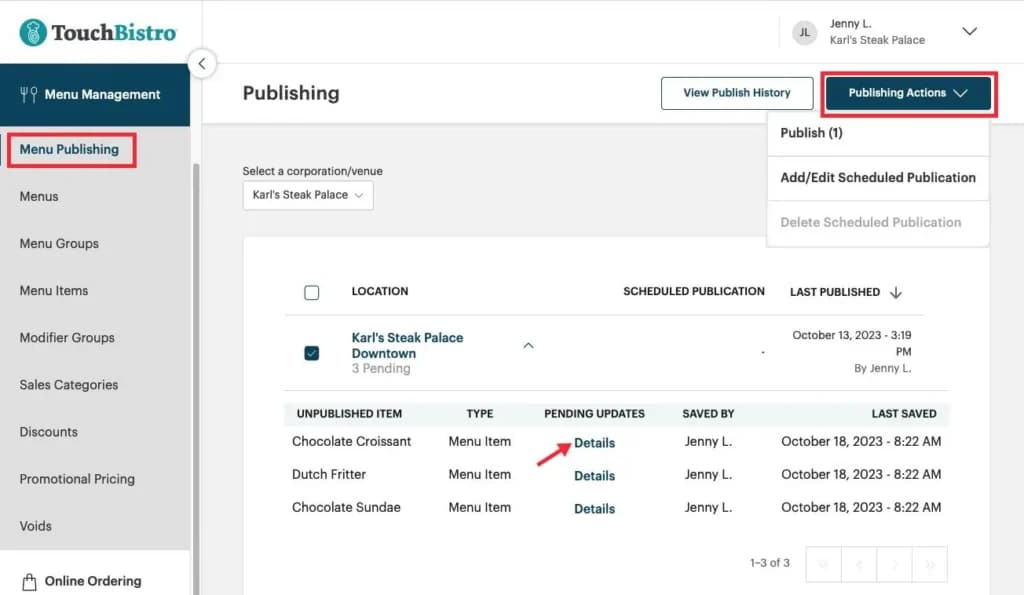
Advanced Menu Management Features
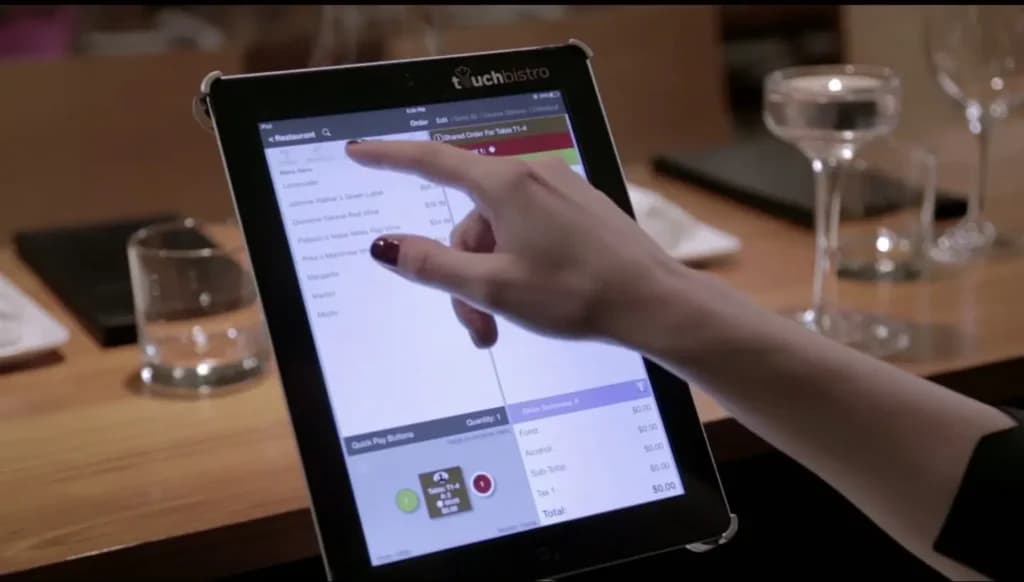
TouchBistro’s menu management features are intuitive and visually appealing. There’s a focus on high-resolution pictures. These can help staff identify items and also appeal to customers, should you opt for (optional) customer-facing displays.
CRM Functionality
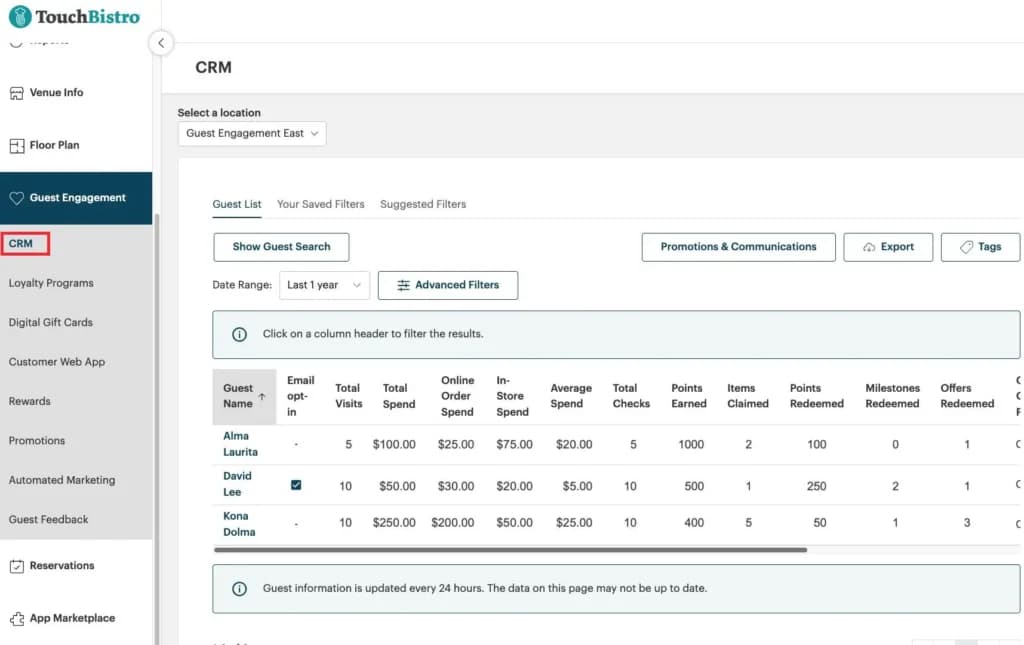
TouchBistro gives you the ability to add customer relationship management (CRM) functionality. You can keep detailed records of each customer, including their orders, balances, and preferences. TouchBistro Loyalty, an option available from $99 per month, lets you build on this with points-based loyalty programs and sales campaigns.
Staff Management
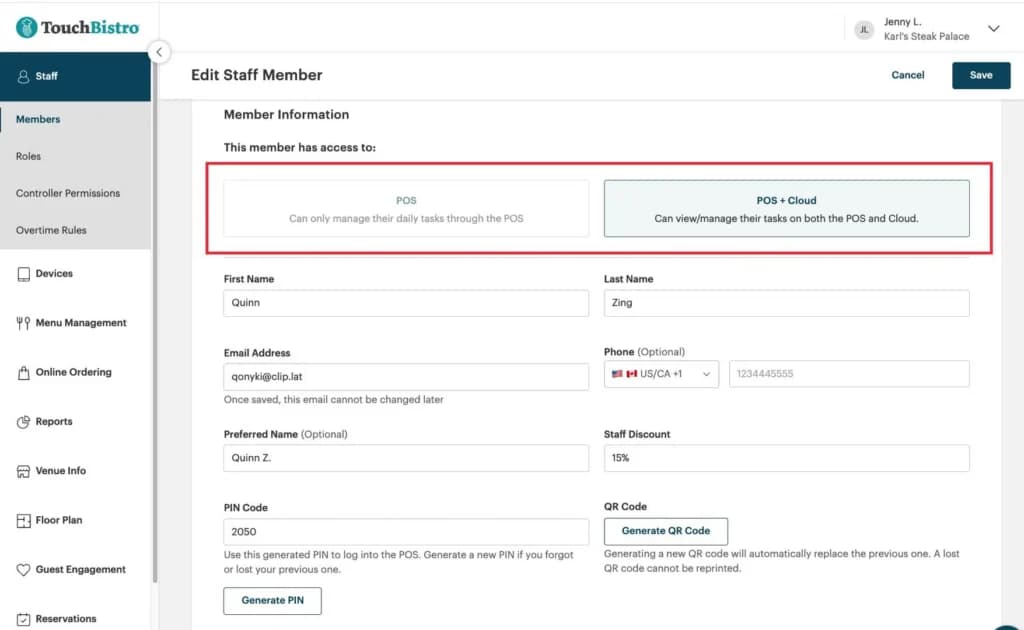
The staff management features in TouchBistro are extensive. Employees can clock in and out, and there’s a messaging system built-in for communication. Via a partnership with 7Shifts, there’s also the option to inform your employee scheduling using past trading data.
Reservations
TouchBistro Reservations is the complete reservation and guest management platform that
helps restaurants tailor every guest experience while managing operations with ease. Simplify
reservations, control capacity, and give every guest the star treatment with TouchBistro
Reservations.
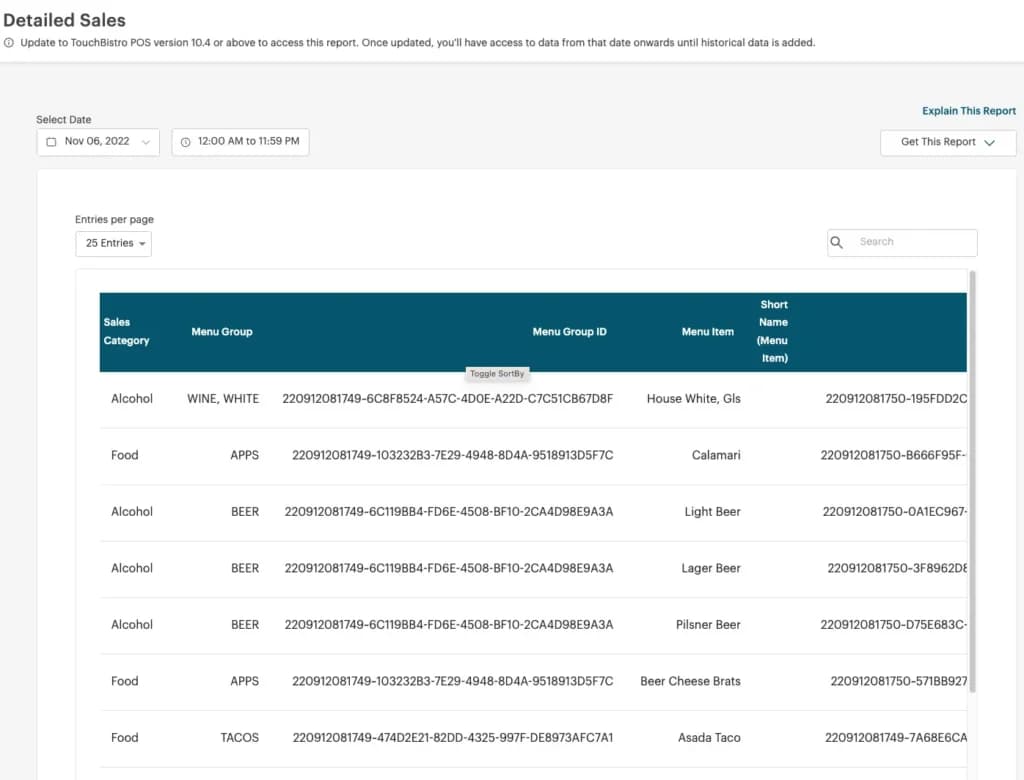
Detailed Reporting
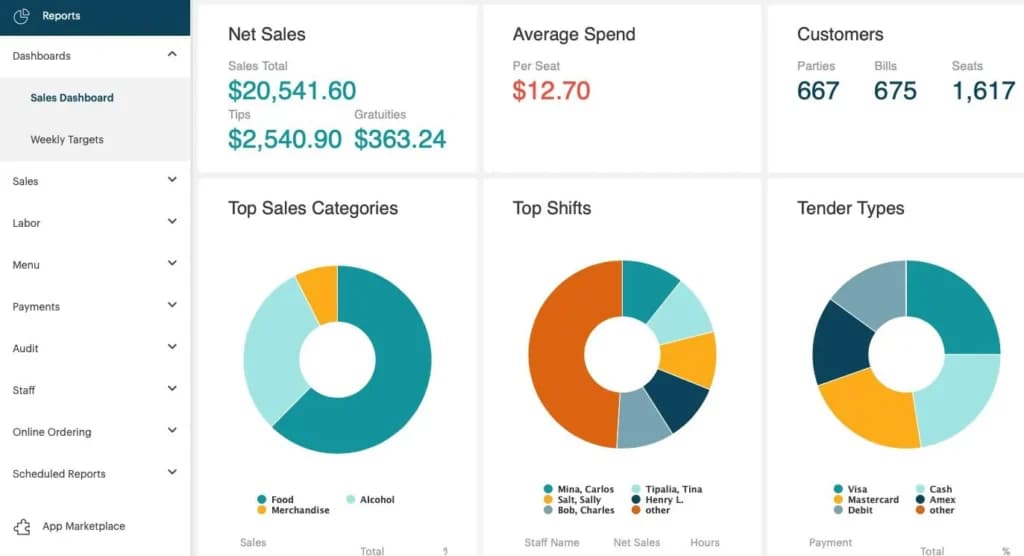
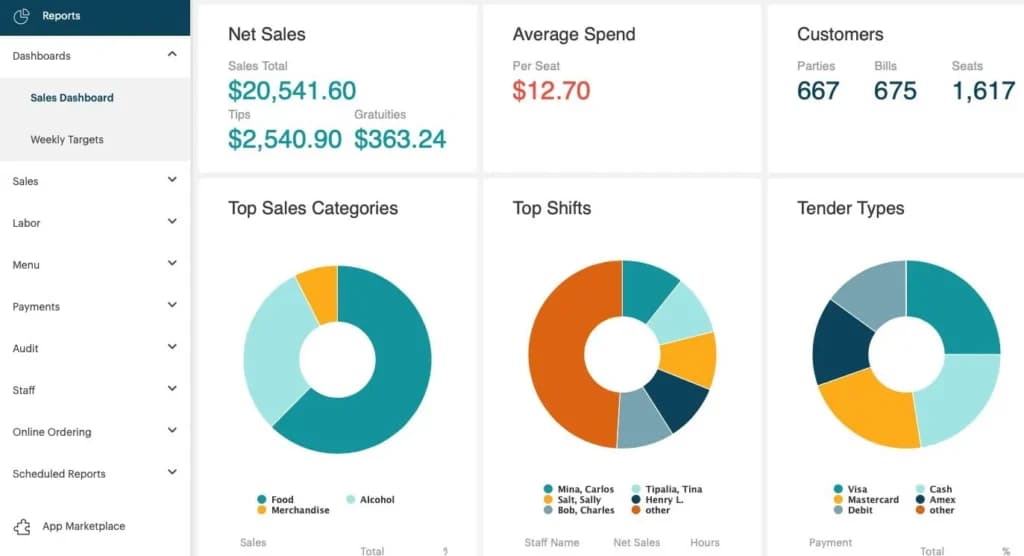
TouchBistro offers more than 50 standard reports, covering everything from profit on individual items to daily summaries. Although TouchBistro’s interface is designed for iPads, this reporting data is held in the cloud. This means it’s possible to access analytics information from any internet-connected device.
Online Ordering
TouchBistro Online Ordering is a POS-integrated online ordering solution that lets you accept
orders directly through your restaurant’s website – and lets you keep 100% of the profits.
Contactless Dining
TouchBistro Contactless Dining is a POS-integrated, no-contact ordering solution. Give dine-in
guests peace of mind by letting them view menus, place orders, and pay – all from their own
device.
Reservations and Online Ordering
TouchBistro has its own comprehensive infrastructure for table reservations and online ordering. This allows you to run everything yourself using TouchBistro’s systems, eliminating the need to integrate with third-party platforms. Both solutions offer strong mobile functionality, with dedicated apps and SMS confirmations.
Hardware Requirements
TouchBistro is primarily an iPad-based system. It’s possible to get the system up and running with a single iPad if your business is small.
For larger concerns, there’s plenty of hardware on offer, from basics like and receipt printers and cash drawers to modern additions like electronic menu boards. All of these items come with bespoke pricing, and you need to contact TouchBistro for a quote.
It’s important to note that TouchBistro is a hybrid cloud / on-premise system. This means the software stores some data locally. This can mean on an iPad itself, however, the company advises that businesses with more than five active users need an Apple Mac on-site to act as a server.
Integrations & Add-Ons
TouchBistro POS integrates with a variety of best-in-class software and payment partners. Including
Chase, Worldpay, MarketMan, 7Shifts, Xero, Quickbooks, and more.
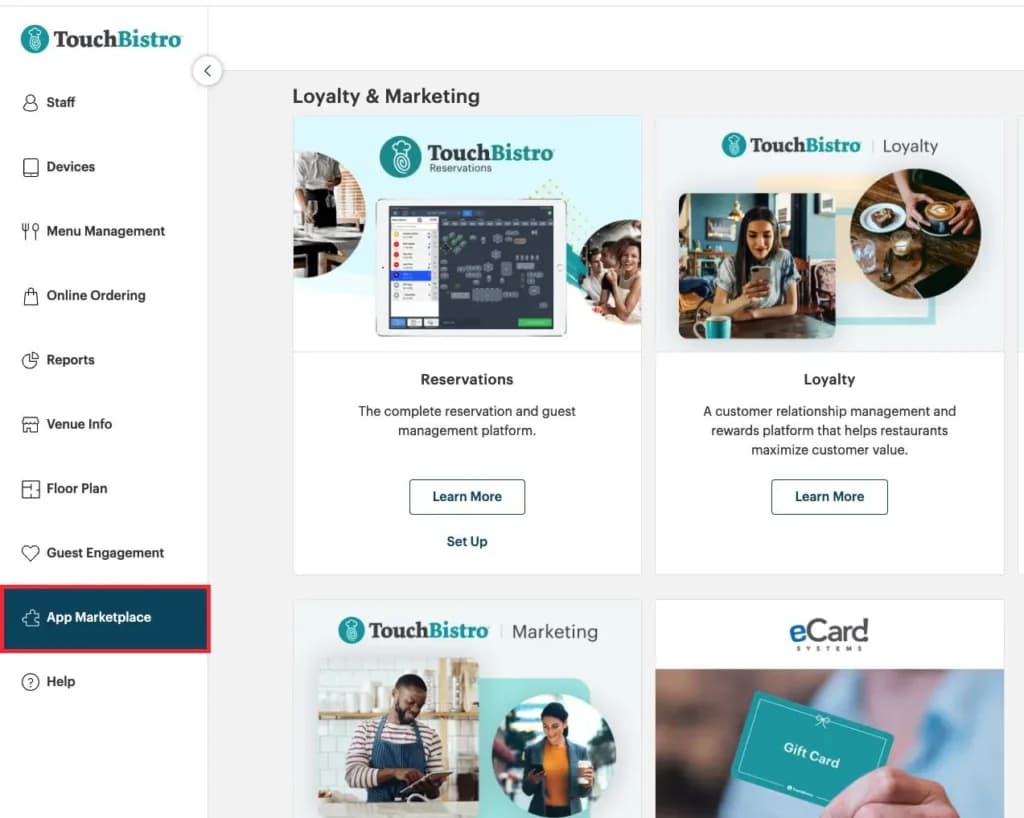
There are plenty of options when it comes to payments. Those without an existing payment provider can opt for TouchBistro’s own payments system. This is managed by Chase and is US only. Alternatively, you can integrate with other well-known payment providers including Worldpay and Square.
Dashboard
Merchant Services
I found that TouchBistro has a great selection of merchant service offerings. I've listed them below and will go into detail:
- Debit/Credit Card Processing
- In-Person Payments
- Offline Payments
- Mobile Payments
- Multiple Payment Gateways
- Online Payment Processing
- PCI Compliance
- POS Integration
- Payment Fraud Prevention
- Payment Processing Services Integration
- Reporting and Analytics
- Mobile Credit Card Processing
- Cash Transactions
- Contactless NFC
- Electronic Receipts
- Mobile Card Reader
- 3rd-Party Integrations
Debit/Credit Card Processing
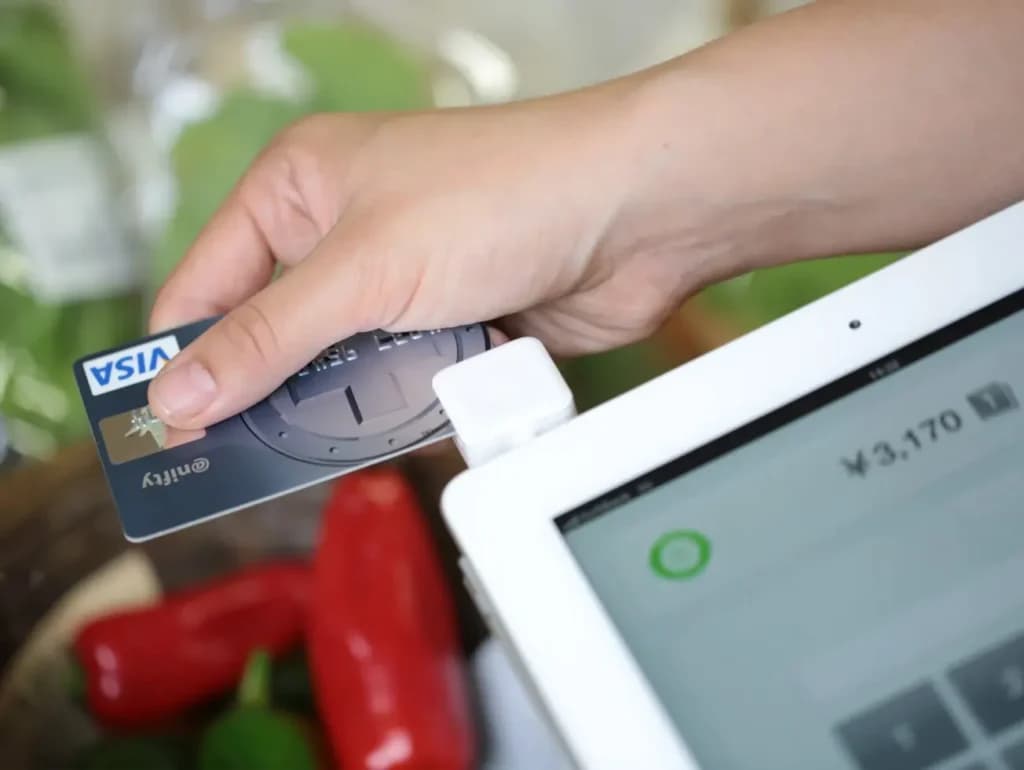
When I tested TouchBistro's debit/credit card processing, I found it seamlessly accepts all major cards, including Visa, MasterCard, and American Express. This integration ensures swift transactions, reducing wait times and enhancing customer satisfaction. For business owners, it means a reliable and efficient payment process that keeps operations running smoothly.
In-Person Payments
I tried out the in-person payment feature, allowing customers to pay directly at the table via an iPad. This tableside payment system speeds up service and reduces errors, leading to a more streamlined operation and improved guest experience.
Mobile Payments
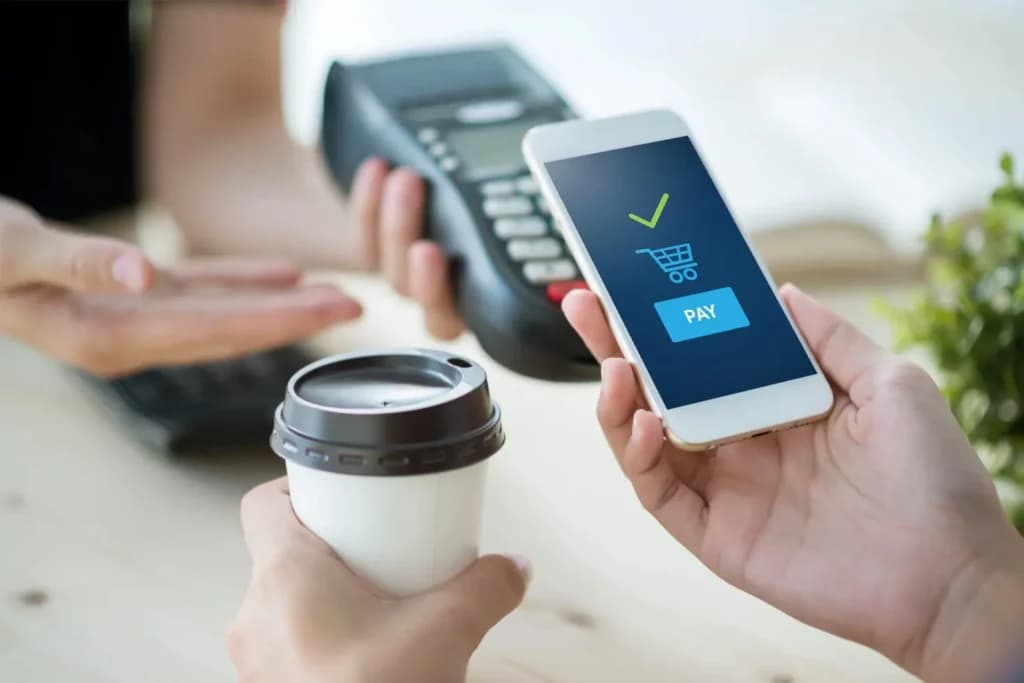
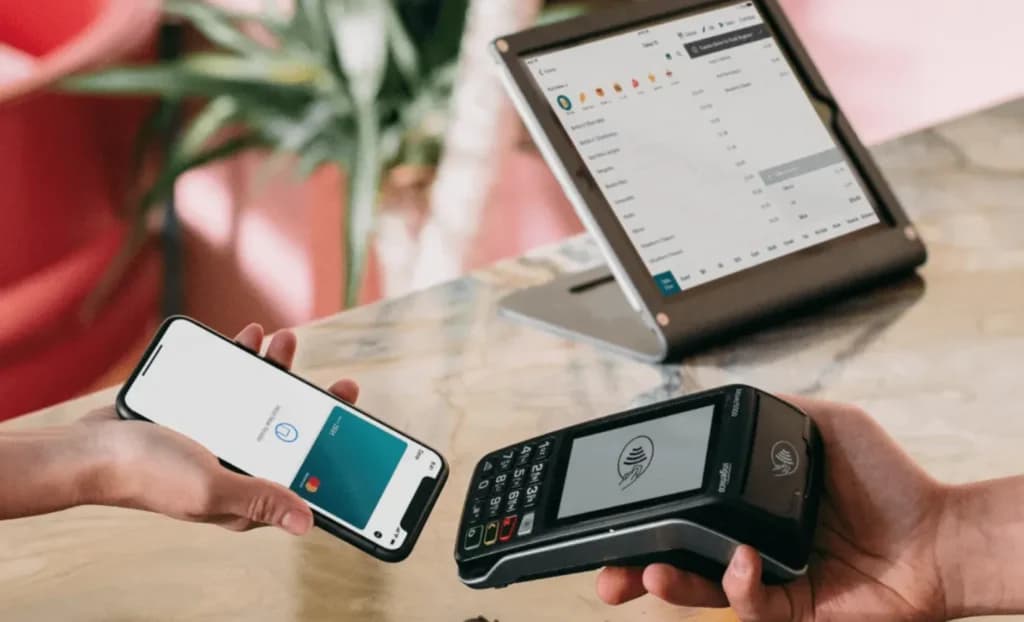
Playing with TouchBistro's mobile payment options, I found it supports digital wallets like Apple Pay and Google Pay. This flexibility caters to tech-savvy customers preferring contactless payments, enhancing convenience and potentially increasing turnover.
Offline Payments
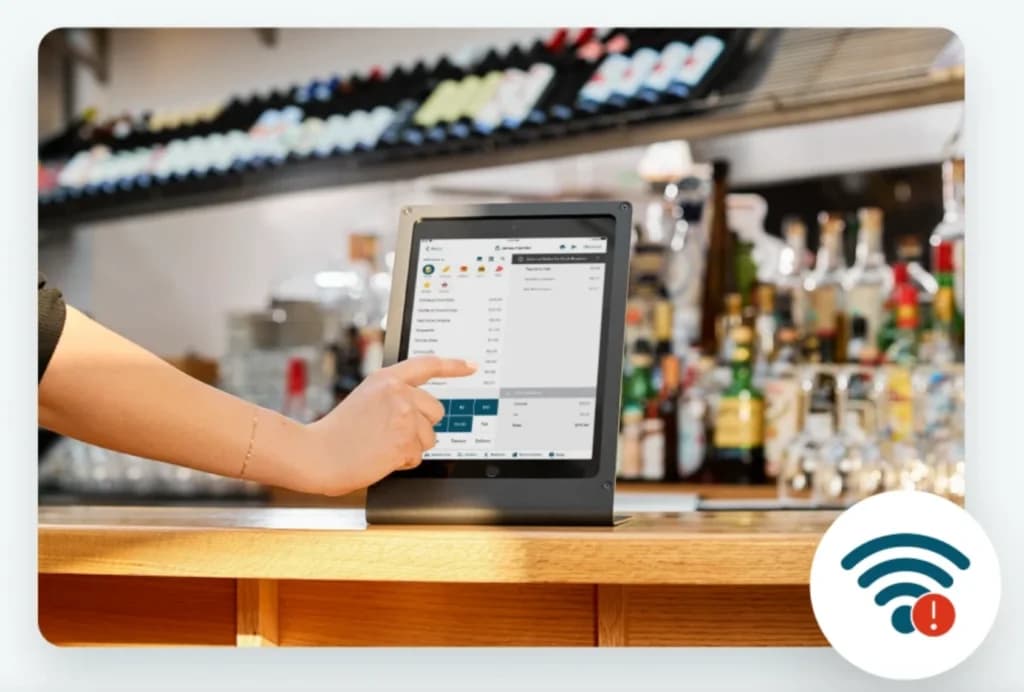
When I tested TouchBistro's offline payment feature, I found it ensures uninterrupted service during internet outages. Transactions are securely stored and processed once connectivity is restored, maintaining seamless operations and enhancing customer satisfaction.
Multiple Payment Gateways
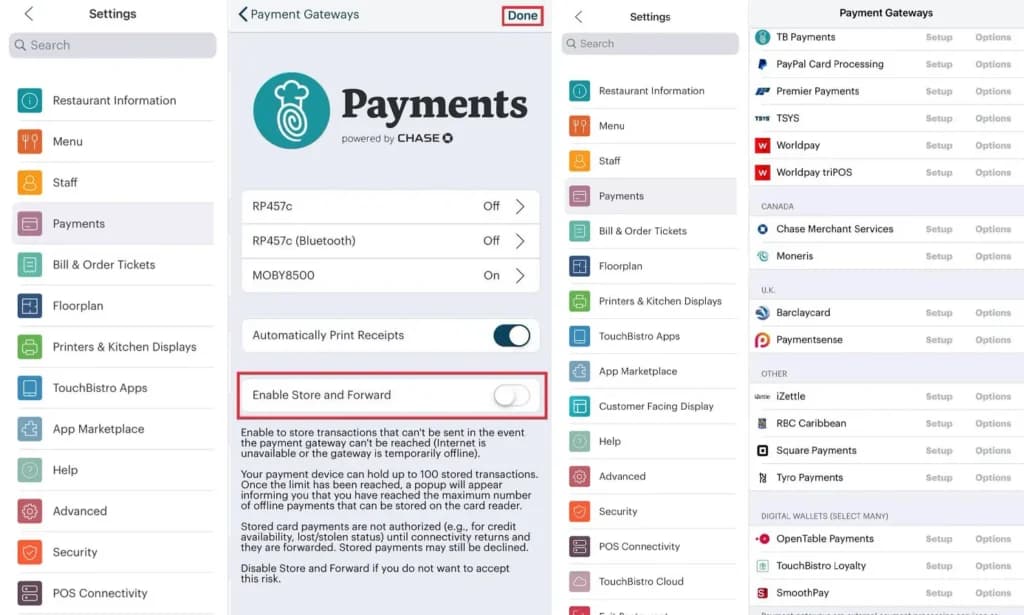
When exploring multiple payment gateways, I discovered TouchBistro integrates with various processors, offering flexibility in choosing preferred payment solutions. This adaptability ensures competitive rates and uninterrupted service, benefiting the business's bottom line.
Online Payment Processing
Testing the online payment processing, I found that TouchBistro enables seamless integration with online ordering systems, allowing customers to pay directly through the restaurant's website or app. This feature expands revenue streams and caters to the growing demand for online services.
PCI Compliance
I examined TouchBistro's adherence to PCI compliance standards, ensuring secure handling of customer payment information. This compliance not only protects against data breaches but also builds trust with patrons, essential for repeat business.
POS Integration
When integrating payment processing with the POS system, I found that TouchBistro offers a unified platform where sales, inventory, and customer data synchronize in real-time. This cohesion simplifies operations and provides comprehensive business insights.
Payment Fraud Prevention
Exploring payment fraud prevention, I noted that TouchBistro incorporates advanced security measures, such as encryption and tokenization, to detect and prevent fraudulent activities. This vigilance safeguards the business's finances and reputation.
Payment Processing Services Integration
I tested the payment processing services integration, finding that TouchBistro collaborates with leading processors to offer competitive rates and reliable service. This partnership ensures smooth transactions and potential cost savings for the business.
Reporting and Analytics
Delving into reporting and analytics, I found TouchBistro provides detailed reports on sales, inventory, and customer behavior. These insights enable data-driven decisions, helping to optimize operations and boost profitability.
Mobile Credit Card Processing
Trying out mobile credit card processing, I used TouchBistro's iPad-based system to accept card payments anywhere within the restaurant. This mobility enhances service efficiency and caters to various dining setups, from patios to private events.
Cash Transactions
Handling cash transactions with TouchBistro was straightforward; the system allows easy cash payments and integrates them into daily sales reports. This feature ensures accurate cash management and simplifies end-of-day reconciliation.
Contactless NFC
Testing contactless NFC payments, I found customers could tap their cards or devices to pay, reducing physical contact and speeding up transactions. This modern payment method aligns with current health guidelines and customer preferences.
Electronic Receipts
When I issued electronic receipts, customers received their receipts via email or SMS, reducing paper waste and providing convenient record-keeping. This eco-friendly option appeals to environmentally conscious patrons and streamlines operations.
Mobile Card Reader
Using the mobile card reader, I could accept payments tableside or at events, offering flexibility in payment locations. This capability enhances customer service and opens opportunities for off-site sales.
3rd-Party Integrations
Exploring 3rd-party integrations, I found TouchBistro connects seamlessly with various applications, such as accounting software and online ordering platforms. This interoperability streamlines workflows and enhances the system's functionality, providing a comprehensive solution for restaurant management.
You can easily run your food business with the TouchBistro management app provided you have an iPad with the latest iOS version. You can also source hardware like iPad stands, printers, and cash drawers from third parties. However, there is no mention of the cost of obtaining specific gear from TouchBistro. But, if you’d rather use hardware from the company, you can request a quote from them at zero cost.
Simplify billing with automated pricing features.
Expand business reach with diverse sales channels.
Features
- Inventory Management
- Loyalty Program
- Mobile Compatibility
- Online Ordering
- Reporting
- Split Checks
- Manage Tips
- Staff Scheduling
- Offline Payments
- Customer Profiles
Verdict
TouchBistro is a high-end POS product, where a lot of thought has clearly gone into which features food-service businesses most need. It’s a pleasure to use and very intuitive. The feeling of quality also spreads into the support provision – whether you need to get in touch with the company or you’re browsing the site for resources.
While all of the above earns TouchBistro plenty of solid ticks, it’s reasonable to point out that the functionality does come at a price. While the basic software license cost for TouchBistro is competitive, some features that come as standard with other POS systems are chargeable extras. You’ll need to look carefully into what you need before trying to do any like-for-like comparisons.
For restaurants (single or multi-location) that need a robust, hospitality-centric POS solution, TouchBistro is a powerful contender. It is especially well-suited for full-service, table-based dining, bars/clubs, and café operations rather than generic retail.
If your business is smaller, simpler (e.g., single stand, very low overhead), and you want the lowest possible cost, you might find lighter/cheaper POS systems sufficient. Additionally, if you use Android/Windows devices or expect heavy customization or hardware variation, you may encounter constraints.
In summary, for mid-to-large-sized hospitality operations, TouchBistro is an excellent choice; for bare-bones or non-hospitality use cases, evaluate whether the cost/features match your needs.
FAQ
Q: What is TouchBistro POS?
A: TouchBistro is an iPad-based point-of-sale (POS) system specifically designed for the restaurant industry. It offers a suite of features tailored for various service types (full service, quick service, bars, cafes), including tableside ordering, floor plan management, menu customization, reporting, inventory, and integrated payment processing.
Q: How much does TouchBistro cost per month?
A: TouchBistro's pricing starts at $69 per month for the basic software plan, billed annually. However, the total cost increases significantly based on add-on modules (like online ordering, reservations, loyalty), the number of iPads/licenses needed, and mandatory hardware purchases/leases. Payment processing fees through TouchBistro Payments are additional. Expect the actual cost to be considerably higher than the base price.
Q: What are the most common complaints about TouchBistro?
A: Frequent complaints often revolve around aggressive or misleading sales practices, long-term contracts (often 3 years) with very high early termination fees, issues with software bugs or lagging performance(especially during busy times), mandatory use of TouchBistro Payments (with sometimes higher-than-expected rates), and inconsistent customer support experiences.
Q: Do I have touse TouchBistro Payments for credit card processing?
A: Yes, generally. TouchBistro heavily pushes, and often requires, new customers to use their integrated payment processing solution, TouchBistro Payments (powered by Chase). While they previously offered integrations with other processors, this flexibility is largely gone for new clients. Using an external processor, if even possible, usually incurs penalties or limitations.
Q: Can TouchBistro work if the internet goes down? Does it have an offline mode?
A: TouchBistro does not have a robust offline mode for processing credit card payments like some competitors (Toast, Square). If your internet connection fails, the system might allow you to continue taking orders locally on the iPads, but you cannot securely accept and queue credit card payments for later processing. You would need a separate cellular backup or alternative payment method.
Q: How does TouchBistro compare to Toast or Lightspeed Restaurant?
A:
- vs. Toast: Both are major iPad/Android-based restaurant POS systems with deep feature sets. Toast uses proprietary Android hardware, while TouchBistro uses iPads. Both often require long contracts and integrated payments (Toast Payments vs TouchBistro Payments). Toast might have slightly broader third-party integrations, while TouchBistro is sometimes perceived as having a slightly more intuitive interface by some users. Both face similar criticisms regarding contracts and support.
- vs. Lightspeed Restaurant: Both run primarily on iPads. Lightspeed offers different versions (K-Series, U-Series) and potentially more hardware flexibility beyond iPads. Both push integrated payments (Lightspeed Payments vs TouchBistro Payments) and often involve long contracts. Feature sets are comparable, focusing heavily on restaurant operations. User preference often comes down to specific feature needs and the sales/contract experience.
Q: Is it difficult to cancel a TouchBistro contract? What are the fees?
A: Yes, canceling a TouchBistro contract early is widely reported as very difficult and expensive. Contracts are typically multi-year (often 3 years), and the Early Termination Fees (ETFs) can require paying out the full remaining value of the contract, potentially costing thousands of dollars. Auto-renewal clauses can also catch users off guard.
Q: What kind of hardware does TouchBistro use? Can I use my own iPads?
A: TouchBistro software runs exclusively on Apple iPads. You can often use your own existing iPads (provided they meet the minimum requirements), which offers some flexibility compared to systems requiring proprietary hardware. However, peripherals like printers, cash drawers, and payment terminals usually need to be purchased through TouchBistro or specific compatible models.
Q: How is TouchBistro's customer support regarded by users?
A: Reviews are mixed but lean towards negative experiences being common. While some users find support adequate, many complain about long wait times, difficulty reaching knowledgeable technicians, issues not being resolved effectively (especially software bugs), being bounced between departments, and poor communication regarding billing or contract issues.
Q: Does TouchBistro offer a free trial?
A: TouchBistro does not typically offer a self-serve free trial. Instead, they encourage potential customers to sign up for a personalized demo with their sales team to see the software in action.
Users Reviews
Write a review
Leave a review, help others get it right the first time.
6 Reviews
Michael S
So close to a great system
We are still using 2 separate POS systems because TouchBistro does not have a good enough Card Reader to complete their great system. The card reader they gave us and still have not been able to offer us a robust enough one to replace it is too small and clumsy for the clerk and customer and can easily get lost or stolen so we opted to continue using the current system we had until our contract runs out with TouchBistro then we will cancel with TouchBistro. We tried many times to communicate our needs with TouchBistro yet they do not offer us a good resolve or seem to really care. It is unfortunate because we really like the software side of it.
Ron B
Super easy to use
Highly recommend it to others who are in the food industry. My restaurant has stepped up its game since using this software.
- Especially love using iPads to conduct the sales and orders
- Wish there were more options to track user history and number of orders
Arthur M
Amazing POS solution
TouchBistro is a breath of fresh air. It has improved my eatery business by tenfold. Everything from installation and onboarding to making adjustments to the menu has been a breeze. The speed and ease of transactions is exceptional. Highly recommend this
Daniel L
Thanks TouchBistro
If you're looking to better manage employees, track resources, and perform audits then I definitely recommend TouchBistro. It's immensely helped me maintain control of my business.
- Reports are easy to run and doing so via the cloud is a huge plus!
- Needs more compatibility with other interfaces apart from the iPad.
Louis T
TouchBistro has been a huge help
The inventory tracking system is incredible. The imagery adds a helpful element to the shop. Overall, loving TouchBistro and
- Great iPad functionality. Greatly helped the running of my bar.
- A lot of programming and maunally imputing info to make it all run smoothly. That said- once it's set up- you're golden and good to go
Carmen N
Love it!
Wow! never knew it could be so easy to train employees, all thanks to TouchBistro. Its app is extremely user friendly and all it takes is a few minutes until one feels comfortable navigating its feautures. My staff is very happy with the new software!
- The system takes care of itself, so I can sit back and relax for once.