
Last updated: November 2026
Lightspeed POS is a sophisticated, cloud-based point-of-sale system designed to adapt seamlessly to businesses of all sizes. Whether you're operating a cozy café or managing a multi-location retail chain, Lightspeed offers a versatile solution that scales with your needs. Its user-friendly interface simplifies complex tasks, from real-time inventory tracking to comprehensive sales analytics, empowering business owners to make informed decisions effortlessly. With integrated eCommerce capabilities, you can unify in-store and online operations, providing a consistent customer experience across all platforms. In this Lightspeed POS review, I'll discuss features, performance, customer service, and pricing.
Plans & Pricing
- Menu manager
- Floor plans
- Lightspeed AI
- Take out and delivery
- Online ordering
- When billed annually
- Retail POS
- Inventory management
- Access supplier catalogs
- Basic built-in Lightspeed e-commerce
- Onboarding and professional service options
- 24/7 Chat Support
- Everything in the Basic plans, plus :
- In-store and online loyalty
- Advanced sales, staff and inventory reports
- Accounting, e-commerce and marketing integrations
- Mobile Scanner App
- Everything in the Core plan, plus:
- Custom reporting
- Integrated forecasting
- API access
- Workflows
- Custom user roles
- 24/7 Phone Support
* Featured prices can be updated and free offers may include additional terms.
I found that Lightspeed offers a comprehensive range of packages for businesses of all sizes, and there are different service offerings for retail and restaurants.
Pricing starts at $89/mo. Like many companies providing digital services, Lightspeed offers lower prices for those willing to pay up front annually.
Lightspeed has a broad product range. As well as pricing tiers that add extra functionality as you progress through the range, there are various hardware and software add-ons available.
- $89/mo – Basic: Retail POS, inventory management, supplier catalog access, basic built-in Lightspeed eCommerce, onboarding and professional service options, 24/7 chat support.
- $149/mo – Core: Everything in Basic, plus in-store and online loyalty, advanced sales/staff/inventory reports, accounting, eCommerce, and marketing integrations, Mobile Scanner App.
- $289/mo – Plus: Everything in Core, plus custom reporting, integrated forecasting, API access, workflows, custom user roles, 24/7 phone support.
Lightspeed Restaurant POS is a cloud-based point-of-sale system designed to streamline operations for various dining establishments. Its intuitive interface simplifies order management, while robust inventory tracking ensures optimal stock levels. The system's customizable menu options and detailed sales analytics empower restaurateurs to make informed decisions, enhancing efficiency and profitability. In this Lightspeed Restaurant POS review, I'll discuss features, performance, customer service, and Lightspeed pricing.
Expert Score
Pros
- Payments, POS and e-commerce all in one place
- Wide hardware compatibility makes customization easy
- Interface is intuitive and simple to use
- Lots of support options and helpful tutorials
Cons
- Some desirable features only included in the top tier plans
- Add-ons can ramp up the cost
- You are tied in to an annual contract
Customer Support
Comprehensive and Accessible Lightspeed takes its technical support seriously, offering 24/7 assistance to all users, regardless of their subscription level. This is refreshing, as some companies reserve premium support for higher-paying customers. When I reached out via phone, my call was answered quickly and I spoke with a great rep who could answer my questions with some great insights. For quick queries, I tried the chat feature, which is accessible directly from the Help Center or within the POS interface, and it was a really convenient option. Additionally, the email support is responsive, providing detailed solutions to more complex issues. Self-Service Resources Beyond direct support, Lightspeed offers a wealth of self-service resources which I found really useful. The extensive FAQ section covers a wide range of topics, from setup to advanced functionalities. The Community Forums provide a space to connect with other users, share experiences, and discuss best practices. Blog and Industry Insights Lightspeed’s blog is an excellent resource, frequently updated with articles on industry trends, software updates, and practical business advice. These resources ensure that whether you need immediate assistance or prefer to troubleshoot independently, Lightspeed has you covered.
Phone Support
Offered with all Lightspeed packages, 24/7
Lightspeed is equipped with a ticket-based email support system
24/7 Help & Support
Available to all Lightspeed customers
FAQ
Expansive online "Help Center" available on Lightspeed site
Live Online Chat
Available for ten hours each day, Monday to Friday.
Video Tutorials
Large collection of high-quality YouTube videos available
Ease of Use
Setting up Lightspeed POS can be a bit involved, especially with the many available configurations, add-ons, and integrations. When I tested it, I had to spend some time customizing the system to fit my business needs. However, Lightspeed provides plenty of guidance, from video tutorials to live 24/7 support, making the process easier. Once configured, I found the interface to be intuitive and easy to navigate. The system’s layout is highly customizable, letting me adjust access permissions for employees, which is especially helpful for restaurants and retail businesses. I played with different user roles and found that restricting or expanding functionality was straightforward. Training staff is simple since Lightspeed’s workflow is logical, unlike some clunky POS software I’ve used. Whether you're using a phone credit card reader or managing online payment solutions, the learning curve is shallow. After setup, running transactions and handling credit card processing for business is effortless.
When I tested Lightspeed’s POS software, I found its customer support to be well-structured and accessible. 24/7 assistance is available to all users, not just those on higher-tier plans—something not every Point of Sale system offers. This ensures businesses get the help they need, whether troubleshooting an issue or learning how to optimize their POS system.
Beyond direct support, Lightspeed offers a variety of self-service resources, including setup guides and FAQs that help with day-to-day use. I also explored some of their additional customer support options:
Community Forums
Lightspeed’s user community allows businesses to connect, compare experiences, and share best practices. For those looking to optimize their inventory tracking, sales analytics, or e-commerce integration, these forums provide valuable insights from other users.
Blog
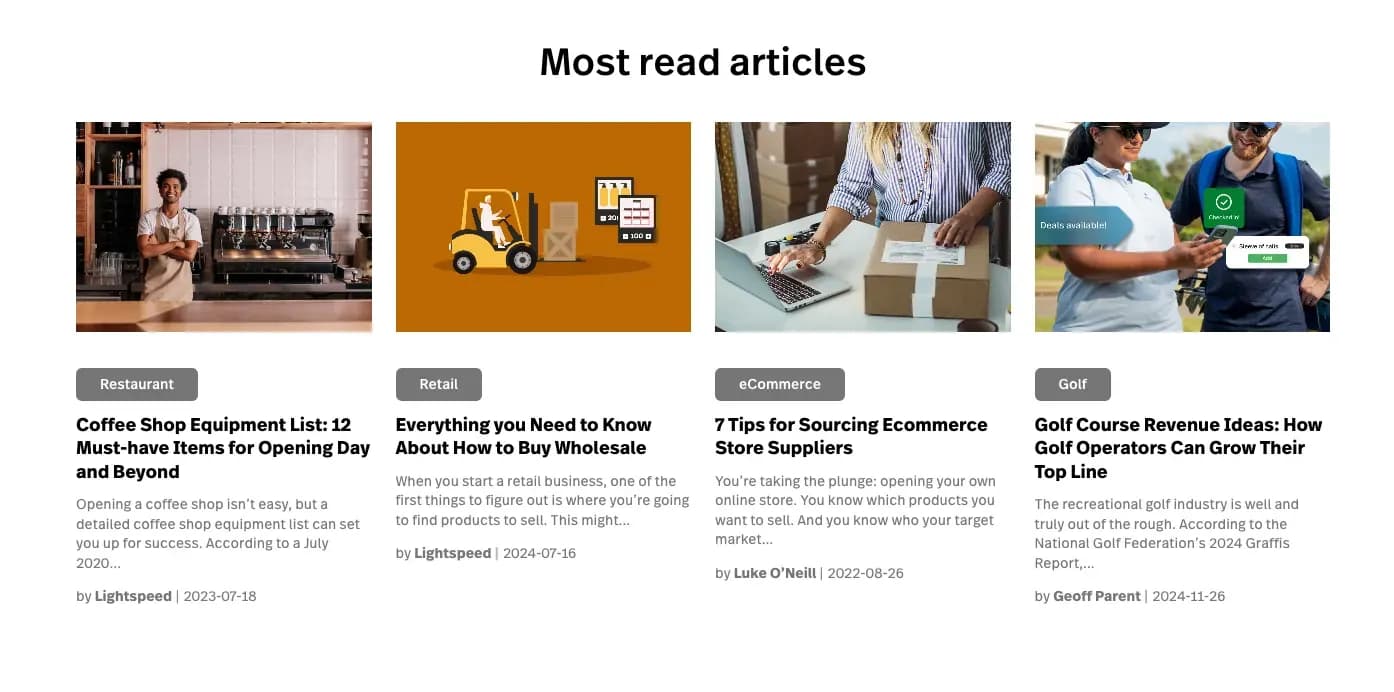
Lightspeed’s blog is updated frequently with industry news, deep dives into the cloud-based POS system, and tips for improving retail management and selling online. Whether looking for best practices or learning about new integrations, the blog serves as a useful resource for staying ahead in the industry.
Performance
Speed, Reliability, and Features
When I tested Lightspeed's POS software, I found its performance to be robust and efficient. The system operates on a cloud-based infrastructure, ensuring swift and reliable access to data across all devices. This architecture not only enhances speed but also guarantees that your point of sale system remains up-to-date without manual interventions.
Speed and Reliability
In my experience, transaction processing with Lightspeed's point of sale system is notably fast, minimizing wait times for customers. The platform's reliability is commendable. During extensive use, I didn't encounter any significant downtime, which is crucial for maintaining seamless business operations. The system's offline mode ensures that sales can continue even without an internet connection, syncing data automatically once connectivity is restored.
Feature-Rich Functionality
Lightspeed's POS software offers a comprehensive suite of tools designed to streamline various aspects of retail management:
- E-commerce Integration: Seamlessly integrate online and in-store sales channels, ensuring consistent inventory levels and a unified customer experience.
- Mobile POS: Utilize mobile devices as part of your point of sale system, offering flexibility in various retail environments.
- Integrated Payment Solutions: Accept a wide range of payment methods, including credit cards and mobile wallets, through secure, integrated payment processing.
- Multi-location Management: Efficiently oversee operations across multiple stores from a centralized dashboard.
Overall, Lightspeed's point of sale software delivers a high-performance, reliable, and feature-rich solution suitable for businesses aiming to enhance their operational efficiency and customer satisfaction.
Features & Functionality
Lightspeed POS offers a really wide selection of features and tools to help you boost sales and retention, which I thought was really impressive.
I'll go into detail below.
- Inventory Management
- Mobile Compatibility
- Online Ordering
- Reporting
- Split Checks
- Offline Payments
- Customer Profiles
- Multidevice Payments
- Gift Card Support
- Manage Tips
- Accounting Integration
- Tableside Ordering
- Loyalty Program
- Floor Plan Management
- Customer-Facing Display
- E-commerce
- Integrations & Add-Ons
Inventory Management
When I tested Lightspeed’s POS software, I found its Inventory Tracking to be one of the best for Retail Management. It automatically updates stock levels across all sales channels, making it easy to manage products, reorder items, and avoid stockouts. For businesses with Multi-location Management, this feature ensures seamless inventory control across different stores.
Mobile Compatibility
Running a POS system on mobile devices adds a layer of flexibility for businesses. I tested Lightspeed’s Mobile POS, and it worked smoothly on tablets and smartphones. Whether checking out customers in-store, at an event, or using a customer-facing display, the mobile-friendly interface made transactions easy and efficient.
Online Ordering
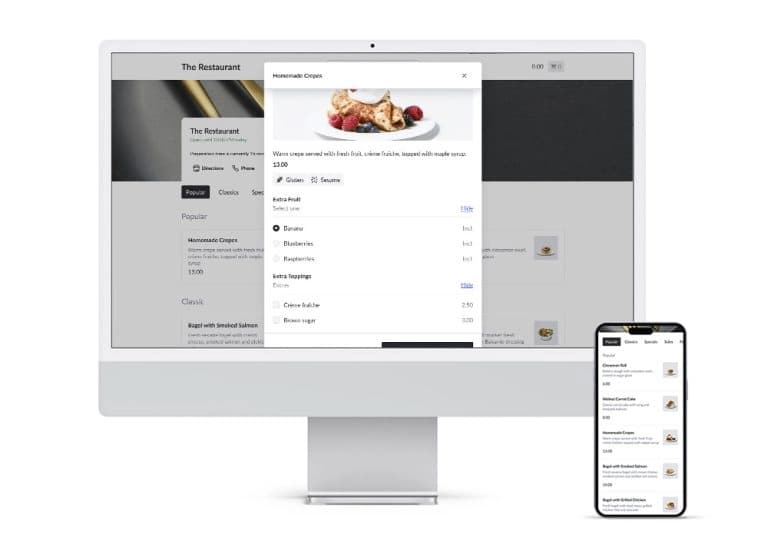
Lightspeed’s E-commerce Integration allows businesses to sync their physical store with an online shop. I liked how it managed products, orders, and customer data in one place. Whether you’re expanding your Retail Management strategy or starting fresh, this feature makes selling online a seamless experience.
Reporting
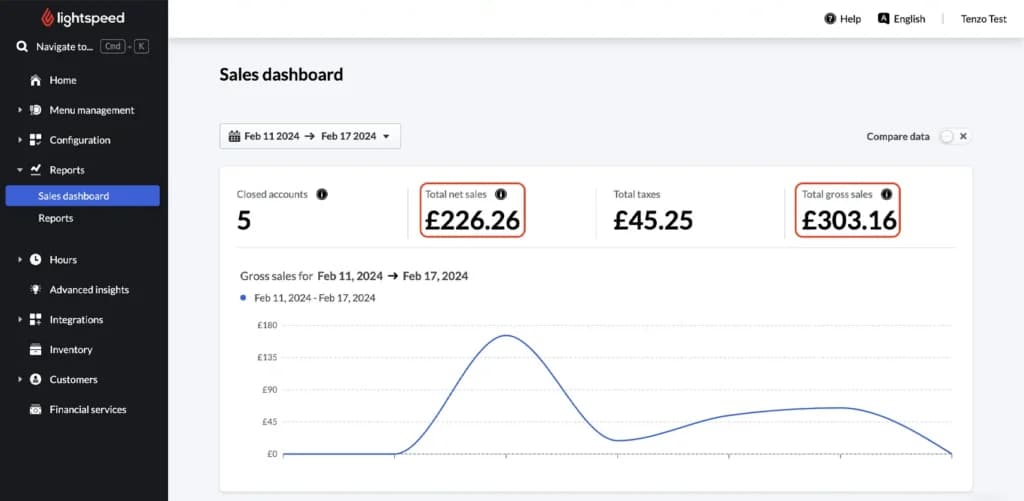
Detailed Sales Analytics is crucial for growth, and Lightspeed delivers. I explored reports on revenue, inventory turnover, and staff performance within the Cloud-Based POS System. The insights helped identify trends and optimize pricing strategies. This data-driven approach is a must for retailers and restaurants looking to maximize profits.
The Analytics module is included with the “Pro” package can help you analyze everything from staff performance to product popularity and customer buying patterns.
Split Checks
For restaurants using Lightspeed’s POS software, the Split Checks feature is a lifesaver. I found it easy to divide bills between customers, adjust payments, and ensure a smooth checkout process. This function makes transactions faster and more organized, improving the overall dining experience.
Offline Payments
A reliable POS system should work even when the internet goes down. Lightspeed’s Cloud-Based POS System stores transactions offline and syncs them once connectivity is restored. I found this feature reassuring, as it prevents lost sales and keeps business running smoothly.
Customer Profiles
Tracking customer interactions is easy with Lightspeed’s Customer Relationship Management (CRM). When I tested it, I could store purchase history, contact details, and preferences. This data helps businesses personalize marketing efforts and improve customer retention.
Multidevice Payments
Lightspeed’s Integrated Payment Solutions allow businesses to accept payments from multiple devices. I tested processing transactions via a Mobile POS, desktop register, and tablet, all syncing effortlessly in real time. This flexibility ensures faster checkout and improves the customer experience.
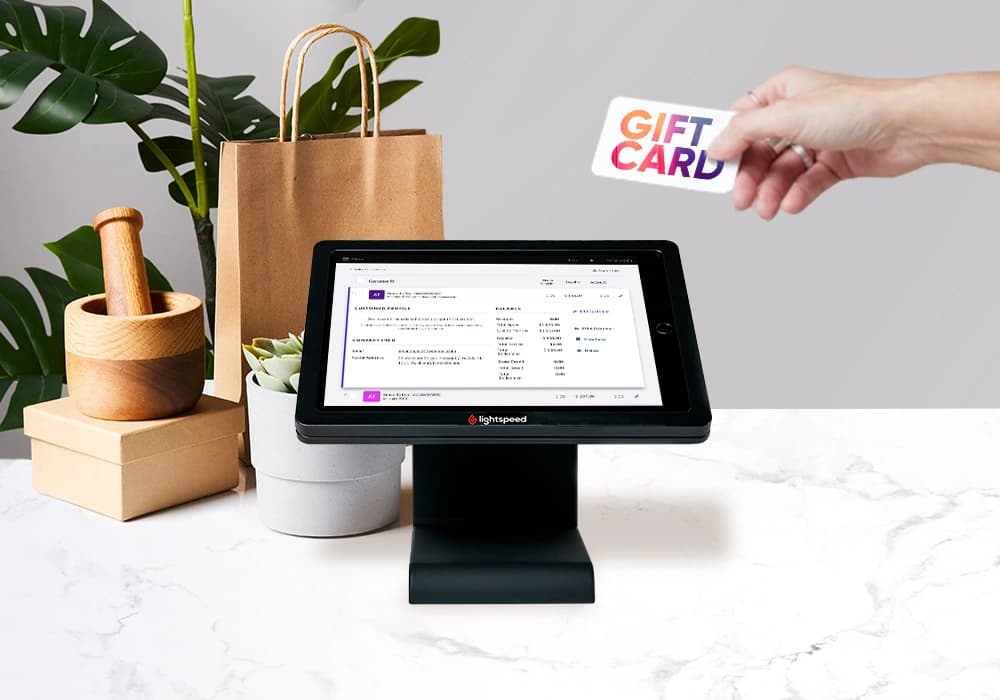
Gift Card Support
Gift cards are a simple way to boost sales and retain customers. I played with Lightspeed’s gift card system, and it worked seamlessly within the Point of Sale Software. Whether digital or physical, they were easy to issue, track, and redeem across locations.
Manage Tips
In businesses where tipping is essential, Lightspeed’s Integrated Payment Solutions allow for smooth tip management. Employees can add, edit, or split tips directly from the Point of Sale system. When I tried it, I liked how it automatically recorded tips for better financial tracking.
Accounting Integration
Lightspeed integrates with accounting tools, making financial management easier. When I tested it, I could sync sales, taxes, and expenses automatically. This integration reduces manual data entry, minimizing errors and streamlining bookkeeping.
Tableside Ordering
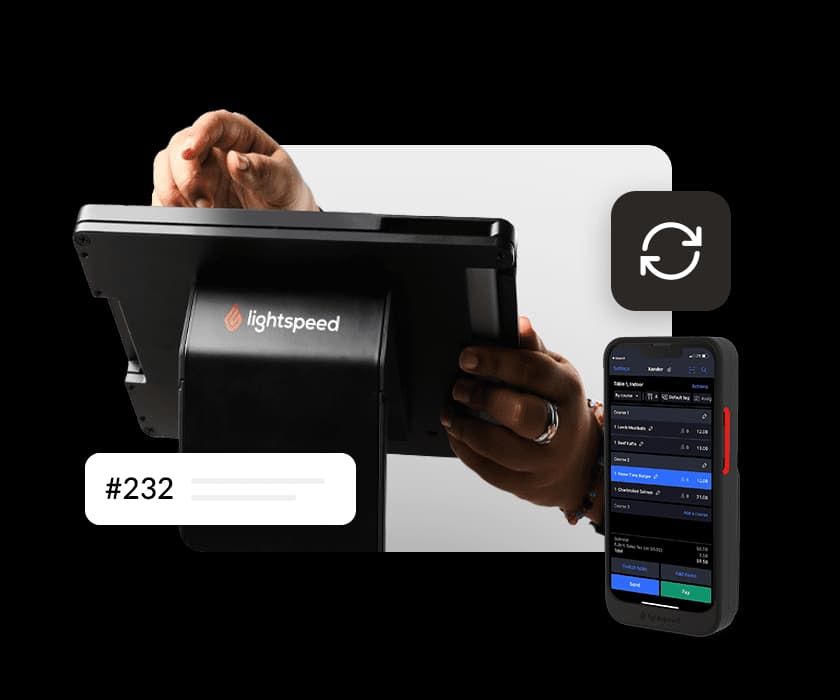
For restaurants, Lightspeed’s Mobile POS supports Tableside Ordering, allowing servers to send orders directly from the table to the kitchen. I noticed how this speeds up service, reduces errors, and enhances customer satisfaction.
Loyalty Program
Lightspeed’s built-in loyalty program is a great addition to its Point of Sale Software. It allows businesses to create customized rewards for customers, encouraging repeat purchases. When selling both in-store and selling online, I found that the loyalty system syncs effortlessly, ensuring customers earn and redeem rewards across multiple locations.
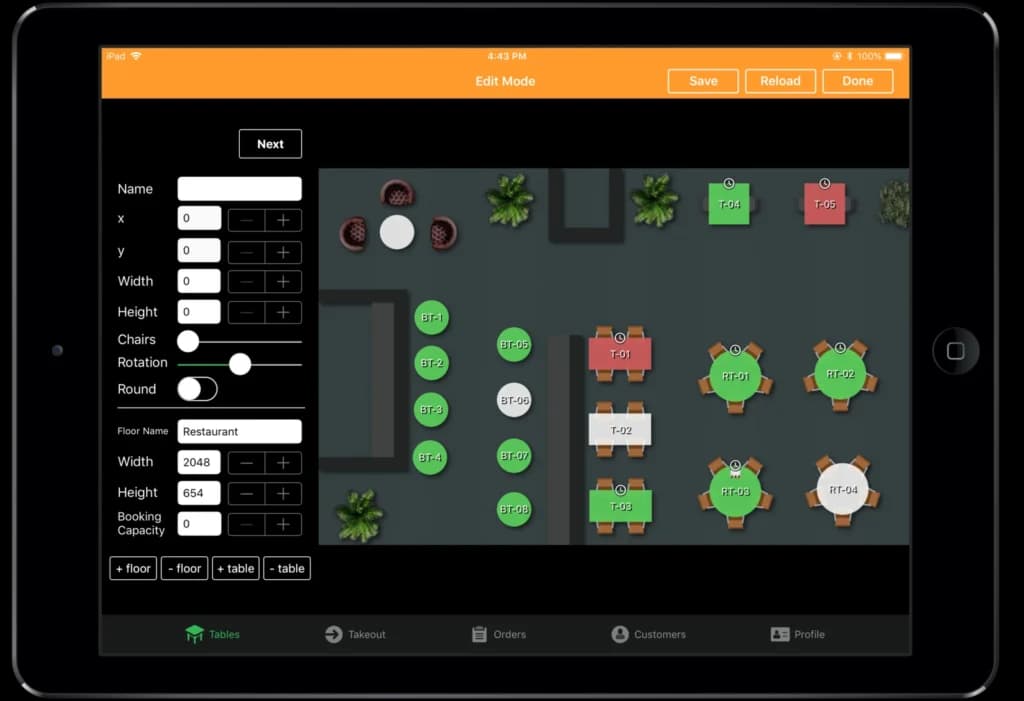
Floor Plan Management
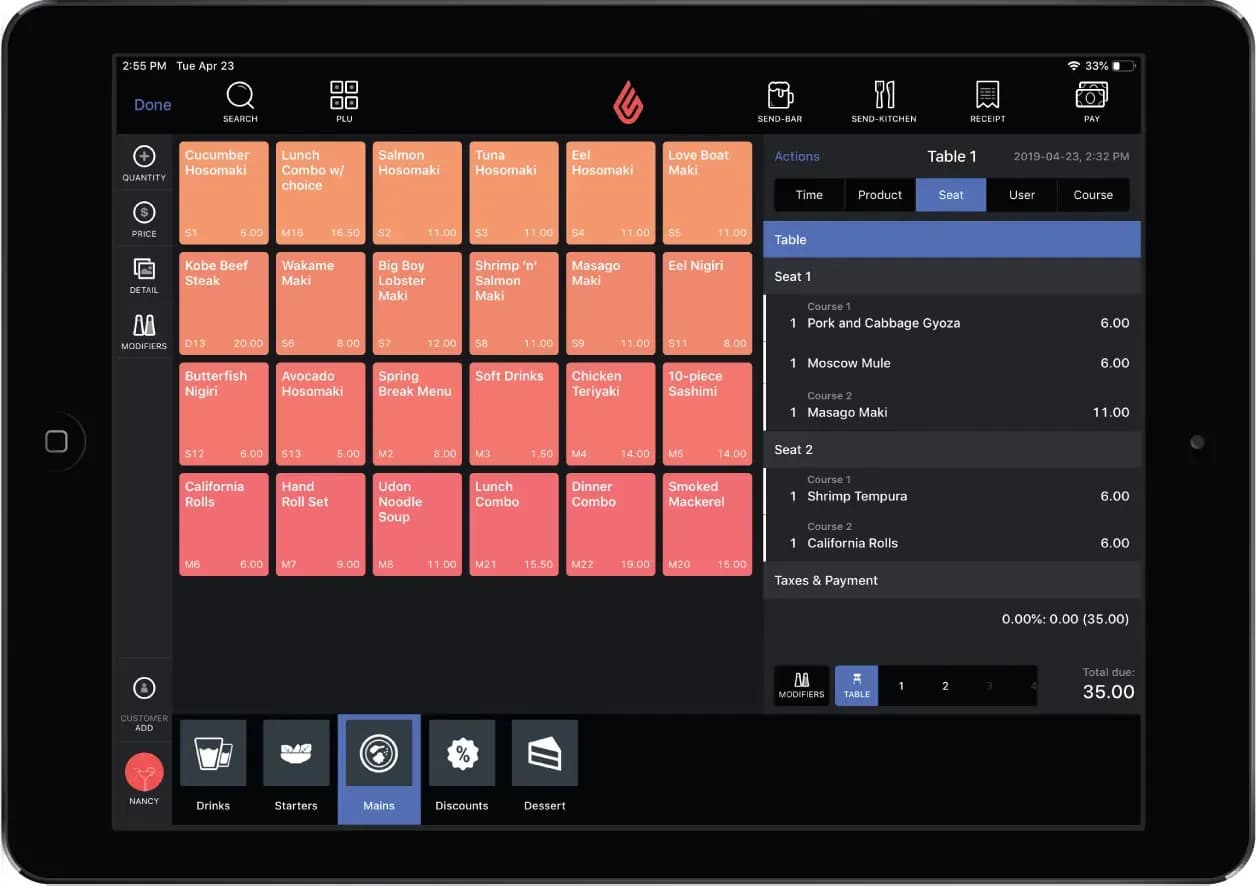
A well-organized restaurant needs proper Floor Plan Management. Lightspeed allows businesses to customize layouts, track table status, and manage seating. When I tested it, I could move tables and adjust settings on the fly, improving efficiency during busy hours.
Customer-Facing Display
Lightspeed’s Customer-Facing Display enhances transparency during transactions. I liked how it allowed customers to review orders and complete payments effortlessly. This feature builds trust and improves checkout accuracy.
E-commerce
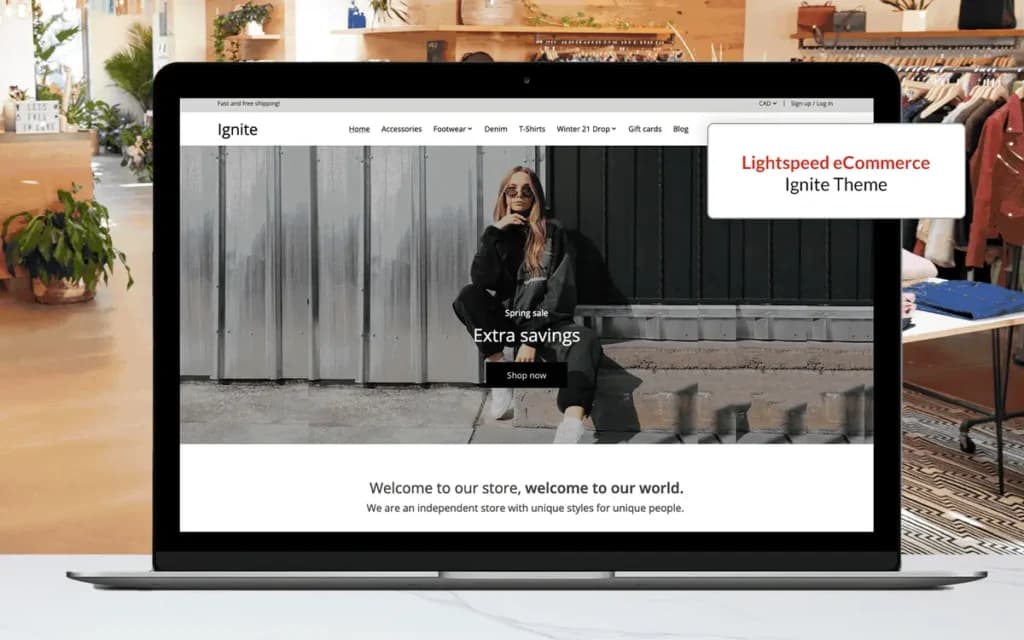
Lightspeed offers e-commerce and point-of-sale services and includes everything you need to set up a fully functional online store. It also offers a wide range of website themes for businesses of all kinds. Some are free, and others are charged monthly. Because the register lives entirely in an iPad app, Lightspeed sits naturally beside the other best iPad POS systems built around tablet hardware.
Integrations & Add-Ons
Integrations are a major strong-point with Lightspeed. There’s a large library of supported software, in categories ranging from payment processing to marketing and ERP.
Notable examples include loyalty schemes like AppCard and TapMango, email marketing with Mailchimp, and support for various rental and reservation schemes.
On the restaurant side, there’s support for lots of online food ordering services, and several table booking and kitchen management solutions.
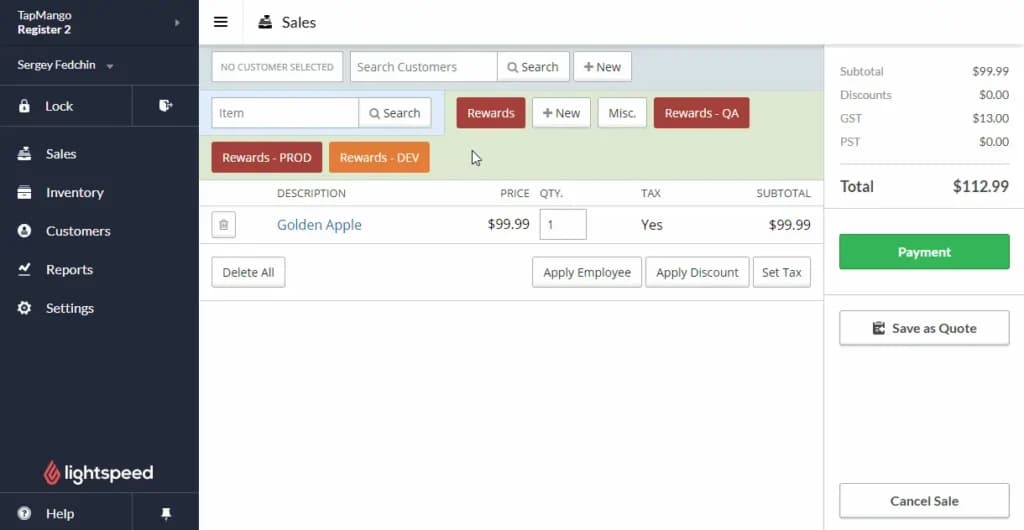
Tailored solutions for retail stores, coffee shops, nightclubs, quick service, bars, restaurants, and food trucks.
Lightspeed Restaurant POS System:
Lightspeed Restaurant POS offers a comprehensive suite of features tailored to the needs of the food service industry. Key features include:
- Table Management
- Menu Customization
- Loyalty & Gift Card Programs
- Order Management
- Inventory Tracking
- Sales Analytics
- Integrated Payment Solutions
- Customer Relationship Management (CRM)
- Mobile POS Functionality
- E-commerce Integration
- Multi-location Management
- Kitchen Display System
- Employee Management
- Customizable Reporting
- Contactless Payments
- Offline Mode
- Third-Party App Integrations
- Reservation Management
- Automated Discounts & Promotions
- Real-Time Data Syncing
Here’s what the dashboard looks like:
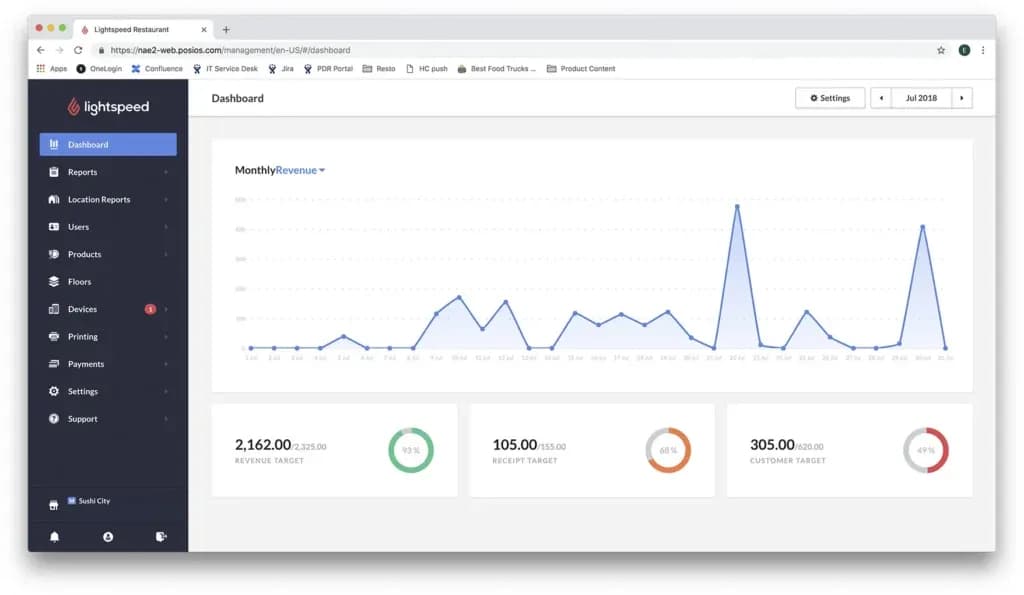
Table Management
When I tested Lightspeed’s table management feature, I found it to be highly intuitive and adaptable to various restaurant layouts. The system allows staff to assign, move, and merge tables with ease, providing a clear visual representation of the dining area. This functionality streamlines service by enabling quick adjustments during busy periods, ensuring efficient seating arrangements and improved customer flow. Additionally, the ability to monitor table statuses in real-time aids in better resource allocation and enhances the overall dining experience.
Menu Customization
I explored Lightspeed’s menu customization capabilities and found them to be comprehensive and user-friendly. The platform allows for easy updates to menu items, including pricing, descriptions, and modifiers, which can be done swiftly to reflect daily specials or seasonal changes. The system supports the creation of multiple menus and categorization, facilitating organized presentation and quick access for staff. This flexibility not only enhances operational efficiency but also ensures that the menu aligns with the restaurant’s branding and customer expectations.
Loyalty & Gift Card Programs
I explored Lightspeed’s loyalty and gift card programs and found them to be comprehensive and user-friendly. The system allows businesses to implement various types of loyalty cards, including discount, gift, punch, and ID cards, to encourage repeat customers.
The integration with the POS system ensures seamless application of discounts and rewards during transactions. Additionally, the platform supports customizable loyalty programs that can be tailored to specific business needs, enhancing customer engagement and retention.
Inventory Tracking
I delved into Lightspeed’s inventory tracking features and found them to be robust and detailed. The system offers real-time monitoring of stock levels, ingredient usage, and automatic alerts for low inventory, which helps in maintaining optimal stock levels and reducing waste. The ability to manage supplier orders directly through the POS streamlines the procurement process. Additionally, the platform provides insightful reports on inventory turnover and cost analysis, aiding in informed decision-making for menu planning and cost control.
Sales Analytics
The Analytics module can help you analyze everything from staff performance to product popularity and customer buying patterns.
It offers comprehensive insights into business performance. The system provides real-time data on key metrics such as total sales, net revenue, and average transaction values, allowing for immediate assessment of financial health.
Additionally, it enables detailed analysis of sales by product categories and individual items, helping identify top performers and underperforming products. This level of detail supports informed decision-making regarding inventory management and promotional strategies. The ability to customize reports and track sales over various time frames further enhances its utility for strategic planning
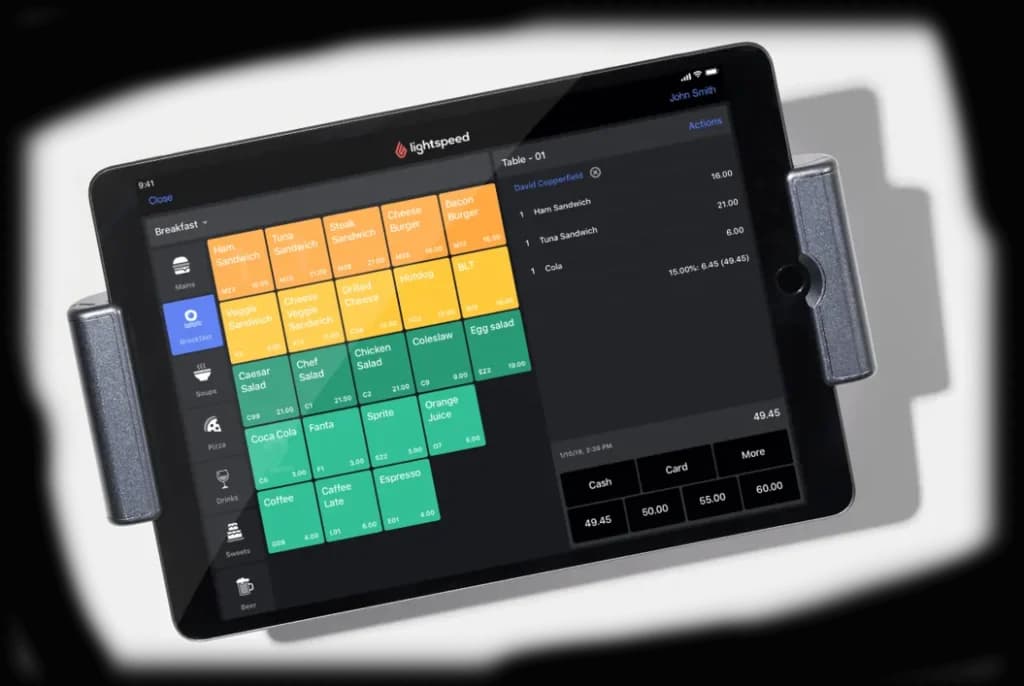
Kitchen Display System
When I tested Lightspeed’s Kitchen Display System (KDS), I found it effectively streamlines communication between front-of-house and kitchen staff. The digital interface replaces traditional paper tickets with clear, color-coded displays, allowing teams to prioritize and track orders in real-time. This setup reduces errors, minimizes wait times, and enhances overall kitchen efficiency. The system’s user-friendly design and flexible implementation on tablets and touchscreen monitors make it adaptable to various kitchen environments.
Employee Management
I explored Lightspeed’s employee management features and found them comprehensive for overseeing staff operations. The system allows for the creation of user roles with specific permissions, enabling managers to control access based on roles. Tip management is transparent, accommodating various distribution methods directly within the POS. Additionally, staff reporting tools provide insights into individual performance metrics, such as hours worked and sales figures, facilitating informed management decisions.
Automated Discounts & Promotions
When I tested Lightspeed’s automated discounts and promotions, I found the system allows for the creation of various promotional offers, such as “buy one, get one free” deals or happy hour pricing. These promotions can be scheduled to activate automatically at specified times, ensuring consistent application without manual intervention. This feature streamlines operations and enhances the customer experience by providing timely and accurate discounts.
Real-Time Data Syncing
I explored Lightspeed’s real-time data syncing capabilities and found that the cloud-based POS system ensures that all sales, inventory, and customer information are updated instantly across all devices. This immediate synchronization allows for accurate reporting and informed decision-making, as managers and staff have access to the most current data at all times. The seamless data flow enhances operational efficiency and reduces the risk of discrepancies.
Lightspeed Hardware Requirements
Lightspeed is incredibly flexible when it comes to hardware. For small retail businesses, Lightspeed suggests a package with one iPad-based register. This works out to $99/mo with annual up-front payment. It’s worth noting that Lightspeed is iPad-based. There is no support for Android tablets.
If you wish to build on this basic configuration, there’s everything from fixed, desktop-style setups, to custom server systems supporting multiple registers.
Lightspeed showcases a range of selected hardware, but there’s also a much bigger list of supported products from a range of manufacturers.
Extensive Hardware Integration
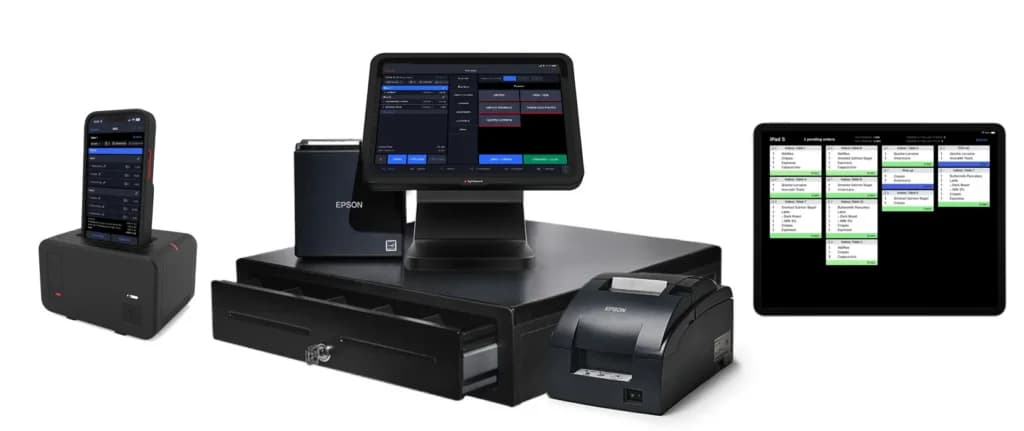
As well as working with its own registers, Lightspeed also hooks into a wide range of third-party point of sale hardware. Options range from a simple iPad-based setup, with the option of Bluetooth scanners and receipt printers, right up to fixed desktop hardware including cash drawers.
Lightspeed is particularly versatile for restaurants, with options that include kitchen order printers, and displays that face the customer so they can verify their orders.
Lightspeed POS is a versatile point-of-sale system that caters to various industries such as retail (including apparel, bike, books, electronics, health, home & garden, jewelry), restaurant, quick service, hotels, and golf retail. However, it does not support certain industries like food truck, pizzeria, catering, groceries, and services, including food & beverage. With its range of features and capabilities, Lightspeed POS is an excellent choice for businesses in industries it supports.
Software
Lightspeed Retail POS System:
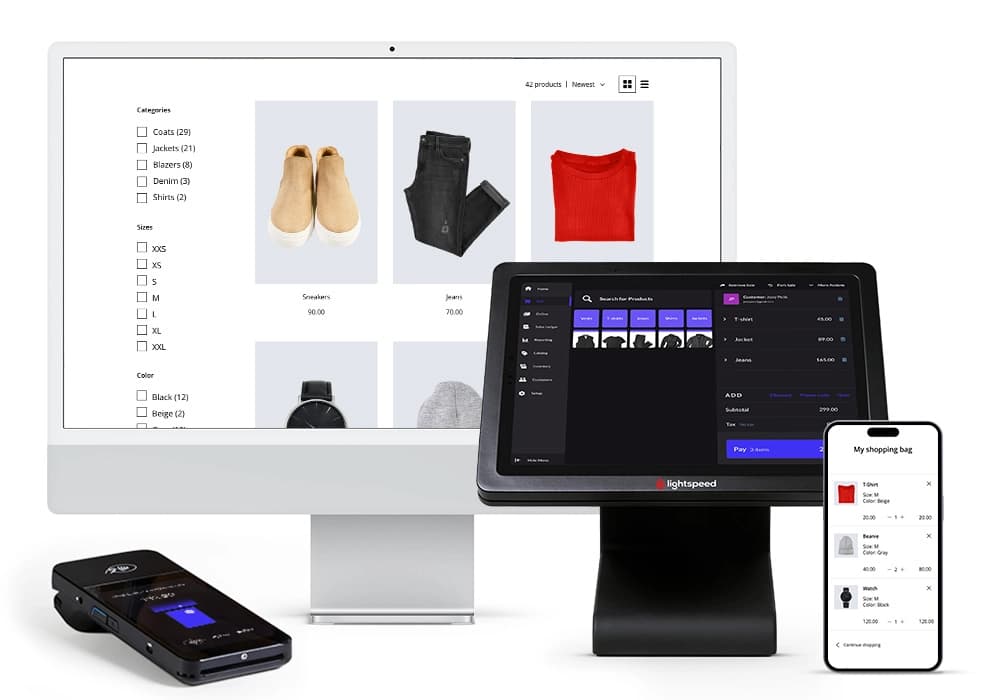
Lightspeed Retail POS is a powerful cloud-based POS system built to help retailers manage inventory, process sales, and grow their business with ease. With multi-location management, businesses can track stock in real time, ensuring seamless operations across all stores. The system’s e-commerce integration allows retailers to sync online and in-store sales effortlessly, while sales analytics provide valuable insights for smarter decision-making. Integrated payment solutions support various methods, creating a frictionless checkout experience. Whether running a boutique or a multi-store operation, this best Retail POS offers the flexibility and efficiency retailers need. In this Lightspeed Retail POS review, I'll cover features, performance, customer service, and pricing.
This POS is specifically tailored to the retail industry with features to boost sales and workflows.
Dashboard
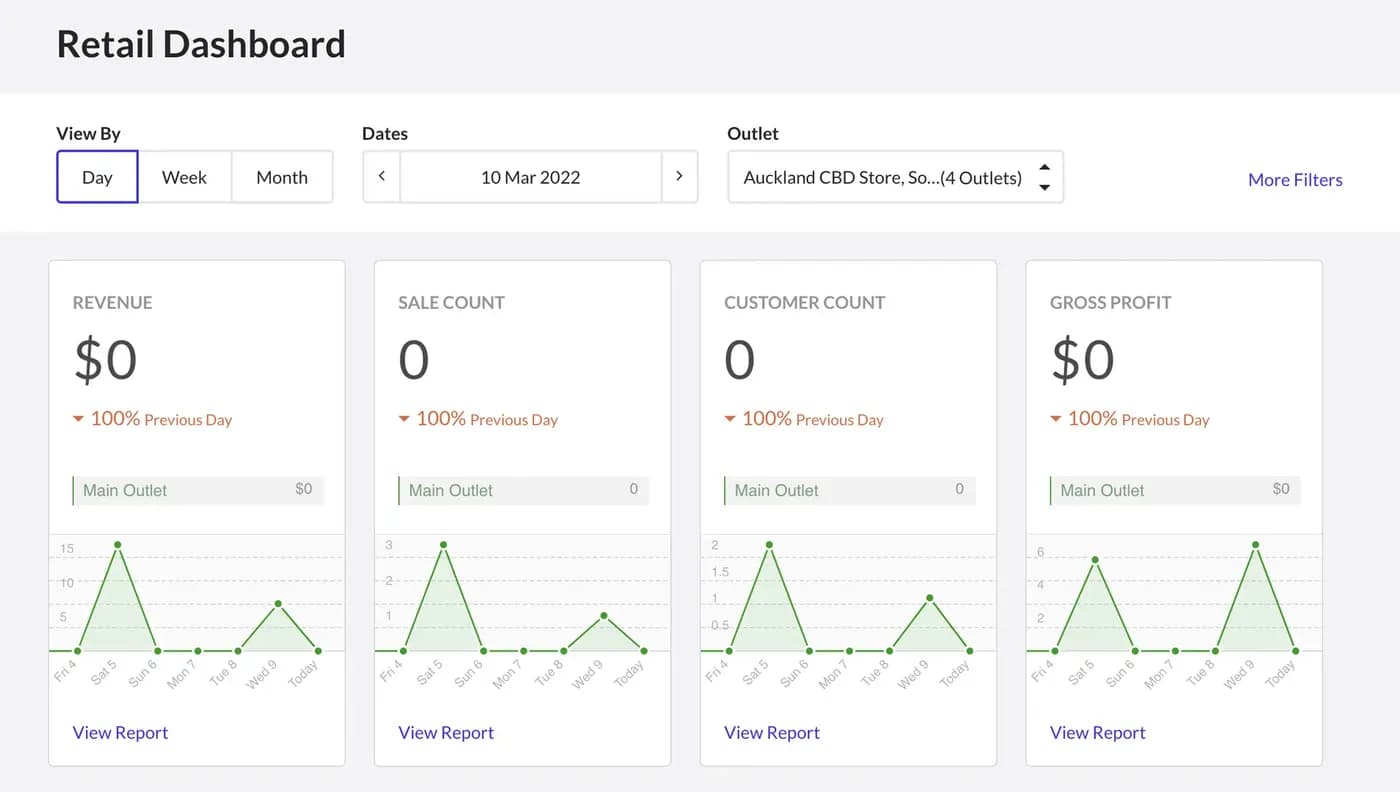
I tested the Lightspeed dashboard, which provides a clear, real-time overview of sales analytics, inventory levels, and customer activity. The interface is well-organized, allowing for quick access to key performance metrics. This feature helps businesses monitor financial health and make data-driven decisions efficiently.
Here’s what the dashboard looks like:
Inventory Management
Lightspeed Retail POS provides powerful inventory management tools, allowing businesses to track stock levels, manage product variations, and automate reordering. The cloud-based POS system ensures real-time updates across multi-location management, preventing stock discrepancies. Businesses can streamline operations by integrating supplier catalogs, reducing manual data entry and improving stock accuracy for both in-store and selling online.
Loyalty Program
When I tested Lightspeed’s customer relationship management (CRM) features, I found that the Advanced and Pro packages include everything needed to run a built-in loyalty program. Businesses can offer discounts, point collection, and custom coupons, which apply seamlessly across both brick-and-mortar and online stores. This integration ensures a unified customer experience, making it easier to reward repeat shoppers across multiple sales channels.
Sales Analytics
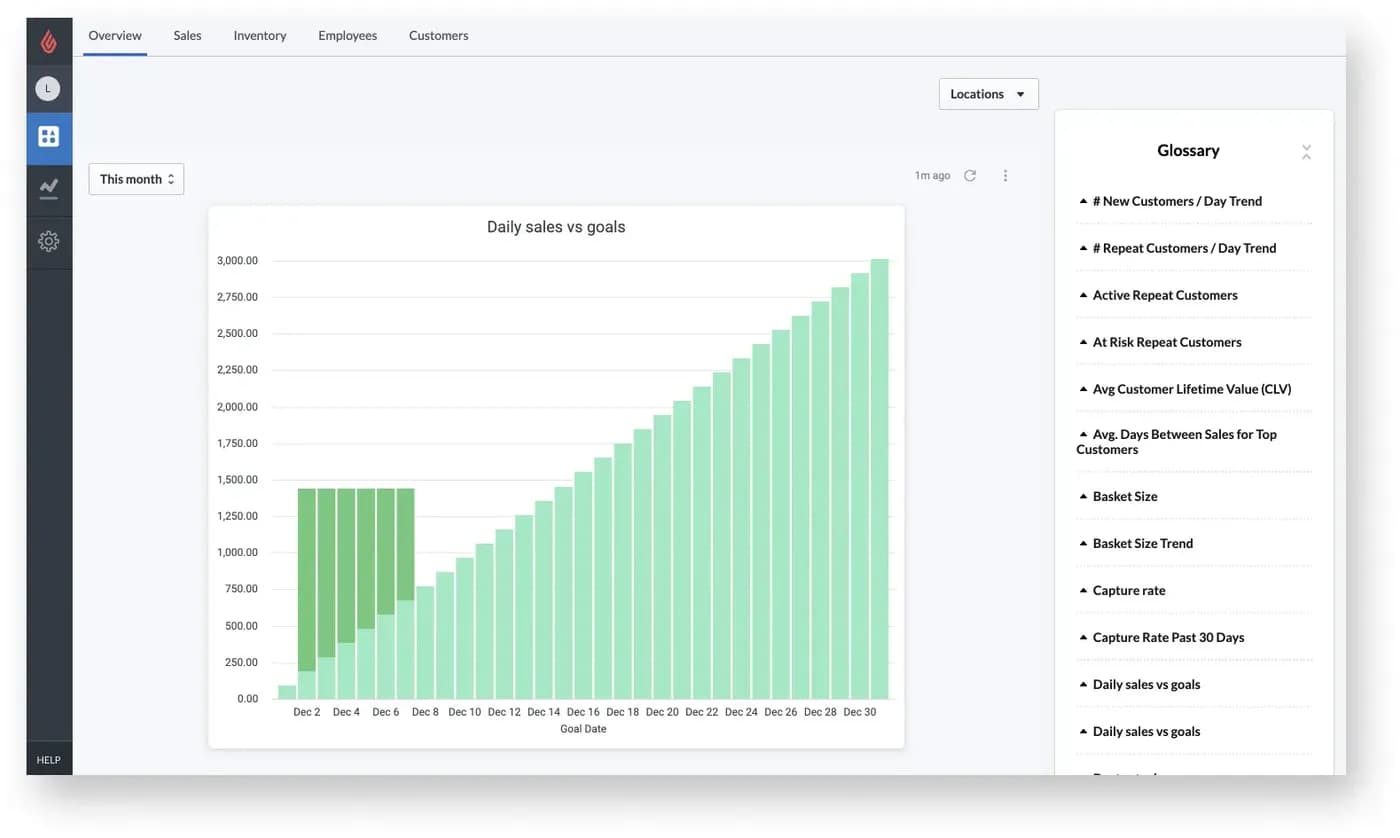
The sales analytics tools in Lightspeed provide valuable insights into business performance. I explored the Analytics module, included with the Pro package, and found it useful for tracking staff performance, product popularity, and customer purchasing patterns. These insights help businesses optimize inventory, improve sales strategies, and enhance retail management.
Online Ordering
Lightspeed’s online ordering feature integrates seamlessly with its POS system, allowing restaurants to manage takeout, delivery, and in-house digital orders efficiently. Customers can place orders directly from their devices, reducing wait times and enhancing convenience. Orders are sent directly to the Point of Sale system, streamlining operations and minimizing errors. The platform also supports customizable menus and payment options, giving businesses flexibility in how they handle selling online while maintaining a smooth ordering experience.
Reporting
Lightspeed’s reporting tools provide real-time insights into sales analytics, employee performance, and inventory tracking. The cloud-based POS system ensures that data is consistently updated across devices, allowing managers to access reports from anywhere. I found the advanced analytics useful for identifying trends, monitoring key performance metrics, and optimizing operations. Mobile reporting features also allow decision-makers to track business health on the go, improving efficiency for multi-location management and retail businesses.
E-commerce Integration
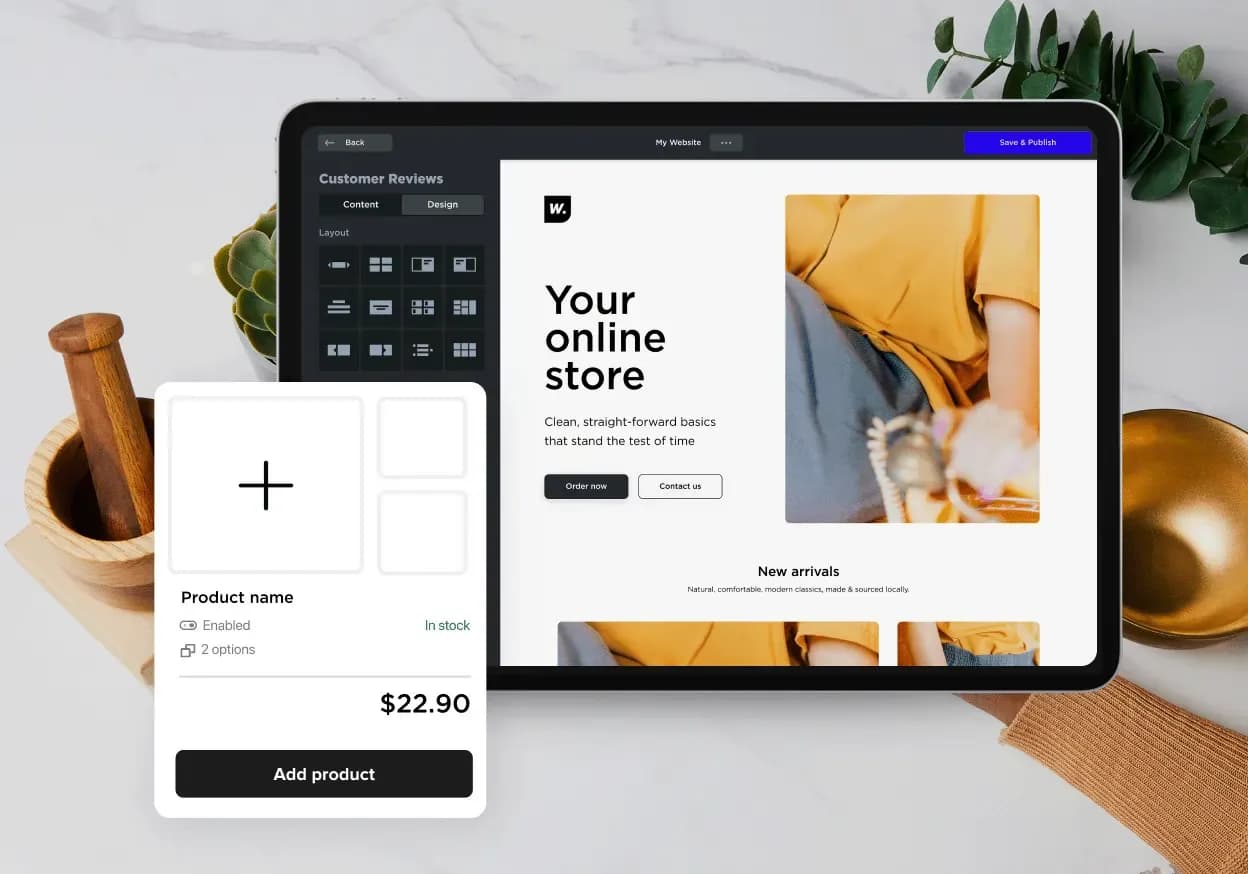
Selling online is seamless with Lightspeed’s e-commerce integration, which allows businesses to set up a fully functional online store alongside their Point of Sale system. The platform offers a variety of customizable website themes, some free and others available as paid add-ons. The system synchronizes inventory tracking across online and physical stores, ensuring stock accuracy and a consistent shopping experience.
Customer Profiles
Lightspeed’s Customer Profiles feature enables businesses to create detailed records for each patron, capturing essential information such as contact details, purchase history, and preferences. This functionality allows for personalized service, targeted marketing campaigns, and the development of loyalty programs. Profiles can be created manually, imported in bulk, or added during a sale, ensuring flexibility in how customer data is managed. By leveraging customer profiles, businesses can enhance customer retention and tailor their offerings to meet individual needs.
Gift Card Support
Lightspeed’s Gift Card Support integrates seamlessly with its POS system, allowing businesses to sell, redeem, and manage gift cards both in-store and online. Users can configure settings such as predefined amounts, custom images, and sales channels directly from the back office. The system also provides tools to track gift card balances, view transaction histories, and manage card statuses, ensuring a streamlined and efficient process for both staff and customers.
Floor Plan Management
Lightspeed’s Floor Plan Management feature allows restaurants to create a digital representation of their physical layout within the POS system. By customizing table arrangements and sections, staff can efficiently manage seating, track table statuses, and optimize service flow. This visual tool enhances operational efficiency by providing a clear overview of occupied and available tables, facilitating better decision-making during peak hours.
Planday Scheduling Features
Lightspeed integrates with Planday, offering advanced staff scheduling features that help businesses optimize labor costs and workforce management. The system allows managers to create schedules based on sales analytics, track employee hours, and adjust shifts in real-time. With mobile access, staff can swap shifts or request time off, ensuring seamless communication and improved efficiency in retail management.
Customer-Facing Display
The Customer-Facing Display (CFD) in Lightspeed’s POS system enhances transparency and trust during transactions. By connecting a secondary device, such as an iPad, customers can view a detailed breakdown of their orders, including itemized lists, subtotals, taxes, and total amounts. This setup not only improves the checkout experience but also allows for branding opportunities, as businesses can display logos and customized backgrounds on the CFD.
Self-Service Kiosk
Integrating Self-Service Kiosks with Lightspeed’s POS system empowers customers to place orders independently, reducing wait times and labor costs. These kiosks are designed for quick-service environments, allowing patrons to browse the menu, customize orders, and complete transactions without staff assistance. The seamless integration ensures that orders are sent directly to the kitchen, streamlining operations and enhancing the overall customer experience.
Extensive Hardware Integration
As well as working with its own registers, Lightspeed also hooks into a wide range of third-party point of sale hardware. Options range from a simple iPad-based setup, with the option of Bluetooth scanners and receipt printers, right up to fixed desktop hardware including cash drawers.
Lightspeed is particularly versatile for restaurants, with options that include kitchen order printers, and displays that face the customer so they can verify their orders.
Lightspeed POS is a versatile point-of-sale system that caters to various industries such as retail (including apparel, bike, books, electronics, health, home & garden, jewelry), restaurant, quick service, hotels, and golf retail. However, it does not support certain industries like food truck, pizzeria, catering, groceries, and services, including food & beverage. With its range of features and capabilities, Lightspeed POS is an excellent choice for businesses in industries it supports.
Software
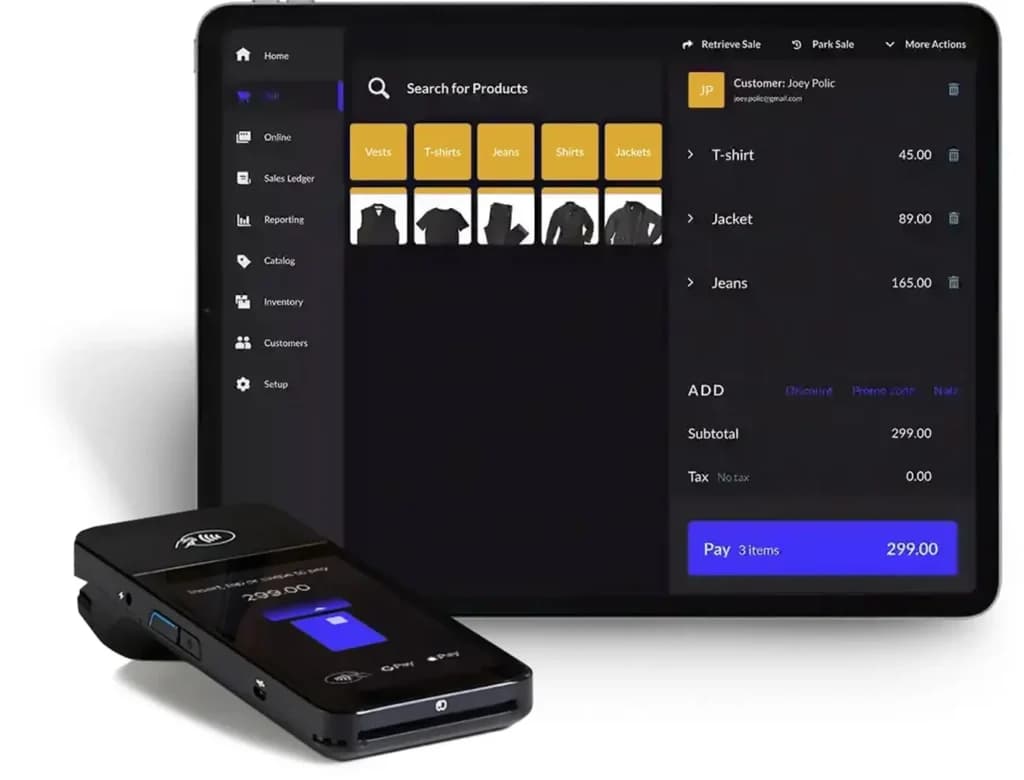
Lightspeed offers its own payment processing service, as an alternative to hooking into third-party providers. Lightspeed takes a set rate of 2.6% on transactions, plus a fee of 10 cents for in-person payment or 30 cents for remote payment.
Lightspeed Payments offer its users a fully integrated system (POS + Payments + hardware). However, this processer is available in the US and Canada only. Not located in these regions? Not a problem. You can still use a integrated payments solution with Lightspeed.
Merchant Services
Lightspeed Payments is the platform's own built-in payment processing service, letting you run POS, payments, and hardware through a single provider instead of stitching together a separate third-party processor. Lightspeed charges a flat rate of 2.6% per transaction, plus a 10-cent fee for in-person payments or 30 cents for remote/online payments — a simple, predictable structure compared to processors that use tiered or interchange-plus pricing.
There is one important limitation: Lightspeed Payments is only available to merchants based in the US and Canada. If your business is outside those regions, you can still use Lightspeed's core POS software, but you'll need to connect a supported third-party payment processor instead of using Lightspeed's in-house option.
On the hardware side, Lightspeed works with a range of card readers and payment terminals for in-person transactions, including contactless and NFC-enabled devices and mobile card readers, so staff can accept payments at a fixed register, tableside, or anywhere on the floor. Transactions are PCI-compliant, and the system handles cash and digital payments side by side without requiring separate tracking.
The trade-off to understand when evaluating Lightspeed Payments is straightforward: staying inside Lightspeed's own payment ecosystem keeps everything unified under one dashboard and often unlocks features that get restricted if you bring your own processor, but it also means accepting Lightspeed's set rate rather than shopping around for potentially cheaper processing elsewhere.
Features
- Inventory Management
- Loyalty Program
- Mobile Compatibility
- Online Ordering
- Reporting
- Split Checks
- Manage Tips
- Offline Payments
- Customer Profiles
- Multidevice Payments
Verdict
Lightspeed pulls off a tricky combination of providing something that’s user friendly and approachable but still highly scalable and easy to customize. It’s a solution that can truly grow with your business.
Where Lightspeed impresses most is in its support. Between the self-service resources and the huge list of support options, you’re certainly not going to feel lost with what to do next at any point.
Integration is strong too, making it easy to bolt Lightspeed on to innovative extras like loyalty schemes and booking systems. Alternatively, if you’re starting from scratch, you can use Lightspeed for everything – from POS to payments and even eCommerce.
Lightspeed’s pricing tiers do ramp up quite quickly, and it’s a shame things like loyalty support and analytics are saved for the more premium packages. However, this is a great overall POS package, which manages to serve everyone from startups to corporates with equal finesse.
Lightspeed Alternatives
Lightspeed stands out with its cloud-based POS system, seamless e-commerce integration, and powerful multi-location management—a rare combination that streamlines retail management, inventory tracking, and integrated payment solutions effortlessly.

Starting from: $69/month
Starter
$69
seat/month
Pros
- Payments, POS and e-commerce all in one place
- Wide hardware compatibility makes customization easy
- Interface is intuitive and simple to use
- Lots of support options and helpful tutorials
Cons
- Some desirable features only included in the top tier plans
- Add-ons can ramp up the cost
- You are tied in to an annual contract

Starting from: $0/month
Free
$0
seat/month
Pros
- No monthly payment
- Next-business-day transfers
- Inexpensive long-term option
- Comprehensive inventory management
Cons
- Not great for all industries
- Some performance issues

Starting from: $0/month
Starter Kit
$0
seat/month
Pros
- Streamlined back office operations
- Excellent integration between kitchen and service staff
- Multi-location menu management
- Fairly priced
Cons
- Only available on Android
- 2–3-year processing agreement on most plans
- Early termination fee
FAQs
What exactly is Lightspeed POS?
Is Lightspeed POS expensive? How much does it cost?
What are the biggest complaints about Lightspeed POS?
Do I have to use Lightspeed Payments for credit card processing?
Can I use Lightspeed POS if my internet goes down?
How does Lightspeed compare to Square (for retail) or Toast (for restaurants)?
Is it hard to get out of a Lightspeed contract? Are there big fees?
What kind of hardware does Lightspeed use? Can I use my own?
Is Lightspeed customer support helpful?
Does Lightspeed integrate well with other software (like accounting or e-commerce)?
Users Reviews
Write a review
Leave a review, help others get it right the first time.
61 Reviews
Sheri K
EXCELLENT CUSTOMER SERVICE ALWAYS
I have worked with Lightspeed for the last 3 years as our POS. The POS is easy has many options. The times we do need extra help the representatives are always helpful, kind, personable, helpful, knowledgeable and understandable. I have never had to wait too long. And I have always gotten a call back when I have asked for one. I also love the chat help which is also timely and helpful. Anytime I get the chance I recommend Lightspeed. It makes the job of Store Manager/Administrative Assistant so much easier.
Lara R
Cloud based POS makes life simple and portable
We have used Lightspeed for over 5 years and continue to be impressed with its functionality. They are constantly making improvements to the system. The reporting is thorough and convenient. We currently have Lightspeed Retail and Ecom. They work together beautifully as the inventory is updated in real time to reflect purchases made in store or online. Also, we take a physical inventory count at least once a year. Lightspeed's inventory count system is great as it helps us to know that we have not missed anything as is easy to do.
Mary W
Highly Recommend Lightspeed
We have been using Lightspeed POS since 2012 and recently converted to cloud based Lightspeed Retail. My company, Akasha's Den, has relied on Lightspeed for all our everyday transactions and reporting. We have an extensive inventory and also facilitate many one on one healing services as well as workshops and special events. Lightspeed is a great tool for processing our wide range of sales transactions and in providing me with all the management reporting I need. We recently joined Lightspeed Payments which is saving us significant money as well as gives me opportunity to see live transactions if I need to check on things. Lightspeed support is a joy to work with any time we need help. Splashtop makes it so easy to trouble shoot. Recently I added Quickbooks too. I highly recommend Lightspeed. In 2012 when we joined, Lightspeed was a Canadian based business and it has been a delight to watch them grow to become a public company now known worldwide!
Katrina S
If Lightspeed's Not Working For You, It's Probably You
We've loved moving into the digital world with Lightspeed. It's made us more efficient, which is fiscally the point, eh? Any problem we've found has been easily addressed by Lightspeed and a workaround (or merely training) supplied. When it hasn't it's been because we've either not comprehended the functionality accurately, or we want it to do what it was never designed to do.
Partly I
Lightspeed doubles Partly Cloudy Inc views
With in the first month our page views tripled and our unique views double. It was like being with Lightspeed made it easier for customers to find our website CEO Kiwann Williams
Amanda W
GREAT PRODUCT
Great product, easy to use, great customer service they know their stuff problem usually fixed right away, if not they get back to you ASAP. If you are looking for a retail system that any type of employee can use, even they ones that don't use computers much, this is the one for you.
SK D
Great Point of Sale!
Before we started our business we looked at multiple point of sales. We found that Lightspeed checked off the most boxes for us, so we went with them. If we ever had a problem, we could contact support via chat session, and we could figure it out within minutes. After two years of business with Lightspeed, we are opening up another business and we will be using Lightspeed there as well. Highly recommend Lightspeed.
Gennifer C
Great product
Great customer service, easy to use and train new employees, great for tracking inventory. Made our resale store more efficient.
CJ
Very Honest
quick return call, amazing customer service, love that they are honest and don't sell you something that you don't need, the young lady was very straight forward of what they offer! they give great recommendation that fits your business needs.
Linda I
Awesome POS
I have been using lightspeed for 9 years and absolutely love it. It is user friendly where anyone can use it and navigate all areas of the system.
G M
Lightspeed review
Customer service is great. Website looks good and was easy to setup. Payment options and shopping cart are great.
Rajendra J
Great POS
The POS is working great but there is issue that the order ones placed to the kitchen can't be modified. If customer says to modify anything after placing the order, the counter employee has to go to the kitchen to inform for modifications. Apart from this in kitchen display if new order window gets at the bottom it hides one item at the bottom which causes one item missing in the order. All other features are good and I like it.
Harkirat B
lightspeed review
We have been using lightspeed for 6 years and I like how easy it is to use and how it comes with so many features that are useful in our business. It is very organized and you are able to look up records and sales from years passed and compare which allows you to grow your business.
Ruth L
Ligthspeed POS experience
Ligthspeed is easy to customize and easy to use. Outstanding POS features and a great customer service team.
The B
Excellent Point of Sale
Lightspeed has transformed our business. Our systems are more integrated and we can track our personnel and basic inventory. We can tailor menus to suit our business. Great functionality and ease of use. You can't go wrong with this point of sale. Buy it!!
Cody S
Great Product
This product is amazing because of the ease of use with the inventory and POS system. I will always recommend this product when it comes to a POS system.
Sue-Ann A
Functionality and Great Support at it's best!
Great all-in-one solution for our business. Easily integrates with other software. Lightspeed brought a high level of functionality to our business. Our processes are now streamlined. Excellent support services.
Gino C
Amazing!
Love lightspeed software and POS , everything integrates perfectly and works great together. It has made running our stores a breeze and managing staff and inventory even easier, would recommend lightspeed to anyone looking for a new POS software and more like their loyalty and more. Gino Capone Simatech Vapour Shop
Alireza N
POS system
Very easy to set up and use, good prices, outstanding customer support.
Alireza N
POS system
Best POS system I've used, very easy to set up and use.