

Last updated: September 2026
CapCut has earned a reputation as the leading AI video editor on the market. With a wide range of functions, a simple user interface, and affordable pricing, it’s no wonder millions of users choose this video editor for their content creation needs. Learning all the tricks and features might take some time, not because they’re complicated to use but because there are so many things you can do with the CapCut tool. This CapCut video editor review will include everything there is to know including CapCut pricing, its features, customer support, and much more.
Plans & Pricing
- Thousands of pre-made templates
- Background remover
- AI color correction
- Speech to text and vice versa
- Millions of commercial resources
- Mobile, and desktop apps available
- Everything in the Free plan plus
- Advanced color grading features
- Premium effects
- Premium transitions
- Pro AI features
- 3 social media accounts
- 500 GB storage
- AI-powered video and image creation
- Multi-platform publishing and scheduler
- Performance overview and analytics
- Free creative assets available for commercial use
- Product and content management
- One-click video generator
- Product photos
* Featured prices can be updated and free offers may include additional terms.
Is CapCut Pro worth it?
Yes if you create short-form video for TikTok, Reels, or YouTube Shorts weekly or more. CapCut Pro at $19.99/month unlocks AI tools, premium effects, batch export, and removes the watermark — features competitors charge $20–$30 for. The free plan still covers basic edits. U.S. users should note that the Retouch tool was removed in late 2024.
Best for: creators, social media managers, anyone making 3+ short videos a week
Skip if: you edit casually, or you need pro color grading (use DaVinci Resolve)
CapCut offers both a free version and a Pro version, catering to casual users and professional content creators alike. Whether you're looking for basic video editing tools or advanced features like green screen removal and multilayering, CapCut has a plan that fits your needs and budget.
CapCut Pro Pricing Plans
CapCut Pro unlocks a suite of powerful features designed for professional video editing and enhanced creativity. Choose the plan that works best for you:
Plan | Price | Cost Breakdown |
Monthly Subscription | $19.99 per month | Best for short-term projects or testing Pro features. |
Annual Subscription | $179.99 per year | Best for dedicated creators (saves about $60 vs. monthly plan) |
One-Time Purchase | $14.99 for one month | One-month fixed access. Pay as you go (no auto-renewal) |
What's Included in CapCut Pro?
- Generative AI Video: Create b-roll and scenes from text prompts using the latest AI models.
- AI Clipper: Automatically turn long-form videos into viral 9:16 shorts with one click.
- Smart Auto-Reframe: Keeps your subject perfectly centered when switching between 16:9 and 9:16.
- Advanced AI Masking: High-precision background and object removal with seamless edge detection.
- Studio Audio: Pro-grade noise reduction, vocal isolation, and multilingual auto-captions.
- 1TB Cloud Storage: Massive space for 4K projects and easy multi-device syncing.
- Commercial Library: Full access to copyrighted music, fonts, and templates for business use.
- Pro Exports: Unlock 4K, 60fps, and HDR for crystal-clear, watermark-free delivery.
CapCut Free Version
For those who want to edit videos without committing to a paid plan, CapCut's free version offers an impressive set of features, making it one of the best free video editing tools available.
Key Features of CapCut Free:
- Basic Video Editing: Trim, cut, split, and merge clips effortlessly.
- Styling & Music: Add stylish transitions and a vast music library.
- Advanced Features:
- Keyframe Animation: Control movement and effects with precision.
- Slow-Motion: Create smooth slow-motion sequences.
- Smart Stabilization: Reduce shaky footage for professional results.
- Cloud Storage: Store projects online for easy access.
- Business Templates: Pre-designed templates ideal for small businesses and social media marketing.
Which CapCut Plan Should You Choose?
Feature | CapCut Free | CapCut Pro |
Basic Editing Tools | Yes | Yes |
Music & Effects | Yes | Yes (Exclusive Content) |
Advanced Features | Yes (Limited) | Full Access |
Green Screen Removal | No | Yes |
Multilayer Editing | No | Yes |
Watermark-Free Exports | No | Yes |
Cloud Storage | Limited | Extended |
Recommendation:
- Choose CapCut Free if you're a beginner or casual user who needs basic editing tools.
- Opt for CapCut Pro if you're a professional content creator, marketer, or business looking for advanced features and watermark-free videos.
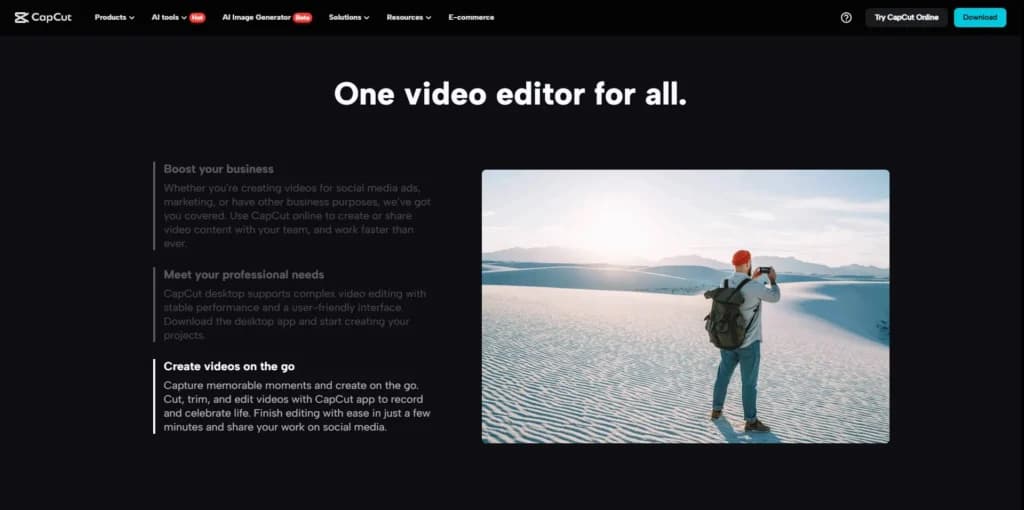
CapCut Commerce Pro is an AI-powered video editing tool designed specifically for e-commerce businesses. Whether you're selling on TikTok Shop, Shopify, or Amazon, this platform helps you create professional, high-converting videos with ease.
CapCut Commerce Pro follows a freemium model, allowing you to create the first 200 seconds of video for free. After reaching this limit, a paid subscription is required to continue using the service.
Expert Score
Pros
- Powerful free plan
- Affordable Pro plan
- Very easy to use
- Integrated music library
Cons
- Lack of customer support
- Limited frame rate
Customer Support
If you read any CapCut reviews out there, you’ll notice they all have one thing in common about the customer support options, or better yet, the lack of them. When it comes to resources and information about the AI video editor on the CapCut website, there’s an abundance of information from guides to tips and tricks, but the platform doesn’t have a human support system. Users can contact customer support via messages and email and through the CapCut community via their Facebook group. Other support options aren’t available, so finding the right information might take some time. When users get used to navigating through the CapCut website, finding information becomes much easier. The blog section under the resources tab includes unbelievably useful information, not just regarding the CapCut app, but regarding everything it’s used for. Users can get the latest information about social media, content creation, and improving their social media presence by utilizing trendy effects, transitions, and music. Aside from editing tips and tricks, users will find information about running a content creation business, as well as creating trending videos and shorts.
Email support at capcut.support@bytedance.com.
FAQ
There are FAQs scattered all across the CapCut website.
Blog
There are hundreds of useful articles under the “Resources" tab.
Ease of Use
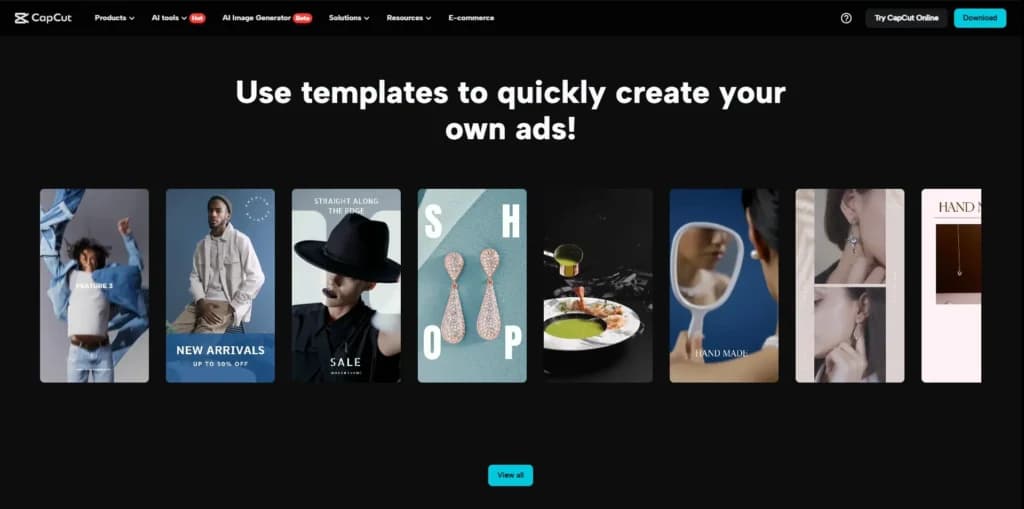
Considering CapCut’s capabilities, it’s unbelievably simple to use. Most video editing features are based on a drag-and-drop system, while other features powered by AI include clear instructions for the best results. Downloading and setting up CapCut on your desktop or mobile phone is as easy as it gets and doesn’t require any prior experience. Setting up an account can be done in a matter of minutes as you can connect your Google, Facebook, or TikTok account and save your progress on CapCut’s cloud. There is a learning curve in the sense that it’ll take you some time to explore and try out all of CapCut’s features and functionalities. Other than that, it’s one of the easiest AI video editing tools you’ll come across.
Performance
Being that CapCut is a video editor that’s less than 5 years old, its performance is surprisingly good. Users can choose the web editor, or use the app on their desktop or handheld devices such as tablets and mobile phones.
No matter which option you choose, you’ll be surprised at how quickly the platform applies effects, transitions, and other features to your video footage. The AI tools also work incredibly fast, making CapCut a real asset to any user.
How fast your footage will be uploaded and processed depends on your internet connection speed and stability. The CapCut tool requires certain hardware components to work properly, and how fast you’ll get your video rendered depends on the hardware used for editing.
Features & Functionality
CapCut’s power lies within the features it provides to its users, and it’s safe to say that it’s the most complete AI video editing tool on the market. This tool offers a wide variety of features and functionalities that allow both experienced and not so experienced users to create stunning content easily.
The thing about CapCut is that the free version includes the vast majority of features, while the Pro version adds only a number of premium features and functionalities that can further improve the overall outcome of the video.
Here are some of the features available:
- Drag-and-Drop Video Editor
- Advanced Editing Features
- Text-To-Speech
- Effects and Filters
- Long Video to Shorts
- Auto Caption Generator
- Ready-made TikTok Video Templates
- Direct Upload to TikTok without Watermarks
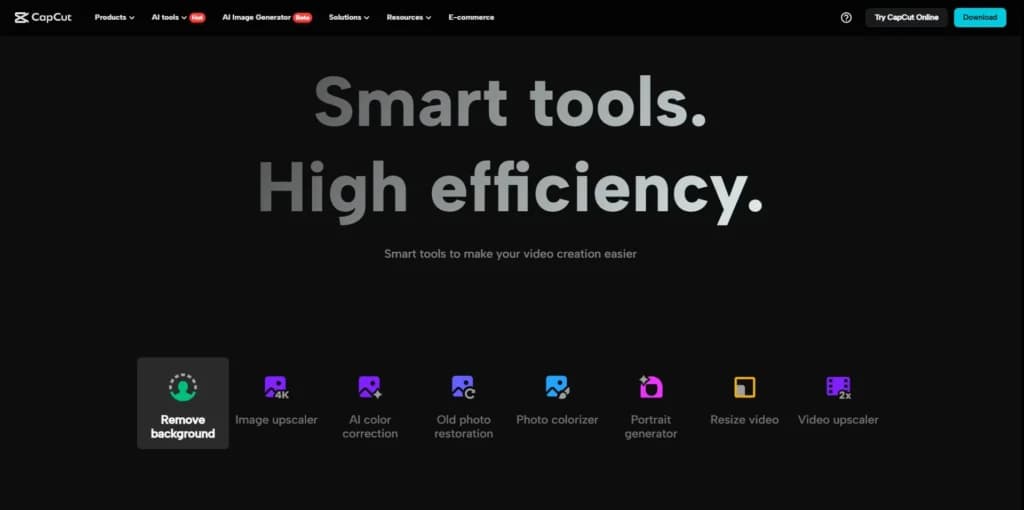
- AI Background Remover
- AI Color Correction
- Background Noise Remover
- Multi-Track Panel for Mixing Clips
- Team Collaboration Service
- Support for Multi-Language Subtitles
- Royalty-Free Music and Sound Effects
- Animated Text with 3D Effects
- Resolution Conversion up to 4K with 60 FPS
- Available on Any Platform
Let’s look at some of these features in more detail.
Drag-and-Drop Video Editor
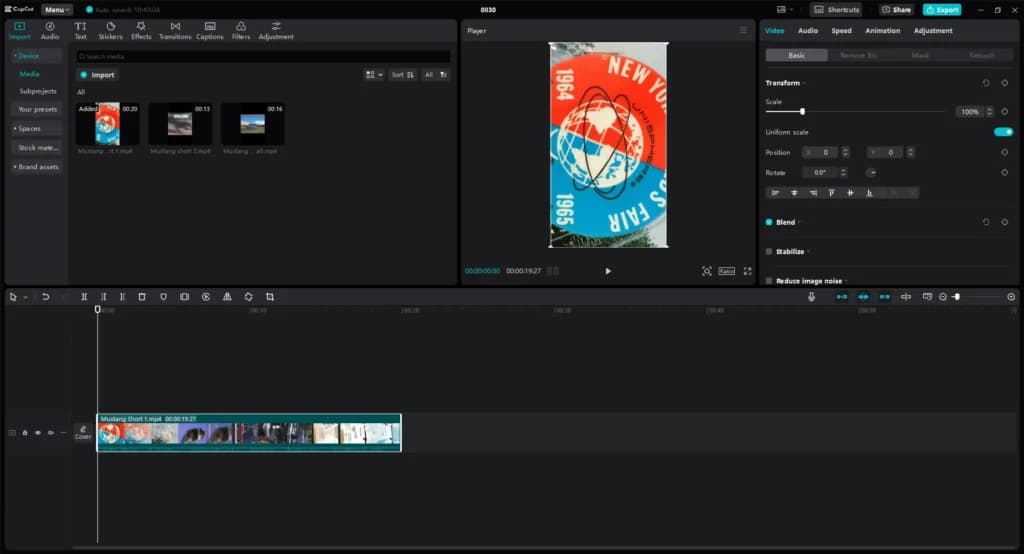
One of the main features of this amazing tool is its drag-and-drop video editor. With user experience in mind, CapCut has made it incredibly simple to add media to the timeline, trim, cut, join, control speed, and even edit the audio without complicating things.
The drag-and-drop video editor offers the basic video editing functions that are essential for beginners and users with basic requirements.
Advanced Editing Features
Unlike most free video editor tools on the web, CapCut includes a couple of advanced editing features that significantly improve the editing process and results. These features include a chroma key, keyframes, green screen, multi-layer editing, and more.
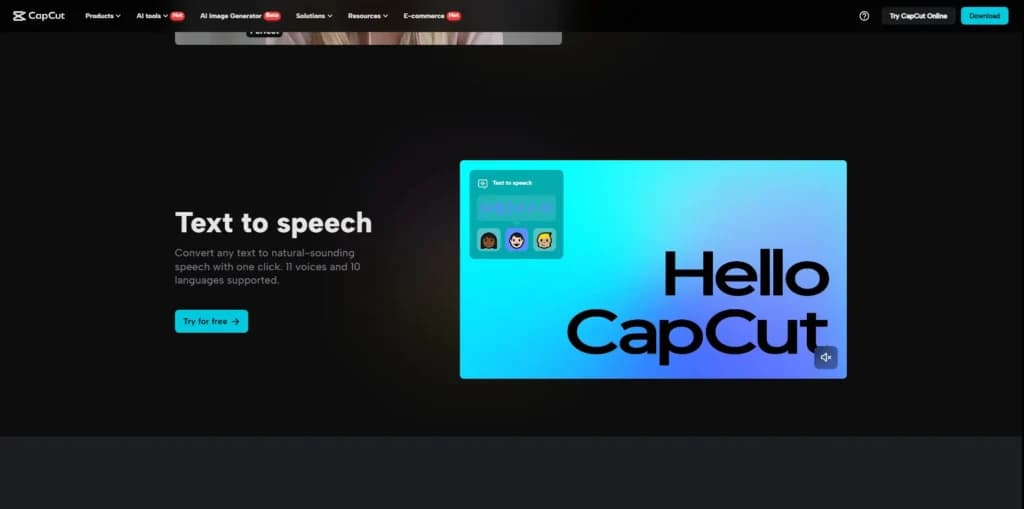
Text-To-Speech
When it comes to features powered by AI, text-to-speech is one of the most used ones. It allows users to add commentary or a voiceover without using expensive equipment. The feature works by simply typing in the desired text, and the tool automatically generates a voiceover based on it.
Effects and Filters
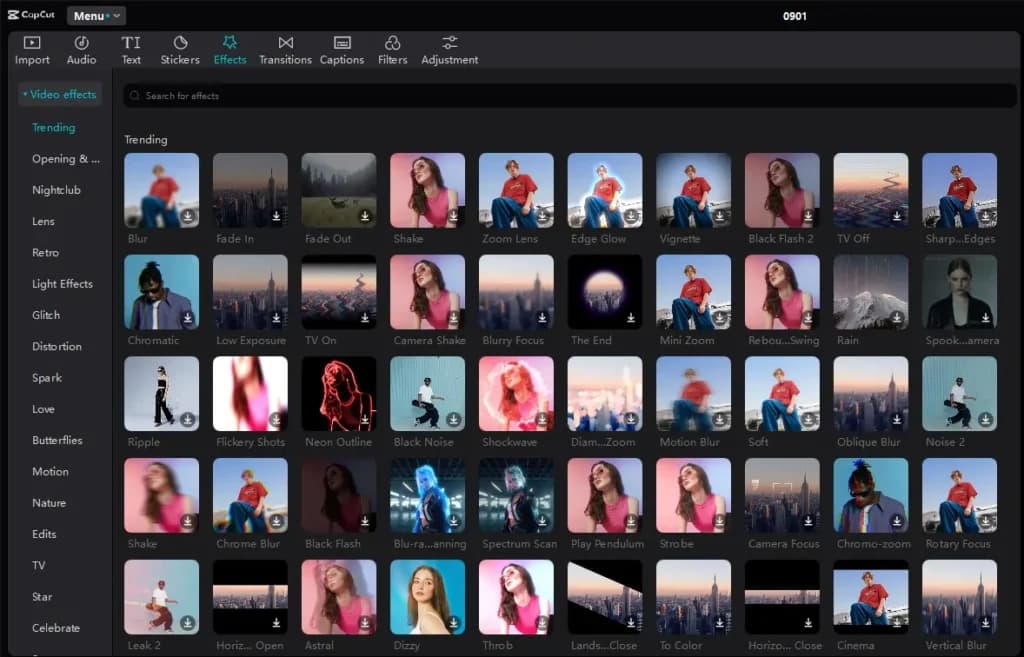
One of CapCut’s most valuable features is its wide variety of effects and filters. These allow users to easily and quickly improve the visual appeal of any video using the simple drag-and-drop system. This also applies to transitions, as they’re a big part of any video editor.
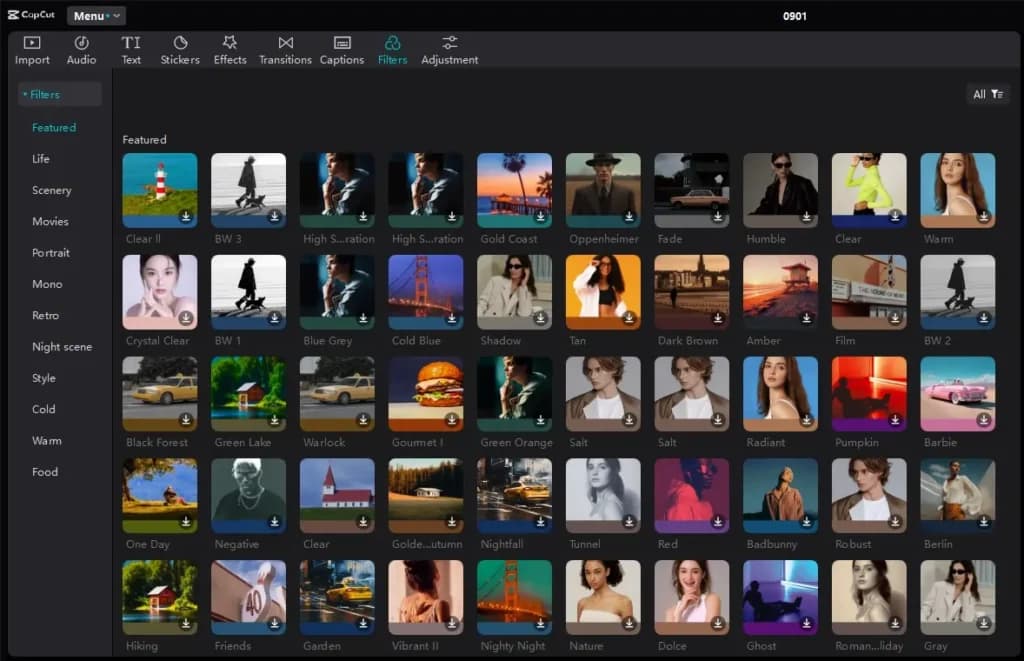
The best part of the CapCut tool is the fact that there’s a wide selection of premade effects and filters to choose from. Each filter and effect is available across all platforms, no matter if you’re using the web editor, the desktop, or the mobile app.
Long Video to Shorts
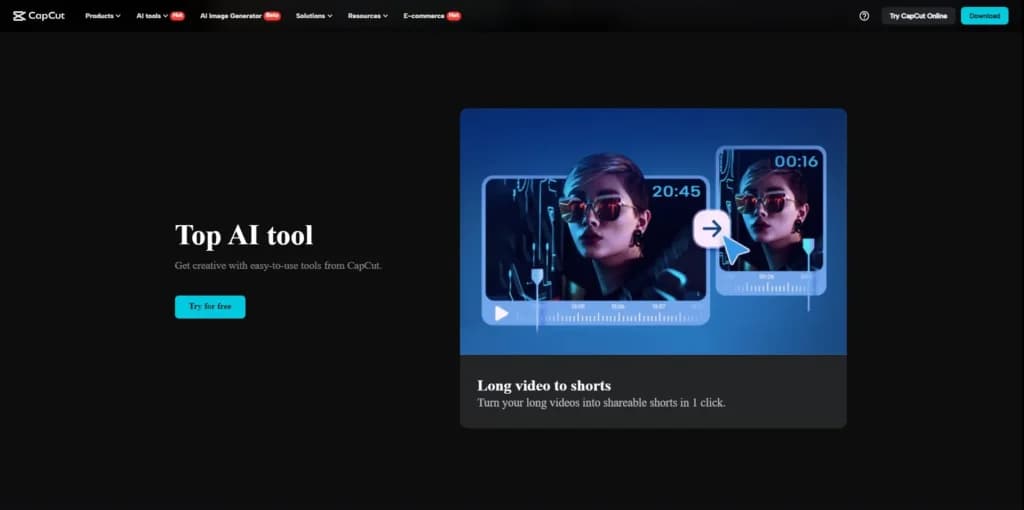
This feature is an amazing way to use and reuse existing content to create short-form videos that can attract new viewers and followers. This is an exceptional tool for podcasts as one hour-long video might contain dozens of clips that can be used for social media. The CapCut tool automatically scans long videos for possible shorts and gives suggestions to users, but users can manually select specific parts of a video that they want to convert into shorts.
Auto Caption Generator
Another extremely useful feature is the auto caption generator. This feature automatically generates captions, as the name suggests, which significantly speeds up the process of creating full-length videos with clear captions shown at the right time.
TikTok Video Templates and Capabilities
One of the biggest features, most valuable for social media users, is CapCut’s connectivity to TikTok. CapCut was created by TikTok’s parent company for the purpose of making video editing easier for their users. Now we can enjoy creating professional-looking short-form videos for TikTok incredibly easily, without thinking about trendy filters, effects, or templates. CapCut serves everything on a silver platter, and connects perfectly to TikTok, even allowing watermark-free uploads directly from the app.
Available on Any Platform
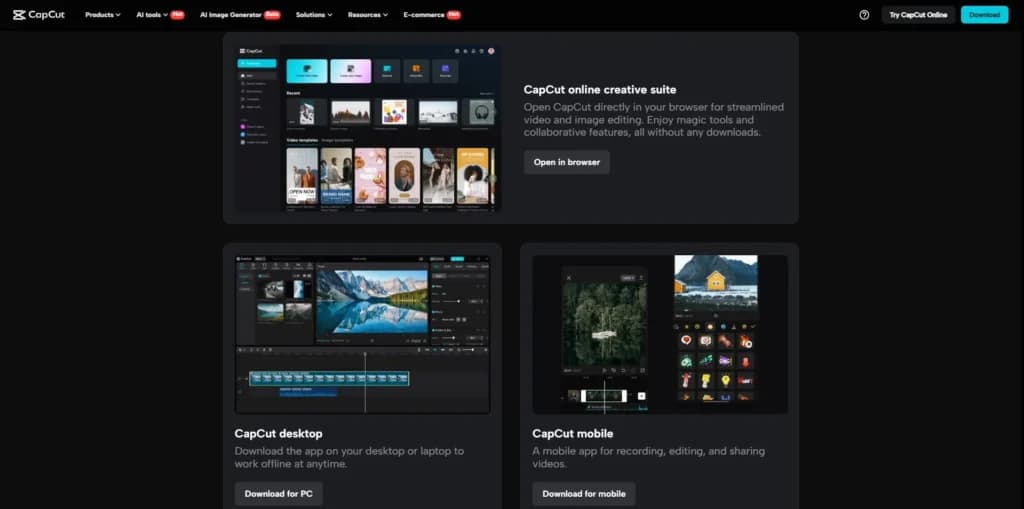
One of the biggest strengths of this AI video editing tool is that it’s available on any device. Not only can users create amazing videos on any device, but they can work on the same project no matter which device they used initially. This allows users to make quick edits no matter where they are and fix small details using a larger screen.
Work with a wide range of file types for maximum compatibility.
Choose from various plans to suit your creative needs.
Accessible on multiple platforms for versatile use.
Edit with precision using powerful professional-grade tools.
Easily share projects and export them in desired formats.
Support for diverse export options to meet specific requirements.
Features
- Image Editing Capabilities
- Video Editing Capabilities
- JPG
- MP4
- PNG
- Free Trial
- Monthly subscription
- Annual subscription
- iOS
- Android
CapCut Alternatives
Starting from: $0/month
Free
- Powerful free plan
- Affordable Pro plan
- Very easy to use
- Integrated music library
- Lack of customer support
- Limited frame rate

Starting from: $19.99/month
Students and Teachers
14-day money-back guarantee
- Advanced editing features such as color correction, multi-cam editing, and VR support
- A vast library of video and audio effects
- Auto-Reframe tool automatically adjusts aspect ratios for different platforms
- Incredible customer support
- Mastering all the advanced features can take time
- Expensive if paid monthly
- Requires powerful hardware to run smoothly

Starting from: $10/month
Monthly
7-day FREE trial
- Projects are immediately stored, even while editing
- Ability to see and use other creator's templates
- Uses the latest AI tools in the industry
- User-friendly timeline
- Not supported on Windows or Mac
- Prices are on the high-end
- Watermark on the final outcome of the free version
Verdict
CapCut is by far one of the best AI video editors, suitable for experienced users and newbies alike. Aside from having countless features and functionalities, CapCut’s biggest advantage is the fact that it can be used for free, whether you prefer online editing, a desktop, or a mobile app.
Getting everything set up is really simple and doesn’t require any prior experience. CapCut is built with user experience in mind, so finding features and functionalities is easy, no matter which platform you prefer. Creating an account is done within minutes, and upgrading to the Pro plan doesn’t take more than a couple of minutes as well.
Another great thing about this AI video editing tool is that it doesn’t require high-end hardware to create stunning visual content. Of course, powerful hardware components will help reduce the time it takes to render complex video content, but considering its power, it isn’t a very demanding app. Editing is only the production end of the funnel, and the wider set of best marketing tools for small business handles distribution and measurement.
Users Reviews
Be the first to write a review
Share your experience with CapCut and help others choose the right software.