

Squarespace Review 2026: Website Builders, eCommerce, Hosting, scheduling
Overall Rating
3.8
Last updated: October 2026
The Squarespace drag-and-drop editor allows users to create stunning websites. Be it a simple portfolio or an online store, the website builder has over 100 modern templates and integrates with 5,000+ apps. Squarespace lets users can begin their website building with customizable web page sections.
Plans & Pricing
- When billed annually
- Mobile optimized websites
- Templates to fit every need
- Free custom domain
- When billed annually
- Everything in Personal plan
- Advanced website analytics
- Fully integrated ecommerce 3% transaction fee
- Checkout on your domain
- When billed annually
- Everything in Business plan
- Fully integrated ecommerce 0% transaction fee
- Powerful merchandising
- When billed annually
- Everything in Basic Commerce plan
- Advanced Shipping
- Advanced discounting
- Sell subscriptions
* Featured prices can be updated and free offers may include additional terms.
Squarespace pricing plans offer 4 tiers and each plan has different costs depending on whether you’re buying a year’s contract at once or paying on a monthly basis.
- Basic: $16 / month (annual), $25 / month (monthly)
- Core: $23 / month (annual), $36 / month (monthly)
- Plus: S39 / month (annual), 556 / month (monthly)
- Advanced: $99 / month (annual). $139 / month (monthly)
The major feature differences between the plans are eCommerce capabilities, customization, and advanced website analytics. The most basic plan which is the Personal plan offers an impressive lineup of features and functionalities.
They include SEO optimization, a portfolio of third-party extensions, unlimited access to templates, unlimited bandwidth, and so on. The higher plans add eCommerce to those features in different ways.
Users can only get refunds if they cancel an annual subscription within 14 days of payment. However, Squarespace will not offer a refund for monthly subscriptions.
Expert Score
Pros
- You can create up to 1,000 pages
- In-built SEO tools
- Free SSL certificates
- Rich library of user learning materials
Cons
- You can not publish your professional website on the free trial mode
- No free plan, only free trail period
- Has a bit of a learning curve
Customer Support
Squarespace has a rich library of resources to help new customers acclimatize and solve technical issues. I liked that there was so much information available because Squarespace does have a learning curve. However, there is a lot to wade through to get the information you need and sadly Squarespace does not offer much in the way of real-time support. Users can, and often, turn to the members of the Squarespace forum for answers. Below, I share my experiences trying out the customer support options Squarespace provides. Squarespace does a good job of providing learning resources, but it lacks actual customer care. The platform does not offer phone support or a live chat option, which made it difficult for me to make straightforward and quick inquiries.
Blog
I found Squarespace's blog inspiring to explore. The blog is populated with easy-to-follow guides, interview pieces with excelling business people, and business growth tips. Contributors to the blog are reputable experts in the subjects they write about. I can't say for sure how many articles are put up on the blog monthly but I did observe that over a dozen articles went up in the last month. With such volumes, I expected to be able to search through the blog posts with a search function but the Squarespace Blog didn’t have a search bar. However, the blog is organized by category, which may be helpful.
Forum
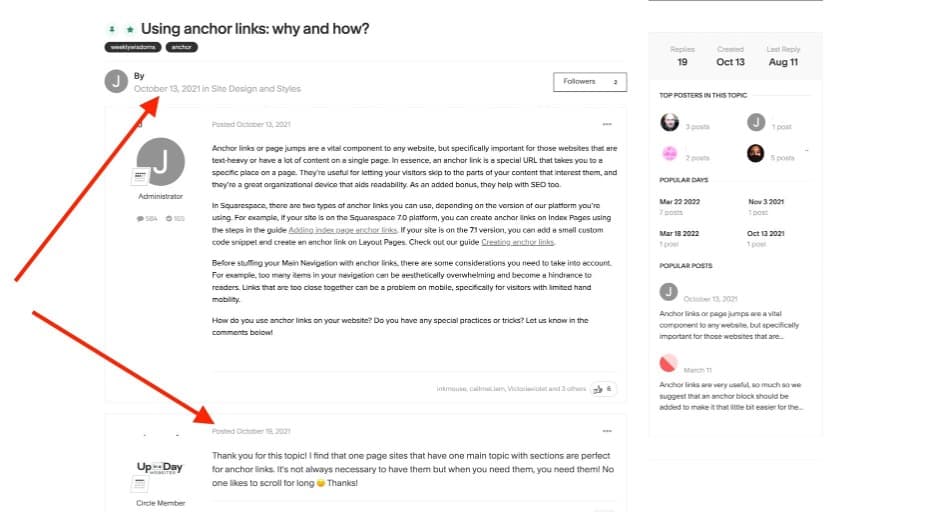
Squarespace has a community where users can ask questions and get help from their peers. To interact with other users on this forum, you need to create a forum account. This “forum account” is quite different from your Squarespace account. Must be for security reasons, I’m sure. I love that the forum has a search button so you can easily cut through tons of threads for the information you need. I did notice that questions posted on the forum take a while to get answers, some questions have remained unattended for months. Recently, Squarespace introduced an achievements program to recognize active contributors to the forum. So, this might get the community thriving in the coming months.
On-demand webinars
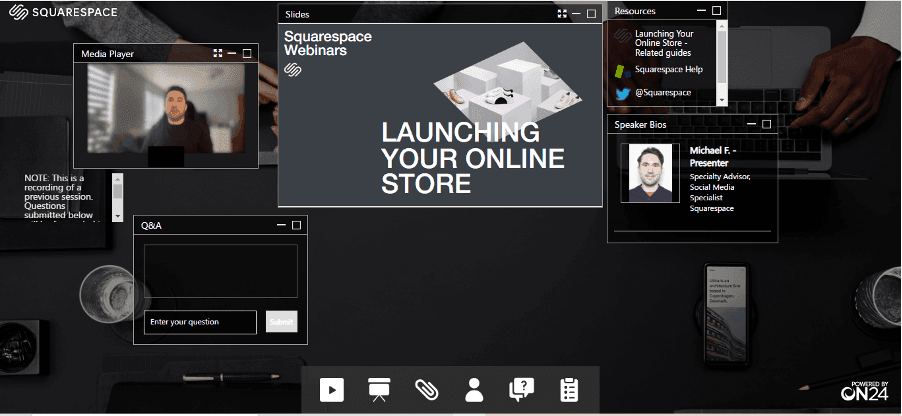
Another Squarespace resource is its on-demand (pre-recorded) webinars. These webinars are about one hour long on average and talk about topics like getting started with Squarespace, taxes, and enterprise scaling among others. I liked the question box on the webinar screen which allows you to ask questions while watching the webinar and get answers sent to your email later. I was pretty uncomfortable about the fact that there are just about 7 pre-recorded webinars available and you have to go through a registration process to access each one. But we have YouTube, don’t we?
Video tutorials
On the Squarespace help center page, there is a ‘learn with video’ section. This section is a collection of tutorial videos that you'll find embedded in each guide. This video learning section collects all the videos and offers you quick easy access to them. I think people who prefer to learn by watching rather than reading will appreciate the effort Squarespace put into its video library.
Guides
Written guides and how-to articles are the main content under the Squarespace help center. They are organized by product types or topics. I found it easy to navigate through with the search bar at the top of the page. I found these guides to be very detailed and simple to follow. In each guide, a video is embedded so you can watch the video for more clarity.
Twitter helpline
It is not unconventional for brands to reach customers and solve complaints via social media. It is one of the easiest and more preferred ways for customers like myself to get quick replies. Squarespace has a dedicated Twitter page for attending to customer inquiries and complaints. I reached out to Squarespace Help on Twitter and I got a response within two minutes. In my opinion, the Twitter helpline makes up for the absence of a live chat platform on their website.
The only way to send an email to Squarespace is through the contact form. The process, in my experience, was stressful and after successfully opening a ticket via email, I got a response from Squarespace. The response came in about 23 minutes after submitting the ticket and the response was quite comprehensive. So I would say they perform nicely on email support.
Blog
A rich library of guides and tips
Video Tutorials
Video tutorials are available on Squarespace Help Center
Ease of Use
Building with Squarespace is a solopreneur’s delight. The experience was seamless, although you might hit a few bumps along the way. Here’s what it looks like working your way through the platform.
Setup:
Registering for a Squarespace website account was very easy, it took only a few minutes. Before signing up I was able to check out different templates and had a good idea of what Squarespace could offer when it came to website aesthetics. The onboarding process involved answering a few questions about the purpose of my new website and I was presented with templates to choose from.
Squarespace Setup:
The questions also determined what plan I would get to use for the free trial period. Noteworthy to observe that I did not need to register with my card to set up the account. Zero risk with 14 days to experience the Squarespace awesome (or its lack).
Designing:
Squarespace has 100+ templates you can choose from to begin designing your website. Designers with years of experience using Squarespace may choose to begin with a blank page but if you are no expert, a template is the best place to start. Making your Squarespace template your own is not quite as intuitive as it should be, expect a learning curve even if you have used other website builders.
Text styling:
Text styling on Squarespace is perhaps the easiest thing to play around with. To get to the style editor you click on ‘design’, then site styles on the left edit panel or the brush icon at the top right of your screen. The text editing panel is similar to what you have on Google Docs.
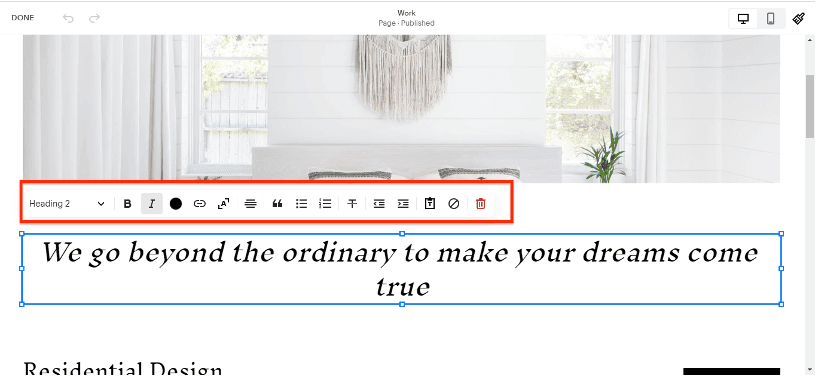
You can change the text appearance by clicking one of the icons on the edit ribbon before typing, or highlighting the text and clicking your icon of choice. Squarespace has dozens of predefined fonts. You can also import any one of the 915 Google fonts.
Form customizing:
There are two ways to create a customized form on Squarespace websites. The first is to add a new blank page and click on 'add section'. That action reveals a drop-down from which you click on forms and you’ll be presented with form page templates. I found this useful for my contact us page. The second way to create forms is to edit an already existing page, click on add block and select “Form.” A basic form template will appear which you can edit to your liking. You can edit the text content, add or remove form fields, enlarge the form block, realign the submit button, and rename the form.
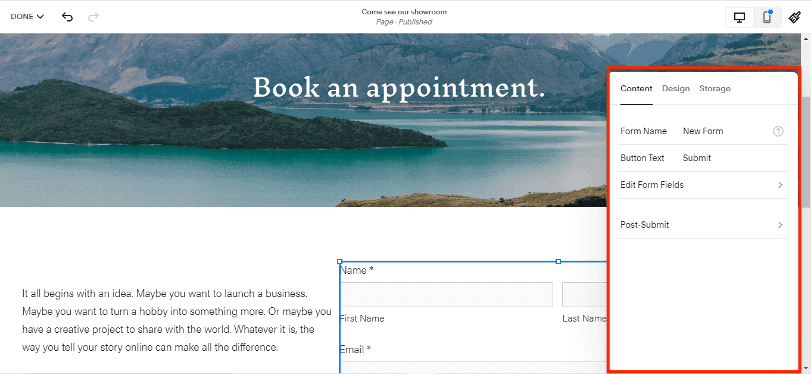
Further customization includes post-submit actions like a “thank you” message or redirecting users to another page. You can also connect extensions like Zapier, Google Drive, or Mail Chimp to store form data if you don't want to simply send form data to your email.
Button designing:
To design buttons on Squarespace, you will click on the brush icon that takes you to the site styles menu. There you'll find the button editor. The editor does not provide much flexibility. You can change a button’s shape or size, fill or un-fill the button field, and edit the text font or spacing. However, you can’t change button colors in isolation, the color is determined by the site-wide theme colors you are working with. Also, the font of the button text can only be switched between the default font of the template and the font you had previously selected to use as the site-wide font. This is necessary to maintain brand uniformity.
App integration:
Every great website builder can extend its functions through third-party apps. Squarespace has a handful of ‘official’ extensions that you can access through your website settings or by clicking the add block edit function. The extensions available through the settings route are more advanced than those you'll find in the 'add block' dropdown. For example, you can integrate your Instagram by adding a new block but you'll need to integrate with solid third-party apps via settings. Adding an app integration from settings takes only a minute. Once you find the needed app on the app market, you just need to click on the ‘connect to site’ button and it's done. To go beyond the official apps allowed on Squarespace, you can connect to Zapeir with API keys and connect indirectly to over 5,000 apps around the world.
Performance
Squarespace performs great in the most technical areas website owners would be concerned about. The following are notable areas of performance.
Site & Page Speed
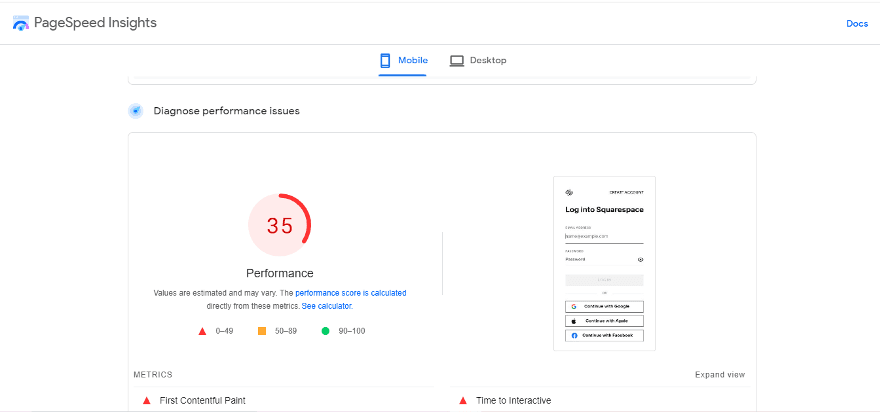
One of the major concerns for website owners is the website loading or response speed. Poor site speed makes for a frustrating user experience and can discourage visitors from further interactions. Here's what my site performance looked like shortly after creating it.
I would say it performed better than expected because I had just published the website minutes before checking. I got some pointers on what to do to improve my site performance and I'm optimistic that the next time I check my site performance it will do better than average.
Uptime
The uptime of Squarespace is about 99.97%. Now that signals reliability and bodes well for users because their website has not been inaccessible even for a minute in the past three months. So far Squarespace has had about 27 minutes of downtime in the last couple of years. Personally, I think that downtime is meager and a majority of website owners may not notice it. Ever!
Features & Functionality
Website Builders
Squarespace has quite a lot of features which makes it one of the best website builders. These features help users to keep marketing, web design, and management in one place. Most of Squarespace's features can be enjoyed without third-party apps and are thus easily accessible to all users. Here’s a highlight of some standout features.
Search Engine Optimization (SEO)
On most website builders, standard SEO requires integrated third-party apps. That usually incurs extra costs but the SEO extension available on Squarespace is free to use. It also offers Smart SEO for eCommerce SEO needs.
Beyond integrated extensions, Squarespace has some built-in SEO features to help users improve site visibility.
During page setups, the SEO Checklist contains a list of actions to help optimize your website for search engines. Squarespace websites are directly integrated with the Google Search Console and verified websites can view keywords that their target audiences are searching.
Other SEO-related features include built-in site maps and automatic markups.
Mobile responsiveness
Squarespace has impressive mobile responsiveness. If you’re using the desktop version of the website editor, you can easily toggle between mobile, tablet, and desktop views. You don't have to design a mobile screen or tablet screen differently. As you design on one interface, the website is optimized to be responsive on other interfaces.
The platform can be fully accessed on the go using a smartphone. Users can either download the Squarespace mobile app or click on the website editor access URL that is requested via the email address registered with Squarespace. The app and link access are available to both Android and iOS users.
Interestingly, you can edit your website, fully, on your phone. You can also check your website analytics, add gallery images, write blog posts and manage inventory, all from your phone.

Analytics
Squarespace website builder offers extensive analytics that helps monitor business and website growth. In the Squarespace analytics suite, you'll find tools for tracking sales, customer profiles and website traffic. Some tools offer in-depth analysis of data points like individual product performance, customer location, customer journey, and sources of website traffic. Users can check their website analytics on their phones as well.
Pre-formatted website layouts
When you click on the get started button to begin your website design process with Squarespace, you'll have to answer some questions. The question includes what your website name will be as well as what you want to achieve with the website. The software uses these questions to pick out the most appropriate templates and themes for the purpose you had previously selected. It also preselects pages based on the same criteria.
Pages limit
Any Squarespace website is capable of having up to 1,000 pages regardless of the plan subscribed for. The limits are in the amount of content you can put on specific pages, for example, an events page can only hold 350 events per month. Blog pages have no content limits while some pages with no official limits have recommended content for optimum performance.
These generous page limits mean Squarespace can support very large websites. For the sake of site speed and optimal performance, the platform recommends that your website should have no more than 400 pages.
Enhance visibility with integrated marketing tools.
Reliable hosting solutions to support your site.
Incorporate videos, images, and more for dynamic websites.
Squarespace is a great solution for those in eCommerce. They provide simple ways to sell not just products, but even services, digital content, and subscription services from your website. With a Basic or Advanced Commerce Plan, you don’t even need to pay for transaction fees.
eCommerce
Squarespace has a wide and well-developed website-building feature set. All the CMS tools it brings to the table are fully formed and usually glitch-free. There’s a developer platform, a built-in blog, scheduling, content imports, effective site search, and so much more.
Squarespace is a robust platform for both physical and digital sales, catering to a variety of business needs with extensive customization and powerful integrated tools.
Top Product and Service Features of Squarespace e-commerce:
- Product listing and inventory management
- Integrated payment solutions
- Customizable online storefronts
- Inventory and order management
- Shipping and tax tools
- Marketing and SEO tools
- Mobile optimization
- Third-party extensions
- Social media integration
- Appointment booking and service sales
- Subscription and digital content sales
- Email marketing campaigns
- Mobile app
- Real-time shipping
- Payment options
- Security
Let’s explore these features in more depth:
Product listing and inventory management
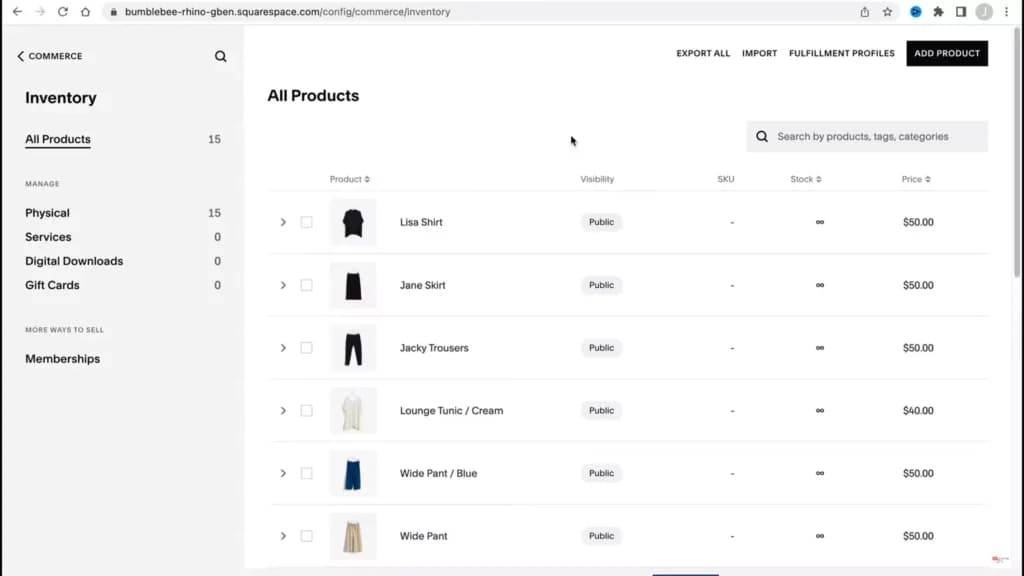
There’s no limit to the number of products you can upload to your online store, and you’re able to put them in categories and subcategories so they can be easily located.
Customers can get a quick view of the products without having to click through to their individual page, and there’s a zoom function so you can upload high-resolution images.
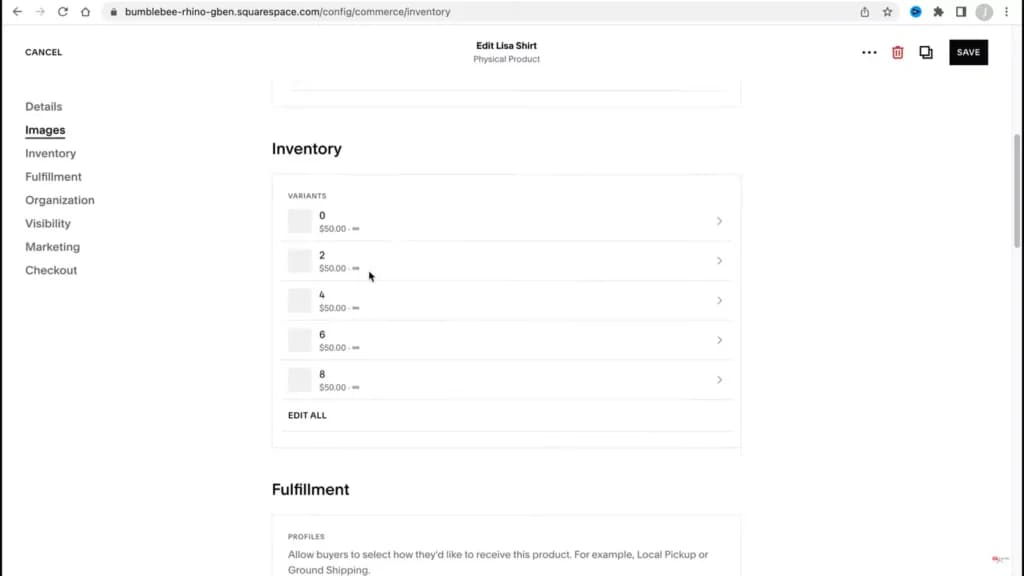
You can add multiple product variations, set up low stock-level notifications, and even showcase related products. The inventory management features are robust, but the interface has remained simple to work with.
Integrated Payment Solutions
Squarespace CMS supports seamless transactions through integration with popular payment processors like Stripe and PayPal, providing simple and secure checkout experiences.
Customizable Online Storefronts
With Squarespace's Fluid Engine, users can easily design their online stores using a drag-and-drop interface. The platform offers extensive customization options to enhance the shopping experience.
Inventory and Order Management
The Squarespace website builder offers robust inventory and order management tools, which allow businesses to efficiently manage stock levels and track orders in real-time.
These tools ensure that you can smoothly process and fulfill orders, keeping pace with customer demands.
This seamless integration helps maintain accurate inventory counts. It also allows businesses to update product details quickly, reducing the risk of overselling and ensuring customer satisfaction with reliable order updates and management.
Shipping and Tax Tools
Flexible shipping options, including flat-rate, weight-based, and real-time rates, are available alongside straightforward tax tools to ensure compliance and streamline the checkout process.
Marketing and SEO Tools
Built-in SEO capabilities help improve search rankings, while marketing tools such as email campaigns and social media integrations drive traffic and effectively engage customers.
Mobile Optimization
Squarespace ensures that all online stores are optimized for mobile devices, providing a seamless shopping experience across all platforms.
Third-Party Extensions
The website builder offers a wide range of third-party extensions available, enhancing functionality in areas like shipping, SEO, and customer notifications, allowing for a tailored e-commerce solution.
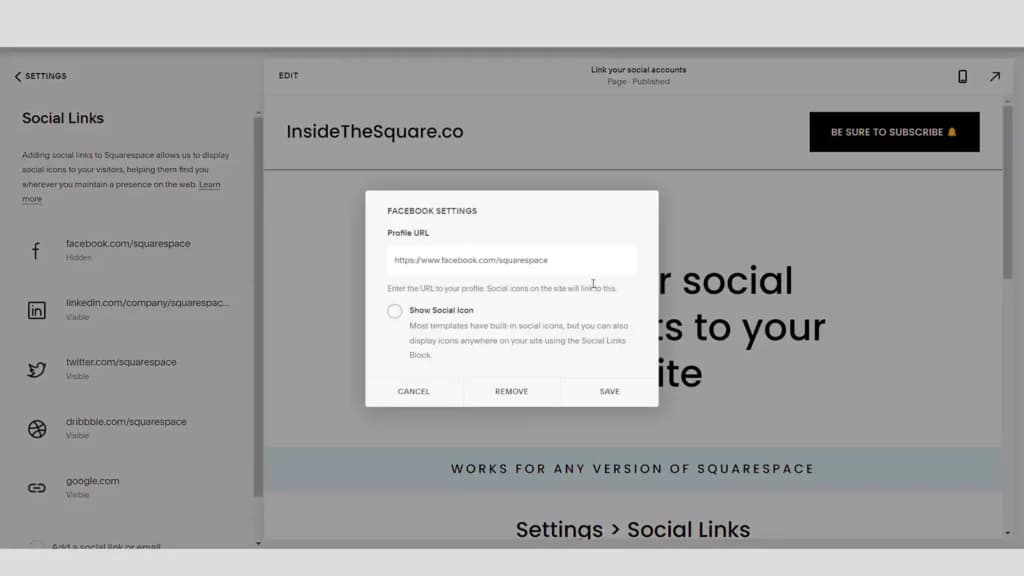
Social Media Integration
Easily link your online store with major social media platforms to enhance your marketing efforts and reach a broader audience.
Appointment Booking and Service Sales
For service-based businesses, Squarespace website builder includes tools for scheduling appointments and booking services directly through the online store.
Subscription and Digital Content Sales
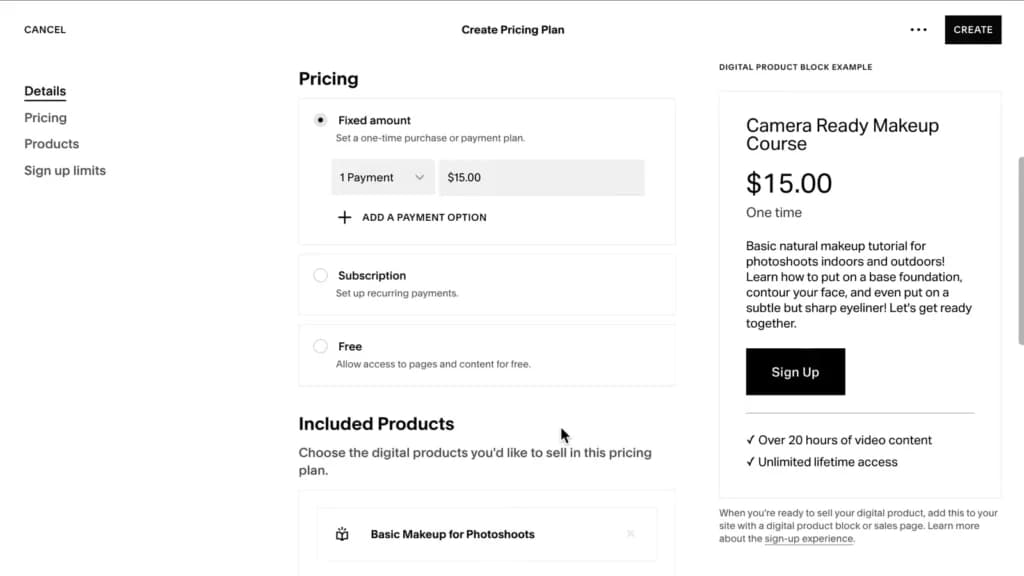
Squarespace supports the sale of subscriptions and digital content, providing an avenue for businesses to build recurring revenue and sell products like eBooks and music directly from their sites.
Email marketing campaigns
The Squarespace eCommerce website builder comes with a solid email marketing tool that makes it simple to boost sales. You’re able to import website content, create custom layouts, insert buttons and links, share your social media accounts, see analytics related to your campaigns, segment mailing lists, and more.
Mobile app
The Commerce mobile app for iOS and Android allows you to keep track of your store on the go. You’re able to access your orders, customers, and inventory as well as fulfill orders and issue refunds. If you have the iOS application then you can even add new products.
Sell digital content
You’re able to sell intangible products like information, audio, videos, etc. right from the website. Customers will get a custom link to download their products and it’ll expire within 24 hours. The maximum file size for digital downloads is limited to 300MB.
Real-time shipping
It has direct integrations with multiple shipping carriers like UPS, USPS, and FedEx. This allows you to show real-time costs at checkout so you’re not over or under-charging customers. You can also set up multiple types of fulfillment based on the needs of your business.
Payment options
The platform has a limited payments ecosystem that only includes a few payment processors. These are Stripe, Square, and PayPal. Through them, you’re able to collect credit cards, debit cards, Apple Pay, and PayPal payments. The good news is that you can select dozens of supported currencies.
Security
Squarespace is PCI DSS compliant and every domain that’s connected to a Squarespace website comes with an SSL certificate to protect visitor data. It’s also HIPAA compliant and will handle sensitive customer data the proper way.
Customer payment card data isn’t available to Squarespace. Instead, that information is routed directly to the payment processor you integrate with so even if something happens to your website, that information will remain safe.
There are over 100 templates you can choose from and they’re in different categories such as portfolio, eCommerce, photography, services, events, etc. The templates look professional and they’re always being updated to take advantage of the latest design trends. They’re just a starting point for you because you can further customize almost every aspect of their appearance to ensure you get the look and feel you’re after. If you’re conversant with HTML or CSS you can create unique effects or changes. The good news is that you can easily switch between templates if you decide you don’t like one.
Automate the integration and management of multimedia content to enhance customer engagement.
Squarespace comes with multiple robust marketing tools like the email marketing service which has already been mentioned. It also has social media integrations, a form builder, call-out banners, SEO tools, and additional third-party integrations.
Reliable hosting solutions to support your eCommerce needs.
Hosting
Squarespace is full of features that enhance the website building process. These include but aren’t limited to customizable templates, multiple content types, password lock on entire websites or specific pages, etc.
Domain management
There are more than 200 TLDs available to register through Squarespace and you automatically get free WHOIS privacy. If a domain is registered through a different platform, simply update the DNS to point at Squarespace. Every domain at Squarespace automatically has an SSL certificate associated with it.
Drag and drop site builder
The Squarespace drag-and-drop builder gives you a lot of control over the entire design process. You can choose from professional-looking templates and customize them to your heart’s content. You can change fonts, colors, and padding, forms, etc.
eCommerce functionality
Squarespace excels at providing eCommerce tools for its customers. These include basic and advanced features such as deep inventory management, selling products and services, selling subscriptions, product image zoom, flexible product variants, order management, and so much more.
Reliability
Squarespace has been providing its services for nearly two decades. During that time, it gained experience when it comes to keeping websites online. It has over 99.9% uptime over a rolling 90-day period. You can check this yourself using its status page. While it offers no guarantee, you can be confident that your site won’t have constant downtime.
Control Panel
Squarespace moves away from the traditional cPanel that so many web hosts use. Instead, it built its own control panel from the ground up. From the dashboard screen, you’re able to access your websites, account settings, additional subscriptions, sort out billing, and more. The dashboard is intuitive and even a beginner can understand how to use it with little or no guidance.
Premium features for secure and optimized hosting.
Integrated email solutions for seamless communication.
Promote your site effectively with integrated tools.
Features
- 100+ Templates
- Add HTML code
- Blog Templates
- Drag & Drop Editor
- Multi-lingual website
- Fully customized
- Mobile-friendly
- SEO Tools
- Social Media Integration
- Widgets + Apps
Verdict
No doubt, Squarespace is a top-tier website builder fit for modern entrepreneurs, small businesses, and even NGOs. Although it would take more than a few days of trial and error for beginners to learn to use this software, it does get easier and more intuitive with practice. However, the 14-day free trial allows you enough time to familiarize yourself with the software without making any financial commitments.
Regarding financial commitments, the price of Squarespace plans, considering industry standards, is really decent. With the dozens of plugins offered by Squarespace Extensions, you can operate a fully functional website like the big corporations for just a fraction of the cost.
Apart from its clean-looking modern templates, Squarespace stands out for its seamless sync across devices and effortless integration with market-leading apps. Also, device inclusivity is hard to find in the industry. You can design, set up, and manage your Squarespace website both on your mobile and desktop.
Users Reviews
Write a review
Leave a review, help others get it right the first time.
4 Reviews
Jillian D
Design, features, and support are top notch
I started working with Squarespace through a recommendation from the person who designed my website. I stuck with it because it is easy to use and over three years I’ve introduced it to many friends and clients.
- - There are tons of features
- - Support is friendly and seems to know what they’re doing
- - The designs are amazing and are constantly improving
Daniel P
My favorite platform for designing client sites
I’ve been using Squarespace for three years and have designed simple and complex websites. I love how it integrates so many different things like eCommerce, email marketing, scheduling, etc.
Arthur B
Great for small business websites
I use Squarespace to manage my portfolio and as a tool to collect payments from clients. I’m able to update my website with a few clicks and it’s more secure because it doesn’t allow third-party plugins. I moved from WordPress and haven’t looked back.
- - Great templates
- - Fast website development
- - Global edits to the main styles so it saves a lot of time
- Campaigns integration is currently limited. For example, you can’t add a contact to a mailing list if they submit a form.
Jessica K
Difficult to use and missing basic features
We switched over from WordPress to design two websites and it was a horrible experience. The support didn’t help much and we ended up calling in a developer to build out functionality that Sqyuarespace should have but didn’t.
- - Pixel perfect design customization is lacking
- - Zero media storage
- - Cannot duplicate the site or the pages themselves
- - There’s no support for plugins
- - No revision history or undo button