

Odoo Review 2026: CRM, Accounting Software, Bookkeeping, Online Invoicing, Accounts Payable, and more
Overall Rating
4.4
Last updated: September 2026
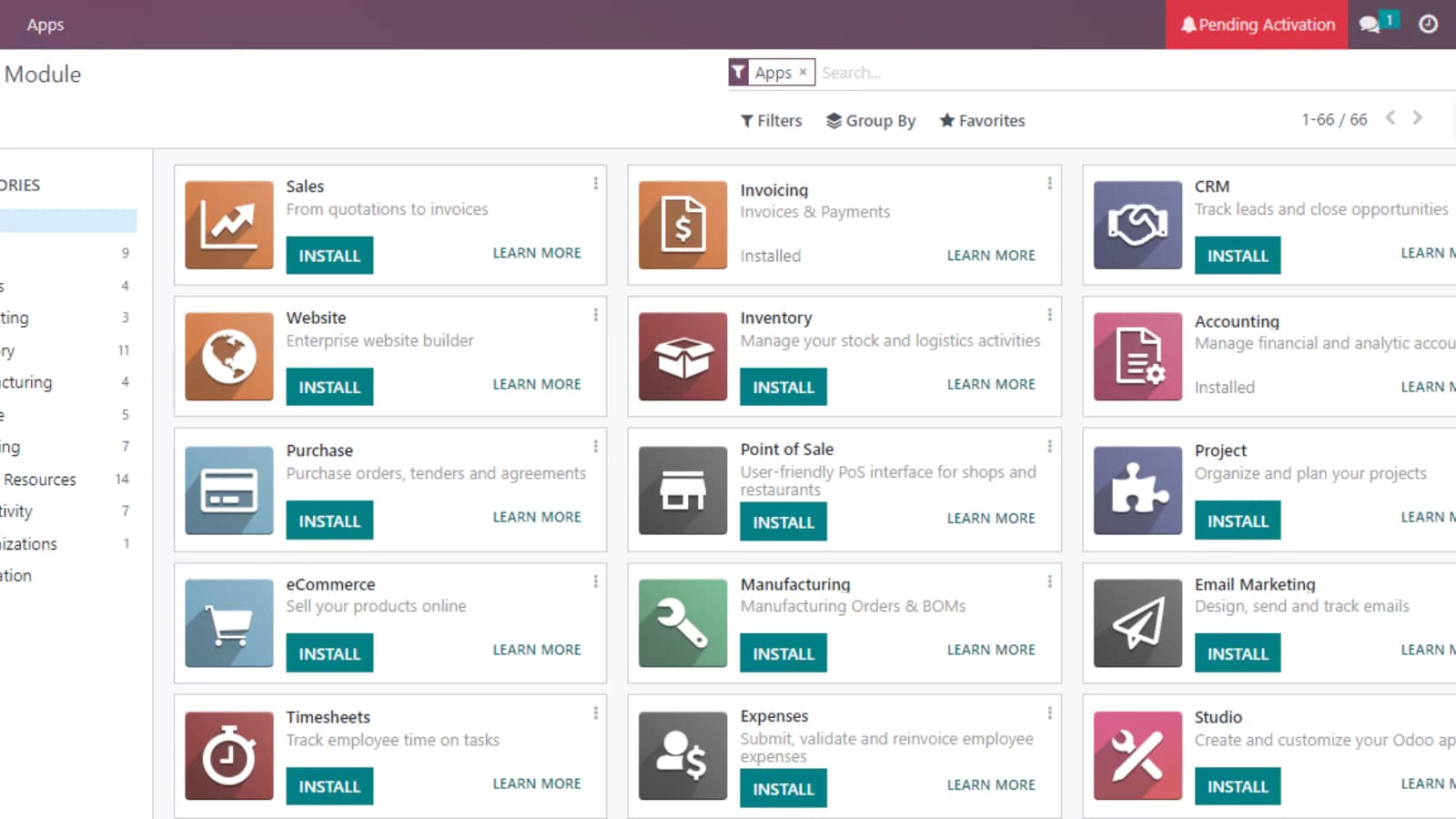
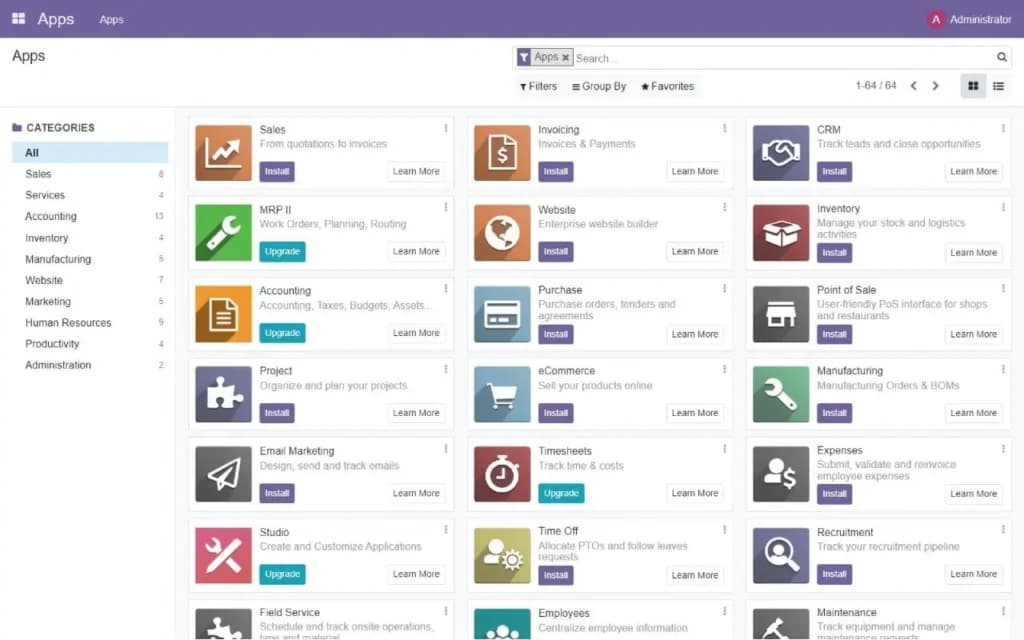
Odoo is the most versatile open-source business platform I've reviewed. For this analysis, I tested it across its CRM, accounting, invoicing, bookkeeping, and project management modules. Odoo's CRM anchors the platform, but the real differentiator is its modular design: you start with CRM and add any of 50+ integrated apps as your business grows. Is Odoo worth it? For businesses that need a customizable, cost-effective alternative to Salesforce or NetSuite, yes — the Community edition is free and open-source, and paid plans start at $24.90/user/month. If you want one platform that can scale from CRM to full ERP without vendor lock-in, Odoo is worth serious consideration.
Odoo CRM is a powerful tool that helps you track leads, gain precise forecasts and manage customers on a single platform. It provides insights that influence business decisions with custom dashboards that give a full picture of your business. This software makes data accessible to all.
Plans & Pricing
Free
$0
seat/
month
Free Forever
- Custom Dashboards
- Real-Time Reports
- Integrated with Odoo Apps
- Lead Scoring
- Import Leads
- Pipeline Management
- 360° Visibility
- Email Templates
- VoIP
- Leads Analysis
Standard
$13.5
seat/
month
15-Day Free Trial
- Everything in Free plan
- Access to website apps
- Full sales apps
- Access to finance apps
- Manufacturing and inventory applications
- Apps for human resources
- Marketing apps
- Services apps
- Productivity apps
- Customization tool
Custom
$20.4
seat/
month
15-Day Free Trial
- Everything in the Standard plan
- Odoo Studio
- Multi-Company
- Odoo online
- External API
* Featured prices can be updated and free offers may include additional terms.
The CRM app is free when it is used on its own. With the free plan, you can have unlimited users online. The function is limited to only certain tasks. You can get a feel of this app’s advanced features by taking advantage of the free trial for 15 days. During this period, you can access all the apps on Odoo.
All the plans on Odoo attract unlimited maintenance, hosting, and support. This transparent platform has no hidden fees; once you’re using the premium plan, you can access all the tools without purchasing in-app credits. This app is relatively affordable even when it charges per user. Odoo also provides discounts that are available for 12 months for initial users.
Odoo provides all plans with incremental daily backup, email integration, 24/7 monitoring, and email support 5 days a week. However, this platform only has two paid plans, although you can ask for an upgrade if you desire.
Is Odoo Worth It for Growing Businesses in 2026?
Yes, especially if you think you’ll need a modular CRM that can expand into a full ERP. The open-source Community edition makes it uniquely accessible at a low cost. Here's how each area performs in my testing:
- CRM & Sales Pipeline: Lead management, opportunity tracking, email marketing automation, and sales forecasting are all included. The Kanban pipeline view is clean for deal management. Less polished than HubSpot or Salesforce out of the box, but significantly more customizable — a technical team can shape it to any sales process.
- Accounting Software: Full double-entry accounting with bank synchronization, multi-currency support, tax compliance, and automated journal entries. Covers most accounting needs for SMBs reliably. The module integrates directly with CRM, so revenue flows into financials without manual data entry.
- Accounts Payable & Receivable: Vendor bill management, payment batches, and customer account statements are all handled within the Accounting module. AP automation reduces manual processing; AR aging reports keep outstanding invoices visible in real time.
- Bookkeeping: Automated bank reconciliation, journal entry creation, and financial reporting built in. For businesses that want accounting in the same system as their CRM and operations, Odoo's bookkeeping module eliminates the need for a separate tool.
- Online Invoicing: Professional invoice templates, recurring billing, an online payment portal (Stripe, PayPal, SEPA), and automated payment reminders. I found the invoicing experience solid for B2B billing — less consumer-focused than FreshBooks, but more deeply integrated with the rest of the platform.
Expert Score
Pros
- Access to numerous apps
- Free version and trial
- Customizable features
- Easy setup
Cons
- Limited third-party integrations
Customer Support
Navigating Odoo is quite tricky. With no live chat, you have to rely on the phone and email support features if you need prompt responses to your complaints. However, Odoo has a community and a platform that helps businesses gain tips and insights into providing an impressive customer experience for all. The resources on Odoo also come in different forms, including written content, videos, and ebooks tailored toward helping your business succeed and produce better results. Also, this company offers support options in three other languages besides English.
Email Support
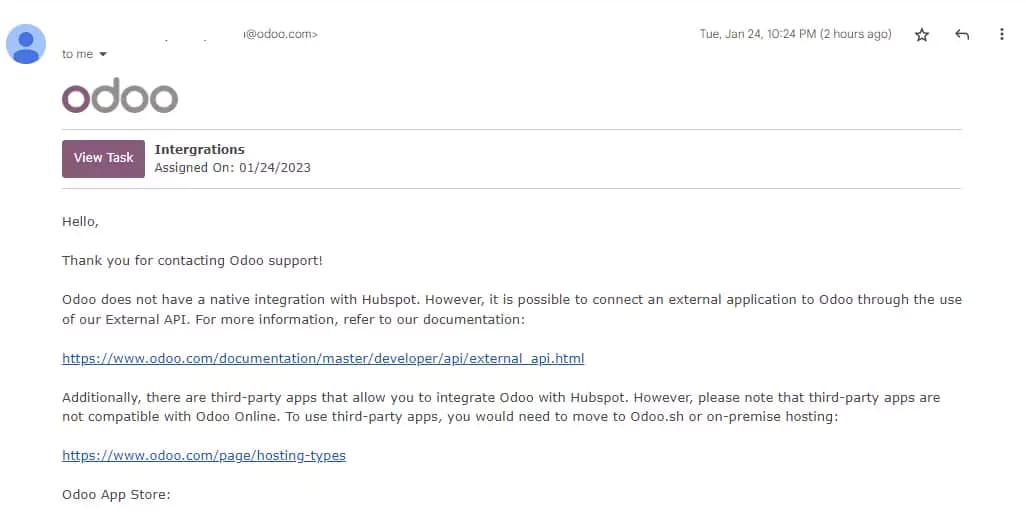
Opening a support ticket on Odoo is quite straightforward. You’ll find the support option after clicking the widget at the top right of your screen. You have to include your details, URL, ticket type and write a subject and detailed description to cover all your complaints. In about 24 hours, I got a detailed response from the team at Odoo with the solution to my challenge and the required resources to achieve it.
Phone Support
I got a phone call less than an hour after opening the ticket. The phone handler was friendly, honest, and straightforward. Although there wasn’t an easy solution to my problem, I still had other options that I could try out. After the call, I got a comprehensive transcript sent to my email detailing the next course of action. This company also has emergency lines you can contact to get a prompt response from Odoo. They have lines for America East, America West, Latin America, Europe, Asia, and Africa that you can call to reach out to the team members.
Odoo Blog
The Odoo blog is divided into different sections. You find news, partner stories, customer reviews, employee testimonials, and business hacks that’ll help you better understand the company and gain valuable insights that can impact your business. However, the section for business hacks has only a few posts despite being in use for decades. This section lacks updated information, making it tricky to adopt what you find there.
Odoo Learn
This company provides users with detailed tutorials covering CRM, website building, invoice and accounting, projects and timesheets, and even a smart e-commerce class of about 2 hours. Odoo covers its different apps in these tutorials, ranging from 15 minutes to about 5 hours.
Social Media
Odoo maintains a decent presence across different social media channels. With over 100 thousand subscribers on YouTube and a decent presence on Twitter, Facebook, and LinkedIn, Odoo seeks to interact with customers on the platform they hang out the most.
Phone Support
24/5 Phone support is accessible for all plans: +254 20 7640404
24/5 email support available: info@odoo.com
FAQ
Accurate answers to FAQs are in the Odoo forum
Video Tutorials
Video tutorials are available on Odoo learn
Ease of Use
The best CRM tools are the ones that are easy to use regardless of the user’s skill level and experience using CRMs. Although Odoo provides no detailed product tour, it is quite easy for you to find your way around.
Setup
Although I encountered an initial challenge when using the free trial, it finally connected after one more try. Setting up this software requires I include my first and last name, email address, company name, phone number, language, company size, and primary interest to get the most from the platform. Afterward, I gained full access to the CRM tool.

Customizing your CRM tools:
Odoo has customizable features that help you adjust the software based on your preferences. You can include new fields in the sales pipeline and make some more prominent. There’s also the option to group your data based on various features to ensure proper presentation. These customizable features affect the CRM and contacts page making it easy for you to personalize each customer’s account.
Audience Building and Segmenting
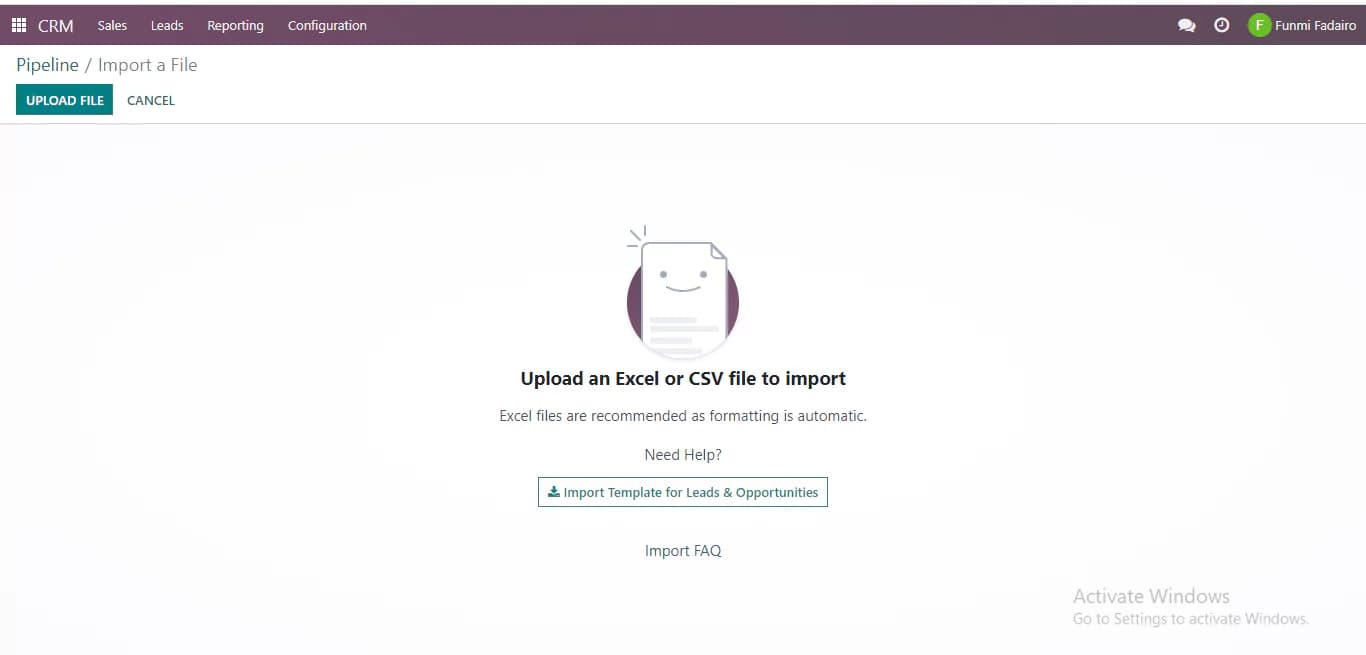
Finding the import button on Odoo is quite a hassle; it is not within clear sight where everyone can see it. It’s so hidden that one can even conclude that Odoo lacks this feature. You’ll find the import button under the section named “favorites.” The import and export feature might stress you if you're using the tool for the first time. Also, Odoo limits the files you can export to an excel sheet or CSV; converting them to maximize the platform fully is best if you have other file types. This platform provides a template you can leverage to upload data for leads and opportunities. Odoo also prevents you from transferring files directly from third-party apps. If you’ve been using CRM software previously, you’ll need to use an external API to retrieve your data which is quite a hassle.
Automation
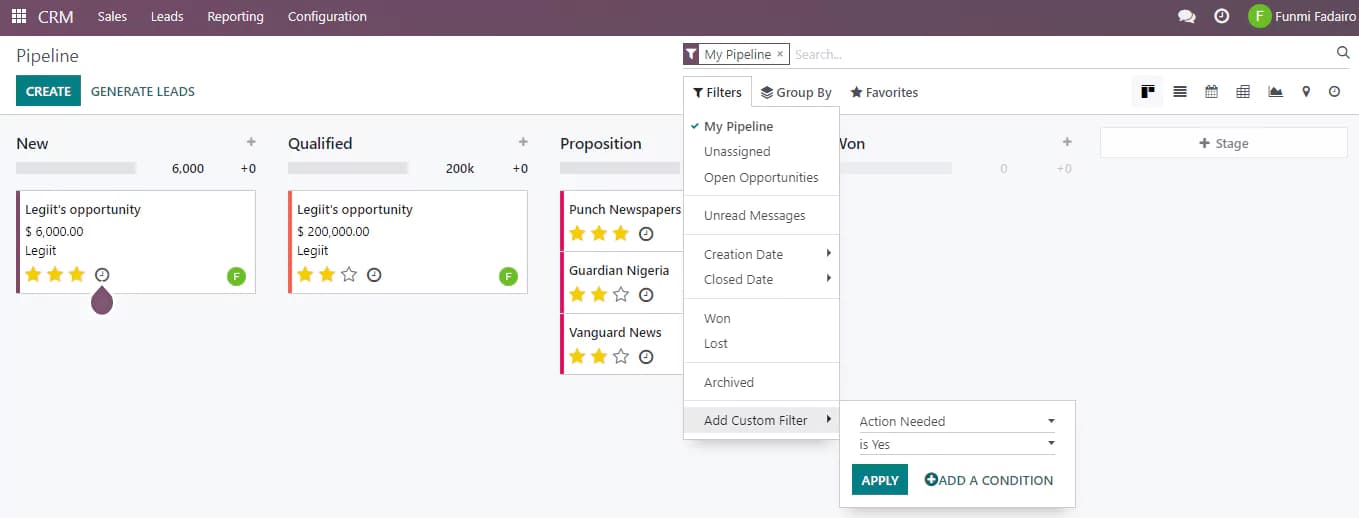
The automation feature is also clumsy. If you want to create a workflow on Odoo, you’ll have to click on the filters to find “add custom filter,” which allows you to automate your tasks. You’ll have to create an action and include a condition to help you avoid repetitive tasks and save time to boost productivity. You can leverage the Marketing Automation application to create automated marketing campaigns to produce better results.
Performance
Odoo CRM functions at a decent level in terms of performance. It allows you store customer data with access to various visual representation of your data and analytics. After accessing this tool, I analyzed the different performance metrics before reaching a conclusion.
https://www.youtube.com/watch?v=MMu-BOCTVqg
Speed
There was a glitch when I initially tried to setup my Odoo account. However, after this level, I was able to upload data without dealing with further complictions since I was working with an excel sheet. When I wanted to upload data from my previous CRM, the process was long and technical so I stuck with the excel file.
Also, it pulled up the results quite fast after uploading the relevant data. Odoo also helped me to include other files without breaking a sweat.
Features & Functionality
CRM
Calendar
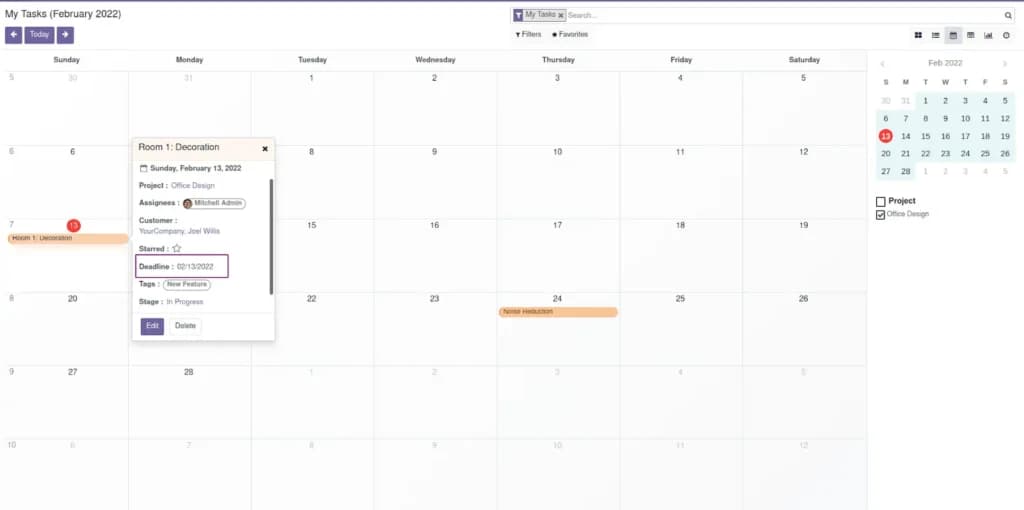
Odoo helps you schedule your tasks effectively and keep track of every meeting. You can create a plan to cover days, months, and even year-round. If you already have your activities scheduled on Google or Outlook, you can simply synchronize them with your calendar on Odoo to avoid moving from one app to another. This will help you save time and be more effective with your business activities.
Analytics and Reporting
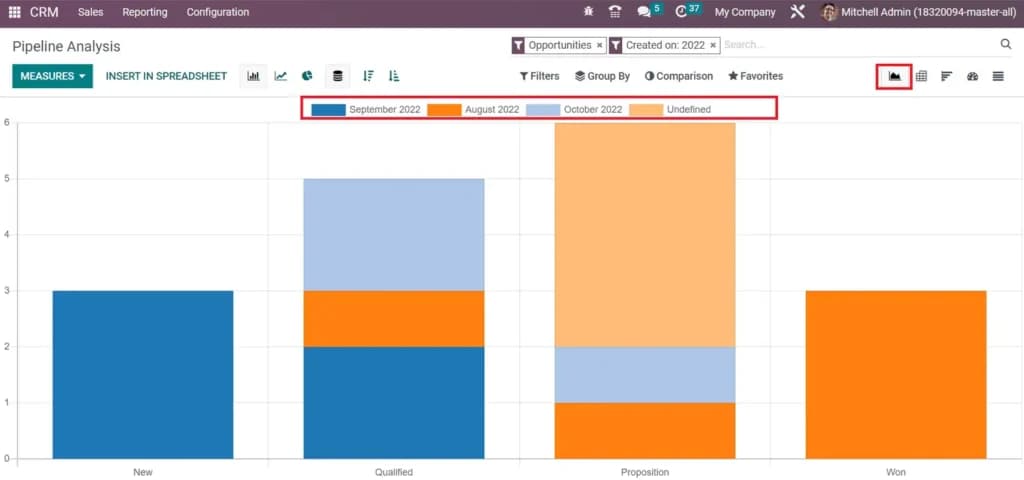
This platform provides detailed analytics and reporting details that are easily accessible to all. Odoo helps you track your forecasts, pipeline, leads, and activities. This analytics feature offers different options to view your data. You can use a bar chart, line chart, and pie chart to analyze the data depending on what works best for you. Odoo allows you to view your data in a descending or ascending manner. It is a flexible feature that shows data according to the different months using distinct colors, making differentiation easy. It also accounts for the various stages in the sales pipeline.
Multiple Views
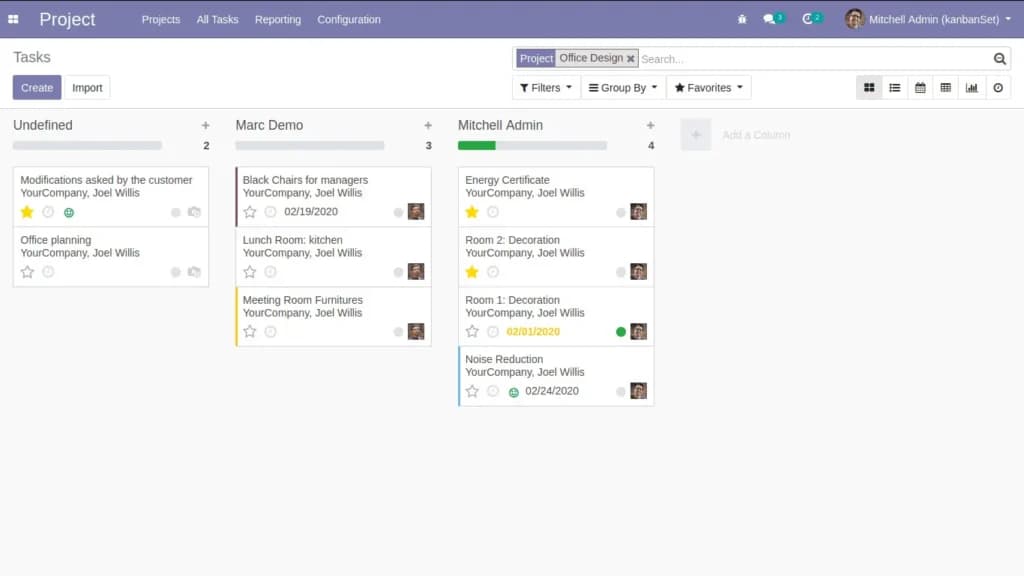
This software company believes in giving users numerous options to choose from while handling customer data. Odoo uses the kanban project management software, which allows you to manage your essential project effectively. You can also use the list or pivot view if you’re looking for a simpler way to view data.
Streamline communication with integrated email tools.
Sales Pipeline
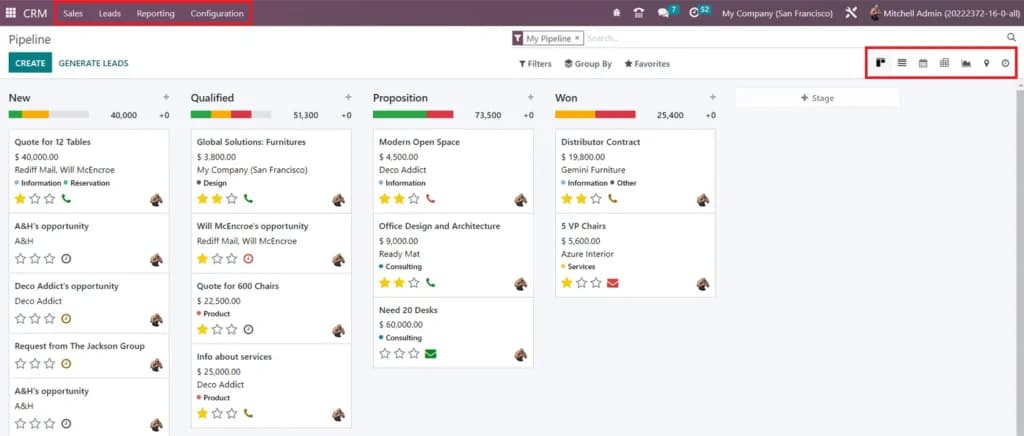
The sales pipeline helps you track opportunities and the stages where you’ll find every deal to facilitate easy management. You can classify every opportunity under new, qualified, proposition, and won. This way, every team member can find a transparent overview of progress, including details like the expected closing date. You can also customize the sales pipeline to include new stages and filters based on how your company operates.
Lead Enrichment
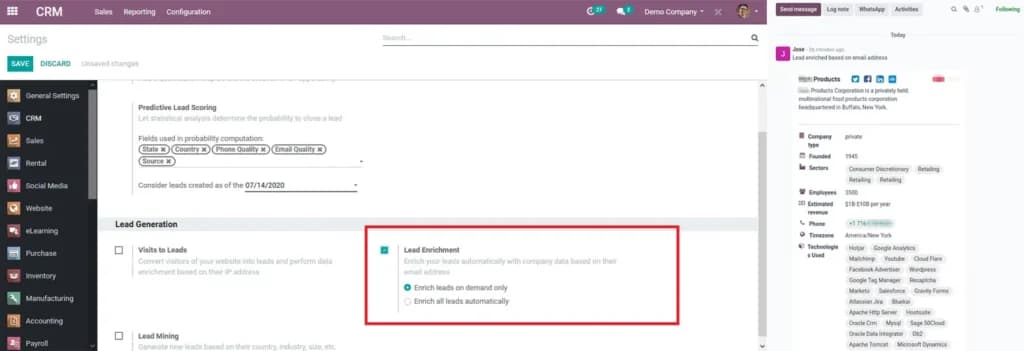
Not only does Odoo help you manage your contacts, but it also assists you in generating high-quality leads within your specific industry. You can include your lead’s email address, and you’ll find the lead enrichment feature when you enable the configuration settings. You can simply click on “generate lead” on the CRM. Afterward, you’ll include the number of companies you want to reach. Then, you’ll choose from 23 available industries and the company size to enrich your data. Odoo will show the company type, year founded, sector, employees, yearly revenue, email address, timezone, technologies, and social media accounts. The only step remaining on your part is to reach out to these leads.
Contact Management
Odoo helps you manage your contacts effectively. You can determine whether the contact is for an individual or a company, and you’ll include important data such as an address, phone, email address, website, and tags. This feature also helps you manage sales, purchases and invoicing. By leveraging this feature, you can manage the info of leads, customers, partners, and suppliers.
The contact management page also uses an internal note tab that helps you leave comments on a particular individual or company without disturbing other followers. You can manage filters, gain meeting overview and upload documents using the contact module that Odoo provides.
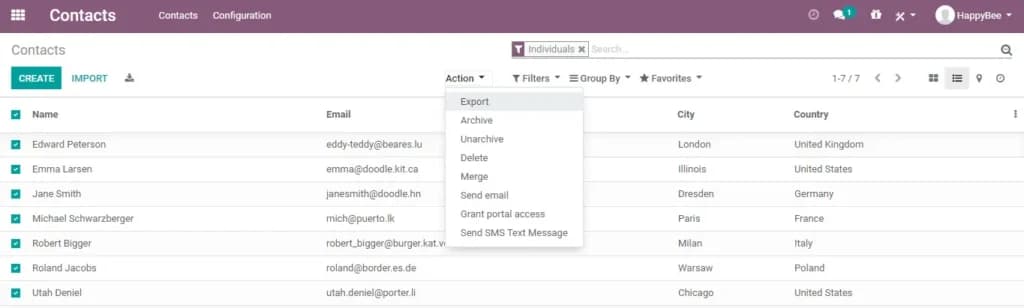
Creating a workflow automation only took a matter of seconds since it was already simplified. Also, considering that Odoo is a complete suite of business software, it offers all the CRM automation that can be imagined, including email marketing, sales pipeline, SMS, and so much more.
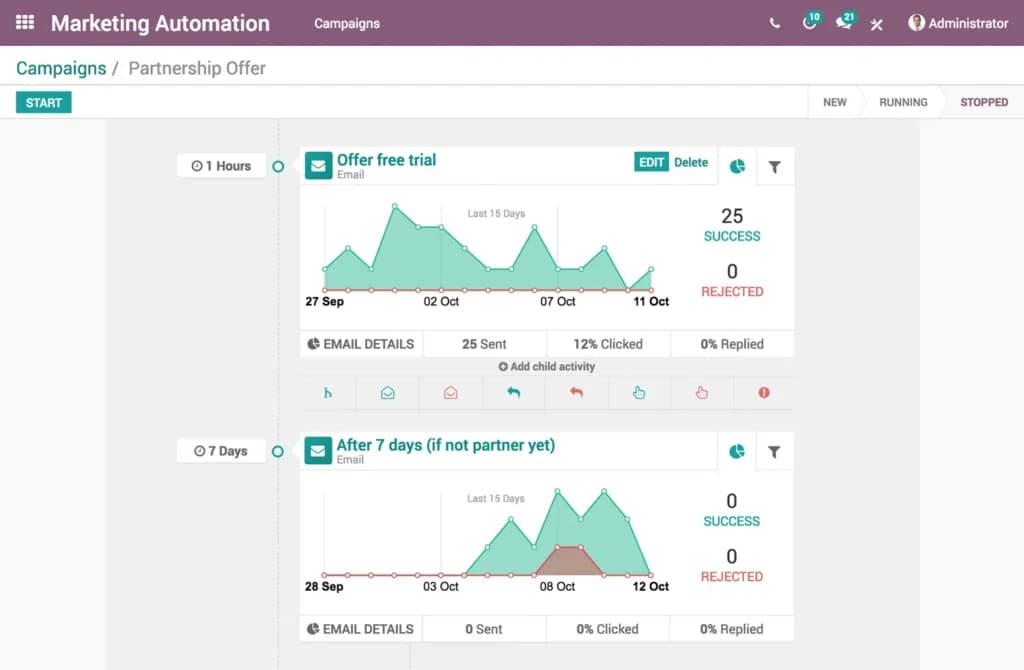
Accounting Software
Accounts Payable
Odoo accounting is an excellent platform for accounts payable operations. First, it includes features that allow you to digitalize your business bills, categorize your payments, and deposit each bill’s ticket for accurate reconciliation.
Odoo’s accounts payable tool includes employee expense tracking, supplier bill validation, and expense forecast features. These features help you pay your bills correctly and also monitor your expenses. You also have batch check printing and wire transfers options to make your AP operations more convenient.
Accounts Receivable
Honestly, Odoo accounting does make accounts receivable operations easier than you can find with a host of other more expensive software. The AR’s aged receivable balance and customer reports help you monitor your AR operations effortlessly.
Odoo accounting’s follow-up tools also come in very handy in reducing the awkwardness of credit collection. Each of your clients also gets to have a customized portal. And from this portal, they can monitor their orders with your business, check each invoice and complete each order’s payment with their credit cards or by scanning QR codes generated by the system.
Cash and Bank
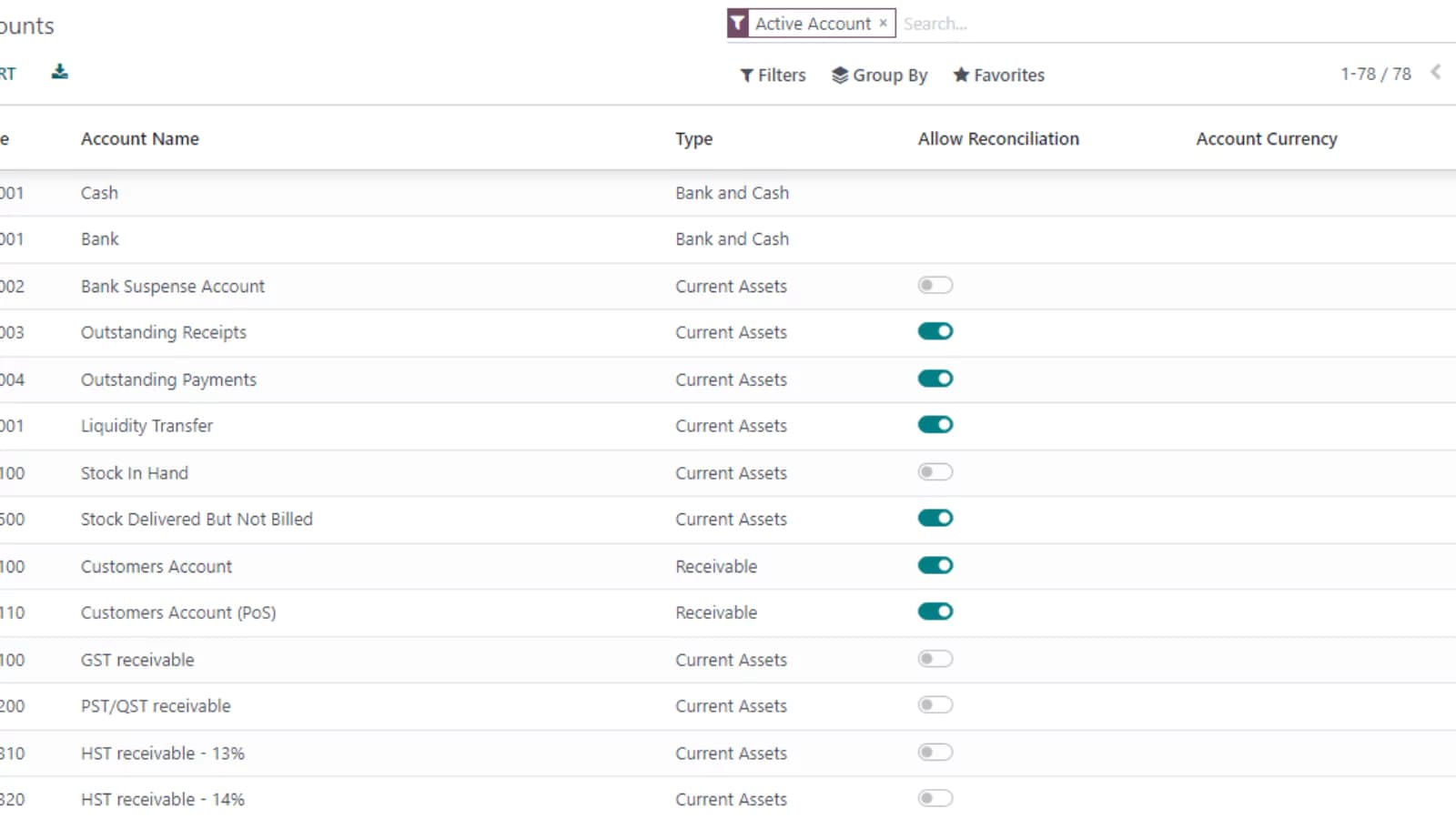
Odoo accounting’s cash and bank management feature empowers users for error-free reconciliation. In addition, its direct reconciliation proposition ensures that your payments (online, cash, and bank) are rightly matched with your invoices.
The software supports more than 15,000 banks and allows for automated bank feed, accurate register management, and multiple-format statement transfer. You also have system-generated reconciliation reports to help you during auditing.
Analytics
Analytic accounting hasn’t been more simplified than in the Odoo accounting software. With this feature, you can manage more than one analytic account, automate their structures, integrate and rightly distribute your entries across your accounts.
Asset Management
The Odoo accounting app features an all-encompassing revenue tool to help you identify, manage and grow your business assets.
Accounting Reports
Odoo takes account reporting a notch higher by ensuring that you can generate reports and synchronize them across multiple company profiles. From its customizable dashboard, you can automate the calculation of your P and L, annotate each report and set your users’ lock entry.
Tax Management
Odoo accounting also features an elaborate tax management tool that enables you to generate audit, journal, cash, and accrual tax reports. You also have access to a general ledger, balance sheets, and cash flow statements unique to your country of operation.
Monitor and categorize expenses for accurate financial tracking.
Streamline tax compliance with automated preparation tools.
Automate repetitive accounting tasks to boost efficiency.
Odoo’s vast integrations and customizations make it an excellent choice for businesses that thrive on flexibility. In addition, the entire suite features 39 other applications you can easily purchase to have all your business tools in one place.
You can also integrate the Odoo software with Google spreadsheets to make accounting less burdensome for your business. Its API also ensures that you sync your accounting tool with other third-party applications for improved efficiency. We can’t leave out the Odoo Studio app that allows you to build applications that are unique to your business – even without coding experience.
You can also integrate the Odoo accounting application with TaxCloud, VOIP, and eCommerce plug-ins like eBay and Amazon. You can also sync shipping services like UPS, EasyPost, FedEx, and DHL with the software. However, each of these integrations comes at an additional fee paid monthly.
Access accounting tools seamlessly across various devices.
Bookkeeping
Journal and Ledger Entries
One of Odoo’s exciting bookkeeping features incudes journal and ledger entries. This tool helps you create journals for your customer invoices, credit notes, bank transactions and supplier bills. You can also set specific journals to specific accounts to eliminate the possibilities of entering data in a wrong journal.
There is also a general ledger comprising of debits and credits in your entire business transactions. You can filter the ledger reports for more than one account, and also print as necessary.
Profit and Loss Reports and Balance Sheet
Odoo’s balance sheet gives you insights into your business’s assets, liabilities, and stakeholder’s equity for every period. While preparing your financial report, this tool allows you to set a default account for Reserve and profit and loss. You can also print each report as necessary.
Cash and Bank Reconciliation
Odoo accounting’s cash and bank tool helps in completing error-free reconciliation. Its direct reconciliation proposition ensures that your payments (online, cash, and bank) are rightly matched with your bills and invoices.
The software works in sync with more than 15,000 banks, allowing for automated bank feed, multiple-format statement transfer, and accurate register management. There are also system-generated reconciliation reports to ease your audit processes.
Cash and Bank
Odoo accounting’s cash and bank management feature empowers users for error-free reconciliation. In addition, its direct reconciliation proposition ensures that your payments (online, cash, and bank) are rightly matched with your invoices.
The software supports more than 15,000 banks and allows for automated bank feed, accurate register management, and multiple-format statement transfer. You also have system-generated reconciliation reports to help you during auditing.
Asset Management
The Odoo accounting app features an all-encompassing revenue tool to help you identify, manage and grow your business assets.
Accounting Reports
Odoo takes account reporting a notch higher by ensuring that you can generate reports and synchronize them across multiple company profiles. From its customizable dashboard, you can automate the calculation of your P and L, annotate each report and set your users’ lock entry.
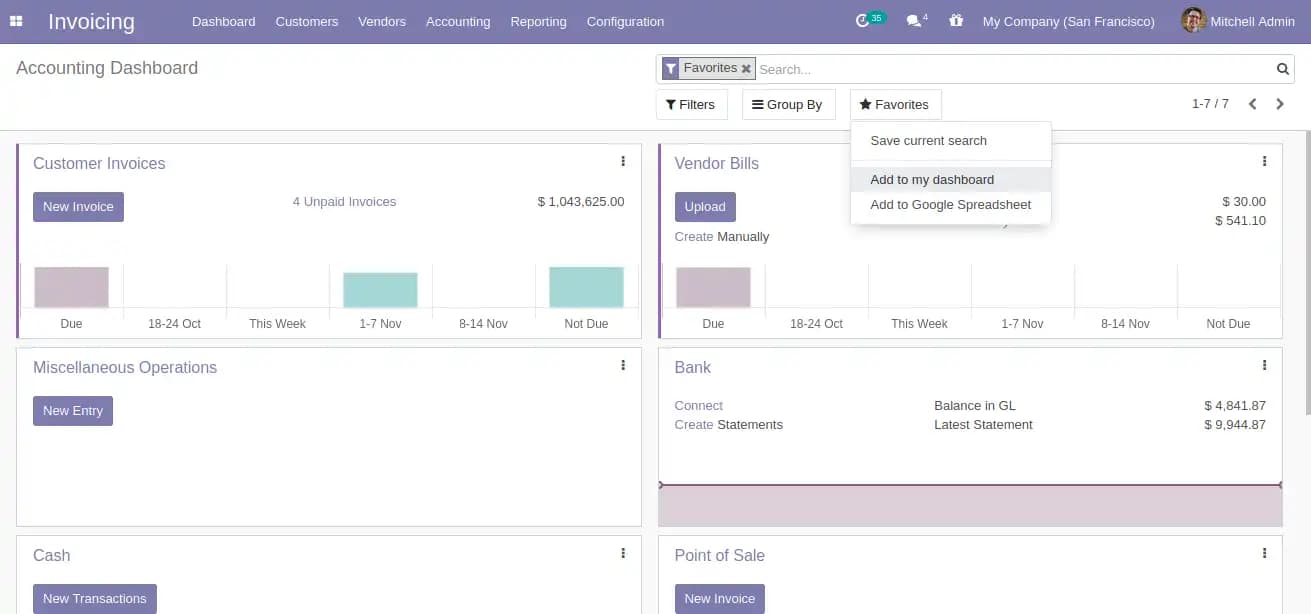
Simplify and optimize tax filing with expert features and tools.
Automate repetitive tasks to improve efficiency and productivity.
Odoo’s vast integrations and customizations make it an excellent choice for businesses that thrive on flexibility. In addition, the entire suite features 39 other applications you can easily purchase to have all your business tools in one place.
You can also integrate the Odoo software with Google spreadsheets to make accounting less burdensome for your business. Its API also ensures that you sync your accounting tool with other third-party applications for improved efficiency. We can’t leave out the Odoo Studio app that allows you to build applications that are unique to your business – even without coding experience.
You can also integrate the Odoo accounting application with TaxCloud, VOIP, and eCommerce plug-ins like eBay and Amazon. You can also sync shipping services like UPS, EasyPost, FedEx, and DHL with the software. However, each of these integrations comes at an additional fee paid monthly.
Access and use on a variety of compatible devices.
Flexible pricing structures tailored to different needs and budgets.
Online Invoicing
Recurring Invoicing
Odoo’s invoicing allows you to automatically convert your quotes to invoices, and forward them to your clients. You also enjoy an automated creation and delivery of recurring invoices based on order, time and contract.
Automated Follow-ups
Odoo invoicing has a follow-up feature that comes in very handy in reducing the awkwardness of credit collection. This feature helps you streamline your billing, and receive payments from your customers right on time.
Each of your clients also gets to have a customized portal. And from this portal, they can monitor their orders with your business, check each invoice and complete each order’s payment with their credit cards or by scanning QR codes generated by the system.
Online Payments
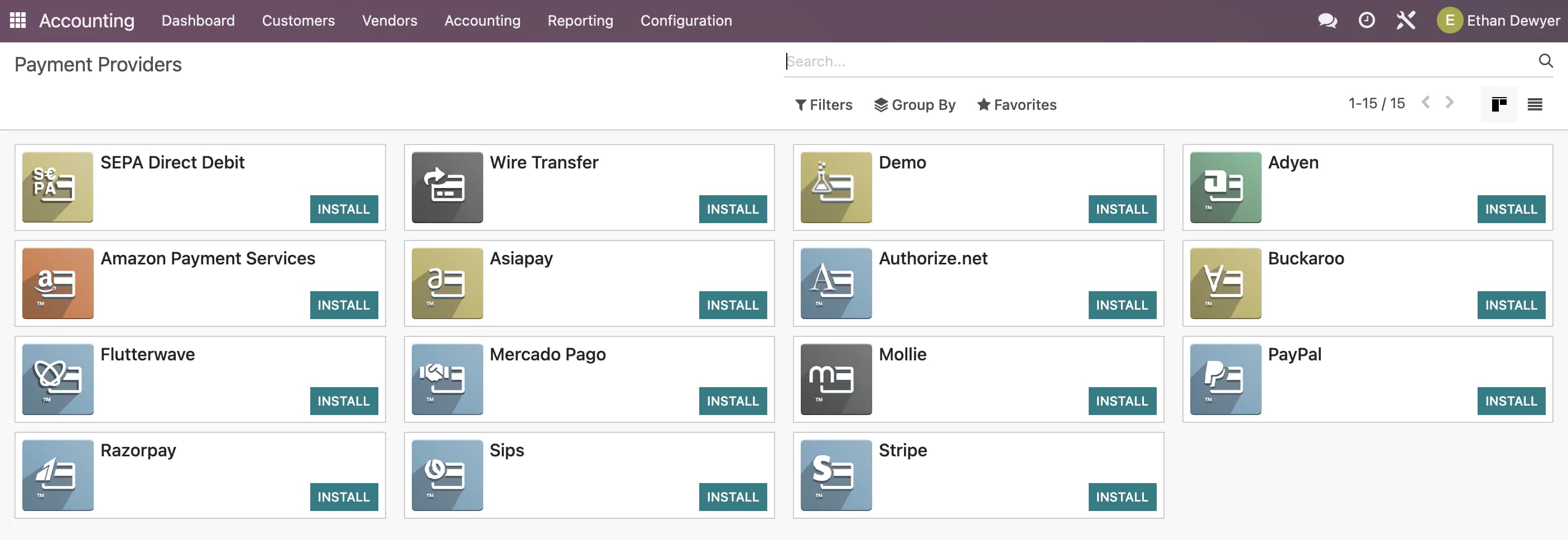
Odoo also ensures that you encounter no difficulty receiving payments from your clients. You can very easily accept payment from a number of online platforms like Stripe, PayPal, Authorize.net, Adyen, and Buckaroo. However, you get to pay a connector fee to be able to use some of these platforms for online payments.
Cash and Bank
Odoo invoicing has a bank account tracking feature that empowers users for error-free reconciliation. It helps you monitor your invoices – draft, unpaid and paid. In addition, its direct reconciliation proposition ensures that your payments (online, cash, and bank) are rightly matched with their invoices. You can also record your bank and online transactions automatically by importing corresponding bank statements.
The software supports more than 15,000 banks and allows for automated bank feed, accurate register management, and multiple-format statement transfer. You also have system-generated reconciliation reports to help you during auditing.
Analytics
Analytic invoicing hasn’t been more simplified than in the Odoo invoicing application. With this feature, you can manage more than one analytic account, automate their structures, integrate and rightly distribute your entries across your accounts. You can also analyze this application according to product, client, employee or company.
Odoo takes billing reports a notch higher by ensuring that you can generate reports and synchronize them across multiple company profiles. From the customizable invoicing dashboard, you can automate the calculation of your P and L, annotate each report and set your users’ lock entry.
Integrations and Add-Ons
Odoo’s vast integrations and customizations make it an excellent choice for businesses that thrive on flexibility. In addition, the entire suite features 39 other applications you can easily purchase to have all your business tools in one place.
You can also integrate the Odoo invoicing software with Google spreadsheets to make invoicing less burdensome for your business. Its API also ensures that you sync your invoicing tool with other third-party applications for improved efficiency. We can’t leave out the Odoo Studio app that allows you to build applications that are unique to your business – even without coding experience.
You can also integrate the Odoo invoicing application with TaxCloud, VOIP, and eCommerce plug-ins like eBay and Amazon. You can also sync shipping services like UPS, EasyPost, FedEx, and DHL with the software. However, each of these integrations comes at an additional fee paid monthly.
Process payments seamlessly with integrated systems.
Track time spent on projects for accurate billing.
Keep a close eye on expenses for better financial management.
Available on multiple devices for accessibility.
Affordable pricing to fit varied business needs.
Accounts Payable
Account Dashboard
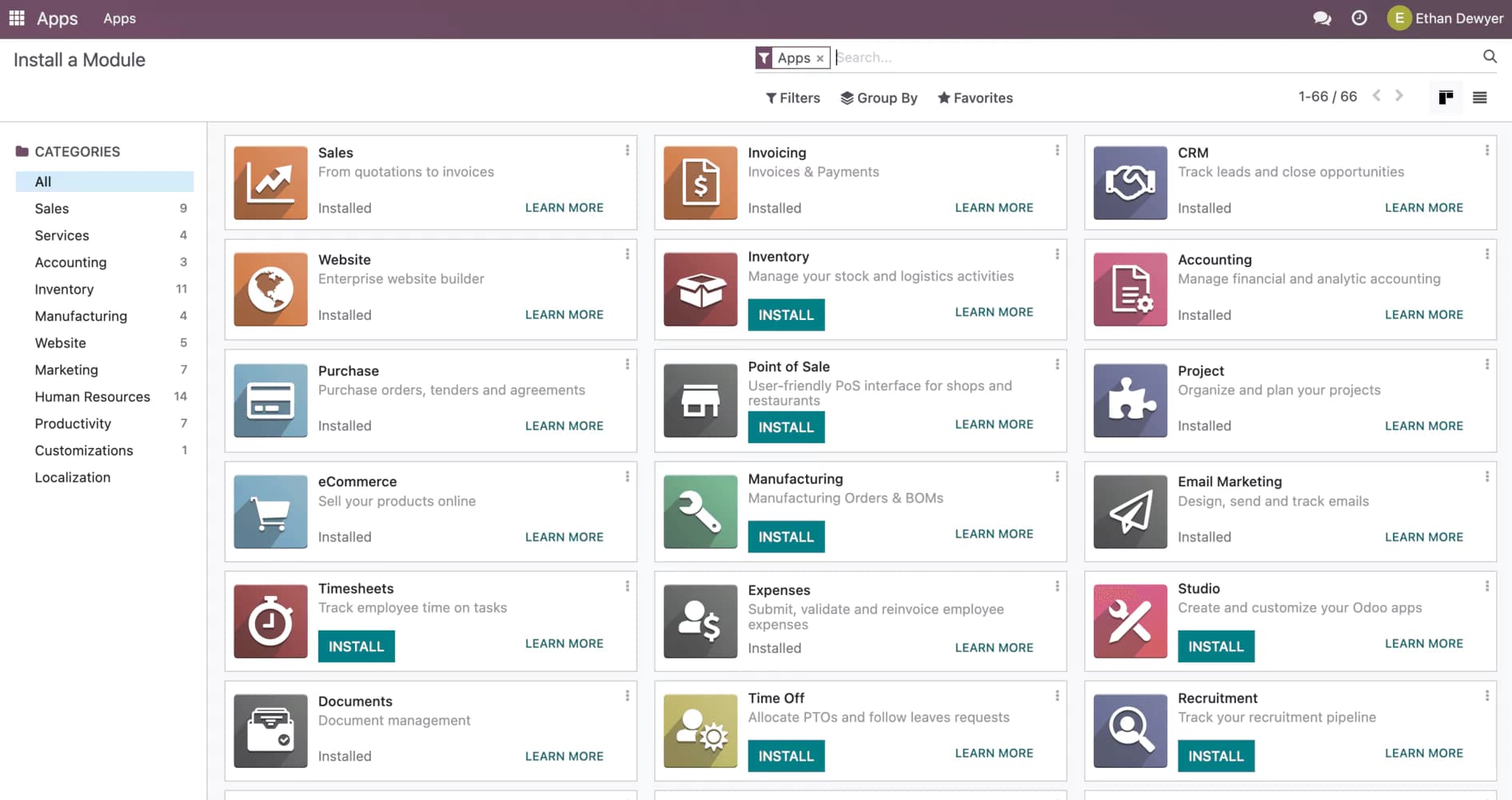
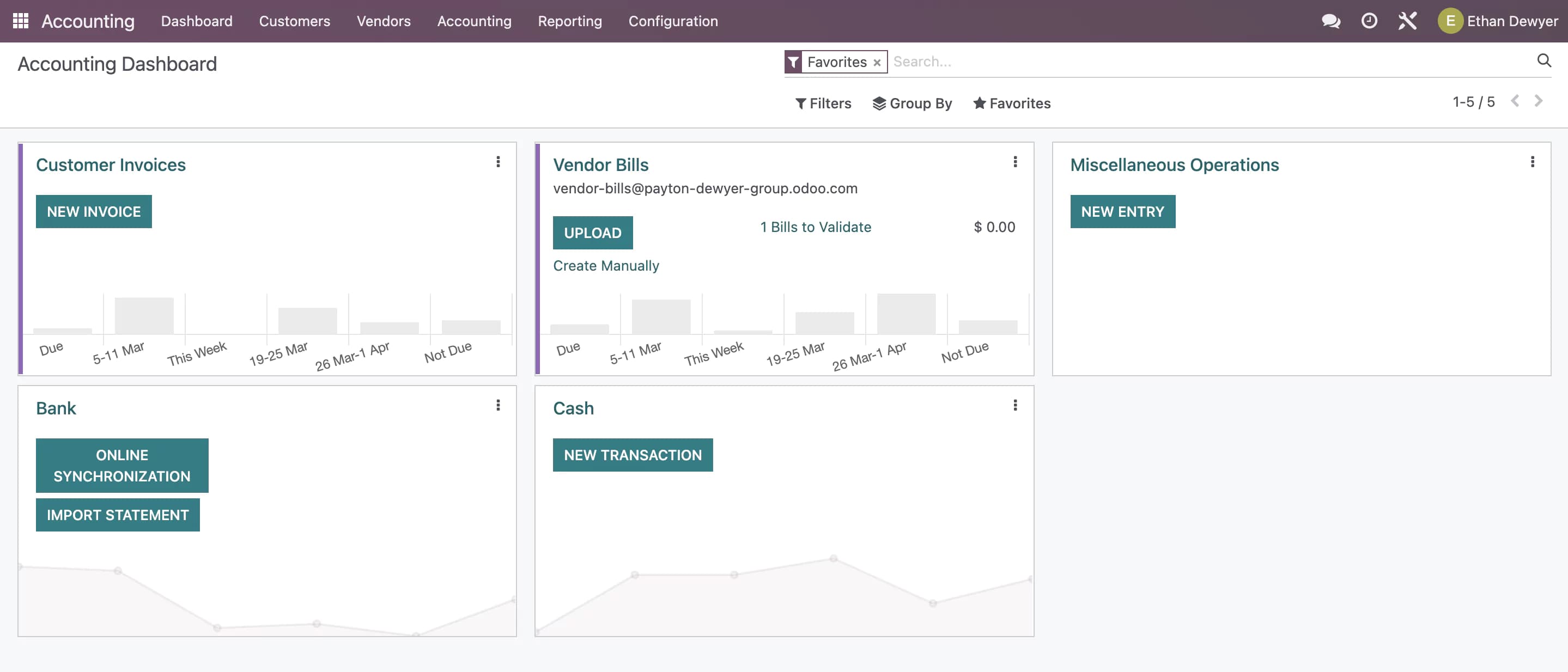
Odoo's account dashboard is a bit confusing at first, as that they do not use tabs or links, but applications instead for each functionality that the software offers.
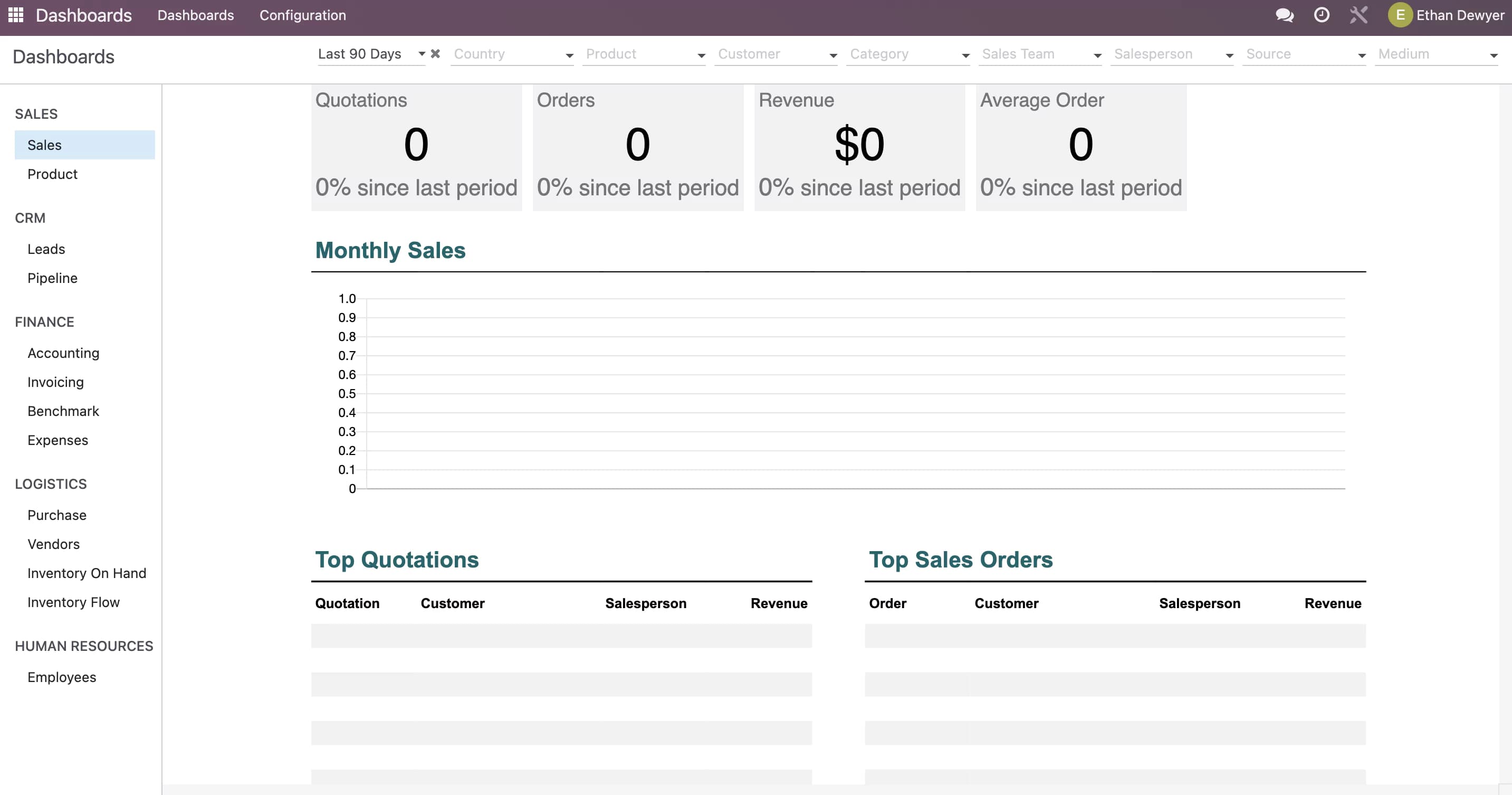
Integrations
Odoo integrates with a suite of open-source business applications. They are used to perform every task necessary for managing and operating your business. The whole software is set up using applications for separate features and functionalities within the Odoo software.
Payment Features
Odoo has all the basic features for payments including credit cards, invoices, billing payments, and expense payments. You can set up payroll for your employees. And you can accept or make payments in multiple currencies.
Invoice Importing
You can upload invoices through the Odoo expenses app. The software pulls the date from the invoice but that was about it. You have to edit the information and correctively input details from the invoice such as amount, company name or vendor, date due, and address.
Heres how to import an invoice on Odoo:
https://youtu.be/5-_3pXUGTuw
Reports & Analytics Features
They have features on reports such as date, vendor, payment amount, and category. They also have some advanced reporting features like balance sheets, profit and loss, cash flow statements, and tax reporting. The advanced features on Odoo operate at a substantial level. Odoo offers audit reports as well as, partner reports and management reports.
Accounts Receivable
One of Odoo’s notable features is its comprehensive accounts receivable management system. This feature includes automated invoicing, sales management, and reporting. It also integrates seamlessly with other modules, allowing for efficient and streamlined accounting processes.
Odoo streamlines accounting management by automating various tasks, including the generation of preliminary invoices from sales orders. Instead of creating a new invoice, the manager can verify the accuracy of the sales order and approve the invoice.
Odoo’s reporting features are powerful and user-friendly, with reporting aspects included in all its modules for generating various reports. This framework facilitates business performance reviews and mitigation plans.
The cash flow statement is a crucial financial document generated by Odoo that summarizes an organization's cash inflows and outflows over a specific timeframe. This statement is divided into three sections, including the beginning and closing balances of cash and cash equivalents, as well as the net increase in these assets. By using this statement, businesses can monitor their cash position and liquidity, which is essential for financial analysis.
Odoo is a system that integrates with thousands of software programs, like Shopify, eBay, QuickBooks, Microsoft Azure, and more. By inputting basic information, users can generate accounting reports and taxes, eliminating the need for manual data entry. Additionally, Odoo can directly connect to a user's bank or PayPal account for synchronized payments, and automate much of the small business accounting process.
Features
- Dashboards
- Reporting
- Marketing Analytics
- Pipeline Management
- Call Management
- Account Management
- Collaborative Data
- Mobile App
- Integrations
- Sales AI
Odoo is a unique brand with other internal apps that connect to give users access to powerful tools to make their work seamless and boost productivity. With its real-time messaging feature, businesses can easily catch up on their business activities and collaborate faster.
Odoo Alternatives
Starting from: $0/month
Free
$0
seat/month
Pros
- Access to numerous apps
- Free version and trial
- Customizable features
- Easy setup
Cons
- Limited third-party integrations

Starting from: $0/month
Free
$0
seat/month
Pros
- Intuitive design
- Free version available
- Reliable customer support
- Numerous workflow templates
Cons
- Automation is unavailable for free plan
Verdict
After testing Odoo's CRM and accounting modules, it stands out as the most complete open-source business platform available. The free Community edition gives you a working CRM with no per-seat cost — unmatched at this price point. The platform's real strength is modularity: you can add accounting, invoicing, HR, or manufacturing without ever changing platforms. The tradeoff is complexity — self-hosting Community requires technical resources, and the hosted paid plan benefits most from an Odoo partner for implementation.
What works well
✓ Free open-source Community edition — full CRM with no per-seat licensing cost
✓ Modular architecture — add 50+ apps (accounting, HR, inventory, ecommerce) on one platform
✓ CRM integrates directly with accounting, invoicing, and operations — no data silos
✓ Strong B2B invoicing with Stripe, PayPal, and SEPA payment portals built in
✓ Highly customizable — technical teams can adapt workflows, views, and data models
What to watch out for
✗ Self-hosting Community requires developer resources for setup and maintenance
✗ Less polished out of the box than HubSpot or Salesforce for pure CRM use cases
✗ Implementation complexity scales with the number of modules — plan for onboarding time
✗ Support quality varies significantly between Odoo partners
Use Odoo if you are...
→ A growing business that needs CRM + accounting + operations on a single platform
→ Cost-conscious and technical enough to leverage the free Community edition
→ Looking for an open-source, customizable alternative to Salesforce or NetSuite
→ A European SMB needing strong multi-currency and VAT accounting out of the box
Skip Odoo if you are...
✗ A small business wanting a simple, no-setup CRM — consider HubSpot's free tier
✗ A non-technical team without IT resources for setup and customization
✗ Looking for best-in-class CRM UX — Salesforce or HubSpot deliver more polish
Bottom line: Odoo is the best open-source option for businesses that want CRM and operations in one platform — especially if cost and customizability matter more than out-of-box polish. The free tier is genuinely powerful; the paid plan unlocks the full modular ecosystem.
Users Reviews
Write a review
Leave a review, help others get it right the first time.
4 Reviews

Bassam I
Marketing Lead
Best CRM Software
In Odoo CRM, you can track leads, forecast accurately, and manage customers all in one place. It gives you a comprehensive picture of your business with custom dashboards that provide insights that influence business decisions. All data can be accessed through this software.
Anna S
Intuitive App for CRM
Odoo CRM is very intuitive and easy to use. Case management automation provides a great way to keep all clients engaged.
Harry L
Great CRM
Odoo's user-friendly interface allows me to easily follow sales flows, and it's integrated with my marketing automation, as well as with my other Odoo modules. This is the main reason I use Odoo because it integrates with its CRM.
Wendy R
Affordable CRM option
Odoo covers many of the basic requirements with many modules. Being open-source software, it is quite affordable. It has a variety of features and functions.
- For each module to work, customization is required, and that costs money. There are also many functionalities or features that do not work correctly. A lot of things depend on each other.