
Best Accounting Software for Self-Employed and Freelancers in 2026
For most US sole proprietors, QuickBooks Solopreneur is the best accounting software: it sorts expenses into Schedule C categories and tracks mileage from your phone, with a free plan and Lite at $20/mo. Bill clients by the hour? Pick FreshBooks. Need it free? Zoho Books has the most complete free plan (under about $50K revenue), and Wave invoices for free but charges for bank sync. Skip anything built for teams, inventory or payroll you don’t run.
Last updated: November 2026
Best accounting software reviews for self-employed & freelancers

QuickBooks Solopreneur is an easy-to-use accounting software for freelancer and Self-Employed professionals. It helps you manage your day-to-day income and spending without needing to know anything… Read more
QuickBooks Solopreneur is an easy-to-use accounting software for freelancer and Self-Employed professionals. It helps you manage your day-to-day income and spending without needing to know anything about complex bookkeeping.
Learn more in our full QuickBooks Solopreneur review.
Pros & Cons
- Simple and clean layout with no confusing accounting terms.
- Much cheaper than traditional, full-featured business software.
- Saves hours of work by tracking miles, saving receipts, and sending invoices for you.
- Helps you find all your eligible work expenses so you pay less in taxes.
- Built for only one user; you cannot give access to a partner or outside accountant.
- Cannot pay employees or track physical products/inventory.
- You can only manage one business per account.
Features
- General Ledger
- Bookkeeping
- Manages Accounts Payable/Receivable
- Income & Expenses Tracking/Management
- Account Reconciliations
- Financial Reporting
- Invoicing
- Record Expenses
- Record Mileage
- Generate Invoices
- Tax Compliance
- Manage Tax Calculations/Reporting
- Accountant-Prep Friendly
- Automation of Invoices/Notifications
- Suggests Transaction Matches
- Purchase Order Automation
- Payment Processing
- Payroll Processing
- Project Management
- Time tracking
- Third-party Integrations
- Windows
- Android
- iPhone/iPad
- Mac
- Web-Based
Pricing
$0
mo/
month
$38
mo/
month
$85
mo/
month
$140
mo/
month
$340
mo/
month

Wave is an all-in-one financial platform designed specifically for freelancers, solopreneurs, and micro-businesses. It combines professional invoicing, double-entry accounting, and receipt scanning… Read more
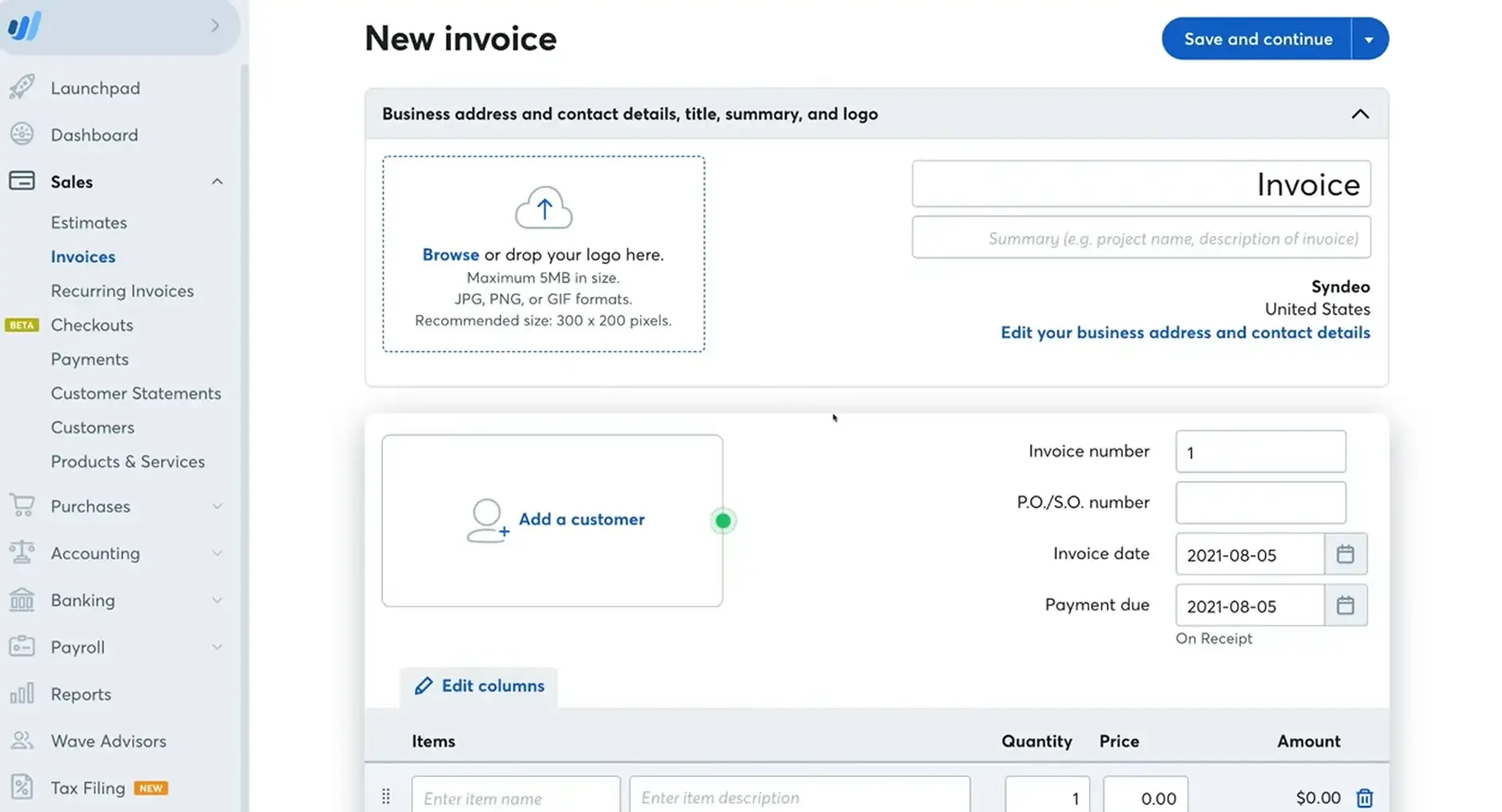
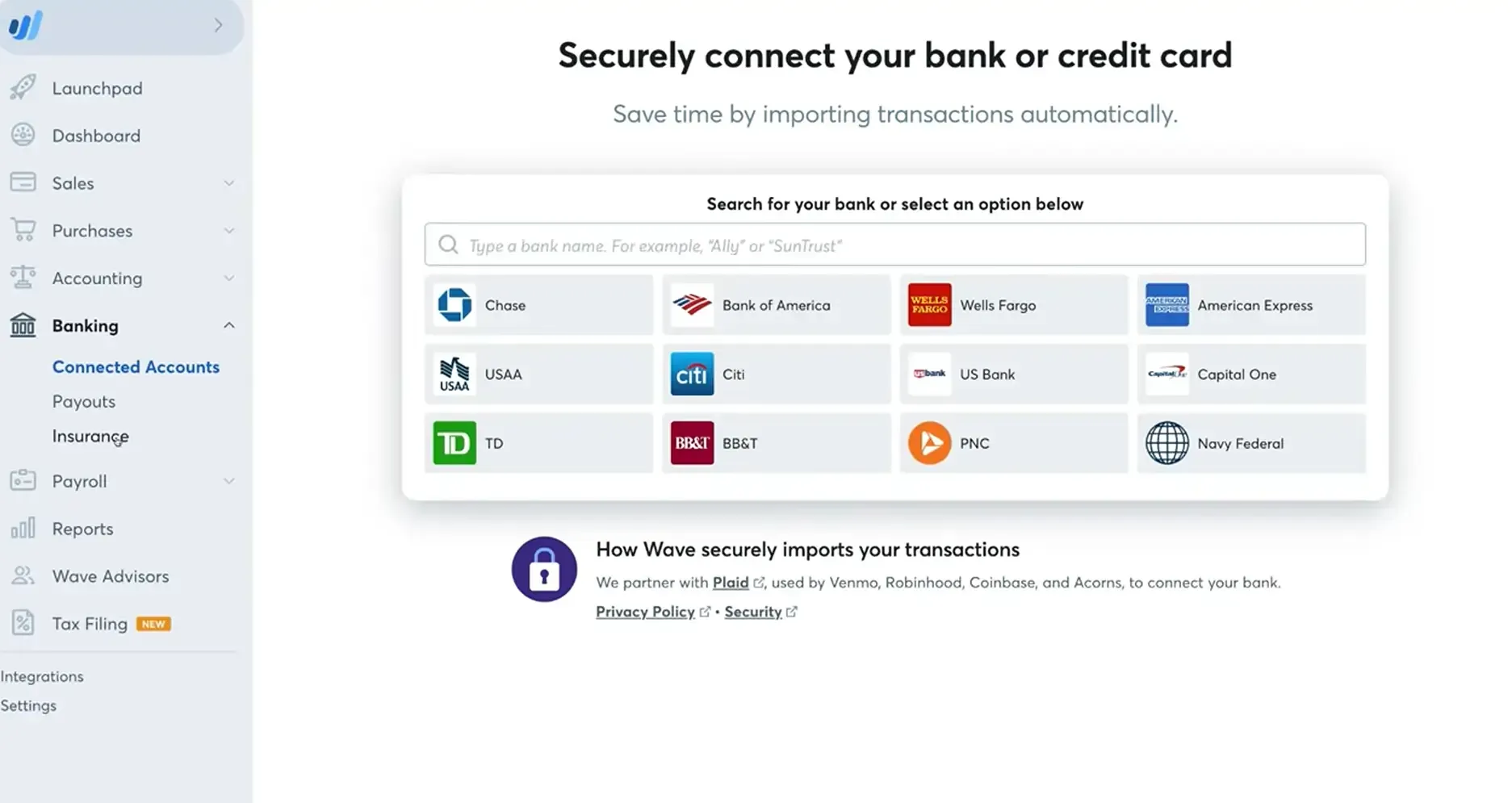
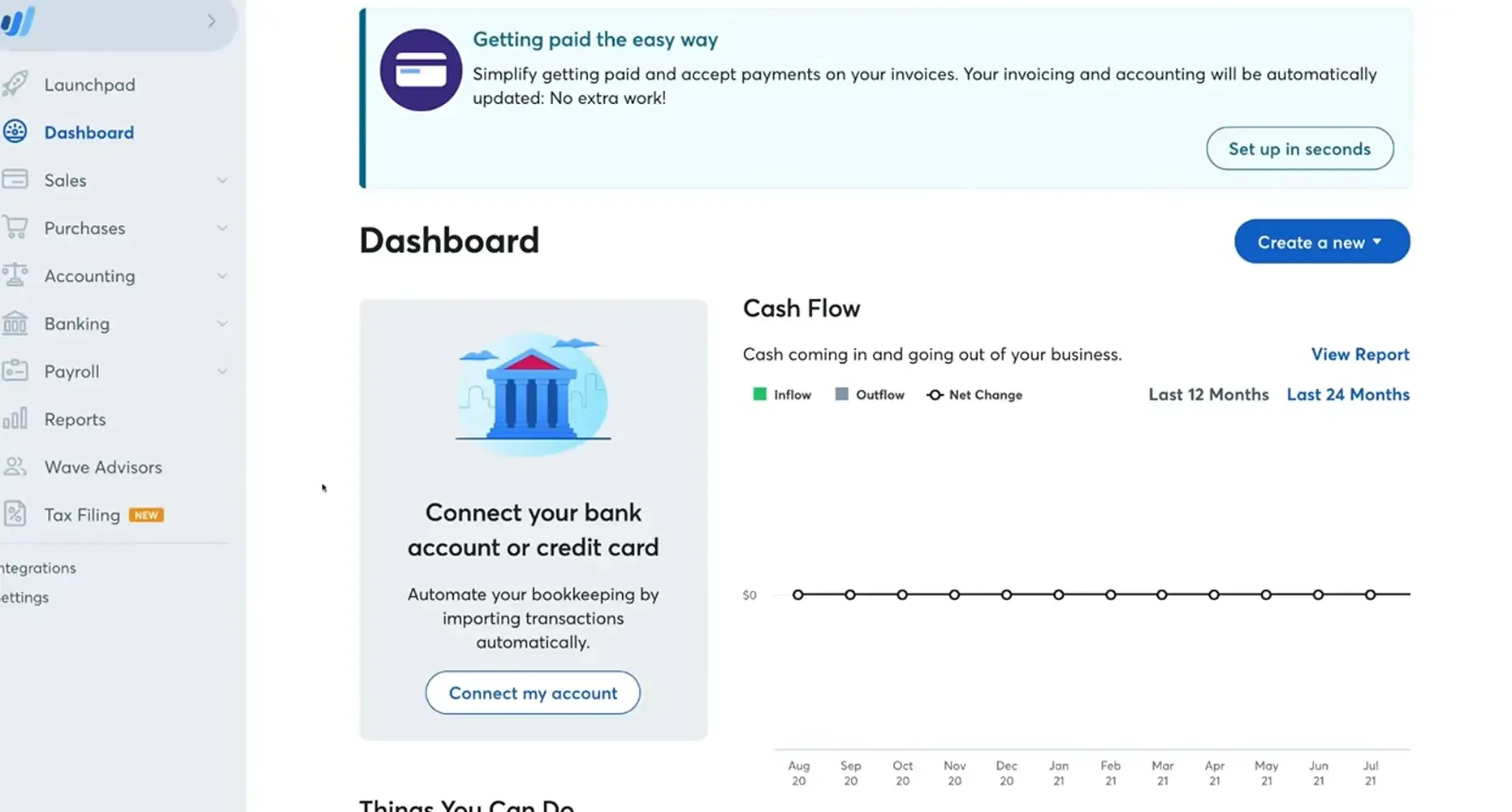
Wave is an all-in-one financial platform designed specifically for freelancers, solopreneurs, and micro-businesses. It combines professional invoicing, double-entry accounting, and receipt scanning into a single interface. Unlike traditional software that charges high monthly fees, Wave offers its core features for free, making it the top choice for businesses watching their bottom line.
Learn more in our full Wave review.
Pros & Cons
- Unlimited invoicing, clients, and bookkeeping at $0/mo.
- Manage several entities under one login for free.
- Uses double-entry accounting to keep your books audit-ready.
- Does not track stock levels or COGS effectively.
- Lacks deep project management and advanced user permissions.
- Limited custom tagging and "granular" filtering.
Features
- Bookkeeping
- Manages Accounts Payable/Receivable
- Income & Expenses Tracking/Management
- Account Reconciliations
- Financial Reporting
- Invoicing
Pricing
$0
mo/
month
$19
mo/
month
Screenshots

Xero, a leading online accounting software, streamlines finances for small businesses and accountants with features like invoicing, multi-currency, and bank connections from over 21,000 global… Read more
Xero, a leading online accounting software, streamlines finances for small businesses and accountants with features like invoicing, multi-currency, and bank connections from over 21,000 global institutions. Founded in New Zealand, Xero has expanded globally, making it a top choice for modern, efficient, and cloud-based financial management.
Learn more in our full Xero review.
Pros & Cons
- Outstanding context-aware assistance
- Efficient utilization of artificial intelligence
- Delivers vital business insights
- Enhanced client data management
- Interface layout could be improved
- Lacks inventory assembly features
- Time logs need to be linked to specific projects.
Features
- General Ledger
- Bookkeeping
- Manages Accounts Payable/Receivable
- Income & Expenses Tracking/Management
- Account Reconciliations
- Financial Reporting
- Receipt Scanning
- Invoicing
- Record Expenses
- Record Mileage
- Generate Invoices
- Recurring Expenses
- Tax Compliance
- Manage Tax Calculations/Reporting
- Accountant-Prep Friendly
- Automation of Invoices/Notifications
- Suggests Transaction Matches
- Purchase Order Automation
- Payment Processing
- Payroll Processing
- Project Management
- Time tracking
- Third-party Integrations
- Windows
- Android
- Linux
- iPhone/iPad
- Mac
- Web-Based
Pricing
$27
mo/
month
$59
mo/
month
$97
mo/
month

Patriot developed its accounting software to be powerful, affordable, and easy to use. It onboards new customers with a comprehensive startup wizard, and easily imports customers, vendors, and trial… Read more
Patriot developed its accounting software to be powerful, affordable, and easy to use. It onboards new customers with a comprehensive startup wizard, and easily imports customers, vendors, and trial balances. Create invoices easily while paying bills and generating understandable financial reports.
Learn more in our full Patriot review.
Pros & Cons
- Unlimited number of users per subscription
- Variety of accounting reports
- Automated import of bank feeds
- Lack of inventory management tools
- Customer support limited to business hours
Features
- General Ledger
- Bookkeeping
- Manages Accounts Payable/Receivable
- Income & Expenses Tracking/Management
- Account Reconciliations
- Financial Reporting
- Invoicing
- Record Expenses
- Record Mileage
- Generate Invoices
- Recurring Expenses
- Accountant-Prep Friendly
- Automation of Invoices/Notifications
- Purchase Order Automation
- Payment Processing
- Payroll Processing
- Time tracking
- Third-party Integrations
- Windows
- Android
- Linux
- iPhone/iPad
- Mac
- Web-Based
Pricing
$10
mo/
month
$15
mo/
month

Freshbooks has accounting software that saves time without sacrificing professionalism. Their easy financial record keeping, unique invoice templates, and flexible business model make it easier for… Read more
Freshbooks has accounting software that saves time without sacrificing professionalism. Their easy financial record keeping, unique invoice templates, and flexible business model make it easier for businesses of any size to grow efficiently. Over 30 million people have used Freshbooks.
Learn more in our full Freshbooks review.
Pros & Cons
- Easy recurring invoices
- Excellent custom invoicing
- Competitive plan pricing
- Award-winning customer support
- High cost per user
- Manual balance sheet generation
Features
- General Ledger
- Bookkeeping
- Manages Accounts Payable/Receivable
- Income & Expenses Tracking/Management
- Account Reconciliations
- Financial Reporting
- Receipt Scanning
- Invoicing
- Record Expenses
- Generate Invoices
- Recurring Expenses
- Tax Compliance
- Manage Tax Calculations/Reporting
- Accountant-Prep Friendly
- Automation of Invoices/Notifications
- Suggests Transaction Matches
- Payment Processing
- Payroll Processing
- Project Management
- Time tracking
- Third-party Integrations
- Windows
- Android
- Linux
- iPhone/iPad
- Mac
- Web-Based
Pricing
$2.3
mo/
month
$4.3
mo/
month
$7
mo/
month

Zoho Books is a comprehensive accounting software for freelancer and Self-Employed professionals. It is a cloud-based financial management platform designed to help solo workers easily handle… Read more
Zoho Books is a comprehensive accounting software for freelancer and Self-Employed professionals. It is a cloud-based financial management platform designed to help solo workers easily handle invoicing, expense tracking, and tax compliance without needing any bookkeeping experience. This tool is highly effective for freelancers because it centralizes everything needed to run a solo business into one streamlined interface. It eliminates manual spreadsheet work by automating bank reconciliations and payment reminders, while allowing you to track billable hours and automatically convert them into professional invoices for clients.
Learn more in our full Zoho Books review.
Pros & Cons
- Offers a genuinely free entry-level tier for microbusinesses with low annual revenue, making it highly affordable
- Provides a secure, interactive client portal where your customers can review estimates and pay invoices directly
- Features robust workflow automations that save hours on repetitive administrative tasks
- Third-party applications is more limited compared to some major industry competitors
- Processing employee payroll is not natively included
- Limited inventory tracking features
Features
- General Ledger
- Bookkeeping
- Manages Accounts Payable/Receivable
- Income & Expenses Tracking/Management
- Account Reconciliations
- Financial Reporting
- Invoicing
- Tax Compliance
- Manage Tax Calculations/Reporting
- Accountant-Prep Friendly
- Automation of Invoices/Notifications
- Suggests Transaction Matches
- Purchase Order Automation
- Project Management
- Time tracking
- Third-party Integrations
- Windows
- Android
- iPhone/iPad
- Mac
- Web-Based
Pricing
$0
mo/
month
$15
mo/
month
$40
mo/
month
$60
mo/
month
$120
mo/
month
$240
mo/
month
* Featured prices can be updated and free offers may include additional terms.
Accounting software for freelancers - quick comparison
Software | Free plan | Paid from (list) | Key limit | Best for |
|---|---|---|---|---|
QuickBooks Solopreneur | Yes | $20/mo (Lite) | Free plan: 2 invoices and 5 mileage trips a month | Schedule C filers |
Wave | Yes | $16–19/mo (Pro) | Bank sync and receipt scanning are Pro-only | Free invoicing |
Xero | No | $27/mo (Early) | Early: 20 invoices a month; multi-currency only on the $97 plan | International clients |
Patriot | No | $20/mo (Basic) | No mobile app | Low cost if you plan to hire |
FreshBooks | No | $23/mo (Lite) | No free plan | Billing by the hour |
Zoho Books | Yes | $20/mo (Standard) | Free plan capped at about $50K revenue and 1,000 invoices a year | Free double-entry books |
Why You Can Trust the Expertise of Sonary
At Sonary, we are committed to providing accurate and trustworthy information to help you make informed decisions. Our research process is meticulous, transparent, and guided by a dedication to maintaining the highest standards of integrity, ensuring accurate, real-world insights.
Prices come from each vendor’s US pricing page, checked in November 2026. We score what a one-person business needs at tax time: Schedule C categories, mileage, invoicing, and what you pay after the promo ends.
QuickBooks Solopreneur: Best for Schedule C filers who want the tax math done for them
- Swipe to separate business expenses
- Live quarterly tax estimates
* Featured prices can be updated and free offers may include additional terms.
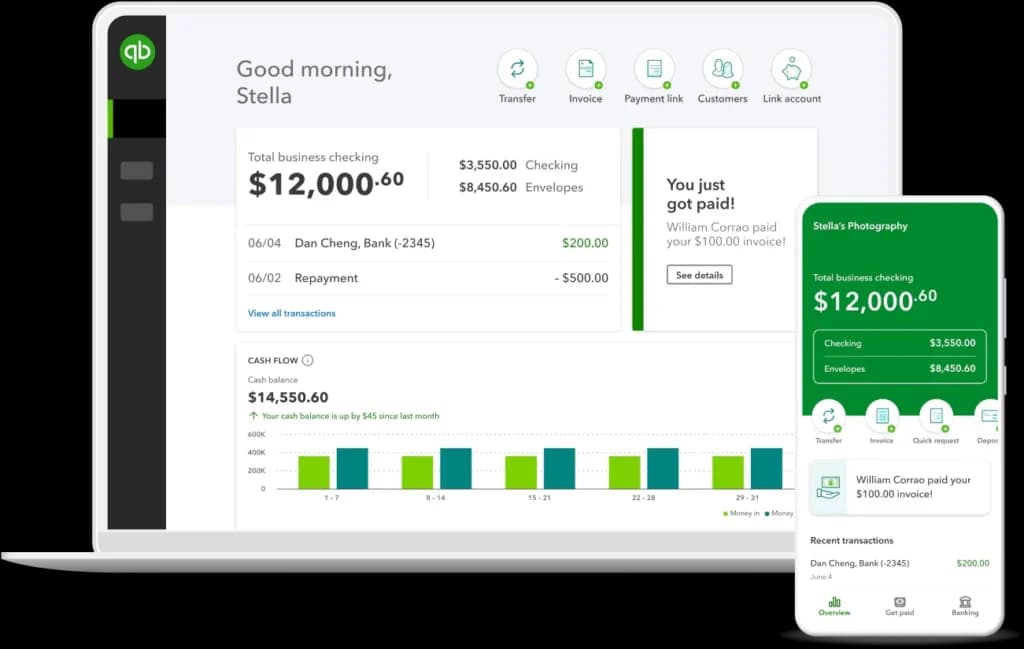
QuickBooks Solopreneur is built for sole proprietors, not for teams. Connect your bank and card, swipe each transaction to business or personal, and it sorts business expenses into Schedule C categories and shows an estimated quarterly tax payment on the dashboard. The free plan is a trial in disguise, 2 invoices and 5 mileage trips per month, so most freelancers end up on Lite at $10/mo. Move to Simple Start ($38/mo) only if you need your accountant inside the books.
Key Features
- Expense tracking: Automatically categorizes expenses and syncs with your bank accounts to track spending in real-time.
- Invoicing: Create 2 invoices a month for free, track payments, and set up automatic reminders.
- Schedule C categories: business expenses land in the lines you report at tax time.
- Tax deductions: Identifies potential deductions, helping you maximize savings at tax time.
- Mileage tracking: Tracks mileage via the mobile app, ensuring you never miss a deductible trip.
- Financial reporting: Provides detailed profit-and-loss statements, cash flow summaries, and other reports.
- Self-employment tax tools: Estimates quarterly taxes and helps with preparation, keeping you compliant year-round.
Pros
- Free plan to start, no credit card required.
- User-friendly mobile app for on-the-go financial management.
- Built for one person, so no team or inventory features to pay for.
- Integrates seamlessly with other tools like PayPal and Shopify.
Cons
- The free plan includes up to2 invoices and 5 mileage trips per month.
- No time tracking for hourly billing.
Who It's For: Freelancers and self-employed individuals need a comprehensive, scalable solution for managing their finances efficiently.
Wave: Best free accounting software for simple invoicing
- Free accounting software built for small businesses
- Easy invoicing, bookkeeping, and cash flow in one place
- Unlimited invoicing on the free plan
* Featured prices can be updated and free offers may include additional terms.
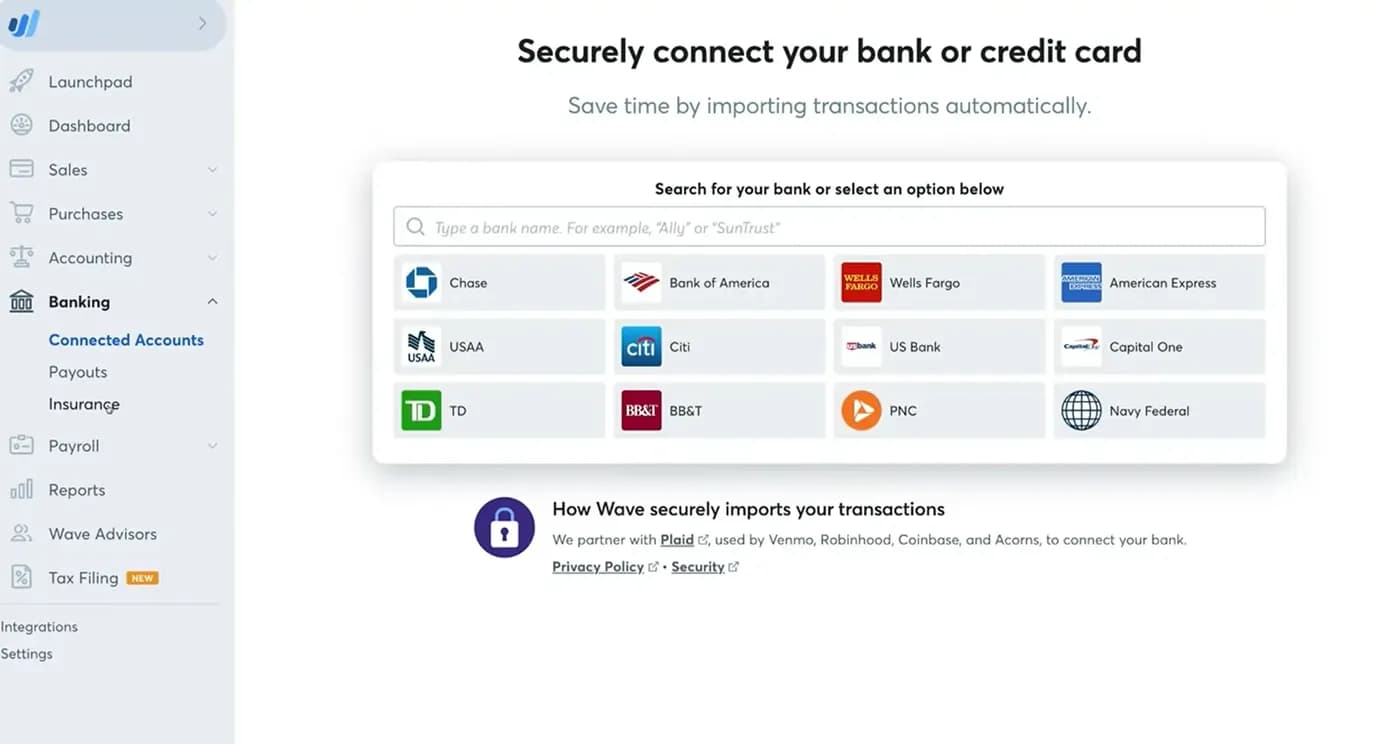
Wave is an easy-to-use accounting software for freelancer and Self-Employed professionals. It helps solo business owners handle invoicing, track income and expenses, and organize tax-ready books without requiring complex bookkeeping skills.
Why It Is Great for the Self-Employed: It provides essential bookkeeping and invoicing without forcing solo workers to pay high monthly fees for features they will never use. Freelancers can easily bill clients, accept card payments online, and link bank accounts to keep business records clean, professional, and audit-ready.
Key Features
- Estimate-to-Invoice Flow: Send professional quotes to clients, collect digital approvals, and turn accepted bids into live invoices with a single click.
- Recurring Billing & Retainers: Schedule automatic invoices for ongoing clients and automatically charge saved credit cards on set dates.
- Visual Money Dashboard: Monitor your immediate financial health through quick snapshot graphs showing monthly profit, cash flow trends, and unpaid bills.
- Mobile Receipt Capture (Pro plan): Snap photos of paper receipts on your phone while traveling so work purchases get logged right away.
- Double-Entry General Ledger: Automatically matches debits and credits in the background so your year-end financial reports are accurate for tax filing.
- Multi-Company Switching: Run different freelance side projects or separate brands under one unified profile without buying extra software.
Pros
- Generous starting tier that does not lock core tools like unlimited invoicing behind a paywall.
- Friendly visual interface that avoids the steep learning curves and cluttered screens of enterprise platforms.
- A built-in double-entry ledger gives outside tax preparers properly structured financial statements.
- Lets you organize multiple freelance gigs or independent ventures under one account.
Cons
- Automated hands-off bank imports and instant receipt matching require an upgraded paid plan, not the base tier.
- Customer support is limited, with no direct phone help and slower response times on entry plans.
- No built-in hourly timer or stopwatch for freelancers who bill clients strictly by the minute.
- Lacks deep activity audit logs, inventory management, and broad third-party app connections.
Who It's For: Service-based freelancers, solo contractors, and budget-minded micro-business owners who need straightforward client billing and clean tax ledgers without taking on costly software overhead.
Xero: Best for freelancers with international clients
- Quick and easy setup
- Cancel on 30 days notice
* Featured prices can be updated and free offers may include additional terms.
Xero is a cloud-based self-employment accounting software designed for freelancers, consultants, and small business owners. With a user-friendly interface and features like multi-currency support and project tracking, pick Xero if you invoice in more than one currency. Multi-currency and mileage tracking only come on the higher-tier Established plan, so a US freelancer billing in dollars pays considerably more here for features QuickBooks Solopreneur includes in its lower-cost plan. The entry-level Early plan caps you at 20 invoices a month, but it does include W-9 and 1099 management for contractors you pay.
Key Features
- A cloud-based platform: Access your financial data anytime, anywhere, from any device.
- Multi-currency support: Automatically tracks and converts foreign transactions, making it ideal for international freelancers.
- Invoicing: Customize and send invoices, track payments, and set reminders for overdue accounts.
- Project tracking (Established plan, $97/mo): Monitor time, expenses, and profitability for individual projects.
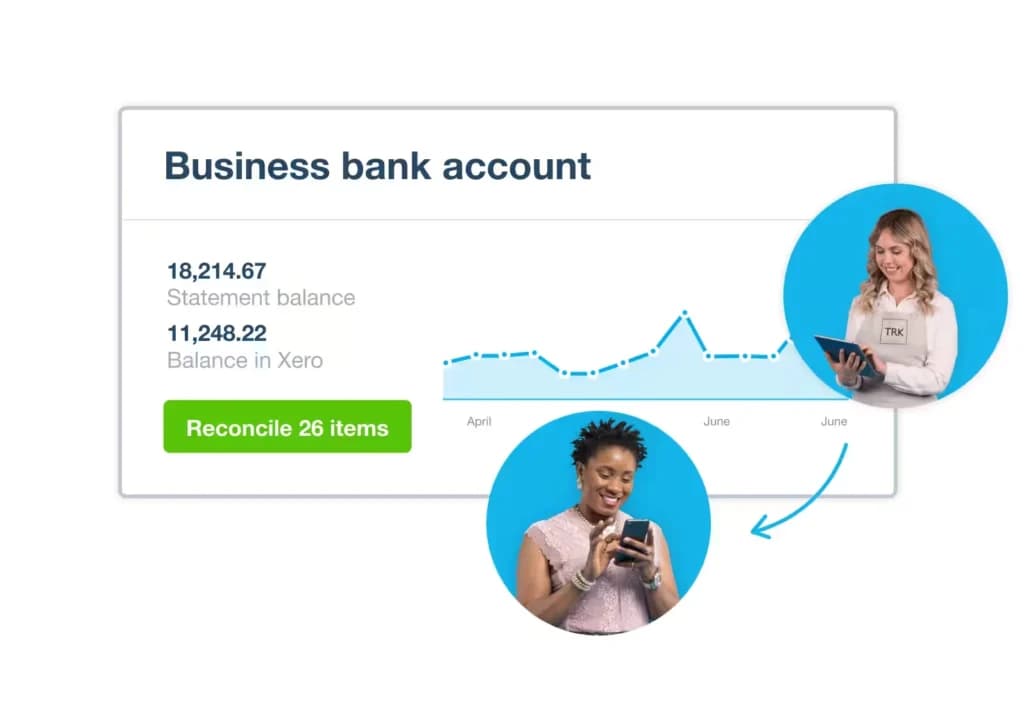
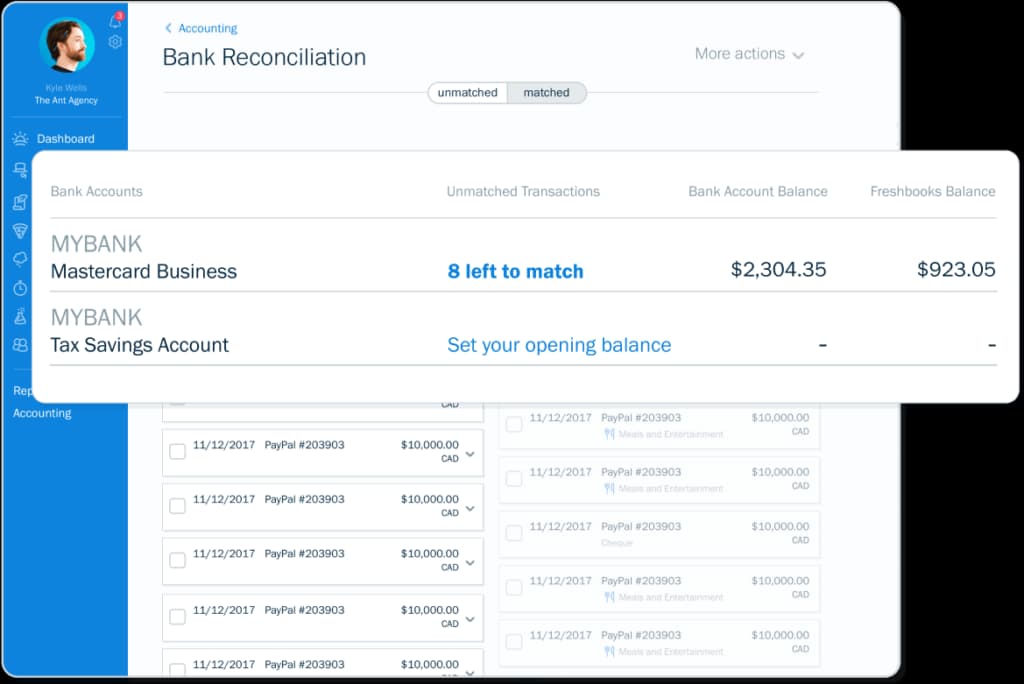
- Bank reconciliation: Syncs with your bank accounts to match transactions, ensuring up-to-date records.
- Sales tax: Tracks and reports US sales tax and sales tax calculations, ensuring compliance with local regulations.
Pros
- Intuitive, cloud-based platform for real-time financial management.
- Strong multi-currency support for international professionals.
- Comprehensive invoicing and project tracking features.
- Scalable plans for growing self-employed individuals or businesses.
Cons
- Advanced features may be overkill for those with basic accounting needs.
- Slightly higher pricing tiers compared to some competitors.
Who It's For: Self-employed professionals working internationally or managing multiple client projects who need flexibility and robust features.
Patriot Accounting: Best low-cost option if you plan to hire
* Featured prices can be updated and free offers may include additional terms.
Patriot Accounting is budget-friendly bookkeeping software for freelancers and self-employed professionals, with a 30-day free trial, offering a straightforward, affordable solution. While it offers fewer advanced features than some competitors, its ease of use and integration with payroll tools make it the lowest list price here and the easiest path to adding Patriot Payroll later, without overspending.
Key Features
- Simplified bookkeeping: Tracks income and expenses, ensuring accurate records for tax reporting.
- Payroll integration: Offers seamless integration with Patriot Payroll for those who manage small teams.
- Customizable invoices: Create and send professional invoices tailored to your business branding.
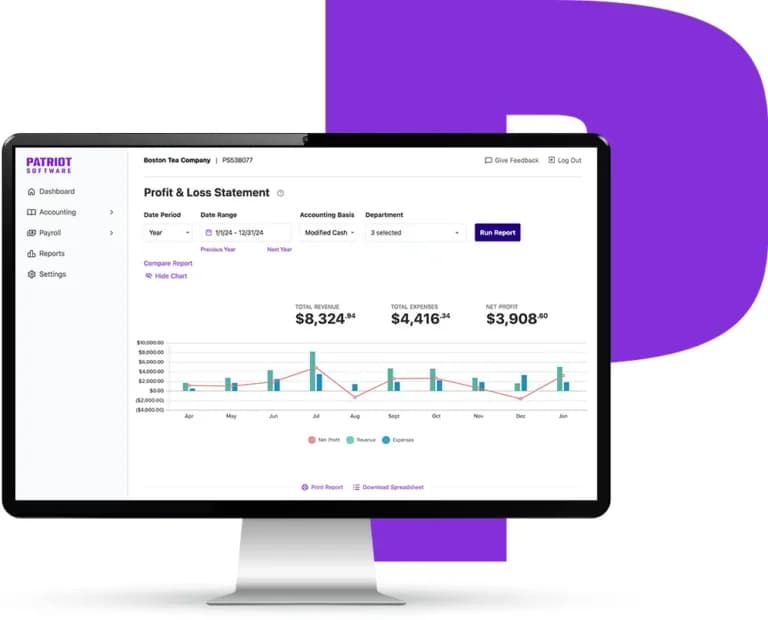
- Bank reconciliation: Match transactions with your bank accounts to maintain up-to-date financial records.
- Affordable pricing plans: Budget-friendly plans cater to freelancers and self-employed individuals.
- Tax reporting: Generates tax-ready reports, simplifying quarterly and annual filings.
Pros
- Cost-effective solution for basic bookkeeping and accounting.
- Simple, intuitive platform with a minimal learning curve.
- Great for freelancers managing their own finances.
- Offers payroll integration for those transitioning into small business operations.
Cons
- Limited advanced features for larger or more complex businesses.
- No mobile app for on-the-go accounting.
Who It's For: Budget-conscious freelancers and self-employed individuals looking for self-employed bookkeeping software with essential features.
FreshBooks: Best for freelancers who bill by the hour or by project
- Try for free. No credit card. Cancel anytime
- Tax time ready, all year long
* Featured prices can be updated and free offers may include additional terms.
FreshBooks is freelancer accounting software built around the invoice. Log hours against a client, turn them into an invoice in two clicks, and get paid by card or ACH, with expense tracking and payment processing. It’s perfect for self-employed professionals managing client projects, offering a clean interface and tools tailored for solo entrepreneurs. If you never bill time, QuickBooks Solopreneur or Wave costs less.
Key Features
- Invoicing: Create and send professional invoices, customize templates, and set up recurring billing for ongoing clients.
- Expense tracking: Link your bank account to monitor expenses in real time and categorize them easily.
- Time tracking: Log billable hours directly into projects or invoices for accurate client billing.
- Payment processing: Accept online client payments through credit cards, ACH, or PayPal.
- Project management: Collaborate with clients and track project progress from start to finish.
- Tax preparation: Generate tax-ready reports for simplified filings.
Pros
- Intuitive interface with tools tailored to freelancers.
- Strong invoicing and payment processing features.
- Ideal for tracking billable hours and managing projects.
- Mobile app allows on-the-go financial management.
Cons
- Higher pricing tiers may not suit all freelancers.
- Limited advanced accounting tools for more complex needs.
Who It's For: Freelancers and self-employed professionals managing client-based projects and payments.
Zoho Books: Best free double-entry accounting
- Client portal for easy payments
- Built-in project time tracking
* Featured prices can be updated and free offers may include additional terms.
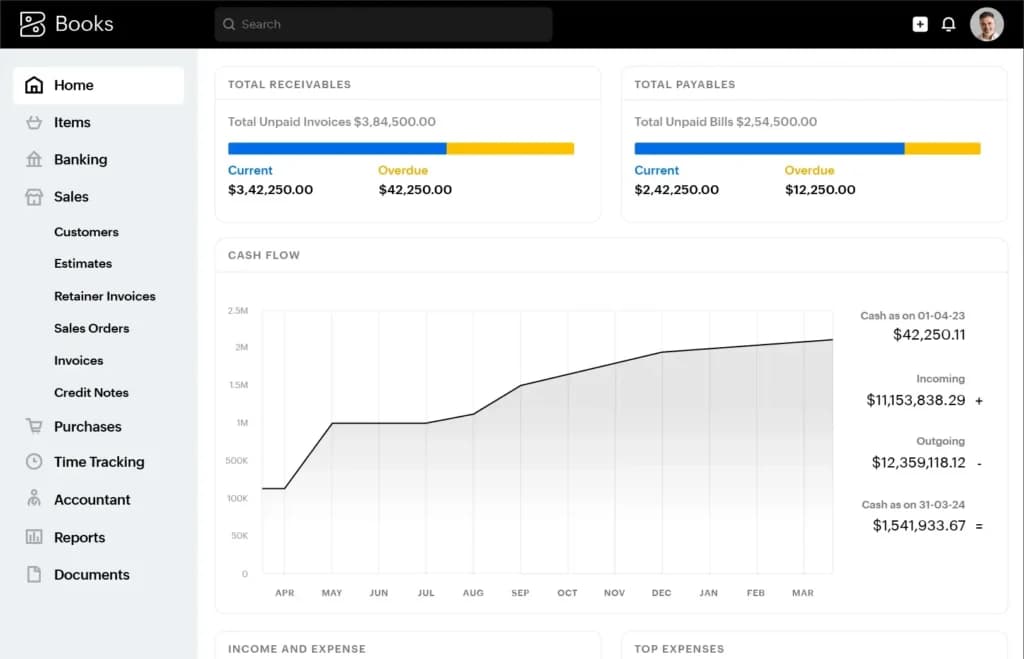
Zoho Books has the most complete free plan here - real double-entry books, up to 1,000 invoices a year, and access for your accountant, automates workflows, and integrates seamlessly with other Zoho tools. It offers robust features such as tax compliance, expense tracking, and invoice management, making it ideal for entrepreneurs and freelancers. The free plan stops at about $50K in annual revenue, so a freelancer who outgrows it moves to a paid tier rather than switching apps.
Key Features
- Automated workflows: Streamline repetitive tasks like invoicing, payment reminders, and bank reconciliations.
- Sales tax: Calculates and reports US sales tax and other taxes, ensuring accurate calculations and reporting.
- Integrated business tools: Works seamlessly with Zoho CRM, Projects, and other Zoho apps for a unified business management experience.
- Invoicing: Create, customize, and easily send invoices, and set up automated recurring invoices for ongoing clients.
- Expense management: Tracks expenses by syncing with bank accounts and categorizing transactions automatically.
- Mobile app: Access financial data, send invoices, and track payments on the go.
Pros
- Affordable pricing plans for self-employed professionals and small businesses.
- Integrates with other Zoho tools for comprehensive business management.
- Strong automation features save time and reduce manual work.
Cons
- May feel overwhelming for those with basic accounting needs.
- Limited third-party integrations outside the Zoho ecosystem.
Who It's For: Entrepreneurs and freelancers who need versatile self-employed bookkeeping software with integrated tools for managing all aspects of their business.
What accounting software does for self-employed taxes
As a sole proprietor, you report business income on Schedule C, pay 15.3% self-employment tax on top of income tax, and usually send the IRS estimated payments four times a year: April 15, June 15, September 15, and January 15. Software helps in three places.
- Categories: each expense lands in a Schedule C line, so year-end is an export, not a weekend with a shoebox. QuickBooks Solopreneur does this out of the box.
- Quarterly estimates: QuickBooks Solopreneur shows a running estimate (verify). FreshBooks, Wave, Zoho Books and Xero give you a profit and loss report, and you or your accountant still do the math.
- Mileage and receipts: business miles are deductible, but only with a log. GPS tracking on your phone beats a notebook.
What each app costs in your first year
Promos make month one look cheap. This is what you pay over 12 months on the cheapest plan with bank import, with the current offer applied:
App and plan | Year one | Math | Year two |
|---|---|---|---|
Wave Pro (annual) | $190 | Annual price | $190 |
FreshBooks Lite | $202.40 | 4 × $4.60 + 8 × $23 (if the offer is 80% off for 4 months) | $276 |
QuickBooks Solopreneur Lite | $210 | 3 × $10 + 9 × $20 | $240 |
Patriot Accounting Basic | $210 | 3 × $10 + 9 × $20 | $240 |
Zoho Books Standard | $240 | 12 × $20 ($0 on the free plan, without bank feeds) | $240 |
Xero Early | $259.20 | 3 × $5.40 + 9 × $27 | $324 |
Note: with Lite at $20, QuickBooks Solopreneur is no longer the cheapest year one; Wave Pro and FreshBooks come in lower. The intro still leads with QuickBooks for fit, not price.
How to choose the best accounting software for self-employed
Selecting the right self-employed bookkeeping software is crucial for managing your finances effectively and saving time. Here’s a guide to help you evaluate and choose the best accounting software for self-employed individuals based on your unique needs:
1. Features that match your needs
The right software should include essential features like invoicing, expense tracking, and tax preparation. If you handle multiple clients or projects, look for tools with time-tracking or project-management capabilities.
Tip: Avoid paying for advanced features you won’t use, like inventory tracking, unless relevant to your work.
2. Ease of use
Your accounting software should simplify bookkeeping tasks, not complicate them. A clean, intuitive interface ensures you can quickly learn the platform and manage finances without frustration.
Tip: Choose software with a user-friendly design and tutorials or support for beginners.
3. Tax compliance
Tax preparation and compliance are essential for freelancers and self-employed professionals. Software that calculates and tracks taxes automatically will save time and reduce errors during tax season.
Tip: Look for tools that offer features like estimated tax calculations and reminders for filing deadlines.
4. Scalability
If you anticipate growing your business, opt for a solution that can scale with you. Software with additional features like payroll integration will save you from switching platforms as your needs evolve.
Tip: Check pricing for upgraded plans to ensure affordability as your business expands.
5. Mobile access
Freelancers and self-employed professionals often work on the go. Accounting software with mobile apps lets you track expenses, send invoices, and monitor cash flow from anywhere.
Tip: Ensure the mobile app includes the same core features as the desktop version.
6. Budget
While free options exist, they may lack advanced features. Balance your budget with your needs to find software that offers good value without unnecessary expenses.
Tip: Consider free trials to test whether the software meets your requirements before committing.
By evaluating these factors—features, usability, tax compliance, scalability, mobile access, and budget—you can confidently choose the best accounting software for self-employed individuals to simplify your financial management.
- You file Schedule C and want expenses sorted for tax time → QuickBooks Solopreneur.
- You bill hours or projects → FreshBooks.
- You send a few invoices a month and want to pay $0 → Wave Starter.
- You want proper double-entry books for free → Zoho Books.
- You invoice in euros or pounds → Xero Established.
- You will hire in the next year → Patriot Accounting.
See also
- Single-user tools break the moment you hire, and the multi-seat plans are laid out across best accounting software for small business.
- Client work with no inventory and no staff fits free accounting software, which records income and expenses without a monthly fee.
- Selling through a marketplace adds fee and payout reconciliation, which is the specific problem best accounting software for Amazon sellers solves.
- Billing is its own workflow, and best invoicing software for self-employed handles recurring invoices, payment links and late reminders.
Final Thoughts
We compared 6 tools against what a US sole proprietor needs at tax time: Schedule C categorization, mileage, invoicing, bank sync on the cheapest plan, and list price after promos. Tools built for teams, inventory, or payroll-first use were left out to save time and ensure compliance with tax regulations. From invoicing and expense tracking to detailed reporting, the tools in this guide offer features tailored to freelancers, consultants, and solo entrepreneurs. Take the time to evaluate your needs and priorities to select the solution that best supports your business and helps it thrive.
FAQs
Do I need accounting software if I’m self-employed?
Do I need accounting software if I’m self-employed?
Yes, accounting software simplifies tasks like tracking income, managing expenses, preparing taxes, saving time, and reducing errors.
Do I still need an accountant if I use accounting software?
Do I still need an accountant if I use accounting software?
Not always. Accounting software covers most day-to-day tasks and often provides the tools needed to manage finances independently, but an accountant can be helpful for complex tax or financial advice.
Which accounting software is best for freelancing?
Which accounting software is best for freelancing?
QuickBooks Solopreneur if you file Schedule C, FreshBooks if you bill hourly, Zoho Books if you need it free
What is the easiest accounting software to use?
What is the easiest accounting software to use?
Software like FreshBooks and QuickBooks are known for their user-friendly interfaces and streamlined workflows, which are ideal for beginners.
Is QuickBooks free for self-employed?
Is QuickBooks free for self-employed?
Yes: QuickBooks Solopreneur has a free plan capped at 2 invoices and 5 mileage trips a month. Lite is $20/mo
Can ChatGPT do my bookkeeping?
Can ChatGPT do my bookkeeping?
It can explain categories and draft formulas, but it doesn’t connect to your bank or keep a ledger, so you still need software