
Best Payroll Software for One Employee in 2026
Payroll software helps take the stress out of managing payments, taxes, and compliance. Instead of crunching numbers or worrying about deadlines, these tools handle the heavy lifting for you—calculating wages, generating pay slips, and filing taxes—so you can focus on more important things.
Last updated: September 2026
Why You Can Trust the Expertise of Sonary
At Sonary, we are committed to providing accurate and trustworthy information to help you make informed decisions. Our research process is meticulous, transparent, and guided by a dedication to maintaining the highest standards of integrity, ensuring accurate, real-world insights.
Read more Unlike many other review platforms, we conduct in-depth evaluations of the software and services we feature. Our expert team tests and actively uses the tools we review to understand their features, performance, and value comprehensively. Our assessments are based on real-world use, giving you insights beyond surface-level descriptions. Our research methodology includes analyzing key consumer factors such as pricing, functionality, device usability, scalability, customer support quality, and unique industry-specific features. This hands-on approach and dedication to transparency mean you can trust Sonary to deliver regular, up-to-date content and recommendations that are well-researched and genuinely helpful for your business needs.

If you’re managing payroll for just one employee, finding the right software is a big deal. You don’t want to spend money on features you’ll never use or get stuck with something overly complicated. The perfect option should be simple, budget-friendly, and get the job done without any headaches. After all, even small operations deserve smooth and professional payroll solutions.
Best Payroll Software for One Employee

Gusto is a cloud-based HR, payroll, and benefits platform designed for small and medium-sized businesses. It simplifies payroll processing with automated tax filings, direct deposits, and benefits… Read more
Gusto is a cloud-based HR, payroll, and benefits platform designed for small and medium-sized businesses. It simplifies payroll processing with automated tax filings, direct deposits, and benefits administration, ensuring compliance with labor laws. With features like employee self-service, time tracking, and onboarding tools, Gusto streamlines HR tasks and enhances workforce management. Businesses benefit from reduced administrative burdens, improved accuracy, and seamless integration with accounting software. The platform also offers health benefits and retirement plans, making it a comprehensive solution for business owners. In this Gusto payroll processing review, I'll discuss features, performance, customer service, and Gusto pricing.
Learn more in our full Gusto review.
Pros & Cons
- Exceptional value: payroll + HR + benefits from $49/mo
- Unlimited payroll runs at no extra cost
- Automated tax calculations, filings, and payments
- Employee self-service portal reduces HR admin significantly
- No dedicated admin mobile app, payroll requires desktop
- No annual plan or money-back guarantee
- E-sign for custom documents not available on Simple plan
- Global EOR covers ~13 countries
Features
- 401k Tracking
- FMLA Tracking
- Generation of pay stubs and reports
- Multi-Country
- Multi-State
- Mobile App For Employees
- Calculate and pay employee salaries
- Compliance with state and federal tax laws
- Direct Deposit for Employee Paychecks
- Tracking of employee hours and overtime
- Update real-time employee information
- Employee Attendance Tracking
- Employee self-service update anytime
- Vacation/Sick Leave Tracking
- Benefits Management
- Employee profile management
- Organizational Chart
- Automatic Tax Payment
- Form 1099-MISC
- Form 1095-B
- Form 1094-B
- Form 1095-C
- Form 1094-C
- Form 940 (Annual federal taxes)
- Form 941 (Quarterly federal taxes)
- Form 944 (Annual federal taxes)
- Form 945 (Non-Payroll Payments-e.g. Pension & Annuities)
- Form W-2 ( Tax filing included)
- Form W-3
- Form W-4
- Tax Compliance
- Time and Attendance Tracking
- HR & Benefits Systems
- Accounting Software
- Direct Deposit
- Tax filing and compliance
Pricing
$49
mo/
month
$80
mo/
month
$180
mo/
month

Paychex is an all-in-one HR and payroll solution designed to meet the needs of small and medium-sized businesses. With over 50 years of experience, Paychex helps businesses stay compliant with… Read more
Paychex is an all-in-one HR and payroll solution designed to meet the needs of small and medium-sized businesses. With over 50 years of experience, Paychex helps businesses stay compliant with government regulations while ensuring accurate wage payments for employees.
Learn more in our full Paychex review.
Pros & Cons
- Employee Mobile App
- 24/7 Support
- Integration with multiple accounting software
- Easy to Use
- Pricier than other platforms
- Free 6-month trial
Features
- 401k Tracking
- FMLA Tracking
- Generation of pay stubs and reports
- Multi-Country
- Multi-State
- Mobile App For Employees
- Calculate and pay employee salaries
- Compliance with state and federal tax laws
- Direct Deposit for Employee Paychecks
- Tracking of employee hours and overtime
- Update real-time employee information
- Employee Attendance Tracking
- Employee self-service update anytime
- Vacation/Sick Leave Tracking
- Benefits Management
- Employee profile management
- Organizational Chart
- Automatic Tax Payment
- Form 1099-MISC
- Form 1095-B
- Form 1094-B
- Form 1095-C
- Form 1094-C
- Form 940 (Annual federal taxes)
- Form 941 (Quarterly federal taxes)
- Form 944 (Annual federal taxes)
- Form 945 (Non-Payroll Payments-e.g. Pension & Annuities)
- Form W-2 ( Tax filing included)
- Form W-3
- Form W-4
- Tax Compliance
- Time and Attendance Tracking
- HR & Benefits Systems
- Accounting Software
- Direct Deposit
- Tax filing and compliance

Quickbooks leads the way in cloud-based accounting software for small businesses by keeping it simple and effective. Everything your business needs is housed under its site and app. It is packed with… Read more
Quickbooks leads the way in cloud-based accounting software for small businesses by keeping it simple and effective. Everything your business needs is housed under its site and app. It is packed with features and integrations for automating aspects deemed too time-consuming.
Learn more in our full Quickbooks review.
Pros & Cons
- Robust and secure cloud-based software
- Customizable and intuitive dashboard and reports
- Numerous integrations
- Full desktop and mobile access
- Lack of 24/7 customer phone support (except for Advanced)
- Payroll costs extra
- Learning curve
Features
- General Ledger
- Bookkeeping
- Manages Accounts Payable/Receivable
- Income & Expenses Tracking/Management
- Account Reconciliations
- Financial Reporting
- Invoicing
- Record Expenses
- Record Mileage
- Generate Invoices
- Tax Compliance
- Manage Tax Calculations/Reporting
- Accountant-Prep Friendly
- Automation of Invoices/Notifications
- Suggests Transaction Matches
- Purchase Order Automation
- Payment Processing
- Payroll Processing
- Project Management
- Time tracking
- Third-party Integrations
- Windows
- Android
- iPhone/iPad
- Mac
- Web-Based
Pricing
$0
mo/
month
$38
mo/
month
$85
mo/
month
$140
mo/
month
$340
mo/
month

Square is one of the most complete free business platforms for small businesses, covering POS, merchant services, accounting, online invoicing, payroll, bookkeeping, and ecommerce from a single… Read more
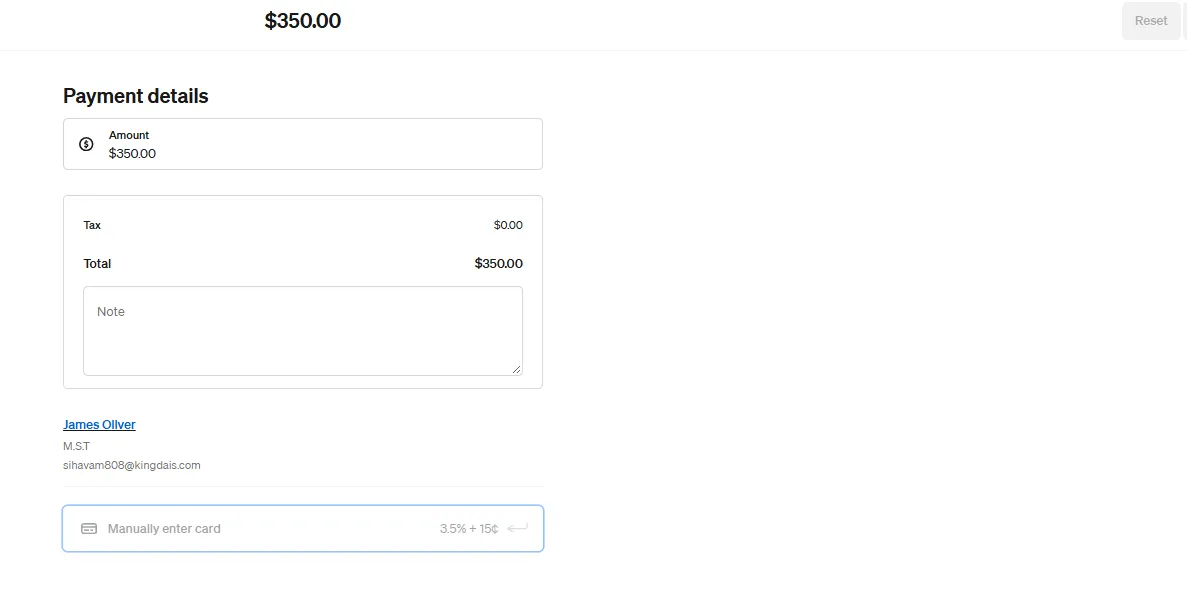
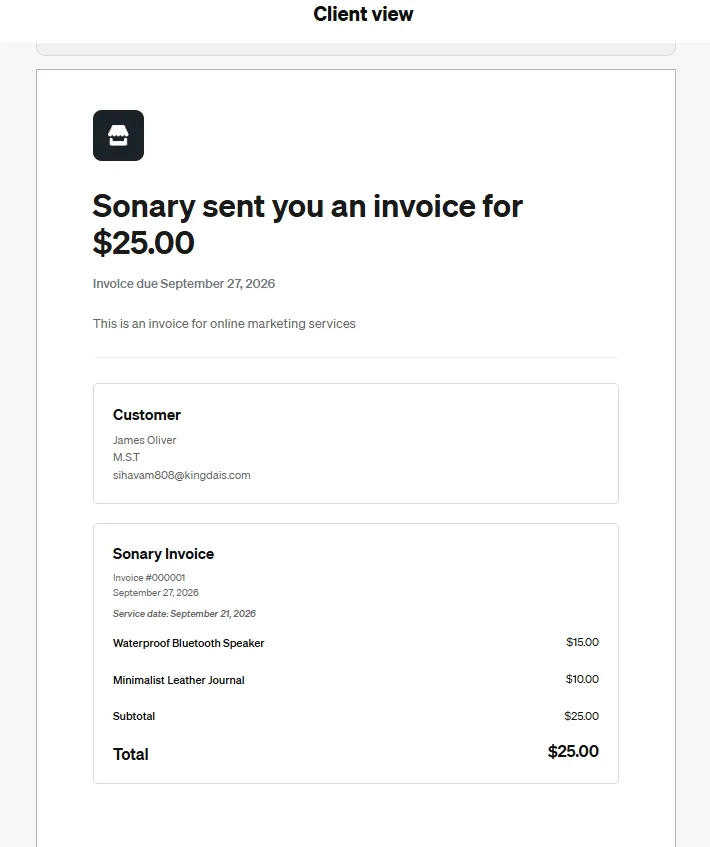
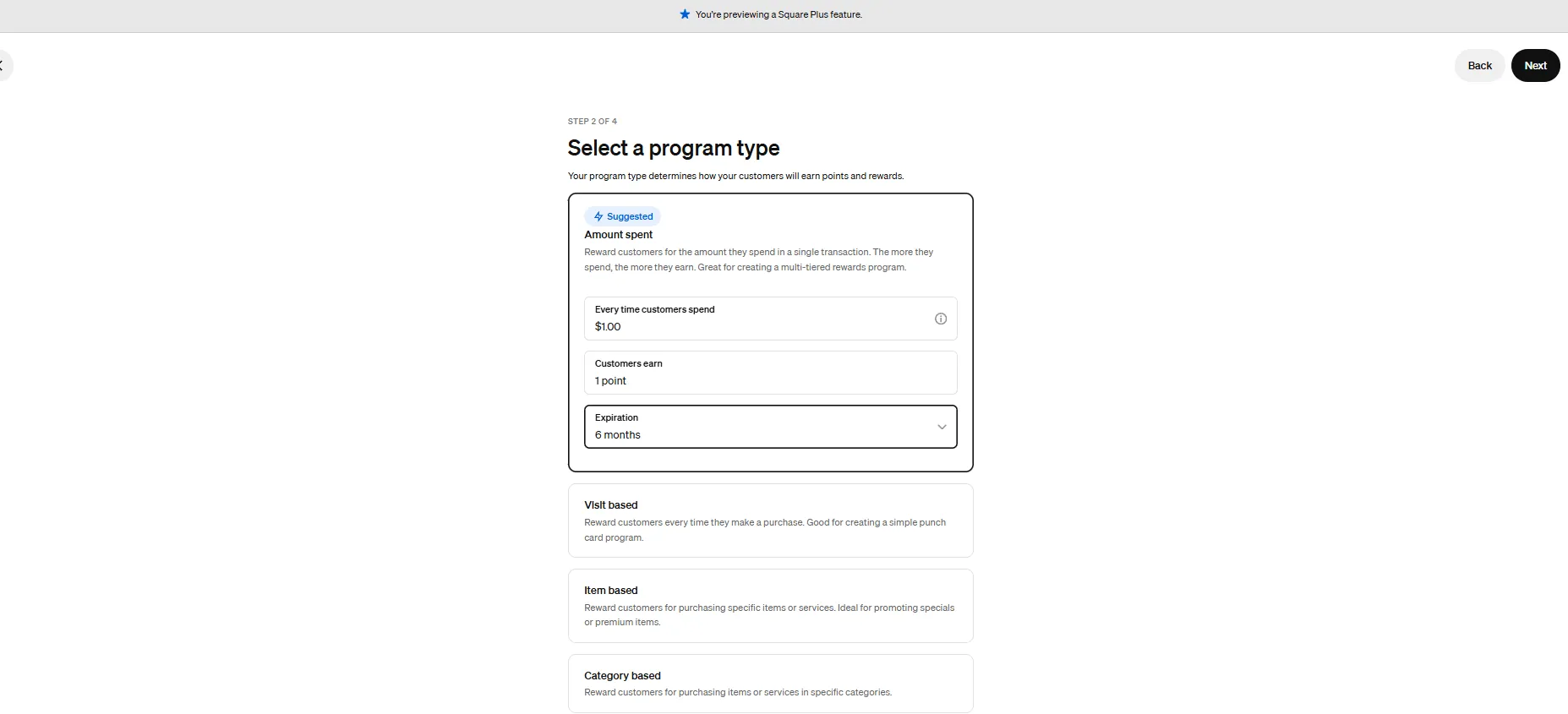
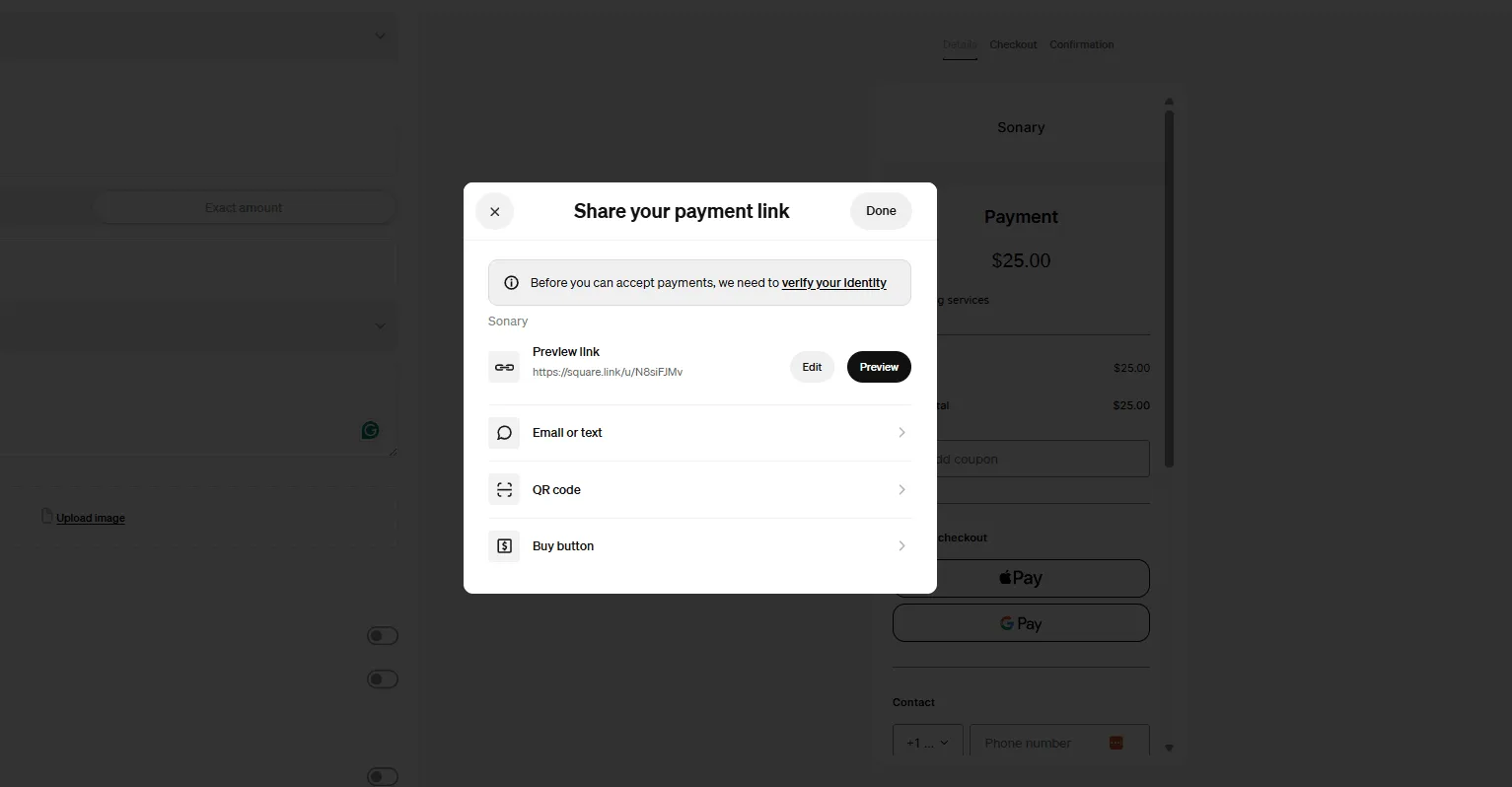
Square is one of the most complete free business platforms for small businesses, covering POS, merchant services, accounting, online invoicing, payroll, bookkeeping, and ecommerce from a single dashboard. It works especially well for micro businesses and SMBs that want to replace multiple subscriptions with one connected system — where sales, finances, inventory, and payroll all update automatically in the same place. For most small businesses, Square is worth it.
Learn more in our full Square review.
Pros & Cons
- No monthly payment
- Next-business-day transfers
- Inexpensive long-term option
- Comprehensive inventory management
- Not great for all industries
- Some performance issues
Features
- Inventory Management
- Loyalty Program
- Mobile Compatibility
- Online Ordering
- Reporting
- Split Checks
- Manage Tips
- Staff Scheduling
- Offline Payments
- Customer Profiles
- Multidevice Payments
- Gift Card Support
- Accounting Integration
- Tableside Ordering
- Floor Plan Management
- Customer-Facing Display
- Self-Service Kiosk
- Retail Store
- Coffee Shop
- Nightclub
- Quick Service
- Bars
- Restaurants
- Food Truck
- iOS
- Android
- Cloud-Based
- Free Trial
- Freemium
- Monthly subscription
- One-Time License
Pricing
$0
mo/
month
$29
mo/
month
Screenshots

SurePayroll is a web-based tool providing payroll and tax-filing solutions primarily for small businesses. With its core features of unlimited payroll processing and accurate payroll tax… Read more
SurePayroll is a web-based tool providing payroll and tax-filing solutions primarily for small businesses. With its core features of unlimited payroll processing and accurate payroll tax computations, SurePayroll helps businesses optimize their operations.
Learn more in our full SurePayroll review.
Pros & Cons
- Simplified employee payroll process
- Convenient mobile app designed for small businesses
- Reasonably priced plans
- Requirement to provide information to receive pricing details
- Lack of 24/7 customer support
Features
- 401k Tracking
- FMLA Tracking
- Generation of pay stubs and reports
- Multi-State
- Mobile App For Employees
- Calculate and pay employee salaries
- Compliance with state and federal tax laws
- Direct Deposit for Employee Paychecks
- Tracking of employee hours and overtime
- Update real-time employee information
- Employee Attendance Tracking
- Employee self-service update anytime
- Vacation/Sick Leave Tracking
- Benefits Management
- Employee profile management
- Automatic Tax Payment
- Form 1099-MISC
- Form 1095-B
- Form 1094-B
- Form 1095-C
- Form 1094-C
- Form 940 (Annual federal taxes)
- Form 941 (Quarterly federal taxes)
- Form 944 (Annual federal taxes)
- Form 945 (Non-Payroll Payments-e.g. Pension & Annuities)
- Form W-2 ( Tax filing included)
- Form W-3
- Form W-4
- Tax Compliance
- Time and Attendance Tracking
- HR & Benefits Systems
- Accounting Software
- Direct Deposit
- Tax filing and compliance
Pricing
$20
/mo + $4/user/
/mo + $4/user
$29
/mo + $7/user/
/mo + $7/user
$39
/mo + $10/user/
/mo + $10/user
Quick Comparison
Software | Top Features | Ideal For |
|---|---|---|
Gusto | Tax filing, direct deposit, benefits | All-in-one payroll solution |
Paychex | Tax compliance, mobile app | Freelancers and small teams |
QuickBooks Payroll | Accounting integration, same-day pay | QuickBooks users |
Square Payroll | Affordable payroll, contractor pay | Square POS users |
SurePayroll | Mobile app, automated payroll | Budget-conscious users |
Justworks | Tax compliance, benefits management | Payroll + HR solutions |
Paylocity | Reporting tools, scalability | Advanced payroll needs |
Our Top Picks
We’ve rounded up the best payroll software options designed specifically for managing payroll for one employee. These choices are easy to use, budget-friendly, and provide just the right features to handle payroll efficiently.
Gusto
- Hire, pay and grow like a pro
- Run automated payroll in 5 minutes flat
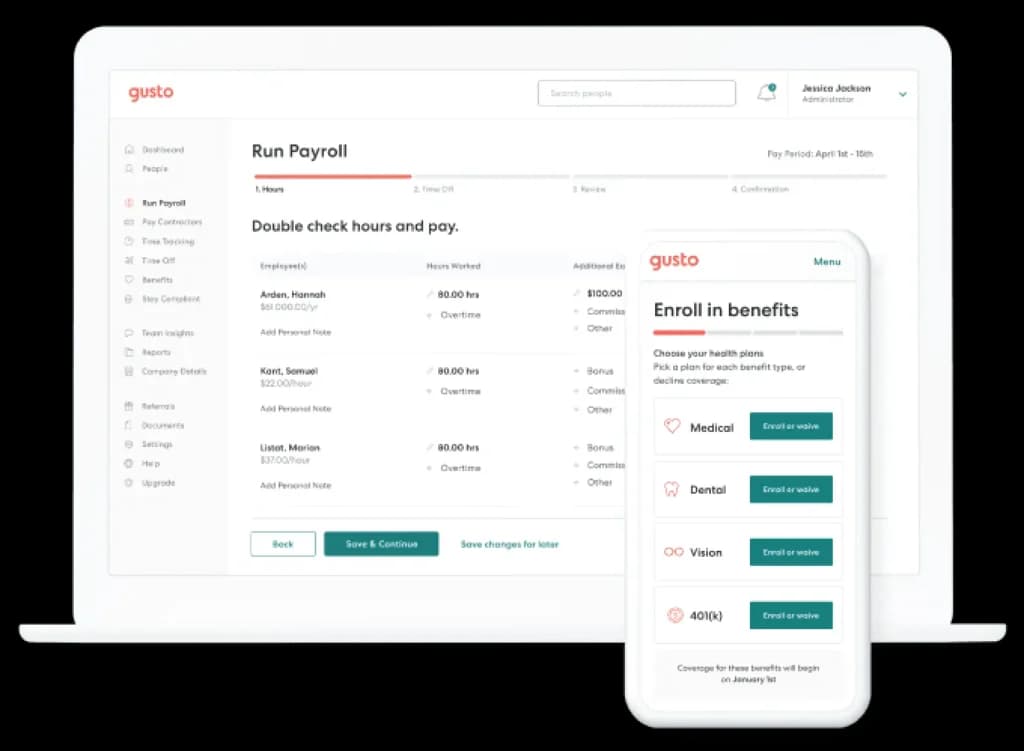
Gusto is a leading payroll and HR software provider, offering solutions tailored for small businesses, freelancers, and solopreneurs. Gusto simplifies payroll for businesses of all sizes, making it an excellent option even for those managing payroll for one employee.
Key Features
- Automated payroll runs and tax filings: Gusto automates payroll processing, including tax calculations and filings, ensuring compliance with federal, state, and local regulations. This feature eliminates manual work and reduces the risk of errors.
- Direct deposit and payroll scheduling: Pay your employee with a reliable direct deposit feature. Gusto also allows you to schedule payroll runs in advance, ensuring timely payments.
- Benefits management: Gusto supports health benefits, retirement savings (401k), workers’ compensation, and other employee perks, making it a comprehensive HR solution.
- Employee self-service portal: Employees can log in to view their pay stubs, tax documents, and benefits information without needing assistance.
- Compliance and reporting tools: Gusto helps you stay compliant with labor laws and generates detailed payroll, tax, and benefits reports to keep you informed.
- Multiple payment options: Besides direct deposit, Gusto allows you to pay via checks or digital wallets.
Pros and Cons
- Pros
- Intuitive and easy to use
- Reliable customer support via phone, chat, and email
- Automates tax calculations, filings, and year-end form
- Cons
- Pricing may feel high for single-employee payroll
- Advanced HR tools may be unnecessary for very small operations
Who It's For
Gusto is an excellent choice for solopreneurs, freelancers, and small business owners who want an all-in-one payroll solution that combines simplicity, affordability, and powerful features. It’s particularly well-suited for individuals and businesses that require more than basic payroll processing, offering a modern platform that seamlessly handles payroll, benefits, and compliance.
Paychex
- One platform for HR & Payroll
- Seamlessly connects to tools you rely on
Paychex is a trusted name in payroll and HR services, providing reliable and scalable payroll solutions since 1971. Serving businesses of all sizes, Paychex is particularly beneficial for those managing payroll software for 1 employee due to its strong automation features, tax compliance tools, and reputation for accuracy.
Key Features
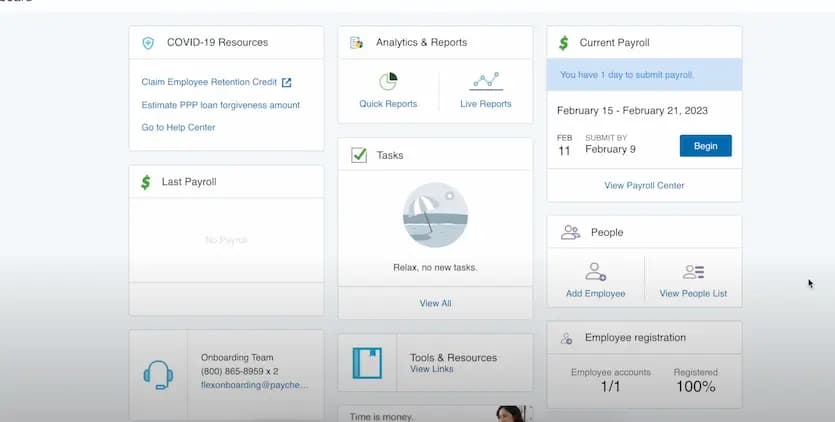
- Automated payroll calculations and tax filings: Paychex automates calculations for wages, deductions, and taxes, ensuring compliance with federal, state, and local laws. This feature eliminates errors and simplifies payroll processing.
- Direct deposit and check payments: Paychex supports flexible payment methods, including direct deposit and check printing, giving businesses options that fit their needs.
- Mobile app for payroll management: The Paychex mobile app allows you to process payroll, review employee records, and access reports on the go, making payroll management accessible anytime, anywhere.
- Tax compliance and reporting tools: Paychex ensures timely tax filings and provides detailed payroll reports, helping you stay compliant and organized.
- Employee self-service portal: Employees can log in to access pay stubs, W-2 forms, and benefits details, reducing administrative workload.
- 24/7 customer support: Paychex offers around-the-clock customer support, ensuring you get assistance when you need it most.
Pros and Cons
- Pros
- Over 50 years of payroll and HR experience
- Mobile app for managing payroll and HR tasks on the go
- Ensures compliance with tax laws and payroll regulations
- Offers additional services like benefits administration and time tracking
- Cons
- Interface feels outdated compared to some competitors
- Pricing may be high for businesses with basic payroll needs
- Advanced features often require add-ons, increasing costs
Who It's For
Paychex Payroll is best for small to medium-sized businesses (SMBs) and growing companies that require a scalable payroll solution with a wide range of HR and compliance features. It’s particularly well-suited for businesses with more complex payroll needs, such as handling multi-state payroll, diverse benefits packages, and tax compliance.
QuickBooks Payroll
- Unlimited custom invoices and quotes
- Cleaner books from day one
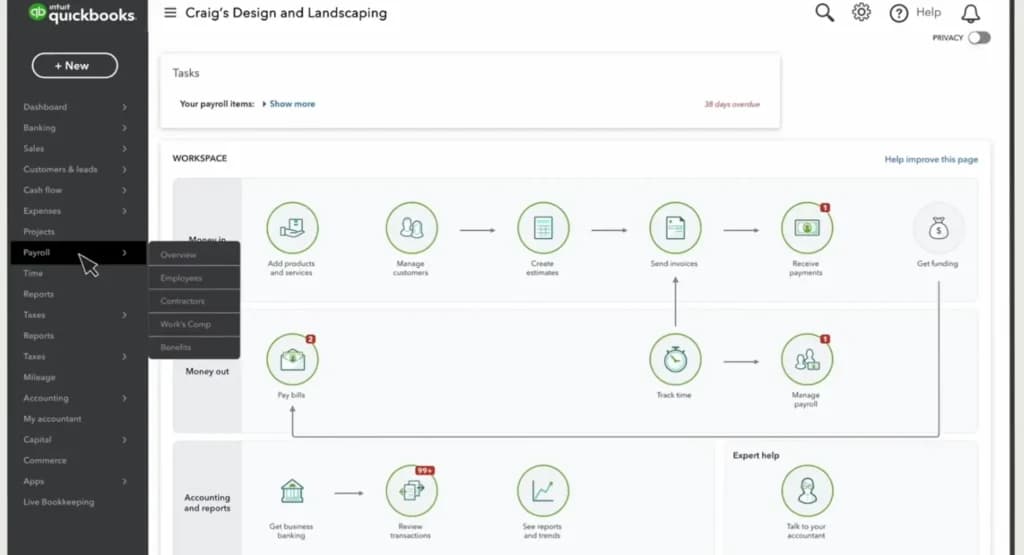
QuickBooks Payroll integrates seamlessly with QuickBooks Online, making it an ideal choice for businesses already using QuickBooks for accounting. For businesses managing single-employee payroll, QuickBooks offers automated tools to simplify tax compliance, payroll runs, and reporting.
Key Features
- Automated tax calculations and filings: QuickBooks Payroll automatically calculates federal, state, and local taxes and ensures timely filings, minimizing the risk of errors and penalties.
- Same-day direct deposit: Process payroll quickly with same-day direct deposit, ensuring your employee gets paid on time.
- Seamless integration with QuickBooks Accounting: The software integrates perfectly with QuickBooks Online, allowing users to manage payroll and accounting in one place.
- Employee self-service portal: Employees can access pay stubs, tax documents, and direct deposit information without contacting you.
- Customizable payroll reports: Generate detailed reports, including payroll summaries, tax filings, and year-end documents, to keep track of compliance and finances.
- Automatic year-end tax forms: QuickBooks Payroll generates and files W-2s and 1099s, reducing administrative burdens during tax season.
Pros and Cons
- Pros
- Seamless integration with QuickBooks Online
- Same-day direct deposit for fast payroll processing
- Automated tax calculations and filings
- Comprehensive payroll reports for easy access to financial data
- Cons
- Learning curve for those new to QuickBooks
- Extra costs for advanced features like HR support or time tracking
Who It's For
QuickBooks Payroll is an ideal choice for QuickBooks users and small to medium-sized businesses that want a seamless integration between their payroll and accounting systems. It’s designed for businesses already using QuickBooks Online or Desktop that value a unified platform to streamline financial management, reduce manual data entry, and ensure accurate record-keeping.
Square Payroll
- Free setup & no hidden fees
- Create customer profiles in seconds
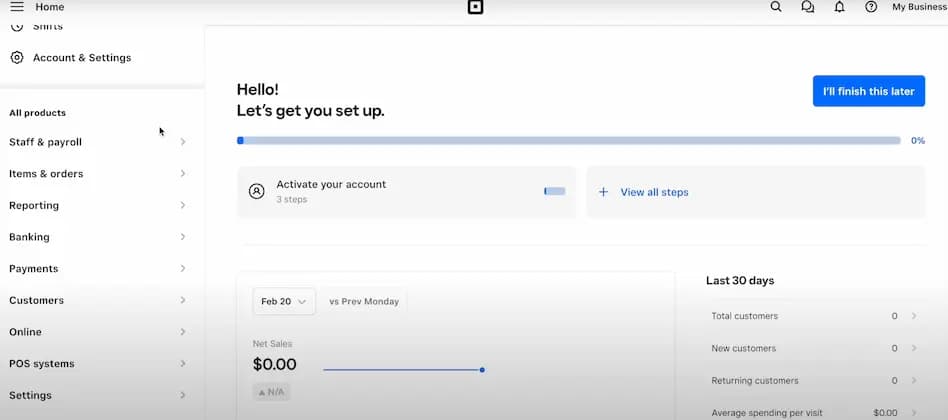
Square Payroll is designed for small businesses, freelancers, and solopreneurs seeking a simple and cost-effective payroll service for one employee. It is particularly beneficial for those already using Square POS, as it integrates seamlessly with their ecosystem. Since launching, Square Payroll has become a trusted choice for managing payroll and contractor payments without the complexities of larger platforms.
Key Features
- Automated tax filings and payments: Square Payroll handles federal, state, and local tax filings, ensuring compliance and simplifying payroll management.
- Direct deposit for employees: Square’s direct deposit feature allows you to pay your employees securely and on time, reducing paperwork.
- Integration with Square POS: If you’re already using Square for payment processing, the integration makes tracking hours and payroll seamless.
- Contractor payroll support: Square Payroll allows you to pay w-2 employees and 1099 contractors easily.
- Time tracking integration: Square Payroll integrates with Square Timecards, making it easy to track hours and calculate wages accurately.
- Employee self-service portal: Employees and contractors can log in to view pay stubs, tax documents, and payment history without needing administrative help.
- Mobile payroll management: Square Payroll allows you to run payroll directly from your mobile device, making it accessible wherever you are.
Pros and Cons
- Pros
- Affordable for single-employee payroll
- Intuitive and user-friendly platform
- Integrates seamlessly with Square POS
- Supports both W-2 employees and 1099 contractors
- Mobile app for managing payroll on the go
- Cons
- Lacks advanced HR features like benefits management
- May feel less relevant for businesses not using Square POS
Who It's For
Square Payroll is an excellent choice for businesses already using Square’s Point of Sale (POS) system and independent contractors seeking an affordable, easy-to-use payroll solution. It is tailored to simplify payroll management for small businesses, especially those in retail, food service, and other industries reliant on Square's ecosystem.
Related Articles


SurePayroll
- Payroll made easy for as little as $1 per day
- Automated payroll for business efficiency
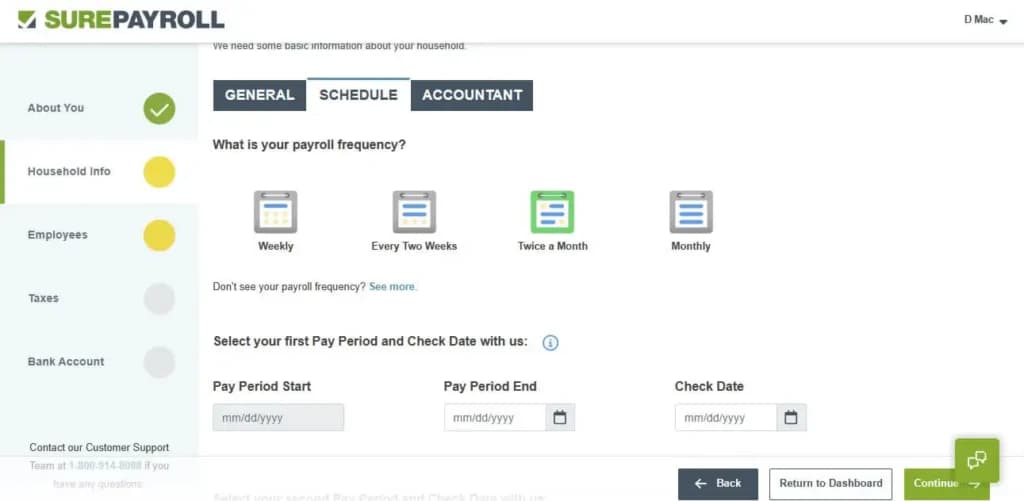
SurePayroll, a Paychex company, specializes in affordable and streamlined payroll solutions for small businesses, freelancers, and solopreneurs. SurePayroll has established itself as a leader in the small-scale payroll market, offering tools tailored for micro businesses and individuals.
Key Features
- Automated payroll and tax filing: SurePayroll automates payroll processing and tax calculations for federal, state, and local requirements, reducing the administrative burden.
- Mobile app for easy payroll management: Manage payroll on the go using the SurePayroll mobile app, ensuring flexibility and accessibility.
- Direct deposit and check printing: Pay your employee via secure direct deposit or print checks at your convenience.
- Tax accuracy guarantee: SurePayroll guarantees tax filing accuracy, covering any penalties incurred due to filing errors.
- Employee self-service portal: Employees can log in to access pay stubs, tax forms, and payroll history, minimizing administrative involvement.
- Year-end forms: SurePayroll generates and files W-2 and 1099 forms, ensuring compliance during tax season.
Pros and Cons
- Pros
- Budget-friendly for small payroll needs
- Responsive and helpful customer support
- Mobile app for running payroll and accessing reports
- Tax accuracy guarantee for filing peace of mind
- Cons
- Interface feels less modern than some competitors
- Lacks advanced HR features like benefits management
Who It's For
SurePayroll is an excellent choice for small businesses, household employers, and startups seeking an affordable and user-friendly payroll solution that offers compliance support and flexible payment options. It’s particularly well-suited for businesses with limited payroll expertise that need a straightforward platform to handle payroll and tax responsibilities efficiently.
Justworks

- Automated payroll service, tax & withholdings
- Grow stress-free with build-in compliance
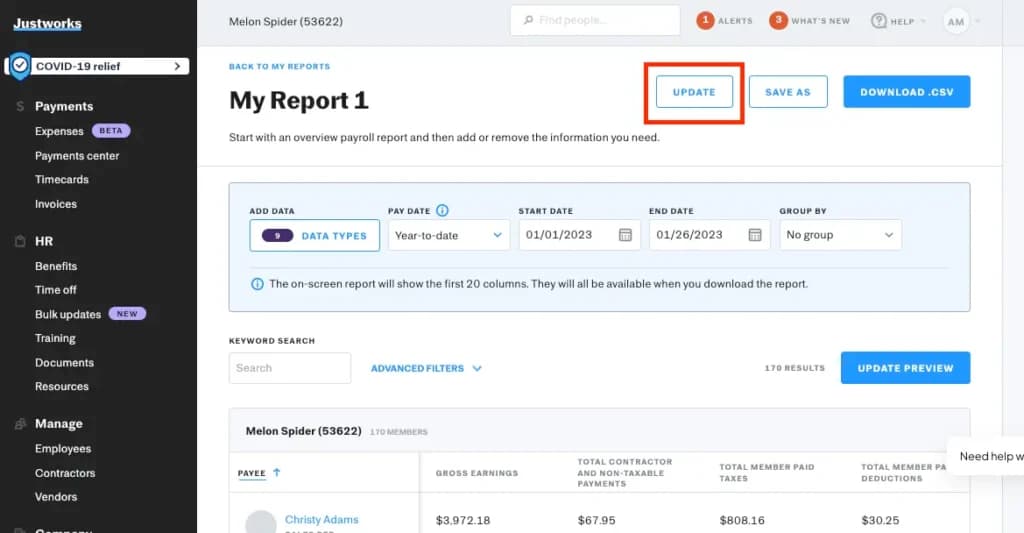
Justworks is a full-service HR and payroll platform designed to streamline workforce management for businesses of various sizes. It operates as a Professional Employer Organization (PEO), which means it manages payroll and handles compliance, benefits, and other HR needs on behalf of your business.
Key Features
- Payroll automation: Justworks automates the entire payroll process, from calculating wages, bonuses, and deductions to generating accurate paychecks and processing direct deposits.
- Compliance management: Provides tools and support to help businesses stay compliant with complex labor laws, tax regulations, and reporting requirements.
- Benefits administration: Simplifies employee benefits management by offering access to a wide range of insurance plans, including medical, dental, and vision coverage.
- Time tracking and PTO: Integrates seamlessly with time tracking systems to monitor employee hours, including overtime, ensuring accurate payroll calculations.
- Employee self-service portal: This provides employees with an easy-to-use portal where they can access pay stubs, tax forms, and benefits information, manage direct deposit settings, and view PTO balances.
- Onboarding tools: Simplifies the employee onboarding process by automating paperwork, tax form collection, and benefits enrollment. This ensures a smooth start for new hires while reducing the time and effort required from HR teams and managers.
Pros and Cons
- Pros
- Full suite of HR tools, including benefits administration and compliance management
- Scalable for growing businesses with expanding workforce needs
- Quick and reliable customer support via phone, email, and chat
- Easy-to-use platform with a clean, intuitive interface
- Cons
- Premium pricing may not suit smaller businesses with tight budgets
- Limited customization for unique HR or payroll requirements
- Basic reporting features may not meet advanced analytics needs
Who It's For
Justworks is ideal for businesses that require a full HR platform alongside payroll services, particularly those seeking a scalable solution as their workforce grows. It's particularly well-suited for companies aiming to simplify complex HR processes while ensuring compliance with state and federal regulations.
Paylocity
- Award-winning customer service
- Seamless international support
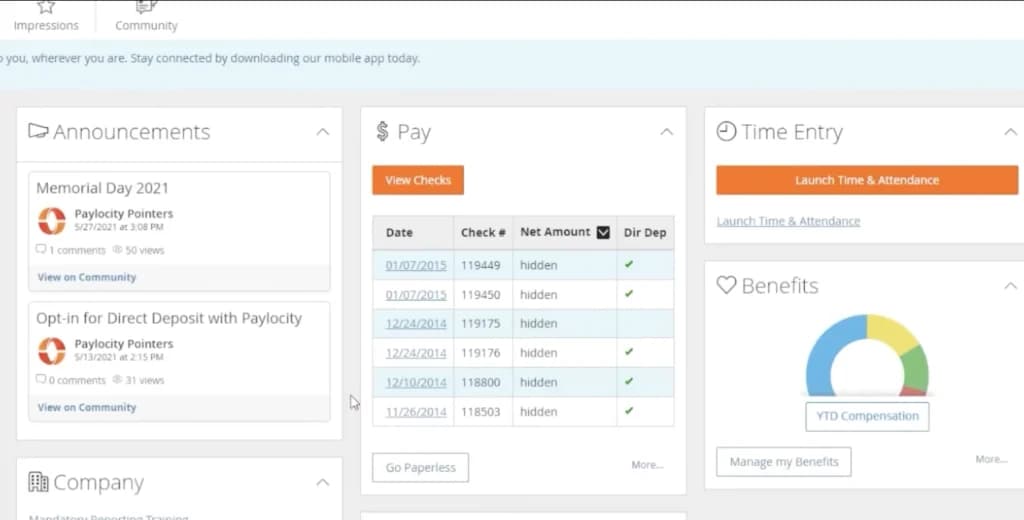
Paylocity is a tech-forward payroll and human capital management (HCM) solution tailored for small and medium-sized businesses. It emphasizes innovation and integrates payroll processing with modern HR tools to improve employee experience and streamline operations.
Key Features
- Custom reporting: Offers powerful reporting tools, allowing businesses to create detailed reports tailored to specific needs. Whether analyzing payroll costs, employee performance, or compliance metrics, these reports help organizations make data-driven decisions with ease.
- Tax management: Ensures accurate tax calculation, filing, and compliance with federal, state, and local requirements. It helps businesses stay compliant with ever-changing tax laws and reduces the risk of errors or penalties.
- Employee self-service portal: This intuitive online portal provides employees with access to pay stubs, tax forms, and benefits information.
- Mobile app: Allows employees and employers to manage payroll and HR tasks on the go.
- Employee engagement tools: Paylocity includes features designed to improve workplace culture, such as peer recognition, pulse surveys, and internal communication tools.
- Integrations with third-party systems: The platform seamlessly integrates with popular accounting, time-tracking, and HR software, ensuring smooth data transfer and reducing the need for manual input.
Pros and Cons
- Pros
- Highly customizable for unique workflows and reporting needs
- Advanced reporting and analytics for payroll and workforce insights
- Intuitive mobile and web platforms for both employees and managers
- Comprehensive HR features, including time tracking and talent management
- Cons
- Premium pricing may not suit very small businesses
- Rich feature set may feel overwhelming for minimal HR needs
- Learning curve for fully utilizing extensive customization options
Who It's For
Paylocity is best for businesses looking for advanced payroll and reporting capabilities, especially those that value data-driven decision-making. It’s an excellent choice for companies focusing on customization and those requiring tax management.
How to Choose the Best Payroll Software for One Employee
Choosing the right payroll service for a single employee doesn’t have to be complicated. The key is finding one that fits your needs without paying extra for features you won’t use. Here’s a simple guide to help you focus on what matters most:
1. Budget
Managing payroll for one employee means keeping costs low. Look for payroll solutions with pricing plans tailored to small-scale needs. Many providers offer affordable basic plans or even free options for minimal payroll requirements. Avoid paying for features designed for larger teams, like advanced reporting or extensive HR tools.
Tip: Compare platforms to find the most affordable basic payroll services.
2. Ease of use
Pick software with a simple and intuitive interface. Payroll for one employee should be quick and stress-free, making it easy to handle tasks like entering hours, setting up direct deposits, and generating pay stubs.
Tip: Look for platforms with straightforward onboarding and clear navigation.
3. Tax compliance
Even for one employee, accurate tax management is a must. The software should automatically calculate, withhold, and file taxes at the federal, state, and local levels, ensuring compliance and avoiding penalties.
Tip: Make sure the platform updates for changing tax laws automatically.
4. Scalability
Your needs may be small now, but it’s smart to choose software that can grow with your business. Look for solutions that let you add employees, integrate with HR tools, or expand features like benefits management as needed.
Tip: Review pricing for additional employees and expanded features to ensure future scalability.
5. Support
Good customer support is key, especially if payroll is new to you. Choose software that offers accessible help, like live chat, phone support, or a thorough knowledge base, to quickly solve any problems.
Tip: Check reviews to find providers known for responsive and helpful support.
See also
- Per-person pricing hides a flat base fee that hits a single payslip hardest, so compare the structures across best payroll providers.
- Filing your own returns is manageable at this size, which makes best free payroll software worth a look before you pay anything.
- Hiring changes the requirement to benefits deductions and timesheet imports, covered in best payroll service for small business.
- Equity, contractors and staff spread across states are startup problems, and best payroll software for a startup team is built around them.
Final Thoughts
Finding the right payroll service for one employee doesn’t have to feel overwhelming. Start by focusing on what matters most to you—affordability, ease of use, or essential features like tax compliance. Think about your current needs, but also consider whether you might grow in the future. The perfect payroll solution is one that fits seamlessly into your workflow and takes the stress out of managing payroll. With the right choice, you can save time, avoid mistakes, and focus on running your business with confidence.
FAQ
Q: What is the cheapest payroll software for one employee?
A: Square Payroll and SurePayroll offer budget-friendly options starting around $30/month.
Q: Is payroll software necessary for one employee?
A: Yes, payroll software ensures accuracy, tax compliance, and saves time, even for a single employee.
Q: Can I use payroll software for a contractor?
A: Yes, most payroll software supports contractor payments alongside employee payroll.
Q: Which payroll software is best for solopreneurs?
A: Gusto and Square Payroll are great options for solopreneurs due to their affordability and ease of use.