
Best POS for pop-up shops and markets in 2026
For makers, craft-fair sellers, market-stall vendors, food pop-ups, and weekend side hustles
Last updated: September 2026

- Free setup & no hidden fees
- Create customer profiles in seconds
- Simple to use inventory management
- No monthly payment
- Next-business-day transfers
- Inexpensive long-term option
- Comprehensive inventory management
- Not great for all industries
- Some performance issues
- Free setup & no hidden fees
- Create customer profiles in seconds
- Simple to use inventory management
- No monthly payment
- Next-business-day transfers
- Inexpensive long-term option
- Comprehensive inventory management
- Not great for all industries
- Some performance issues
- Process digital wallets & popular payments
- Personalize marketing to boost loyalty
- Sync online & in-store sales effortlessly
- Seamlessly integrate your online and in-person store. Keep inventory, payments, and customers in sync.
- Rich customer profiles & integrated loyalty programs
- Very cost-effective service fee
- Integrated payments: Accept payments in store with low rates, quick payouts, and fully integrated Shopify hardware.
- Shopify plan (for ecommerce) is required for POS i.e. not suited for retail only merchants
- POS Lite is included with Shopify plan but additional upgrade to POS Pro plan is required for more advanced features
- Not suitable for certain industries such as restaurants or grocery stores/supermarkets
- Process digital wallets & popular payments
- Personalize marketing to boost loyalty
- Sync online & in-store sales effortlessly
- Seamlessly integrate your online and in-person store. Keep inventory, payments, and customers in sync.
- Rich customer profiles & integrated loyalty programs
- Very cost-effective service fee
- Integrated payments: Accept payments in store with low rates, quick payouts, and fully integrated Shopify hardware.
- Shopify plan (for ecommerce) is required for POS i.e. not suited for retail only merchants
- POS Lite is included with Shopify plan but additional upgrade to POS Pro plan is required for more advanced features
- Not suitable for certain industries such as restaurants or grocery stores/supermarkets

- No contracts. No monthly fees. No hidden charges.
- Top-rated customer service
- Lowest interchange rate for each transaction
- Clear pricing structure
- Tiered discount rates
- Built-in inventory system
- Challenging to forecast earnings
- Lacks online support support
- Extensive list of prohibited businesses
- No contracts. No monthly fees. No hidden charges.
- Top-rated customer service
- Lowest interchange rate for each transaction
- Clear pricing structure
- Tiered discount rates
- Built-in inventory system
- Challenging to forecast earnings
- Lacks online support support
- Extensive list of prohibited businesses

- Scalability for selling online & in-person
- Easy setup and 24/7 support
- Real-time inventory & fast payouts
- Accept payments from anywhere with instant syncing
- End-to-end encryption and stellar PCI compliance
- Track offline and online sales through the same dashboard
- GoDaddy devices connect with all existing hardware
- No free trials
- Scalability for selling online & in-person
- Easy setup and 24/7 support
- Real-time inventory & fast payouts
- Accept payments from anywhere with instant syncing
- End-to-end encryption and stellar PCI compliance
- Track offline and online sales through the same dashboard
- GoDaddy devices connect with all existing hardware
- No free trials

- Cloud-hosted & accessible from anywhere
- Accept payments & track inventory
- Offer gift cards to boost customer retention
- Attractive pricing 30-day trial at no cost
- Affordable hardware beginning at $49
- Feature-packed Ideal for businesses with an online presence
- Round-the-clock phone and email assistance.
- You can't apply for the POS online; it requires interaction with a sales representative
- Pricing information isn't clear-cut
- No complimentary plan available
- Cloud-hosted & accessible from anywhere
- Accept payments & track inventory
- Offer gift cards to boost customer retention
- Attractive pricing 30-day trial at no cost
- Affordable hardware beginning at $49
- Feature-packed Ideal for businesses with an online presence
- Round-the-clock phone and email assistance.
- You can't apply for the POS online; it requires interaction with a sales representative
- Pricing information isn't clear-cut
- No complimentary plan available
* Featured prices and terms can be updated. Free offers may include additional terms.
The best POS for pop-up shops and markets in is Square2026. It’s free, runs on your phone with Tap to Pay or a $59 reader, and works offline when the market's Wi-Fi drops. If you also sell online, use Shopify POS so stock syncs across both. If you’re past ~$5,000/month and want lower fees, switch to Helcim. The catch: in offline mode, a card that declines later is a loss you eat.
Planning your first pop-up? Here’s where a POS fits.
A POS is just the checkout piece, the tool that takes the card and tracks the sale. To launch a pop-up, you’ll also need a spot or a market booking, some stock, simple pricing, and a way to get found. This page handles the checkout decision, so if you’re still deciding how to take payment, you’re in the right place. Start free, test it at home, and you’ll be ready before your first customer.
Which of the best POS options for pop-ups and markets suits you best?
Each line is the real question a vendor in that spot is asking. Jump to the section that sounds like your stall.
- You’re planning your first pop-up and haven’t sold anything yet→ Square: set it up for free before day one and practice at home.
- You’re taking your first card at a craft fair→ Square, free, offline, and set up in minutes on your phone.
- You sell online (Etsy, Shopify, Instagram) and want in-person→ Shopify POS, one inventory across every channel.
- You do $5,000+/month across markets and want lower fees→ Helcim, interchange-plus pricing that drops as you grow.
- You want a free plan plus a low-cost terminal→ GoDaddy, no monthly fee, and a simple Smart Terminal.
- You want a pocket handheld with tap and chip→ Clover Go, a $49 reader with Apple/Google Pay.
- Your stall has spotty or no Wi-Fi→ Square, the offline mode markets rely on.
Best POS for pop-up shops and markets by situation: at a glance
A portable POS system for markets is not one-size-fits-all. Find the row that matches how you sell, then read that section below for the why and the cost.
If this is you | Best POS | Why this one |
|---|---|---|
First craft fair or market, taking your first card | Free, offline mode, $59 reader or no hardware at all | |
Online seller adding in-person popups | One inventory and one customer file across channels | |
High-volume market vendor ($5K+/mo) | Interchange-plus fees drop automatically as you grow | |
Want a free plan + simple terminal | No monthly fee, 2.5% flat, low-cost Smart Terminal | |
Want a pocket card reader with tap + chip | $49 reader, Apple/Google/Samsung Pay, Tap to Pay |
What can each pop-up and market POS actually do?
Every mobile POS on this list claims to be great for markets. This matrix reflects what actually matters at a stall; read across the row for the job you need done.
Real job at a market stall | Square | Shopify | Helcim | GoDaddy | Clover Go |
|---|---|---|---|---|---|
Take your first card in a day | Best | OK | Yes | Yes | Yes |
Run on a phone with Tap to Pay | Best | Yes | Yes | Yes | Yes |
Keep selling offline with no wifi | Best | Limited | Limited | OK | OK |
Start with no monthly software fee | Yes | No | Yes | Yes | Yes |
Cheapest hardware to get started | Best | Yes | Yes | Yes | Best |
Sync online + in-person inventory | OK | Best | No | OK | OK |
Lower fees once you scale ($5K+/mo) | No | No | Best | Yes | OK |
Send a receipt with no printer | Best | Yes | Yes | Yes | Yes |
Best = purpose-built and proven in our testing. Yes = does it well. OK = works but not its strength. Limited/No = weak or unavailable.
Note on offline: Square’s offline mode is the one market vendors rely on. The trade-off is real; if a card declines after you reconnect, you eat the loss, so treat offline as a bad-signal backup, not the default.
How much does a pop-up shop POS cost?
The cost of a POS for a pop-up shop or market is mostly $0/month in software; you pay per card tap plus a one-time reader. Pop-up POS cost breaks down like this, verified July 2026; confirm the current number with the vendor before you sign up.
POS | Monthly software | In-person rate | Cheapest hardware |
|---|---|---|---|
Square | $0 Free (paid plans vary by product) | 2.6% + 15¢ | $0 Tap to Pay on iPhone; $59 reader |
Shopify POS | $39/mo Basic (POS Lite included) | 2.6% + 10¢ | $49 card reader; +$89/mo for POS Pro |
Helcim | $0/mo | ~1.93% + 8¢ (interchange-plus) | Tap to Pay; Smart Terminal add-on |
GoDaddy | $0 Free / $28.99 Plus | 2.5% Free; 2.3% on Plus | $79 card reader; Smart Terminal from $275 |
Clover Go | $0 Payments / $14.95 Essentials | 2.6% + 10¢ | $49 Clover Go reader |
For most weekend vendors, the real cost is the per-tap fee, not software. Under about $5,000/month, Square’s flat 2.6% + 15¢ usually wins because there’s no monthly minimum; past that, Helcim’s interchange-plus pricing starts saving real money.
Sources: vendor pricing pages and 2026 pricing reviews for Square, Shopify, Helcim, GoDaddy, and Clover.
How did we test these pop-up and market POS systems?
The Sonary team has tested more than 12 POS systems hands-on. For this guide, we set up the mobile options below in demo and trial accounts using demo small-business profiles, then judged them against what a market stall or pop-up actually needs.
- Set it up ourselves on a phone and, where offered, a small reader, timing how fast we reached a first sale.
- Checked offline behavior because the market's Wi-Fi is unreliable, and a dropped signal can’t stop a sale.
- Compared true cost per-tap fees, monthly software, and the cheapest reader, to the way a weekend vendor budgets.
- Tested inventory and receipts, including online/in-person sync and sending a receipt by text with no printer.
Honest limit: our testing was in demo environments, not standing in the rain at a Saturday market. We can speak to setup, fees, and features with confidence; real-world signal and speed depend on your venue and your phone. Where a system’s live behavior is well documented, we say so.
See Sonary’s full rating methodology for how scores are assigned.
What’s the best POS for a first market or craft fair?
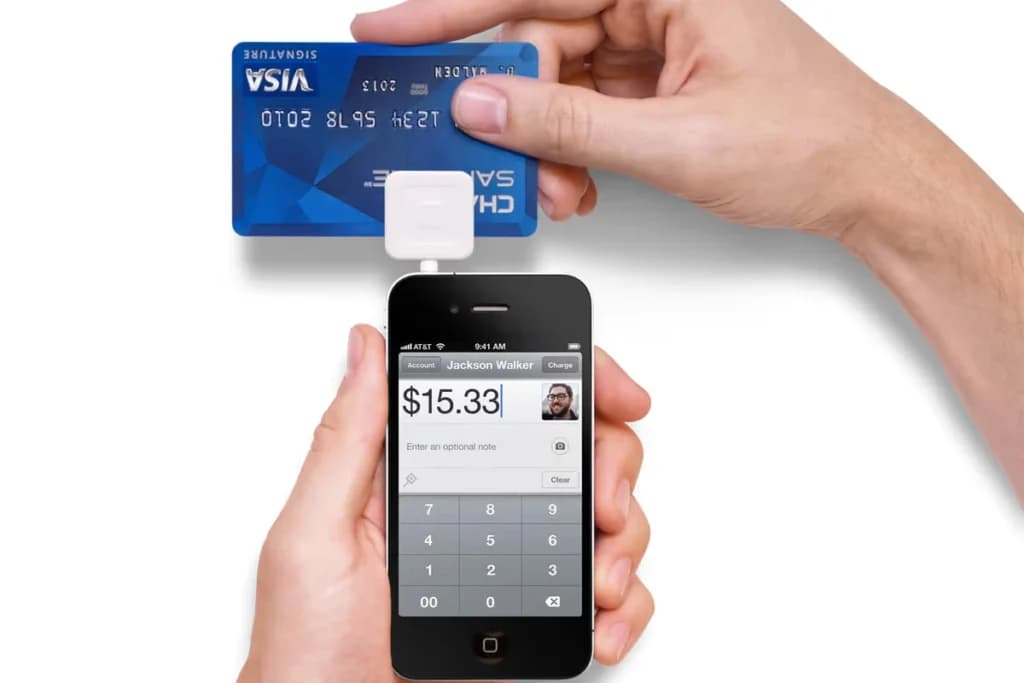
Square is the best POS for taking your first card at a market or craft fair.
Square is one of the most complete free business platforms for small businesses, covering POS, merchant services, accounting, online invoicing, payroll, bookkeeping, and ecommerce from a single… Read more
Square is one of the most complete free business platforms for small businesses, covering POS, merchant services, accounting, online invoicing, payroll, bookkeeping, and ecommerce from a single dashboard. It works especially well for micro businesses and SMBs that want to replace multiple subscriptions with one connected system — where sales, finances, inventory, and payroll all update automatically in the same place. For most small businesses, Square is worth it.
Learn more in our full Square review.
Pros & Cons
- No monthly payment
- Next-business-day transfers
- Inexpensive long-term option
- Comprehensive inventory management
- Not great for all industries
- Some performance issues
Features
- Inventory Management
- Loyalty Program
- Mobile Compatibility
- Online Ordering
- Reporting
- Split Checks
- Manage Tips
- Staff Scheduling
- Offline Payments
- Customer Profiles
- Multidevice Payments
- Gift Card Support
- Accounting Integration
- Tableside Ordering
- Floor Plan Management
- Customer-Facing Display
- Self-Service Kiosk
- Retail Store
- Coffee Shop
- Nightclub
- Quick Service
- Bars
- Restaurants
- Food Truck
- iOS
- Android
- Cloud-Based
- Free Trial
- Freemium
- Monthly subscription
- One-Time License
Pricing
$0
mo/
month
$29
mo/
month
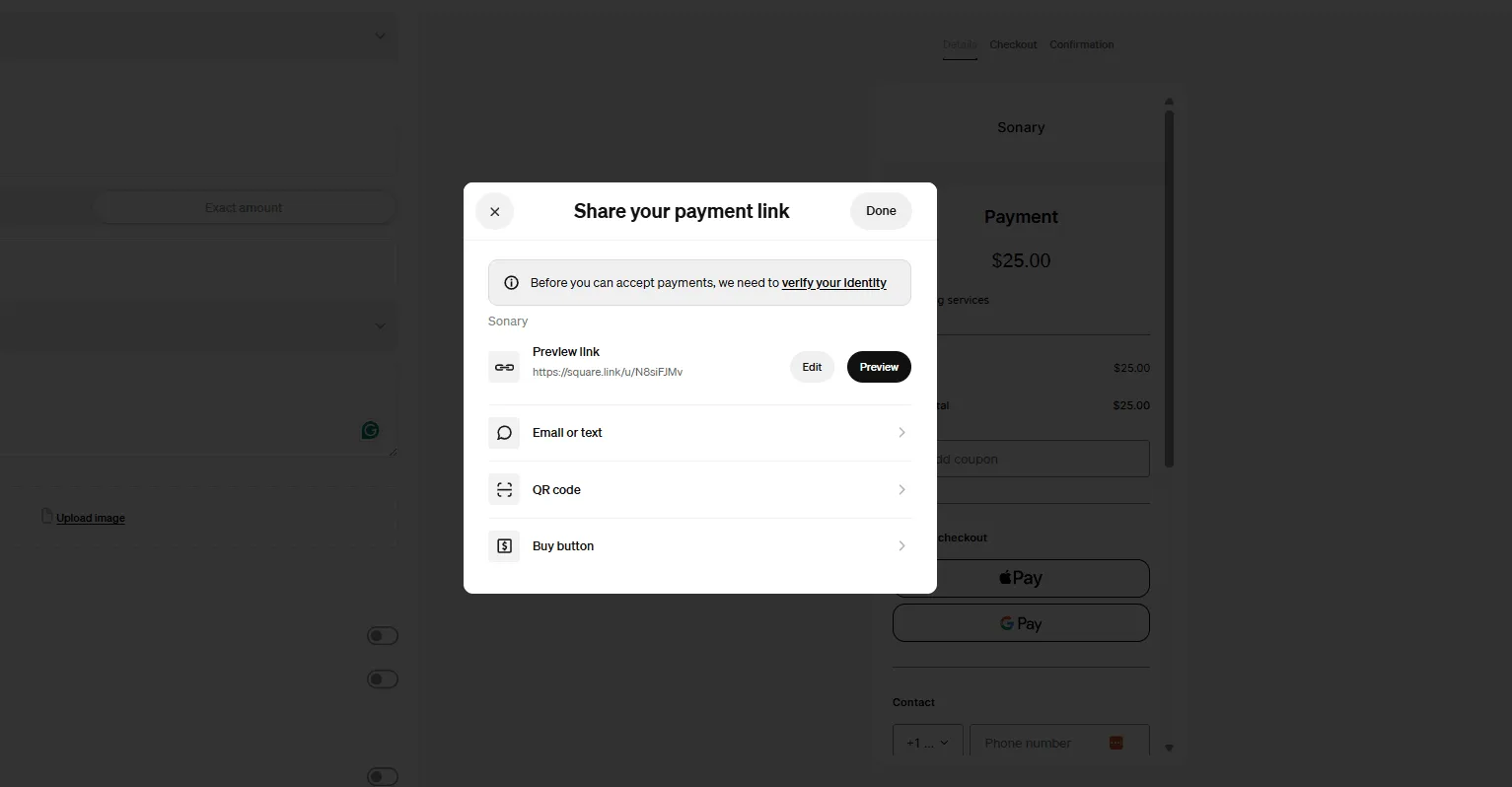
Screenshots
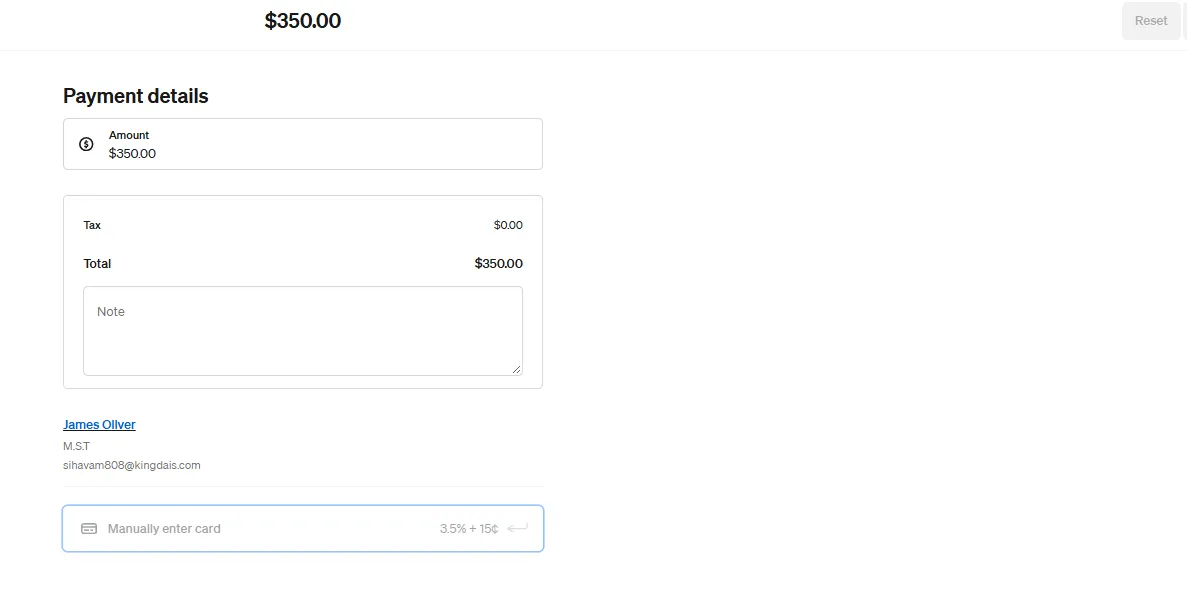
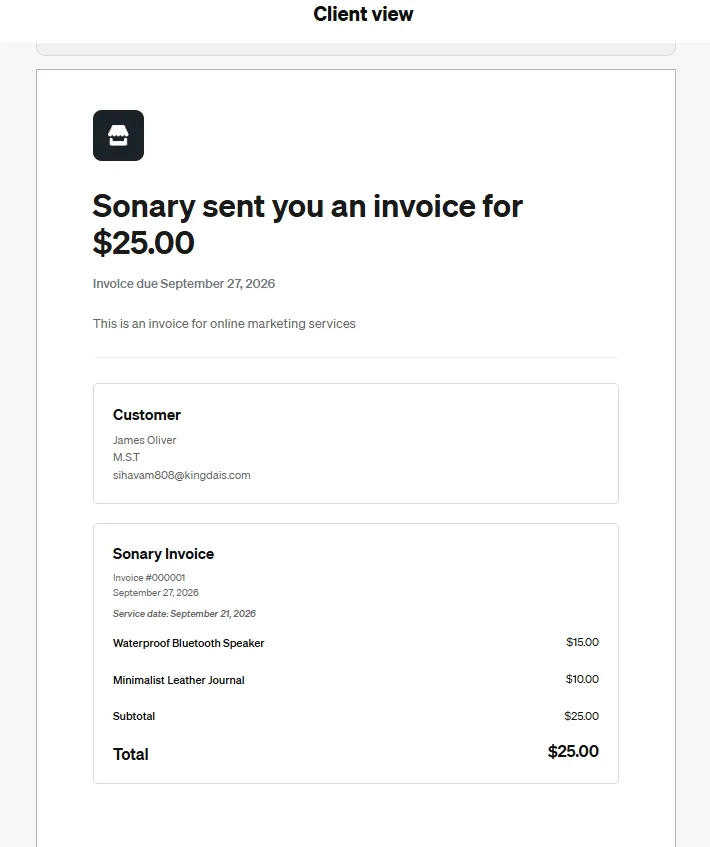
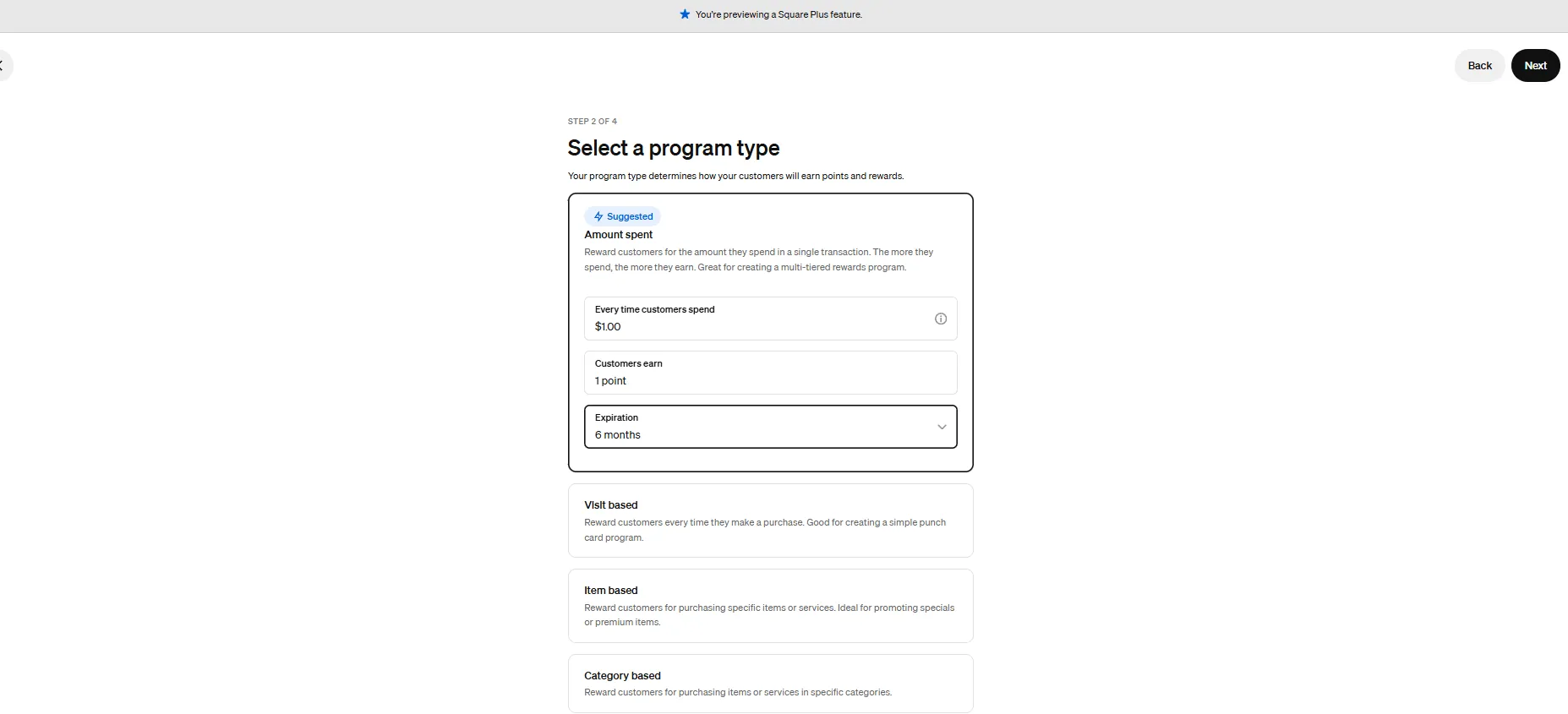
Why it fits
Square exists for this exact moment: a free app, no contract, Tap to Pay on iPhone with no hardware, or a $59 reader. It has the offline mode that market vendors depend on, so a dead wifi signal doesn’t stop a sale. You can accept cards within 15 minutes of signing up.
What we found testing it
In our testing, Square was the simplest system we set up, a few minutes on a phone, and it’s ready to sell, with almost nothing to learn before your first transaction. That low barrier is exactly why it’s the default for popups and first-time vendors.
What does it cost?
- Software:$0/month on the Free plan; 2.6% + 15¢ per in-person tap.
- Hardware:$0 with Tap to Pay on iPhone; $59 contactless reader.
When to pick something else
Once you’re consistently past ~$5,000/month across markets, Helcim’s interchange-plus pricing saves real money. And if you also sell online, Shopify POS keeps one inventory across both , see below.
What’s the best POS for an online seller adding pop-up sales?
Shopify POS is the best pop-up POS for makers who already sell online.
Shopify stands as a leading e-commerce platform, empowering over 1.75 million merchants across 175 countries to sell online seamlessly. Its user-friendly interface, customizable templates, and… Read more
Shopify stands as a leading e-commerce platform, empowering over 1.75 million merchants across 175 countries to sell online seamlessly. Its user-friendly interface, customizable templates, and comprehensive app ecosystem enable businesses to create and manage online stores with ease. Features like integrated inventory management, secure payment gateways, and mobile-responsive design ensure a smooth shopping experience for customers. Trusted by brands like Netflix and Mattel, Shopify offers scalable solutions suitable for businesses of all sizes. In this Shopify e-commerce review, I'll discuss features, performance, customer service, and Shopify pricing.
Learn more in our full Shopify review.
Pros & Cons
- Large suite of marketing tools to grow your website
- You’re able to sell online, offline, and through multiple marketplaces
- It has a built-in payment processor
- Supports unlimited products on every plan
- It charges you for third party payment processors
- The basic plan doesn’t have access to pro reports
Features
- Number of templates
- Drag & Drop Editor
- Free Stock Photos
- SEO Tools
- Social Media Integration
- Visitor statistics
- Third-party apps
- Data Security
- Multi-lingual website
- Inventory Management
- Payment options
- Returns & Refunds
- Shipping Management
- Mobile - friendly
- Mobile compatible templates
- Add HTML code
- Portfolio
- Design flexibility
- Fully customized
- Video Plug-Ins
- Audio Plug-Ins
- Widgets + Apps
- Abandoned cart tools
- Newsletter tool
- Monetization
- Product reviews
- Promotions & Discounts
- Advertising credits
- Free custom domain
- Space
- Bandwith
Pricing
$29
mo/
month
$79
mo/
month
$299
mo/
month
Why it fits
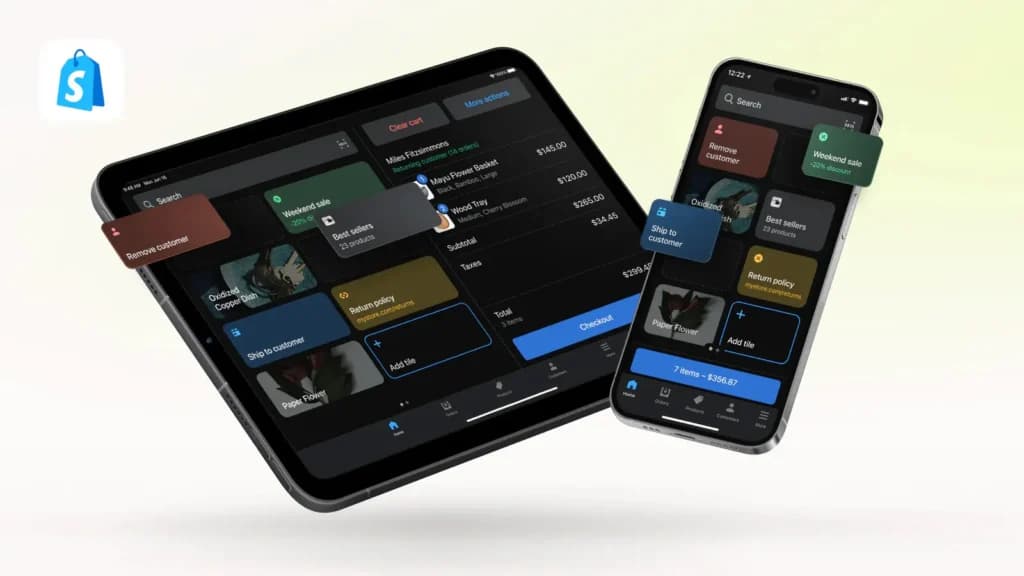
If you sell on Shopify, Etsy, or Instagram, Shopify POS is the one system where the booth and the website share a single back-end. Sell a candle at Saturday’s market and the online store decrements instantly; take an Instagram order overnight and your booth stock adjusts before you open. No manual recounting between channels.
What we found testing it
In our testing, the unified inventory is the whole point: one product catalog and one customer file across online and in-person, so you never oversell the same item twice. It’s not the cheapest way to take a card at a single fair, but for an omnichannel maker, it removes the spreadsheet.
What does it cost?
- Software:$39/month Basic (POS Lite included); POS Pro adds staff and exchange tools at +$89/month per location.
- Rate & hardware: 2.6% + 10¢ in-person; $49 card reader; iPad-based register.
When to pick something else
If you don’t sell online, paying $39/month for an e-commerce platform you won’t use makes no sense , Square’s free plan is better. Shopify’s offline mode is also weaker than Square’s, so a no-signal stall should keep Square as backup.
What’s the best POS to lower fees once your market sales grow?
Helcim is the best pop-up POS for high-volume vendors who want lower per-tap fees.

Helcim Merchant Software provides retail and e-commerce businesses with a reliable payment processing solution that simplifies transactions. It offers credit card processing, invoicing, a… Read more
Helcim Merchant Software provides retail and e-commerce businesses with a reliable payment processing solution that simplifies transactions. It offers credit card processing, invoicing, a Point-of-Sale (POS) system, e-commerce tools, and customer management features. With no monthly fees and an interchange-plus pricing model, businesses benefit from cost savings and automatic volume discounts. Helcim’s all-in-one platform supports online and in-person payments, making it ideal for growing businesses. Its user-friendly interface, security features, and integrated reporting help streamline operations. In this Helcim Merchant Software review, I'll discuss features, performance, customer service, and Helcim pricing.
Learn more in our full Helcim review.
Pros & Cons
- No minimum processing requirement
- Easily navigate surcharging, convenience fees, and service charge with one tool
- No monthly fees
- Excellent customer service
- Exclusive to low-risk industries
Features
- ACH Payment Processing
- Billing & Invoicing
- Data Security
- Debit/Credit Card Processing
- In-Person Payments
- Mobile Payments
- Multiple Payment Gateways
- Online payment processing
- PCI Compliance
- POS Integration
- Payment Fraud Prevention
- Payment Processing Services Integration
- Recurring Billing
- Cash Transactions
- Contactless NFC
- Electronic Receipts
- Mobile Card Reader
- iOS
- Android
- Cloud-Based
- Windows
- Mac
- Instore Sales
- Online Sales
- Mobile Sales
Pricing
1.83%
+ 8¢/
+ 8¢
2.27%
+ 25¢/
+ 25¢
Why it fits
Helcim throws out flat-rate pricing. You pay the actual interchange the card networks charge plus a small markup that automatically shrinks as your volume grows , no monthly fee and no contract. For a vendor consistently doing $5,000+/month, that typically beats Square’s flat 2.6%.
The fee math
Why it matters: Helcim’s in-person rate averages ~1.93% + 8¢ versus Square’s 2.6% + 15¢. On $8,000/month in card sales that difference is roughly $55–$70 a month , money a busy market vendor keeps, with no software fee to offset it.
What does it cost?
- Software:$0/month, no contract; interchange-plus pricing averaging ~1.93% + 8¢ in-person.
- Hardware: Tap to Pay on iPhone, or a Helcim Smart Terminal for a staffed stall.
When to pick something else
Under ~$5,000/month, Square is usually cheaper because there are no assessment fees to spread across low volume. And Helcim’s feature set is lean , if you need tight online/in-person sync, Shopify is the better fit.
What’s the best free POS with a simple terminal for pop-ups?
GoDaddy is a strong free pop-up POS if you want a no-monthly-fee plan and an easy Smart Terminal.
GoDaddy provides a wide range of internet services including hosting. With industry-leading load times, guaranteed 99.9% uptime and expert, 24/7 support, your site couldn’t ask for more.
Learn more in our full Godaddy review.
Pros & Cons
- Free SSL certificate when purchasing a hosting plan
- Free domain is also included with hosting plans
- Unlimited storage and unmetered bandwidth on most plans
- 1-click installation for 100+ applications
- More expensive than comparable web hosting services
- Many instances of the hosting service being slow
Features
- Website Builder
- Shared Hosting
- Reseller Hosting
- Dedicated Hosting
- VPS Hosting
- WordPress Hosting
- Linux Servers
- Windows servers
- Unmetered SSD storage
- Unlimited Transfers
- Email Access
- Control Panel
- Free SSL Certificate
- 1-Click App Installs
- Free Domain Registration
- PCI Compliance
- GIT
- SSH Access
- Site Statistics
- Log Files
- File Manager
- Custom Cron Jobs
- Raw Access Logs
- Script Library
- Customizable Error Pages
- Autoresponder
- Cron Jobs
- Spam Filters
- Hypertext Access
- Unlimited FTP Accounts
- Anonymous FTP
- Mailing lists
Pricing
$6.99
mo/
month
$9.99
mo/
month
$14.99
mo/
month
$21.99
mo/
month
Why it fits
GoDaddy’s POS software has no monthly subscription on its standard plan , you pay 2.5% + $0 per in-person tap, with no per-transaction cents fee. It includes catalog management, invoicing, pay links, and multichannel selling, so a maker can run a booth and a simple online catalog from one account.
The setup
Good to know: The free plan’s flat 2.5% with no cents fee can beat competitors on small tickets; a $6 tap costs less than on a 2.6% + 15¢ plan. Upgrading to Point of Sale Plus ($28.99/month) drops the rate to 2.3% for higher-volume stalls.
What does it cost?
- Software:$0/month Free (2.5% + $0 in-person); $28.99/month Plus (2.3%).
- Hardware:$79 card reader; Smart Terminal Flex from $275 (watch for free-terminal promos).
When to pick something else
GoDaddy’s market share and third-party ecosystem are smaller than Square’s, so if you want the widest app and hardware selection, Square wins. It also lacks Square’s battle-tested offline mode for dead-signal stalls.
What’s the best pocket card reader POS for a market stall?
Clover Go is the best pocket handheld for a vendor who wants a simple tap-and-chip reader.
Clover is a user-friendly point-of-sale (POS) system designed for small to medium businesses, offering a range of software and hardware tailored to different industries, from retail to restaurants.… Read more
Clover is a user-friendly point-of-sale (POS) system designed for small to medium businesses, offering a range of software and hardware tailored to different industries, from retail to restaurants. While not the most affordable, its diverse payment partners make it a reliable choice. Developed by Clover Network Inc., a First Data Corporation subsidiary, Clover POS delivers a comprehensive solution for payment processing, inventory management, and sales tracking.
Learn more in our full Clover review.
Pros & Cons
- Attractive pricing 30-day trial at no cost
- Affordable hardware beginning at $49
- Feature-packed Ideal for businesses with an online presence
- Round-the-clock phone and email assistance.
- You can't apply for the POS online; it requires interaction with a sales representative
- Pricing information isn't clear-cut
- No complimentary plan available
Features
- Inventory Management
- Loyalty Program
- Mobile Compatibility
- Online Ordering
- Reporting
- Split Checks
- Manage Tips
- Staff Scheduling
- Offline Payments
- Customer Profiles
- Multidevice Payments
- Gift Card Support
- Accounting Integration
- Tableside Ordering
- Floor Plan Management
- Customer-Facing Display
- Self-Service Kiosk
- Retail Store
- Coffee Shop
- Nightclub
- Quick Service
- Bars
- Restaurants
- Food Truck
- Android
- Cloud-Based
- Free Trial
- Monthly subscription
Pricing
$13
mo/
month
$105
mo/
month
$170
mo/
month
$145
mo/
month
$230
mo/
month
$205
mo/
month
Why it fits
Clover Go is a $49 pocket reader that takes contactless, chip, and swipe, supports Apple Pay, Google Pay, and Samsung Pay, and enables Tap to Pay on iPhone. On the free Payments plan there’s no monthly fee; the $14.95 Essentials plan adds inventory and reporting for vendors who want more than raw payments.
What we found testing it
In our testing, Clover was one of the strongest all-around systems we tried, with helpful reporting and the ability to accept tap, chip, swipe, and mobile wallets, useful when a customer just wants to tap and go. The Go reader brings that ecosystem to a stall in your pocket, though the per-tap rate isn’t the cheapest here.
What does it cost?
- Software:$0/month Payments plan; $14.95/month Essentials for inventory and reporting.
- Rate & hardware: 2.6% + 10¢ in-person; $49 Clover Go reader.
If you want the lowest fee, Helcim beats Clover Go at volume, and Square matches it on hardware cost with a stronger offline mode. Choose Clover Go if you already like the Clover ecosystem or want that pocket form factor.
What should you set up before your first pop-up?
Do this the week before your event, not the morning of. A few minutes at home saves you from fumbling at the stall.
- Create your free account and add your items. Build a short catalog with names and prices so checkout is one tap, not typing.
- Order or test your reader early. Pair the reader (or Tap to Pay) and run a $1 test sale, then refund it, so you know it works before the crowd shows up.
- Turn on offline mode. Enable it while you still have a signal, and bring a phone hotspot as your main connection.
- Set your sales tax. Add your local rate in the back office so every receipt is correct and tax time is clean.
- Charge a battery pack. A full day of tapping drains a phone; a small USB battery keeps you selling.
- Print a QR ‘pay here’ sign. A visible card/tap sign tells shoppers you take cards before they walk off looking for cash.
That’s the whole pre-launch list for the checkout side. Everything else, booth, permits, marketing, sits outside your POS, but this gets the money part handled.
How do you take card payments at a market with no wifi?
A dead signal shouldn’t cost you a sale. Here’s the offline setup that worked for us, so a portable POS system keeps ringing when the market's Wi-Fi drops.
- Turn on offline mode before you leave. In Square, enable “Offline payments” while you still have a signal; it won’t switch on mid-market.
- Bring a phone hotspot as plan A. A tethered hotspot keeps you online; offline mode is the backup, not the default.
- Know the offline limit. Offline mode holds card taps and authorizes them when you reconnect, but a card that declines later is a loss you have to eat.
- Charge a full battery pack. No power means no POS; a small USB battery covers a full market day.
- Set up text/email receipts. Skip the printer , send receipts by text so you’re not fumbling paper in the wind.
- Reconcile the same night. Reconnect, let offline transactions settle, and check for any declines before you mentally pack up.
What’s the actual difference between Square and Shopify POS for a pop-up?
Square is the cheapest way to accept cards at a single market; Shopify POS is the right call when online sales matter. The deciding question is simple: Do you sell online, too?
What matters | Square | Shopify POS |
|---|---|---|
Monthly fee | $0 Free plan | $39/mo Basic and up |
In-person rate | 2.6% + 15¢ | 2.6% + 10¢ |
Offline mode | Best, market-proven | Limited |
Online + in-person inventory | OK | Best, one back-end |
Cheapest to start | $0 (Tap to Pay) or $59 reader | $39/mo + $49 reader |
Best for | First-timers, cash-light markets | Etsy/Shopify sellers adding booths |
See the full article on Shopify vs Square POS
Which pop-up and market POS is right for you?
Square
- Free setup & no hidden fees
- Create customer profiles in seconds
In testing, the simplest system we set up, and the offline mode market vendors actually rely on.
Skip it if you consistently do $5,000+/month and the flat 2.6% + 15¢ starts to sting, or you need deep online sync.
Choose it if you’re taking your first card at a fair, want zero monthly fee, and need to sell the same day with a phone.
Shopify POS
- Trusted by millions of businesses globally
- Drag-and-drop store creator
In testing, the only option is one in which the booth and website share a single inventory and a single customer file, with no manual recounting.
Skip it if you don’t sell online; paying $39/month for e-commerce you won’t use makes no sense; Square is free.
Choose it if you already sell on Shopify, Etsy, or Instagram and want pop-ups in the same back end.
Read the full Shopify POS review →
Helcim
- No contracts. No monthly fees.
- Comprehensive customer management system
Worth knowing: interchange-plus pricing (~1.93% + 8¢) with no monthly fee, built to get cheaper as your volume grows.
Skip it if you’re a low-volume weekend seller, under ~$5,000/month. Square’s simplicity usually wins.
Choose it if you’re a high-volume market vendor who wants the lowest realistic per-tap fee with no contract.
GoDaddy
- Winners of the "Exceptional Customer Service" Stevie® Award
- Superior performance & load times
Worth knowing: a free plan at 2.5% with no cents fee , good on small tickets , plus a straightforward Smart Terminal.
Skip it if you want the widest app/hardware ecosystem or a battle-tested offline mode; Square leads there.
Choose it if you want a genuinely free plan, low small-ticket fees, and a simple terminal without a monthly bill.

Read the full GoDaddy review →
Clover Go
- Cloud-hosted & accessible from anywhere
- Accept payments & track inventory
In testing, Clover was one of the strongest all-around systems; the $49 Go reader brings that to your pocket.
Skip it if you want the absolute lowest fee (Helcim) or the strongest offline mode (Square).
Choose it if you want a pocket tap-and-chip reader with Apple/Google/Samsung Pay and optional inventory.

Read the full Clover Go review →
Do you actually need a POS, or can you just use Venmo or Cash App?
For a true side hustle, doing a handful of sales, you may not need a POS at all, but it costs you more than you think.
Venmo, Cash App, and Zelle work for very low volume, but you’ll lose the customers who only carry cards, often the higher spenders, and you get no inventory tracking, no sales reports, and no clean audit trail at tax time. Square’s free plan gives you all of that for $0/month with a card reader you can skip entirely using Tap to Pay. The honest rule: if you sell regularly enough to care about running out of stock or filing taxes cleanly, a free mobile POS pays for itself immediately. If you sell twice a year, a peer-to-peer app is fine.
How does your pop-up POS affect your online visibility?
Your POS choice quietly shapes whether shoppers can find your booth, and most vendors never connect the two.
Square, Shopify, and GoDaddy all publish an online store or ordering page tied to your catalog. Google indexes those pages, so real product names and prices help you show up for “handmade candles near me” or a specific market’s vendor list. If you sell online, Shopify’s built-in SEO fields (titles, descriptions, alt text) do real work; fill them in. Keep your business name, hours, and location identical across your POS store, your Google Business Profile, and the market’s vendor directory, because AI answer engines like ChatGPT Search and Perplexity cite the sources that agree with each other. A vendor whose online catalog, socials, and market listing all match earns free discovery traffic between events.
What do market vendors actually ask before picking a POS?
What’s the best POS for pop-up shops and markets in ?2026
Square is the best POS for pop-up shops and markets, free, offline-capable, and running on your phone in minutes. Use Shopify POS if you also sell online, Helcim if you’re past ~$5,000/month and want lower fees, GoDaddy for a free plan with low small-ticket rates, and Clover Go for a pocket reader.
What’s the cheapest way to take cards at a craft fair?
Tap to Pay on iPhone with Square’s free plan, $0 hardware, $0 monthly, 2.6% + 15¢ per tap. GoDaddy’s free plan (2.5% with no cents fee) can be cheaper on small tickets. Past ~$5,000/month, Helcim’s interchange-plus pricing wins.
Can I take card payments at a market without wifi?
Yes. Square’s offline mode holds card taps and authorizes them when you reconnect. The trade-off: if a card declines later, you eat the loss. Bring a phone hotspot as your primary connection and use offline mode as the backup.
What’s the best card reader for markets?
For most vendors, Square’s $59 contactless reader or free Tap to Pay on iPhone. Clover Go’s $49 pocket reader is a close alternative to Apple/Google/Samsung Pay. Shopify’s $49 reader is best if you also sell online.
Do I need a POS for a side hustle, or can I use Venmo?
Venmo or Cash App works at very low volume, but you’ll lose card-only customers and get no inventory, reporting, or tax-ready records. Square’s free plan gives you all of that for $0/month, so once you sell regularly, there’s little reason to skip it.
How do I keep one inventory across online and in-person pop-ups?
Use Shopify POS. It’s the one system here where the booth and the website share a single back end, so a sale in either place updates stock everywhere and you never oversell the same item.
Which pop-up POS has the lowest fees?
Helcim, once you’re at volume, interchange-plus pricing averages ~1.93% + 8¢ in-person and drops as you grow, with no monthly fee. GoDaddy’s flat 2.5% (no cents fee) is strong for small tickets at low volume.
How much does a pop-up shop POS cost?
Mostly $0/month in software plus a per-tap fee of ~1.93%–2.6% and a one-time reader ($49–$79) or free Tap to Pay. Your real cost is the processing fee, so match the rate to your monthly volume.
Where can you go deeper?
- Best POS Systems for Small Business (hub), the full situation-by-situation POS guide.
- Free POS Systems, every $0/month plan compared, ideal for weekend vendors.
- Mobile POS Systems, for on-the-go and service sellers who work off a phone.
- POS for Food Trucks, offline mode and event-day workflows that also fit food pop-ups.
- Best POS for Bars & Pubs, the sister guide if you run (or are opening) a bar, pub, or taproom.
- Shopify POS vs Square POS, the head-to-head most makers weigh.
- Full Square review, Shopify review, and Helcim review, hands-on scores, and pricing.
- How We Rate, Sonary’s testing and scoring methodology.
What’s the bottom line on the best POS for pop-up shops and markets?
There’s no single winner among the best POS options for pop-up shops and markets; there’s the one that fits how you sell. For most vendors, Square is the best POS for pop-up shops and markets: free, offline-ready, and selling within minutes on your phone. If you also sell online, Shopify POS keeps a single inventory across all channels. Past ~$5,000/month, Helcim’s lower fees win. Want a free plan with a simple terminal? GoDaddy. Want a pocket reader? Clover Go. Match the mobile POS to your volume and your channels, then set it up before your next market.
Who wrote and reviewed this article?
Written by Daniel Zvi
Daniel Zvi writes about POS and small-business software at Sonary, where he has hands-on tested more than 12 point-of-sale systems. He’s the author of Sonary’s POS comparison library, including Shopify POS vs Square, Lightspeed vs Clover, and “What Is a POS System?” His focus is on providing non-technical founders and side hustlers with the practical details they need to choose the right tools.
Daniel’s author page · LinkedIn
Disclosure: Sonary tests products hands-on in demo environments and may earn advertising fees from brands it reviews, which can affect placement but not our assessments. Featured prices and terms can change. Free offers may include additional terms.
See also
- Short trading windows change the maths, and POS systems for small business shows which tills bill by the month rather than by use.
- Avoiding a monthly contract for a stall that runs one season points straight at best free POS systems.
- Card readers that run off a phone and a battery pack are compared on the best mobile POS systems page.
- Serving hot food from a stall adds prep tickets and offline capture, both covered in best POS for food trucks.