
Top 10 Free Landing Page Builders for 2026
Small businesses and entrepreneurs need free landing page builders to create professional-looking pages without spending a fortune. These tools make it easy to design, customize, and launch pages that capture leads, promote products, and drive conversions, all without needing technical skills. With user-friendly templates and drag-and-drop features, anyone can build a stunning landing page quickly. Want to find the best free landing page builders for your business? Check out our guide now!
Last updated: September 2026
This page highlights the best free landing page builders in , comparing features, customization, ease of use, and ideal use cases. With options like Wix, Squarespace, and HubSpot, you can find a solution that suits your business needs and goals.2026
Best Free Landing Page Builders in2026
- Over 300 million sites were built on Wix
- 90K+ Sites created daily
- Personalized design tailored to your business
- Generate content and images for your site
- Fast, scalable hosting for any website
- Free domain for 1 year
- 24/7 live chat support
- Sell globally with an online store
- Unified platform for sales and marketing
- Track customer interactions in real time
- Professionally-designed themes
- Create a mobile‑friendly site with a click
- Trusted by millions of businesses globally
- Drag-and-drop store creator
- Manage products, orders & customers
- Powered by Google Cloud: Reliable & fast
- Create your website, store, & logo in one place
- Digital tools and features for a pro website
- Create a website in 10 minutes.
- Used by 356,000 small business owners
Why You Can Trust the Expertise of Sonary
At Sonary, we are committed to providing accurate and trustworthy information to help you make informed decisions. Our research process is meticulous, transparent, and guided by a dedication to maintaining the highest standards of integrity, ensuring accurate, real-world insights.
Read more here Unlike many other review platforms, we conduct in-depth evaluations of the software and services we feature. Our expert team tests and actively uses the tools we review to understand their features, performance, and value comprehensively. Our assessments are based on real-world use, giving you insights beyond surface-level descriptions. Our research methodology includes analyzing key consumer factors such as pricing, functionality, device usability, scalability, customer support quality, and unique industry-specific features. This hands-on approach and dedication to transparency mean you can trust Sonary to deliver regular, up-to-date content and recommendations that are well-researched and genuinely helpful for your business needs.
What Do I Need in a Free Landing Page Builder?
When choosing a free landing page builder, focus on the following essential features to maximize effectiveness and ease of use:
- User-Friendly Interface: A drag-and-drop editor is ideal for quickly designing landing pages without coding skills.
- Templates: High-quality templates provide a solid starting point for creating visually appealing pages.
- Lead Capture Forms: Look for options that support form fields for email capture, contact info, or custom questions.
- Customization Options: Flexibility in design, layout, and elements (like images and text) is crucial for making pages stand out.
- Integrations: CRM, email marketing, and analytics integrations allow for seamless follow-up and performance tracking.
- SEO and Mobile Optimization: Mobile-responsive design and basic SEO tools ensure your landing pages perform well on all devices and in search results.
What Makes the Best Landing Page Builder?
The best landing page builders combine ease of use with powerful design and customization tools. Look for options that offer:
- Flexible Templates: Diverse templates designed specifically for conversions make it easy to launch campaigns faster.
- Analytics and A/B Testing: Track performance metrics and test variations to improve conversion rates.
- Customization Freedom: The ability to adjust fonts, colors, images, and layouts to match your brand identity.
- AI Tools: New AI-driven builders can generate layouts, suggest improvements, or even write copy, streamlining the design process.
Top 10 Free Landing Page Builders
Here’s a closer look at some of the top free landing page builders, each offering unique features to help you create professional, high-converting landing pages.
1. Wix
Wix is a flexible website and landing page builder, offering an intuitive drag-and-drop editor that enables users to design professional, visually engaging landing pages with ease. With an extensive template library, Wix provides industry-specific designs that can be fully customized, giving users control over every element of their page. Its SEO capabilities, such as customizable meta tags, structured data, and mobile responsiveness, make Wix an excellent choice for creating optimized landing pages that can rank well in search engines.
Benefits:
- Beginner-Friendly Interface: Wix’s drag-and-drop functionality allows users without coding skills to create custom landing pages.
- Wide Range of Templates: The extensive library offers templates for various industries and campaign types.
- SEO Features: Built-in tools allow you to optimize page titles, descriptions, and URLs, and integrate structured data for improved SEO performance.
- Wix ADI (Artificial Design Intelligence): This AI-driven tool generates a customized layout and design based on a few questions, making it a quick solution for users who need a landing page fast.
Key Features:
- Customizable SEO Tools: Access to meta tags, image alt texts, and structured data for optimizing search visibility.
- Mobile Optimization: Templates are automatically optimized for mobile, ensuring a consistent experience across devices.
- Integrations: Connects seamlessly with third-party apps like Google Analytics, Mailchimp, and more to track performance and engage leads.
Best For:
- Small businesses and freelancers looking for a fully customizable, easy-to-use landing page builder with solid SEO features.

Wix is a versatile website builder that empowers users to create stunning, professional websites without requiring advanced technical skills. Known for its intuitive drag-and-drop editor, Wix offers… Read more
Wix is a versatile website builder that empowers users to create stunning, professional websites without requiring advanced technical skills. Known for its intuitive drag-and-drop editor, Wix offers hundreds of customizable templates, robust e-commerce capabilities, and built-in SEO tools to optimize site performance. Whether you're a small business owner, blogger, or creative professional, Wix provides an all-in-one solution to design, manage, and grow your online presence. With features like mobile optimization, app integrations, and reliable hosting, Wix ensures your website is both functional and visually impressive, making it a top choice for users of all experience levels.
Learn more in our full Wix review.
Pros & Cons
- Wix-powered websites are fast
- Has intuitive drag-and-drop design features
- Digital marketing integrations are super easy
- Massive reservoir of support materials
- One paid plan (except Enterprise) for only one site.
- Wix branding on Free plan
- Cannot use a custom domain on Free plan
Features
- 100+ Templates
- Add HTML code
- Blog Templates
- Portfolio
- Drag & Drop Editor
- Multi-lingual website
- Fully customized
- SEO Tools
- Social Media Integration
- Widgets + Apps
- Newsletter tool
- Monetization
- Visitor statistics
- Multiple Sites
- Free Stock Photos
- Free custom domain
- Unlimited Space
- Unmetered Bandwidth
- Video Plug-Ins
- Blogging
- Online Stores
- Automatic Website Building
- Mobile-friendly
Pricing
$0
mo/
month
$17
mo/
month
$29
mo/
month
$39
mo/
month
$159
mo/
month
2. Squarespace
Squarespace is known for its sleek, design-centric templates that are perfect for businesses seeking a visually impactful online presence. While primarily a website builder, Squarespace’s templates and user-friendly editor make it easy to create focused landing pages. Its high-quality visuals, e-commerce integration, and customizable design options are ideal for businesses that prioritize brand aesthetics. Squarespace also provides built-in analytics and SEO tools to help track page performance and optimize for search engines.
Benefits:
- Visually Stunning Templates: Squarespace’s templates are known for their clean, modern design, ideal for brand-focused landing pages.
- Built-in SEO Tools: Customize URLs, meta tags, and add structured data, which are crucial for optimizing landing page visibility.
- E-commerce Integration: Perfect for sales-focused landing pages, Squarespace integrates seamlessly with its e-commerce platform, enabling product showcases and purchase options.
- Advanced Analytics: Access to metrics such as page views, conversion rates, and user demographics directly within the platform.
Key Features:
- Responsive Design: All templates are mobile-optimized to ensure consistency across devices.
- Customizable Blocks: Modify sections, add galleries, videos, and more without needing extensive design experience.
- Email Marketing Integration: Built-in email campaigns allow for easy follow-ups with leads captured on landing pages.
Best For:
- Creative professionals, artists, and e-commerce businesses that prioritize visual design and want a sophisticated, branded landing page experience.

The Squarespace drag-and-drop editor allows users to create stunning websites. Be it a simple portfolio or an online store, the website builder has over 100 modern templates and integrates with… Read more
The Squarespace drag-and-drop editor allows users to create stunning websites. Be it a simple portfolio or an online store, the website builder has over 100 modern templates and integrates with 5,000+ apps. Squarespace lets users can begin their website building with customizable web page sections.
Learn more in our full Squarespace review.
Pros & Cons
- You can create up to 1,000 pages
- In-built SEO tools
- Free SSL certificates
- Rich library of user learning materials
- You can not publish your professional website on the free trial mode
- No free plan, only free trail period
- Has a bit of a learning curve
Features
- 100+ Templates
- Add HTML code
- Blog Templates
- Drag & Drop Editor
- Multi-lingual website
- Fully customized
- Mobile-friendly
- SEO Tools
- Social Media Integration
- Widgets + Apps
- Newsletter tool
- Visitor statistics
- Free custom domain
- Unlimited Space
- Unmetered Bandwidth
- Free Stock Photos
- Video Plug-Ins
- Audio Plug-Ins
- Blogging
- Online Stores
- Automatic Website Building
Pricing
$16
mo/
month
$23
mo/
month
$39
mo/
month
$99
mo/
month
3. IONOS
IONOS provides a straightforward landing page builder that focuses on ease of use and essential functionality, making it suitable for small businesses looking to establish an online presence quickly. Known for its simplicity, IONOS offers basic templates that are mobile-responsive and come with essential SEO tools. While the customization options are limited compared to other builders, IONOS allows users to integrate lead capture forms, making it effective for generating leads on a budget.
Benefits:
- Easy Setup: The intuitive interface and basic templates make it ideal for users who want a simple setup without extensive customization.
- Mobile Optimization: All templates are mobile-responsive, enhancing accessibility and usability across devices.
- Affordable Pricing: With a low-cost entry point, IONOS provides essential tools for building a landing page without breaking the bank.
- SEO Basics: Access to essential SEO settings, including meta descriptions, page titles, and image optimization.
Related Articles


Key Features:
- Lead Capture Forms: Basic form options for collecting visitor information and generating leads.
- Integrated Web Hosting: IONOS includes hosting services, making it a convenient choice for users who need an all-in-one solution.
- GDPR Compliance: Built-in compliance tools help businesses align with data protection standards, especially important for EU-based businesses.
Best For:
- Small businesses and startups that need a quick, affordable landing page solution with basic lead capture and SEO features.

IONOS is a mature web hosting company that provides all the tools small and medium businesses need to thrive online. A lightning-fast CDN, 24/7 support, and inexpensive pricing make this work… Read more
IONOS is a mature web hosting company that provides all the tools small and medium businesses need to thrive online. A lightning-fast CDN, 24/7 support, and inexpensive pricing make this work checking out.
Learn more in our full Ionos review.
Pros & Cons
- Free domain when you register
- Among the cheapest hosting providers available
- Outstanding uptime with little if any downtime
- 1-click software installation
- The admin area is different and can take time to learn
- Can only use the SSL provided by the company
Features
- Website Builder
- Shared Hosting
- Cloud hosting
- Reseller Hosting
- Dedicated Hosting
- VPS Hosting
- WordPress Hosting
- Linux Servers
- Windows servers
- Unmetered SSD storage
- Unlimited Transfers
- Email Access
- Control Panel
- Free SSL Certificate
- Free Backups
- 1-Click App Installs
- Free Domain Registration
- PCI Compliance
- GIT
- SSH Access
- Site Statistics
- Log Files
- File Manager
- Custom Cron Jobs
- Raw Access Logs
- Script Library
- Customizable Error Pages
- Autoresponder
- Cron Jobs
- Spam Filters
- Unlimited Mailboxes
- Hypertext Access
- Unlimited FTP Accounts
- Anonymous FTP
- Mailing lists
- Search engine submission
Pricing
$4
mo/
month
$6
mo/
month
$1
mo/
month
$10
mo/
month
4. SITE123
SITE123 is a straightforward and beginner-friendly landing page builder, known for its no-frills approach to creating simple yet effective landing pages. With SITE123, users can quickly design a landing page using pre-made templates tailored for different purposes. The builder includes basic SEO tools and is mobile-responsive, ensuring that pages display well on all devices. SITE123 is perfect for users who want a basic, functional landing page without extensive customization.
Benefits:
- Fast and Easy Setup: SITE123’s simplicity is ideal for users who need a landing page up and running quickly.
- SEO-Friendly: Includes tools to customize page titles, descriptions, and URLs to improve search visibility.
- Responsive Design: All templates are optimized for mobile, ensuring that users have a consistent experience across devices.
- Free Subdomain: SITE123 provides a branded subdomain, allowing users to publish their page without purchasing a custom domain.
Key Features:
- Drag-and-Drop Editor: Allows users to customize templates without needing design or coding skills.
- Built-In SEO Tools: Access to meta tags, alt text, and keyword optimization settings for better search rankings.
- 24/7 Customer Support: SITE123 provides around-the-clock support, ideal for users who may need help setting up or troubleshooting.
Best For:
- Entrepreneurs and small businesses looking for a quick, no-fuss landing page solution that doesn’t require extensive customization.

Site123 is a modern website builder that makes it possible for non-designers to build beautiful web presences. Over the years, it has evolved into a solid platform with a wide range of apps, add-ons,… Read more
Site123 is a modern website builder that makes it possible for non-designers to build beautiful web presences. Over the years, it has evolved into a solid platform with a wide range of apps, add-ons, and templates that’ll serve brands in almost any industry. Today, it has over 1 million registered users and continues to build tools to level the playing field between large and small brands.
Learn more in our full Site123 review.
Pros & Cons
- Has easy drag-and-drop feature for intuitive design experience.
- Offers advanced store features for ecommerce businesses.
- Multiple language options and automatic translation.
- Outstanding 24/7 customer support via live chat and email support.
- Premium packages only cover for one website. You have to purchase multiple packages if you own more than one website.
- Site123 branded message on the free plan.
- Great for generic websites as customization features are highly limited.
Features
- 100+ Templates
- Add HTML code
- Blog Templates
- Portfolio
- Drag & Drop Editor
- Multi-lingual website
- Fully customized
- Mobile-friendly
- SEO Tools
- Social Media Integration
- Widgets + Apps
- Monetization
- Visitor statistics
- Multiple Sites
- Free custom domain
- Free Stock Photos
- Video Plug-Ins
- Audio Plug-Ins
- Blogging
- Online Stores
- Automatic Website Building
Pricing
$0
mo/
month
$7.8
mo/
month
5. HubSpot
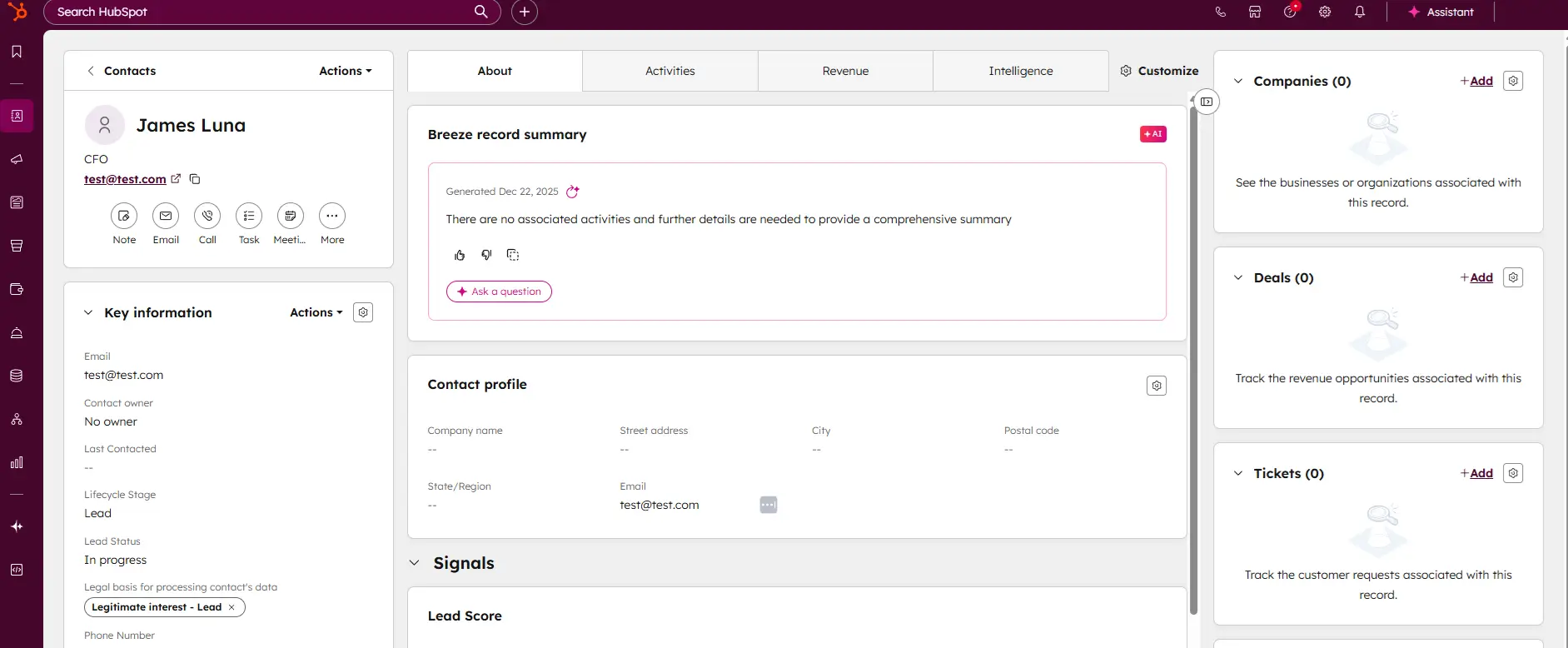
HubSpot’s landing page builder is part of its comprehensive inbound marketing platform, designed for businesses focused on lead generation and customer engagement. With HubSpot, users can create high-converting landing pages that integrate seamlessly with its CRM and marketing automation tools. HubSpot’s analytics, A/B testing, and SEO features make it one of the best options for data-driven businesses that want to optimize and track conversions.
Benefits:
- Integrated CRM: HubSpot’s free CRM integration allows you to track leads, monitor engagement, and nurture relationships.
- Advanced Analytics: Get in-depth data on visitor behavior, conversion rates, and more, directly within the HubSpot dashboard.
- Built-In SEO Optimization: Optimize each landing page with SEO tools to improve search rankings and drive organic traffic.
- A/B Testing: Available on higher plans, allowing users to experiment with different landing page versions to improve conversions.
Key Features:
- Drag-and-Drop Builder: Design custom pages quickly, with templates optimized for conversion.
- Lead Capture and Forms: Built-in lead capture tools sync directly with HubSpot’s CRM.
- Email Marketing Integration: Easily follow up with leads through integrated email marketing campaigns.
Best For:
- Businesses focused on lead generation and marketing automation, especially those looking to integrate with a CRM.

HubSpot CRM is your go-to solution for managing sales and customer relationships with precision and ease. Offering a real-time view of your sales activity, HubSpot provides explicit, actionable… Read more
HubSpot CRM is your go-to solution for managing sales and customer relationships with precision and ease. Offering a real-time view of your sales activity, HubSpot provides explicit, actionable reports that give you deep insights into your team's performance. Track deal progress, monitor leads, and pinpoint areas for growth, all within an intuitive platform. With HubSpot CRM, you gain the tools to optimize your sales strategy, enhance collaboration, and drive business success like never before. This Hubspot CRM review will look at pricing, features, and performance of the CRM tool.
Learn more in our full Hubspot review.
Pros & Cons
- Intuitive design
- Free version available
- Reliable customer support
- Numerous workflow templates
- Automation is unavailable for free plan
Features
- Dashboards
- Reporting
- Marketing Analytics
- Pipeline Management
- Call Management
- Account Management
- Collaborative Data
- Mobile App
- Integrations
- Sales AI
- Sales Opportunity
- Quote Management
- Lead Chatbot
- Email Sync
- Email Tracking
- Email Templates
- Schedule Emails
- Customer Contact Management
- Lead Scoring
- Automated Reports
- Marketing Automation
- Sales Pipeline Automation
- Sales Forecasting Automation
- Automated Emails
Pricing
$0
mo/
month
$7
mo/
month
$90
mo/
month
$150
mo/
month
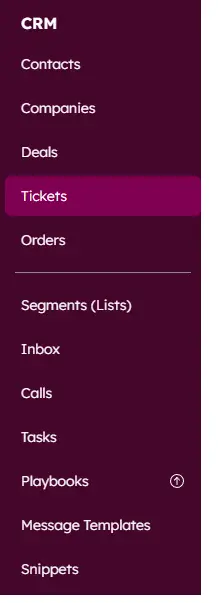
Screenshots
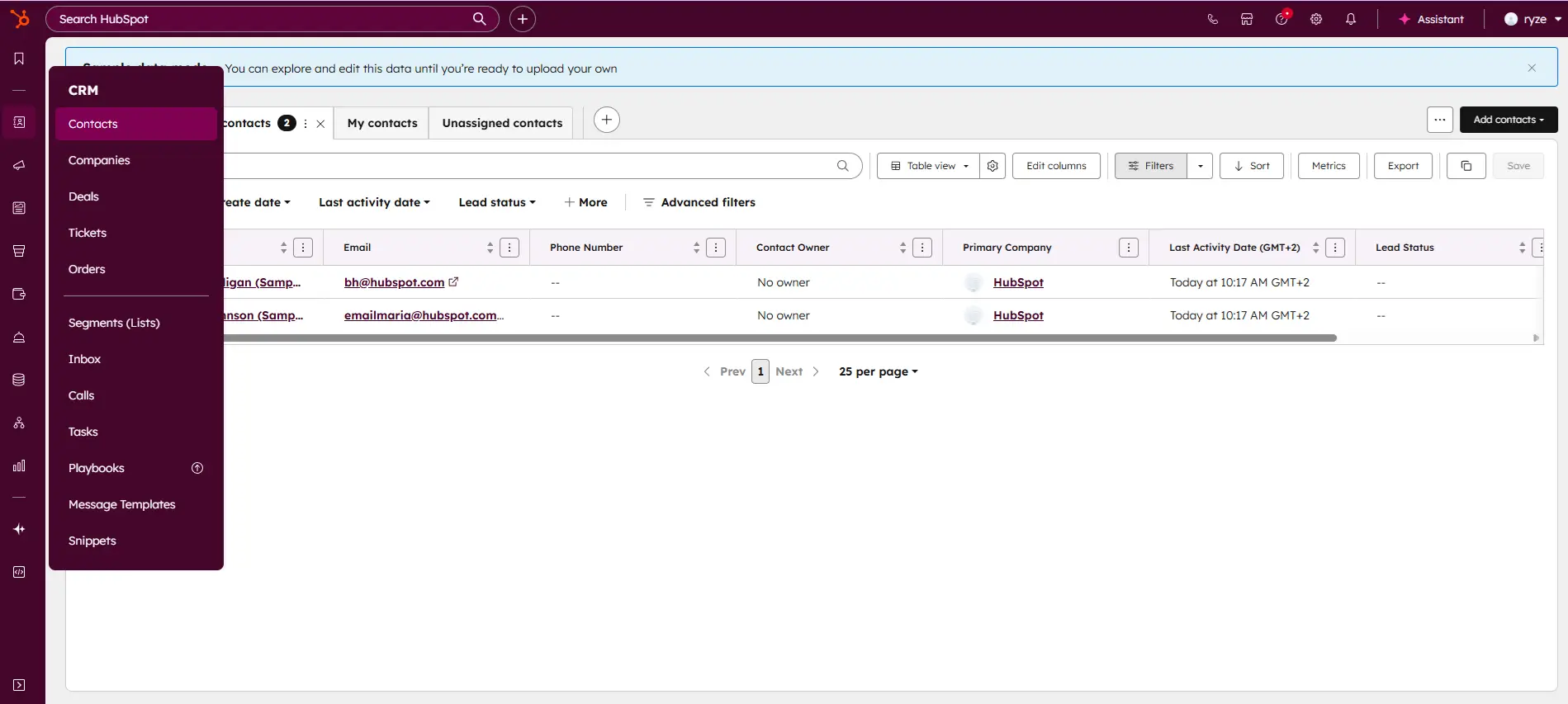
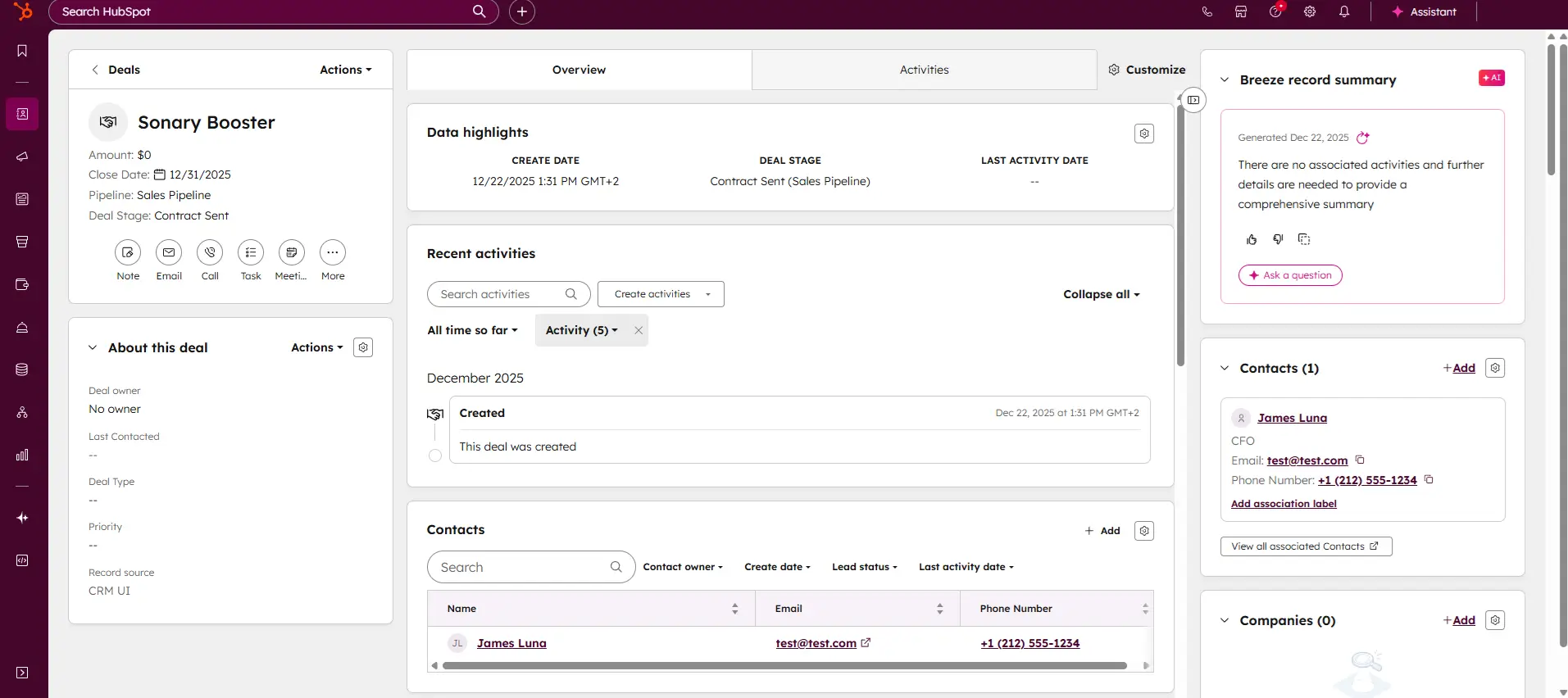
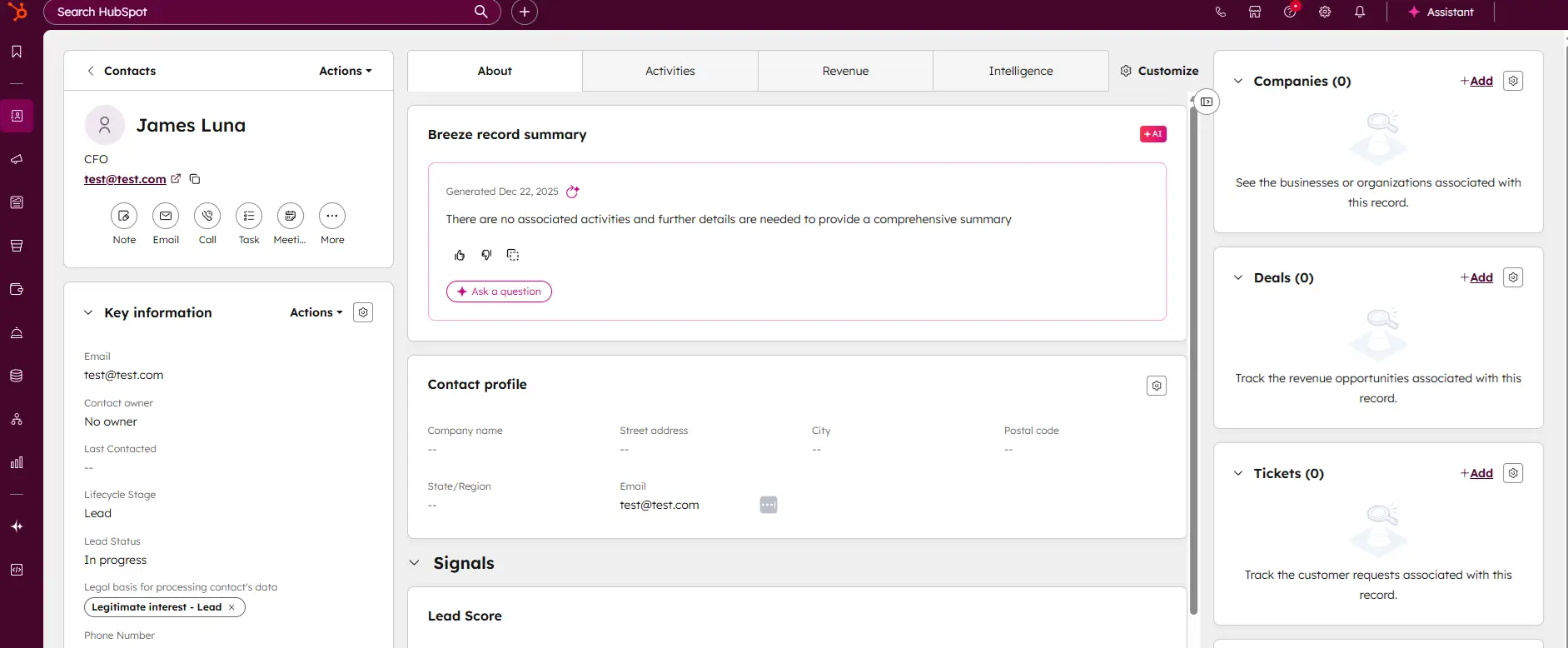
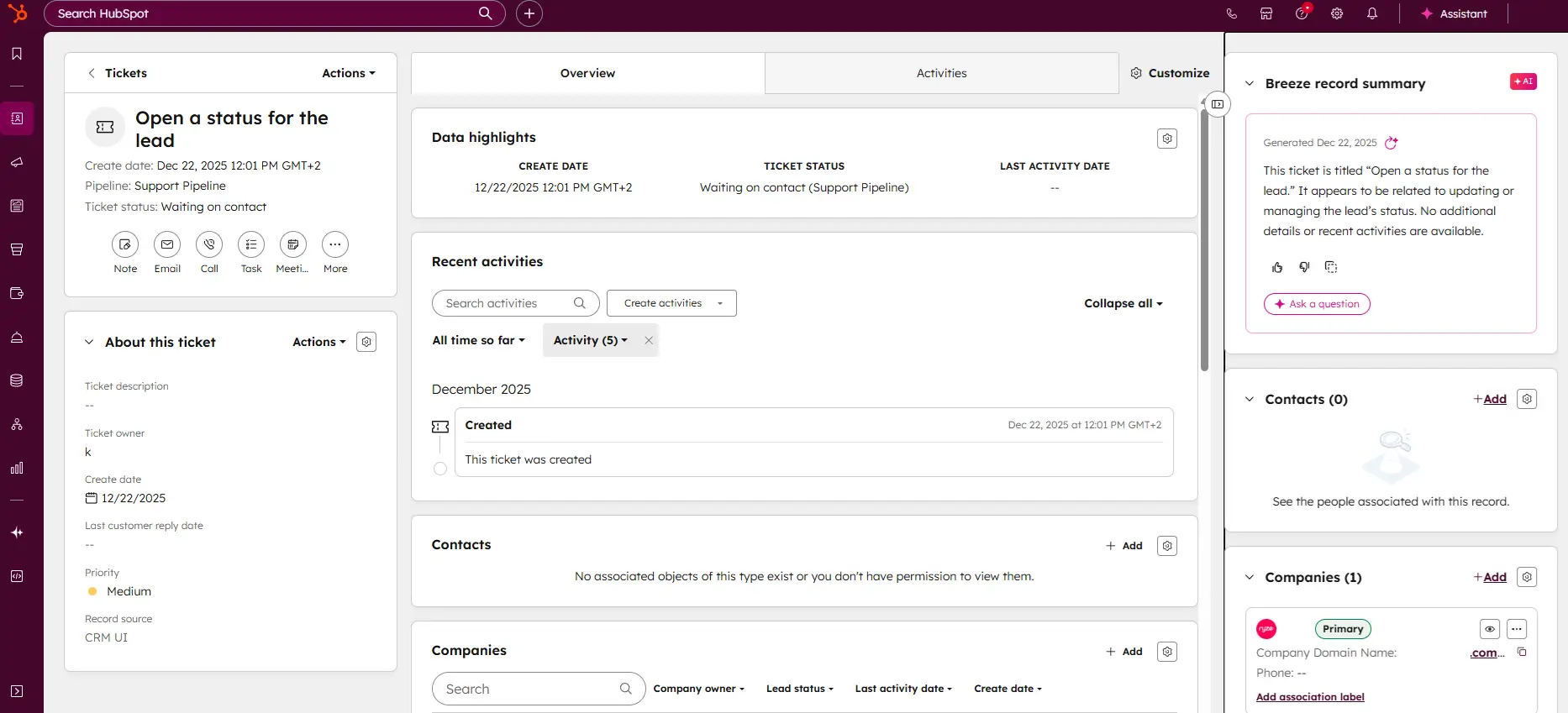
6. WordPress.com
WordPress.com offers a flexible and powerful platform for creating landing pages within its website ecosystem. While it’s widely known for blogs and websites, WordPress.com can also be customized for single-page landing pages using a variety of templates and plugins. Its free plan provides a solid starting point, though customization expands with premium options.
Benefits:
- Highly Customizable: Access to themes, plugins, and a robust editor for building personalized landing pages.
- SEO-Friendly: Extensive SEO plugins and options to optimize each page for search engines.
- Plugin Compatibility: Integrate lead capture forms, analytics, and other essential tools via plugins.
- Scalable: Easily upgrade to more advanced features, including custom domains and enhanced design options.
Key Features:
- Responsive Themes: Mobile-friendly themes that ensure consistent design across devices.
- SEO Plugins: Access to tools like Yoast SEO for advanced optimization.
- Lead Capture Integrations: Connect with popular lead capture and email marketing plugins.
Best For:
- Bloggers, content creators, and businesses familiar with WordPress who want a highly customizable platform.

The WordPress website builder is an intuitive website builder with a seamless interactive interface. Globally trusted with over 455 million websites, its customization flexibility gives users the… Read more
The WordPress website builder is an intuitive website builder with a seamless interactive interface. Globally trusted with over 455 million websites, its customization flexibility gives users the creative freedom to design an irresistible website for their businesses.
Learn more in our full WordPress review.
Pros & Cons
- SEO optimization is outstanding
- Integrates with any app in existence
- Blog integration and management
- Very easy to customize
- You need coding knowledge to troubleshoot some technical issues
- No phone support
Features
- 100+ Templates
- Add HTML code
- Blog Templates
- Portfolio
- Drag & Drop Editor
- Multi-lingual website
- Fully customized
- Mobile-friendly
- SEO Tools
- Social Media Integration
- Widgets + Apps
- Monetization
- Visitor statistics
- Free custom domain
- Unlimited Space
- Unmetered Bandwidth
- Free Stock Photos
- Video Plug-Ins
- Audio Plug-Ins
- Blogging
- Online Stores
- Automatic Website Building
Pricing
$4
mo/
month
$8
mo/
month
$25
mo/
month
$45
mo/
month
$25000
yr/
year
7. Shopify
While Shopify is primarily an e-commerce platform, it also includes features that allow users to build effective landing pages for products or special offers. Shopify’s landing page templates are conversion-focused, designed to drive sales and promote products directly from the landing page. Ideal for businesses with an online store, Shopify enables seamless checkout and integrates with analytics for performance tracking.
Benefits:
- Conversion-Oriented: Built specifically for e-commerce, making it easy to drive product sales.
- Integrated Checkout: Allows customers to complete purchases directly on the landing page.
- Extensive App Store: Access to apps for marketing, customer engagement, and analytics.
- Responsive and SEO-Friendly: Optimized for mobile and includes SEO tools for higher visibility.
Key Features:
- Product-Specific Templates: Ready-made templates tailored for product promotions.
- Analytics and Reports: In-depth analytics to track visitor behavior, sales, and conversion rates.
- App Integration: Supports apps like email marketing, abandoned cart recovery, and social media integrations.
Best For:
- E-commerce businesses are seeking to create sales-focused landing pages that integrate directly with their online store.

Shopify stands as a leading e-commerce platform, empowering over 1.75 million merchants across 175 countries to sell online seamlessly. Its user-friendly interface, customizable templates, and… Read more
Shopify stands as a leading e-commerce platform, empowering over 1.75 million merchants across 175 countries to sell online seamlessly. Its user-friendly interface, customizable templates, and comprehensive app ecosystem enable businesses to create and manage online stores with ease. Features like integrated inventory management, secure payment gateways, and mobile-responsive design ensure a smooth shopping experience for customers. Trusted by brands like Netflix and Mattel, Shopify offers scalable solutions suitable for businesses of all sizes. In this Shopify e-commerce review, I'll discuss features, performance, customer service, and Shopify pricing.
Learn more in our full Shopify review.
Pros & Cons
- Large suite of marketing tools to grow your website
- You’re able to sell online, offline, and through multiple marketplaces
- It has a built-in payment processor
- Supports unlimited products on every plan
- It charges you for third party payment processors
- The basic plan doesn’t have access to pro reports
Features
- Number of templates
- Drag & Drop Editor
- Free Stock Photos
- SEO Tools
- Social Media Integration
- Visitor statistics
- Third-party apps
- Data Security
- Multi-lingual website
- Inventory Management
- Payment options
- Returns & Refunds
- Shipping Management
- Mobile - friendly
- Mobile compatible templates
- Add HTML code
- Portfolio
- Design flexibility
- Fully customized
- Video Plug-Ins
- Audio Plug-Ins
- Widgets + Apps
- Abandoned cart tools
- Newsletter tool
- Monetization
- Product reviews
- Promotions & Discounts
- Advertising credits
- Free custom domain
- Space
- Bandwith
Pricing
$29
mo/
month
$79
mo/
month
$299
mo/
month
8. 10Web
10Web is a WordPress-based platform that uses AI-driven tools to help users quickly create landing pages. Leveraging the power of WordPress, 10Web provides access to various plugins and themes, with the added advantage of AI-generated designs for fast page creation. This is ideal for users who want the flexibility of WordPress but also want the convenience of AI-driven design.
Benefits:
- AI Design Tools: Quickly create landing page layouts with AI, reducing design time.
- Full WordPress Access: Enjoy the customization flexibility and plugin compatibility of WordPress.
- Optimized for Speed: 10Web ensures high page loading speeds, enhancing user experience and SEO performance.
Key Features:
- AI-Powered Page Builder: Automatically generates layouts based on design goals.
- SEO Plugins: Access to WordPress plugins like Yoast for optimization.
- Flexible Customization: Modify fonts, images, and layouts easily with WordPress’s customization tools.
Best For:
- Users are seeking a combination of WordPress flexibility and AI-powered design for faster, optimized landing pages.

10Web is a website management service that gained a reputation by producing top-quality WordPress plugins. The company recently launched the first-ever AI website builder. You can try the tool for… Read more
10Web is a website management service that gained a reputation by producing top-quality WordPress plugins. The company recently launched the first-ever AI website builder. You can try the tool for free, along with other services like website optimization, reliable hosting, and custom digital marketing strategies. The website builder enables you to create a site from scratch or recreate one by migrating it to a WordPress CMS. Whichever approach you pick, your site could be ready in minutes!
Learn more in our full 10Web review.
Pros & Cons
- An intuitive drag-and-drop page editor
- AI content suggestion and generation
- Generate multiple images with AI
- Specialized e-commerce features
- The platform can be a tad slow at times
- Requires a credit card for the pro trial
- A learning curve exists for newbies
Features
- 100+ Templates
- Add HTML code
- Blog Templates
- Portfolio
- Drag & Drop Editor
- Fully customized
- Mobile-friendly
- SEO Tools
- Social Media Integration
- Widgets + Apps
- Visitor statistics
- Multiple Sites
- Free custom domain
- Unlimited Space
- Unmetered Bandwidth
- Free Stock Photos
- Video Plug-Ins
- Audio Plug-Ins
- Blogging
- Online Stores
- Automatic Website Building
Pricing
$10
mo/
month
$15
mo/
month
$23
mo/
month
9. Jimdo
Jimdo offers a user-friendly platform with an AI-driven builder called Jimdo Dolphin, making it ideal for creating basic landing pages quickly. With a focus on simplicity, Jimdo provides a streamlined experience for users who want an effective landing page without extensive customization options. Its SEO tools and mobile-responsive templates help ensure that pages rank well and look good on all devices.
Benefits:
- AI-Powered Setup: The Dolphin tool speeds up page creation based on user input.
- Mobile-Friendly Templates: Responsive designs ensure consistent user experience across devices.
- Basic SEO Options: Users can optimize titles, descriptions, and images for better search performance.
- Quick and Simple: Ideal for small businesses or individuals needing a basic landing page fast.
Key Features:
- Drag-and-Drop Editing: Easy-to-use editor with simple customization options.
- Free SSL Certificate: Adds a layer of security, boosting user trust and SEO.
- Integrated Form Builder: Basic lead capture forms included for gathering visitor information.
Best For:
- Small business owners or freelancers seeking an easy, quick landing page builder without technical complexity.
The Jimdo website builder is a worry-free, no-code website solution for self-employed professionals and small businesses to build an online store, receive bookings, and showcase their works (with… Read more
The Jimdo website builder is a worry-free, no-code website solution for self-employed professionals and small businesses to build an online store, receive bookings, and showcase their works (with portfolios) without having to pay programmers and designers.
Learn more in our full Jimdo review.
Pros & Cons
- Effective free plan
- You can choose another template and not lose your content
- Beginner-friendly website builder
- Fast loading speed
- A limited number of templates
- No 24/7 customer support
Features
- Portfolio
- Drag & Drop Editor
- Fully customized
- Mobile-friendly
- SEO Tools
- Social Media Integration
- Widgets + Apps
- Newsletter tool
- Monetization
- Visitor statistics
- Free custom domain
- Unlimited Space
- Unmetered Bandwidth
- Free Stock Photos
- Video Plug-Ins
- Audio Plug-Ins
- Online Stores
- Automatic Website Building
Pricing
$0
mo/
month
$11
mo/
month
$18
mo/
month
$45
mo/
month
10. Webador
Webador offers an efficient landing page builder that focuses on simplicity and ease of use. It’s suitable for small businesses or individuals looking for a quick way to create professional-looking pages. Webador’s free plan includes a range of mobile-friendly templates and SEO tools, making it accessible and functional for those on a budget.
Benefits:
- Simple Interface: Designed for quick setup and minimal technical knowledge.
- SEO-Friendly: Basic tools allow URL customization, meta descriptions, and image alt text.
- Secure and Reliable: Provides a free SSL certificate, enhancing site security.
- Affordable Upgrades: Low-cost options for users needing additional features as they grow.
Key Features:
- Drag-and-Drop Builder: No coding is required, and it has intuitive design options.
- Lead Capture Forms: Integrated forms for capturing leads and contact information.
- Responsive Templates: Pages automatically adapt to mobile, tablet, and desktop views.
Best For:
- Small businesses, hobbyists, or freelancers need a simple and effective landing page builder without extensive customization.

Webador is a no-code website builder for small business owners to build an online presence by creating a website and selling their products directly to customers. With over 90,00 users, Webador… Read more
Webador is a no-code website builder for small business owners to build an online presence by creating a website and selling their products directly to customers. With over 90,00 users, Webador offers inclusive pricing to help SMEs gain their footing started with a 3-month $1 trial offer.
Learn more in our full Webador review.
Pros & Cons
- Excellent UI/UX
- Easy to setup and use
- Multiple ready-made templates
- Commission-free webshop selling
- No phone support
- Limited third-party apps integration
Features
- Add HTML code
- Blog Templates
- Drag & Drop Editor
- Multi-lingual website
- Fully customized
- Mobile-friendly
- SEO Tools
- Social Media Integration
- Widgets + Apps
- Monetization
- Visitor statistics
- Free custom domain
- Unlimited Space
- Free Stock Photos
- Video Plug-Ins
- Audio Plug-Ins
- Blogging
- Online Stores
Pricing
$0
mo/
month
$5
mo/
month
$9
mo/
month
$18
mo/
month
AI Landing Page Builders: How AI is Changing the Game
AI-powered landing page builders are transforming how landing pages are created. By using machine learning, AI can suggest layouts, optimize copy, and even create personalized page elements based on visitor behavior. Some popular AI features include:
- Wix ADI: Generates complete landing pages based on your goals and industry.
- 10Web AI Builder: Creates WordPress pages quickly by analyzing existing websites and building similar layouts.
- Jimdo Dolphin: Uses AI to set up basic website or landing page elements based on user preferences.
AI tools help save time, make design recommendations, and create pages optimized for conversions, ideal for businesses with limited resources or design expertise.
Should You Use a Landing Page Builder or a Website Builder?
When deciding between a landing page builder and a full website builder, consider your business’s specific goals, resources, and the type of content you need to publish. Here’s a breakdown of what each option offers and how to determine the best fit for your needs.
What’s the Difference?
- Landing Page Builder: Designed for creating single-purpose pages with a clear call-to-action (CTA), capturing leads, promoting a product, or driving event registrations. Landing page builders are often streamlined for conversion and typically come with features like A/B testing, lead capture forms, and analytics.
- Website Builder: Provides a more extensive platform for creating multiple interconnected pages (e.g., home, about, services, blog) that serve various purposes beyond a single goal. Website builders support broader website structures, often including comprehensive features like e-commerce, blogging, and multi-page navigation.
Landing Page Builder vs. Website Builder: A Comparison
Feature | Landing Page Builder | Website Builder |
|---|---|---|
Primary Goal | Conversions, single CTA | Multi-purpose, brand building |
Best Use Case | Campaigns, promotions, lead capture | Comprehensive online presence, e-commerce |
Design and Customization | Limited but optimized for conversions | Extensive customization options |
SEO Capabilities | Basic SEO tools | Advanced SEO tools and blogging |
Analytics and A/B Testing | Commonly included | Available with select plans |
Cost | Typically lower cost | Can be higher, especially with add-ons |
Using a website builder with landing page templates (like Wix or Squarespace) gives you the flexibility to create both single-page and multi-page sites.
Choosing the Right Option: Questions to Ask
- What is my primary objective?
A landing page builder is likely the best option if you want to drive conversions for a single campaign. A website builder is the way to go for a comprehensive online presence. - Do I need multiple pages or just one focused page?
If you only need one page for a specific action, like gathering leads, a landing page builder will save you time and simplify the process. - What’s my budget?
Landing page builders generally offer lower costs for single-page setups, while website builders may require higher investments if you need features like blogging, e-commerce, or advanced SEO. - How important is customization and brand consistency?
Website builders provide more control over design and branding with custom themes, fonts, colors, and overall layout options. Landing page builders are more template-driven, offering less flexibility but optimized for simplicity and conversions.
Use our Free Website Worth Calculator
Final Takeaway
- Use a Landing Page Builder if you want a quick, cost-effective way to create high-converting pages with a specific goal, such as lead generation, promotions, or event registrations.
- Use a Website Builder to build a comprehensive online presence with multiple goals, such as showcasing your brand, blogging, or running an online store. Website builders provide the flexibility, customization, and scalability needed for long-term growth.
See also
- A landing page is a fragment of a site, so the best website builders comparison is where to look once one page is no longer enough.
- Free plans here cap published pages and hold back split testing, both of which the paid picks in best landing page builders include.
- Building a whole free site instead makes the vendor subdomain and branding trade-offs on the free website builder page the deciding factor.
- Captured leads have to land somewhere, and best free email marketing software handles the confirmation and follow-up sequence.
Conclusion
Choosing the best free landing page builder for your business can make a significant difference in the success of your marketing efforts. The right tool will align with your specific needs, whether you’re focused on simplicity, customization, lead generation, or e-commerce capabilities. Each platform has strengths suited to different goals, so understanding these can help you create high-converting pages that enhance your brand and engage visitors effectively.
- For ease of use and creative flexibility, Wix and Squarespace provide intuitive drag-and-drop editors with a wide range of customizable templates. These platforms are ideal for businesses looking to design visually appealing landing pages without advanced technical skills, making it easy to maintain brand consistency while focusing on conversions.
- For businesses with a strong focus on lead generation and CRM integration, HubSpot offers robust tools for building landing pages that connect directly to its CRM. This allows you to track and nurture leads over time, an invaluable feature for businesses running inbound marketing campaigns or needing a seamless follow-up process.
- For e-commerce needs, Shopify and Squarespace integrate product showcases and checkout options, making them perfect for sales-focused landing pages that need to drive conversions directly. These platforms allow you to create targeted pages for new products, seasonal offers, or special promotions, streamlining the customer journey from landing to purchase.
- For cost-conscious users or quick, basic setups, IONOS and SITE123 offer essential tools without overwhelming options, allowing you to create straightforward landing pages at a low cost. These platforms work well for smaller campaigns or temporary promotions and are ideal if you need an affordable, no-fuss solution.
In ,2026AI-driven tools like Wix ADI and 10Web are also changing the game, offering automated design and layout suggestions to help you create effective pages in less time. If you’re interested in leveraging AI to save time on design and ensure optimized layouts, these tools may be a great fit.
Frequently Asked Questions
Q1. Can I get a custom domain on these free landing page builders?
Some platforms allow custom domains on paid plans, while others only offer a branded subdomain with the free version.
Q2. Are AI-powered builders worth using?
AI builders simplify design by automating layout suggestions and copy optimization, making them beneficial for businesses needing quick, effective solutions.
Q3. How mobile-friendly are these free builders?
Most free landing page builders provide mobile-responsive templates, ensuring your page looks good on all devices.
Q4. Can I use a landing page builder to create a multi-page website?
Landing page builders are generally designed to create single, high-conversion pages, so they’re not typically suitable for creating multi-page websites. However, some landing page builders may allow limited multi-page functionality for additional landing pages or linked forms. If you need a multi-page setup, a website builder would be a better choice.
Q5. Do landing page builders offer e-commerce features?
Some landing page builders offer basic e-commerce features, such as simple checkout forms or payment buttons, which are useful for single-product sales or limited transactions. However, for a full e-commerce experience with product listings, shopping carts, and advanced checkout options, a website builder like Shopify or Squarespace is more appropriate.
Q6. Are landing page builders good for SEO?
Most landing page builders offer basic SEO tools like meta title, description fields, and alt text for images. These features can help improve visibility in search engine results for single-page campaigns. However, for comprehensive SEO, such as blogging and site-wide keyword optimization, a website builder with dedicated SEO tools is more suitable.
Q7. Can I connect a custom domain to a landing page builder?
Yes, many landing page builders allow you to connect a custom domain to your landing page, although this feature might be limited to paid plans. Custom domains help with branding and make the page look more professional. Always check the specific landing page builder's policy on custom domains, as free plans typically use a branded subdomain.
Q8. How do I collect leads from a landing page?
Most landing page builders provide built-in lead capture forms or allow you to integrate with email marketing platforms like Mailchimp or HubSpot. These forms can collect information such as name, email, and other relevant details, which can then be used for follow-up or nurturing campaigns. Some builders also offer integrations with CRM systems for managing and organizing leads.
Q9. Do landing page builders support A/B testing?
Yes, many advanced landing page builders offer A/B testing features, allowing you to create multiple versions of a page to test different elements like headlines, CTAs, and images. This feature is highly useful for optimizing conversions, though it’s often limited to premium plans.
Q10. What is a drag-and-drop editor, and why is it useful?
A drag-and-drop editor lets you design your page by clicking and dragging elements (like images, text boxes, and buttons) directly onto the page. This functionality is especially useful for non-technical users, as it enables easy customization without coding skills. Most landing page and website builders offer drag-and-drop editors to streamline the design process.
Q11. Can I use a landing page builder for long-term projects?
Landing page builders are typically designed for short-term, campaign-specific goals, such as product launches, event sign-ups, or lead generation. For long-term projects or establishing a complete online presence, a website builder is more suitable, as it allows you to create a full site with multiple pages, more robust SEO features, and more complex navigation.
Q12. Are there free options for landing page builders?
Yes, many landing page builders offer free plans with basic features, such as Wix, HubSpot, and Mailchimp. However, free plans may have limitations, like using a branded subdomain, limited customization, and fewer templates. Upgrading to a paid plan often unlocks advanced features like custom domains, A/B testing, and analytics.
Q13. Is it necessary to have coding skills to use a landing page or website builder?
No, most landing page and website builders are designed to be user-friendly and do not require coding skills. Drag-and-drop editors allow users to design pages visually, and customizable templates provide a solid foundation. However, if you’re looking for extensive customization, having basic HTML/CSS knowledge can be helpful, especially on platforms like WordPress.