
Best Portfolio Website Builders in 2026
A portfolio website builder is a tool that helps you create a professional online space to showcase your work, skills, and achievements—without needing to code. Whether you’re a designer, photographer, artist, writer, or freelancer, having a digital portfolio allows you to present your best projects, attract clients, and grow your personal brand. These easy portfolio website builders come with customizable templates, drag-and-drop editors, and built-in features to help you create a stunning site in just a few clicks.
Last updated: September 2026
Why You Can Trust the Expertise of Sonary
At Sonary, we are committed to providing accurate and trustworthy information to help you make informed decisions. Our research process is meticulous, transparent, and guided by a dedication to maintaining the highest standards of integrity, ensuring accurate, real-world insights.
Read more Unlike many other review platforms, we conduct in-depth evaluations of the software and services we feature. Our expert team tests and actively uses the tools we review to understand their features, performance, and value comprehensively. Our assessments are based on real-world use, giving you insights beyond surface-level descriptions. Our research methodology includes analyzing key consumer factors such as pricing, functionality, device usability, scalability, customer support quality, and unique industry-specific features. This hands-on approach and dedication to transparency mean you can trust Sonary to deliver regular, up-to-date content and recommendations that are well-researched and genuinely helpful for your business needs.
What is a Portfolio Website Builder?
A portfolio website builder is your go-to tool for creating an online space that shows off your work—without needing to code. Whether you’re a designer, photographer, musician, or business owner, these platforms make it easy to build a site that looks professional and reflects your style. They come packed with templates, customization options, and features designed to help you stand out in your industry.
Portfolio websites work for all kinds of professionals looking to highlight their skills, projects, and achievements. Depending on your field, you might need a sleek image gallery, an interactive case study section, or even an online store.
Who should use a portfolio website builder?
If you want to showcase your work online, a portfolio site is for you. Here are just a few people who benefit from having one:
- Creative professionals –Designers, photographers, and illustrators can use beautiful galleries, sliders, and full-screen images to highlight their work.
- Musicians & performers –Need a place to share tracks, promote gigs, or sell merch? Features like audio players, video embeds, and event calendars make it easy.
- Writers & journalists –Whether you're showcasing articles, blog posts, or case studies, a portfolio builder gives you a polished way to display your work.
- Developers & tech pros –Show off your coding skills with interactive embeds, project breakdowns, and downloadable resumes.
- Business owners & consultants –Use testimonials, service pages, and client case studies to build trust with potential customers.
- Car designers & auto enthusiasts –High-res image carousels, 3D model viewers, and detailed spec sheets help showcase your designs.
- Real estate agents –Create property listings with interactive maps, virtual tours, and lead capture forms.
- Fashion & beauty professionals –Lookbooks, video showcases, and eCommerce integration let you display and sell your work.
- Filmmakers & directors –Video hosting, behind-the-scenes content, and portfolio reels bring your work to life.
- Academics & researchers –Publish papers, share citations, and integrate multimedia elements to make research more accessible.
What features should you look for?
The best portfolio website builders come with powerful tools to help you create something truly unique. Here are some of the features that can make your portfolio stand out:
- Image galleries & sliders –Perfect for photographers, designers, and automotive showcases.
- Video backgrounds & embeds –Great for filmmakers, musicians, and brands that want to make an impact.
- Custom layouts & grid styles –Choose from clean grids, full-width images, or interactive scrolling to match your style.
- Branding tools –Customize fonts, colors, and logos to keep your site on-brand.
- Interactive elements –Hover effects, pop-ups, and animations add a professional touch.
- E-commerce options –Sell prints, downloads, merch, or even services directly from your site.
- SEO & blogging –If you want to get found on Google, these tools can help drive traffic to your work.
- Contact forms & booking tools –Make it easy for clients and fans to reach out or book services.
- Password-protected pages –Share exclusive content or client projects securely.
- Mobile-friendly design –Your site will look great on any device, from desktops to phones.
No matter what you're looking to showcase, the right portfolio builder helps you create a stunning, functional website that puts your work front and center.
The best websites for portfolios offer a mix of design flexibility, ease of use, and professional templates tailored for creative professionals. Some portfolio builders focus on aesthetics, while others provide advanced features like custom domains, SEO tools, and client booking options. Whether you need a free portfolio website or a premium platform with full customization, we’ll break down the best portfolio website builders to help you find the right fit for your style and career goals.
Best Portfolio Website Builders

Wix is a versatile website builder that empowers users to create stunning, professional websites without requiring advanced technical skills. Known for its intuitive drag-and-drop editor, Wix offers… Read more
Wix is a versatile website builder that empowers users to create stunning, professional websites without requiring advanced technical skills. Known for its intuitive drag-and-drop editor, Wix offers hundreds of customizable templates, robust e-commerce capabilities, and built-in SEO tools to optimize site performance. Whether you're a small business owner, blogger, or creative professional, Wix provides an all-in-one solution to design, manage, and grow your online presence. With features like mobile optimization, app integrations, and reliable hosting, Wix ensures your website is both functional and visually impressive, making it a top choice for users of all experience levels.
Learn more in our full Wix review.
Pros & Cons
- Wix-powered websites are fast
- Has intuitive drag-and-drop design features
- Digital marketing integrations are super easy
- Massive reservoir of support materials
- One paid plan (except Enterprise) for only one site.
- Wix branding on Free plan
- Cannot use a custom domain on Free plan
Features
- 100+ Templates
- Add HTML code
- Blog Templates
- Portfolio
- Drag & Drop Editor
- Multi-lingual website
- Fully customized
- SEO Tools
- Social Media Integration
- Widgets + Apps
- Newsletter tool
- Monetization
- Visitor statistics
- Multiple Sites
- Free Stock Photos
- Free custom domain
- Unlimited Space
- Unmetered Bandwidth
- Video Plug-Ins
- Blogging
- Online Stores
- Automatic Website Building
- Mobile-friendly
Pricing
$0
mo/
month
$17
mo/
month
$29
mo/
month
$39
mo/
month
$159
mo/
month

The Squarespace drag-and-drop editor allows users to create stunning websites. Be it a simple portfolio or an online store, the website builder has over 100 modern templates and integrates with… Read more
The Squarespace drag-and-drop editor allows users to create stunning websites. Be it a simple portfolio or an online store, the website builder has over 100 modern templates and integrates with 5,000+ apps. Squarespace lets users can begin their website building with customizable web page sections.
Learn more in our full Squarespace review.
Pros & Cons
- You can create up to 1,000 pages
- In-built SEO tools
- Free SSL certificates
- Rich library of user learning materials
- You can not publish your professional website on the free trial mode
- No free plan, only free trail period
- Has a bit of a learning curve
Features
- 100+ Templates
- Add HTML code
- Blog Templates
- Drag & Drop Editor
- Multi-lingual website
- Fully customized
- Mobile-friendly
- SEO Tools
- Social Media Integration
- Widgets + Apps
- Newsletter tool
- Visitor statistics
- Free custom domain
- Unlimited Space
- Unmetered Bandwidth
- Free Stock Photos
- Video Plug-Ins
- Audio Plug-Ins
- Blogging
- Online Stores
- Automatic Website Building
Pricing
$16
mo/
month
$23
mo/
month
$39
mo/
month
$99
mo/
month

Web.com is an established player in the web hosting and site builder space. It has a platform that has helped countless users get online by providing the essential tools needed for success. If you’re… Read more
Web.com is an established player in the web hosting and site builder space. It has a platform that has helped countless users get online by providing the essential tools needed for success. If you’re looking for a simple site builder and inexpensive pricing then Web.com is worth taking a closer look at.
Learn more in our full Web Com review.
Pros & Cons
- Streamlines the website building and management process
- Provides hundreds of templates
- Sell up to 50 products with just a simple eCommerce store
- Provides email marketing tools
- Website builder offers limited customization functionality
- Some customers report uptime issues
Features
- 100+ Templates
- Portfolio
- Drag & Drop Editor
- Multi-lingual website
- Fully customized
- Mobile-friendly
- SEO Tools
- Social Media Integration
- Widgets + Apps
- Free custom domain
- Free Stock Photos
- Video Plug-Ins
- Online Stores
- Automatic Website Building
Pricing
$4.99
mo/
month
$7.99
mo/
month
$9.99
mo/
month
$12.95
mo/
month

The Bluehost website builder is a basic site editor built on top of WordPress with over 300 design templates for SMB owners to build interactive websites for their businesses. An embedded WordPress… Read more
The Bluehost website builder is a basic site editor built on top of WordPress with over 300 design templates for SMB owners to build interactive websites for their businesses. An embedded WordPress plugin integration feature allows you to install WordPress-enabled apps that will boost your website performance.
Learn more in our full Bluehost review.
Pros & Cons
- Large design template library (over 300 design templates available)
- Large stock image repository
- First-class uptime
- You can quickly learn how to use WordPress through Bluehost Website Builder
- No free plan
- No monthly billing on some plans
Features
- 100+ Templates
- Add HTML code
- Blog Templates
- Portfolio
- Drag & Drop Editor
- Fully customized
- Mobile-friendly
- SEO Tools
- Social Media Integration
- Widgets + Apps
- Newsletter tool
- Monetization
- Visitor statistics
- Free custom domain
- Unlimited Space
- Unmetered Bandwidth
- Free Stock Photos
- Video Plug-Ins
- Audio Plug-Ins
- Blogging
- Online Stores
- Automatic Website Building
Pricing
$2.95
mo/
month
$4.95
mo/
month
$5.45
mo/
month
$9.95
mo/
month
$13.95
mo/
month
$12.95
mo/
month

The Hostinger (formerly known as Zyro) website builder is a drag-and-drop, intuitive website builder equipped with an interactive and minimalistic interface, over 100 fascinating website templates,… Read more
The Hostinger (formerly known as Zyro) website builder is a drag-and-drop, intuitive website builder equipped with an interactive and minimalistic interface, over 100 fascinating website templates, seamless eCommerce integrations, and AI-powered tools to automate even the most human-centric activities like blog writing.
Learn more in our full Hostinger review.
Pros & Cons
- Excellent uptime
- Unlimited storage and bandwidth on all plans
- Sophisticated AI-powered business tools
- Large photo repository
- Can’t publish a site on free plan
- Limited customization
Features
- 100+ Templates
- Add HTML code
- Blog Templates
- Portfolio
- Drag & Drop Editor
- Fully customized
- Mobile-friendly
- SEO Tools
- Widgets + Apps
- Visitor statistics
- Free custom domain
- Unlimited Space
- Unmetered Bandwidth
- Free Stock Photos
- Video Plug-Ins
- Blogging
- Online Stores
- Automatic Website Building
Pricing
$2.99
mo/
month
$3.99
mo/
month
$9.99
mo/
month

Webador is a no-code website builder for small business owners to build an online presence by creating a website and selling their products directly to customers. With over 90,00 users, Webador… Read more
Webador is a no-code website builder for small business owners to build an online presence by creating a website and selling their products directly to customers. With over 90,00 users, Webador offers inclusive pricing to help SMEs gain their footing started with a 3-month $1 trial offer.
Learn more in our full Webador review.
Pros & Cons
- Excellent UI/UX
- Easy to setup and use
- Multiple ready-made templates
- Commission-free webshop selling
- No phone support
- Limited third-party apps integration
Features
- Add HTML code
- Blog Templates
- Drag & Drop Editor
- Multi-lingual website
- Fully customized
- Mobile-friendly
- SEO Tools
- Social Media Integration
- Widgets + Apps
- Monetization
- Visitor statistics
- Free custom domain
- Unlimited Space
- Free Stock Photos
- Video Plug-Ins
- Audio Plug-Ins
- Blogging
- Online Stores
Pricing
$0
mo/
month
$5
mo/
month
$9
mo/
month
$18
mo/
month
Quick Comparison
Website Portfolio Builder | Key Feature | Best For | Platform | Pricing |
|---|---|---|---|---|
Wix | AI-driven design assistance with a vast template library | Photographers, graphic designers, creative freelancers | Web-based, cloud-based, mobile app available | Free plan available; paid plans range from affordable to premium |
Squarespace | Sleeek, modern templates with strong blogging capabilities | Artists, writers, visual storytellers | Web-based, cloud-based, mobile app available | Higher-end pricing with a free trial available |
Web.com | Simplified website builder with essential features | Freelancers and small business owners | Web-based, cloud-based | Budget-friendly introductory pricing with standard renewal rates |
Bluehost | Integration with WordPress for extensive customization | Developers, product managers, and marketers | Web-based, cloud hosting, WordPress integration | Mid-range pricing with flexible plans |
Hostinger | Affordable hosting with a proprietary website builder | Budget-conscious creatives and students | Web-based, cloud-based, mobile-friendly builder. | Lower-cost plans suitable for beginners |
Webador | User-friendly editor with free domain options | Beginners, hobbyists, and personal branding | Web-based, cloud-based | Free option available with low-cost premium upgrades |
Our Top Picks
Finding the right portfolio website builder is all about what works best for your craft. Whether you’re a photographer, designer, writer, or freelancer, you need a platform that highlights your work in the best possible way. Some builders offer stunning, ready-made templates, while others give you full creative control and customization options. We’ve rounded up the best websites for portfolios, so you can find the perfect fit- be it something simple and sleek or powerful and flexible.
Wix: Best for AI-powered design customization
- Over 300 million sites were built on Wix
- 90K+ Sites created daily
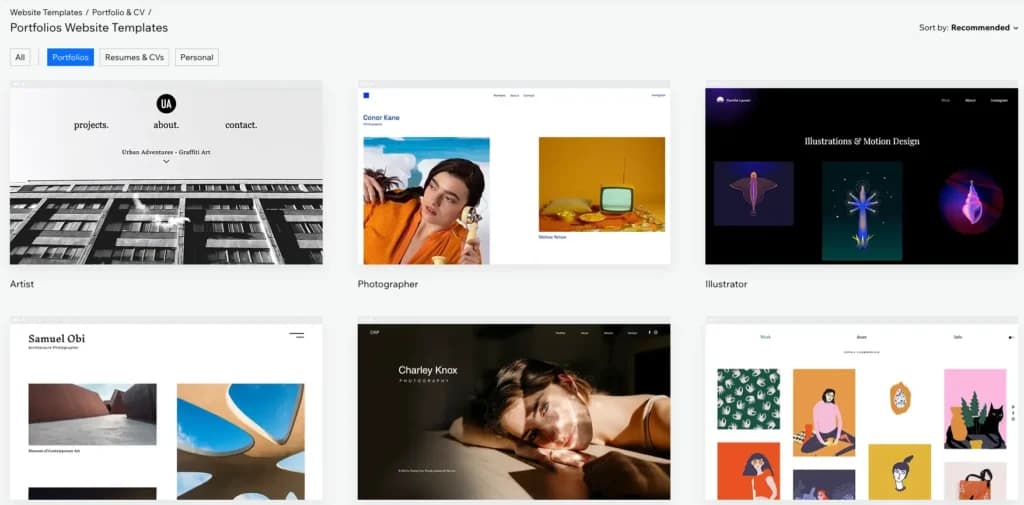
Wix is a versatile portfolio website builder that offers stunning, customizable templates designed for creatives who want to showcase their work in a visually striking way. With its drag-and-drop editor and AI-powered design assistant, users can create a professional-looking online portfolio without coding.
The platform includes features like image galleries, video embedding, and customizable layouts, making it ideal for photographers, artists, designers, and freelancers who need a polished, personalized portfolio.
Key Features
- Customizable portfolio templates –Professionally designed templates tailored for photographers, designers, artists, and creatives.
- Drag-and-drop website builder –No coding required; easily customize layouts, fonts, and colors to match your brand.
- High-quality image galleries –Multiple display options, including grid, slideshow, and fullscreen layouts for showcasing visual work.
- Video embedding and media support –Seamlessly add videos, animations, and interactive elements to enhance your portfolio.
- Built-in SEO tools –Optimize your site for search engines with Wix SEO Wiz, custom meta tags, and structured data.
- Client booking and contact forms –Integrated tools for scheduling meetings, collecting inquiries, and managing client interactions.
- Mobile-friendly design –Portfolios automatically adjust to mobile screens for a professional look on any device.
- E-commerce and print-on-demand –Sell artwork, photography prints, or digital downloads directly from your portfolio site.
- Wix ADI (Artificial Design Intelligence) –AI-powered design assistant that helps create a portfolio based on user preferences and industry needs.
- Integrated blogging feature –Share insights, behind-the-scenes projects, and case studies to enhance credibility and engagement.
Pros and Cons
- Pros
- Creative portfolio templates with modern, professional designs.
- Drag-and-drop editor for easy customization.
- High-quality image galleries for showcasing work.
- SEO tools to improve portfolio visibility.
- Client booking and contact forms for easy inquiries.
- E-commerce features for selling prints and digital work.
- Cons
- No template switching without rebuilding the site.
- Some customizations require third-party apps.
- Free plan includes Wix branding.
- SEO features are limited for competitive keywords.
Who It's For
Wix is perfect for photographers, graphic designers, artists, and freelancers who want a visually stunning, easy-to-build portfolio without coding. It’s ideal for creatives who need customizable galleries, client booking features, and e-commerce options to showcase and sell their work. With its beginner-friendly interface and AI-powered design assistance, Wix is a great choice for anyone looking to build a professional online presence quickly.
Squarespace: Best for elegant, design-focused templates
- Personalized design tailored to your business
- Generate content and images for your site
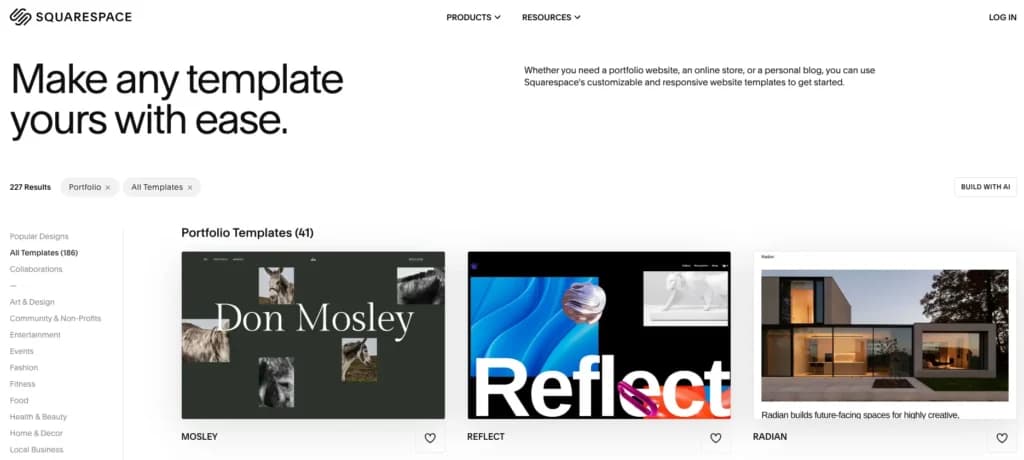
Squarespace is a sleek and design-focused portfolio website builder, ideal for creatives who want a polished, high-end look without the hassle of coding. Known for its stunning, minimalist templates, Squarespace makes it easy to create an aesthetically cohesive online portfolio that showcases work in the best possible light.
Beyond beautiful design, Squarespace includes built-in blogging, SEO, and e-commerce features, making it a strong option for artists, photographers, writers, and designers who want to attract clients, sell work, or build a personal brand.
Key Features
- Designer-crafted templates –Sleek, modern portfolio templates optimized for photographers, artists, and designers.
- Drag-and-drop customization –Easily edit layouts, fonts, and colors without coding.
- High-resolution image galleries –Grid, slideshow, and fullscreen display options for professional portfolio presentations.
- Built-in blogging tools –Share project insights, case studies, and creative journeys to engage your audience.
- SEO optimization –Custom meta tags, mobile-friendly designs, and clean URLs to improve search visibility.
- Integrated e-commerce –Sell prints, artwork, or digital services directly from your portfolio.
- Client booking and scheduling –Built-in appointment scheduling for freelancers and service-based creatives.
- Social media integration –Connect Instagram, Twitter, and other platforms to showcase your latest work.
- Mobile-responsive designs –Portfolios automatically adjust for a seamless experience on any device.
- Analytics and insights –Track visitor engagement, traffic sources, and portfolio performance.
Pros and Cons
- Pros
- High-end, professionally designed templates for a sleek, polished portfolio.
- Drag-and-drop editor for easy customization without coding.
- High-resolution image galleries to showcase artwork, photography, or design work.
- Built-in blogging and SEO tools to increase visibility and engagement.
- E-commerce features for selling artwork, prints, or digital products.
- Client booking and scheduling for freelancers and service-based professionals.
- Cons
- Less flexible customization compared to platforms like WordPress.
- No free plan available, only a trial before upgrading.
- Limited third-party integrations compared to other website builders.
- Higher pricing than some budget-friendly alternatives.
Who It's For
Squarespace is ideal for artists, photographers, designers, and writers who want a sleek, professional-looking portfolio with minimal effort. It’s a great choice for creatives who prioritize aesthetics and simplicity, as well as those looking to sell artwork, book clients, or showcase their work in a polished, high-end format.
Web.com: Drag-and-drop builder simplicity
- Over 3M already chose web.com
- Award-winning software
Web.com is an easy-to-use portfolio website builder designed for professionals who need a quick and simple way to showcase their work online. With its drag-and-drop editor, customizable layouts, and built-in SEO tools, users can create a polished portfolio without technical expertise.
It offers a variety of templates, image galleries, and mobile-friendly designs, making it a great option for freelancers, consultants, and small business owners. Web.com also includes e-commerce and marketing features, allowing users to promote their services and expand their reach effortlessly.
Key Features
- Easy drag-and-drop editor –Build and customize a portfolio site with no coding required.
- Professionally designed templates –A variety of layouts tailored for freelancers, consultants, and creative professionals.
- Image galleries and media support –Showcase work with high-quality visuals and customizable gallery options.
- SEO tools –Improve search rankings with built-in optimization features like meta tags and mobile responsiveness.
- E-commerce functionality –Sell services, digital products, or artwork directly from your portfolio.
- Custom domain and branding –Personalize your site with a unique domain name and brand-specific design elements.
- Mobile-friendly designs –Ensure a seamless viewing experience across all devices.
- Marketing and email tools –Promote your portfolio with integrated marketing features like email campaigns and social media links.
- Fast hosting and security –Reliable web hosting with built-in security features for a smooth and secure browsing experience.
- Customer support –Access expert assistance through Web.com’s dedicated support team.

Pros and Cons
- Pros
- Simple drag-and-drop editor makes building a portfolio easy for beginners.
- Variety of templates designed for freelancers, consultants, and creative professionals.
- Built-in SEO tools help improve visibility in search engines.
- E-commerce functionality allows users to sell services or digital products.
- Custom domain options for a professional online presence.
- Fast and secure hosting ensures reliable website performance.
- Cons
- Limited advanced design customization compared to platforms like Wix or Squarespace.
- No free plan, requires a paid subscription to publish a site.
- Fewer third-party integrations than some competitors.
Who It's For
Web.com is perfect for freelancers, consultants, and small business owners who need a quick and easy way to create a professional portfolio. It’s ideal for those who prioritize simplicity and efficiency while still wanting access to essential features like SEO tools, e-commerce capabilities, and marketing integrations.
Bluehost: Best for WordPress integration and scalability
- Easy drag & drop WordPress builder
- Get started with over 300 templates
Bluehost is a powerful portfolio website builder that integrates seamlessly with WordPress, giving users full creative control and advanced customization options. It’s an excellent choice for professionals who want a highly personalized portfolio with access to thousands of WordPress themes and plugins.
With fast hosting, reliable security, and built-in marketing tools, Bluehost ensures that portfolio websites run smoothly and look professional.
Key Features
- Seamless WordPress integration –Full access to WordPress themes and plugins for customization.
- Fast and reliable hosting –Ensures portfolio websites load quickly and run smoothly.
- Custom domain and branding –Users can register a unique domain for a professional online presence.
- SEO optimization tools –Built-in features help improve search rankings and online visibility.
- E-commerce support –Ability to sell digital products, prints, or services directly from the site.
- Secure website hosting –Free SSL certificate and advanced security features to protect user data.
- Drag-and-drop website builder –Easy customization for those who prefer a simpler design process.
- Scalable storage and bandwidth –Accommodates growing portfolios and increasing website traffic.
- Integrated marketing tools –Email marketing, social media integration, and analytics features.
- 24/7 customer support –Expert help available anytime for troubleshooting and site management.

Pros and Cons
- Pros
- Full WordPress integration allows advanced design customization.
- Reliable hosting and fast website speeds for a seamless user experience.
- SEO tools to help increase portfolio visibility.
- E-commerce capabilities for selling digital products and services.
- Strong security features with free SSL and website protection.
- Cons
- Slight learning curve for beginners unfamiliar with WordPress.
- No free plan available, requires a hosting subscription.
- Some premium themes and plugins may come at an additional cost.
Who It's For
Bluehost is perfect for photographers, designers, writers, and creative professionals who want a fully customizable, WordPress-powered portfolio. It’s ideal for those who need scalability, advanced SEO tools, and e-commerce capabilities to grow their personal brand or business.
Hostinger: Best for budget friendly portfolios for freelancers
- 100+ Professional templates
- 30-day money-back guarantee
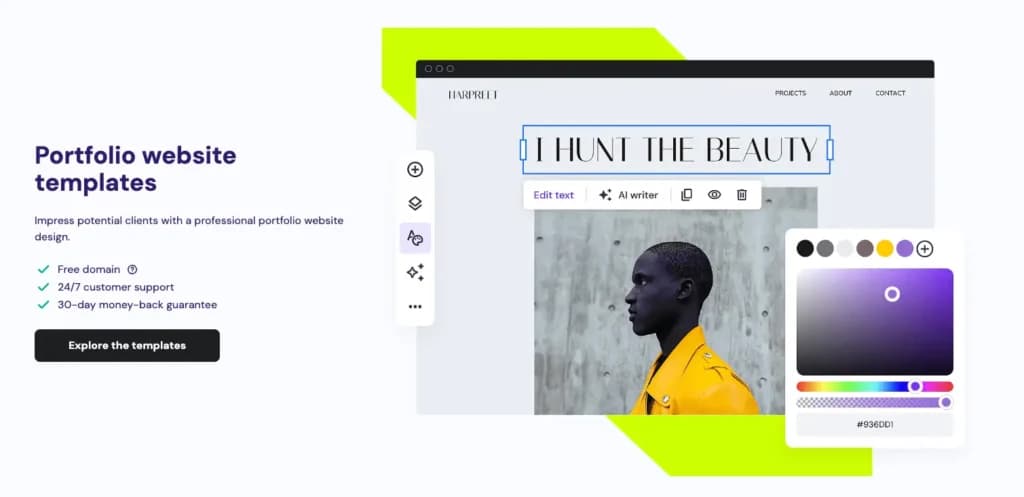
Hostinger is an affordable and beginner-friendly portfolio website builder that combines fast hosting with an easy-to-use site builder. It’s designed for creatives who want a simple yet professional online portfolio without a steep learning curve.
With its AI-powered website builder, mobile-friendly templates, and built-in SEO tools, Hostinger makes it easy for freelancers, designers, and photographers to create a visually appealing, high-performance portfolio. The platform also includes custom domain options, e-commerce functionality, and marketing integrations, making it a great choice for those looking to establish a strong online presence.
Key Features
- AI-powered website builder –Quickly generate a personalized portfolio site with AI-driven design assistance.
- Drag-and-drop editor –Easily customize layouts, colors, and fonts without coding.
- Fast and secure hosting –Optimized website performance with reliable uptime and free SSL security.
- Mobile-friendly templates –Professionally designed, responsive themes that look great on all devices.
- SEO optimization tools –Built-in features to improve search rankings and portfolio visibility.
- Custom domain and branding –Secure a personalized domain name to establish a professional online presence.
- E-commerce support –Sell artwork, digital services, or creative products directly from the portfolio.
- Marketing integrations –Connect with social media platforms, email marketing tools, and analytics.
- Scalable storage and bandwidth –Suitable for growing portfolios with increasing traffic.
- 24/7 customer support –Reliable assistance for troubleshooting and technical guidance.
Pros and Cons
- Pros
- AI-powered website builder makes creating a portfolio quick and effortless.
- Fast and reliable hosting ensures smooth performance.
- Mobile-friendly templates for a professional look on any device.
- Built-in SEO tools help improve search rankings.
- Affordable pricing makes it a budget-friendly option for creatives.
- Custom domain and branding options for a professional online presence.
- Cons
- Limited advanced customization compared to WordPress-based builders.
- Fewer third-party integrations than competitors like Wix or Squarespace.
- No free plan available, requires a paid subscription.
Who It's For
Hostinger is ideal for freelancers, photographers, designers, and creatives who want a simple, affordable, and fast-loading portfolio website. It’s a great choice for those who prefer AI-assisted site building and need a budget-friendly solution with essential SEO and marketing features.
Webador: Best for simple portfolios for beginners
- Create a website in 10 minutes.
- Used by 356,000 small business owners
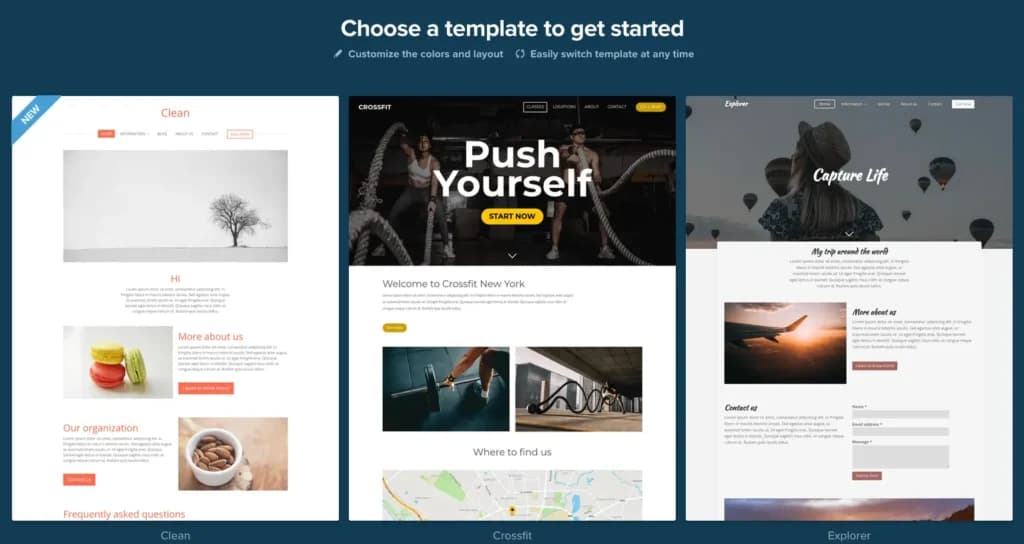
Webador is a beginner-friendly portfolio website builder designed for creatives who want a quick and hassle-free way to showcase their work online. With its drag-and-drop editor, users can create a professional-looking portfolio without coding or design experience.
It offers clean, mobile-responsive templates, built-in SEO tools, and a free domain option, making it a great choice for artists, photographers, and freelancers looking for an affordable and easy-to-use platform. Webador also includes basic e-commerce features, allowing users to sell artwork or services directly from their portfolio site.
Key Features
- Drag-and-drop editor –Simple, beginner-friendly interface for easy website customization.
- Portfolio-specific templates –Clean, modern designs optimized for creatives, photographers, and freelancers.
- Mobile-responsive design –Ensures portfolios look great on all devices.
- Free domain option –Create a professional web presence without additional costs.
- SEO optimization tools –Built-in features to improve search visibility and attract more visitors.
- Integrated blogging feature –Share updates, case studies, or project insights with your audience.
- E-commerce functionality –Sell artwork, digital products, or services directly from your portfolio.
- Social media integration –Connect Instagram, LinkedIn, and other platforms to showcase your work.
- Fast and secure hosting –Ensures a smooth browsing experience with reliable uptime.
- Affordable pricing plans –Budget-friendly options for individuals and small businesses.
Pros and Cons
- Pros
- Beginner-friendly drag-and-drop editor makes website creation easy.
- Clean, mobile-responsive templates designed for creatives.
- Free domain option provides an affordable way to establish an online presence.
- Built-in SEO tools help improve portfolio visibility.
- E-commerce features allow selling artwork or services directly.
- Fast and reliable hosting ensures smooth site performance.
- Cons
- Limited advanced customization compared to platforms like Wix or Squarespace.
- Fewer third-party integrations than some competitors.
- No free plan without Webador branding, requiring a paid upgrade for a professional look.
Who It's For
Webador is perfect for artists, photographers, freelancers, and creatives who need a simple, budget-friendly portfolio website without technical complexity. It’s ideal for those who prioritize ease of use and quick setup, making it a great choice for beginners. With its clean templates, built-in SEO tools, and e-commerce features, Webador is a solid option for anyone looking to showcase their work professionally and affordably.
The Importance of Portfolio Website Builders
In today’s digital world, your portfolio isn’t just a collection of work—it’s your personal brand. Whether you're an artist, designer, photographer, or freelancer, a strong online presence is key to attracting clients, showcasing your skills, and standing out in a competitive industry. A portfolio website builder makes it easy to create a professional, visually appealing site without coding or design expertise.
Why portfolio website builders matter:
- Professional first impression –A sleek, well-designed portfolio establishes credibility and helps you stand out.
- Creative control –Customizable layouts and templates allow you to present your work exactly as you envision it.
- SEO and visibility –Built-in SEO tools help your portfolio rank on search engines, making it easier for clients to find you.
- Client engagement –Features like contact forms, scheduling tools, and e-commerce options help turn visitors into clients.
- Easy updates and management –With intuitive drag-and-drop editors, keeping your portfolio fresh and up to date is effortless.
Having a portfolio website is more than just a showcase—it’s a tool that helps you land jobs, grow your brand, and connect with the right audience.
Use our Free Website Worth Calculator
Key Benefits of Portfolio Website Builders
Using the right portfolio builder makes creating and managing your site simple, helping you focus on your work instead of website maintenance.
- No coding required –Drag-and-drop editors make it easy for anyone to build a site.
- Stunning templates –Professionally designed layouts optimized for creative industries.
- SEO optimization –Helps your site rank higher on Google and attract more visitors.
- Mobile-friendly designs –Ensures your portfolio looks great on all devices.
- Fast and secure hosting –Reliable performance and security features to protect your work.
- Custom domains –Personalize your site with a unique, professional web address.
- E-commerce integration –Sell artwork, digital products, or photography prints directly.
- Built-in analytics –Track visitor activity and measure engagement.
- Social media integration –Connect your portfolio to Instagram, LinkedIn, and other platforms
- Client interaction tools –Contact forms, scheduling, and booking options for client engagement.
A well-built portfolio website not only looks professional but also helps you grow your career, attract clients, and monetize your work.
Steps to Choosing the Right Portfolio Website Builder
Finding the best website builder for portfolios depends on your needs, budget, and technical skills. Here’s how to choose the right one:
- Define your portfolio goals –Are you showcasing work, attracting clients, or selling products?
- Consider ease of use –Choose a builder with a user-friendly interface if you’re not tech-savvy.
- Look for creative templates –Make sure the platform offers modern, visually appealing designs.
- Check for SEO tools –Built-in SEO features help improve search rankings and visibility.
- Evaluate customization options –Some builders allow full creative control, while others have limited flexibility.
- Look at pricing plans –Compare free and paid plans to find the best fit for your budget.
- Consider e-commerce features –If you plan to sell work, choose a platform with online store capabilities.
- Check for mobile responsiveness –Ensure your site looks great on all devices.
- Review support and security –Reliable customer support and SSL security are essential for a smooth experience.
- Test with free trials –Many platforms offer trials or free versions—try them before committing.
Choosing the right portfolio builder means finding one that aligns with your goals, simplifies website management, and enhances your online presence.
See also
- Image-led sites get judged differently from brochure sites, so use the website builders comparison for the pricing and editor questions that still apply.
- Selling prints and originals rather than showing them shifts the requirement to a storefront, which is weighed on the best website builders for artists page.
- Galleries get heavy quickly, so how the platform compresses and lazy loads uploads matters, and page weight is part of what best website builder for search visibility scores.
- Exact grid, caption and margin control comes down to the editor, compared on the drag-and-drop website builder page.
- Crop and colour correct before upload with one of the best photo editors for small business, because builder uploaders only resize.
Final Thoughts
Your portfolio website is more than just a showcase—it’s your digital resume, personal brand, and business card all in one. With the right portfolio website builder, you can present your work in the best light, attract potential clients, and grow your career effortlessly.
There’s no one-size-fits-all solution, so take the time to compare features, test different platforms, and find the one that fits your creative style. Whether you need something simple and quick or fully customizable and scalable, the right builder will help you turn your portfolio into a powerful tool for success.
FAQ
Q: What is a portfolio website builder?
A: A portfolio website builder is a tool that helps creatives design and publish a professional online portfolio without needing coding or design experience.
Q: Why do I need a portfolio website?
A: A portfolio website allows you to showcase your work, attract potential clients, and establish credibility in your industry.
Q: What features should I look for in a portfolio builder?
A: Look for drag-and-drop editing, SEO tools, mobile-friendly templates, custom domain options, and media galleries.
Q: Can I create a portfolio website for free?
A: Yes, some platforms offer free plans, but they may include ads or limited customization. Paid plans offer more features and branding options.
Q: What’s the best website builder for a photography portfolio?
A: Wix and Squarespace are popular choices due to their high-quality image galleries and customizable design options.
Q: Can I sell my work through my portfolio website?
A: Yes, many website builders include e-commerce features for selling prints, digital products, or services.
Q: How do I make my portfolio website stand out?
A: Use high-quality images, a clean and professional layout, SEO optimization, and engaging content that highlights your skills and expertise.
Q: Can I integrate my social media into my portfolio website?
A: Yes, most portfolio website builders allow you to link or embed social media profiles, making it easy to showcase your latest work.
Q: How do I choose between different portfolio builders?
A: Consider your design preferences, ease of use, customization options, SEO tools, and whether you need e-commerce functionality.
Q: Is SEO important for a portfolio website?
A: Absolutely! SEO helps your site rank higher on search engines, making it easier for potential clients to find your work.