
Best Website Builders for Artists in 2026
As an artist, your work deserves a beautiful, professional online space that represents your creativity. Whether you're a painter, illustrator, photographer, or digital artist, having a dedicated website helps you showcase your portfolio, attract clients, and even sell your artwork—all while giving you complete control over your brand.
Last updated: September 2026
Why You Can Trust the Expertise of Sonary
At Sonary, we are committed to providing accurate and trustworthy information to help you make informed decisions. Our research process is meticulous, transparent, and guided by a dedication to maintaining the highest standards of integrity, ensuring accurate, real-world insights.
Read more Unlike many other review platforms, we conduct in-depth evaluations of the software and services we feature. Our expert team tests and actively uses the tools we review to understand their features, performance, and value comprehensively. Our assessments are based on real-world use, giving you insights beyond surface-level descriptions. Our research methodology includes analyzing key consumer factors such as pricing, functionality, device usability, scalability, customer support quality, and unique industry-specific features. This hands-on approach and dedication to transparency mean you can trust Sonary to deliver regular, up-to-date content and recommendations that are well-researched and genuinely helpful for your business needs.

The right website builder for artists takes the hassle out of creating an online presence, giving you beautiful templates, simple customization, and built-in tools to sell your art. Finding the match for your needs as an artist makes all the difference in how you present yourself and your work as an artist.
Best Website Builders for Artists in2026

The Squarespace drag-and-drop editor allows users to create stunning websites. Be it a simple portfolio or an online store, the website builder has over 100 modern templates and integrates with… Read more
The Squarespace drag-and-drop editor allows users to create stunning websites. Be it a simple portfolio or an online store, the website builder has over 100 modern templates and integrates with 5,000+ apps. Squarespace lets users can begin their website building with customizable web page sections.
Learn more in our full Squarespace review.
Pros & Cons
- You can create up to 1,000 pages
- In-built SEO tools
- Free SSL certificates
- Rich library of user learning materials
- You can not publish your professional website on the free trial mode
- No free plan, only free trail period
- Has a bit of a learning curve
Features
- 100+ Templates
- Add HTML code
- Blog Templates
- Drag & Drop Editor
- Multi-lingual website
- Fully customized
- Mobile-friendly
- SEO Tools
- Social Media Integration
- Widgets + Apps
- Newsletter tool
- Visitor statistics
- Free custom domain
- Unlimited Space
- Unmetered Bandwidth
- Free Stock Photos
- Video Plug-Ins
- Audio Plug-Ins
- Blogging
- Online Stores
- Automatic Website Building
Pricing
$16
mo/
month
$23
mo/
month
$39
mo/
month
$99
mo/
month

Wix is a versatile website builder that empowers users to create stunning, professional websites without requiring advanced technical skills. Known for its intuitive drag-and-drop editor, Wix offers… Read more
Wix is a versatile website builder that empowers users to create stunning, professional websites without requiring advanced technical skills. Known for its intuitive drag-and-drop editor, Wix offers hundreds of customizable templates, robust e-commerce capabilities, and built-in SEO tools to optimize site performance. Whether you're a small business owner, blogger, or creative professional, Wix provides an all-in-one solution to design, manage, and grow your online presence. With features like mobile optimization, app integrations, and reliable hosting, Wix ensures your website is both functional and visually impressive, making it a top choice for users of all experience levels.
Learn more in our full Wix review.
Pros & Cons
- Wix-powered websites are fast
- Has intuitive drag-and-drop design features
- Digital marketing integrations are super easy
- Massive reservoir of support materials
- One paid plan (except Enterprise) for only one site.
- Wix branding on Free plan
- Cannot use a custom domain on Free plan
Features
- 100+ Templates
- Add HTML code
- Blog Templates
- Portfolio
- Drag & Drop Editor
- Multi-lingual website
- Fully customized
- SEO Tools
- Social Media Integration
- Widgets + Apps
- Newsletter tool
- Monetization
- Visitor statistics
- Multiple Sites
- Free Stock Photos
- Free custom domain
- Unlimited Space
- Unmetered Bandwidth
- Video Plug-Ins
- Blogging
- Online Stores
- Automatic Website Building
- Mobile-friendly
Pricing
$0
mo/
month
$17
mo/
month
$29
mo/
month
$39
mo/
month
$159
mo/
month

Shopify stands as a leading e-commerce platform, empowering over 1.75 million merchants across 175 countries to sell online seamlessly. Its user-friendly interface, customizable templates, and… Read more
Shopify stands as a leading e-commerce platform, empowering over 1.75 million merchants across 175 countries to sell online seamlessly. Its user-friendly interface, customizable templates, and comprehensive app ecosystem enable businesses to create and manage online stores with ease. Features like integrated inventory management, secure payment gateways, and mobile-responsive design ensure a smooth shopping experience for customers. Trusted by brands like Netflix and Mattel, Shopify offers scalable solutions suitable for businesses of all sizes. In this Shopify e-commerce review, I'll discuss features, performance, customer service, and Shopify pricing.
Learn more in our full Shopify review.
Pros & Cons
- Large suite of marketing tools to grow your website
- You’re able to sell online, offline, and through multiple marketplaces
- It has a built-in payment processor
- Supports unlimited products on every plan
- It charges you for third party payment processors
- The basic plan doesn’t have access to pro reports
Features
- Number of templates
- Drag & Drop Editor
- Free Stock Photos
- SEO Tools
- Social Media Integration
- Visitor statistics
- Third-party apps
- Data Security
- Multi-lingual website
- Inventory Management
- Payment options
- Returns & Refunds
- Shipping Management
- Mobile - friendly
- Mobile compatible templates
- Add HTML code
- Portfolio
- Design flexibility
- Fully customized
- Video Plug-Ins
- Audio Plug-Ins
- Widgets + Apps
- Abandoned cart tools
- Newsletter tool
- Monetization
- Product reviews
- Promotions & Discounts
- Advertising credits
- Free custom domain
- Space
- Bandwith
Pricing
$29
mo/
month
$79
mo/
month
$299
mo/
month

The Hostinger (formerly known as Zyro) website builder is a drag-and-drop, intuitive website builder equipped with an interactive and minimalistic interface, over 100 fascinating website templates,… Read more
The Hostinger (formerly known as Zyro) website builder is a drag-and-drop, intuitive website builder equipped with an interactive and minimalistic interface, over 100 fascinating website templates, seamless eCommerce integrations, and AI-powered tools to automate even the most human-centric activities like blog writing.
Learn more in our full Hostinger review.
Pros & Cons
- Excellent uptime
- Unlimited storage and bandwidth on all plans
- Sophisticated AI-powered business tools
- Large photo repository
- Can’t publish a site on free plan
- Limited customization
Features
- 100+ Templates
- Add HTML code
- Blog Templates
- Portfolio
- Drag & Drop Editor
- Fully customized
- Mobile-friendly
- SEO Tools
- Widgets + Apps
- Visitor statistics
- Free custom domain
- Unlimited Space
- Unmetered Bandwidth
- Free Stock Photos
- Video Plug-Ins
- Blogging
- Online Stores
- Automatic Website Building
Pricing
$2.99
mo/
month
$3.99
mo/
month
$9.99
mo/
month
Quick Comparison
Web Builder | Key Feature | Best For | Platform | Pricing |
|---|---|---|---|---|
Squarespace | Elegant, design-focused templates | Visual artists, painters, photographers | Web-based, cloud-based, mobile | Mid-range |
Wix | AI-powered design customization | Illustrators, mixed-media artists | Web-based, cloud-based, mobile | Affordable to premium |
Shopify | Built-in e-commerce for artists | Artists selling prints, merchandise, and originals | Web-based, cloud-based, mobile | Mid to high |
Hostinger | AI-assisted website builder | Freelancers and emerging artists on a budget | Web-based, cloud-based, mobile | Budget-friendly |
Our Top Picks
Your art deserves more than just a social media page—it needs a home of its own. The right artist website builder gives you full control over how your work is presented, whether you want a sleek artist page, an online shop, or both. Some platforms focus on stunning, gallery-style templates, while others make it easy to sell prints, commissions, or digital downloads. Whatever your creative goals, these top website builders for artists make it simple to build a site that showcases your talent without the tech headaches.
Squarespace: Best for professional, visually appealing templates
- Personalized design tailored to your business
- Generate content and images for your site
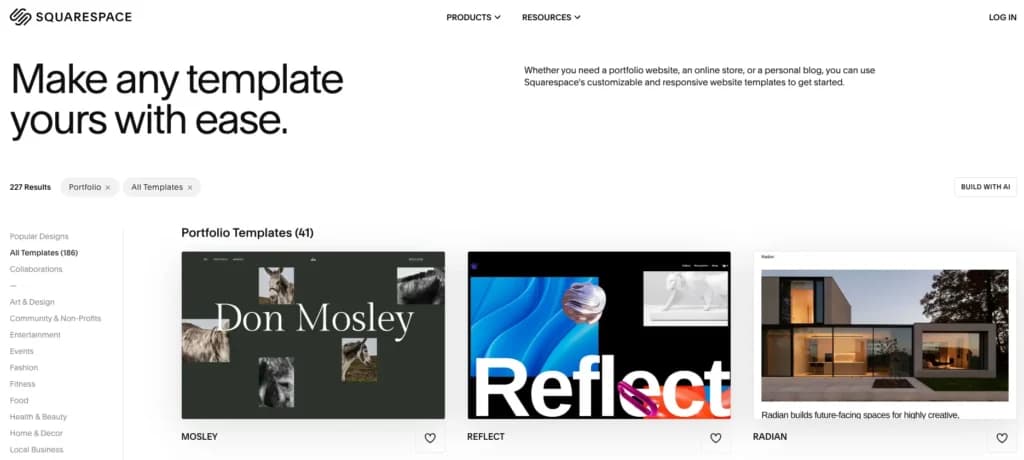
Squarespace is a popular artist website builder known for its elegant, visually stunning templates that make any page look professional. It’s designed for creatives who want a sleek, polished online presence without dealing with complicated coding or design work.
Squarespace is ideal for artists looking to showcase and sell their work in a beautifully curated space. Whether you need a minimalist artist one-pager, a full online store, or a combination of both, Squarespace provides the tools to make it happen.
Key Features
- High-quality artistic templates –Professionally designed, artist-friendly layouts that highlight visual work.
- Drag-and-drop customization –Easily personalize your site without needing coding skills.
- Built-in e-commerce tools –Sell prints, digital downloads, or original pieces directly from your site.
- SEO optimization –Helps your artistic portfolio rank higher on search engines for better visibility.
- Image galleries and video embedding –Showcase artwork in multiple formats with beautiful display options.
- Social media integration –Seamlessly connect your Instagram, TikTok, and other platforms.
- Mobile-responsive designs –Your site automatically adapts to any screen size.
- Custom domain and branding –Create a professional web presence with your own unique URL.
- Marketing tools and analytics –Track visitor data and run promotional campaigns for your art.
- Built-in blogging feature –Share artistic insights, creative processes, or updates with your audience.
Pros and Cons
- Pros
- Beautiful, high-end templates that make artwork look professional.
- Drag-and-drop customization keeps website design simple and intuitive.
- E-commerce integration allows artists to sell work easily.
- SEO and marketing tools help improve visibility.
- Mobile-friendly designs ensure art looks great on any device.
- Cons
- Less flexibility in customization compared to WordPress-based builders.
- No free plan available, only a free trial before upgrading.
- Slight learning curve for beginners unfamiliar with website builders.
Who It's For
Squarespace is perfect for visual artists, photographers, painters, and illustrators who want a polished, professional artist website that’s easy to set up and maintain. It’s a great fit for creatives who prioritize aesthetics and want a gallery-style website with built-in selling options.
Wix: Best for no-coding customizations
- Over 300 million sites were built on Wix
- 90K+ Sites created daily
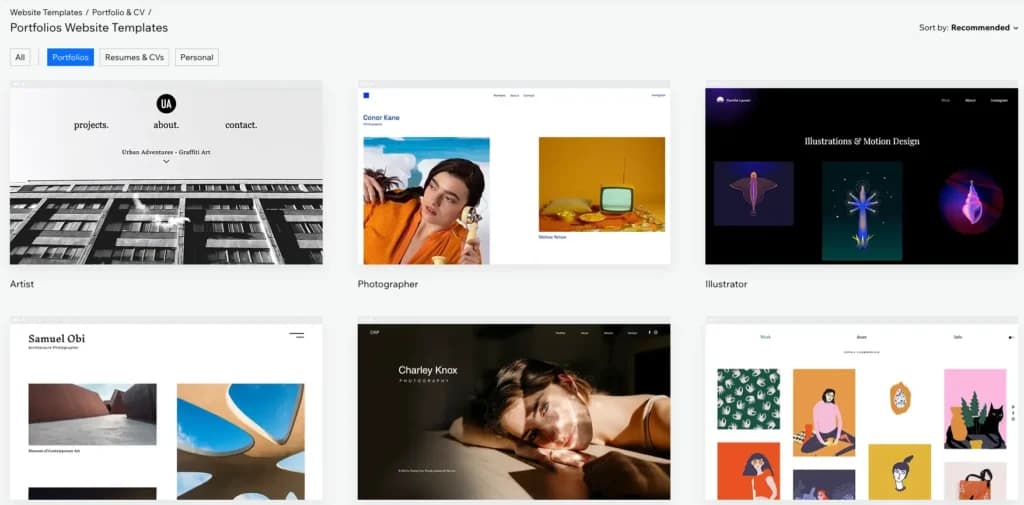
Wix is a versatile website builder designed for artists who want to create a customized, professional artist web appearance without coding. It offers artist-friendly templates, drag-and-drop editing, and AI-powered design tools, making it easy to build a site that reflects your unique style.
With high-quality image galleries, video support, e-commerce integration, and built-in SEO tools, Wix allows artists to showcase their work, attract clients, and even sell artwork directly from their website. Its mobile optimization and social media integrations also help creatives expand their reach and maintain a strong online presence.
Key Features
- Artist-friendly templates. Choose from professionally designed templates made specifically for painters, photographers, illustrators, and other creatives.
- Drag-and-drop customization. Easily arrange images, text, and layouts to create a unique artist page without coding.
- High-quality image galleries. Display artwork in stunning, customizable galleries with zoom and slideshow options.
- E-commerce integration. Sell prints, digital downloads, and original artwork directly from your site with built-in payment options.
- SEO and marketing tools. Optimize your artist website for search engines and promote your work with email marketing and social media integrations.
- Mobile-responsive design. Ensure your artwork looks great on any device without extra adjustments.
- Video embedding. Showcase time-lapse art, behind-the-scenes footage, or promotional videos to engage your audience.
- Social media integration. Link your Instagram, TikTok, and other social platforms to drive traffic to your page.
- Custom domains and branding. Secure a personalized web address and remove Wix branding for a more professional presentation.
- Blogging and content features. Share your creative process, updates, or art-related insights to connect with your audience.
Pros and Cons
- Pros
- Artist-focused templates designed for showcasing visual work professionally.
- Drag-and-drop customization makes designing an artistic page easy, no coding required.
- High-quality image and video galleries to display artwork in various formats.
- Built-in e-commerce tools for selling prints, commissions, or digital downloads.
- SEO and marketing tools help increase visibility and attract potential buyers.
- Mobile-friendly design ensures your page looks great on any device.
- Social media integration makes it easy to connect your artist page to Instagram, TikTok, and more.
- Cons
- Limited template flexibility—switching templates requires rebuilding the site.
- Some advanced features require paid apps, increasing costs over time.
- Free plan includes Wix branding, so a paid upgrade is needed for a professional look.
Who It's For
Wix is perfect for painters, illustrators, photographers, and digital artists who want full creative control over their art without dealing with complex coding. It’s great for artists who need a visually stunning website, built-in e-commerce to sell their work, and easy-to-use design tools. If you want a customizable, mobile-friendly, and SEO-optimized platform to showcase and promote your art, Wix is a great option.
Shopify: Best for e-commerce for artists
- Trusted by millions of businesses globally
- Drag-and-drop store creator
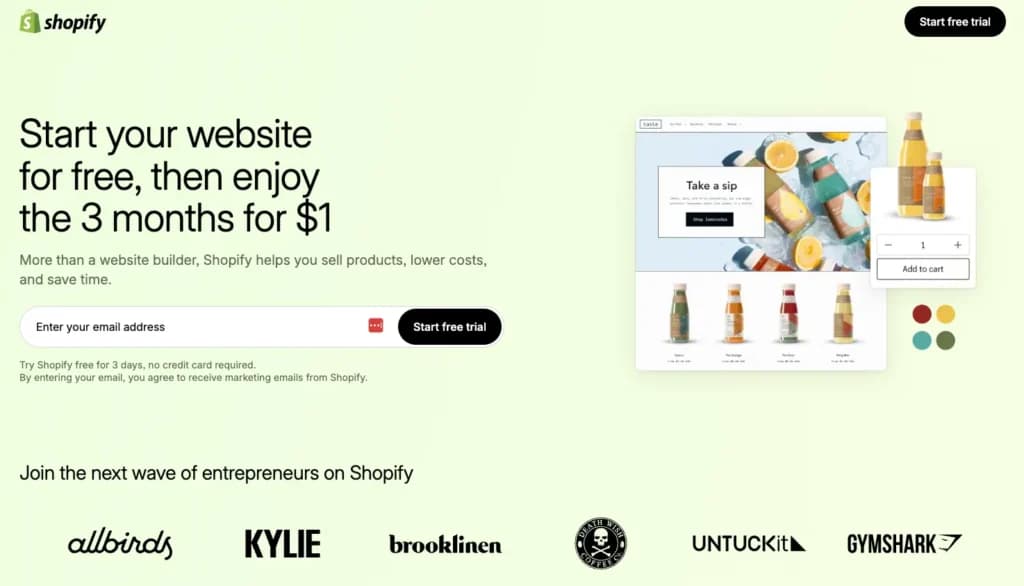
If you're an artist looking to sell your work online, Shopify is built for exactly that. More than just a portfolio builder, Shopify gives you all the tools you need to showcase, market, and sell your artwork—whether you’re selling prints, digital downloads, or original pieces.
With customizable storefronts, built-in e-commerce features, and seamless payment processing, Shopify is ideal for artists who want to turn their art page into a full-scale online shop. From managing inventory to setting up discounts and handling shipping, it’s designed to make selling art online simple and efficient.
Key Features
- Customizable storefronts. Choose from professional templates and personalize them to match your artistic brand.
- Built-in e-commerce tools. Sell paintings, prints, digital downloads, or merchandise directly from your website.
- Multiple sales channels. Sync your store with Instagram, Facebook, and other platforms to sell your work beyond your website.
- Secure payment processing. Accept credit cards, PayPal, and other payment methods with Shopify’s built-in checkout system.
- Print-on-demand integration. Easily partner with print-on-demand services to sell artwork without managing inventory.
- SEO and marketing tools. Optimize your site for search engines and run email or social media marketing campaigns to attract buyers.
- Mobile-friendly design. Ensure your online store and artistic portrayal look great on any device.
- Inventory and order management. Track sales, manage stock, and automate shipping for a smooth selling experience.
- Custom domain and branding. Establish a professional online presence with your own domain name.
- Built-in blogging platform. Share your creative process, new collections, or industry insights to engage your audience.
Pros and Cons
- Pros
- E-commerce-first platform perfect for artists looking to sell prints, originals, or digital work.
- Customizable storefronts allow for a unique and branded online gallery.
- Print-on-demand integration makes selling artwork easy without managing inventory.
- Multiple sales channels let you sell directly through Instagram, Facebook, and other platforms.
- Secure payment processing ensures seamless transactions for buyers.
- SEO and marketing tools help drive traffic and increase visibility.
- Mobile-friendly store designs make it easy for buyers to browse and purchase on any device.
- Cons
- Not designed purely for portfolios, so artists who don’t plan to sell might find it excessive.
- More e-commerce-focused customization means fewer artistic layout options compared to Wix or Squarespace.
- Monthly subscription costs can add up, especially for artists just starting out.
- Transaction fees apply unless using Shopify Payments.
Who It's For
Shopify is perfect for artists who want to sell their work online—whether it’s prints, original pieces, digital downloads, or merchandise. It’s a great choice for painters, illustrators, and designers who need a professional storefront with built-in e-commerce tools. If your focus is on turning your art into a business, managing orders, and reaching customers across multiple platforms, Shopify provides everything you need to market and sell your work efficiently.
Hostinger: Best for budget-friendly features
- 100+ Professional templates
- 30-day money-back guarantee
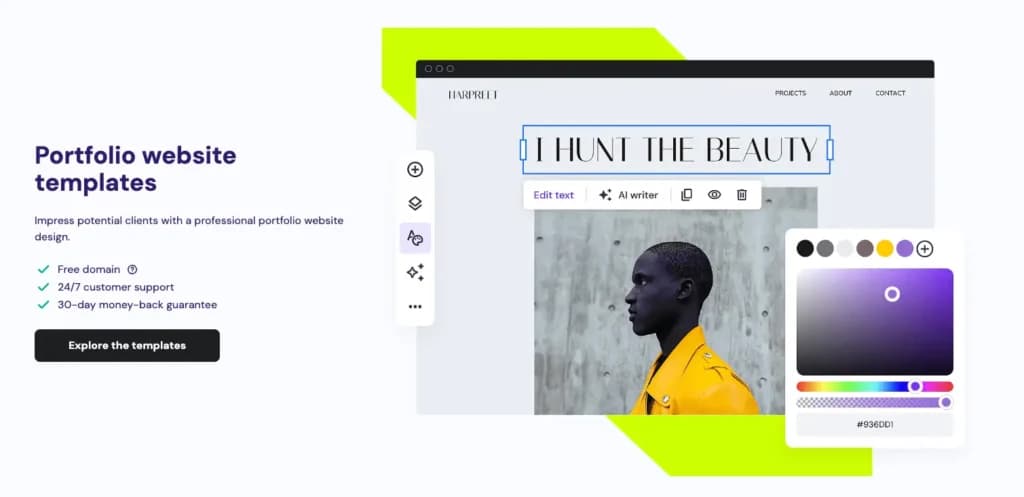
Hostinger offers a budget-friendly, beginner-friendly website builder that makes it easy for artists to create a clean, professional artist page without a steep learning curve. With its AI-assisted website builder, artists can generate a fully functional site in minutes, then customize it to fit their unique style.
Hostinger provides affordable hosting, SEO tools, and e-commerce integration, making it a solid choice for artists looking for a simple yet effective way to showcase their work online.
Key Features
- AI-assisted website builder. Quickly generate an artistic website with minimal effort and customize it to fit your artistic brand.
- Budget-friendly pricing. One of the most affordable website builders, making it ideal for artists just starting out.
- Drag-and-drop editor. Easy-to-use customization tools for adding images, galleries, and text without coding.
- Fast-loading pages. Optimized hosting ensures your art loads quickly for visitors.
- E-commerce integration. Sell artwork, prints, or digital downloads with built-in online store capabilities.
- SEO optimization tools. Improve your art's visibility and ranking on search engines.
- Mobile-responsive design. Your site automatically adjusts to look great on any device.
- Custom domain options. Get a personalized web address for a more professional online presence.
- Social media integration. Link your artistic presence to Instagram, TikTok, and other platforms to drive traffic.
- Secure hosting with SSL. Protects your site and visitor data with built-in security features.
Pros and Cons
- Pros
- Affordable pricing makes it a great choice for artists on a budget.
- AI-assisted website builder helps create a site quickly with minimal effort.
- Drag-and-drop customization makes it easy to showcase artwork.
- E-commerce integration allows artists to sell prints, originals, or digital work.
- Fast-loading pages ensure a smooth user experience for visitors.
- SEO tools help artists improve their online visibility.
- Cons
- Fewer design templates compared to Wix and Squarespace.
- Limited advanced customization options for artists who want full creative control.
- Not as feature-rich as other portfolio-focused platforms.
- No free plan available, requiring a paid subscription to launch a site.
Who It's For
Hostinger is ideal for artists on a budget who need a simple, no-fuss portfolio website without compromising on essential features. It’s a great choice for painters, illustrators, and digital artists who want an affordable yet functional website to showcase their work. If you’re looking for a quick and easy way to build a professional online presence without diving into complex design tools, Hostinger is a solid option.
Related Articles


The Importance of Website Builders for Artists
Having a strong online presence isn’t optional for artists—it’s essential. Whether you’re showcasing your work, attracting clients, or selling pieces, a well-designed website acts as your digital art portfolio, art gallery, and business hub all in one. Unlike social media, which can be limiting and unpredictable, a website gives you full control over how your work is displayed and how potential buyers interact with it.
Why a website is essential for artists:
- Professional credibility –A dedicated site makes you look more established and serious about your work.
- Full creative control –Unlike social media, you can design your artistic presence exactly how you want.
- Easier to sell art –Integrated e-commerce features allow you to sell prints, originals, or digital downloads.
- Better discoverability –SEO tools help your art rank on search engines, making it easier for potential buyers to find you.
- A hub for all your content –Link to your social media, blog about your work, or offer commissions in one organized place.
Use our Free Website Worth Calculator
Key Benefits of Website Builders for Artists
Having a website means your art is always accessible, organized, and ready to impress potential clients or buyers. But portraying your work as an artist with the right website builder doesn't just get the aesthetics right for your website, it makes your life so much easier in putting yourself out there. The right platform will allow you to focus on creating art while handling the technical side of running an online presence.
- No coding required – Drag-and-drop editors make designing your site easy.
- Beautiful templates – Professionally designed layouts enhance your artwork.
- SEO tools – Helps your art appear in Google search results.
- Mobile-friendly design – Ensures your site looks great on any device.
- E-commerce integration – Sell art directly without needing a third-party marketplace.
- Social media integration – Connect your artwork to Instagram, TikTok, and more.
- Custom domains – Make your site look professional with a personalized web address.
- Fast and secure hosting – Keep your website running smoothly with built-in security.
- Easy content updates – Quickly add new artwork, blog posts, or announcements.
- Marketing and analytics tools – Track visitors and promote your work effectively.
Steps to Choosing the Right Website Builder for Artists
Not all website builders are the same, and the right one depends on your needs, budget, and level of creative control.
- Define your website goals– Do you want a simple portfolio, a shop, or both?
- Choose a user-friendly platform– If you’re not tech-savvy, go for a builder with an easy drag-and-drop editor.
- Look for art-friendly templates– Find a builder with layouts designed for showcasing art.
- Check for e-commerce features– If you plan to sell, make sure the platform supports online transactions.
- Consider SEO and marketing tools– A good builder helps your site rank higher and attract more visitors.
- Ensure mobile responsiveness– Your site should look great on any screen size.
- Compare pricing plans– Balance affordability with features that matter most to you.
- Look for customization options– Some builders allow more design flexibility than others.
- Test with free trials– Many platforms let you try their tools before committing.
- Read reviews and artist recommendations– Learn from others who’ve built successful artist websites.
See also
- Colour-accurate galleries are a narrow requirement, and best site builders for small business still answers the pricing and editor questions underneath it.
- Commissions and print sales need a real cart with variants and shipping rules, which the free ecommerce platform page covers for a small catalogue.
- Showing work without selling it is the simpler build, served by the best website builder for a portfolio picks with lightbox galleries and client proofing.
- Uploading full-resolution scans hands your compression decisions to the platform, so read the page weight notes on the best website builder for SEO list.
- Prepare files first, because a best photo editing software pick preserves the colour profiles that builder uploaders tend to strip.
Final Thoughts
Your art speaks for itself, but your website is what gets it in front of the right audience. A well-built website for artists not only showcases your talent but also helps you attract clients, sell your work, and grow your reputation.
The best part? You don’t need to be a web designer to create a stunning artist website. With the right website builder, you get the creative freedom, professional tools, and easy management needed to keep your artistic business card looking its best.
Take the time to explore different platforms, compare features, and choose one that fits your style and goals. Whether you’re looking for a minimalist showcase or a full-blown e-commerce shop, your website should feel like an extension of your creativity.
At the end of the day, your website is your digital art gallery—make it one worth visiting.