
Best Software for Healthcare Industry
Learn how to optimize your healthcare organization's operations with our essential software solutions designed to improve patient care and streamline workflows.
Last updated: August 2026
Medical billing & accounting software
Explore accounting software that is tailored specifically for the healthcare industry, enabling you to efficiently handle invoices, track expenses, and ensure compliance with ease. Simplify your financial operations and focus on delivering exceptional patient care with our recommended accounting solutions.

Quickbooks leads the way in cloud-based accounting software for small businesses by keeping it simple and effective. Everything your business needs is housed under its site and app. It is packed with… Read more
Quickbooks leads the way in cloud-based accounting software for small businesses by keeping it simple and effective. Everything your business needs is housed under its site and app. It is packed with features and integrations for automating aspects deemed too time-consuming.
Learn more in our full Quickbooks review.
Pros & Cons
- Robust and secure cloud-based software
- Customizable and intuitive dashboard and reports
- Numerous integrations
- Full desktop and mobile access
- Lack of 24/7 customer phone support (except for Advanced)
- Payroll costs extra
- Learning curve
Features
- General Ledger
- Bookkeeping
- Manages Accounts Payable/Receivable
- Income & Expenses Tracking/Management
- Account Reconciliations
- Financial Reporting
- Invoicing
- Record Expenses
- Record Mileage
- Generate Invoices
- Tax Compliance
- Manage Tax Calculations/Reporting
- Accountant-Prep Friendly
- Automation of Invoices/Notifications
- Suggests Transaction Matches
- Purchase Order Automation
- Payment Processing
- Payroll Processing
- Project Management
- Time tracking
- Third-party Integrations
- Windows
- Android
- iPhone/iPad
- Mac
- Web-Based
Pricing
$0
mo/
month
$38
mo/
month
$85
mo/
month
$140
mo/
month
$340
mo/
month

Netsuite's accounting software improves financial controls, produces accurate reports, and simplifies the recording of payment transactions. Gain real-time insights into financial metrics and ensure… Read more
Netsuite's accounting software improves financial controls, produces accurate reports, and simplifies the recording of payment transactions. Gain real-time insights into financial metrics and ensure accounting regulations, all on their app or desktop.
Learn more in our full Netsuite review.
Pros & Cons
- 24/7 customer support
- Offers an integrated eCommerce storefront
- Extensive global compliance features
- Tons of modules available for nearly everything you need
- Expensive
- Many features are paid add-ons
- Excessive modules
Features
- General Ledger
- Bookkeeping
- Manages Accounts Payable/Receivable
- Income & Expenses Tracking/Management
- Account Reconciliations
- Financial Reporting
- Receipt Scanning
- Invoicing
- Record Expenses
- Generate Invoices
- Recurring Expenses
- Tax Compliance
- Manage Tax Calculations/Reporting
- Accountant-Prep Friendly
- Automation of Invoices/Notifications
- Suggests Transaction Matches
- Purchase Order Automation
- Payment Processing
- Payroll Processing
- Project Management
- Time tracking
- Third-party Integrations
- Web-Based
Based out of the UK, Sage Group is a multinational company that develops enterprise application software. The company offers various types of accounting, payroll, and payment processing software. Not… Read more
Based out of the UK, Sage Group is a multinational company that develops enterprise application software. The company offers various types of accounting, payroll, and payment processing software. Not only do they have desktop-based accounting software, but they also have cloud-based software that’s designed with small and mid-sized business owners in mind.
Learn more in our full Sage review.
Pros & Cons
- Create separate profiles for your employees and accountant
- Send clients invoices directly from the dashboard
- Automatically backup and secure your data
- Limited customization
- No payroll processing features
Features
- General Ledger
- Bookkeeping
- Manages Accounts Payable/Receivable
- Income & Expenses Tracking/Management
- Financial Reporting
- Receipt Scanning
- Invoicing
- Record Expenses
- Record Mileage
- Generate Invoices
- Recurring Expenses
- Tax Compliance
- Manage Tax Calculations/Reporting
- Accountant-Prep Friendly
- Automation of Invoices/Notifications
- Purchase Order Automation
- Payment Processing
- Time tracking
- Third-party Integrations
- Windows
- Android
- iPhone/iPad
- Mac
- Web-Based
Pricing
$128.67
mo/
month
$182.5
mo/
month
$271.17
mo/
month
Xero, a leading online accounting software, streamlines finances for small businesses and accountants with features like invoicing, multi-currency, and bank connections from over 21,000 global… Read more
Xero, a leading online accounting software, streamlines finances for small businesses and accountants with features like invoicing, multi-currency, and bank connections from over 21,000 global institutions. Founded in New Zealand, Xero has expanded globally, making it a top choice for modern, efficient, and cloud-based financial management.
Learn more in our full Xero review.
Pros & Cons
- Outstanding context-aware assistance
- Efficient utilization of artificial intelligence
- Delivers vital business insights
- Enhanced client data management
- Interface layout could be improved
- Lacks inventory assembly features
- Time logs need to be linked to specific projects.
Features
- General Ledger
- Bookkeeping
- Manages Accounts Payable/Receivable
- Income & Expenses Tracking/Management
- Account Reconciliations
- Financial Reporting
- Receipt Scanning
- Invoicing
- Record Expenses
- Record Mileage
- Generate Invoices
- Recurring Expenses
- Tax Compliance
- Manage Tax Calculations/Reporting
- Accountant-Prep Friendly
- Automation of Invoices/Notifications
- Suggests Transaction Matches
- Purchase Order Automation
- Payment Processing
- Payroll Processing
- Project Management
- Time tracking
- Third-party Integrations
- Windows
- Android
- Linux
- iPhone/iPad
- Mac
- Web-Based
Pricing
$25
mo/
month
$55
mo/
month
$90
mo/
month
Keep track of your projects efficiently
Are you a healthcare business looking for a project management software that can help you streamline your operations and improve your efficiency? You're in luck! Here are our recommended software solutions available that are specifically designed for the healthcare industry.

Imagine a workspace where every project detail aligns seamlessly, teams collaborate effortlessly, and productivity soars—welcome to ClickUp. This all-in-one project management platform offers… Read more
Imagine a workspace where every project detail aligns seamlessly, teams collaborate effortlessly, and productivity soars—welcome to ClickUp. This all-in-one project management platform offers customizable workflows, enabling you to tailor processes to your team's unique needs. Assign tasks with precision, visualize projects from inception to completion, and maintain clear communication through integrated document sharing, comments, and real-time notifications. With a vast library of project templates and integrations, ClickUp adapts to businesses of all sizes, ensuring tasks are executed efficiently and effectively. In this ClickUp review, I'll discuss features, performance, customer service, and ClickUp pricing.
Learn more in our full Clickup review.
Pros & Cons
- Over a dozen project views
- Built-in document editor that can be used to collaborate in real-time
- Dedicated chat interface to aid team collaboration
- Workload and time log tracking
- Can be difficult to master because of how expansive the platform is
- When using the Everything view, it can be difficult to understand who owns what.
Features
- File Sharing
- Document collaboration
- User Access and Permissions
- Mobile App
- Search
- Multi-language support
- Risk Analysis
- Reporting and Dashboards
- Customization
- Storage Included
- Integrated Chat
- Notifications
- Comments on Tasks
- Discussion
- Task Creation and Assignment
- Due Dates
- Task Prioritization
- To-Do Lists
- Calendar
- Gantt Chart / Project Map
- Resource Management
- Reporting
Pricing
$0
mo/
month
$7
mo/
month
$12
mo/
month

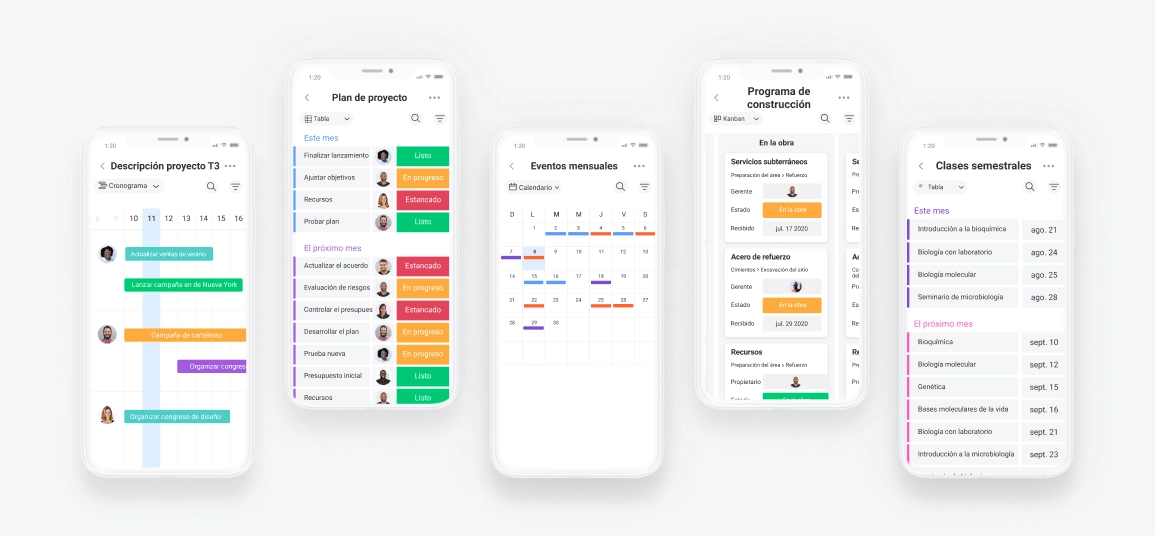
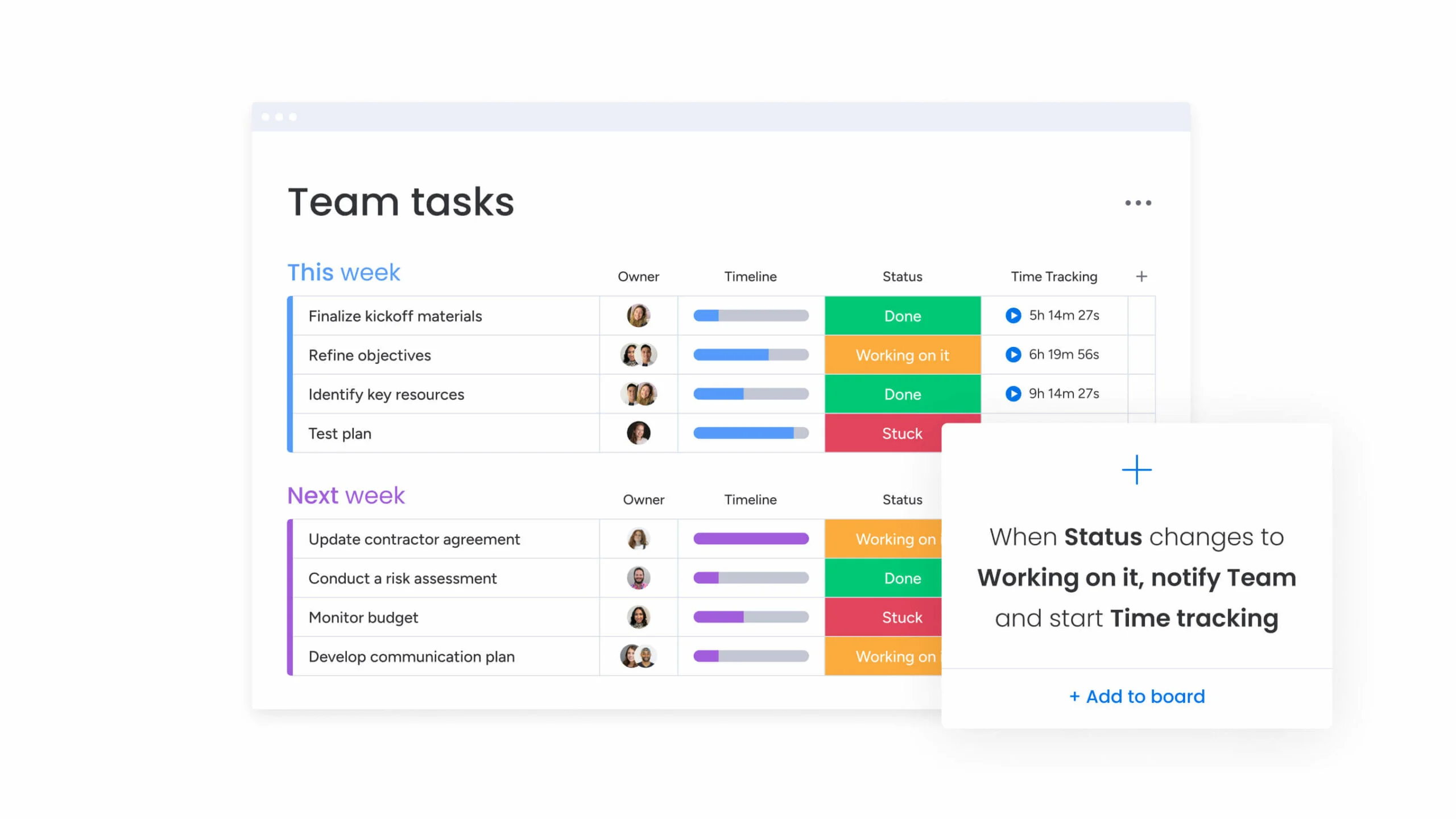
Visualize your projects' progress and make informed decisions with monday.com's project management software. Trusted by over 200,000 customers worldwide, monday.com offers a flexible platform… Read more
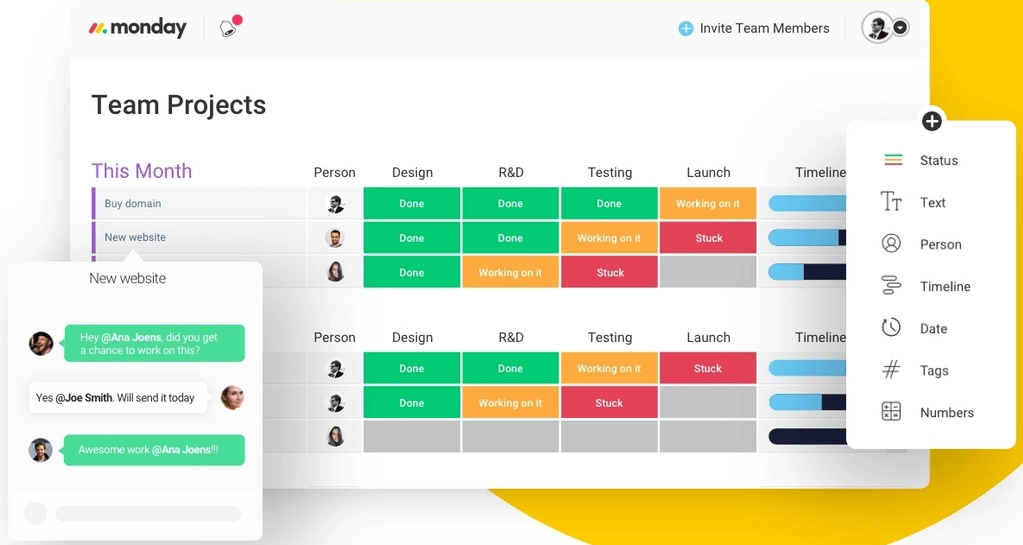
Visualize your projects' progress and make informed decisions with monday.com's project management software. Trusted by over 200,000 customers worldwide, monday.com offers a flexible platform adaptable to various workflows, including project management, CRM, software development, and human resources. Its intuitive interface and customizable features streamline collaboration, enhance efficiency, and provide real-time insights into project stages. In this monday.com project management review, I'll discuss features, performance, customer service, and monday.com pricing.
Learn more in our full Monday review.
Pros & Cons
- This project management software is easy to navigate
- The site uses reliable and user-friendly tools
- The organization of the platform is effective
- The help and support area needs to offer more options
- The help and support area should have more extensive testimonials and videos
- There is no multilingual support
Features
- File Sharing
- Document collaboration
- User Access and Permissions
- Mobile App
- Multi-language support
- Reporting and Dashboards
- Customization
- Storage Included
- Integrated Chat
- Notifications
- Comments on Tasks
- Discussion
- Task Creation and Assignment
- Due Dates
- Task Prioritization
- To-Do Lists
- Calendar
- Gantt Chart / Project Map
- Baselining / KPIs
- Project Budgeting
- Resource Management
- Reporting
- Forecasting
- Marketing Analytics
Pricing
$9
/mo /user/
/mo /user
$12
/mo /user/
/mo /user
$19
/mo /user/
/mo /user
Screenshots

Smartsheet is a cloud-based project management and collaboration tool designed to help teams plan, track, automate, and report on their work efficiently. With a familiar spreadsheet-style interface,… Read more
Smartsheet is a cloud-based project management and collaboration tool designed to help teams plan, track, automate, and report on their work efficiently. With a familiar spreadsheet-style interface, it combines ease of use with powerful features like workflow automation, resource management, and real-time reporting. Smartsheet integrates seamlessly with popular apps like Microsoft Office, Google Workspace, and Slack, ensuring smooth collaboration across teams. Businesses benefit from its scalability, automation capabilities, and data-driven insights, making it ideal for managing complex projects. In this Smartsheet review, I'll discuss features, performance, customer service, and Smartsheet pricing.
Learn more in our full Smartsheet review.
Pros & Cons
- Spreadsheet-like interface makes it easy to use
- Advanced reporting and analytics for better insights
- iOS and Android mobile apps
- Powerful automation reduces manual tasks efficiently
- No monthly billing
- The individual plan may not be enough for small businesses
- Learning curve for new users can be steep
Features
- File Sharing
- Document collaboration
- User Access and Permissions
- Mobile App
- Search
- Multi-language support
- Reporting and Dashboards
- Customization
- Integrated Chat
- Notifications
- Comments on Tasks
- Discussion
- Task Creation and Assignment
- Due Dates
- Task Prioritization
- To-Do Lists
- Calendar
- Gantt Chart / Project Map
- Baselining / KPIs
- Project Budgeting
- Resource Management
- Reporting
Pricing
$9
/mo /user/
/mo /user
$19
/mo /user/
/mo /user
Zoho Projects is the Project Management software that assists in planning projects, tracking work efficiently, and collaborating with team members from everywhere. The built-in Gantt charts can… Read more
Zoho Projects is the Project Management software that assists in planning projects, tracking work efficiently, and collaborating with team members from everywhere. The built-in Gantt charts can produce your project plan and track your task schedule.
Learn more in our full Zoho Projects review.
Pros & Cons
- Simple to use application
- Built-in time tracking with integrations for direct invoicing
- The ability to set up project budgeting
- Robust help documents that cover every aspect of the application
- Many features have been removed to encourage subscriptions to Zoho’s other projects
- The interface is bland when compared to similar products
Features
- File Sharing
- User Access and Permissions
- Mobile App
- Search
- Multi-language support
- Reporting and Dashboards
- Customization
- Storage Included
- Integrated Chat
- Notifications
- Comments on Tasks
- Discussion
- Task Creation and Assignment
- Due Dates
- To-Do Lists
- Calendar
- Gantt Chart / Project Map
- Baselining / KPIs
- Project Budgeting
- Resource Management
- Reporting
Pricing
$0
mo/
month
$4
/mo /user/
/mo /user
$9
/mo /user/
/mo /user
Need a CRM to improve your patient care?
In need of a robust CRM system for your healthcare business? Look no further! Our recommended software cater to the unique demands of the healthcare industry. Explore CRM systems ideal for your healthcare business needs.
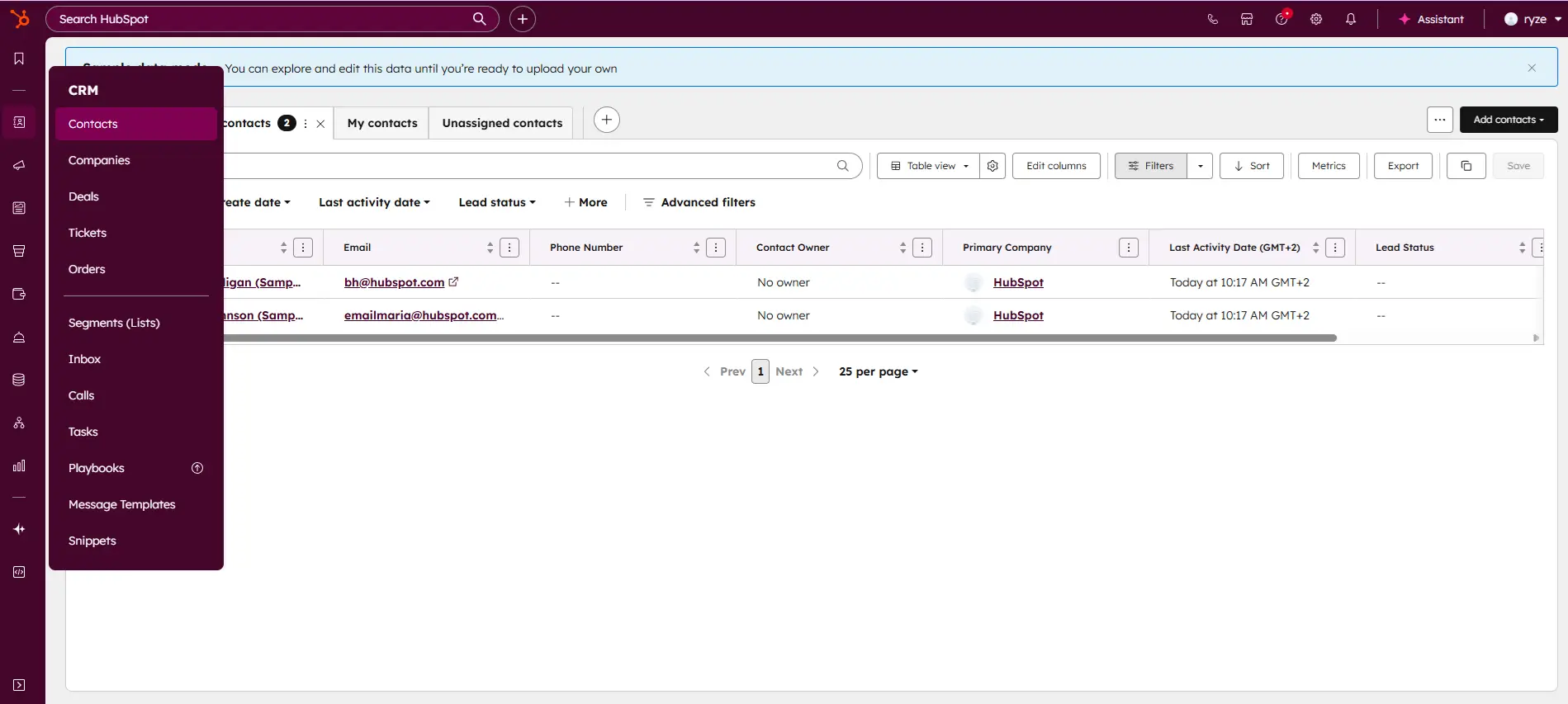
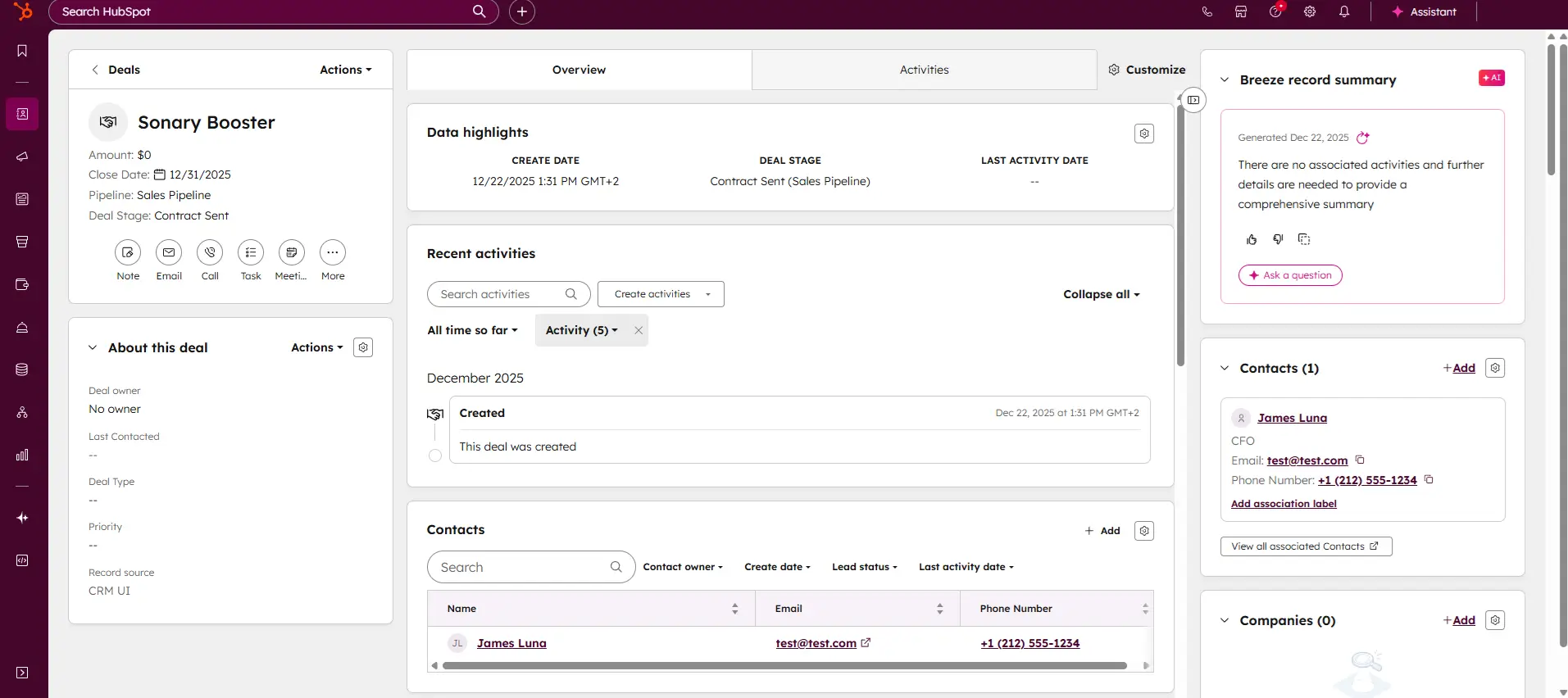
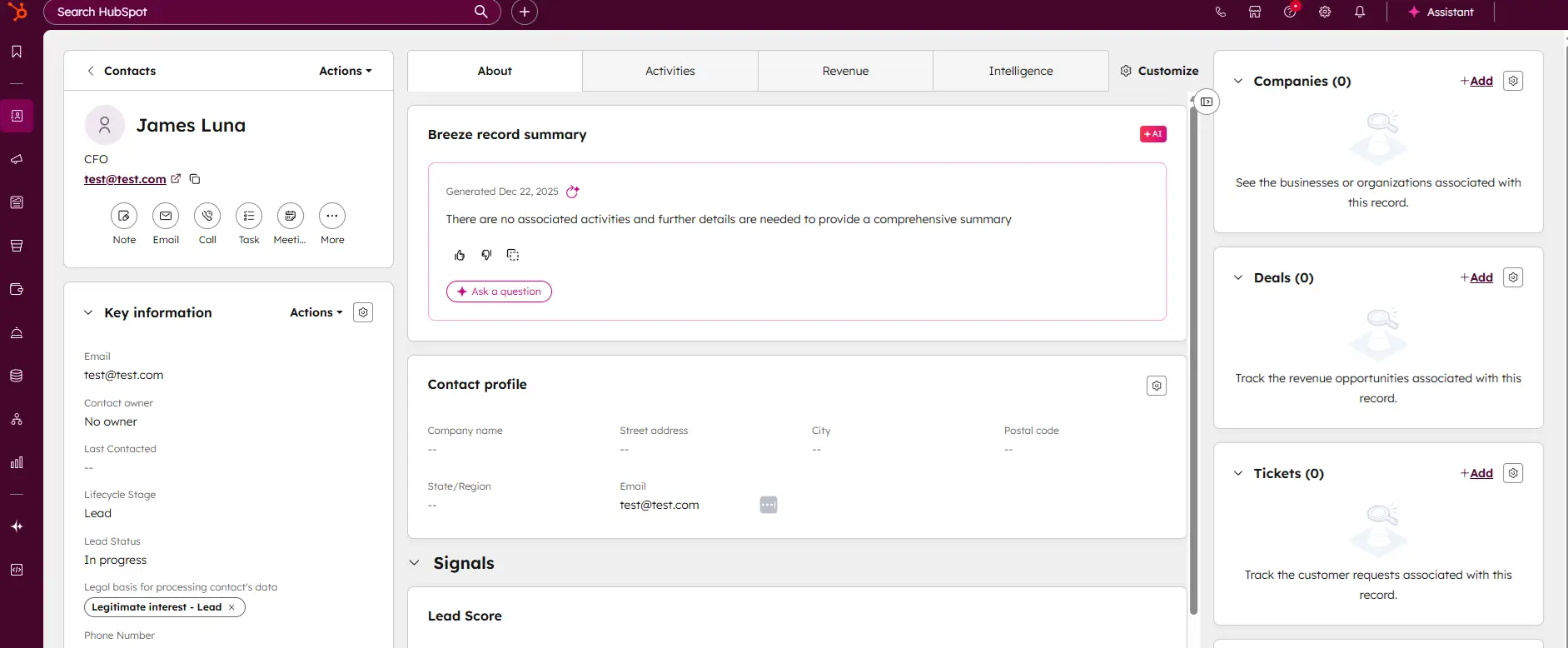
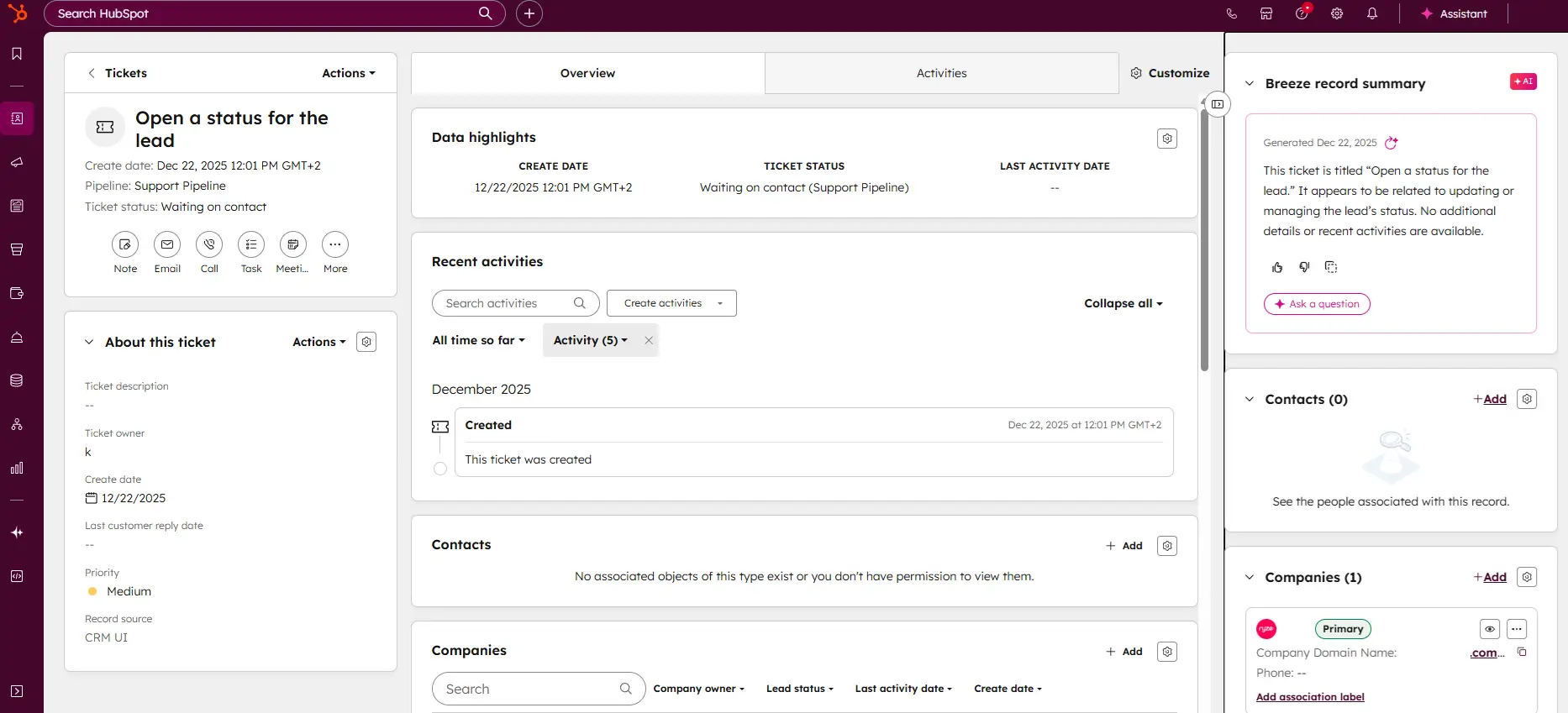
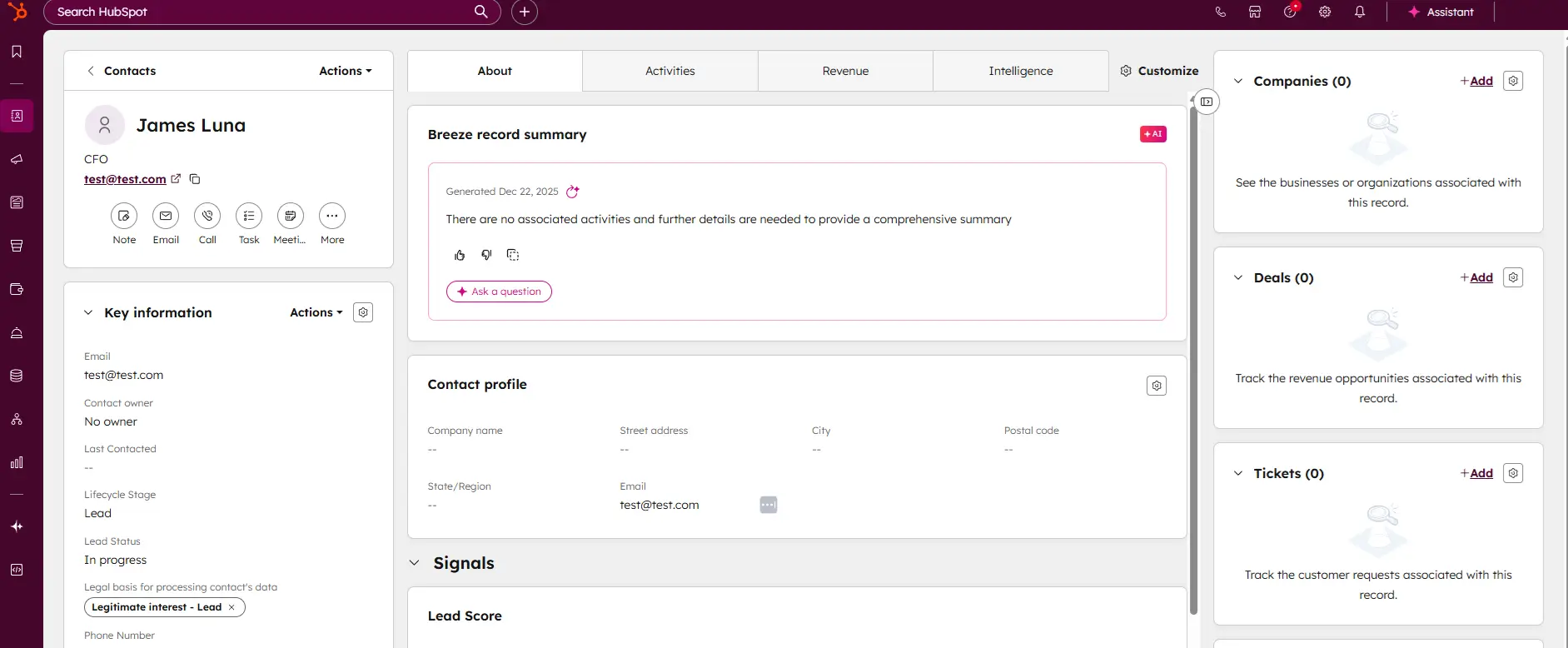
HubSpot CRM is your go-to solution for managing sales and customer relationships with precision and ease. Offering a real-time view of your sales activity, HubSpot provides explicit, actionable… Read more
HubSpot CRM is your go-to solution for managing sales and customer relationships with precision and ease. Offering a real-time view of your sales activity, HubSpot provides explicit, actionable reports that give you deep insights into your team's performance. Track deal progress, monitor leads, and pinpoint areas for growth, all within an intuitive platform. With HubSpot CRM, you gain the tools to optimize your sales strategy, enhance collaboration, and drive business success like never before. This Hubspot CRM review will look at pricing, features, and performance of the CRM tool.
Learn more in our full Hubspot review.
Pros & Cons
- Intuitive design
- Free version available
- Reliable customer support
- Numerous workflow templates
- Automation is unavailable for free plan
Features
- Dashboards
- Reporting
- Marketing Analytics
- Pipeline Management
- Call Management
- Account Management
- Collaborative Data
- Mobile App
- Integrations
- Sales AI
- Sales Opportunity
- Quote Management
- Lead Chatbot
- Email Sync
- Email Tracking
- Email Templates
- Schedule Emails
- Customer Contact Management
- Lead Scoring
- Automated Reports
- Marketing Automation
- Sales Pipeline Automation
- Sales Forecasting Automation
- Automated Emails
Pricing
$0
mo/
month
$7
mo/
month
$90
mo/
month
$150
mo/
month
Screenshots
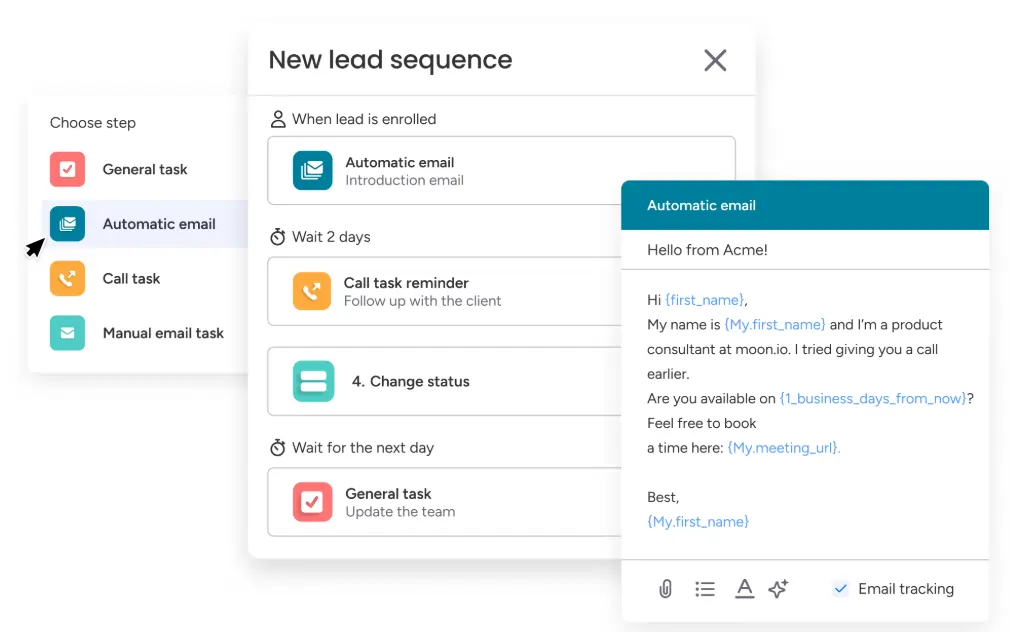
If you’re looking for a CRM that you’ll actually want to use, you’re in the right place. monday CRM is a no-code, fully customizable CRM that empowers business owners, sales teams, and RevOps to… Read more
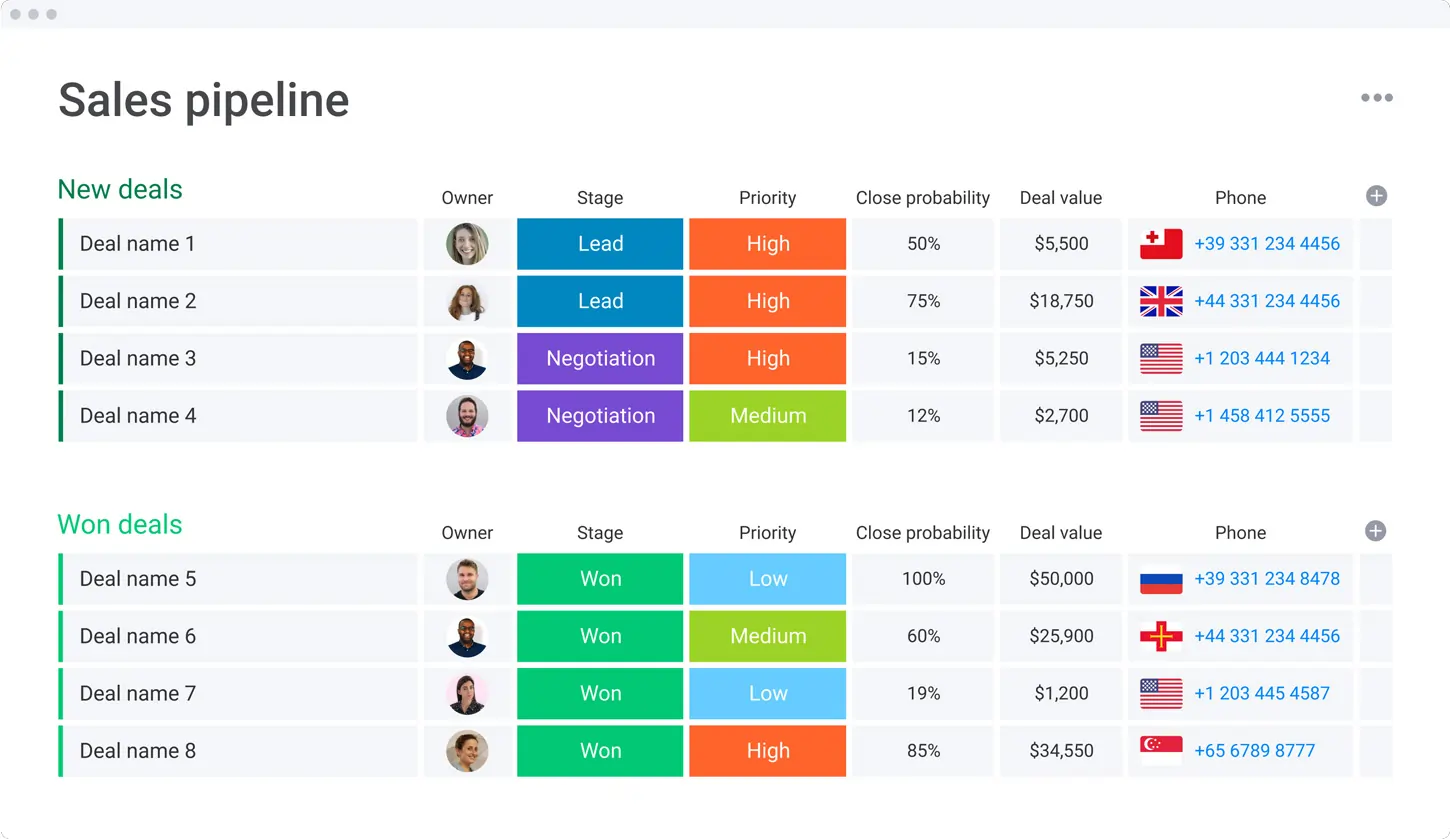
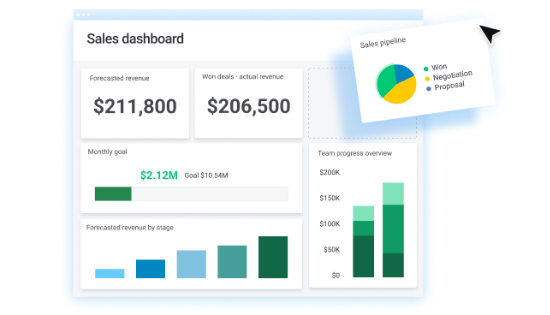
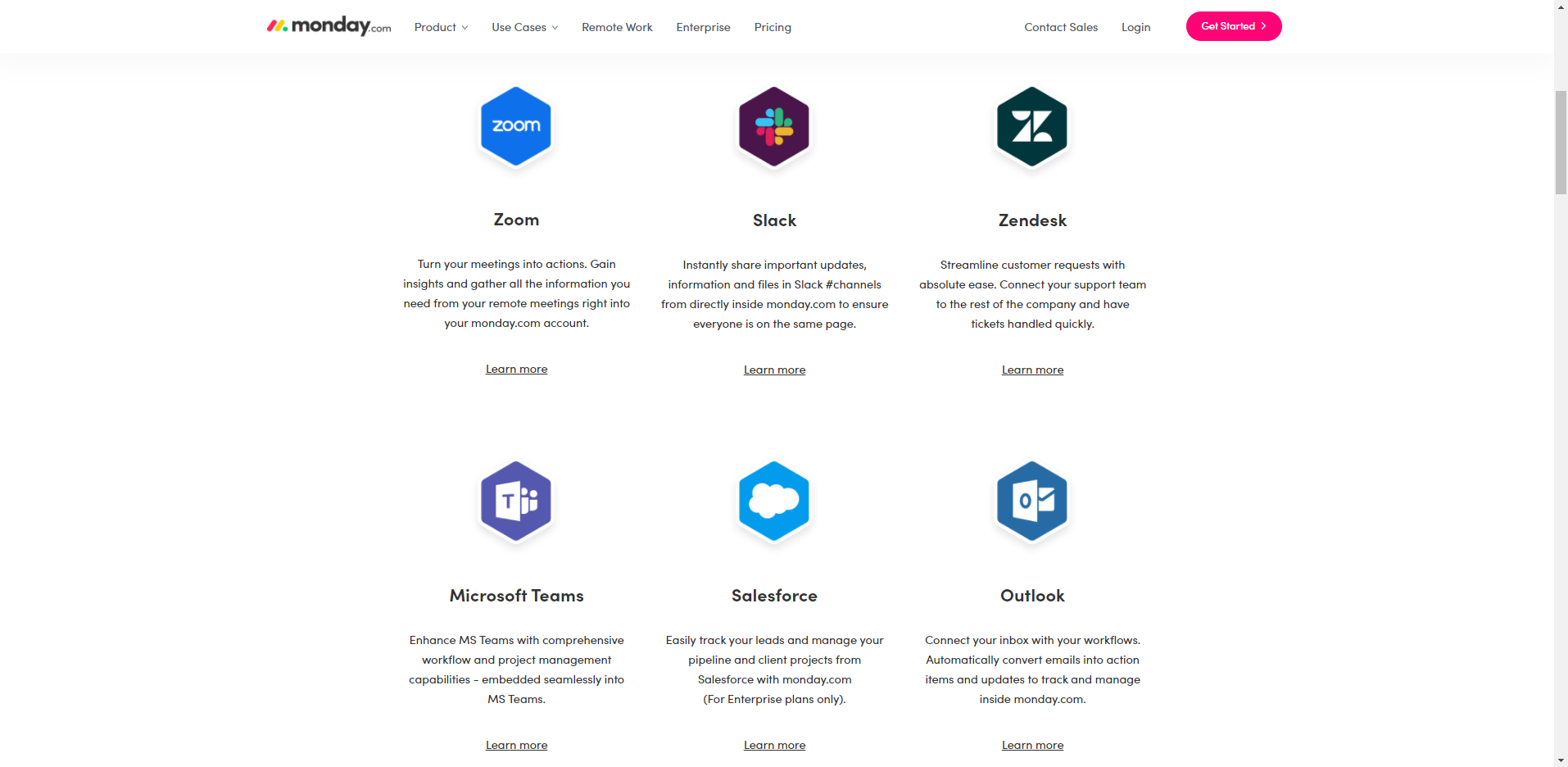
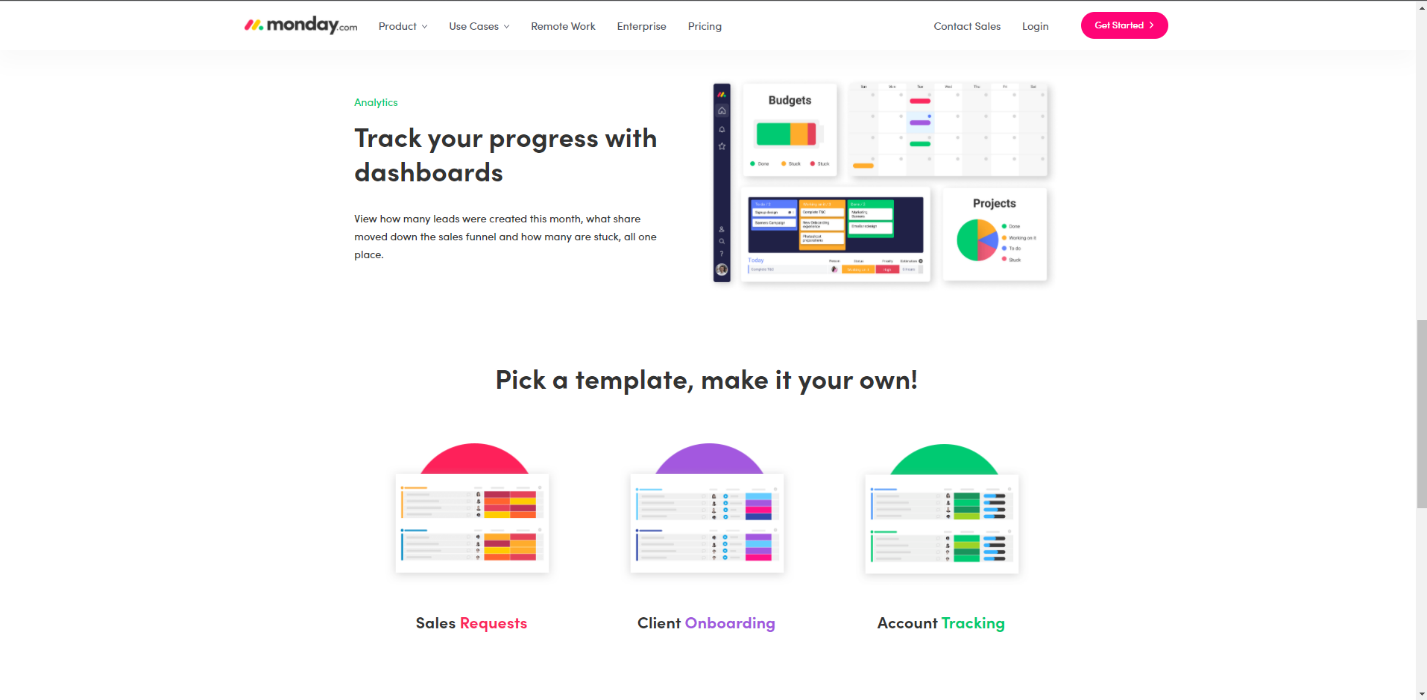
If you’re looking for a CRM that you’ll actually want to use, you’re in the right place. monday CRM is a no-code, fully customizable CRM that empowers business owners, sales teams, and RevOps to automate and manage the entire sales cycle from pre- to post-sales. From capturing leads to managing your deals pipeline to gathering and analyzing real-time data, seamlessly connect all of the pieces so you can spend more time on the most important work – selling. In this monday CRM review, I'll delve into pricing, features, performance and more, of this CRM software.
Learn more in our full Monday review.
Pros & Cons
- Intuitive design
- Responsive customer service
- Numerous templates
- Cross-team collaboration tools
- Limited features on free version
Features
- Dashboards
- Reporting
- Marketing Analytics
- Pipeline Management
- Account Management
- Collaborative Data
- Mobile App
- Integrations
- Sales AI
- Customer Contact Management
- Sales Opportunity
- Quote Management
- Lead Scoring
- Email Sync
- Email Templates
- Automated Reports
- Sales Pipeline Automation
- Sales Forecasting Automation
Pricing
$12
mo/
month
$17
mo/
month
$28
mo/
month
Screenshots
Pipedrive CRM is worth $14/user/month for sales teams of 5 to 25 reps that need pipeline visibility without the complexity of HubSpot Pro or Salesforce. If you have fewer than 5 reps, HubSpot Free… Read more
Pipedrive CRM is worth $14/user/month for sales teams of 5 to 25 reps that need pipeline visibility without the complexity of HubSpot Pro or Salesforce. If you have fewer than 5 reps, HubSpot Free covers you; if you have more than 25, you outgrow Pipedrive's reporting and need HubSpot Professional or Salesforce. The catch: Pipedrive has no free tier and the 14-day trial is the only way to test it, so plan an evaluation week and import a real subset of your data before committing to annual billing
Learn more in our full Pipedrive review.
Pros & Cons
- User-friendly design
- Easy setup process
- Friendly customer support
- Efficient management tools
- No free version
Features
- Dashboards
- Reporting
- Marketing Analytics
- Pipeline Management
- Call Management
- Account Management
- Collaborative Data
- Mobile App
- Integrations
- Sales AI
- Customer Contact Management
- Sales Opportunity
- Quote Management
- Lead Chatbot
- Lead Scoring
- Email Sync
- Email Tracking
- Email Templates
- Schedule Emails
- Automated Reports
- Marketing Automation
- Sales Pipeline Automation
- Sales Forecasting Automation
- Automated Emails
Pricing
$14
mo/
month
$39
mo/
month
$59
mo/
month
$79
mo/
month
Zoho CRM is a single repository that helps businesses gain more leads, build excellent customer relationships, and have efficient business processes that help you save time and cost. With the precise… Read more
Zoho CRM is a single repository that helps businesses gain more leads, build excellent customer relationships, and have efficient business processes that help you save time and cost. With the precise data generated on Zoho CRM, organizations can make impactful decisions to boost sales.
Learn more in our full Zoho review.
Pros & Cons
- Easy setup
- Customizable capabilities
- Reliable customer support
- Different resource materials
- Billed per user
- Limited third-party integrations
Features
- Dashboards
- Reporting
- Marketing Analytics
- Pipeline Management
- Call Management
- Account Management
- Collaborative Data
- Mobile App
- Integrations
- Sales AI
- Sales Opportunity
- Quote Management
- Email Sync
- Schedule Emails
- Customer Contact Management
- Lead Chatbot
- Lead Scoring
- Automated Reports
- Marketing Automation
- Sales Pipeline Automation
- Sales Forecasting Automation
- Automated Emails
Pricing
$0
mo/
month
$14
/mo/user/
/mo/user
$23
/mo/user/
/mo/user
$40
/mo/user/
/mo/user
$52
/mo/user/
/mo/user
Take your email marketing to the next level
Is your healthcare business looking to reach more patients? Email marketing is a great way to do this! Discover our recommended software solutions that tailor to the healthcare industry needs.

Constant Contact is designed to help small and growing businesses grow their email list. Supercharged with 200+ responsive email design templates, seamless automations, and A/B testing tools, over… Read more
Constant Contact is designed to help small and growing businesses grow their email list. Supercharged with 200+ responsive email design templates, seamless automations, and A/B testing tools, over 600,000 marketers and small business owners use this tool to increase customer engagement and sales.
Learn more in our full Constant Contact review.
Pros & Cons
- High deliverability rate
- Users can receive payments via email
- Easy integration for social media marketing
- Outstanding customer support
- Account cancellation is difficult
- Relatively high-priced tiers
Features
- Image Library
- Multiple Users
- Gmail Import
- Sign-Up Forms
- Google Analytics
- Email Lists
- Segmenting
- A/B Testing
- Social Media Marketing
- Surveys
- Bounce Management
- Tracking Analytics
- Automated Email Responses
- Email Templates
- Building Personalized Emails
- Email & Mobile Preview
- Flexible Design
- Storage for Data & Images
- Newsletter Templates
- Integrations
HubSpot's Email Marketing software transforms how businesses connect with their audience. As part of the Marketing Hub, it allows you to create personalized emails without relying on designers or IT… Read more
HubSpot's Email Marketing software transforms how businesses connect with their audience. As part of the Marketing Hub, it allows you to create personalized emails without relying on designers or IT teams. With intuitive drag-and-drop tools and pre-designed templates, crafting stunning campaigns is effortless. Features like A/B testing and performance analytics help optimize engagement, while integration with HubSpot's CRM ensures targeted communication. Additionally, its employee feedback tools, such as customizable surveys, enhance internal collaboration. HubSpot makes email marketing efficient, effective, and accessible for all skill levels. In this Hubspot review, I'll assess the features, performance, customer support, and Hubspot pricing plans.
Learn more in our full Hubspot review.
Pros & Cons
- User-friendly interface
- Easy drag-and-drop editor
- Access to numerous resource materials
- Broad third-party app integrations
- Free plan is extremely limited
- No separate pricing for email tools only
Features
- Image Library
- Multiple Users
- Sign-Up Forms
- Google Analytics
- Email Lists
- Segmenting
- A/B Testing
- Social Media Marketing
- Surveys
- Bounce Management
- Tracking Analytics
- Automated Email Responses
- Email Templates
- Building Personalized Emails
- Email & Mobile Preview
- Flexible Design
- Storage for Data & Images
- Newsletter Templates
Pricing
$15
/mo*/
/mo*
$15
mo/
month
$800
mo/
month
$3600
mo/
month

Benchmark helps small and mid-sized businesses convert more sales by providing access to AI, landing pages, automation, e-commerce tools, and dozens of automations to supercharge email marketing… Read more
Benchmark helps small and mid-sized businesses convert more sales by providing access to AI, landing pages, automation, e-commerce tools, and dozens of automations to supercharge email marketing campaigns. With almost 2 dozen email templates, users need zero technical knowledge to get things done.
Learn more in our full Benchmark review.
Pros & Cons
- Creates AI-powered smart content
- Simple drag-and-drop editor
- Affordable pricing
- Numerous support channels
- Low deliverability
Features
- Unlimited Emails
- Image Library
- Gmail Import
- Sign-Up Forms
- Google Analytics
- Email Lists
- Segmenting
- A/B Testing
- Social Media Marketing
- Surveys
- Bounce Management
- Tracking Analytics
- Automated Email Responses
- Email Templates
- Building Personalized Emails
- Email & Mobile Preview
- Flexible Design
- Storage for Data & Images
- Newsletter Templates
- Integrations
Pricing
$0
mo/
month
$13
/mo*/
/mo*
Brevo (formerly Sendinblue) is an all-in-one digital marketing software designed to empower businesses with tools like email marketing, SMS campaigns, marketing automation, and CRM functionalities.… Read more
Brevo (formerly Sendinblue) is an all-in-one digital marketing software designed to empower businesses with tools like email marketing, SMS campaigns, marketing automation, and CRM functionalities. Its intuitive drag-and-drop editor and over 60 customizable templates simplify campaign creation, saving time and resources. Brevo also provides survey functionalities that can be used for customer feedback and adapted for employee feedback collection. With its affordability and scalability, Brevo delivers significant value to businesses of all sizes, enhancing customer engagement while supporting internal communication and growth strategies. In this Brevo review, I'll look at the features, performance, customer service, and the Brevo pricing plans.
Learn more in our full Sendinblue review.
Pros & Cons
- Intuitive user interface
- Simple drag-and-drop editor
- Easy integrations
- Wealth of resource materials
- Brevo branding on free plan
- Limited tools on free plan
Features
- Image Library
- Multiple Users
- Sign-Up Forms
- Google Analytics
- Email Lists
- Segmenting
- A/B Testing
- Social Media Marketing
- Surveys
- Bounce Management
- Tracking Analytics
- Automated Email Responses
- Email Templates
- Building Personalized Emails
- Email & Mobile Preview
- Flexible Design
- Storage for Data & Images
- Newsletter Templates
- Integrations
Pricing
$0
mo/
month
$8.08
/mo*/
/mo*
$16.17
/mo*/
/mo*
How Software Can Enhance Your Healthcare Business
The healthcare industry is constantly evolving, and software is playing a critical role in this evolution. Software is helping healthcare businesses to improve efficiency, reduce costs, and provide better care.
This article will discuss how software can improve your healthcare business. We will cover four essential types of software: accounting software, project management software, CRM software, and email marketing software.
Accounting Software
Effective financial management is essential for the smooth functioning of any healthcare business. Accounting software streamlines financial processes, improves accuracy, and provides valuable insights. Here's how accounting software can benefit your practice:
Simplified bookkeeping: With accounting software, you can automate bookkeeping tasks such as invoicing, expense tracking, and financial reporting. This eliminates manual errors and reduces administrative burdens, allowing you to focus on patient care.
Efficient billing and invoicing: Healthcare practices deal with numerous billing transactions. Accounting software simplifies billing by generating accurate invoices, tracking payments, and reconciling accounts. This improves cash flow and reduces billing errors.
Financial analysis and reporting: Accounting software provides comprehensive financial reports, including profit and loss statements, balance sheets, and cash flow statements. These reports offer valuable insights into your practice's financial health, helping you make informed business decisions.
Project Management Software
Healthcare businesses often juggle multiple projects simultaneously, such as implementing new services or launching marketing campaigns. Project management tools help streamline workflows and ensure efficient project execution. Here's how project management software can benefit your practice:
Task and timeline management: Project management tools enable you to create project tasks, assign responsibilities, set deadlines, and track progress. This ensures that everyone involved in the project stays organized and on track.
Collaboration and communication: Healthcare projects often involve collaboration among various stakeholders. Project management software provides a centralized platform for team members to communicate, share files, and collaborate on project-related tasks. It fosters effective teamwork and enhances productivity.
Resource allocation: With project management software, you can allocate resources effectively, ensuring that staff, equipment, and facilities are optimally utilized. This minimizes bottlenecks and ensures projects are completed within the allocated time and budget.
CRM Software
Customer Relationship Management (CRM) systems are not just limited to sales and marketing industries; they are equally valuable for healthcare businesses. CRM software helps streamline patient management, enhance patient relationships, and improve overall satisfaction. Here's how CRM systems can benefit your practice:
Centralized patient database: CRM systems enable you to maintain a centralized database of patient information, including contact details, medical history, and preferences. This facilitates personalized care and allows for better communication with patients.
Appointment management: CRM systems offer efficient appointment scheduling, automated reminders, and notifications. This reduces no-show rates, optimizes scheduling, and enhances patient satisfaction.
Patient engagement: CRM systems enable personalized patient communication, such as sending targeted emails or SMS notifications for health check-ups, vaccination reminders, or preventive care programs. This helps build long-term relationships and fosters patient loyalty.
Email Marketing Software
Email marketing is a powerful tool for healthcare businesses to engage with patients, share educational content, and promote services. Email marketing platforms simplify the process of creating, sending, and tracking email campaigns. Here's how email marketing platforms can benefit your practice:
Personalized communication: Email marketing platforms allow you to segment your patient database and send personalized emails based on specific demographics, medical conditions, or preferences. This helps deliver tailored content that resonates with your patients.
Appointment reminders and notifications: Email marketing platforms facilitate automated appointment reminders and notifications. This reduces missed appointments, improves patient punctuality, and enhances overall practice efficiency.
Educational content: Email marketing allows you to share educational content, health tips, and updates about your practice. This positions your practice as a trusted source of information, strengthening patient relationships.
The Bottom Line
Software can be a valuable asset for any healthcare business. By using the right software, you can improve your efficiency, reduce your costs, and provide better care to your patients.
The four types of software discussed in this article are just a few of the many software options available to healthcare businesses. With so many options to choose from, you can find the right software to help you achieve your business goals.
Additional Benefits of Using Software in Healthcare
In addition to the benefits mentioned above, the software can also help healthcare businesses to:
- Improve patient satisfaction
- Increase compliance with regulations
- Reduce the risk of errors
- Improve communication between staff
- Make better decisions
Software is a great place to start if you are looking for ways to improve your healthcare business. By using the right software, you can streamline your operations, improve your efficiency, and provide better care to your patients.