
Best Operations Management Software
Managing a business involves multiple moving parts, from streamlining workflows to ensuring effective communication. As companies grow, the need for efficient tools becomes paramount. This is where operations management software comes into play. Adopting the right business operations software can save you time, reduce costs, and improve overall productivity as a small business or even large corporation.
Last updated: September 2026
Why You Can Trust the Expertise of Sonary
At Sonary, we are committed to providing accurate and trustworthy information to help you make informed decisions. Our research process is meticulous, transparent, and guided by a dedication to maintaining the highest standards of integrity, ensuring accurate, real-world insights.
Read more Unlike many other review platforms, we conduct in-depth evaluations of the software and services we feature. Our expert team tests and actively uses the tools we review to understand their features, performance, and value comprehensively. Our assessments are based on real-world use, giving you insights beyond surface-level descriptions. Our research methodology includes analyzing key consumer factors such as pricing, functionality, device usability, scalability, customer support quality, and unique industry-specific features. This hands-on approach and dedication to transparency mean you can trust Sonary to deliver regular, up-to-date content and recommendations that are well-researched and genuinely helpful for your business needs.

Operations management software helps you streamline your daily tasks, improve teamwork, and make smarter decisions with real-time insights. It’s all about simplifying your workflows, automating repetitive tasks, and keeping your team on the same page, so your business runs smoother and adapts as you grow.
Best Operations Management Software

Visualize your projects' progress and make informed decisions with monday.com's project management software. Trusted by over 200,000 customers worldwide, monday.com offers a flexible platform… Read more
Visualize your projects' progress and make informed decisions with monday.com's project management software. Trusted by over 200,000 customers worldwide, monday.com offers a flexible platform adaptable to various workflows, including project management, CRM, software development, and human resources. Its intuitive interface and customizable features streamline collaboration, enhance efficiency, and provide real-time insights into project stages. In this monday.com project management review, I'll discuss features, performance, customer service, and monday.com pricing.
Learn more in our full Monday review.
Pros & Cons
- This project management software is easy to navigate
- The site uses reliable and user-friendly tools
- The organization of the platform is effective
- The help and support area needs to offer more options
- The help and support area should have more extensive testimonials and videos
- There is no multilingual support
Features
- File Sharing
- Document collaboration
- User Access and Permissions
- Mobile App
- Multi-language support
- Reporting and Dashboards
- Customization
- Storage Included
- Integrated Chat
- Notifications
- Comments on Tasks
- Discussion
- Task Creation and Assignment
- Due Dates
- Task Prioritization
- To-Do Lists
- Calendar
- Gantt Chart / Project Map
- Baselining / KPIs
- Project Budgeting
- Resource Management
- Reporting
- Forecasting
- Marketing Analytics
Pricing
$9
/mo /user/
/mo /user
$12
/mo /user/
/mo /user
$19
/mo /user/
/mo /user
Screenshots
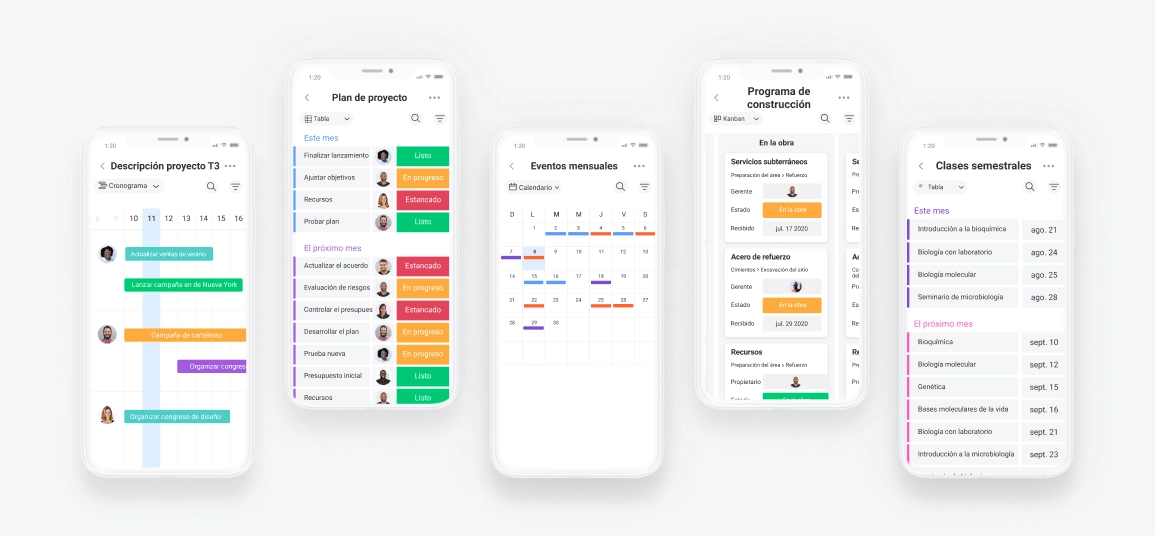
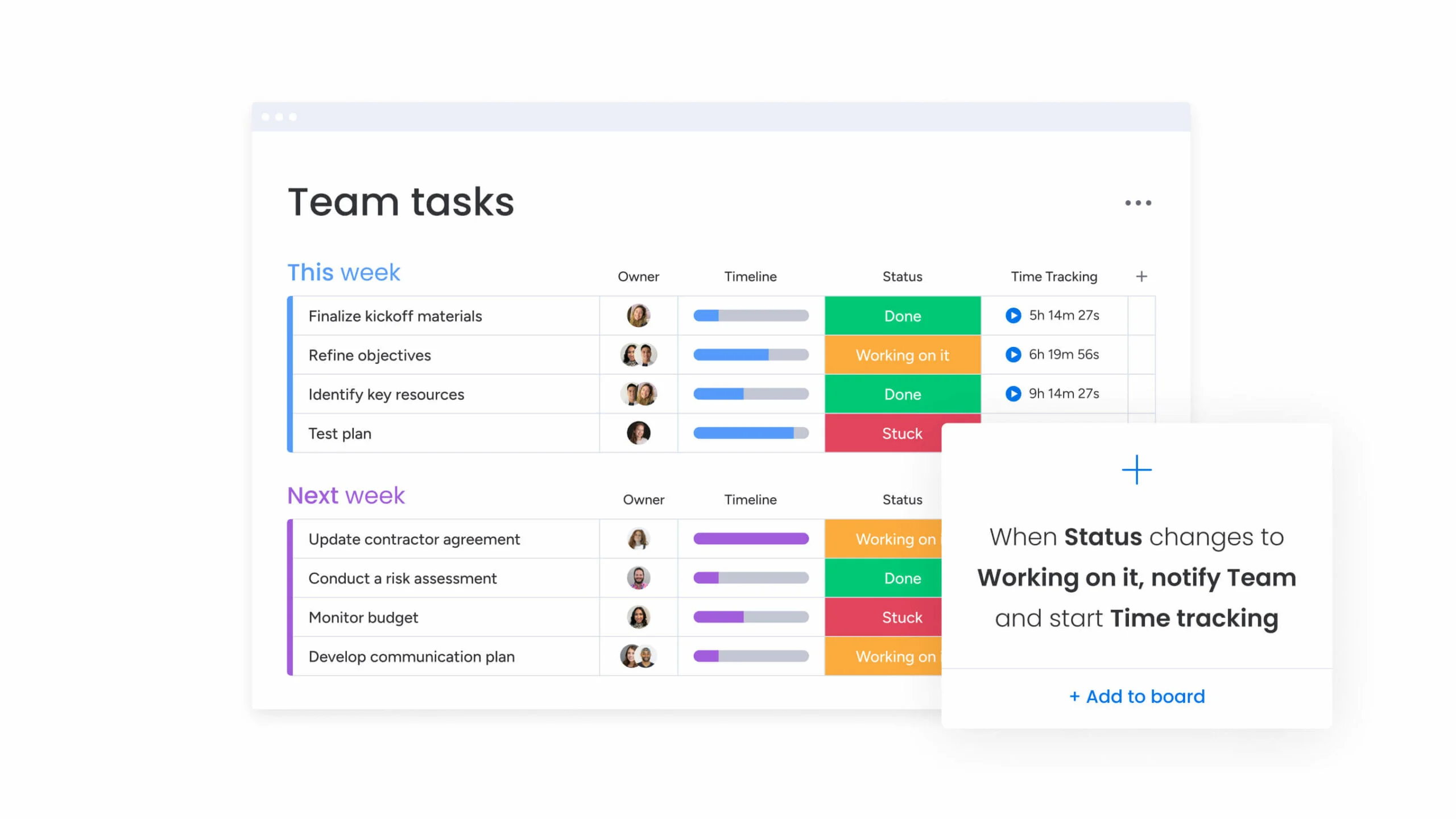
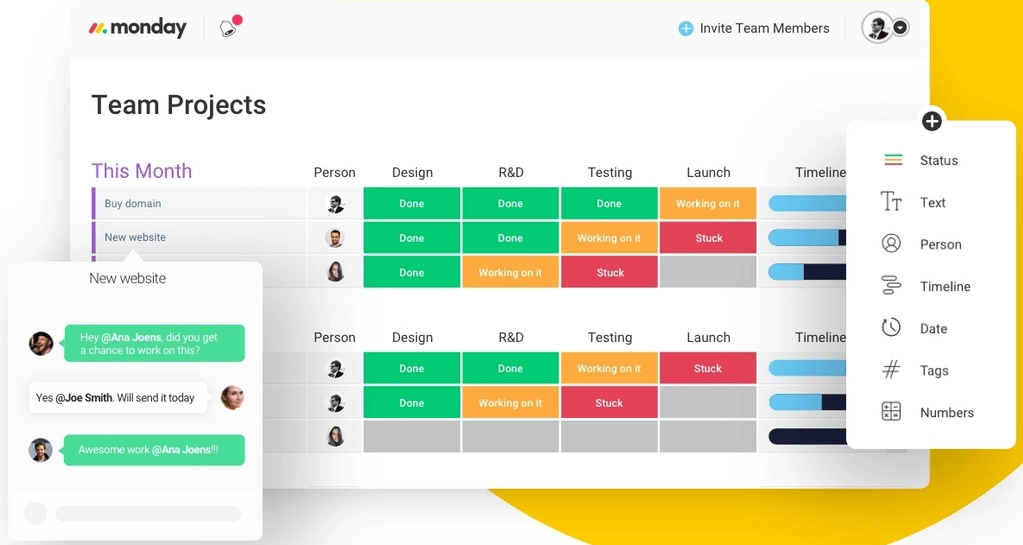
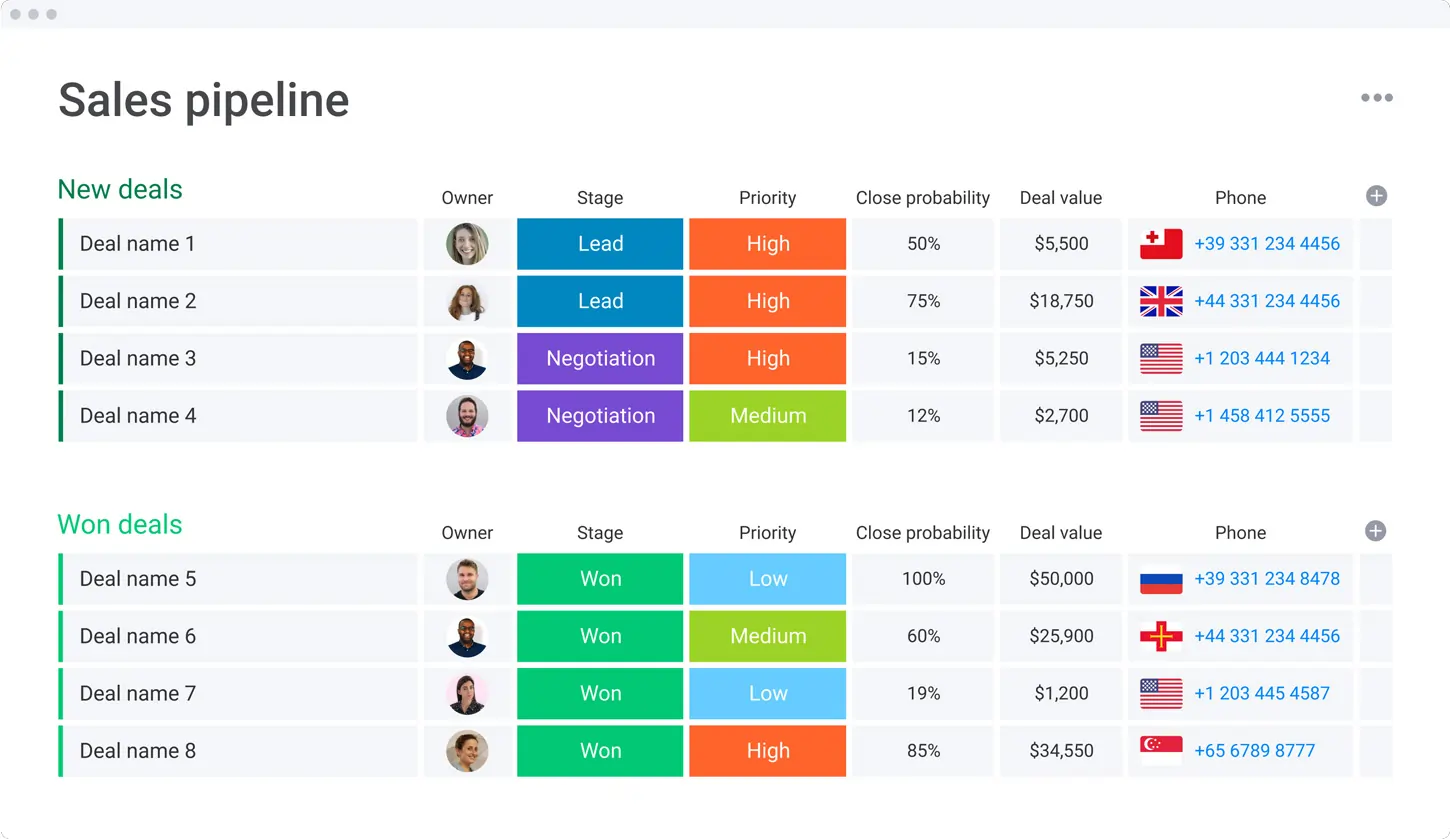

Zoom is a modern cloud phone system that offers a single platform for chat, voice, video, and meetings. Zoom is a global platform with HD audio and enterprise-grade reliability and quality.… Read more
Zoom is a modern cloud phone system that offers a single platform for chat, voice, video, and meetings. Zoom is a global platform with HD audio and enterprise-grade reliability and quality. Additionally, it offers PBX features that allow employees to communicate and interact in new ways.
Learn more in our full Zoom review.
Pros & Cons
- Intelligent call routing & management
- Centralized management
- Reliable and secure
- Quick response for support issues
- Consumes a lot of computer battery power
Features
- Salesforce integration
- Google integration
- Office365 integration
- Zendesk integration
- Online Backup and Storage
- Virtual phone numbers
- International Telephone
- Android APP Support
- IOS App Support
- Operator Services
- Internet fax
- Worldwide Service
- Use via computer
- Use via cellphones
- Use via phones
- Use via mobile app
- Call holding
- Call forwarding
- Call Logs
- Call Transfer
- Call waiting
- 3-Way-Calling
- Call Blocking
- Call 911
- Call Queuing (ACD)
- Caller ID
- SMS Messaging
- Music on hold
- Voicemail to email transcriptions
- Follow me
- Call Conferencing
- Dial-by-name directory
- Do Not Disturb (DND)
- Push to Talk
- Multiple Devices on One Extension
- Mobile app calling
- Virtual Receptionist
- Multi-Line Hunt Groups
Pricing
$10
/mo /user/
/mo /user
$15
/mo /user/
/mo /user
$20
/mo /user/
/mo /user
$22.49
/mo /user/
/mo /user
Pipedrive CRM is worth $14/user/month for sales teams of 5 to 25 reps that need pipeline visibility without the complexity of HubSpot Pro or Salesforce. If you have fewer than 5 reps, HubSpot Free… Read more
Pipedrive CRM is worth $14/user/month for sales teams of 5 to 25 reps that need pipeline visibility without the complexity of HubSpot Pro or Salesforce. If you have fewer than 5 reps, HubSpot Free covers you; if you have more than 25, you outgrow Pipedrive's reporting and need HubSpot Professional or Salesforce. The catch: Pipedrive has no free tier and the 14-day trial is the only way to test it, so plan an evaluation week and import a real subset of your data before committing to annual billing
Learn more in our full Pipedrive review.
Pros & Cons
- User-friendly design
- Easy setup process
- Friendly customer support
- Efficient management tools
- No free version
Features
- Dashboards
- Reporting
- Marketing Analytics
- Pipeline Management
- Call Management
- Account Management
- Collaborative Data
- Mobile App
- Integrations
- Sales AI
- Customer Contact Management
- Sales Opportunity
- Quote Management
- Lead Chatbot
- Lead Scoring
- Email Sync
- Email Tracking
- Email Templates
- Schedule Emails
- Automated Reports
- Marketing Automation
- Sales Pipeline Automation
- Sales Forecasting Automation
- Automated Emails
Pricing
$14
mo/
month
$39
mo/
month
$59
mo/
month
$79
mo/
month

Smartsheet is a cloud-based project management and collaboration tool designed to help teams plan, track, automate, and report on their work efficiently. With a familiar spreadsheet-style interface,… Read more
Smartsheet is a cloud-based project management and collaboration tool designed to help teams plan, track, automate, and report on their work efficiently. With a familiar spreadsheet-style interface, it combines ease of use with powerful features like workflow automation, resource management, and real-time reporting. Smartsheet integrates seamlessly with popular apps like Microsoft Office, Google Workspace, and Slack, ensuring smooth collaboration across teams. Businesses benefit from its scalability, automation capabilities, and data-driven insights, making it ideal for managing complex projects. In this Smartsheet review, I'll discuss features, performance, customer service, and Smartsheet pricing.
Learn more in our full Smartsheet review.
Pros & Cons
- Spreadsheet-like interface makes it easy to use
- Advanced reporting and analytics for better insights
- iOS and Android mobile apps
- Powerful automation reduces manual tasks efficiently
- No monthly billing
- The individual plan may not be enough for small businesses
- Learning curve for new users can be steep
Features
- File Sharing
- Document collaboration
- User Access and Permissions
- Mobile App
- Search
- Multi-language support
- Reporting and Dashboards
- Customization
- Integrated Chat
- Notifications
- Comments on Tasks
- Discussion
- Task Creation and Assignment
- Due Dates
- Task Prioritization
- To-Do Lists
- Calendar
- Gantt Chart / Project Map
- Baselining / KPIs
- Project Budgeting
- Resource Management
- Reporting
Pricing
$9
/mo /user/
/mo /user
$19
/mo /user/
/mo /user
Zoho Projects is the Project Management software that assists in planning projects, tracking work efficiently, and collaborating with team members from everywhere. The built-in Gantt charts can… Read more
Zoho Projects is the Project Management software that assists in planning projects, tracking work efficiently, and collaborating with team members from everywhere. The built-in Gantt charts can produce your project plan and track your task schedule.
Learn more in our full Zoho Projects review.
Pros & Cons
- Simple to use application
- Built-in time tracking with integrations for direct invoicing
- The ability to set up project budgeting
- Robust help documents that cover every aspect of the application
- Many features have been removed to encourage subscriptions to Zoho’s other projects
- The interface is bland when compared to similar products
Features
- File Sharing
- User Access and Permissions
- Mobile App
- Search
- Multi-language support
- Reporting and Dashboards
- Customization
- Storage Included
- Integrated Chat
- Notifications
- Comments on Tasks
- Discussion
- Task Creation and Assignment
- Due Dates
- To-Do Lists
- Calendar
- Gantt Chart / Project Map
- Baselining / KPIs
- Project Budgeting
- Resource Management
- Reporting
Pricing
$0
mo/
month
$4
/mo /user/
/mo /user
$9
/mo /user/
/mo /user
Quick Comparison
Software | Top Features | Free Plan/Trial | Ideal For |
|---|---|---|---|
monday.com | Custom workflows, automation | Free trial | General operations |
Zoom | Video conferencing | Free basic plan | Remote collaboration |
Pipedrive | Pipeline management | Free trial | Sales operations |
Smartsheet | Task tracking, Gantt charts | Free trial | Project-heavy teams |
Zoho Projects | Time tracking, invoicing | Free plan | SMBs |
Zapier | Workflow automation | Free plan | Automating repetitive tasks |
Our Top Picks
We’ve selected the best operations management software to help you stay on top of your day-to-day tasks. These tools are perfect for streamlining workflows, improving productivity, and keeping everything running smoothly.
monday.com
- Instantly organize with 200+ templates
- 40+ integration apps including Zoom
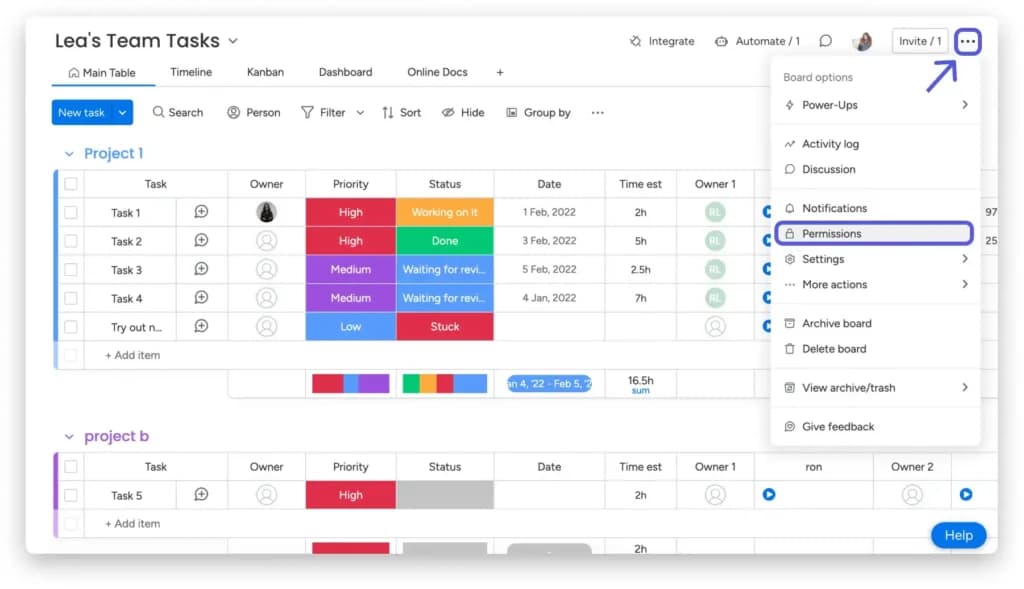
Monday.com is a versatile operation platform renowned for adapting to various industries and team sizes. With its customizable workflows and automation features, it helps teams organize, streamline, and execute their tasks with minimal hassle. Whether you're running a startup, a marketing agency, or a large enterprise – monday.com is designed to simplify your operations and ensure accountability.
Key Features
- Custom workflows: Allows users to create personalized workflows tailored to specific business processes, making it adaptable to any industry.
- Automation tools: Reduce manual tasks by automating repetitive tasks like task assignments, notifications, and status updates.
- Real-time collaboration: Enables seamless team collaboration through shared boards, live updates, and tagging features.
- Visual dashboards: Provides a clear, visual representation of projects, deadlines, and progress for improved decision-making.
- Integration capabilities: Supports integration with a variety of third-party tools like Slack, Google Drive, Jira, and Salesforce, making it a comprehensive tool for centralized operations management.
- Time tracking: Built-in time tracking to monitor the duration of tasks and measure productivity across teams.
- Templates for efficiency: Offers pre-built templates for different industries and workflows, allowing teams to get started quickly without building structures from scratch.
Pros and Cons
- Pros
- Clean, intuitive interface with minimal learning curve.
- Scalable for small teams and large enterprises.
- Strong customer support with live chat and webinars.
- Mobile app for managing tasks on the go.
- Highly customizable to fit specific needs.
- Cons
- Premium plans can be expensive for small teams.
- Limited offline functionality.
- May feel complex for simple projects.
- Automation features restricted to higher plans.
- Integrations with niche tools may need extra setup.
Who It's For
Monday.com is ideal for businesses and teams looking for flexible and visually engaging operation software. It caters to various needs, from project management and marketing to HR and IT workflows. Whether you're a creative agency tracking campaigns or an IT team integrating with tools like Jira or Slack, Monday.com adapts to diverse operational requirements, making it one of the most versatile business operations software options.
Zoom
- Sign up & cancel for free
- Enterprise-class features
While Zoom is best known for its video conferencing capabilities, it has become a vital tool for operational communication in traditional and hybrid work environments. Beyond meetings, Zoom facilitates collaboration and workflow efficiency, making it an integral part of operational software for businesses of all sizes. Its powerful features ensure teams can communicate effectively, no matter where they are, and its seamless integration with other tools makes it a strong choice for enhancing team collaboration.
Key Features
- High-quality video and audio conferencing: Ensures crystal-clear communication, even with large teams or during high-stakes meetings.
- Virtual meeting tools: Offers features like screen sharing, breakout rooms, and collaborative whiteboarding to boost productivity.
- Cloud recording and transcription: Allows users to save and review meetings, with automatic transcription for easy reference.
- Webinars and large-scale events: Zoom supports hosting virtual events, webinars, and training sessions with thousands of participants.
- Integration with operational tools: Seamlessly integrates with tools like Slack, Microsoft Teams, and Google Workspace, allowing smooth workflows across platforms.
- Hybrid work enablers: Features like Zoom Rooms and scheduling tools help manage hybrid work setups, ensuring in-office and remote workers stay connected.
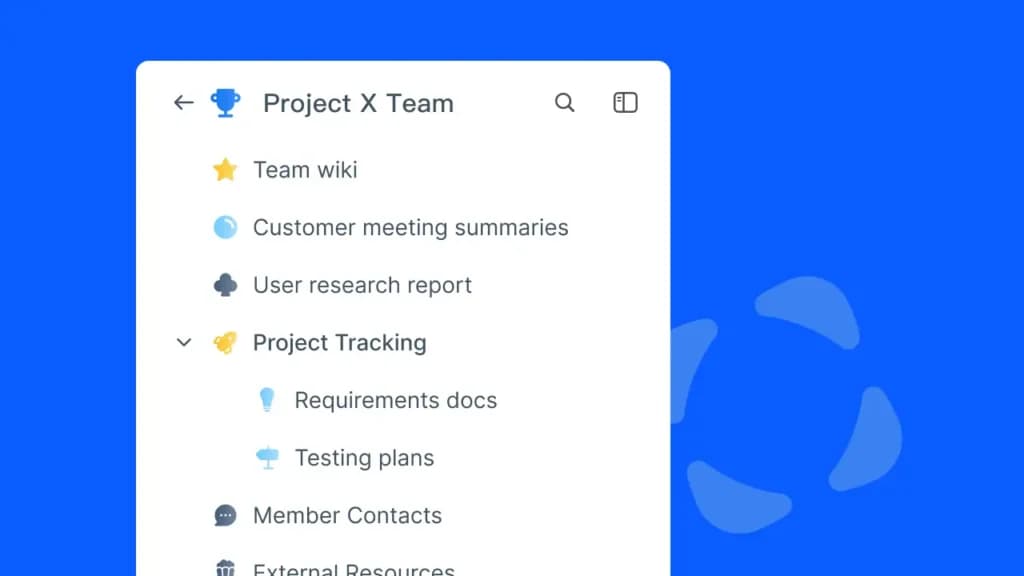
- Team chat and file sharing: Beyond video conferencing, Zoom provides team chat options and file-sharing capabilities for enhanced collaboration.
Pros and Cons
- Pros
- Simple interface with easy team adoption.
- Reliable performance during high-capacity meetings.
- Scalable for small teams to large enterprises.
- Versatile for meetings, webinars, and collaborations.
- Accessibility features like captions and translations.
Cons
- Cons
- Needs stable internet for smooth use.
- Lacks tools beyond communication.
- Past security issues may concern some users.
- Advanced features require costly subscriptions.
- Managing large events can be complex.
Who It's For
Zoom is best suited for businesses and teams prioritizing clear, effective communication and relying on hybrid or remote work setups. It’s an excellent choice for organizations conducting regular virtual meetings, hosting webinars, or managing large-scale virtual events.
Pipedrive
- Mobile app means you never miss a sale
- 300+ integrations enhance functionality
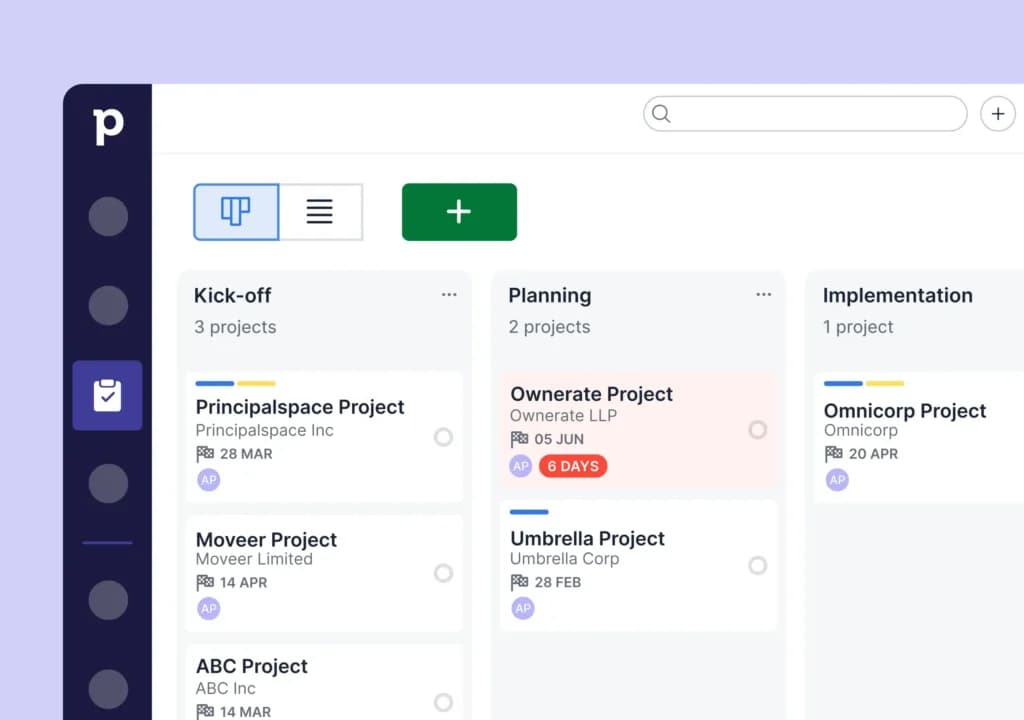
Pipedrive is a simple and efficient customer relationship management (CRM) tool. It is an excellent choice for managing sales operations and customer interactions. Designed with a sales-first approach, Pipedrive allows businesses to streamline their sales pipelines, track leads, and close deals more effectively.
While it focuses primarily on sales processes, its customizable features and integrations make it versatile business operations software for small—to medium-sized organizations that want to manage both customers and internal processes.
Key Features
- Pipeline management for sales operations: Provides an intuitive drag-and-drop interface to visualize and manage sales pipelines with ease.
- AI-driven insights: Delivers actionable recommendations for improving sales performance and identifying high-priority leads.
- Customizable dashboards: These dashboards tailor views and reports to align with specific business goals, helping teams focus on key metrics.
- Lead and deal tracking: Tracks every stage of the customer journey, from initial contact to deal closure, ensuring no opportunity is overlooked.
- Automation features: Automates repetitive tasks like follow-ups, data entry, and lead assignments, saving time and boosting productivity.
- Integration with third-party tools: Supports integration with popular tools like Slack, Google Workspace, Zapier, and Mailchimp for a more unified workflow.
- Mobile app for on-the-go management: This app allows sales teams to update pipelines, track leads, and communicate with clients directly from their mobile devices.
Pros and Cons
- Pros
- Built for sales, focusing on lead management and deal closures.
- Intuitive interface for quick team adoption.
- Flexible workflows for pipelines and reports.
- Clear visual reports for tracking performance.
- Affordable pricing for small businesses.
- Cons
- Limited tools outside of sales functions.
- Advanced features often require higher plans.
- May not scale well for large enterprises.
- Minimal marketing features like campaign tracking.
- Data migration can be time-consuming.
Who It's For
Pipedrive is best suited for businesses and teams with a strong focus on sales processes. It’s an excellent choice for organizations that need a simple yet effective way to manage their pipelines and optimize customer interactions.
Related Articles


Smartsheet
- Track progress with real-time dashboards
- Custom tools fit your work at any scale
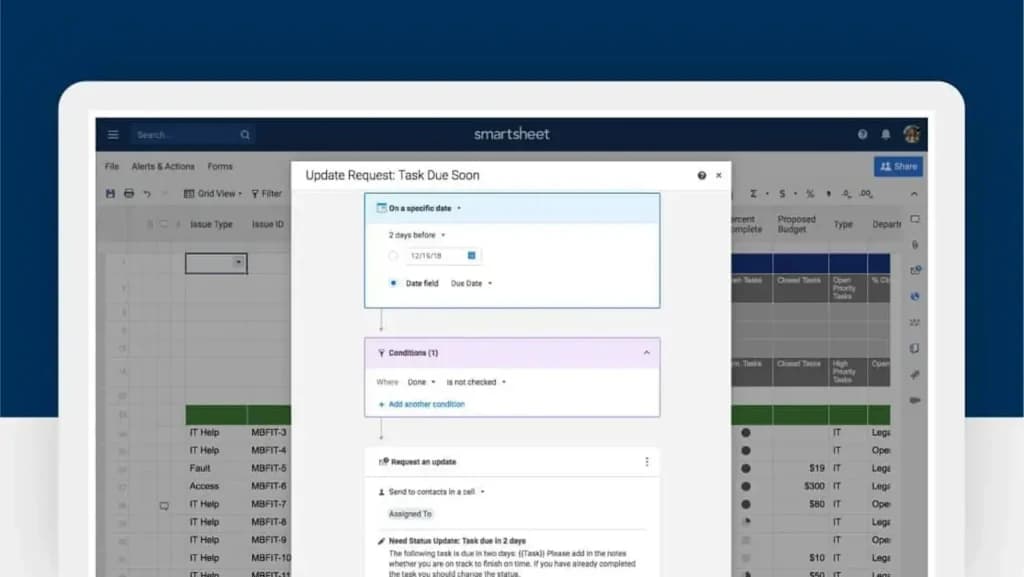
Smartsheet is a dynamic platform that combines the familiarity of spreadsheets with the power of advanced project management tools. Its versatility makes it a valuable business operations software for organizations seeking a centralized system to coordinate tasks and monitor progress in real time.
Key Features of Smartsheet
- Gantt charts: Offers detailed timeline views to plan, track, and adjust project timelines easily.
- Automated workflows: Enables automation of repetitive tasks like reminders, approvals, and notifications to enhance productivity.
- Collaboration tools: Facilitates real-time document sharing, commenting, and team discussions to ensure seamless communication.
- Resource management: Tracks resource allocation and availability, ensuring projects stay within scope and on schedule.
- Customizable templates: Provides pre-built templates for various industries and use cases, making setup faster and more efficient.
- Integrations with business tools: Integrates with apps like Microsoft Teams, Google Workspace, Slack, and Salesforce, allowing teams to centralize operations.
- Advanced reporting and dashboards: Delivers actionable insights through customizable reports and dashboards that help managers make data-driven decisions.
Pros and Cons
- Pros
- Adapts to diverse industries with customizable features.
- Scales for small teams to large enterprises.
- Real-time reporting for project and team insights.
- Centralized platform for better team collaboration.
- Mobile app for managing workflows on the go.
- Cons
- Learning curve for non-technical users.
- Customization setup can be time-intensive.
- Advanced features require higher-tier plans.
- Limited tools for creative collaboration.
- Integration with third-party tools can be complex.
Who It's For
Smartsheet is best suited for organizations and teams that require a blend of spreadsheet familiarity and advanced project management capabilities. Smartsheet’s flexibility, scalability, and collaborative features make it one of the best operation solutions for businesses seeking a comprehensive tool to enhance productivity and streamline operations software.
Zoho Projects
- Easy-to-use & intuitive interface
- Trusted by great brands
Zoho Projects is a project management and task coordination tool that excels within Zoho’s rich ecosystem of business applications. It offers comprehensive features to help businesses manage tasks, timelines, and budgets efficiently. Particularly well-suited for teams already using other Zoho products, Zoho Projects stands out for its seamless integration and cost-effectiveness, making it an ideal choice for small to medium-sized businesses seeking scalable business operations software.
Key Features of Zoho Projects
- Task tracking with Gantt charts and milestones: Provides detailed visual timelines to monitor project progress and set achievable milestones.
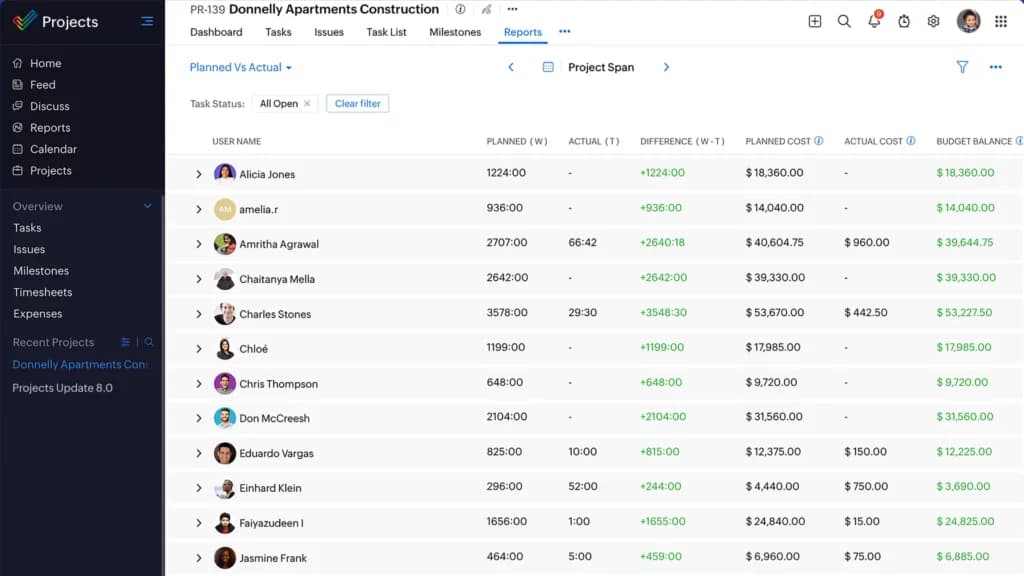
- Time tracking for resource allocation: Tracks the time spent on tasks, enabling better resource management and productivity analysis.
- Budget management and invoicing: Helps teams track project costs, manage budgets, and generate invoices directly within the platform.
- Customizable workflows: Offers flexibility to design workflows that align with specific project requirements and team dynamics.
- Collaboration tools: These include discussion boards, chat features, and document sharing to keep all team members aligned.
- Issue tracking and resolution: Provides tools for identifying and resolving issues quickly, ensuring projects stay on schedule.
- Mobile accessibility: A dedicated mobile app enables teams to manage tasks and collaborate effectively from anywhere.
Pros and Cons
- Pros
- Affordable for startups and SMBs.
- Integrates seamlessly with Zoho tools.
- Ideal for managing multiple projects.
- Customizable to fit various industries.
- Strong reporting with customizable insights.
- Cons
- Limited integration with non-Zoho tools.
- Learning curve for new users.
- Premium features require higher-tier plans.
- Fewer template customization options.
- Resource management tools need improvement.
Who It's For
Zoho Projects is best suited for organizations and teams that need affordable, feature-rich project management software, particularly those already using other Zoho products. While Zoho Projects is an excellent operation platform for project-heavy organizations, businesses with broader operational needs or reliance on external tools may need to pair it with additional software to manage business operations. Its strengths lie in affordability, flexibility, and seamless integration within the Zoho ecosystem.
Zapier

- Easily integrate apps into custom chatbots
- Use AI-powered 24/7 customer support
Zapier is a leading automation tool that allows businesses to connect and streamline workflows across thousands of applications. As a no-code platform, it enables users to automate repetitive tasks, making it an invaluable operational software for increasing efficiency and reducing human errors. Whether you're looking to sync data between apps, create complex workflows, or simplify your processes, Zapier is a powerful operation platform that enhances productivity and helps manage business operations seamlessly.
Key Features of Zapier
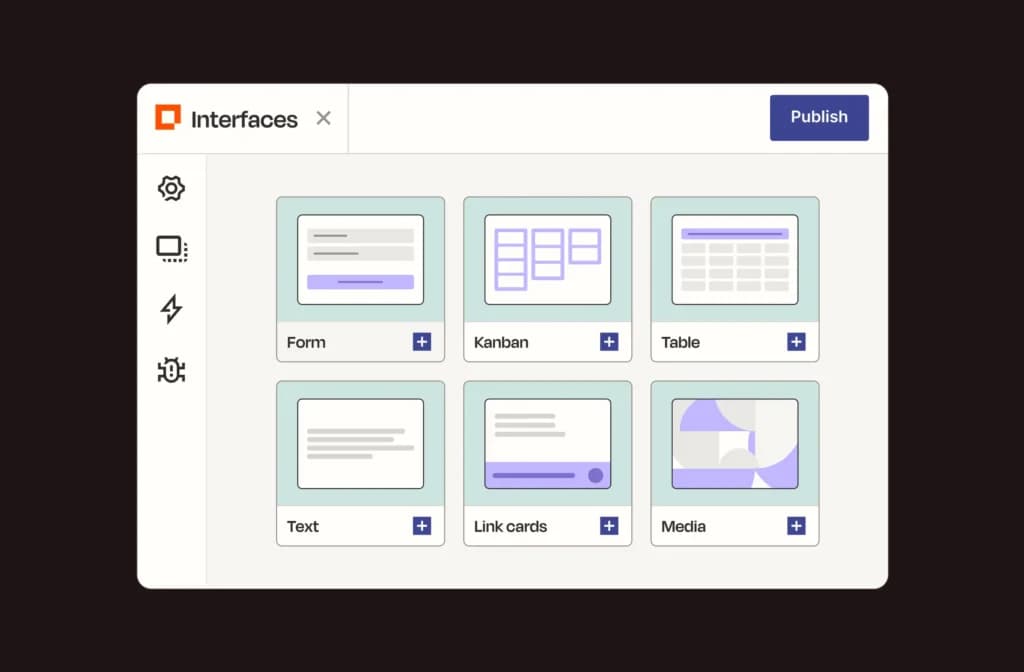
- No-code workflow creation: This feature enables users to create workflows (called “Zaps”) without requiring coding expertise, making automation accessible to everyone.
- Integration with over 3,000 apps: It supports various integrations, including popular tools like Slack, Salesforce, Asana, Gmail, and Trello, for a connected operational ecosystem.
- Trigger-based task execution: This method executes workflows based on specific triggers (e.g., receiving an email or completing a form), reducing manual intervention and saving time.
- Multi-step workflows: Allows users to create workflows with multiple steps to handle more complex processes, enhancing automation potential.
- Real-time syncing: Ensures that data and processes between integrated apps stay up-to-date without delays.
- Error reporting and debugging: Provides tools to monitor, debug, and fix failed Zaps, ensuring that workflows remain functional and efficient.
- Team collaboration tools: These include features for sharing Zaps, managing user permissions, and collaborating on workflow designs across teams.
Pros and Cons
- Pros
- Automates tasks and complex workflows efficiently.
- Frees up time by reducing manual work.
- Easy setup with a no-code interface for beginners.
- Scales from basic to enterprise-level automation.
- Supports a wide range of app integrations.
- Cons
- Premium plans can be costly for small teams.
- Limited support for highly complex workflows.
- Privacy concerns for sensitive data.
- Advanced features have a learning curve.
- Reliant on app API s, which can disrupt workflows.
Who It's For
Zapier is best suited for organizations and teams that need to streamline operations and connect disparate tools through automation. It is a versatile software for managing business operations, perfect for organizations aiming to save time, reduce errors, and enhance productivity through automation. While its premium plans can be expensive, the time saved and efficiency gained often justify the investment for growing teams and businesses.
See also
- Recurring process work still runs on project tooling, so compare what is on offer in project management software before shopping niche.
- Repeatable checklists and recurring assignments are the everyday need here, and best task management software handles them without any timeline.
- One-off initiatives inside an ops team still need dependency dates, which is where best gantt chart tools earn their place.
- When operations means stock, purchasing and finance in one flow, you have outgrown PM tools and want best ERP for small business.
Final Thoughts
Choosing the right operations management software is essential for businesses to streamline workflows, enhance team collaboration, and improve efficiency. With so many options available, the key is to assess your business's unique needs, whether that’s robust task management, seamless integrations, or advanced reporting tools.
Ultimately, the right operation platform empowers your team to work smarter, not harder, driving productivity and positioning your business for sustained growth in a competitive market. Whether you're a small startup or an enterprise-level organization, the right business operations software can be the key to unlocking your company’s full potential.
FAQ
Q: Can operations software integrate with other business tools?
A: Yes, most business operations software platforms offer integrations with CRMs, ERPs, and other essential tools.
Q: What features should I look for in operations management software?
A: Look for features such as task and project management, automation tools, integration with other applications, real-time collaboration, reporting and analytics, and scalability to support business growth.
Q: Is operations management software suitable for remote teams?
A: Yes, many software providers offer features like video conferencing, real-time collaboration, mobile access, and centralized dashboards that help remote teams stay connected and aligned.
Q: Are these tools easy for non-technical users to use?
A: Many operations management tools are designed to be user-friendly and intuitive, making them accessible for non-technical users. However, some may have a learning curve for advanced features.