
Best AI Productivity Tools for Small Business Owners
AI productivity tools are smart software solutions designed to make your work easier and more efficient. They use artificial intelligence to handle repetitive tasks, analyze data, and streamline your workflows. With features like automation and intelligent recommendations, these tools free up your time so you can focus on what really matters instead of getting stuck in the small stuff.
Last updated: September 2026
Why You Can Trust the Expertise of Sonary
At Sonary, we are committed to providing accurate and trustworthy information to help you make informed decisions. Our research process is meticulous, transparent, and guided by a dedication to maintaining the highest standards of integrity, ensuring accurate, real-world insights.
Read more here Unlike many other review platforms, we conduct in-depth evaluations of the software and services we feature. Our expert team tests and actively uses the tools we review to understand their features, performance, and value comprehensively. Our assessments are based on real-world use, giving you insights beyond surface-level descriptions. Our research methodology includes analyzing key consumer factors such as pricing, functionality, device usability, scalability, customer support quality, and unique industry-specific features. This hands-on approach and dedication to transparency mean you can trust Sonary to deliver regular, up-to-date content and recommendations that are well-researched and genuinely helpful for your business needs.

If you’re a small business owner, the best AI productivity tools are the ones that simplify your day-to-day tasks and help you stay on top of everything. Think of tools that handle customer communication, manage inventory, or even help you create marketing content. From AI-powered CRMs to virtual assistants for scheduling, these tools save you time and cut down on costs. They let you focus on growing your business instead of being tied up with manual work.
Best AI Productivity Tools for Small Business Owners

Grammarly is an AI-powered tool that helps users compose bold, clear, and mistake-free writing. It also offers a plagiarism checker that searches billions of web pages and documents to find matching… Read more
Grammarly is an AI-powered tool that helps users compose bold, clear, and mistake-free writing. It also offers a plagiarism checker that searches billions of web pages and documents to find matching text.
Learn more in our full Grammarly review.
Pros & Cons
- Offers rewriting suggestions that can help decrease plagiarism percentage
- Mostly accurate in finding plagiarized sources
- Catches even common phrases
- Plagiarism checker is not available in the free plan
- Plagiarized sources do not match in some cases
- Not reliable for edited or paraphrased texts
Features
- Plagiarism Check
- Style Editor
- Citation Finder
- Content Scan
- Text Similarity Detection
- Reporting/Analytics
- Multiple File Format Support
- Spell Checker
- Grammar Check
- Tone Check
- Sentence Formatting
- Vocabulary Recommendations
- Sentence Rephrasing
- Dictionary
- Standalone Application
- Plugin
- Browser Application
- Desktop Application
- Internet Content
- Academic Databases
Pricing
$0
mo/
month

Canva is a user-friendly graphic design platform that empowers individuals to create a wide array of visual content, including graphics, presentations, headers, documents, invitations, posters, and… Read more
Canva is a user-friendly graphic design platform that empowers individuals to create a wide array of visual content, including graphics, presentations, headers, documents, invitations, posters, and resumes. This all-in-one graphic design tool features a video and graphic maker, photo editor, and logo creator, making it accessible for both beginners and professionals. With its intuitive interface and extensive template library, Canva simplifies the design process, enabling users to produce stunning visuals with ease. In this Canva review, I'll discuss, graphic design features, performance, Canva pricing, and more.
Learn more in our full Canva review.
Pros & Cons
- AI tools for creating and editing designs
- 1M+ free templates
- Easy to share option
- Automatic save
- Best features aren't available for free
- No phone, live chat, email or community support
- Its online version has more templates and design elements
Features
- API
- Templates
- Image Database
- Collaboration Tools
- Content Import/Export
- Content Management
- Edits Vector & Raster Graphics
- Pro-Level Typography
- Print Management
- Publishing / Sharing
- Multi-Channel Marketing
- Multi-Language
- Multiple Format Support
- Social Promotion
- Animation
- Document Storage
- Access Controls/Permissions
- Search/Filter
- Photo Editing
- Video Editing
- Rich Text Editor
- WYSIWYG Editor
- Drag & Drop
Pricing
$0
mo/
month
$15
mo/
month
$21
mo/
month
Figma is a browser-based design platform built for collaboration. It combines vector design, prototyping, feedback, and developer handoff into one shared workspace. Instead of juggling multiple… Read more
Figma is a browser-based design platform built for collaboration. It combines vector design, prototyping, feedback, and developer handoff into one shared workspace. Instead of juggling multiple tools, small businesses can design websites, mobile apps, and marketing visuals in one place. With flexible pricing and smart seat types, Figma gives SMBs the same professional design power that large teams enjoy.
Learn more in our full Figma review.
Pros & Cons
- Real-time co-editing improves teamwork and eliminates file chaos.
- Smart layout and prototyping tools reduce repetitive work.
- Flexible pricing suits both small teams and larger organizations.
- No native CMYK support, which limits print design workflows.
- Lacks advanced photo editing capabilities.
- Requires careful seat management to avoid paying for unused licenses.
Features
- API
- Image Database
- Collaboration Tools
- Content Import/Export
- Content Management
- Edits Vector & Raster Graphics
- Touch Interface Support
- Pro-Level Typography
- Print Management
- Publishing / Sharing
- Multi-Channel Marketing
- Multi-Language
- Multiple Format Support
- Engagement Analytics
- Animation
- Document Storage
- Access Controls/Permissions
- Freelancer Screening & Profiles
- Search/Filter
- Photo Editing
- Offline Editing
- Rich Text Editor
- WYSIWYG Editor
- Drag & Drop
Pricing
$0
mo/
month
$16
mo/
month

ChatGPT, developed by OpenAI, is one of the most sophisticated AI-powered conversational models available today. Designed as a versatile AI assistant, ChatGPT excels in a range of applications, from… Read more
ChatGPT, developed by OpenAI, is one of the most sophisticated AI-powered conversational models available today. Designed as a versatile AI assistant, ChatGPT excels in a range of applications, from casual conversations to professional writing, content creation, coding, and beyond. It is built on the GPT-4 architecture (for the premium version) and combines natural language understanding with generative capabilities, making it a robust tool for individuals, businesses, and developers.
Learn more in our full Chatgpt review.
Pros & Cons
- Extensive free service
- High reading grade
- Provides accurate grammar and syntax corrections.
- Easy to navigate and use.
- Text generation can have factual inaccuracies
- Slower than some alternatives
- Limited image generation capacity
Features
- Grammar and Style Checks
- SEO Optimization
- Plagiarism Check
- Collaboration Features
- Content Personalization
- Multilingual Support
- API Access
- Text Editing and Formatting
- Compliance and Security Measures
- Web
- Windows
- macOS
- Android
- iOS
Pricing
$0
mo/
month
$20
mo/
month
$200
mo/
month
$25
/mo or per user/
/mo or per user

Claude AI, built by Anthropic, is a safety-first AI assistant for writing, coding, research, data analysis, and agentic tasks. You can use Claude on the web, desktop (Windows/macOS), and mobile (iOS… Read more
Claude AI, built by Anthropic, is a safety-first AI assistant for writing, coding, research, data analysis, and agentic tasks. You can use Claude on the web, desktop (Windows/macOS), and mobile (iOS and Android), through the API, or inside tools via connectors. Claude reads and reasons over long documents and images, searches the web for current information with cited sources, and runs multi-step work through Claude Code and connectors (remote MCP). In 2026 the lineup runs on Anthropic's newest models — Opus 4.8, Sonnet 5, and Haiku 4.5 — with plans for individuals, teams, and enterprises.
Learn more in our full Claude Ai review.
Pros & Cons
- Runs on Anthropic's newest models (Opus 4.8, Sonnet 5, Haiku 4.5) with very large context windows
- Genuinely useful free plan; Pro is competitively priced at $20/mo (less billed annually)
- Strong at coding and agentic work via Claude Code and MCP connectors
- Web search with cited sources, vision, and extended reasoning built in
- Heaviest usage requires the Max plan (from $100/mo)
- Team plan requires a minimum of 5 seats
- Usage is capped by rolling session limits rather than a fixed message count, which can interrupt heavy sessions
Features
- Grammar and Style Checks
- Collaboration Features
- Content Personalization
- Multilingual Support
- API Access
- Compliance and Security Measures
- Web
- Windows
- macOS
- iOS
Pricing
$0
mo/
month
$20
mo/
month
$25
/mo or per user/
/mo or per user
Running a small business means wearing multiple hats, and the right tools can make all the difference. Below, we explore some of the best productivity tools that cater to a variety of business needs. From personal productivity software to team productivity tools, these solutions are designed to simplify workflows, enhance collaboration, and maximize efficiency. Here’s a closer look at the top tools:
Quick Comparison
Tool | Category | Top Features | Ideal For |
|---|---|---|---|
Grammarly | Writing & Creativity | Real-time grammar and spell-checking, Tone and clarity suggestions, Plagiarism detection | Writers, marketers, and content creators |
Canva | Writing & Creativity | Drag-and-drop design, Customizable templates, Integrated stock image and video library | Entrepreneurs and social media managers |
Figma | Writing & Creativity | Collaborative design platform, Prototyping, and wireframing tools, Extensive plugin library for customization | Design teams, product developers, and creative professionals |
ChatGPT | AI Chatbots | Natural language processing, Generates ideas, content, and responses, Integrates with numerous workflows | Professionals seeking AI-driven solutions |
Claude AI | AI Chatbots | Context-aware chat capabilities, Designed for detailed conversations, Easy to use and responsive | Teams needing streamlined communication tools |
Gemini AI | AI Chatbots | AI-powered chatbot, Advanced search capabilities, Supports multilingual interactions | Businesses seeking AI-enhanced customer support |
ClickUp | Project Management | Task and project tracking, Time management features, Collaboration tools | Teams managing multiple projects |
Monday.com | Project Management | Customizable workflows, Visual project timelines, Team collaboration | Small businesses with team-based projects |
Smartsheet | Project Management | Spreadsheet-style project tracking, Real-time updates, Integration with existing systems | Managers needing detailed tracking and reporting |
Calendly | Scheduling Tools | Appointment scheduling, Integrates with calendars, Customizable booking pages | Entrepreneurs and consultants |
Zoho Bookings | Scheduling Tools | Simplified online scheduling, Integration with other Zoho apps, Automated notifications | Small business owners and freelancers |
Square Appointments | Scheduling Tools | Payment integration with bookings, Appointment reminders, Easy-to-use interface | Service providers and small business professionals |
Connecteam | HR Tools | Employee scheduling, Communication hub, Task management features | Small businesses managing on-the-go teams |
Gusto | HR Tools | Payroll management, Benefits and HR support, Compliance assistance | Businesses needing streamlined payroll solutions |
HiBob | HR Tools | Employee onboarding tools, Performance tracking, Centralized employee database | HR teams in growing businesses |
Top 3 Writing & Creativity Tools for Enhanced Productivity
Efficient communication and compelling visuals are essential for small business success. These writing and creativity tools improve the quality of your output and streamline processes, saving you valuable time and effort. Whether you’re looking for personal productivity software to organize your writing or online productivity tools to create designs, these tools have you covered.
Grammarly
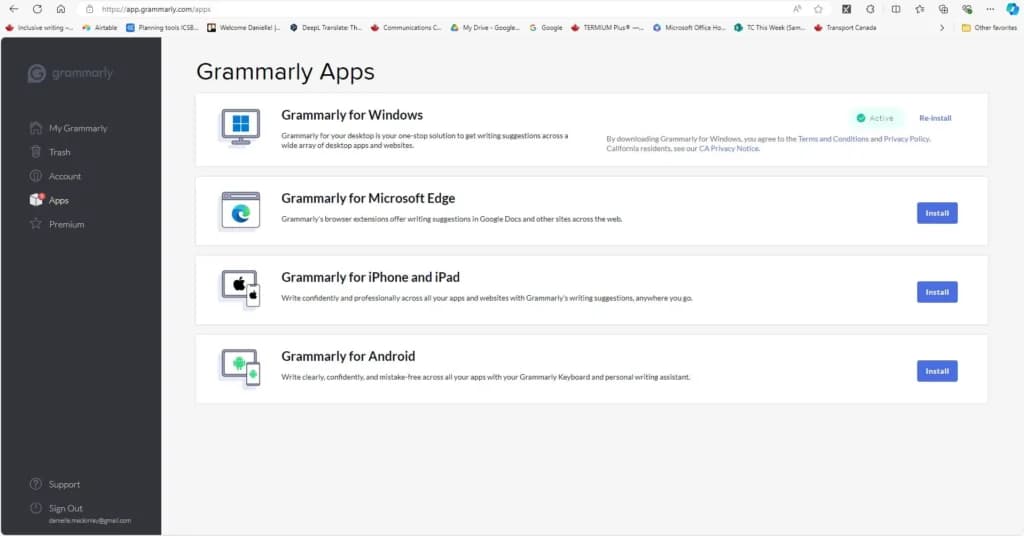
- Works in many applications
- Streamline text effectively and as you intend
Grammarly boosts productivity by automating the proofreading process. This productivity tool identifies errors, suggests improvements, and ensures your content is polished—all in real-time.
How it Boosts Productivity
- Eliminates the need for manual proofreading, cutting down editing time significantly.
- Instantly improves tone and clarity, ensuring emails and documents are ready to send without extensive revisions.
- Functions as a centralized personal productivity software for all your writing needs.
Key Features
- Real-time grammar and spell checking.
- Advanced tone and clarity suggestions.
- Automated plagiarism detection for original work.
Who It's For
Small business owners who want to communicate clearly and effectively while saving time on revisions.
Canva
- Built for easy team collaboration
- Internal content scheduler and publisher
Canva simplifies the process of creating professional-quality visuals, making it one of the best productivity apps for entrepreneurs. Its templates and drag-and-drop features allow you to produce marketing materials effortlessly.
How it Boosts Productivity
- Ready-made templates eliminate the need to start from scratch.
- Built-in collaboration tools make it easy for teams to work on designs simultaneously.
- Reduces dependency on external designers for smaller projects.
Key Features
- Thousands of pre-designed templates for various use cases (social media, presentations, etc.).
- Drag-and-drop editor for quick customizations.
- Access to stock images, fonts, and videos within the platform.
Who It's For
Entrepreneurs and teams needing fast, impactful designs for office productivity software or marketing purposes.
Figma
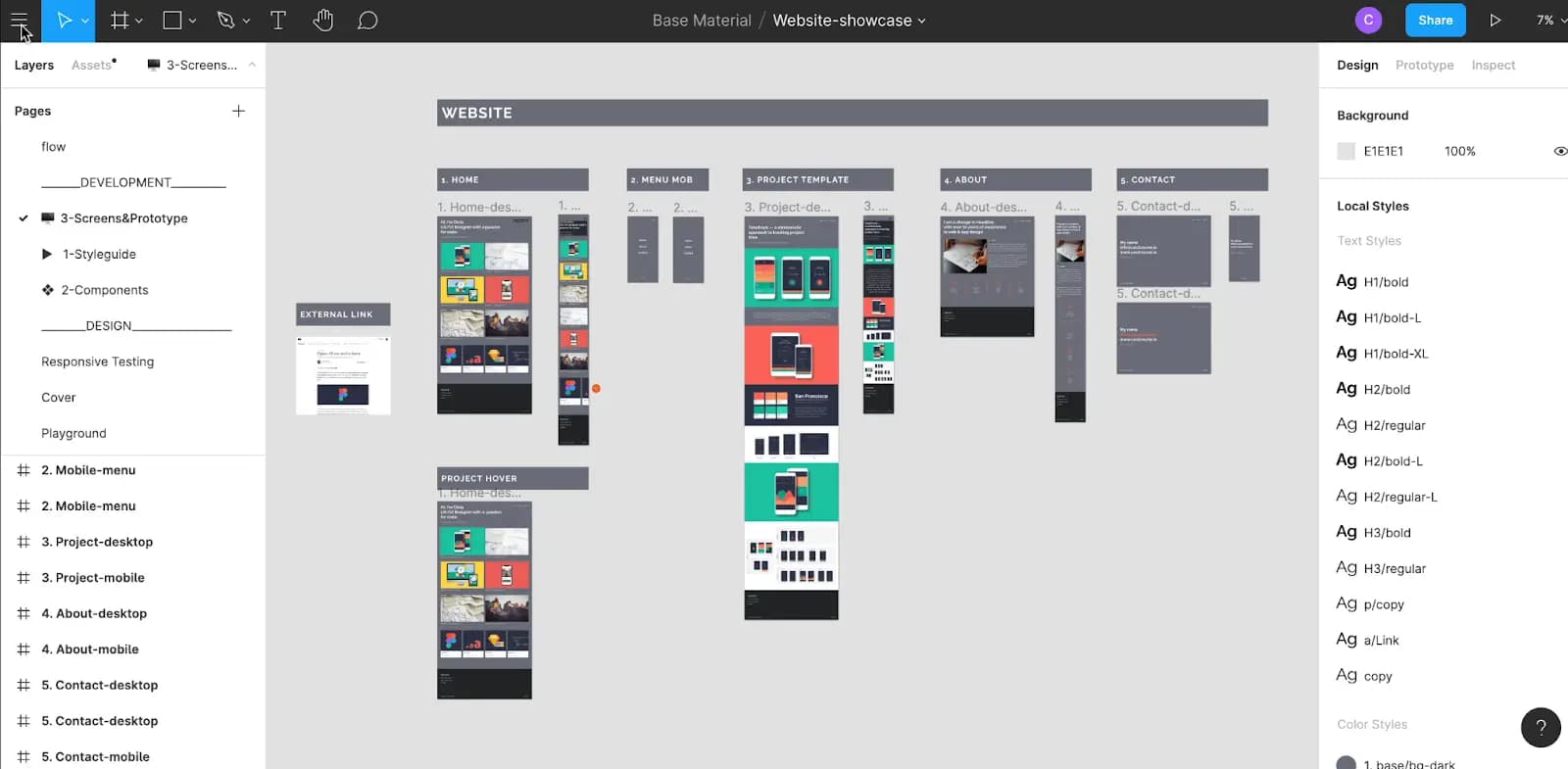
- Clean interface and simple learning curve
- Full suite for UI, UX, and marketing design
Figma is a powerful team productivity tool enabling real-time design project collaboration. By providing a centralized workspace, it helps small businesses complete creative tasks faster.
How it Boosts Productivity
- Enables real-time collaboration, reducing delays in feedback and revisions.
- Centralized cloud storage means designs are accessible from anywhere, anytime.
- Integrates seamlessly with other tools, eliminating bottlenecks in the design process.
Key Features
- Collaborative editing for teams.
- Prototyping tools for streamlined project testing.
- Plugin library to extend design capabilities.
Who It's for
Design teams and small businesses working on creative projects requiring work productivity tools.
These tools empower small business owners to produce high-quality content and visuals without sacrificing time by focusing on automation, collaboration, and simplicity.
Top 3 AI Chatbots for Streamlined Productivity
AI chatbots are powerful productivity tools designed to streamline workflows, boost creativity, and easily handle routine tasks. By leveraging these best productivity apps, small business owners can focus on strategic growth while leaving repetitive or time-consuming activities to AI-powered systems. Whether you need help generating ideas, drafting content, or automating workflows, these online productivity tools deliver.
ChatGPT
- Elevate SEO with keyword integration
- Translate & localize for global audiences
ChatGPT by OpenAI is a leading AI-powered productivity tool that supports various business needs, from content creation to workflow automation. This versatile tool adapts to your requirements, making it an excellent choice for personal productivity software or team productivity tools.
How it Boosts Productivity
- Automates content creation, including drafting emails, blog posts, and marketing materials.
- Supports brainstorming with quick ideas and actionable solutions for projects.
- Integrates with platforms like Slack and Notion for seamless office productivity software workflows.
Key Features
- Natural and conversational language understanding.
- Integration with workflows for email, CRM, and more.
- Customizable to specific business needs.

Who It's For
Entrepreneurs and professionals seeking an AI-driven solution to enhance communication and creativity.
Claude AI
- Free apps for Slack and iOS are available
- Multi-language support for global users
Claude AI by Anthropic is a context-aware chatbot designed to provide detailed, insightful conversations and streamline business workflows. It excels at problem-solving, making it one of the best productivity apps for planning and strategy.
How it Boosts Productivity
- Simplifies research and analysis by summarizing lengthy reports and extracting key data.
- Facilitates project planning and decision-making with actionable suggestions.
- Offers real-time brainstorming support, ensuring consistent innovation.
Key Features
- Advanced conversational capabilities.
- Context-aware responses for detailed queries.
- Easy-to-use interface for seamless adoption.

Who It's For
Small business owners and teams seeking a productivity tool to enhance strategic planning and collaborative efforts.
Gemini AI

- Built-in fact-checking and citation tools
- Boost your writing skills & efficiency
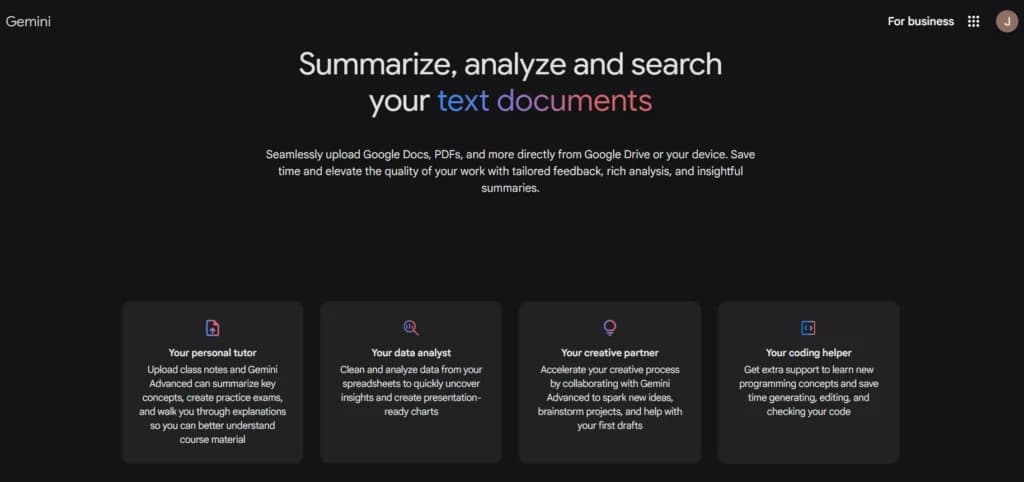
Gemini AI by Google is a robust online productivity tool that enhances collaboration and creativity. Its seamless integration into existing systems makes it a valuable addition to your productivity software stack.
How it Boosts Productivity
- Reduces response time by handling customer inquiries 24/7.
- Supports multilingual interactions, enabling global communication.
- Enhances team productivity by automating knowledge-sharing tasks.
Key Features
- AI-driven creativity and ideation capabilities.
- Scalable functionality for both small and large-scale projects.
- Full integration with existing office productivity software.
Who It's For
Businesses aiming to provide exceptional customer support while managing global audiences.
These AI-powered tools go beyond simple chat functionality, serving as indispensable partners for brainstorming, automation, and workflow optimization. By integrating ChatGPT, Claude AI, or Gemini AI, you can unlock the full potential of team productivity tools and elevate your business operations with cutting-edge technology.
Top 3 Project Management Tools for Maximum Efficiency
Managing multiple tasks and projects can be overwhelming, especially for small businesses. Project management tools are designed to keep everything organized, improve team collaboration, and ensure tasks are completed on time. Here’s how these tools help boost productivity:
ClickUp

- Affordable plans suitable for all businesses
- Free training & 24-hour support
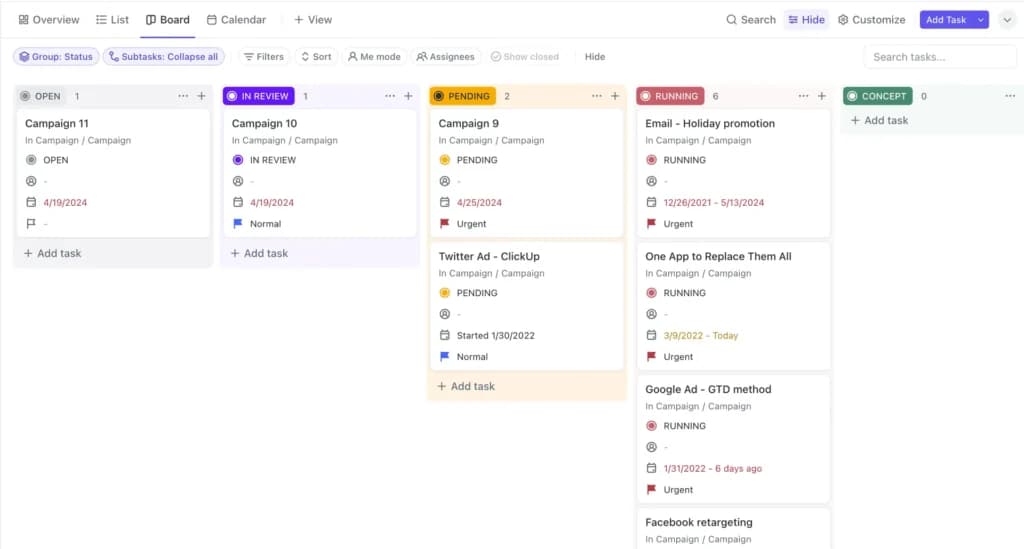
ClickUp is an all-in-one project management tool that helps businesses manage tasks, projects, and workflows in one place. It's highly customizable, making it one of the best productivity apps for small businesses with unique needs.
How it Boosts Productivity
- Centralizes task and project management to eliminate confusion.
- Offers time-tracking features to monitor team productivity effectively.
- Simplifies communication with built-in chat and comments on tasks.
Top Features
- Task and project tracking with visual boards and timelines.
- Time tracking and productivity reporting.
- Customizable workflows for different types of projects.
Who It's For
Teams managing multiple projects and looking for customizable all-in-one productivity software.
monday.com

- Instantly organize with 200+ templates
- 40+ integration apps including Zoom
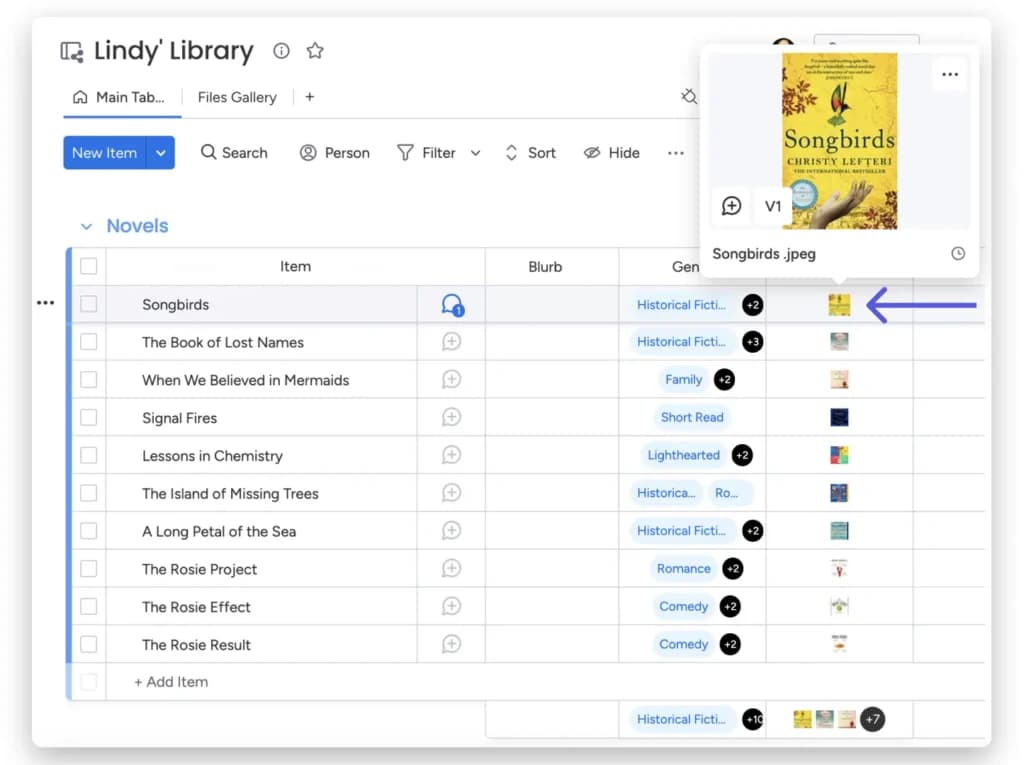
monday.com is a flexible and visually intuitive project management tool. It uses customizable workflows and visual boards to streamline collaboration and task tracking, making it a favorite among team productivity tools.
How it Boosts Productivity
- Simplifies online productivity tools with clear, color-coded visual boards.
- Automates repetitive tasks like status updates or notifications.
- Enhances collaboration with integrated file-sharing and communication tools.
Key Features
- Customizable workflows and templates for different industries.
- Visual project timelines for better task planning.
- Automation to reduce repetitive manual work.
Who It's For
Small businesses with team-based projects that need a visually intuitive interface and work productivity tools.
Smartsheet

- Track progress with real-time dashboards
- Custom tools fit your work at any scale
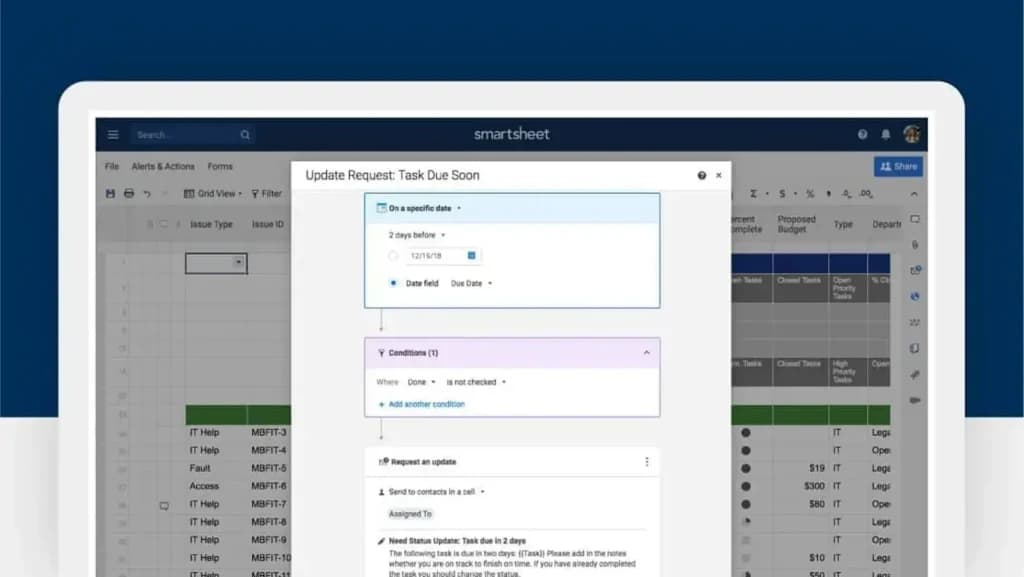
Smartsheet combines the simplicity of spreadsheets with advanced office productivity software features. It's ideal for small businesses that want detailed tracking and reporting capabilities.
How it Boosts Productivity
- Enables detailed tracking of tasks and projects in a familiar spreadsheet format.
- Offers real-time updates to keep everyone informed.
- Integrates with other productivity tools to streamline workflows.
Key Features
- Spreadsheet-style project tracking.
- Real-time updates and automated alerts.
- Integration with platforms like Microsoft Office and Google Workspace.
Who It's For
Managers who need detailed tracking and robust reporting tools for team productivity.
Small businesses can stay organized, reduce bottlenecks, and enhance team collaboration by utilizing these best productivity tools for project management. Whether you need personal productivity software or team productivity tools, these solutions provide the features to help you stay on track.
Top 3 Scheduling Tools for Better Time Management
Time is one of the most valuable resources for small business owners. Scheduling tools, a key category of productivity software, help manage appointments, meetings, and team schedules effortlessly. By automating these processes, these online productivity tools ensure no time is wasted juggling calendars or handling scheduling conflicts.
Calendly

- Automate entire appointment booking process
- Boost productivity with popular integrations
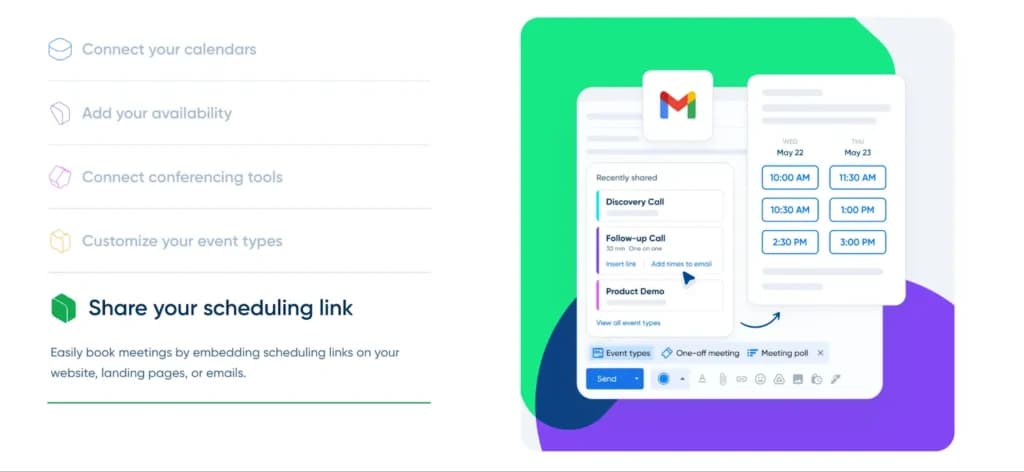
Calendly is one of the most popular scheduling tools, offering an intuitive interface for booking meetings and appointments. It eliminates back-and-forth emails by allowing clients and colleagues to pick available times.
How it Boosts Productivity
- Streamlines scheduling with a customizable booking link.
- Syncs with calendars like Google, Outlook, and Apple for real-time availability updates.
- Sends automatic reminders to reduce no-shows.
Key Features
- Calendar synchronization with multiple platforms.
- Customizable booking pages to reflect your branding.
- Automated email reminders and follow-ups.
Who It's For
Small business owners, freelancers, and consultants seeking an office productivity software to simplify appointment scheduling.
Zoho Bookings

- Customized booking page shows availability
- Time zone presets & scheduling intervals
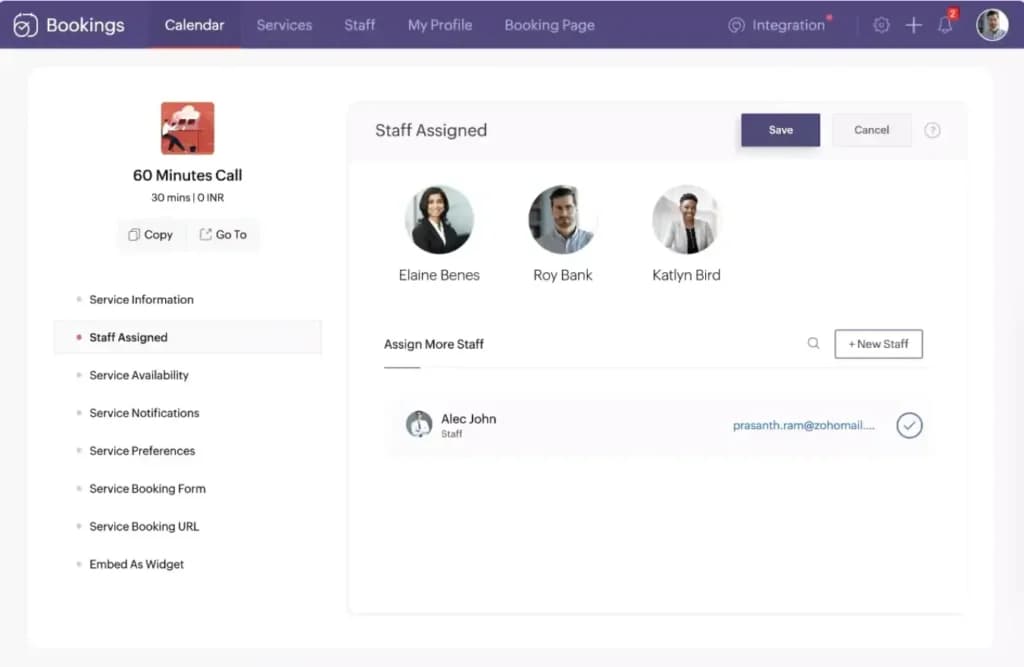
Zoho Bookings is part of the Zoho suite, designed to offer seamless online appointment scheduling. Its integrations with other Zoho tools make it a robust work productivity tool for businesses already using the platform.
How it Boosts Productivity
- Simplifies scheduling by allowing clients to book directly through your website or email.
- Automates notifications to keep everyone updated on appointments.
- Tracks client details and meeting history for personalized interactions.
Key Features
- Integration with the Zoho ecosystem (CRM, Calendar, and more).
- Automated appointment confirmations and reminders.
- Customizable booking forms to collect client-specific information.
Who It's For
Businesses already using Zoho’s productivity tools, as well as service providers and freelancers.
Square Appointments

- All-in-one POS for booking & payments
- Client profiles & team management tools
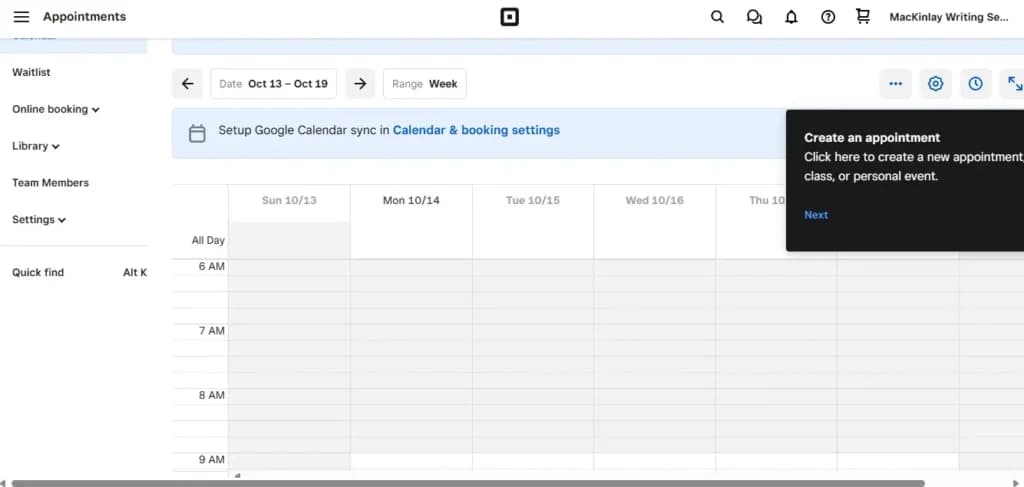
Square Appointments combines scheduling functionality with payment integration, making it a standout tool for service-based businesses. Its simplicity and efficiency make it one of the best productivity apps for managing appointments and payments in one place.
How it Boosts Productivity
- Combines scheduling with payment processing to streamline workflows.
- Sends automated reminders to reduce cancellations.
- Allows clients to book and pay directly through the platform.
Key Features
- Integration with Square’s payment tools.
- Customizable booking pages.
- Appointment reminders and cancellation tracking.
Who It's for
Service providers and small business owners seek team productivity tools combining scheduling and payment processing.
Why Scheduling Tools Matter For Productivity
These scheduling tools free up valuable time and reduce human error by automating appointment management. Whether you’re a solo entrepreneur or managing a team, using online productivity tools like Calendly, Zoho Bookings, or Square Appointments ensures efficient scheduling, fewer missed appointments, and better overall time management.
Top 3 HR Tools for Streamlined Employee Management
Managing employees can be one of the most time-consuming aspects of running a small business. HR tools are essential work productivity tools that simplify tasks like scheduling, payroll, performance tracking, and communication. These office productivity software solutions help you focus on growing your business while ensuring your team operates efficiently.
Connecteam

- Real-time employee tracking
- Business operations one stop-shop
Connecteam is a comprehensive HR productivity tool designed to streamline workforce management for small businesses. Its all-in-one platform simplifies scheduling, communication, and task management for deskless employees.
How it Boosts Productivity
- Reduces administrative overhead by automating scheduling and shift management.
- Keeps employees informed with built-in communication features.
- Tracks task progress and employee engagement through an intuitive dashboard.
Key Features
- Employee scheduling and time tracking.
- Communication hub for announcements and chats.
- Task management tools for assigning and monitoring responsibilities.

Who It's For
Small businesses with remote or deskless teams that need online productivity tools for efficient workforce management.
Gusto

- Hire, pay and grow like a pro
- Run automated payroll in 5 minutes flat
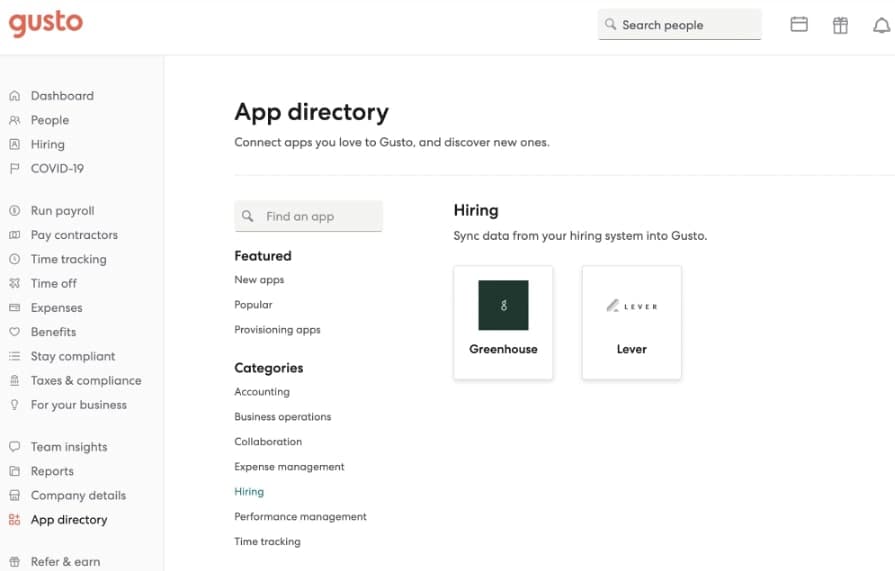
Gusto is a payroll-focused HR productivity software that offers a range of features to simplify employee management, from payroll processing to benefits administration. It’s a go-to solution for small businesses managing their own HR operations.
How it Boosts Productivity
- Automates payroll and tax calculations, saving hours of manual work.
- Simplifies benefits management by offering health insurance, 401(k), and other employee perks.
- Ensures compliance with labor laws through automated updates and notifications.
Key Features
- Full-service payroll processing.
- Employee benefits and HR compliance tools.
- Self-service portals for employees.
Who It's For
Small businesses that need team productivity tools to manage payroll and benefits efficiently.
HiBob
- Advanced analytics to track KPIs & impact
- Automates onboarding, payroll & reporting
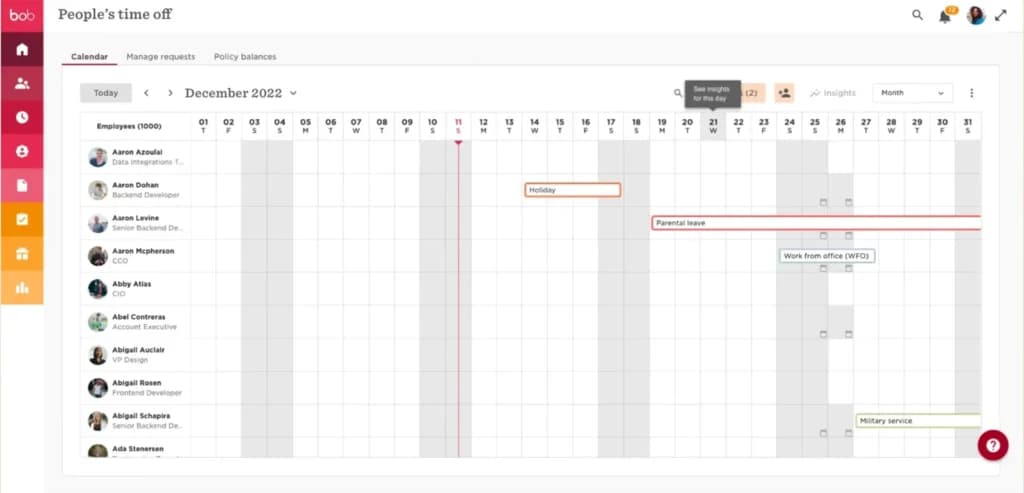
HiBob is a modern HR productivity tool designed for growing businesses. It combines performance tracking, employee engagement, and HR management into one easy-to-use platform.
How it Boosts Productivity
- Tracks employee performance and goals, helping teams stay aligned with business objectives.
- Automates onboarding, saving time during the hiring process.
- Centralizes employee data, making HR operations smoother and more transparent.
Key Features
- Performance and engagement tracking tools.
- Automated onboarding workflows.
- Centralized employee database.
Who It's For
HR teams in small to medium-sized businesses that want work productivity tools to manage growth effectively.
Why HR Tools Matter
HR tools are essential for keeping teams organized and ensuring smooth day-to-day operations. From automating payroll to tracking employee performance, these productivity tools help small businesses maintain efficiency and compliance while fostering a positive work environment. Solutions like Connecteam, Gusto, and HiBob are among the best productivity apps to streamline HR tasks and free up time for strategic initiatives.
See also
- Productivity gains show up faster next to the other categories, all listed on the AI tools for small business hub.
- Note takers and summarisers do not track who owes what by when, so put assignments and due dates into best task management software.
- Booking the meeting those notes came from is a calendar problem, solved by best meeting schedulers that handle time zones.
- Broader picks across writing, images and admin sit in our wider list of best AI apps for small business.
Final Thoughts
The success of any small business hinges on how efficiently time and resources are managed. Incorporating the right productivity tools into your workflow can significantly enhance your team’s performance, reduce manual effort, and free up time for strategic planning. Whether you’re creating content with Grammarly, managing tasks with ClickUp, or organizing your team with Gusto, these tools are tailored to meet the diverse needs of small business owners.
As the demands on small businesses evolve, so do the features and benefits of work productivity tools. Investing in these solutions isn’t just about keeping up—it’s about staying ahead. With the tools outlined in this guide, you’ll have everything you need to simplify operations and focus on what matters most: growing your business.
FAQ
Q. What are productivity tools?
A. Productivity tools are applications or software designed to help individuals and teams manage tasks, time, and workflows more efficiently.
Q. Why are productivity tools important?
A. They streamline processes, enhance collaboration, and improve time management, increasing efficiency and output.
Q. How do I choose the right productivity tool?
A. Identify your specific needs, assess the tool's features, ensure compatibility with existing systems, and consider user-friendliness and cost.
Q. Can productivity tools integrate with each other?
A. Yes, many productivity tools offer integrations with other applications to create a seamless workflow.