
Best Marketing Tools for Social Media in 2026
In the fast-paced digital world, social media marketing tools have become essential for businesses aiming to increase their online presence, engage with audiences, and drive meaningful results. We will explore the most effective marketing tools for social media, categorized by their functionalities, to help you streamline your social media strategies and achieve your marketing goals.
Last updated: September 2026
Why Social Media Marketing Tools are Essential
Managing multiple social media platforms without the right tools can be overwhelming. Social media software simplifies the process by automating tasks like scheduling posts, tracking performance, and engaging with followers. These tools enable businesses to maintain a consistent brand presence, better understand their audience, and optimize their strategies based on real-time data.
Why You Can Trust the Expertise of Sonary
At Sonary, we are committed to providing accurate and trustworthy information to help you make informed decisions. Our research process is meticulous, transparent, and guided by a dedication to maintaining the highest standards of integrity, ensuring accurate, real-world insights.
Read more here Unlike many other review platforms, we conduct in-depth evaluations of the software and services we feature. Our expert team tests and actively uses the tools we review to understand their features, performance, and value comprehensively. Our assessments are based on real-world use, giving you insights beyond surface-level descriptions. Our research methodology includes analyzing key consumer factors such as pricing, functionality, device usability, scalability, customer support quality, and unique industry-specific features. This hands-on approach and dedication to transparency mean you can trust Sonary to deliver regular, up-to-date content and recommendations that are well-researched and genuinely helpful for your business needs.
Top Marketing Tools for Social Media in2026

Wordtune is an AI-powered writing assistant that can write, rewrite, summarize, simplify, or enhance text with just a few clicks. The Wordtune tool is highly effective in various writing tasks,… Read more
Wordtune is an AI-powered writing assistant that can write, rewrite, summarize, simplify, or enhance text with just a few clicks. The Wordtune tool is highly effective in various writing tasks, including proofreading and analyzing text for clarity and impact. The Wordtune website offers an online editor with functionalities such as basic spelling and grammar corrections, and a free version of the AI tool, enhancing the user experience directly in the browser. As a versatile productivity tool, it caters to students, writers, marketers, executives, and anyone who needs to improve their writing. Wordtune also integrates seamlessly with various platforms such as Google Docs, Gmail, and Microsoft Word, allowing users to streamline their workflow across different tools. Additionally, it supports multiple languages and provides enterprise-level security to ensure data protection, making it a valuable tool for professionals and students alike.
Learn more in our full Wordtune review.
Pros & Cons
- Free Version Available: Wordtune offers a limited free version, allowing users to test its features before committing to a paid plan.
- Effective for Writer’s Block: The tool is particularly useful for overcoming writer’s block, providing suggestions to help users get started or refine their writing.
- Helpful for Grammar and Spelling: The tool automatically corrects sentences and suggests better word choices, making it a valuable resource for users who may struggle with grammar or spelling.
- Chrome extension to extend functionality
- Limited Free Plan: The free version allows only 10 rewrites per day, which may feel restrictive, and the premium plan can be considered expensive for its scope.
- AI summary from PDF isn't up to par
- Over-reliance: Some users may rely too heavily on Wordtune, using it as a crutch instead of improving their own writing skills.
- No Premium Free Trial: Wordtune does not offer a free trial of its premium features, limiting users’ ability to fully evaluate the tool before purchase.
Features
- Grammar and Style Checks
- Content Personalization
- API Access
- Text Editing and Formatting
Pricing
$0
mo/
month
$6.99
mo/
month
$9.99
mo/
month
$7.99
mo/
month
Figma is a browser-based design platform built for collaboration. It combines vector design, prototyping, feedback, and developer handoff into one shared workspace. Instead of juggling multiple… Read more
Figma is a browser-based design platform built for collaboration. It combines vector design, prototyping, feedback, and developer handoff into one shared workspace. Instead of juggling multiple tools, small businesses can design websites, mobile apps, and marketing visuals in one place. With flexible pricing and smart seat types, Figma gives SMBs the same professional design power that large teams enjoy.
Learn more in our full Figma review.
Pros & Cons
- Real-time co-editing improves teamwork and eliminates file chaos.
- Smart layout and prototyping tools reduce repetitive work.
- Flexible pricing suits both small teams and larger organizations.
- No native CMYK support, which limits print design workflows.
- Lacks advanced photo editing capabilities.
- Requires careful seat management to avoid paying for unused licenses.
Features
- API
- Image Database
- Collaboration Tools
- Content Import/Export
- Content Management
- Edits Vector & Raster Graphics
- Touch Interface Support
- Pro-Level Typography
- Print Management
- Publishing / Sharing
- Multi-Channel Marketing
- Multi-Language
- Multiple Format Support
- Engagement Analytics
- Animation
- Document Storage
- Access Controls/Permissions
- Freelancer Screening & Profiles
- Search/Filter
- Photo Editing
- Offline Editing
- Rich Text Editor
- WYSIWYG Editor
- Drag & Drop
Pricing
$0
mo/
month
$16
mo/
month

Quickbooks leads the way in cloud-based accounting software for small businesses by keeping it simple and effective. Everything your business needs is housed under its site and app. It is packed with… Read more
Quickbooks leads the way in cloud-based accounting software for small businesses by keeping it simple and effective. Everything your business needs is housed under its site and app. It is packed with features and integrations for automating aspects deemed too time-consuming.
Learn more in our full Quickbooks review.
Pros & Cons
- Robust and secure cloud-based software
- Customizable and intuitive dashboard and reports
- Numerous integrations
- Full desktop and mobile access
- Lack of 24/7 customer phone support (except for Advanced)
- Payroll costs extra
- Learning curve
Features
- General Ledger
- Bookkeeping
- Manages Accounts Payable/Receivable
- Income & Expenses Tracking/Management
- Account Reconciliations
- Financial Reporting
- Invoicing
- Record Expenses
- Record Mileage
- Generate Invoices
- Tax Compliance
- Manage Tax Calculations/Reporting
- Accountant-Prep Friendly
- Automation of Invoices/Notifications
- Suggests Transaction Matches
- Purchase Order Automation
- Payment Processing
- Payroll Processing
- Project Management
- Time tracking
- Third-party Integrations
- Windows
- Android
- iPhone/iPad
- Mac
- Web-Based
Pricing
$0
mo/
month
$38
mo/
month
$85
mo/
month
$140
mo/
month
$340
mo/
month

Copy.ai is an AI writing tool designed to generate high-quality content for millions of users. This state-of-the-art artificial intelligence software provides content across various niches to… Read more
Copy.ai is an AI writing tool designed to generate high-quality content for millions of users. This state-of-the-art artificial intelligence software provides content across various niches to simplify the content creation process. The AI tool includes features like automated content generation, multilingual support, SEO optimization, plagiarism checks, and tailored templates for emails, social media, and e-commerce, all designed to enhance user productivity and creativity. With its advanced technology, users can now generate creative, relevant, and engaging content.
Learn more in our full Copy Ai review.
Pros & Cons
- Both AI writing tool and ChatBot provide high-quality content generation
- AI writing tool provides customization options
- Provides a wide range of templates for various content need
- Some advanced features require learning and practicing for new users
- Slow and glitchy UI and unresponsive at times
Features
- Grammar and Style Checks
- SEO Optimization
- Collaboration Features
- Content Personalization
- API Access
- Text Editing and Formatting
- Compliance and Security Measures
- Web
Pricing
$0
mo/
month
$49
mo/
month
$249
mo/
month

Zapier offers a powerful AI chatbot, an automation tool that helps businesses save time and money by streamlining various processes. Zapier allows users to create their own AI chatbot without coding… Read more
Zapier offers a powerful AI chatbot, an automation tool that helps businesses save time and money by streamlining various processes. Zapier allows users to create their own AI chatbot without coding experience. Users can create AI chatbots that are fully customized to their needs using simple prompts. It offers premade templates and automations to increase productivity. The Zapier review you’re about to read will include its plans, prices, and features.
Learn more in our full Zapier review.
Pros & Cons
- Seamlessly integrates with over 6,000 apps
- Automates repetitive and time-consuming tasks
- Deep customization and control over automation processes
- Scalability as your business evolves
- A very limited free plan
- Requires time to learn and develop
Features
- Collaboration Features
- Multilingual Support
- API Access
- Text Editing and Formatting
- Compliance and Security Measures
- Web
Pricing
$0
mo/
month
$13.33
mo/
month
$66.67
mo/
month

Grammarly is an AI-powered tool that helps users compose bold, clear, and mistake-free writing. It also offers a plagiarism checker that searches billions of web pages and documents to find matching… Read more
Grammarly is an AI-powered tool that helps users compose bold, clear, and mistake-free writing. It also offers a plagiarism checker that searches billions of web pages and documents to find matching text.
Learn more in our full Grammarly review.
Pros & Cons
- Offers rewriting suggestions that can help decrease plagiarism percentage
- Mostly accurate in finding plagiarized sources
- Catches even common phrases
- Plagiarism checker is not available in the free plan
- Plagiarized sources do not match in some cases
- Not reliable for edited or paraphrased texts
Features
- Plagiarism Check
- Style Editor
- Citation Finder
- Content Scan
- Text Similarity Detection
- Reporting/Analytics
- Multiple File Format Support
- Spell Checker
- Grammar Check
- Tone Check
- Sentence Formatting
- Vocabulary Recommendations
- Sentence Rephrasing
- Dictionary
- Standalone Application
- Plugin
- Browser Application
- Desktop Application
- Internet Content
- Academic Databases
Pricing
$0
mo/
month

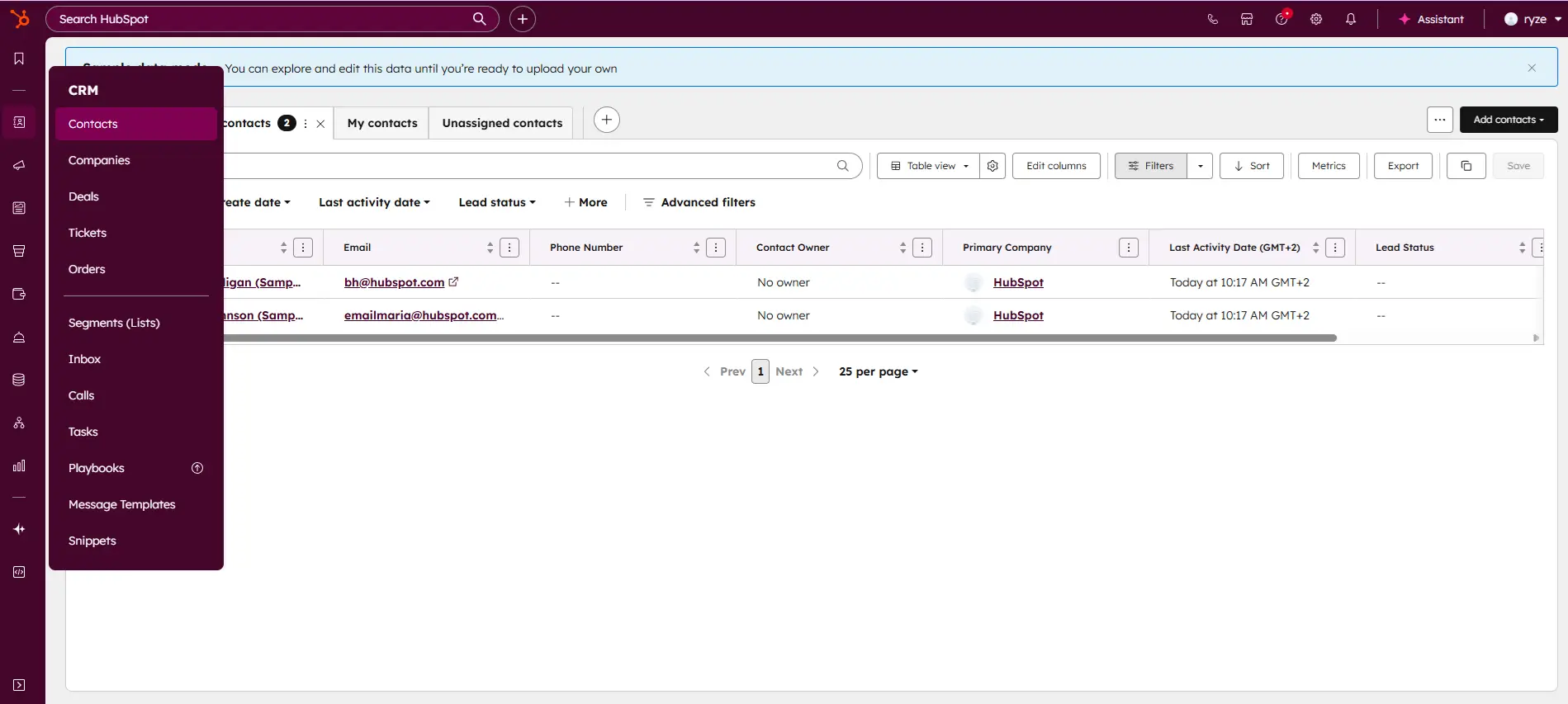
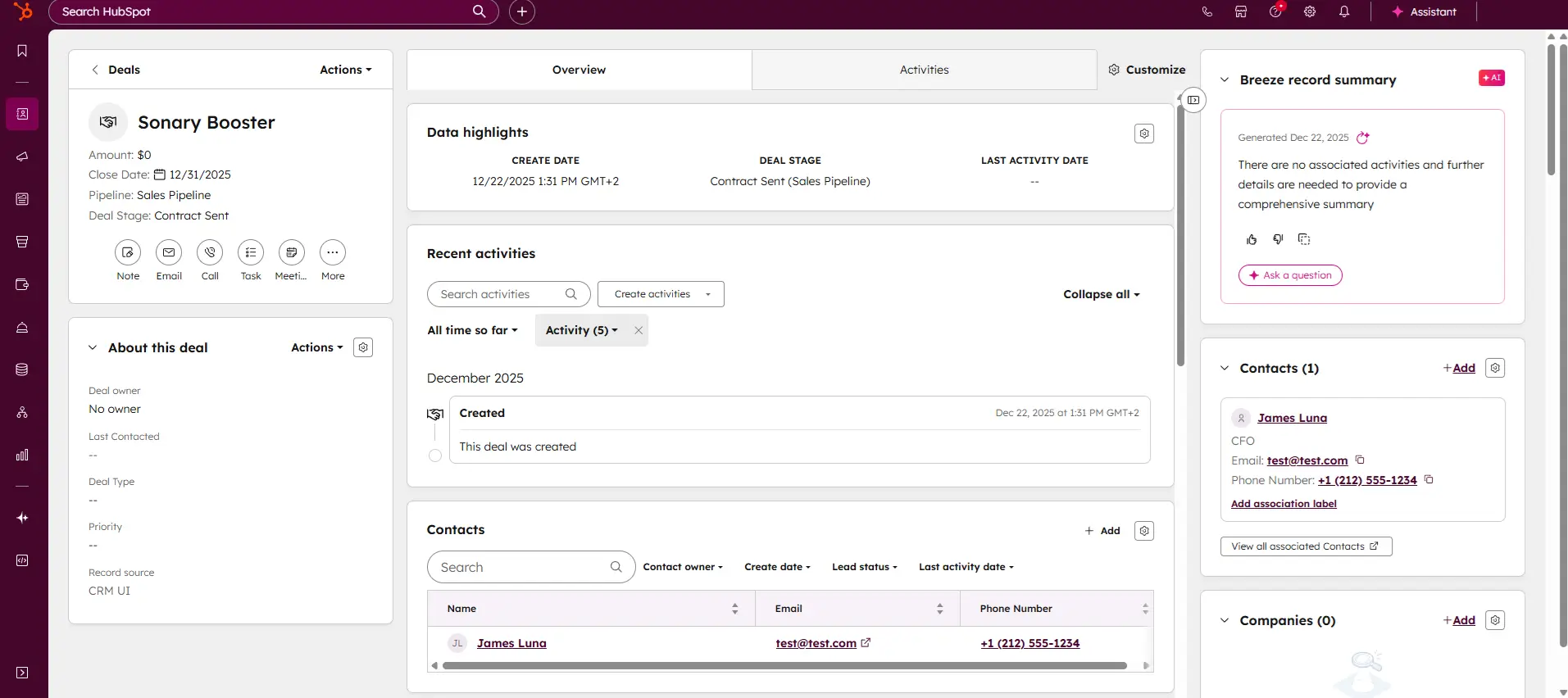
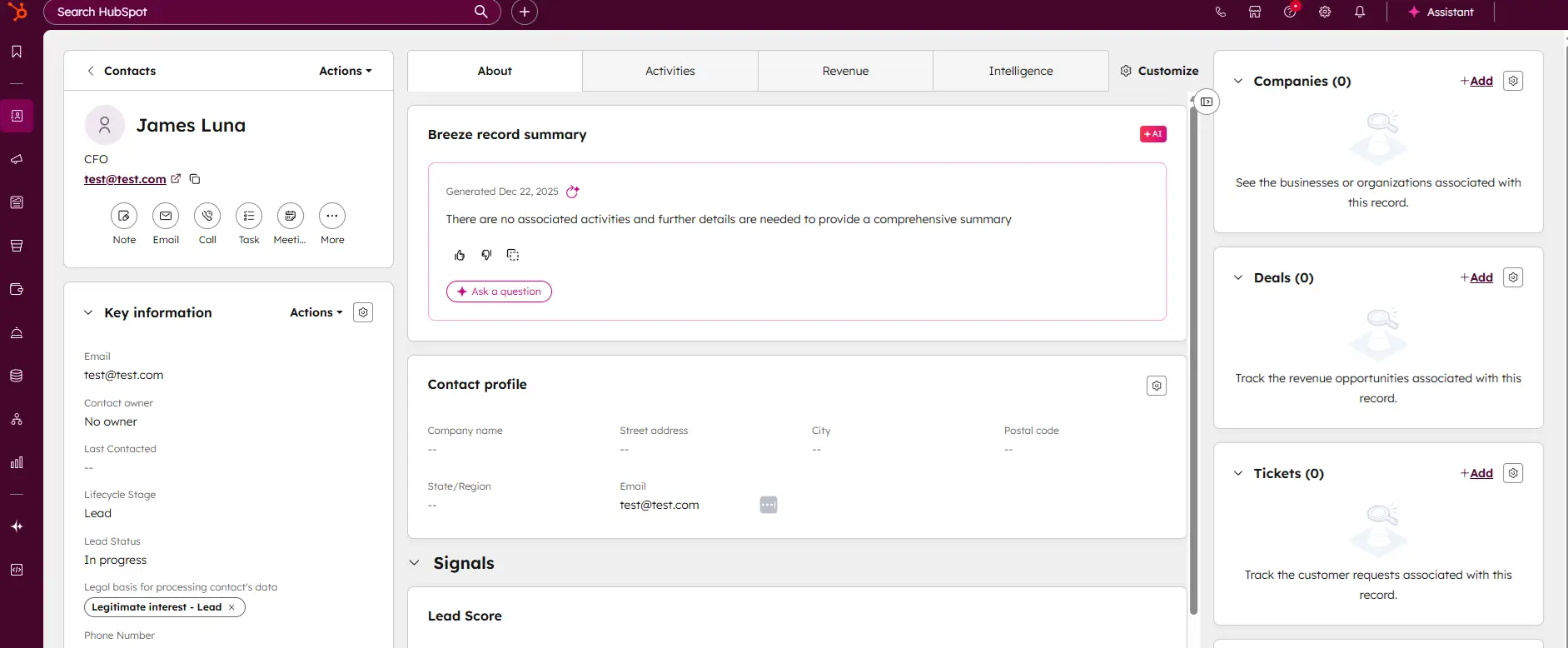
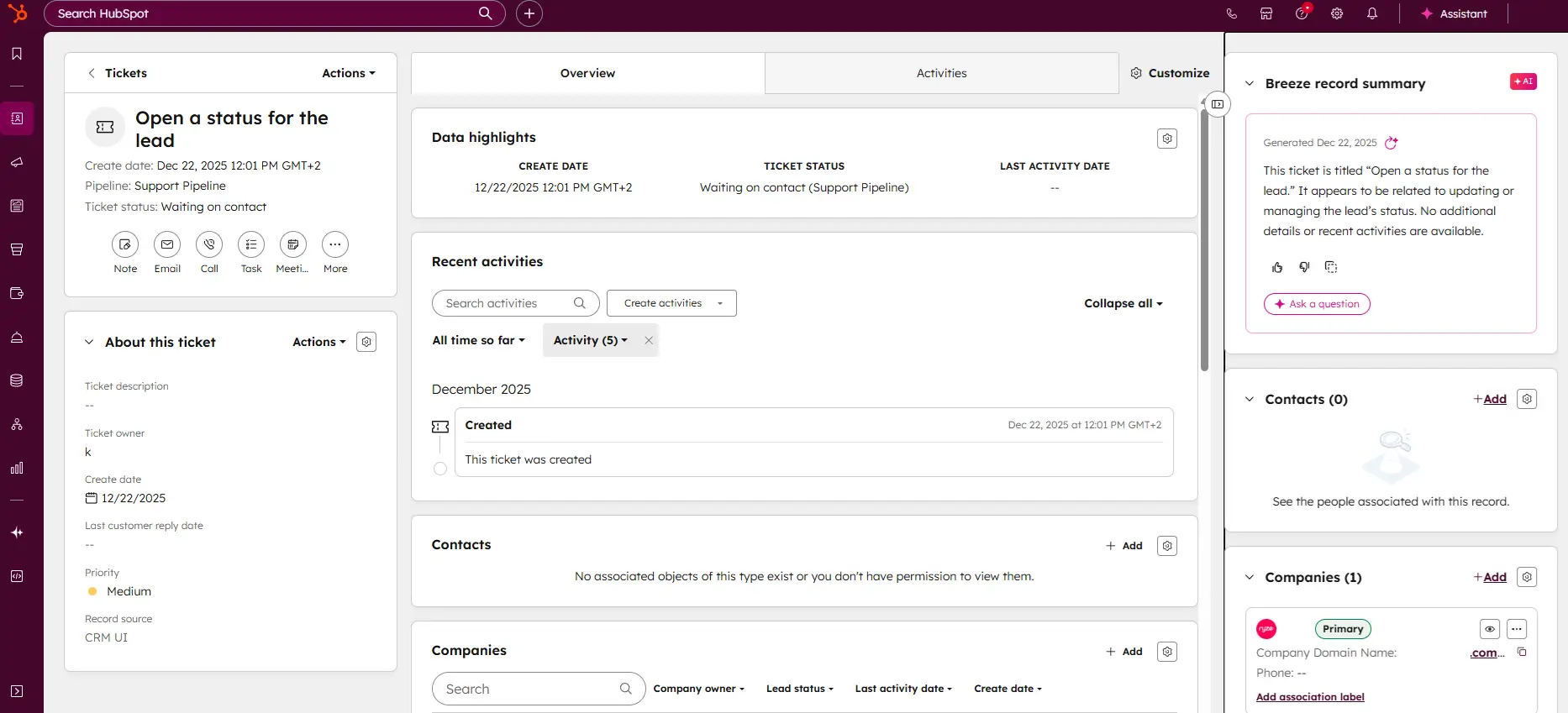
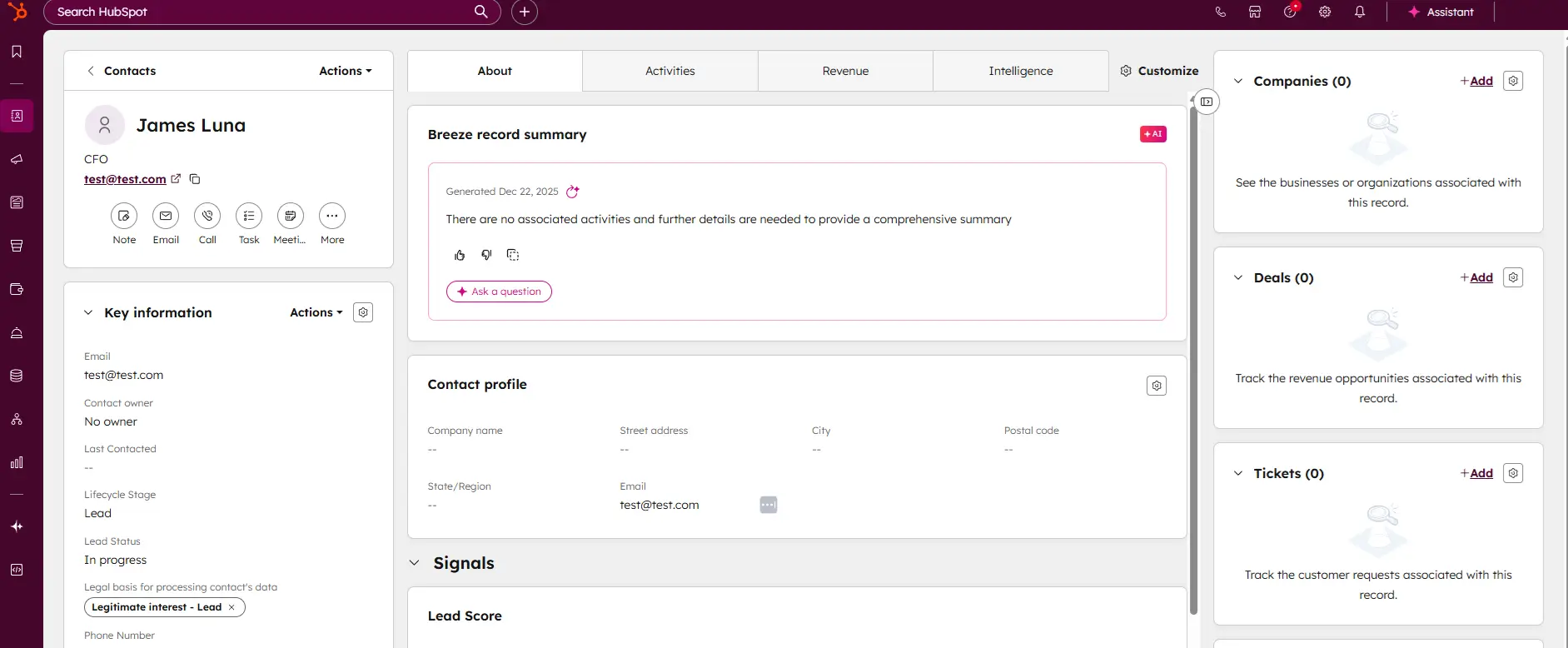
HubSpot CRM is your go-to solution for managing sales and customer relationships with precision and ease. Offering a real-time view of your sales activity, HubSpot provides explicit, actionable… Read more
HubSpot CRM is your go-to solution for managing sales and customer relationships with precision and ease. Offering a real-time view of your sales activity, HubSpot provides explicit, actionable reports that give you deep insights into your team's performance. Track deal progress, monitor leads, and pinpoint areas for growth, all within an intuitive platform. With HubSpot CRM, you gain the tools to optimize your sales strategy, enhance collaboration, and drive business success like never before. This Hubspot CRM review will look at pricing, features, and performance of the CRM tool.
Learn more in our full Hubspot review.
Pros & Cons
- Intuitive design
- Free version available
- Reliable customer support
- Numerous workflow templates
- Automation is unavailable for free plan
Features
- Dashboards
- Reporting
- Marketing Analytics
- Pipeline Management
- Call Management
- Account Management
- Collaborative Data
- Mobile App
- Integrations
- Sales AI
- Sales Opportunity
- Quote Management
- Lead Chatbot
- Email Sync
- Email Tracking
- Email Templates
- Schedule Emails
- Customer Contact Management
- Lead Scoring
- Automated Reports
- Marketing Automation
- Sales Pipeline Automation
- Sales Forecasting Automation
- Automated Emails
Pricing
$0
mo/
month
$7
mo/
month
$90
mo/
month
$150
mo/
month
Screenshots

Canva is a user-friendly graphic design platform that empowers individuals to create a wide array of visual content, including graphics, presentations, headers, documents, invitations, posters, and… Read more
Canva is a user-friendly graphic design platform that empowers individuals to create a wide array of visual content, including graphics, presentations, headers, documents, invitations, posters, and resumes. This all-in-one graphic design tool features a video and graphic maker, photo editor, and logo creator, making it accessible for both beginners and professionals. With its intuitive interface and extensive template library, Canva simplifies the design process, enabling users to produce stunning visuals with ease. In this Canva review, I'll discuss, graphic design features, performance, Canva pricing, and more.
Learn more in our full Canva review.
Pros & Cons
- AI tools for creating and editing designs
- 1M+ free templates
- Easy to share option
- Automatic save
- Best features aren't available for free
- No phone, live chat, email or community support
- Its online version has more templates and design elements
Features
- API
- Templates
- Image Database
- Collaboration Tools
- Content Import/Export
- Content Management
- Edits Vector & Raster Graphics
- Pro-Level Typography
- Print Management
- Publishing / Sharing
- Multi-Channel Marketing
- Multi-Language
- Multiple Format Support
- Social Promotion
- Animation
- Document Storage
- Access Controls/Permissions
- Search/Filter
- Photo Editing
- Video Editing
- Rich Text Editor
- WYSIWYG Editor
- Drag & Drop
Pricing
$0
mo/
month
$15
mo/
month
$21
mo/
month

In the realm of design, Adobe Photoshop remains an essential tool for professionals, blending traditional design functionalities with cutting-edge AI enhancements. The introduction of AI-driven tools… Read more
In the realm of design, Adobe Photoshop remains an essential tool for professionals, blending traditional design functionalities with cutting-edge AI enhancements. The introduction of AI-driven tools like the improved Font browser helps designers manage and explore over 25,000 Adobe fonts with ease, enriching the creative process and ensuring a seamless workflow across devices and platforms. Adobe Photoshop, a leader in digital editing for over 30 years, offers powerful tools to support creatives across industries in produce detailed and complex designs effortlessly.
Learn more in our full Adobe Photoshop review.
Pros & Cons
- Can deeply customize almost every aspect of the design process
- Supports multiple file formats — essential for cross-platform design work.
- Tools for mobile and web design
- Adobe Suite integration for easy workflow
- Requires a powerful computer as it runs many processes
- Steep learning curve due to many features
- No option for a perpetual license
Features
- API
- Templates
- Image Database
- Collaboration Tools
- Content Import/Export
- Edits Vector & Raster Graphics
- Touch Interface Support
- Pro-Level Typography
- Print Management
- Publishing / Sharing
- Multi-Language
- Multiple Format Support
- Animation
- Document Storage
- Search/Filter
- Photo Editing
- Video Editing
- Offline Editing
- Drag & Drop
Pricing
$14.98
mo/
month
$22.99
mo/
month
$37.99
mo/
month
$59.99
mo/
month

Constant Contact is designed to help small and growing businesses grow their email list. Supercharged with 200+ responsive email design templates, seamless automations, and A/B testing tools, over… Read more
Constant Contact is designed to help small and growing businesses grow their email list. Supercharged with 200+ responsive email design templates, seamless automations, and A/B testing tools, over 600,000 marketers and small business owners use this tool to increase customer engagement and sales.
Learn more in our full Constant Contact review.
Pros & Cons
- High deliverability rate
- Users can receive payments via email
- Easy integration for social media marketing
- Outstanding customer support
- Account cancellation is difficult
- Relatively high-priced tiers
Features
- Image Library
- Multiple Users
- Gmail Import
- Sign-Up Forms
- Google Analytics
- Email Lists
- Segmenting
- A/B Testing
- Social Media Marketing
- Surveys
- Bounce Management
- Tracking Analytics
- Automated Email Responses
- Email Templates
- Building Personalized Emails
- Email & Mobile Preview
- Flexible Design
- Storage for Data & Images
- Newsletter Templates
- Integrations

HoneyBook is best known as a sleek, all-in-one clientflow platform built for independent professionals and service-based small businesses. From first inquiry to final payment, the platform… Read more
HoneyBook is best known as a sleek, all-in-one clientflow platform built for independent professionals and service-based small businesses. From first inquiry to final payment, the platform centralizes everything, proposals, contracts, scheduling, invoicing, and communication, into one cohesive workflow. It’s designed to cut down on back-and-forth and let business owners focus less on admin.
Learn more in our full Honeybook review.
Pros & Cons
- Integrated contractor payments
- Intuitive setup and use
- Reliable and smooth performance
- Ideal for freelancers and solopreneurs
- No W-2 or full payroll support
- No 24/7 or phone-based support
- Minimal automation features
Features
- Generation of pay stubs and reports
- Mobile App For Employees
- Direct Deposit for Employee Paychecks
- Form 1099-MISC
- Accounting Software
- Direct Deposit
Pricing
$29
/month/
/month
$49
/month/
/month
$109
/month/
/month

Salesforce CRM is the world’s #1 customer relationship management tool, empowering businesses to track every customer interaction with precision and ease. Packed with cutting-edge features,… Read more
Salesforce CRM is the world’s #1 customer relationship management tool, empowering businesses to track every customer interaction with precision and ease. Packed with cutting-edge features, Salesforce enhances sales, optimizes marketing strategies, and delivers seamless customer service—all from a single platform. With thousands of apps available to supercharge these processes, Salesforce is the ultimate solution for businesses looking to grow smarter and faster while maintaining exceptional customer experiences. In this Salesforce CRM review, I'll discuss the oricing, features, performance, and business value of this CRM software.
Learn more in our full Salesforce review.
Pros & Cons
- One-stop solution for sales, marketing, and customer service
- Very flexible and highly customizable CRM system
- Offers multiple support channels
- Scalable pricing model
- Deployment can be difficult and time-consuming
- Not a very user-friendly interface
Features
- Dashboards
- Reporting
- Marketing Analytics
- Pipeline Management
- Call Management
- Account Management
- Collaborative Data
- Mobile App
- Integrations
- Sales AI
- Customer Contact Management
- Sales Opportunity
- Quote Management
- Lead Chatbot
- Lead Scoring
- Email Sync
- Email Tracking
- Email Templates
- Schedule Emails
- Automated Reports
- Marketing Automation
- Sales Pipeline Automation
- Sales Forecasting Automation
- Automated Emails
Pricing
$25
/mo /user/
/mo /user
$100
/mo /user/
/mo /user
$0
/mo/ user/
/mo/ user

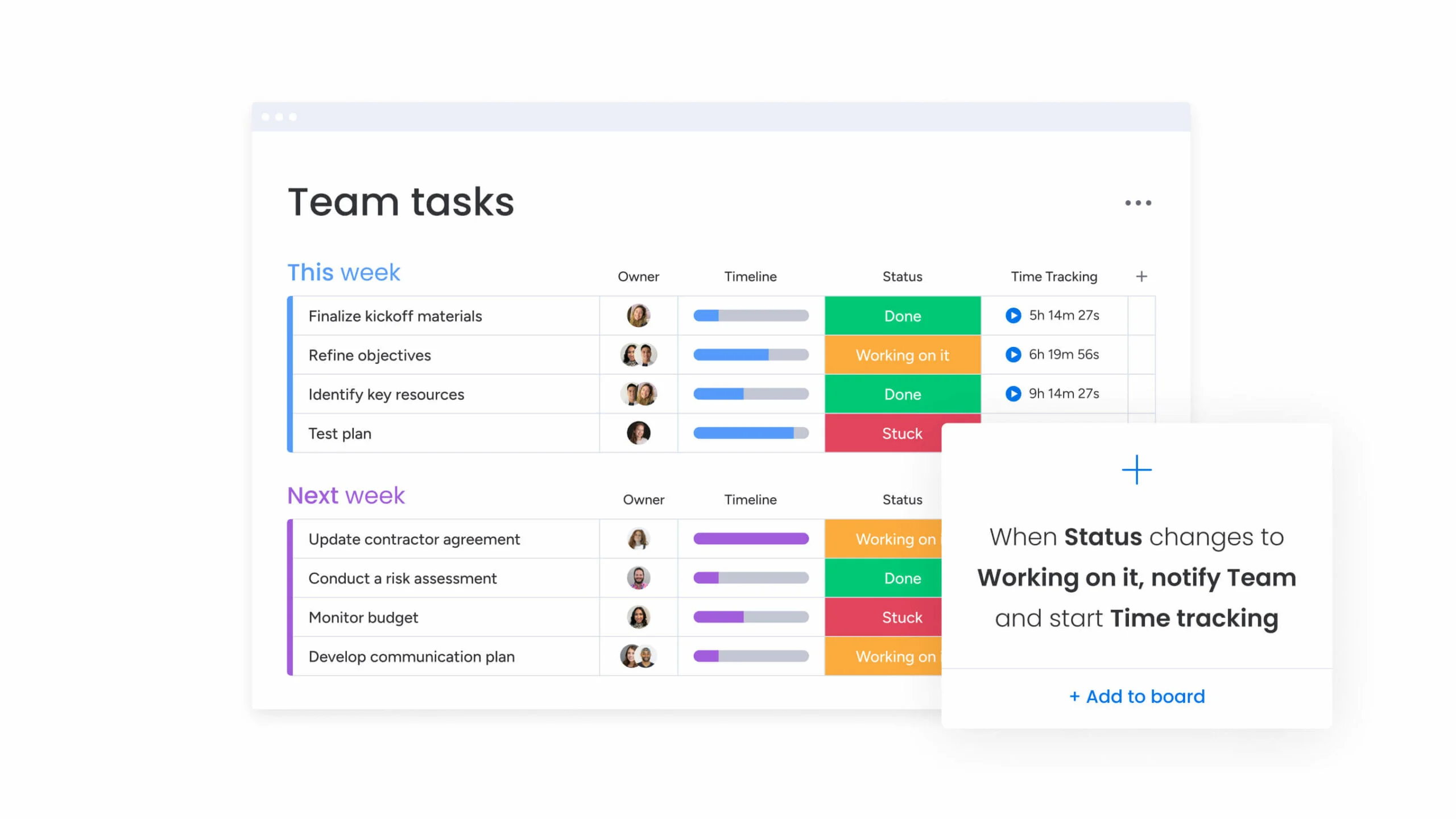
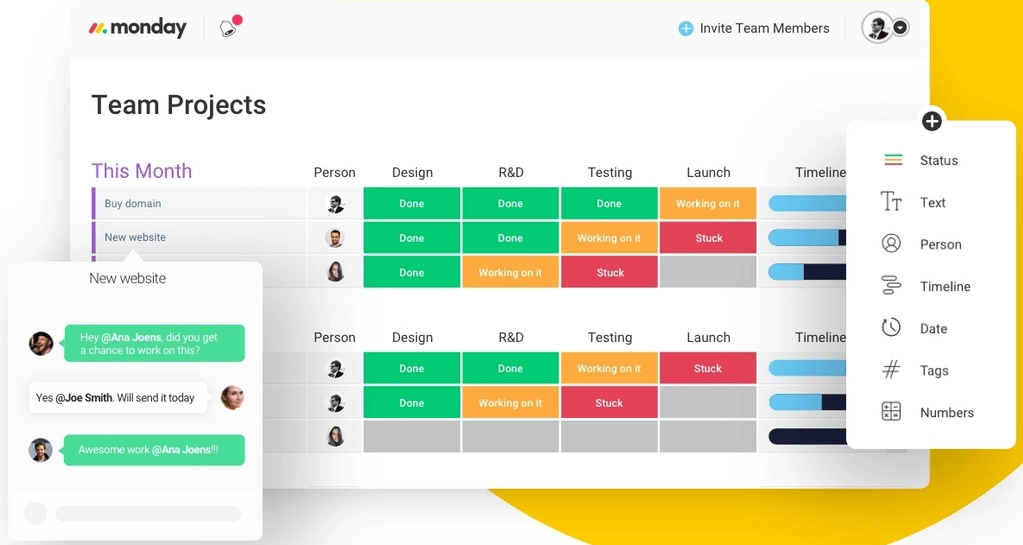
Visualize your projects' progress and make informed decisions with monday.com's project management software. Trusted by over 200,000 customers worldwide, monday.com offers a flexible platform… Read more
Visualize your projects' progress and make informed decisions with monday.com's project management software. Trusted by over 200,000 customers worldwide, monday.com offers a flexible platform adaptable to various workflows, including project management, CRM, software development, and human resources. Its intuitive interface and customizable features streamline collaboration, enhance efficiency, and provide real-time insights into project stages. In this monday.com project management review, I'll discuss features, performance, customer service, and monday.com pricing.
Learn more in our full Monday review.
Pros & Cons
- This project management software is easy to navigate
- The site uses reliable and user-friendly tools
- The organization of the platform is effective
- The help and support area needs to offer more options
- The help and support area should have more extensive testimonials and videos
- There is no multilingual support
Features
- File Sharing
- Document collaboration
- User Access and Permissions
- Mobile App
- Multi-language support
- Reporting and Dashboards
- Customization
- Storage Included
- Integrated Chat
- Notifications
- Comments on Tasks
- Discussion
- Task Creation and Assignment
- Due Dates
- Task Prioritization
- To-Do Lists
- Calendar
- Gantt Chart / Project Map
- Baselining / KPIs
- Project Budgeting
- Resource Management
- Reporting
- Forecasting
- Marketing Analytics
Pricing
$9
/mo /user/
/mo /user
$12
/mo /user/
/mo /user
$19
/mo /user/
/mo /user
Screenshots


Imagine a workspace where every project detail aligns seamlessly, teams collaborate effortlessly, and productivity soars—welcome to ClickUp. This all-in-one project management platform offers… Read more
Imagine a workspace where every project detail aligns seamlessly, teams collaborate effortlessly, and productivity soars—welcome to ClickUp. This all-in-one project management platform offers customizable workflows, enabling you to tailor processes to your team's unique needs. Assign tasks with precision, visualize projects from inception to completion, and maintain clear communication through integrated document sharing, comments, and real-time notifications. With a vast library of project templates and integrations, ClickUp adapts to businesses of all sizes, ensuring tasks are executed efficiently and effectively. In this ClickUp review, I'll discuss features, performance, customer service, and ClickUp pricing.
Learn more in our full Clickup review.
Pros & Cons
- Over a dozen project views
- Built-in document editor that can be used to collaborate in real-time
- Dedicated chat interface to aid team collaboration
- Workload and time log tracking
- Can be difficult to master because of how expansive the platform is
- When using the Everything view, it can be difficult to understand who owns what.
Features
- File Sharing
- Document collaboration
- User Access and Permissions
- Mobile App
- Search
- Multi-language support
- Risk Analysis
- Reporting and Dashboards
- Customization
- Storage Included
- Integrated Chat
- Notifications
- Comments on Tasks
- Discussion
- Task Creation and Assignment
- Due Dates
- Task Prioritization
- To-Do Lists
- Calendar
- Gantt Chart / Project Map
- Resource Management
- Reporting
Pricing
$0
mo/
month
$7
mo/
month
$12
mo/
month

Netsuite's accounting software improves financial controls, produces accurate reports, and simplifies the recording of payment transactions. Gain real-time insights into financial metrics and ensure… Read more
Netsuite's accounting software improves financial controls, produces accurate reports, and simplifies the recording of payment transactions. Gain real-time insights into financial metrics and ensure accounting regulations, all on their app or desktop.
Learn more in our full Netsuite review.
Pros & Cons
- 24/7 customer support
- Offers an integrated eCommerce storefront
- Extensive global compliance features
- Tons of modules available for nearly everything you need
- Expensive
- Many features are paid add-ons
- Excessive modules
Features
- General Ledger
- Bookkeeping
- Manages Accounts Payable/Receivable
- Income & Expenses Tracking/Management
- Account Reconciliations
- Financial Reporting
- Receipt Scanning
- Invoicing
- Record Expenses
- Generate Invoices
- Recurring Expenses
- Tax Compliance
- Manage Tax Calculations/Reporting
- Accountant-Prep Friendly
- Automation of Invoices/Notifications
- Suggests Transaction Matches
- Purchase Order Automation
- Payment Processing
- Payroll Processing
- Project Management
- Time tracking
- Third-party Integrations
- Web-Based
Benefits of Using Social Media Marketing Tools
- Time-Saving Automation: Automate repetitive tasks such as posting and reporting, allowing teams to focus on strategy.
- Enhanced Analytics: Gain insights into audience engagement, content performance, and campaign ROI.
- Improved Engagement: Tools help monitor interactions and respond promptly, building stronger customer relationships.
- Consistent Branding: Ensure your brand message is consistent across all platforms through scheduled and curated content.
- Multi-Platform Management: Manage all your social accounts from a single dashboard, streamlining operations.
Key Features to Look for in Social Media Marketing Tools
When choosing a tool for social media marketing, it’s crucial to focus on features that align with your business objectives:
1. Content Scheduling and Automation
- Schedule posts in advance across multiple platforms.
- Automate posting to maintain a consistent presence.
- Visual planning for platforms like Instagram and Pinterest.
2. Analytics and Performance Tracking
- Measure key metrics such as engagement, reach, and conversions.
- Identify top-performing content to refine strategies.
- Track audience growth and behavior trends over time.
3. Social Listening
- Monitor brand mentions and customer sentiment.
- Track industry trends and competitor activities.
- Respond to customer feedback and manage your online reputation.
4. Multi-Platform Management
- Centralize control of all social accounts.
- Simplify content distribution and engagement tracking.
- Reduce the complexity of handling multiple platforms individually.
5. Collaboration and Workflow Management
- Facilitate team collaboration on content creation and approval.
- Assign tasks and track progress to meet deadlines efficiently.
Related Articles


Top Social Media Marketing Tools by Category
Social Media Scheduling and Automation Tools
Efficient social media management tools are essential for maintaining an active presence. They enable businesses to automate posting and focus on content quality rather than manual uploads.
- Features:
- Schedule content across platforms.
- Visual content planning and post previews.
- Automated posting and reminders for optimal engagement times.
Analytics and Performance Tools
Understanding what works is key to refining your strategy. Analytics tools offer insights into how your content is performing, helping you optimize your efforts.
- Features:
- Detailed reports on engagement, reach, and conversions.
- Audience demographic and behavior analysis.
- Integration with other marketing tools for comprehensive reporting.
Social Listening Tools
Social marketing tools with listening capabilities help businesses stay aware of what’s being said about them online, allowing them to engage in meaningful conversations and address issues promptly.
- Features:
- Real-time monitoring of brand mentions.
- Sentiment analysis to gauge public perception.
- Competitive analysis to stay ahead of industry trends.
Multi-Platform Management Tools
Managing several social accounts can be streamlined with top social media marketing tools that offer centralized control and efficient handling of all activities.
- Features:
- Unified dashboard for all social media accounts.
- Cross-platform content distribution and tracking.
- Simplified engagement management, such as responding to comments and messages.
Related Tools
♻️Lifetime Value (LTV) Calculator
🎫Credit Card Processing Fee Calculator
💰Return on Investment (ROI) Calculator
How to Choose the Best Social Media Marketing Tool
Selecting the right social media marketing tool is crucial for optimizing your marketing efforts. Here’s an actionable guide to help you make the best choice:
1. Clarify Your Goals
- Action: Write down your primary objectives (e.g., increasing brand awareness, boosting engagement, or driving sales).
- Tip: Align your goals with specific platform strengths (e.g., Instagram for visual engagement and LinkedIn for B2B marketing).
2. Identify Essential Features
- Action: List the must-have features based on your goals, such as:
- Scheduling and Automation: Helps maintain a consistent posting schedule.
- Analytics: Tracks engagement, reach, and ROI.
- Social Listening: Monitors mentions and sentiment.
- Multi-Platform Management: Manages multiple accounts from one dashboard.
- Tip: Prioritize tools that offer real-time data to make quick adjustments to your strategy.
3. Set a Budget
- Action: Determine how much you can invest monthly or annually.
- Tip: Start with free or affordable tools that offer core functionalities, then scale as your needs grow.
4. Explore Integration Needs
- Action: List the other tools you use (CRM, analytics platforms) and check compatibility.
- Tip: Look for tools that integrate seamlessly to avoid manual data transfers.
5. Assess Usability
- Action: Choose tools with a user-friendly interface.
- Tip: Involve your team in testing tools to ensure they are easy to use and fit well into your existing workflow.
6. Take Advantage of Free Trials
- Action: Sign up for free trials of the top 2-3 tools you’re considering.
- Tip: Use these trials to explore features fully and assess whether the tool meets your expectations.
7. Review Support and Resources
- Action: Check for available support options, such as live chat, email support, and knowledge bases.
- Tip: Prioritize tools with robust customer support and community forums for quick problem-solving.
By following these actionable steps, you’ll be equipped to choose a social media tool that enhances your marketing efficiency, drives engagement, and aligns perfectly with your business goals.
See also
- Scheduling is one slice of the work, so the best creative tools comparison covers the asset creation and email side that surrounds it.
- Paid creator work is sourced, briefed and tracked apart from your own posting, which is why we keep best influencer platforms for small brands separate.
- A scheduler does not make the artwork, so pre sized templates per platform come from best design tools for social media posts.
- Vertical clips need trimming and burned in captions before they reach the queue, and that is the job of best mobile video editing apps.
- Selling from a catalogue adds product feeds and cart recovery on top of publishing, both covered in best ecommerce marketing tools.
Conclusion
Utilizing the right social media marketing tools is crucial for businesses to enhance their online presence and achieve significant growth. These tools help automate repetitive tasks, provide valuable insights into audience engagement, and streamline the management of multiple platforms. Whether your goal is to increase brand awareness, drive website traffic, or boost customer engagement, the right social marketing tool can significantly amplify your efforts.
By focusing on key features such as content scheduling, analytics, social listening, and multi-platform management, businesses can effectively tailor their strategies to meet their unique goals. Selecting tools that align with your business size, objectives, and budget ensures a scalable solution that grows with your needs.
Investing in top social media software enhances operational efficiency and empowers your marketing team to focus on creative, high-impact tasks that drive results. Start exploring these tools today to optimize your social media strategy, engage your audience more effectively, and achieve long-term success in the digital marketplace.